# 二维码图片工具
你可以使用我们的二维码API生成或解码/读取二维码图像。
**使用"草料二维码API"拥有以下优势**
* 快速实现自己的**二维码生成器**
* 高性能的服务器
* 快速获取 [OpenAPI Scheme](https://tinyqrcode.cliim.net/openapi.json) 完成大模型插件对接
* 丰富专业的二维码打印格式
* 位图图像(PNG)
* 矢量格式(SVG)
* ... (更多格式即将推出)
## 尝试创建一个二维码
### 直接调用
通过发起GET请求调用 [https://api.2dcode.biz/v1/create-qr-code?data=**Example**](https://api.2dcode.biz/v1/create-qr-code?data=Example) 来获取内容为"Example"的二维码
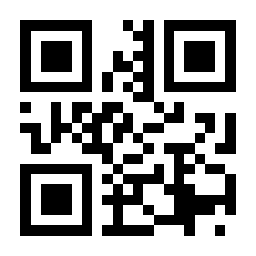
现在替换 URL 中的 `Example` 即可获得一个带有你选择的文本的新二维码。你可以在我们的 [API文档](./create-qr-code.md) 中找到详细的功能描述和示例。
### 通过`![]() `标签引入
你也可以直接添加如下标签, 在网页中直接使用
```html
 ```
### 使用代码
试试仅用几行代码就完成二维码生成
:::code-group
```python
import requests
with open('qrcode.png', 'wb') as f:
f.write(requests.get('https://api.2dcode.biz/v1/create-qr-code?data=Example').content)
```
```php
file_put_contents('qrcode.png', file_get_contents('https://api.2dcode.biz/v1/create-qr-code?data=Example'));
```
```javascript
const https = require('https');
const fs = require('fs');
https.get('https://api.2dcode.biz/v1/create-qr-code?data=Example', (res) => {
res.pipe(fs.createWriteStream('qrcode.png'));
});
```
:::
## 尝试二维码解码(读取二维码内容)
通过发起GET请求调用 [https://api.2dcode.biz/v1/read-qr-code?file_url=**https%3A%2F%2Fgstatic.clewm.net%2Fcaoliao-resource%2F250408%2F80bc7c_bd33d499.png**](https://api.2dcode.biz/v1/read-qr-code?file_url=https%3A%2F%2Fgstatic.clewm.net%2Fcaoliao-resource%2F250408%2F80bc7c_bd33d499.png)
获取图像URL `https://gstatic.clewm.net/caoliao-resource/250408/80bc7c_bd33d499.png` 中的二维码的内容

```json
{
"code": 0,
"message": "ok",
"data": {
"contents": [
"Example"
]
}
}
```
*当图中有多个二维码时, contents会返回多个结果*
你可以在我们的 [API文档](./read-qr-code.md) 中找到详细的功能描述和示例。
### 使用代码
:::code-group
```python
import requests
from urllib.parse import quote
r = requests.get("https://api.2dcode.biz/v1/read-qr-code?file_url=" + quote("https://gstatic.clewm.net/caoliao-resource/250408/80bc7c_bd33d499.png"))
print(r.json()["data"]["contents"][0])
```
```php
$result = json_decode(file_get_contents("https://api.2dcode.biz/v1/read-qr-code?file_url=".urlencode("https://gstatic.clewm.net/caoliao-resource/250408/80bc7c_bd33d499.png")), true);
echo $result["data"]["contents"][0];
```
```javascript
fetch("https://api.2dcode.biz/v1/read-qr-code?file_url="+encodeURIComponent("https://gstatic.clewm.net/caoliao-resource/250408/80bc7c_bd33d499.png"))
.then(r=>r.json())
.then(d=>console.log(d.data.contents[0]));
```
:::
## API文档
* [生成二维码](./create-qr-code.md)
* [二维码解码](./read-qr-code.md)