Guide to Making the New Hazardous Waste Labels
On July 1, 2023, the Technical Specification for Setting Hazardous Waste Identification Marks (HJ 1276-2022), formulated by the Ministry of Ecology and Environment, formally took effect. Relevant units should set hazardous waste identification marks as required, and it clearly states that the new hazardous waste labels need to include a digital identification code and a QR code, achieving "one item, one code" management of hazardous waste. Learn more
Many users in the CaoLiao community asked for hazardous waste labels and templates that follow the new specification. After evaluating the need, our product managers quickly followed up and launched the hazardous waste label style series and a hazardous waste label template, which can import Excel data directly and generate large numbers of labels with QR codes in one go.
How to Make Them
Two kinds of bulk QR code generation are currently offered, which you can choose by need.
1. Bulk QR Code Generation with a Template
A "Hazardous Waste Label" template has been added to CaoLiao QR Code's template library. You only need to upload or fill in the hazardous waste details to generate labels with QR codes in bulk, with no need to design or lay them out yourself, and a scan shows the hazardous waste name, category, collecting unit, precautions, and more.
Hazardous waste label template: https://cli.im/template/detail/121462996
Note: you can enter related keywords in the template library's search box to see more templates shared by users, or edit the template to add forms, statuses, and other modules to build a simple hazardous waste management system.
2. Bulk-Generate Hazardous Waste Labels
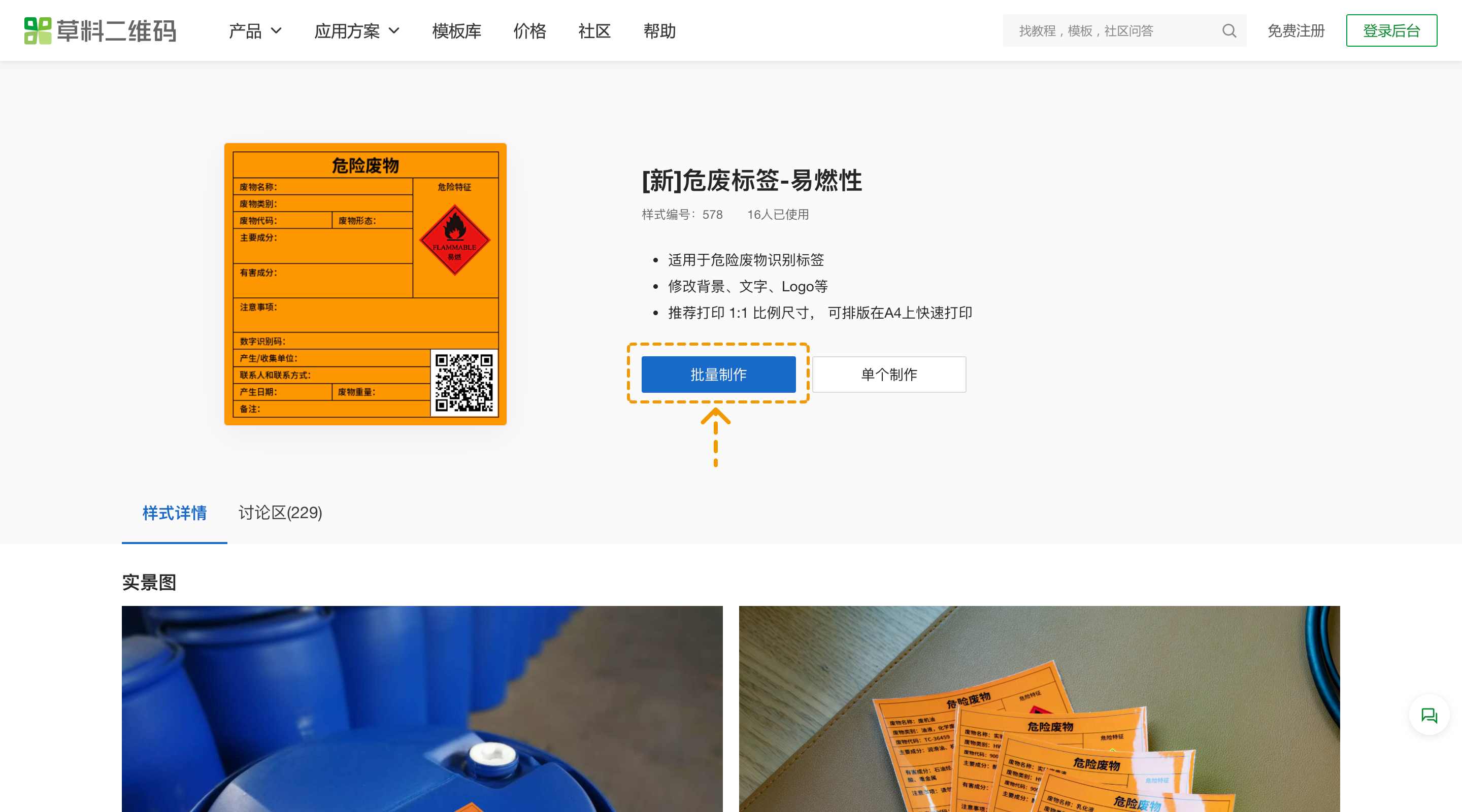
If you already have a hazardous waste management system, you can export the basic hazardous waste information from it, such as code content, hazardous waste name, category, code, form, and main components, then choose the matching hazardous waste label style and import an Excel sheet to generate hazardous waste labels in bulk.
- [New] Hazardous Waste Label - Toxicity https://cli.im/label/detail/583
- [New] Hazardous Waste Label - Reactivity https://cli.im/label/detail/581
- [New] Hazardous Waste Label - Corrosivity https://cli.im/label/detail/582
- [New] Hazardous Waste Label - Flammability https://cli.im/label/detail/578
- [New] Hazardous Waste Label - Multiple Characteristics https://cli.im/label/detail/584
Note: label styles for hazardous waste storage, utilization, and treatment facility signs are still in development; we suggest generating the QR code first and sticking it on the hazardous waste sign board after printing.
Tutorial
1. Choose the Matching Template and Make in Bulk
Filter label styles or the hazardous waste label template as needed, choose the bulk QR code generation method, and fill in data through the online sheet or by uploading an Excel sheet to make labels in bulk. View tutorial
2. Edit the Template as Needed
Label fields, colors, icons, backgrounds, and more can all be edited. View tutorial
The display content, style, forms, statuses, and more in the hazardous waste label template can all be edited and also changed later at any time, and after editing, sub-codes under the template update in sync, so you can adjust as needed. View tutorial
3. Download and Print in Bulk
CaoLiao provides print files in many formats, including PNG, A4, and PDF. You can print quickly on an A4 printer, add a waterproof plastic bag or laminate for greater durability, or download the files and have an ad shop print adhesive stickers. View guide
CaoLiao also offers a label printing service, with waterproof, tear-resistant adhesive materials, to help you land quickly and save time and worry. Learn about the service

4. Bulk Add and Manage
On the template detail page, you can reuse the template at any time to add a new batch of hazardous waste labels with the same structure. You can also update label content in bulk, download labels for reprinting, and manage them in bulk.
