Inspector Instructions
How QR Code Inspections Work
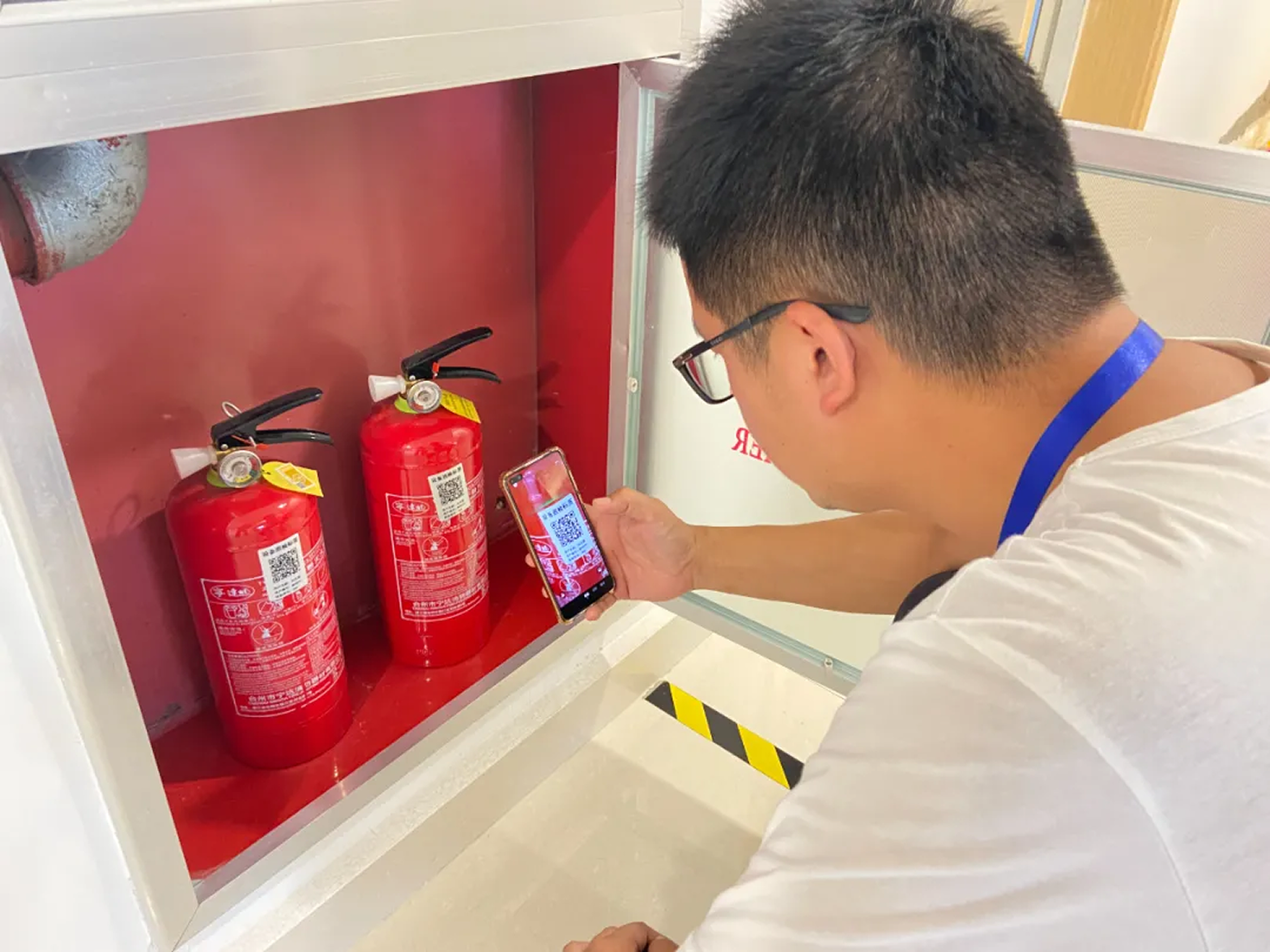
- A QR code is attached to every inspection point
- Scan with WeChat, check the items, and take photos to complete an inspection
- The system automatically gathers every inspection record under the QR code
How It Helps You
- Exceptions automatically notify the repair staff, without phone calls
- Reminders flag missed inspections, so you do not have to check every task yourself
Before You Begin
- Ask the responsible person to add you to the organization, or you will not receive task notifications
- Scan with WeChat and follow the CaoLiao QR Code Official Account to receive task reminders and exception notifications
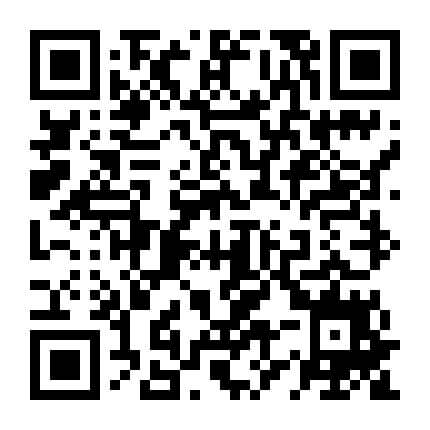
Scan to Follow the CaoLiao QR Code Official Account
How to Carry Out Daily Inspections
01Scan to Open Equipment Records
Use WeChat to scan the QR code label on site
Building 1, 3rd Floor, Southwest Corner
Fire Extinguisher StatusNormal
All Inspection RecordsMy Submitted Records
Today 10:14 Zhang San submitted a fire extinguisher inspection
Inspection Result: Normal
1 Record in Total
Fire Extinguisher InspectionOnce a Month ›
Inspect
Equipment Information
IDMHQ-002
LocationBuilding 1, 3rd Floor, Southwest Corner
Mandatory Disposal Date2032-08-31
›
02Check Each Item and Take Photos
Check normal results and take on-site photos as required
Fire Extinguisher Checklist
Check Items
Dry and clean surroundings✓
Secure mounting✓
Nameplate facing out and head pointing up✓
Fire Extinguisher Photo *
Take and Upload a Photo
Inspection Result *
Normal
Exception
Submit
›
03Submit the Inspection Record
The inspection is complete only when Submission Successful appears
✓
Submission Successful
July Fire Extinguisher Checklist Progress
Complete 1/1Completion Rate 100%
Continue Scanning›
Forward Submitted Content›
Back to QR Code›
What to Do When You Find an Exception
01Document the Issue and Take Photos
Mark the item with a cross and describe the issue clearly
Fire Extinguisher Checklist
Check Items
Not opened or discharged✓
Pressure gauge needle is within the green zone✕
Fire Extinguisher Photo *
Inspection Result *
Normal
Exception
Description *
The needle is in the red zone. Pressure is low and refilling is needed promptly.
Submit
›
02Automatically Archived After Submission
Watermarked, uneditable records for traceability
✓
Submission Successful
July Fire Extinguisher Checklist Progress
Complete 1/1Completion Rate 100%
Continue Scanning›
Forward Submitted Content›
Back to QR Code›
›
03Automatically Notify Repairs
Repair staff receive a notification and can view the issue details
CaoLiao QR Code
CaoLiao QR Code···
Collaboration Task Notification
Task DescriptionYou have a new exception todo. Please handle it promptly.
ColleagueZhang San
Phone138****0000
CaoLiao QR CodeMini Program ›
Common Equipment Exceptions to Watch For
| Equipment / Location | Common Signs of Exceptions |
|---|---|
| Fire Extinguisher | Pressure gauge needle in the red or yellow zone |
| Evacuation Route | Blocked by clutter or parked electric bikes |
| Fire Door | Wedged open or door closer damaged |
| Emergency Exit Sign | Unlit, flickering, or damaged |
| Fire Hydrant | Missing hose or nozzle, water leak, or damaged cabinet door |
What Notifications Will You Receive
| Notification Type | Notification Content | What to Do | Example Notification |
|---|---|---|---|
| Recurring Task Reminder | It is time for inspection | Carry out the normal inspection procedure |
Recurring Task Reminder
Task NameDaily Fire Safety Patrol
Start Time07-30 10:00
End Time07-30 17:00
Required2
Completion ProgressIncomplete 2, completion rate 0%
|
| Overdue / Missed Inspection Reminder | Inspection is still incomplete after the deadline | Find missed tasks and complete the inspections promptly | Recurring Task Reminder Task NameDaily Fire Safety Patrol End Time07-30 17:00 Required2 Completion ProgressIncomplete 1, completion rate 50% |
| Rectification Completed Notification | The exception you reported has been handled | Recheck the equipment at that location during your next inspection | Collaboration Task Notification Task DescriptionThe exception todo is complete. Please view the handling result. ColleagueWang Wu Phone139****0000 |
How to Check Whether Your Inspections Are Complete
Open Current Period Tasks in the Mini Program workbench to see unfinished tasks. Open a task to see the specific uninspected locations, then complete them.

Scan with WeChat to Open the CaoLiao QR Code Mini Program
Current Period Tasks
1 Incomplete
Daily Fire Safety PatrolOnce a Day
Period: Today 7:00–21:00
Complete 1/1Completion Rate 100%
Due Today 21:00All Completed
Fire Extinguisher InspectionOnce a Month
Period: July 1–31
Complete 1/4Completion Rate 25%
Due 07-313 Incomplete ›
›
Fire Extinguisher Inspection
Period: July 1–31Completion Rate 25%All Periods
1
Completed on Time
0
Completed Late
0
No Completion Required
3
Incomplete
Outside Storeroom-MHQ-003
Sub-Code ID: M601-Z1
Location: Outside Storeroom
Building 1, 3rd Floor, Southwest Corner-MHQ-002
Sub-Code ID: M601-Z2
Location: Building 1, 3rd Floor, Southwest Corner
Building 1, 1st Floor Lobby-MHQ-001
Sub-Code ID: M601-Z3
Location: Building 1, 1st Floor Lobby
Next time, find the CaoLiao QR Code Mini Program by pulling down in WeChat, or open it from the Official Account.
Other Questions You May Have
1What if I enter something incorrectly?
You cannot edit your own records after submission. Contact the responsible person for help.
2How do I make up a missed inspection?
Open Current Period Tasks and complete the unfinished inspections. The overdue reminder disappears automatically when they are complete.
3What if the QR code label is damaged or cannot be scanned?
Ask the regional manager to replace the label. The equipment records and inspection records remain intact.
4Can I inspect without a network connection?
Scanning and submitting records both need a network connection. If reception is poor, move to a place with better reception before submitting. Tell the responsible person about locations that permanently lack reception so they can make other arrangements.
5What if I do not receive notifications?
First check that you follow the CaoLiao QR Code Official Account. If notifications still do not arrive, ask the responsible person to confirm you have been added to the organization.
Repair Technician Instructions
How to Use QR Codes for Repairs
- When an inspection finds an exception, the system notifies you automatically through WeChat
- Open the notification to see what is wrong
- After the repair, take and upload a photo to complete the task, without filling out another form
How It Helps You
- Open WeChat to see what needs repair, without repeated phone calls or collecting paper repair forms
- Every repair retains watermarked photos, so you can check the records whenever an issue arises
Before You Begin
- Ask the responsible person to add you to the organization, or you will not receive repair notifications
- Scan with WeChat and follow the CaoLiao QR Code Official Account to receive repair and other notifications
Scan to Follow the CaoLiao QR Code Official Account
How to Handle a Reported Exception
01Receive a WeChat Notification
Sent automatically after an inspection reports an exception
CaoLiao QR Code
CaoLiao QR Code···
Collaboration Task Notification
Task DescriptionYou have a new exception todo. Please handle it promptly.
ColleagueZhang San
Phone138****0000
CaoLiao QR CodeMini Program ›
›
02View the Exception Todo
Open the notification to see the issue and photos
‹Todo Details··· ◉
Pending
Due 07-30 18:00
Todo ID T16
3rd-Floor Southwest Fire Extinguisher: Low Pressure
Urgency: Normal
Assignee: Wang Wu
QR Code: 3rd-Floor Southwest Fire Extinguisher
Source Record›
07-30 10:58 · Submitted by Zhang San
Inspection Result: Exception
Description: The needle is in the red zone
›
03Handle the Issue On Site and Record It
Take photos to document rectification and complete the todo
‹Completed··· ◉
Handling Process
S
System Created Exception Todo T16
Handled by Wang Wu · Normal · Due 18:00
Today 10:58
W
Wang Wu Submitted Content and Completed the Exception Todo
Replaced and refilled; pressure is back in the green zone
Today 14:26
Equipment Operating StatusNormal
Handling Duration3 h 28 min
What Notifications Will You Receive
| Notification Type | Notification Content | What to Do | Example Notification |
|---|---|---|---|
| Exception Repair Notification | A new exception is waiting for you to handle | Attend on site and follow the repair procedure |
Collaboration Task Notification
Task DescriptionYou have a new exception todo. Please handle it promptly.
ColleagueZhang San
Phone138****0000
|
How to Check Which Tasks Remain Incomplete
Tap My Todos in the Mini Program workbench to view unfinished todos.
Scan with WeChat to Open the CaoLiao QR Code Mini Program
Workbench
Organization: Property Fire Safety Team
4
My Todos
0
Available to Claim
›
My Todos
All 4
Building 1, 3rd Floor, Southwest Corner · Fire Extinguisher Exception
Source: Zhang San submitted a Fire Extinguisher Checklist with an exception result
Assignee Repair Team›
Building 1, 1st Floor Lobby · Fire Extinguisher Exception
Source: Li Si submitted a Fire Extinguisher Checklist with an exception result
Assignee Repair Team›
Next time, find the CaoLiao QR Code Mini Program by pulling down in WeChat, or open it from the Official Account.
Other Questions You May Have
1What if I cannot repair it?
In the todo's messages, @ the inspector and regional manager to explain the situation so the responsible person can make other arrangements. Also note any spare parts that need to be purchased.
2What if I do not receive repair notifications?
First check that you follow the CaoLiao QR Code Official Account. If notifications still do not arrive, ask the responsible person to confirm you have been added to the organization.