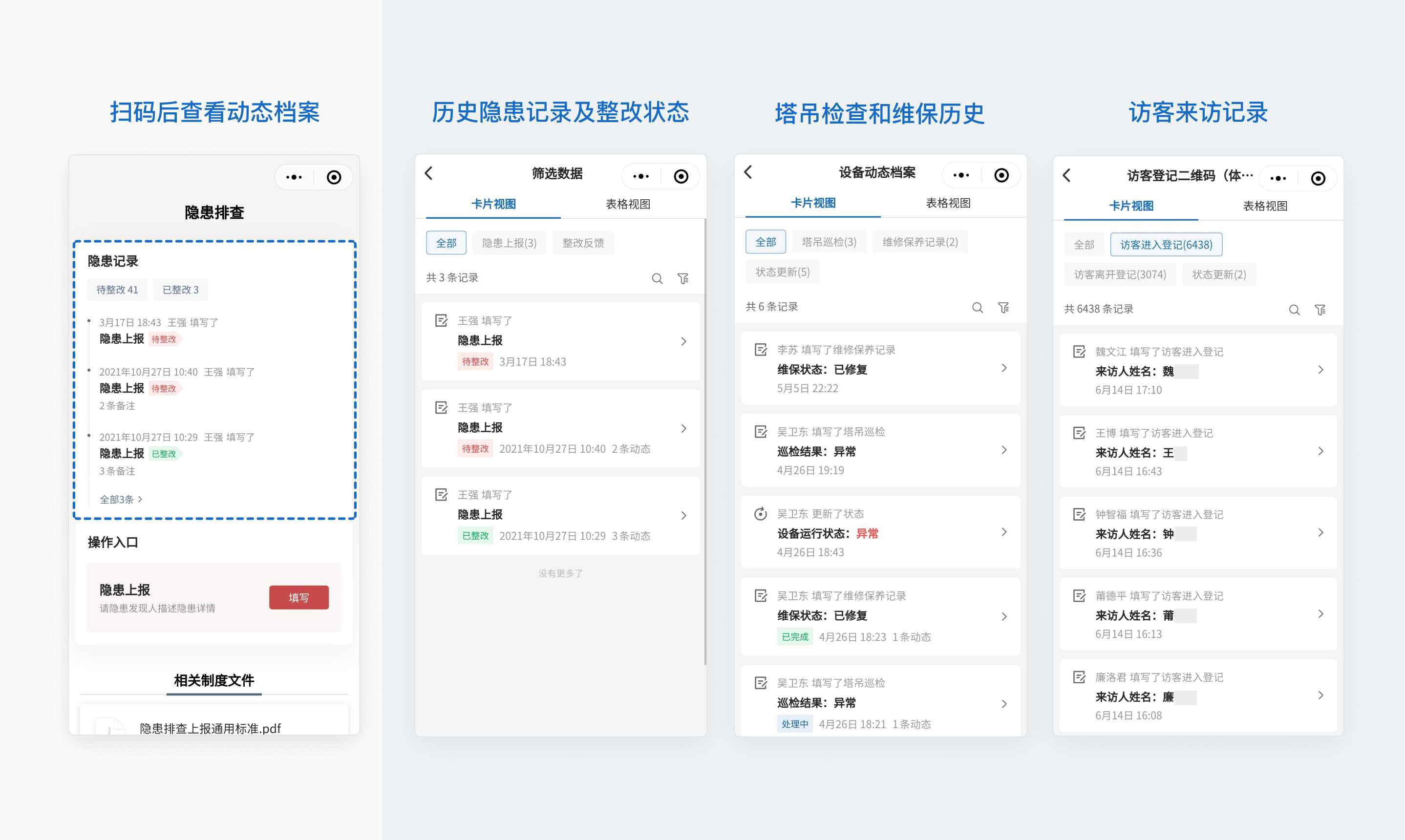
Dynamic Data
1. Feature Overview
QR codes can not only display static information about an item — they also support operations such as form submissions and status updates after scanning, enabling inspections, maintenance, and other tasks.
Every action record is saved on the code, forming the dynamic data of the code, reflecting all changes that have occurred and building a history log.
The dynamic data panel contains data related to form submissions, status updates, and sub-code content updates on that code.
If frontline personnel need to perform operations such as filling out forms or changing statuses, you can add a status module and a control panel. All records can be viewed in the dynamic data panel.
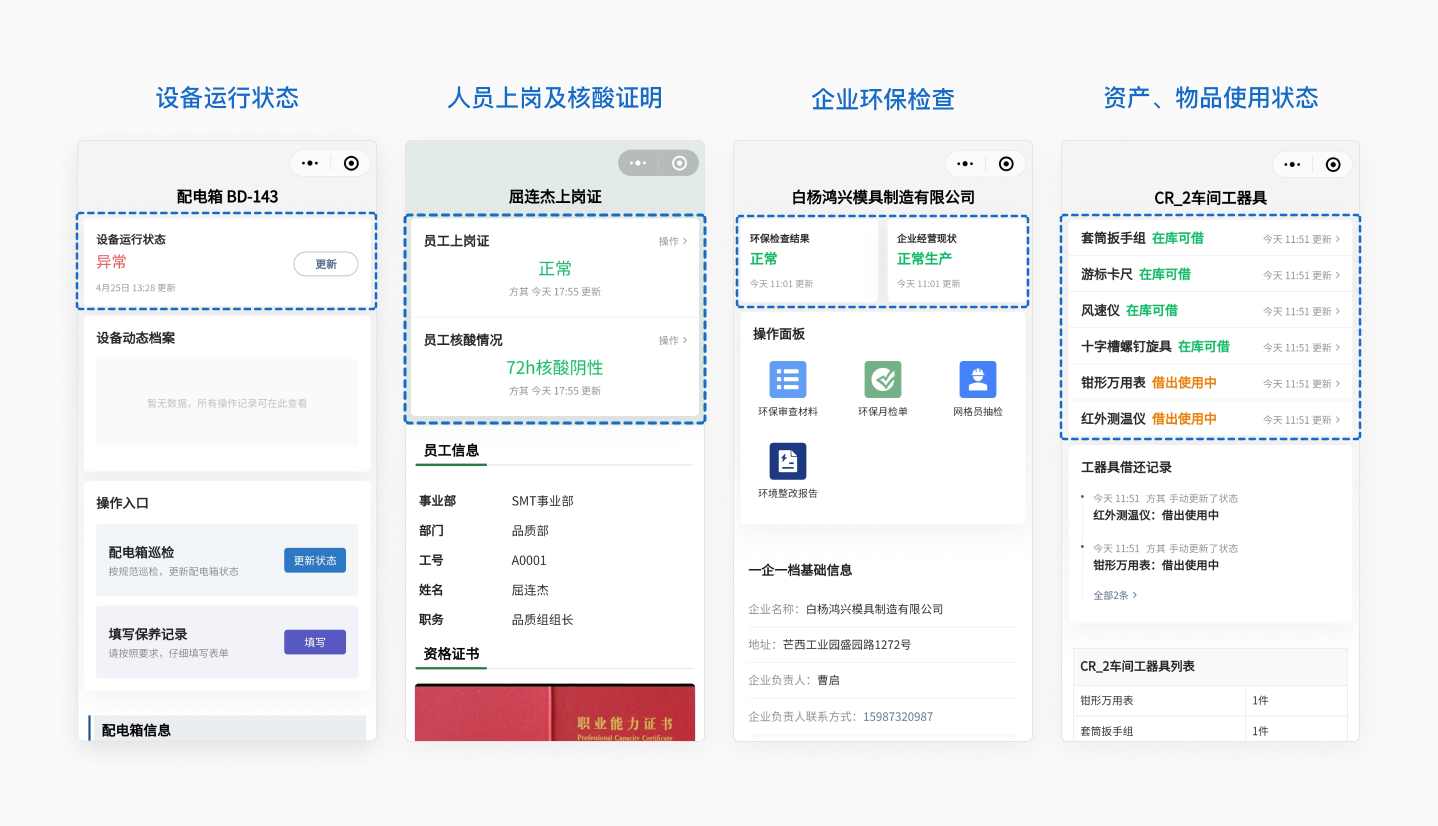
1. Status Panel
You can create a dedicated QR code for each item and add a status to it to indicate the item's current condition.
The system tallies the number of items in each status, forming a status dashboard — ideal for equipment inspections, asset management, and similar scenarios.
2. Control Panel
Add operation items to a QR code. After scanning, users can not only read static information such as equipment details and product documentation, but also perform operations like inspections and maintenance to complete work tasks.
Current operation item types include: fill out form, update status, edit variable content, and redirect links.
3. Dynamic Data Panel
Four panel styles are available for viewing dynamic data. They can be divided into display styles and statistics styles based on the use case. The two categories are display styles and statistics styles.
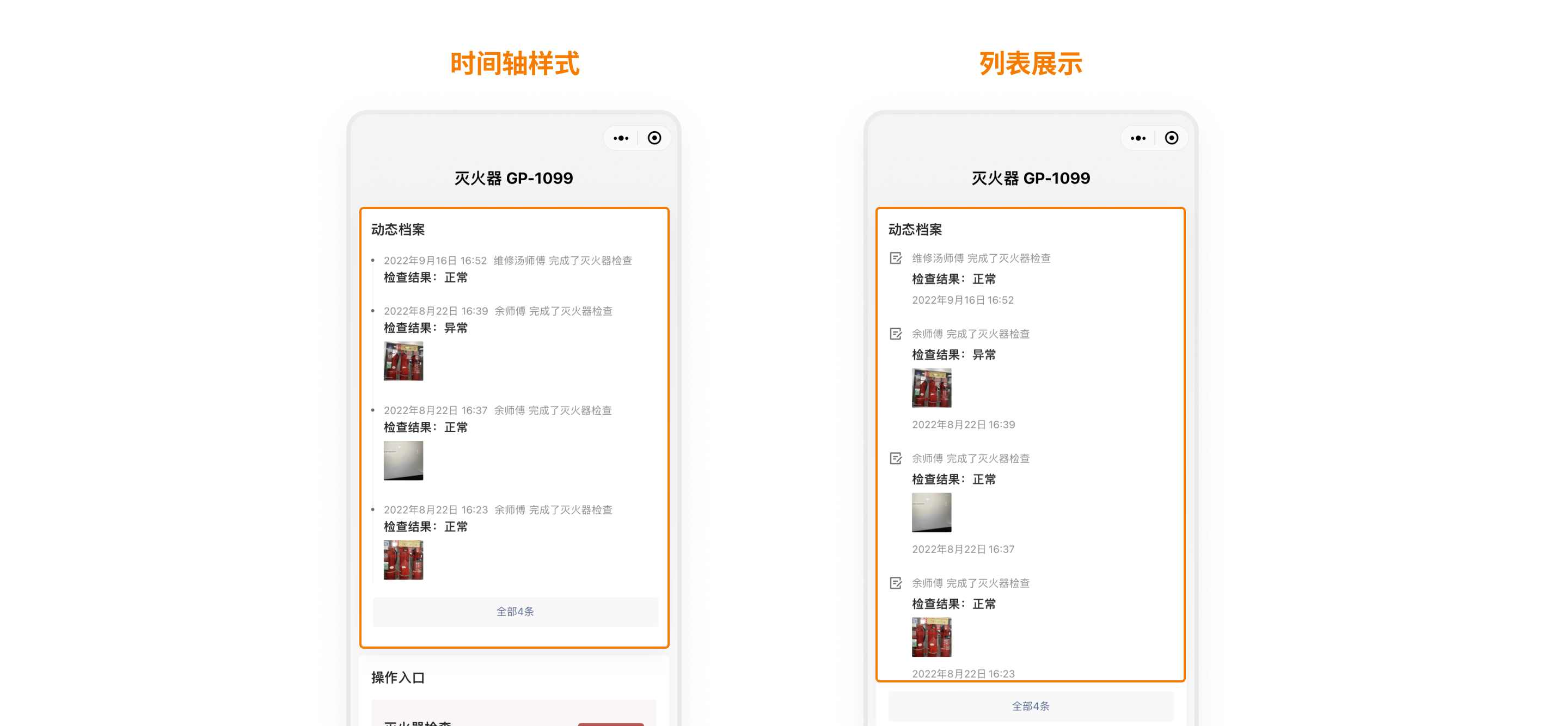
1. Display Styles
Display styles show all generated records on the QR code, presenting submission times, record results, images, and other information at a glance. You can customize the number of records displayed and what content is shown. Suitable for inspection and information collection scenarios.
Display styles come in two variants:
- Timeline style: Shows the submission time of records on the page.
- List display style: Presents submitted records in a flat list.
When set to display style, you can check the option to show handwritten signatures directly if the form contains a handwritten signature component.
2. Statistics Styles
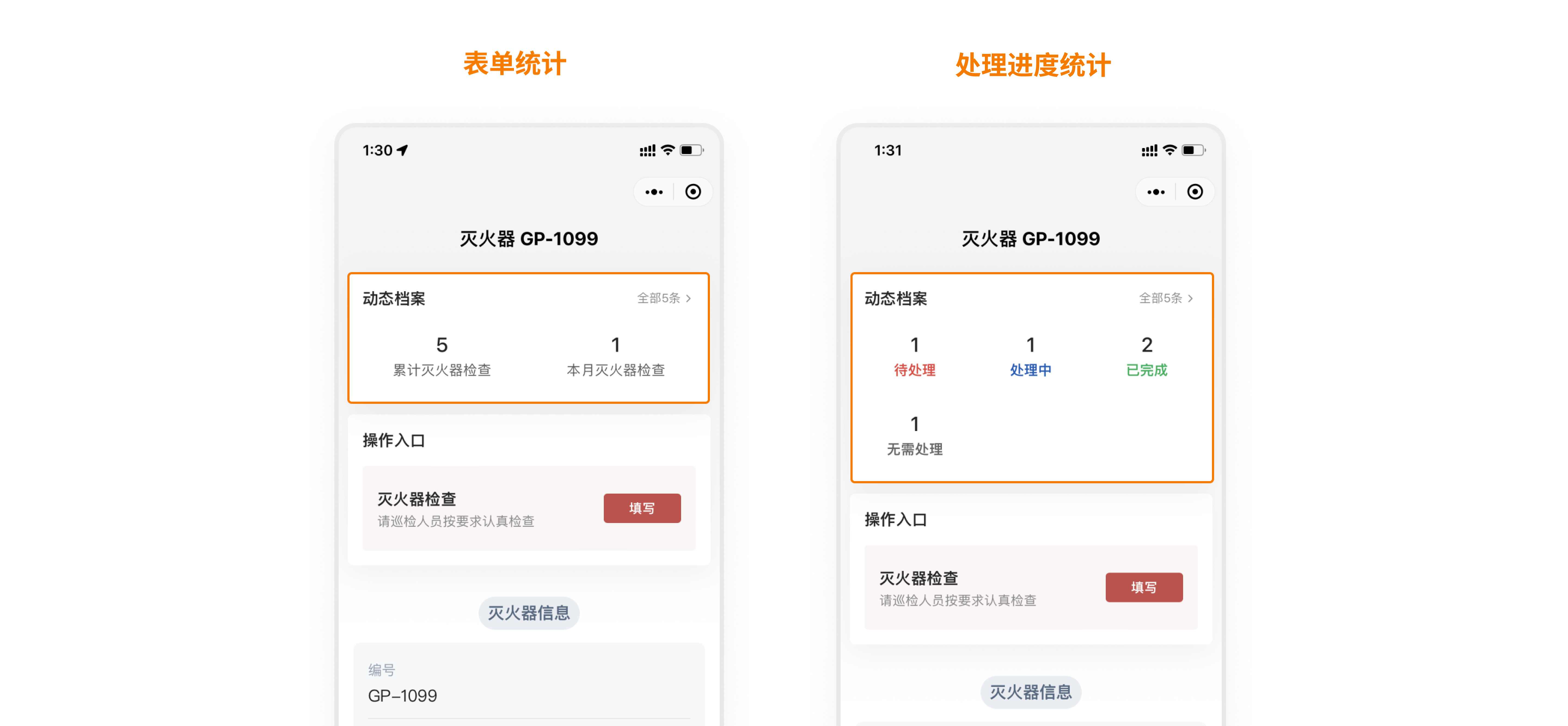
Statistics styles treat all generated form records as metrics, aggregate them, and display a statistics dashboard that can be customized to match actual requirements. Viewable by scanning. Suitable for inspections, maintenance reporting, and similar scenarios.
Statistics styles also come in two variants:
- Form statistics: The number of form submissions and the quantity of each recorded result can be used as metrics, which you can customize for display. Supports time-based aggregation for more intuitive results — ideal for inspection scenarios.
- Processing progress statistics: Treats the processing progress of all forms on the QR code as metrics. Customizable. Provides a clearer picture of handling status. Suitable for hazard reporting and similar scenarios.
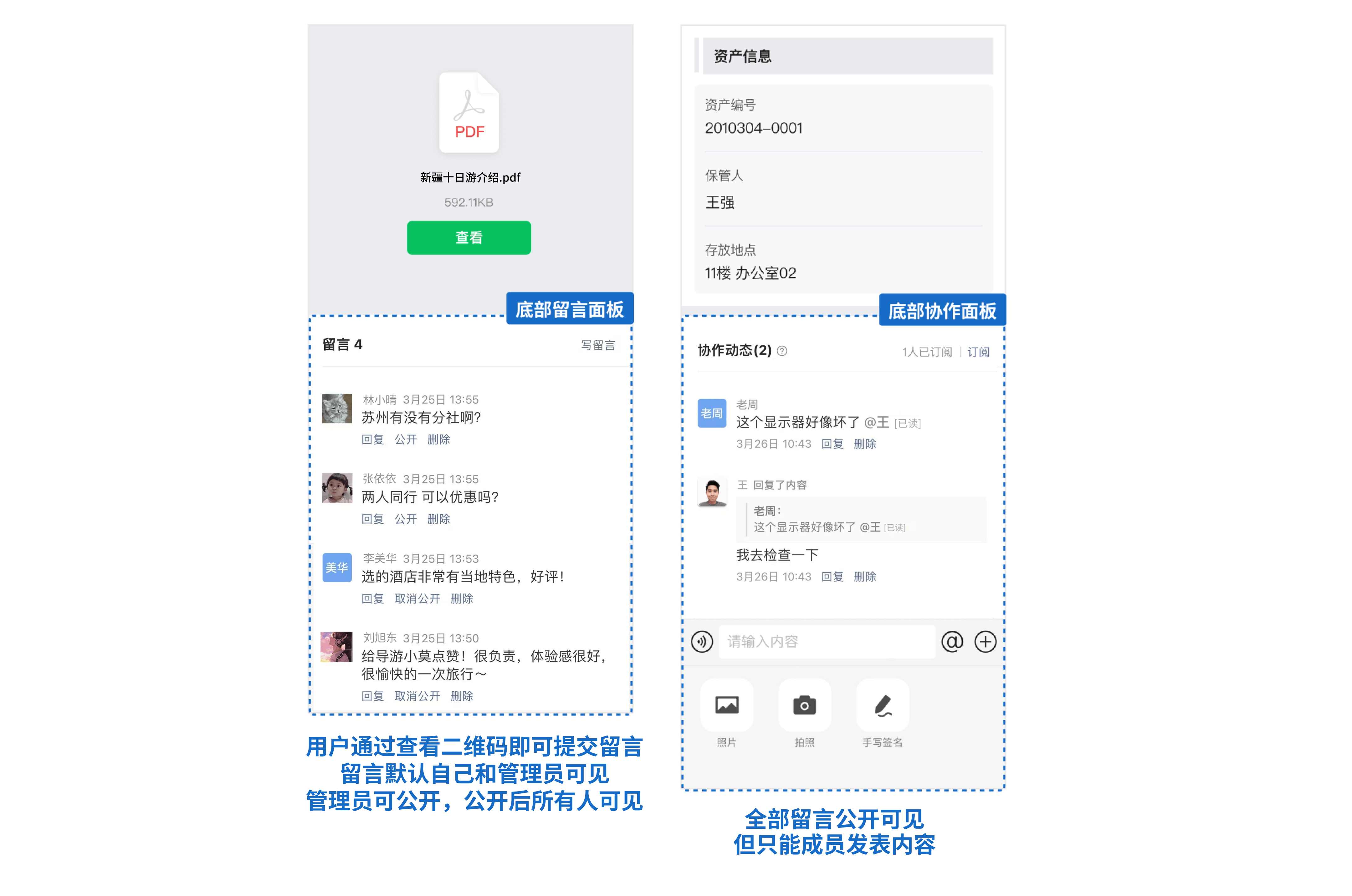
4. Bottom Message Panel
After adding a "bottom message panel" to a QR code, users can leave messages at the bottom of the QR code page, supporting text, images, voice recordings, handwritten signatures, and other content formats.
Two modes are available:
- Message Mode: Open messaging permissions. Users can submit a message simply by viewing the QR code. Message authors can only see their own messages and admin replies — not other users' messages. Admins can view all messages and may choose to make individual messages public (visible to everyone) or unpublish them.
- Internal Collaboration Mode: Only members can participate; members can @mention each other. All messages are publicly visible.
2. Applying the Dynamic Data Panel
Authorized users who view the dynamic data panel can see all changes on the code and guide follow-up work. For example, when managing equipment and assets, different personnel can review the dynamic archives for different purposes:
Learn about viewing permission settings
- Inspectors: Can understand equipment failure occurrences and frequencies to prioritize their checks.
- Maintenance staff: Can quickly pinpoint failures and resolve issues efficiently.
- Managers: Can review frontline staff's work and assess whether equipment needs replacement or upgrades.
Other use cases: reviewing equipment inspection history, visitor records, event registration status, nucleic acid test appointment information, inventory changes, and more.