QR Code Knowledge
A two-dimensional barcode extends the one-dimensional barcode: it uses a black-and-white rectangular pattern to represent binary data, and a device that scans it can read the information it holds.
A one-dimensional barcode records data mainly through the width of its bars and records nothing along its length. A two-dimensional barcode records data in both the horizontal and vertical directions, so it can hold more information. It also has finder patterns and error correction that a one-dimensional barcode doesn't: finder patterns help a device recognize orientation and position, and error correction lets a QR code recover the original information even if it is not fully recognized or the pattern is slightly damaged.
There are many kinds of QR codes. Codes developed by different organizations differ in structure, encoding method, and reading method.
Common Types of 2D Codes
Stacked / Row-Based 2D Barcodes
A stacked 2D barcode, also called a row-based 2D barcode, can be thought of as several rows of one-dimensional barcodes stacked together. Common types include Code 16K, Code 49, and PDF417.
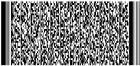
These codes usually suit specific industries and dedicated devices, and are less common than QR codes for ordinary phone scanning.
Matrix 2D Codes
A matrix 2D code is made of black and white modules, with information spread across the whole two-dimensional plane. The most common in daily life is the QR code, which is what people usually mean by "QR code".
Compared with one-dimensional barcodes, a QR code has a larger data capacity and can store digits, characters, and Chinese text together. It also has some error tolerance, so it may still be recognized when part of the pattern is damaged. QR codes use space efficiently, and phones, tablets, and cameras support them more widely.
Comparison of Common 2D Codes
| Item | QR (Japan) | PDF417 (US) | DM (US) | Han Xin Code (China) | Notes |
|---|---|---|---|---|---|
| Year invented | 1994 | 1992 | 1989 | 2005 | |
| Chinese national standard | Yes | Yes | No | Yes | |
| International standard | Yes | Yes | Yes | Yes | |
| Minimum size | 21×21 | 90×9 | 10×10 | 84 versions to choose from; the smallest code is about the size of a fingernail | Unit: mm×mm |
| Maximum size | 177×177 | 853×270 | 144×144 | — | Unit: mm×mm |
| Data capacity | Large | Smallest | Small | Large | |
| Bytes per square inch | 2,953 (7% error correction) | 1,106 (0.2% error correction) | 1,556 (14% error correction) | 4,350 | |
| Digits | 4,296 | 2,710 | 3,116 | 7,829 | |
| Characters | 7,089 | 1,850 | 235 | 4,350 | |
| Chinese characters | 1,817 | — | — | 2,174 | |
| Binary | 2,953 | 1,556 | — | 3,262 | |
| Error correction levels | 4 levels | 9 levels | Non-discrete levels | 4 levels | The stronger the error correction, the less valid information can be stored |
| Highest error correction | 30% | 46.20% | 25% | 30% | |
| Lowest error correction | 7% | 0.20% | 14% | 8% | |
| Chinese text | Excellent | Poor | Fair | Excellent | |
| Decoding speed | Fast | Slow | Average | Fast | |
| Resistance to distortion and damage | Weaker | Average | Very strong | Strong | |
| Reading direction | Omnidirectional | One direction | One direction | Omnidirectional | |
| Reading devices | Phones, tablets, cameras | Dedicated devices only | Phones, tablets, cameras | Dedicated devices only | Most phone QR code apps currently support mainly QR codes |
How Dynamic QR Codes Work
A dynamic QR code can be understood as an application form of a QR code. It uses a short URL to point to information saved in the cloud: when scanned, the phone first visits the short URL and then opens the matching cloud content page. When the creator changes the cloud content in the workbench, the QR code pattern stays the same and what scanners see is updated.
Compared with a static QR code, which writes text or a URL directly into the code, a dynamic QR code's pattern is usually simpler and better for printing and scanning. It makes managing printed QR codes easier: you can print the pattern first and set the content later, or keep changing the workbench content after the code has been posted, printed, or forwarded.
The core features of dynamic QR codes include:
- Pattern stays the same, content can change: no need to replace the code after printing, and you can update the content in the workbench at any time.
- Supports many kinds of content: can show images and text, audio and video, files, links, forms, and more.
- Scan data can be tracked: you can see scan counts, times, locations, devices, and more.
- Requires a network connection: a barcode scanner can usually only read the short URL in a dynamic QR code.
In theory, the cloud content behind a dynamic QR code is no longer directly limited by the capacity of the QR code pattern, so text, images, files, and more can all go on the cloud page. CaoLiao also sets no hard limit on text length. In practice, though, it is still affected by network bandwidth, server performance, and how well phones load the page. Entering too much text or uploading overly large images or files may slow down generation and scan opening, or even leave the phone display incomplete.
So more content isn't always better for a dynamic QR code. Before putting one into use, scan it with a phone to test how fast the page opens and how it looks, and confirm scanners can view it properly.
The principle behind this technology is simple but very practical. Many software products and apps can now create this kind of QR code, and CaoLiao QR Code is not the inventor of the technology. Still, for many companies and individuals, using it reliably is not trivial: building your own system means handling page editing, content storage, scan access, data statistics, workbench management, and server operations, and the cost and time are not something every company can accept.
CaoLiao QR Code provides cloud service for dynamic QR codes, so more people can use this capability just by registering and logging in. You don't need to hire someone to design web pages or write code. You can create and edit your own QR code content with the QR code content editor, and the workbench lets you manage the QR codes you've created in one place and view the scan data or collected feedback after they're put out. Because the page content lives in the cloud, a company also saves on the cost of building and maintaining its own infrastructure.
Why Do QR Codes Generated from the Same Content Look Different?
A QR code records data symbols by arranging specific geometric shapes on a plane according to certain rules. When encoding, it uses the idea of a stream of "0" and "1" bits inside a computer and represents text, digits, and other information with black and white modules. A scanning device then recognizes and restores the information through image input or optical scanning.
Each QR code symbology has its own character set, character width, and check function. QR codes can also automatically recognize information on different rows and handle rotation of the pattern.
With the same content and no changes, a QR code generated again and again may still look different. This depends on factors such as the encoding method, version, error correction level, mask pattern, and the platform's processing. As long as the content read after scanning is the same, a different pattern usually doesn't affect normal use.
You can think of it this way: the same sentence written left to right or top to bottom still means the same thing. QR codes are the same. The pattern can differ, but as long as the encoded result is recognized correctly, what you get when you scan is identical.
What Is Error Tolerance?
Error tolerance, also called error correction capability, is the ability of a QR code to recover the original content from its error correction information when part of it is stained, covered, or only partly recognized.
A common QR code has 4 error correction levels:
| Error correction level | Approximate recoverable share |
|---|---|
| Level L | About 7% |
| Level M | About 15% |
| Level Q | About 25% |
| Level H | About 30% |
Common QR codes use Reed-Solomon (RS) codes for error correction. Simply put, besides the original content, the QR code also stores some extra error correction information. When some modules in the pattern are read wrongly or are missing, the system can use this information to work out and restore the original content.
The higher the error correction level, the better the code resists damage, but it needs more space for error correction information, so the capacity left for the actual content shrinks, and the pattern may become more complex.
Note that error tolerance doesn't mean "you can cover this much anywhere". The finder patterns at the three corners of a QR code directly affect recognition, and if those key areas are covered, the code may fail to scan even when the covered area is small. The data area in the middle usually tolerates slight damage or covering better.
After the error correction level is changed, the QR code has to recalculate the layout of its pattern, so the same content may produce different patterns at different error correction levels.
FAQs
What Is a Static QR Code?
A static QR code is a QR code whose content is fixed after generation. It is usually generated directly from a URL, text, a number, or other data.
Static QR codes have these features:
- The content can't be changed after generation;
- Even if you delete the record in the workbench, an exported QR code pattern can still be recognized;
- They don't support web content such as images, files, and audio/video;
- They don't support scan statistics;
- The original content can be recognized even without a network;
- A barcode scanner can read the content written in the QR code directly.
If you need a barcode scanner to read a number, text, or other raw content directly, we recommend a static QR code.
Related: What is a static QR code, What is the difference between a dynamic QR code and a static QR code
What Is a Dynamic QR Code?
A dynamic QR code is a way of using QR codes where the content can be changed while the QR code pattern stays the same.
The pattern of a CaoLiao dynamic QR code holds a short URL that points to cloud content. When scanned, the phone visits this short URL and then opens the content page you've set up in the workbench. When you change the workbench content, the pattern stays the same and what scanners see is updated.
Dynamic QR codes have these features:
- The content can be changed while the pattern stays the same;
- They support statistics such as scan counts, times, and regions;
- They support richer web content such as images, files, audio/video, and forms;
- With workbench management, they can be used for product display, form collection, equipment inspection, asset management, and more;
- Viewing the content after scanning requires a network connection.
Related: What is a dynamic QR code, A quick look at QR codes and dynamic QR codes
How Do I Tell a Static QR Code from a Dynamic QR Code?
First use the decoder to see the raw content written in the QR code.
If the decoded result is text, a number, or the target URL itself, it is usually a static QR code.
If the decoded result is a CaoLiao dynamic QR code short URL, such as qr61xx, qr71xx, or h.qr61xx, and scanning then opens a cloud content page, it is usually a dynamic QR code.
You can't tell reliably from how dense the pattern is. A static QR code with very short content can also be clean, and a static QR code of a long URL can also be dense.
Related: How to tell static QR codes and dynamic QR codes apart
Why Does a Barcode Scanner Show a URL When It Scans a Dynamic QR Code?
A barcode scanner reads what is actually written in the QR code pattern.
For a static QR code, what is written is the text, number, or target URL, so the scanner can read it directly.
For a dynamic QR code, what is written is a short URL pointing to cloud content, so the scanner usually shows this URL, not the images, files, or form content on the cloud page.
If you need a scanner to recognize content directly, make a static QR code; if you need scanning to open an updatable page of images and text, a file, or a form, use a dynamic QR code.
Related: What is the difference between a dynamic QR code and a static QR code