How to Split Overly Large Multi-Level Option Lists
When designing forms, many users want to provide multi-level selection menus for province, city, district, street, township, and village — for example: Hebei Province / Shijiazhuang City / Luancheng District / Luancheng Town / Niepingzhuang. However, if you try to include all administrative villages in an entire province, you may find that the number of multi-level options exceeds 6,000 rows and the system cannot save it. This can be solved easily using a "layered split" approach.
Root Cause
The total number of options in a multi-level selection field cannot exceed 6,000 rows. When exceeded, the system will show a "too many options, cannot save" error.
Solution: Use "Single Choice + Logic Rules" to Split
Core idea: First use a single-choice question to select the "city," then show the corresponding administrative village options based on the selected city.
Add a "City Selection" Single-Choice Field
Options: Shijiazhuang, Tangshan, Qinhuangdao, Handan, Xingtai, Baoding, Zhangjiakou, Chengde, Cangzhou, Langfang, Hengshui
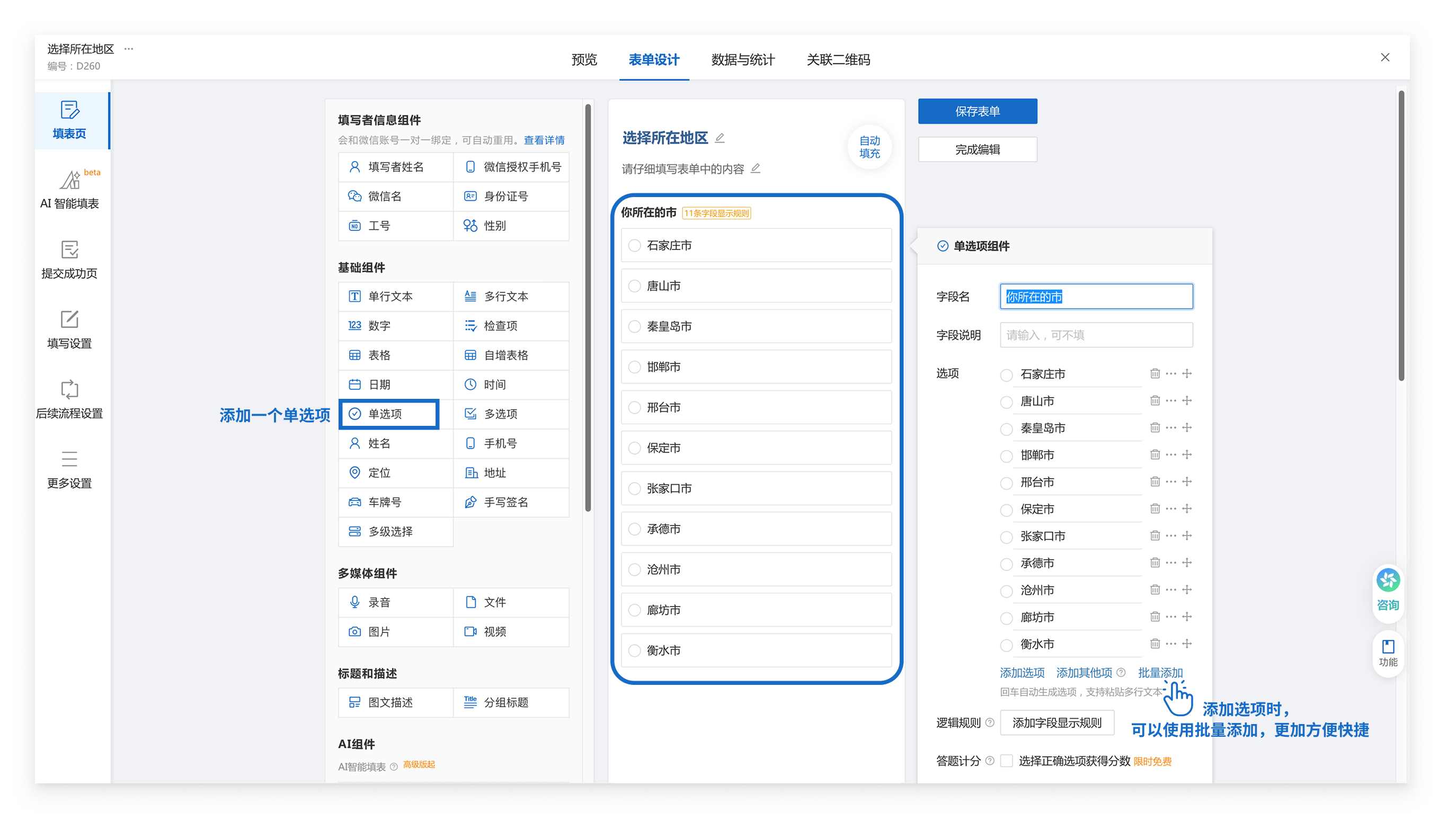
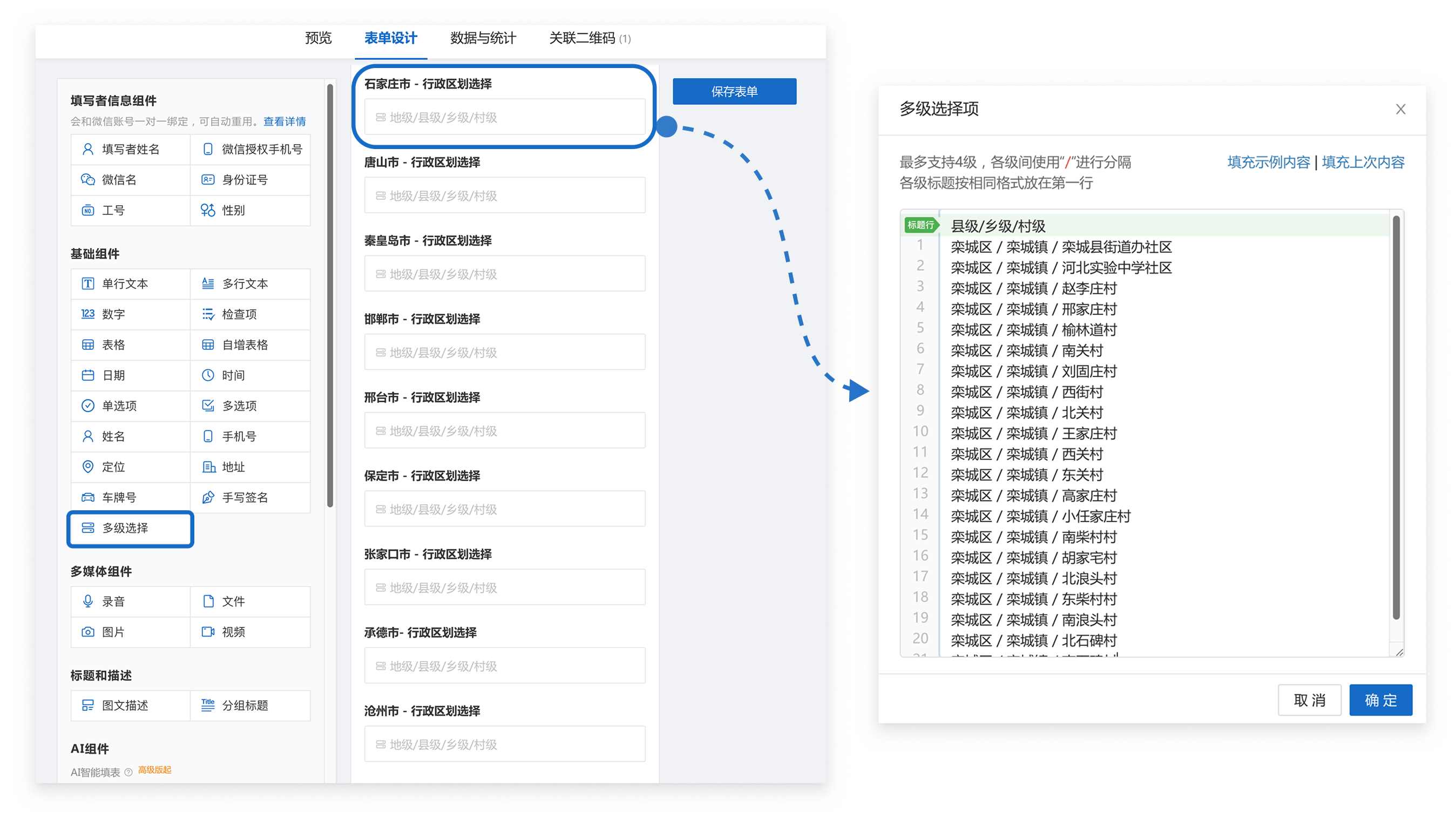
Create a Separate Multi-Level Selection for Each City
For example: [Shijiazhuang - Administrative Division Selection]
Luancheng District / Luancheng Town / Luancheng County Street Office Community Luancheng District / Luancheng Town / Hebei Experimental High School Community Luancheng District / Luancheng Town / Zhaolizhuang Village Luancheng District / Luancheng Town / Xingjiazhuang Village Luancheng District / Luancheng Town / Yulindao Village ......
Each city's data will not exceed the 6,000-row limit.
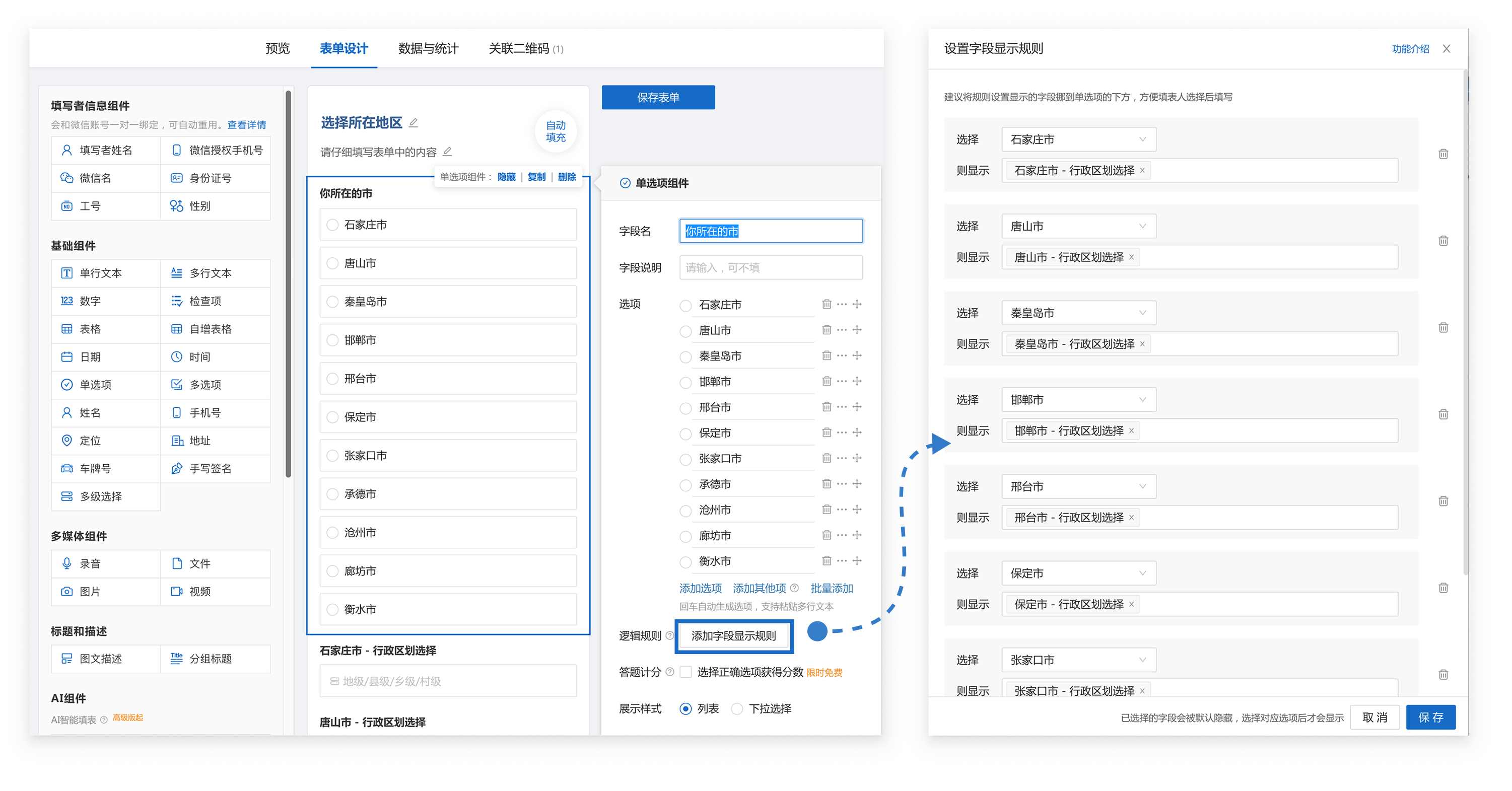
Set "Logic Rules"
In the city single-choice field, go to "Logic Rules":
- When "Shijiazhuang" is selected → Show [Shijiazhuang - Administrative Division Selection]
- When "Handan" is selected → Show [Handan - Administrative Division Selection]
- When "Tangshan" is selected → Show [Tangshan - Administrative Division Selection]
And so on. This way, when filling out the form, users only see the multi-level selection options for the city they have chosen.
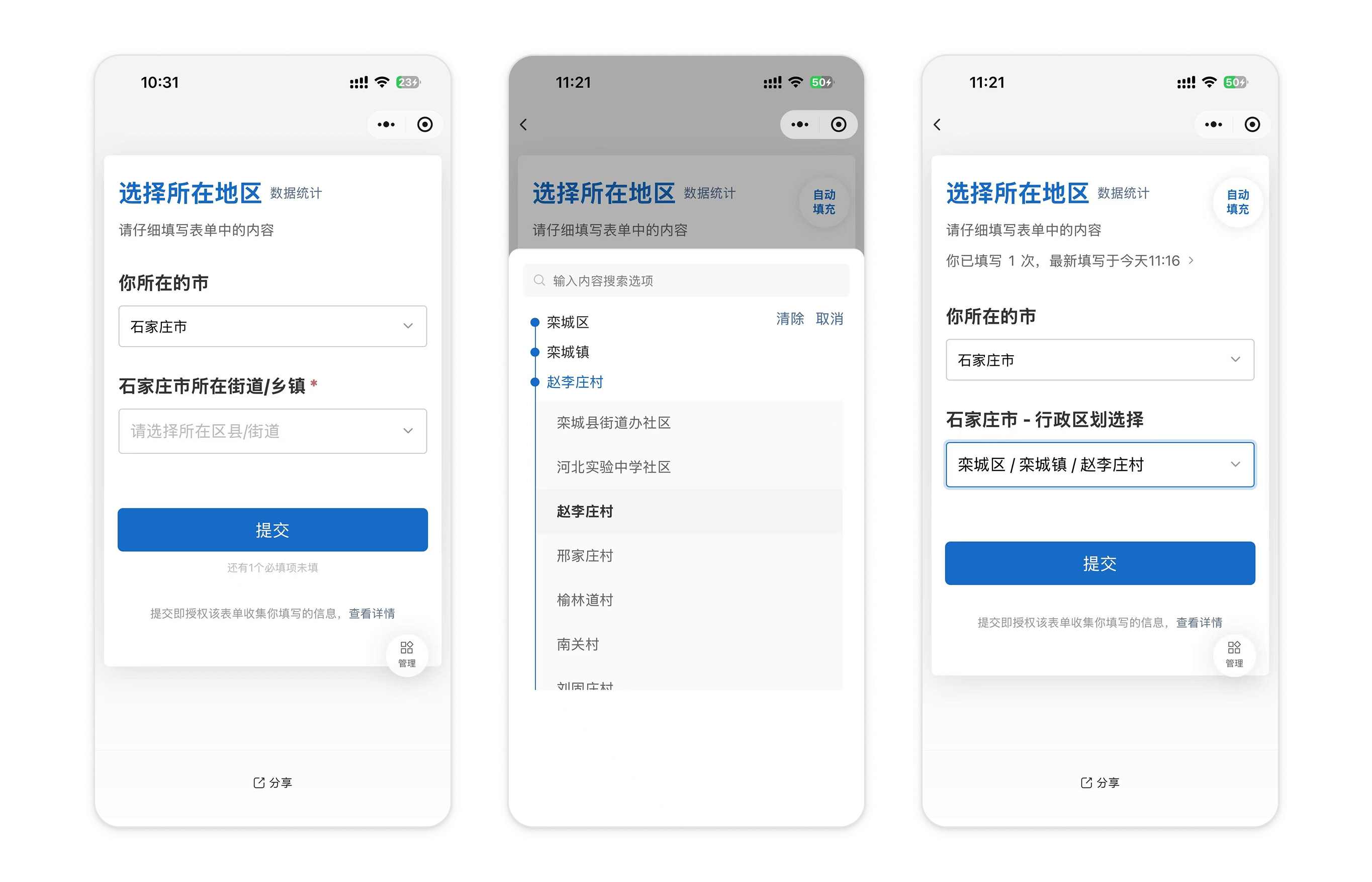
Result Preview
Sample filling flow: User selects city → Shijiazhuang Form automatically shows → "Shijiazhuang - Administrative Division Selection" field Submitter selects from the options
Summary
When multi-level options exceed 6,000, there is no need to force them all into a single field. Consider:
- Single-select the city
- Create separate multi-level selections for each city
- Use logic rules to link them
Whether it is national province/city/district data, hospital departments, or large organization department hierarchies — this approach works for all of them.