Zhejiang Product Code Creation Tutorial
The Zhejiang Province Market Supervision Administration recently launched the Zhejiang Product Code (Zhepinma) — a unique digital "ID card" attached to every product. By scanning the QR code, consumers can learn more about the product and leave online reviews, helping businesses improve products and better adapt to the market.
CaoLiao QR Code has long provided one-item-one-code bulk layout functionality for efficient label layout and printing. Some enterprises requested our support to help them generate Zhepinma labels efficiently. CaoLiao has created a dedicated Zhepinma template based on the relevant specifications. You can import data on our platform to generate large quantities of Zhepinma codes at once, download them in bulk, and it is completely free. The generated labels are stored under your account for easy reuse — you can add a new batch or reprint labels at any time.
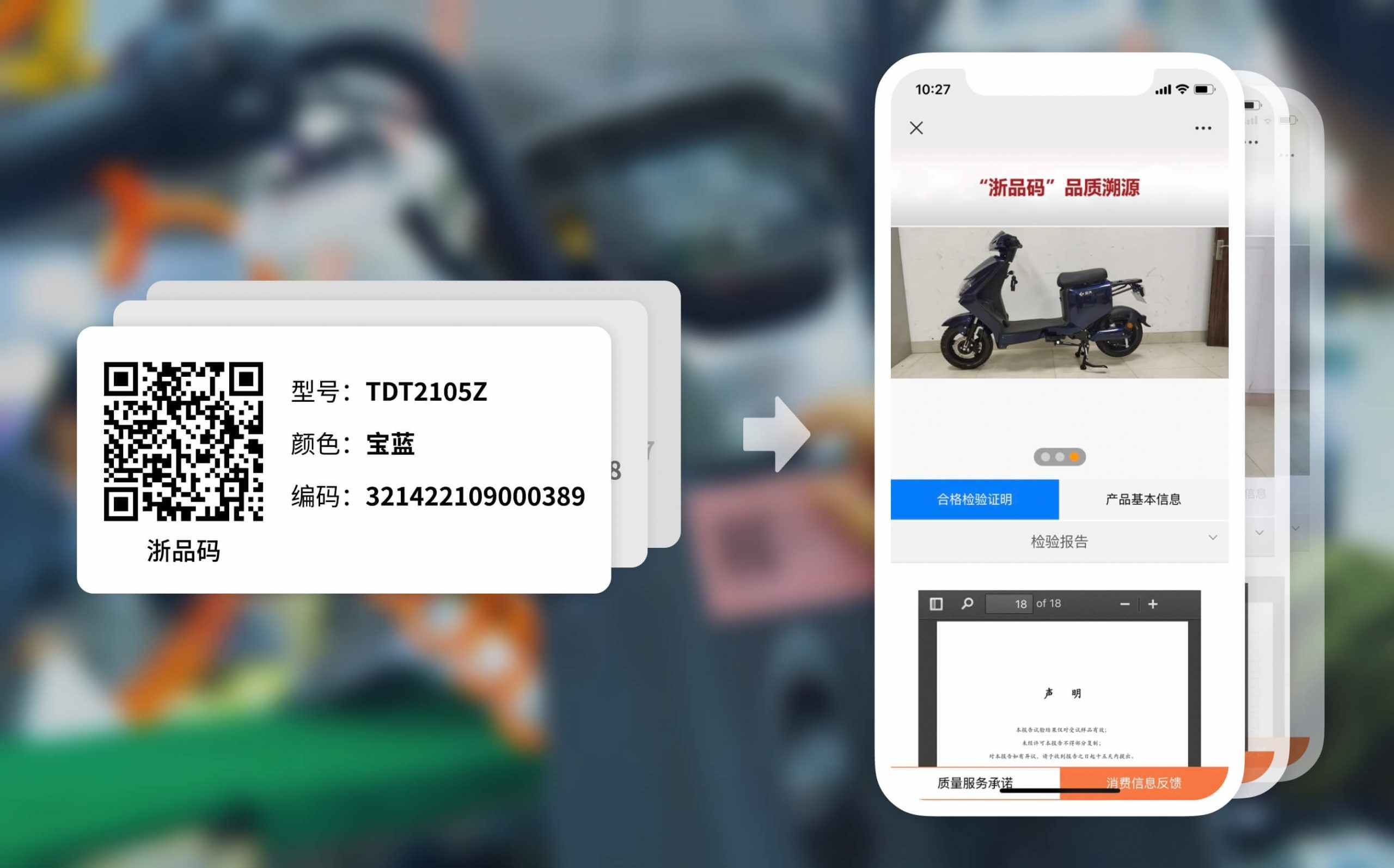
After bulk-downloading the labels, you can print them yourself using a label printer or A4 printer. If you do not have a printer on hand, or if you require higher label quality and want a more effortless printing solution, you can also have CaoLiao print them for you — order after generation and they will be shipped to your door by express delivery.
Dedicated [Zhepinma] template: https://cli.im/share/6xqwulk
Steps
1. Save the [Zhepinma] Template to Your Account
Template link: https://cli.im/share/6xqwulk

2. Export the [Zhepinma List] from the Zhepinma Management System
Zhepinma Management System: https://www.pzcode.cn/
The [Zhepinma List] contains four data fields: Zhepinma content, Product model, Color, and Whole-vehicle code. The Zhepinma content will be encoded into a QR code that redirects to the corresponding URL when scanned. Product model, color, and whole-vehicle code will be displayed on the label to help distinguish items when applying.


3. Click [+ Bulk Generate Codes] and Enter Excel Data into the Online Spreadsheet


4. Click [Generate QR Codes] to Bulk-Generate Sub-Codes
Click a sub-code's QR code name to preview the Zhepinma label style and scan to verify the result.

5. Select the QR Codes to Print and Bulk-Download the Zhepinma Labels

Printing and Application
For Zhepinma labels generated in bulk from the workbench, we provide multiple layout files to suit your printing needs. You can use an existing printer to self-print quickly, or download vector files for printing by an advertising company or CaoLiao, saving communication overhead.
1. Use a Standard A4 Printer
The workbench provides A4 layout functionality — multiple QR codes are arranged on an A4 sheet and the system auto-generates a PDF layout file. After downloading, print directly with an A4 printer. We recommend purchasing die-cut self-adhesive paper so you can peel and apply labels without cutting. View printing tutorial
2. Use a Label Printer
If you have a label printer, the workbench provides single-label images bundled for download. After downloading, print with a label printer — peel and apply immediately. High flexibility, low cost. View label printer tutorial
3. Have CaoLiao Print for You — Effortlessly
If you do not have a printer on hand, or if you require higher label quality and want a more effortless solution, you can have an advertising company or CaoLiao print them for you. Learn about printing services