Generating QR Codes for Multiple Images / Files
The CaoLiao QR Code platform supports generating dynamic QR codes that can hold a single image, multiple images, multiple files, videos, audio, and text content.
Tutorial
1. Go to the CaoLiao QR Code Website
Go to the CaoLiao QR Code website and click [Image] to enter the image QR code creation page. To create a file QR code, click [File] to enter the file page.

2. Click Image and Upload Images
Click "Upload Image" to upload one or more images.

3. Set the Image Display Mode
If you upload multiple images, you can set the display mode to tile or carousel.

4. Generate the QR Code
Click "Generate Dynamic QR Code" to create the QR code. You can then customize it — add a logo, change the colors, and more.

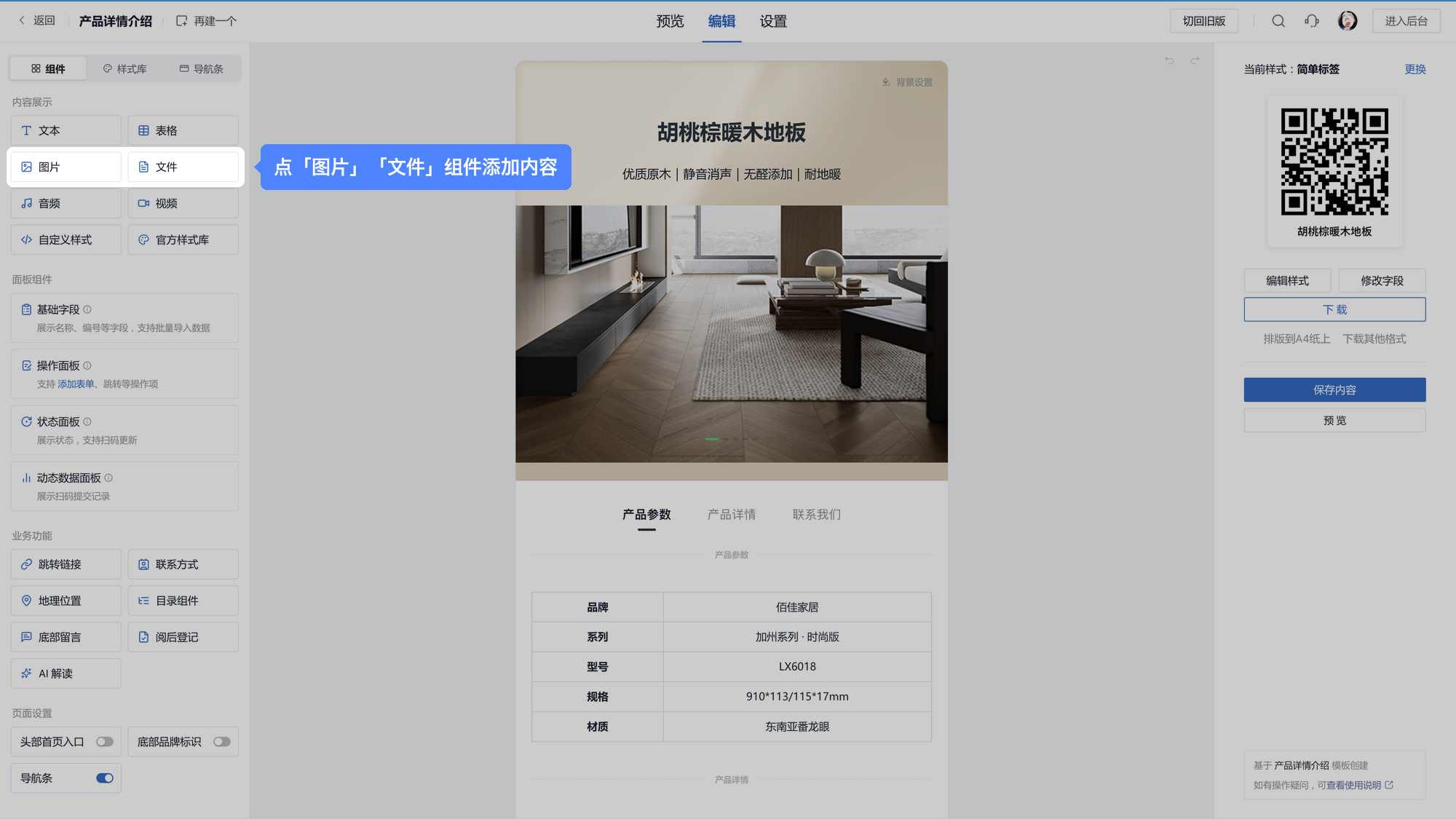
5. Advanced Editing: Add More Content
After generating the dynamic QR code, you can edit the content at any time — add more content such as text or files — and adjust QR code settings, all without changing the QR code pattern.

Supported File Sizes and Formats
- Free version: Maximum 50 MB per file upload; 30 MB per image; no size limit for video/audio.
- Paid version: Maximum 500 MB per file upload; 30 MB per image; no size limit for video/audio.
Supported formats:
Documents: pdf, docx, doc, dotx, dot, docm, dotm, wps, wpt, pages, txt, rtf, md
Presentations: ppt, pptx, pot, potx, ppsx, pps, pptm, potm, ppsm, dps, dpt, key
Spreadsheets: xls, xlsx, xltx, xlt, xlsb, xla, xlsm, xltm, xlam, et, ett, numbers
Images: jpg, jpeg, gif, png, bmp, webp, tif, HEIC, psd, psb, svg, eps, ai, cdr
Engineering drawings: dwg, skp, rvt, obj, rfa, dwf, dxf, step, iges, stl, fbx, ies, dgn
Other: xmind, vsd, rp, sketch, enbx, btw, accdb, db, twb, twbx, hyper, vcf
Video: mp4, flv, avi, mov
Audio: m4a, mp3, wav, ogg, asf, au, voc, aiff, rm, m4a, svcd, vcd