How to Configure a Redirect to a WeChat Video Account
Simply add a redirect link in the dynamic QR code and configure the video ID and other parameters in that link to enable opening your WeChat Video Account page from the dynamic QR code. The result looks like this:

Configuration Steps
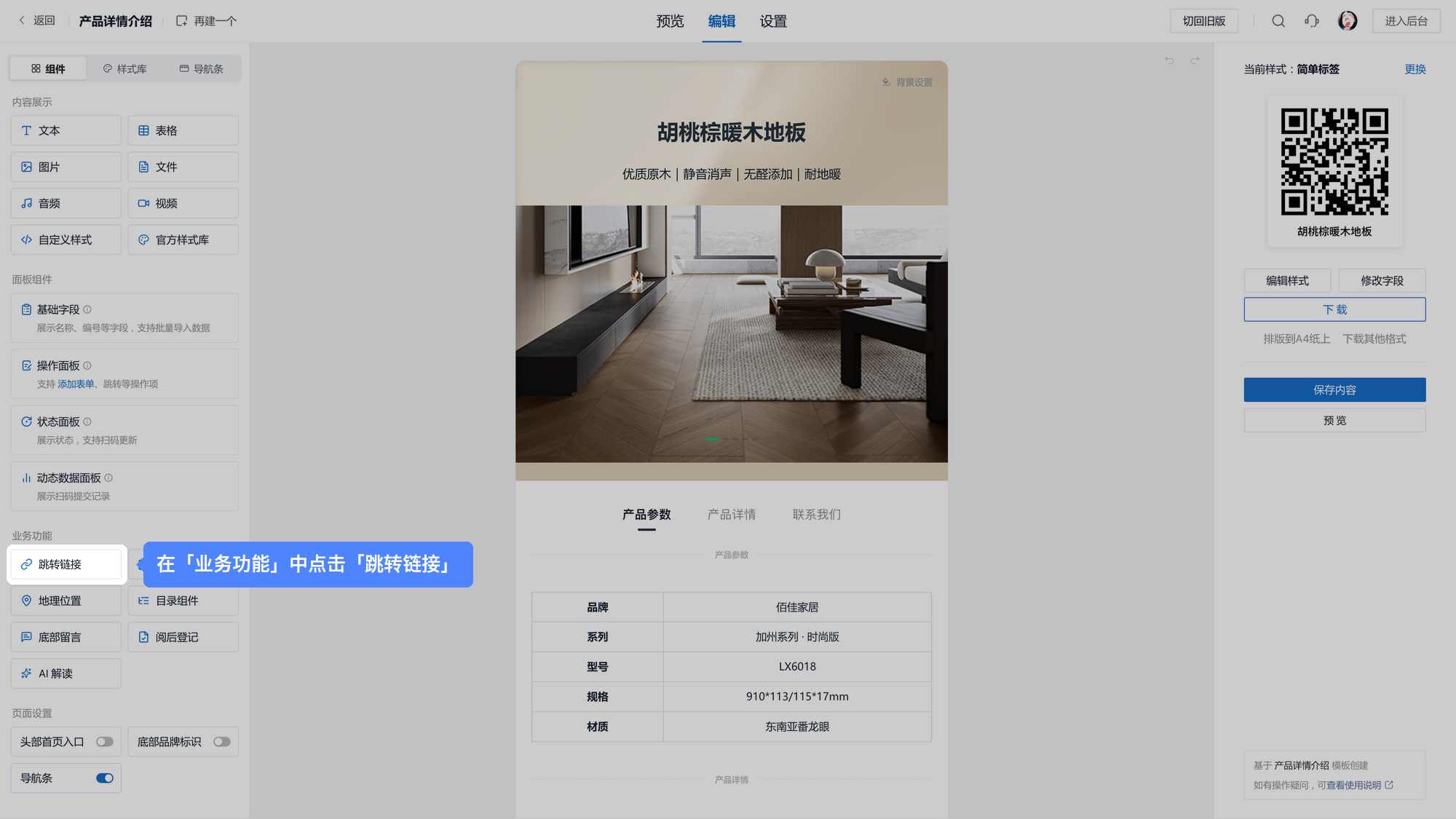
1. Add a Redirect Link to the QR Code
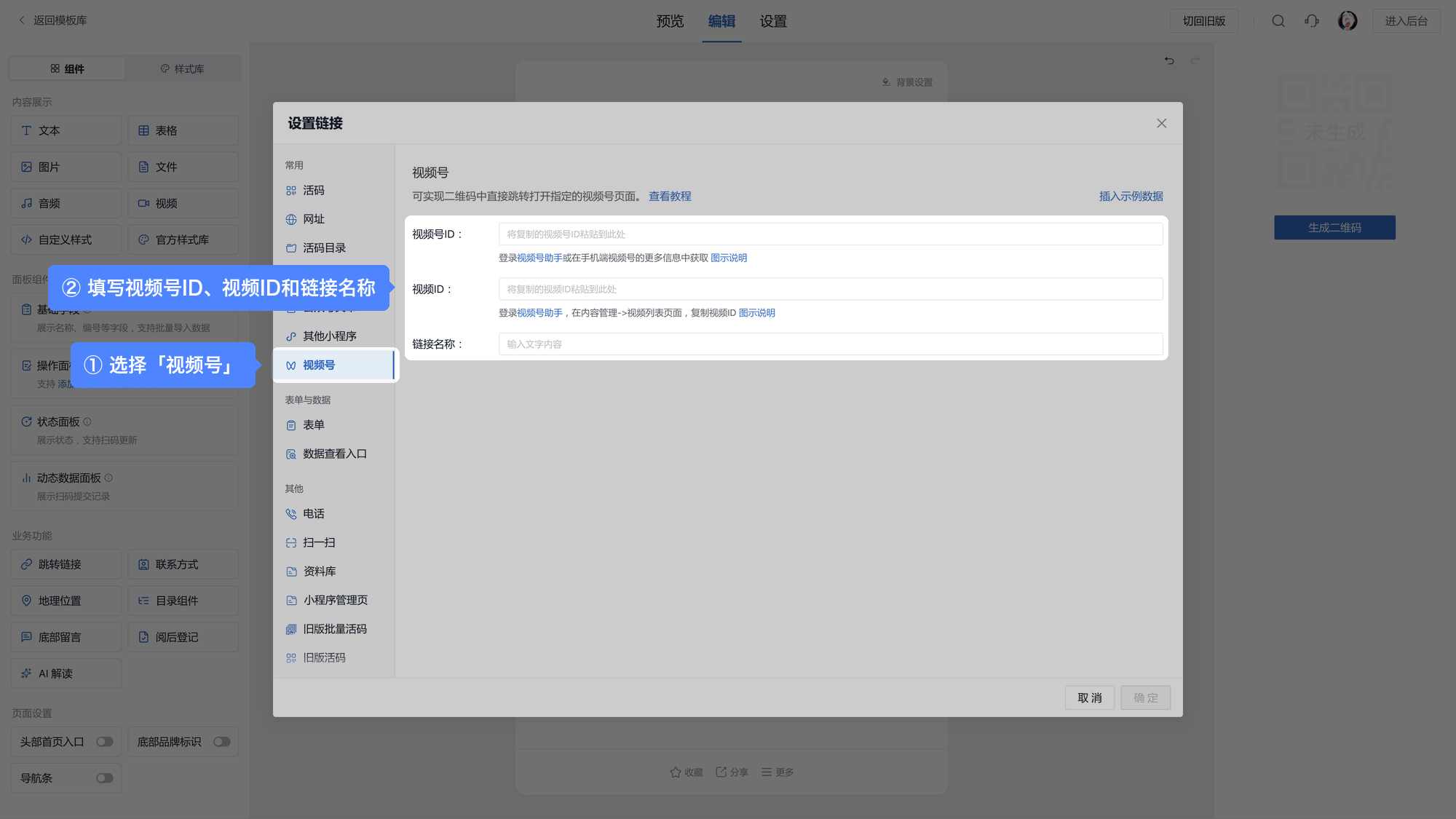
In the QR code editor, click Redirect Link, select a suitable redirect link style, click "Add Link", and set the link type to "Video Account."
2. Get the Video-Related Parameters
Log in to Video Account Assistant and obtain the [Video Account ID] and [Video ID] separately, as shown in the screenshots below:
Please note: Both the Video Account ID and Video ID must be obtained from the Video Account backend — therefore, only videos under your own account can be added using this feature.


3. Configure the Redirect Link Parameters
Fill in the video-related parameters into the corresponding fields in the redirect link, set a link name, and save.