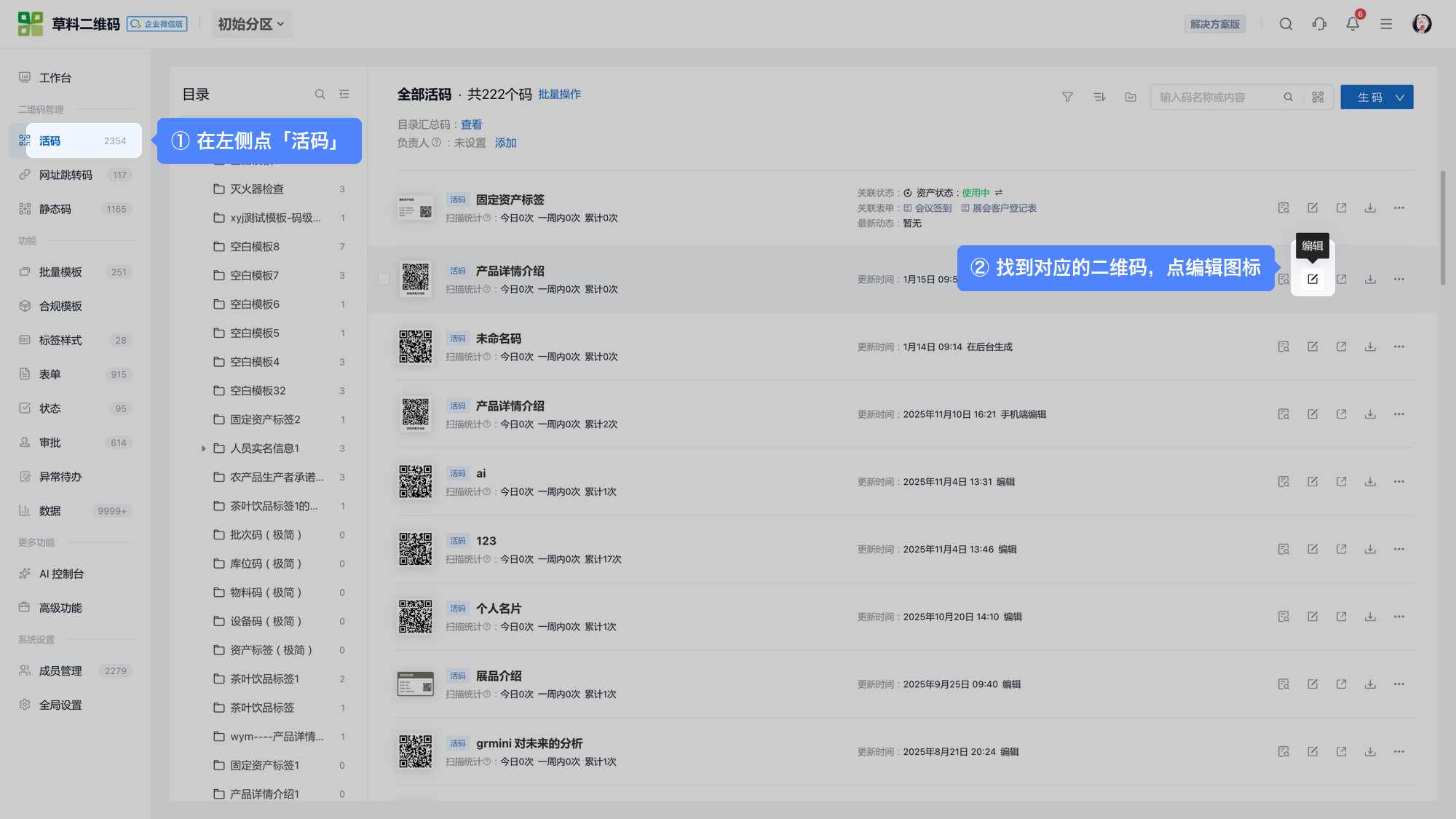
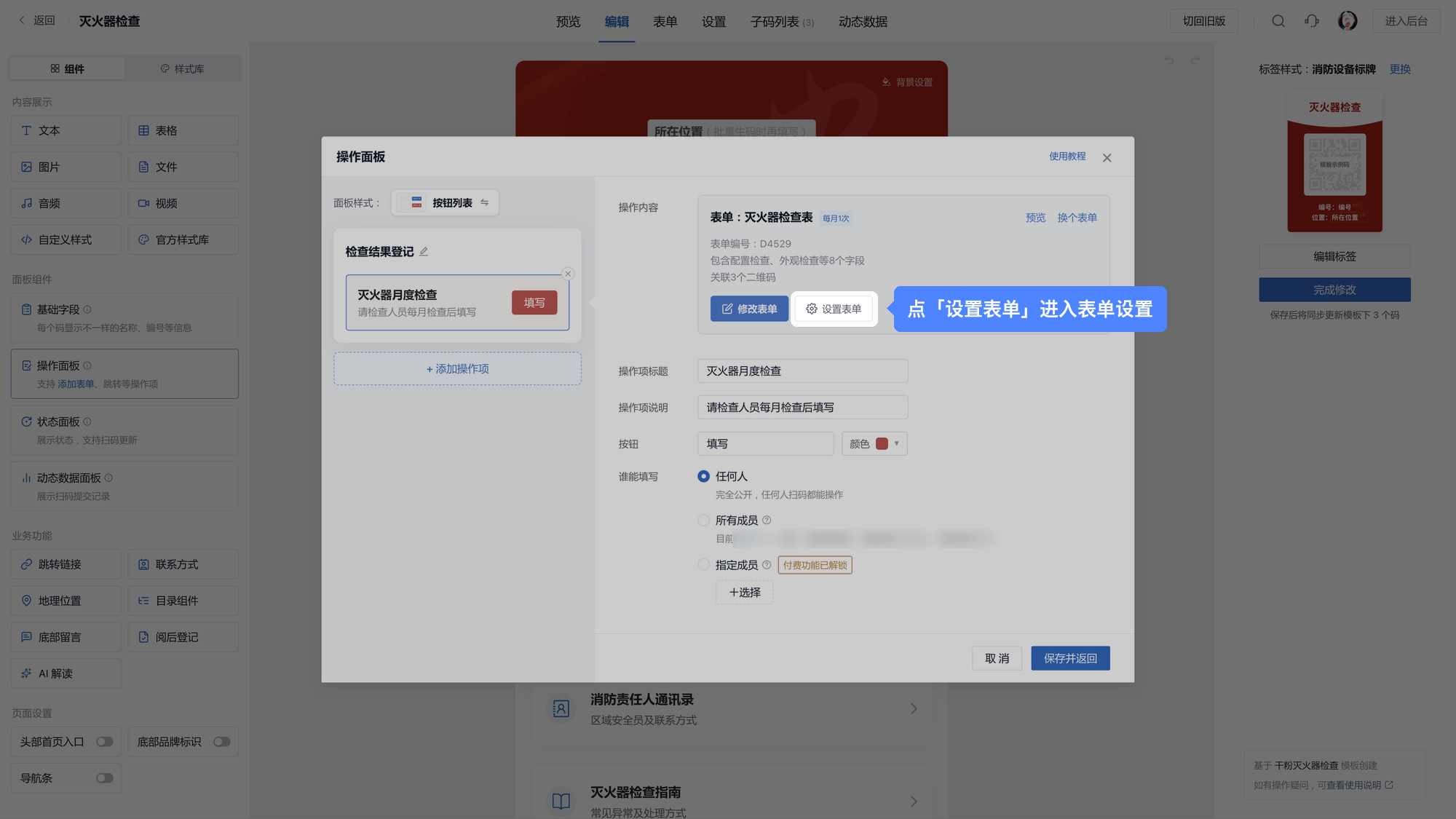
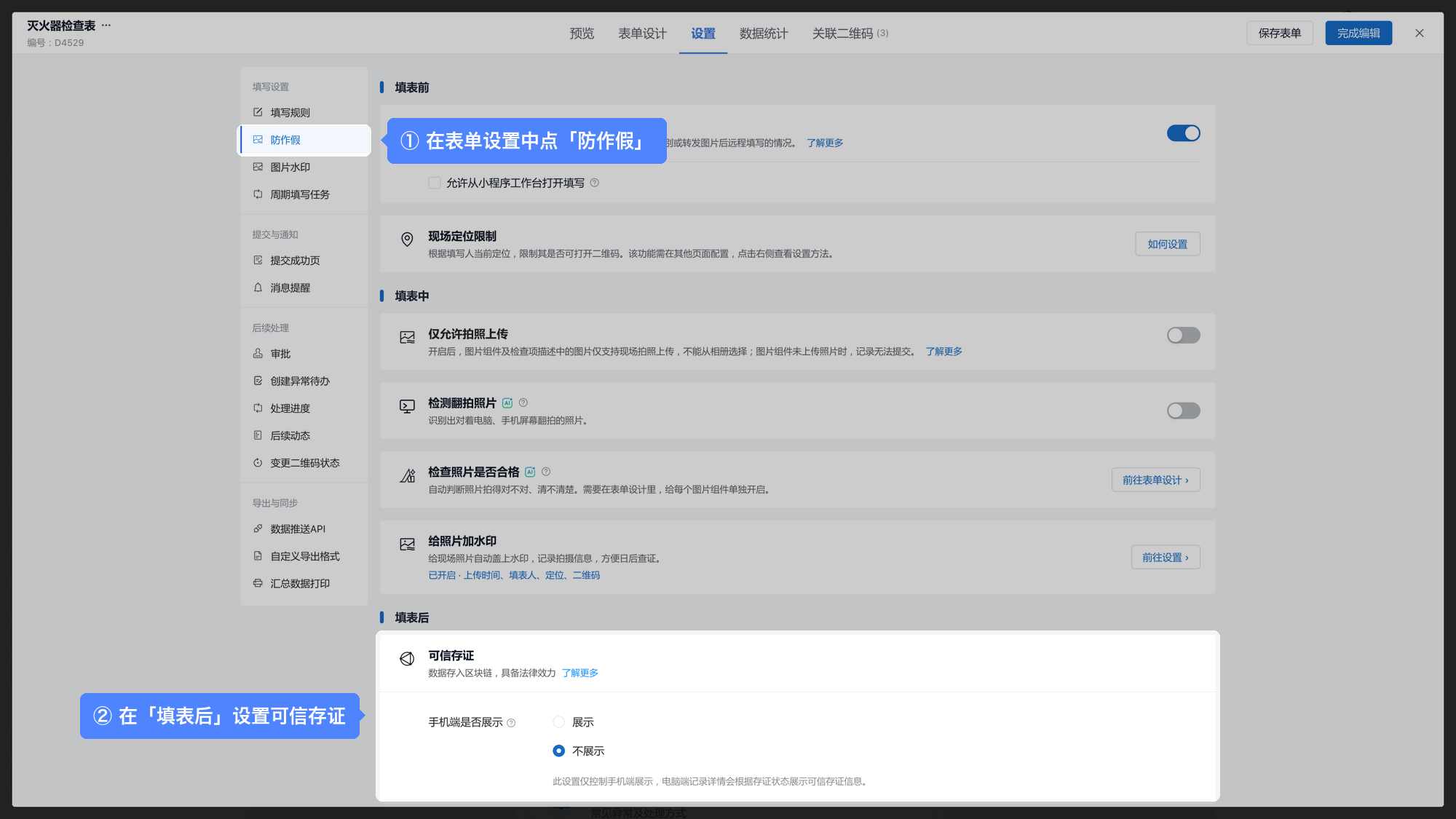
Log in to the workbench and select Dynamic QR Codes on the left. Find the QR code and click its edit icon to open the dynamic QR code editor. Select Control Panel on the left, choose the form, and click Forms Settings. Under Anti-Fraud → After Filling, configure trusted notarization.
Once blockchain notarization is enabled, each submitted form record is automatically notarized. You can view its certificate in Forms Data Summary for later verification.