Blockchain Notarization – Verification Guide
-
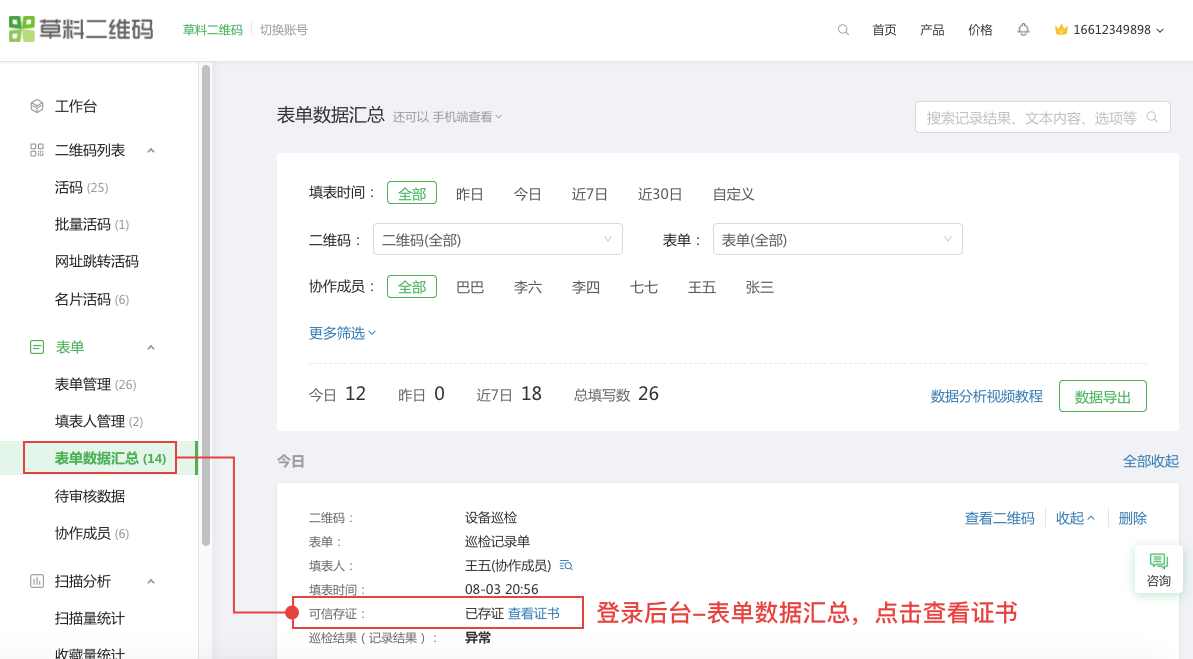
Log in to the workbench – Form Data Summary, and click View Certificate;
-
Save the notarization certificate, download the [Notarization Source File], and copy the [Notarization Hash];
-
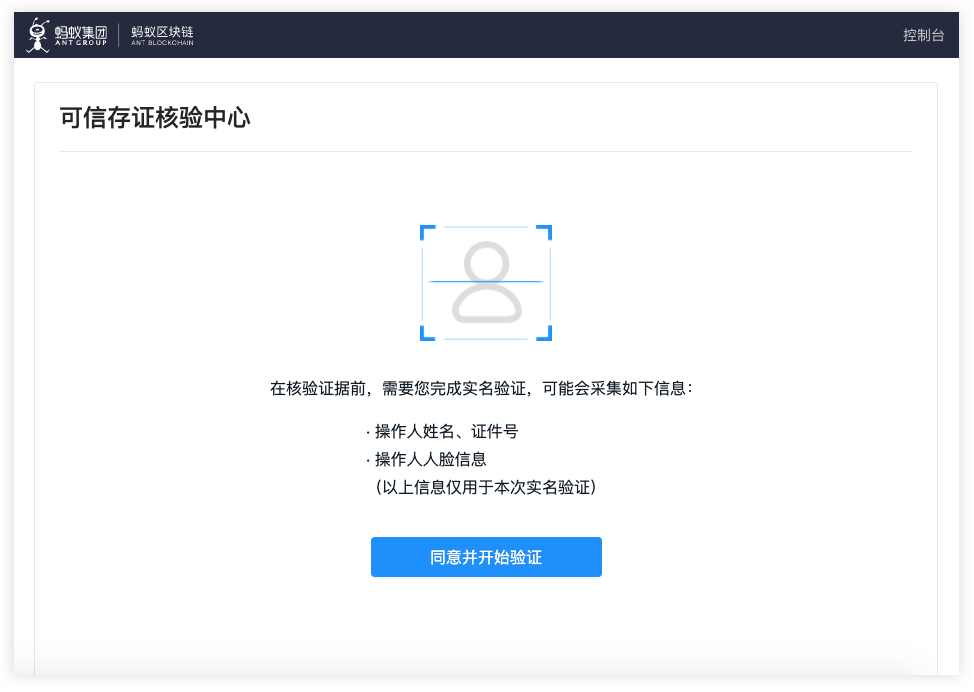
Log in to the Ant Blockchain Notarization Verification Center: https://verify.antchain.antgroup.com/home/index — complete real-name verification before proceeding;
-
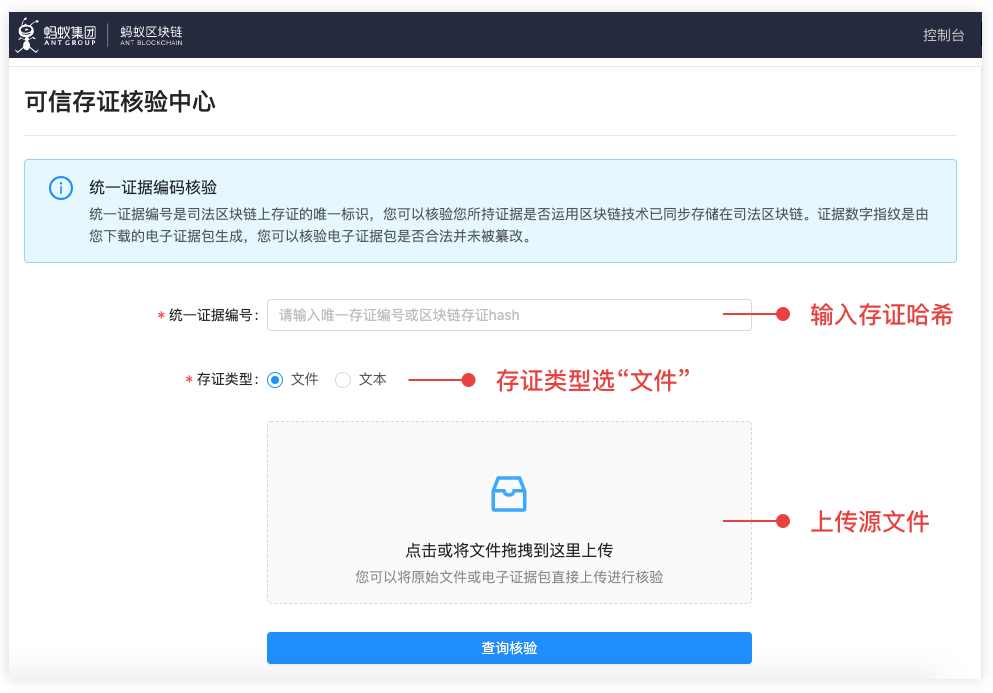
Enter the notarization hash in [Unified Evidence Number], set [Notarization Type] to File, upload the [Notarization Source File], and start verification;
-
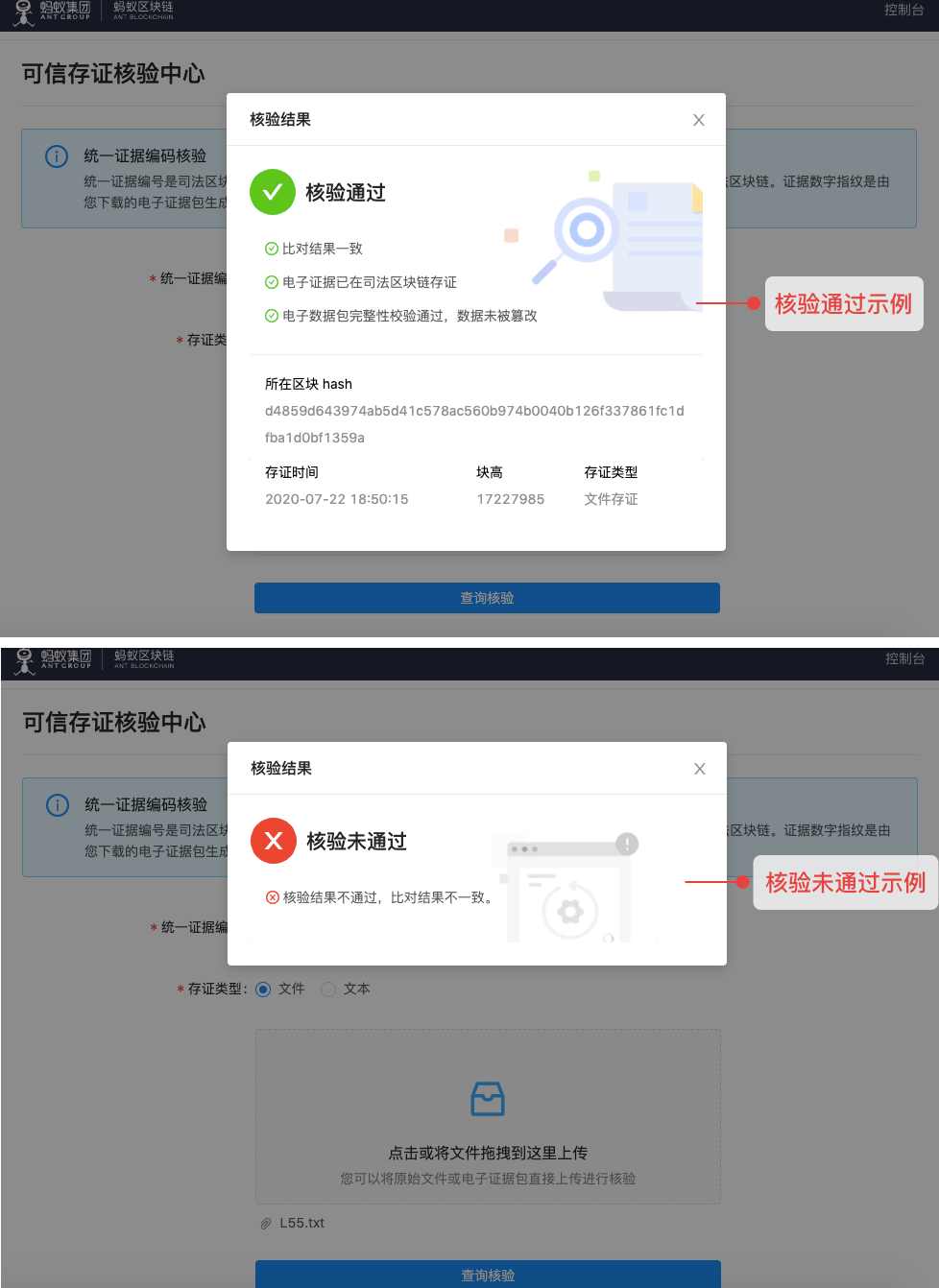
View the verification result: if verification passes, it means the source file is consistent with the notarized version and has not been tampered with; if verification fails, it means the file has been modified since notarization.