Quickly Consolidate Record / Sub-Code PDFs and Multimedia Files from Data Exports
When exporting form / sub-code data from the workbench, the Flagship Edition or above supports bulk export of record / sub-code PDFs and multimedia data, including images, recordings, videos, and files.
However, this export method has one drawback: files are stored in their respective form, record, or sub-code folders, making it inconvenient to consolidate them when there is a lot of content. Here is a quick method to consolidate files for easier categorization and organization.
Tutorial
- First, extract the downloaded zip file locally and open the folder.
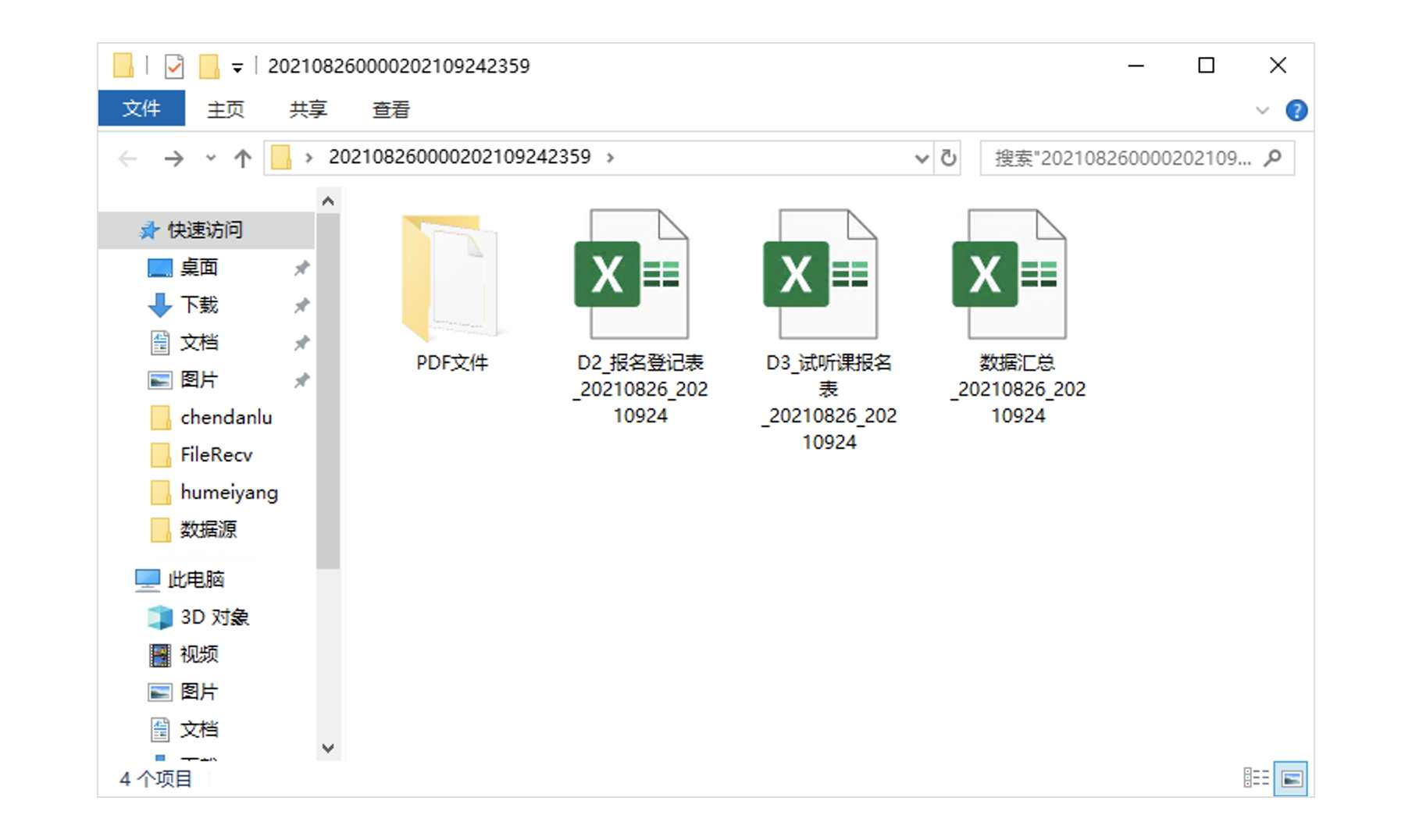
- In the search box, type
*.file_formatto find all files of that format.
For example: to consolidate all PDFs from every form record / sub-code, search *.pdf; to consolidate all images, search *.png.
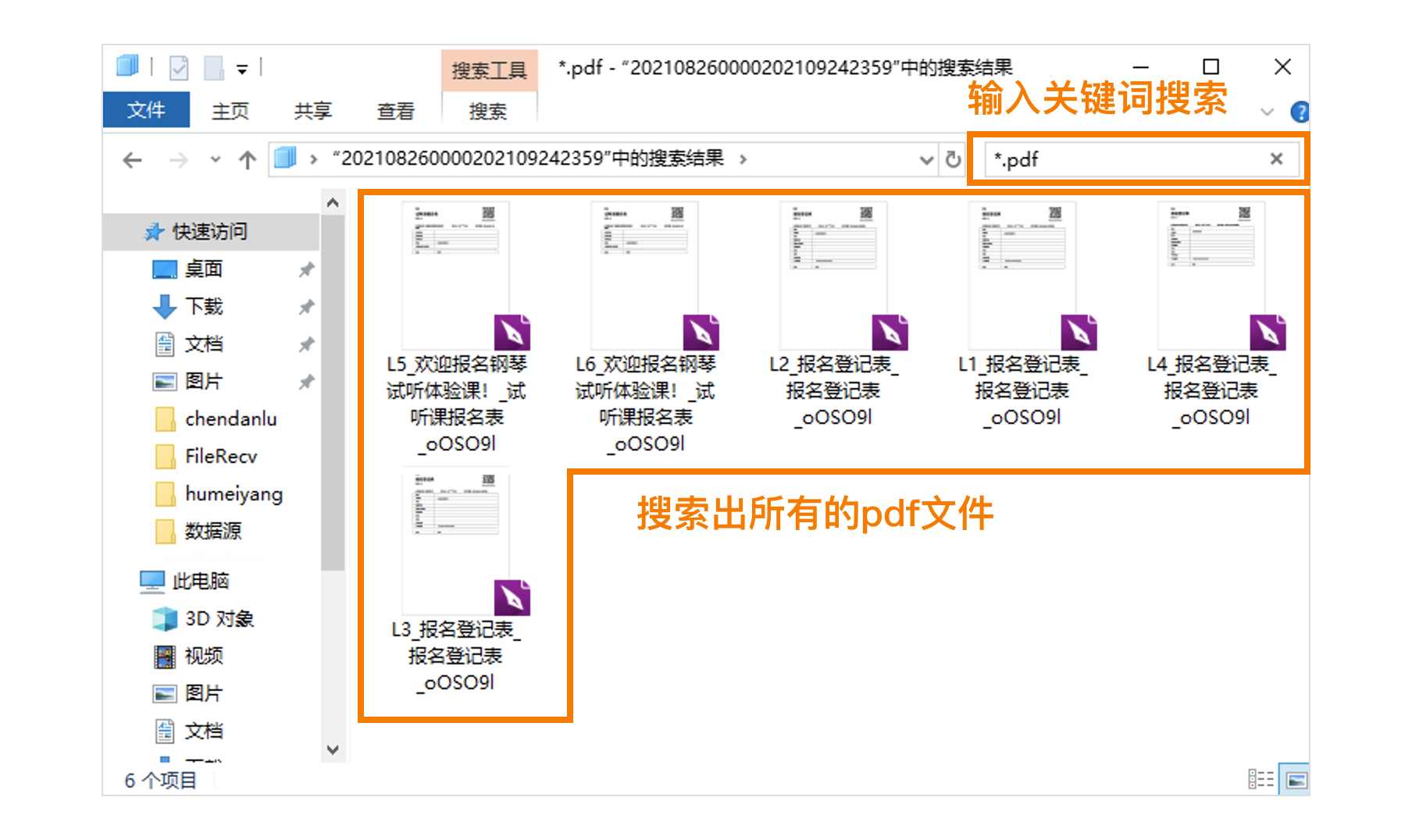
- Select all files with your mouse, or press Ctrl+A to select all, then move them to the desired location for further archiving and organization.
Note: If any files in the search results have duplicate names, rename them first (e.g., by adding a suffix to distinguish them). Otherwise, moving them to a new folder will result in naming conflicts and some files may not be saved.
If you have any further questions during actual use, click the Consult entry in the bottom-right corner of the page to add a dedicated after-sales advisor for one-on-one support.