Sync to Spreadsheets and Group Message Push
Use Tencent HiFlow to sync form data to online spreadsheets or push it instantly to work groups. Both scenarios use the CaoLiao Webhook as the data source.
Sync to Online Spreadsheets
Scenario Overview
Through Tencent HiFlow, collected form data can be synchronized to applications like Tencent Docs and Vika for statistical analysis, data sharing, and collaborative editing. It also supports synchronization to MySQL databases.

Demo
Using fire hydrant inspections as an example, we demonstrate how inspection records can be synchronized to Tencent Docs' smart tables via Tencent HiFlow. This enables workload statistics for inspectors, checking missed inspections by date, and calculating maintenance costs.
Video Demo
Duration: 4 minutes
FAQs
1. Currently only supports personal version of Tencent Docs, not the WeCom edition.
2. How to link Tencent spreadsheets to codes
You can link them via Mini Program.

Add a [Redirect Link] and select [Other Mini Program]
appID: wxd45c635d754dbf59
Account Original ID: gh_252c5f06840b
Mini Program Path: pages/detail/detail.html?url=spreadsheet_link
Spreadsheet Link: The URL in the address bar when editing the spreadsheet

3. Can the column headers in Tencent spreadsheets match the form component names?
They can be different. Content is manually matched and not automatically identified by names.
Group Message Push
Scenario Overview
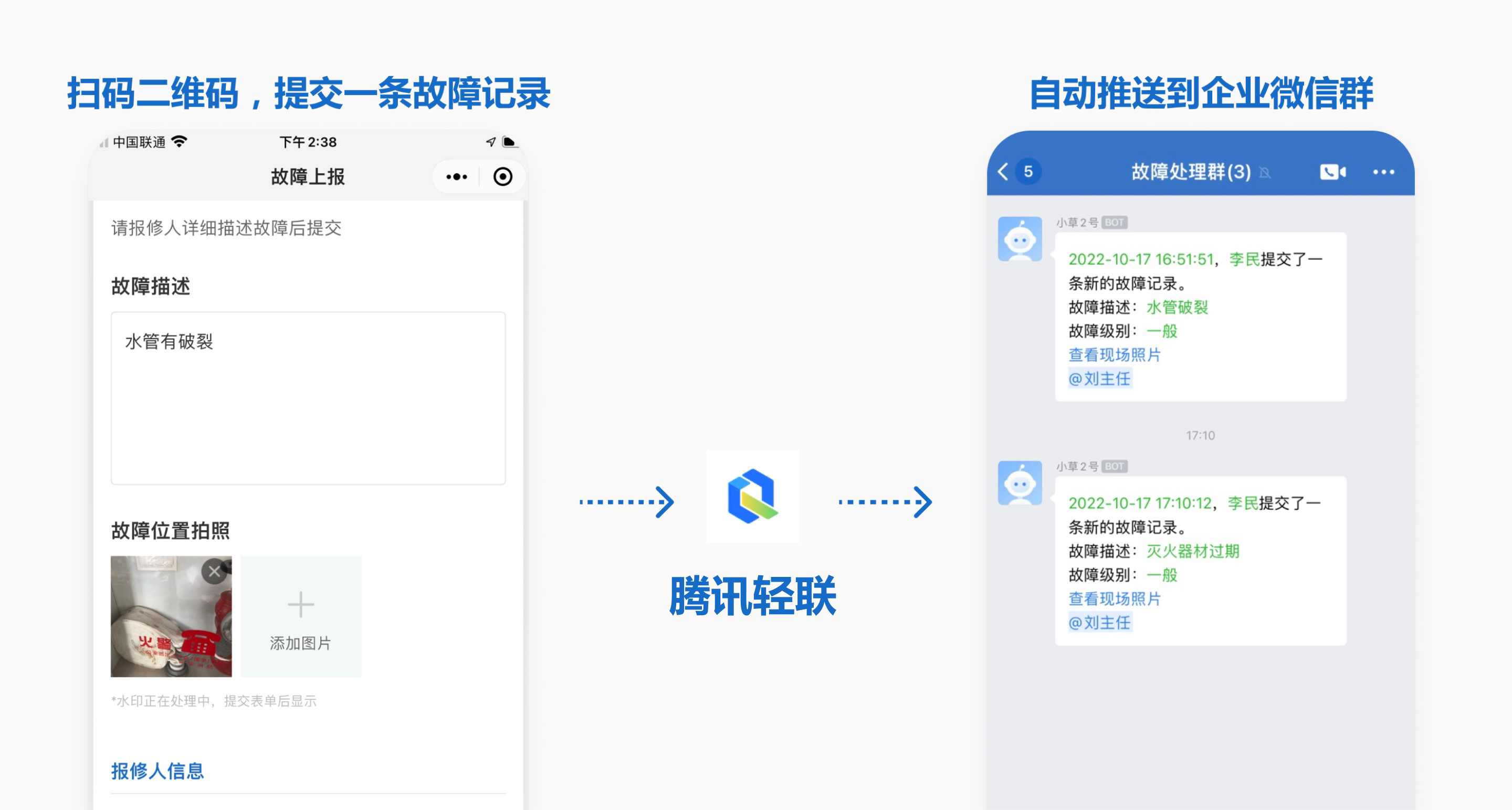
Through Tencent HiFlow, instantly push form submission records to internal work groups, supporting WeCom, Feishu, and DingTalk, with additional options for email and SMS notifications.
Applicable Scenarios: Hazard detection alerts, fault repair reminders, appointment notifications, inspection anomaly alerts, etc.
Step-by-Step Tutorial
Using a common fault reporting application as an example, this guide demonstrates how to push submitted fault records to a WeCom group. The process is similar for DingTalk and Feishu groups.
Summary
Access Tencent HiFlow to create a new workflow, with CaoLiao QR Code as the trigger application and WeCom Group Bot as the execution application.
Prerequisites
- Create a fault reporting QR code or a scenario-specific QR code. Example template
- Add a group bot to your WeCom group. How to enable a WeCom group bot
1. Create a Workflow
Log in to the Tencent HiFlow backend and select New Workflow.
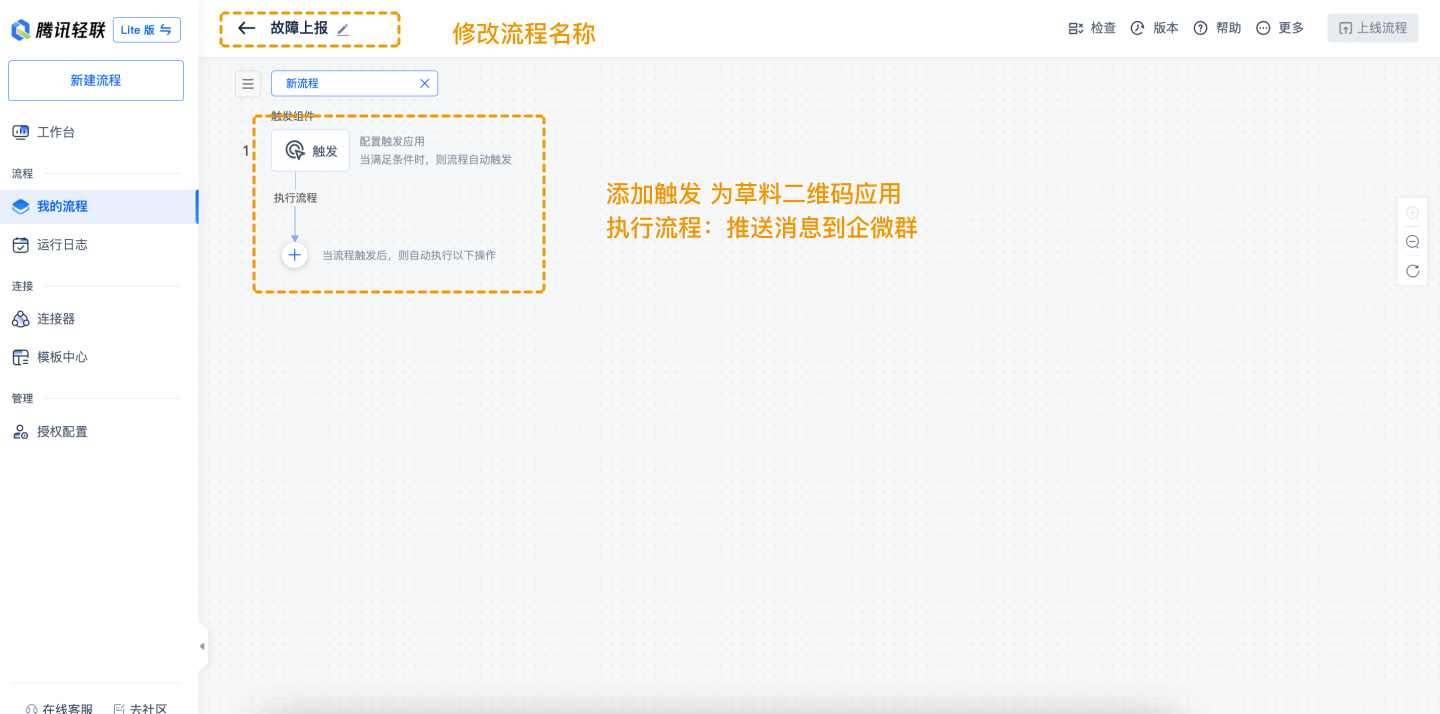
2. Configure the CaoLiao Application
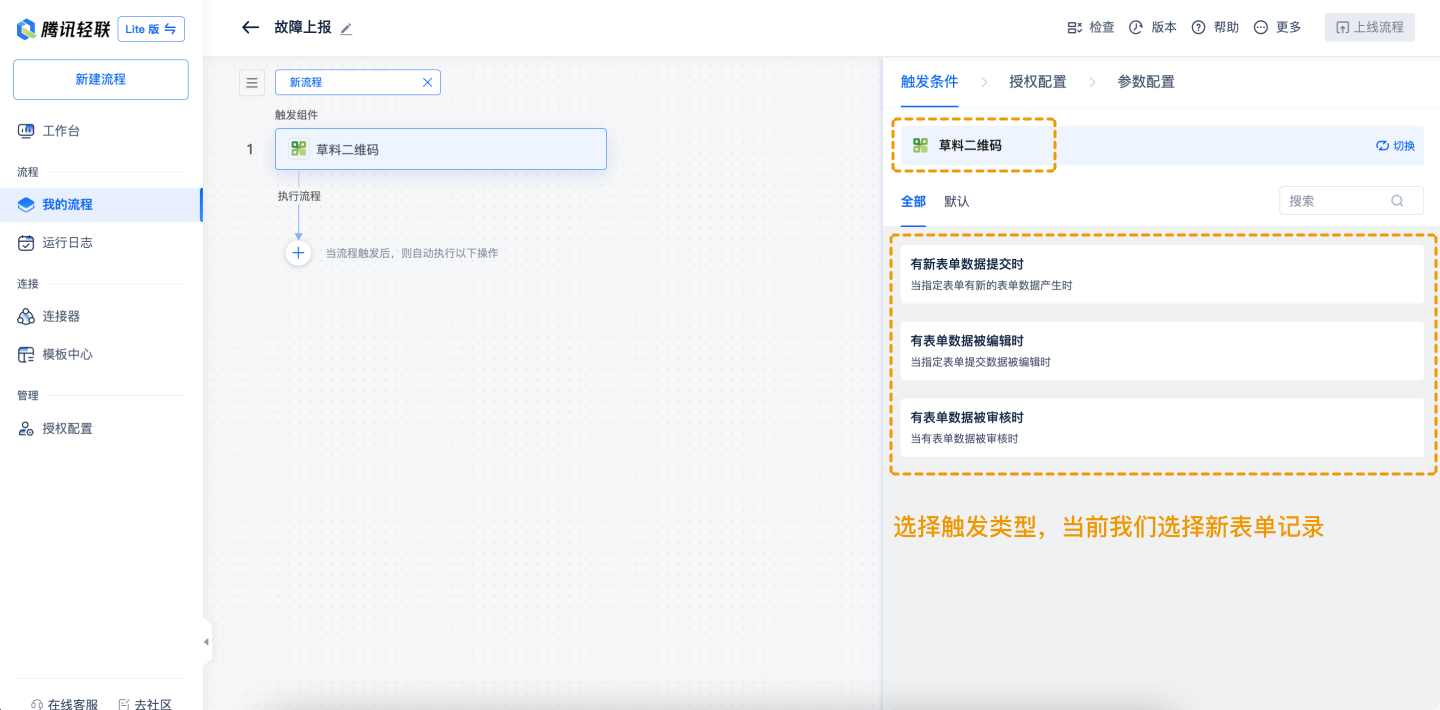
- Add the CaoLiao QR Code application and select the trigger method: New form submission.
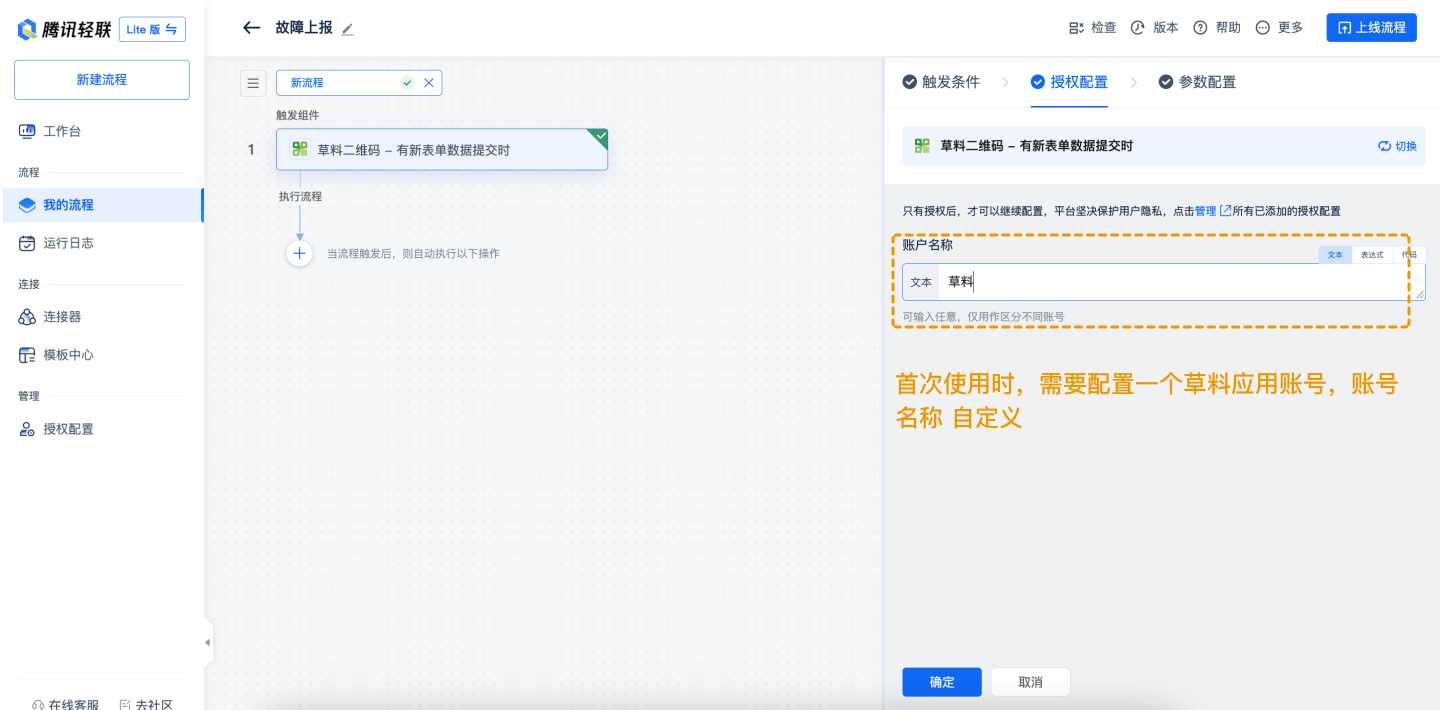
- Authorization Configuration
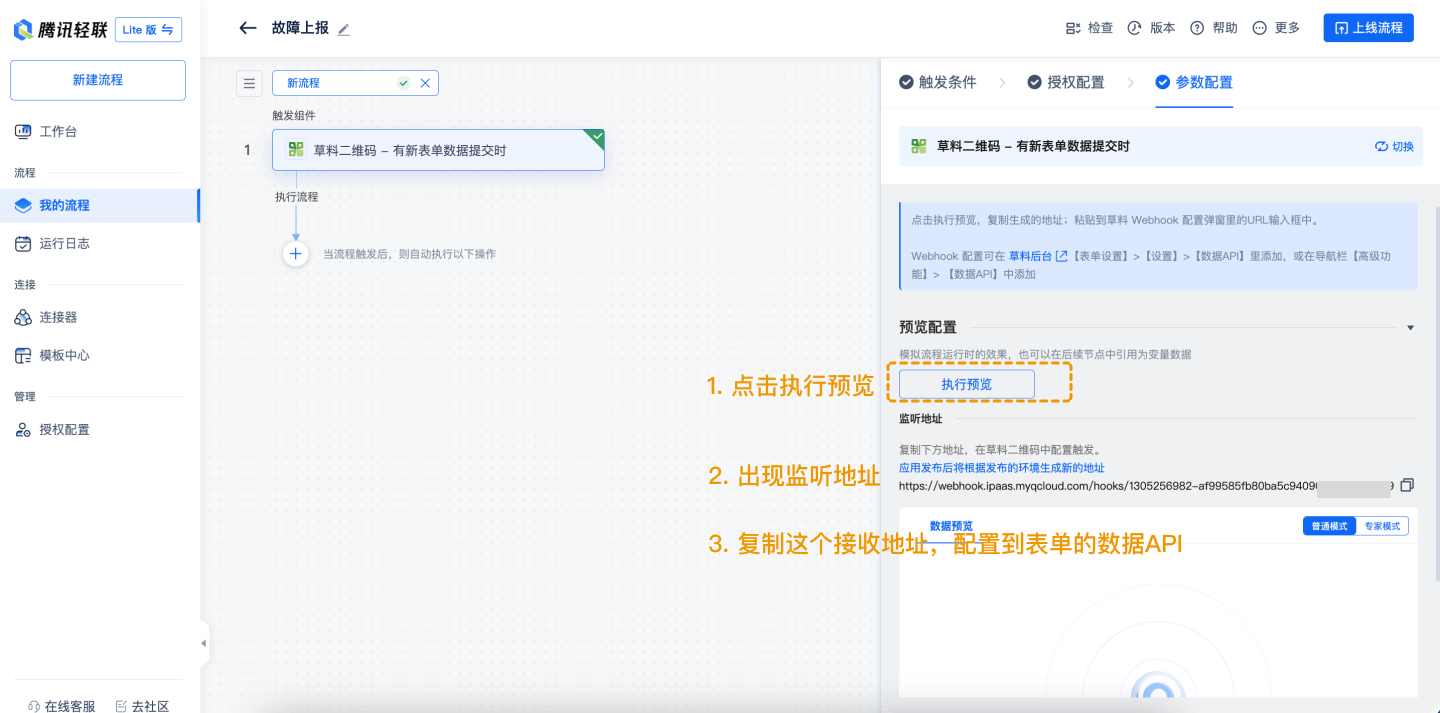
- Parameter Configuration Click Execute Preview to generate a listening address. Copy this address and configure it in the form's Data API settings.
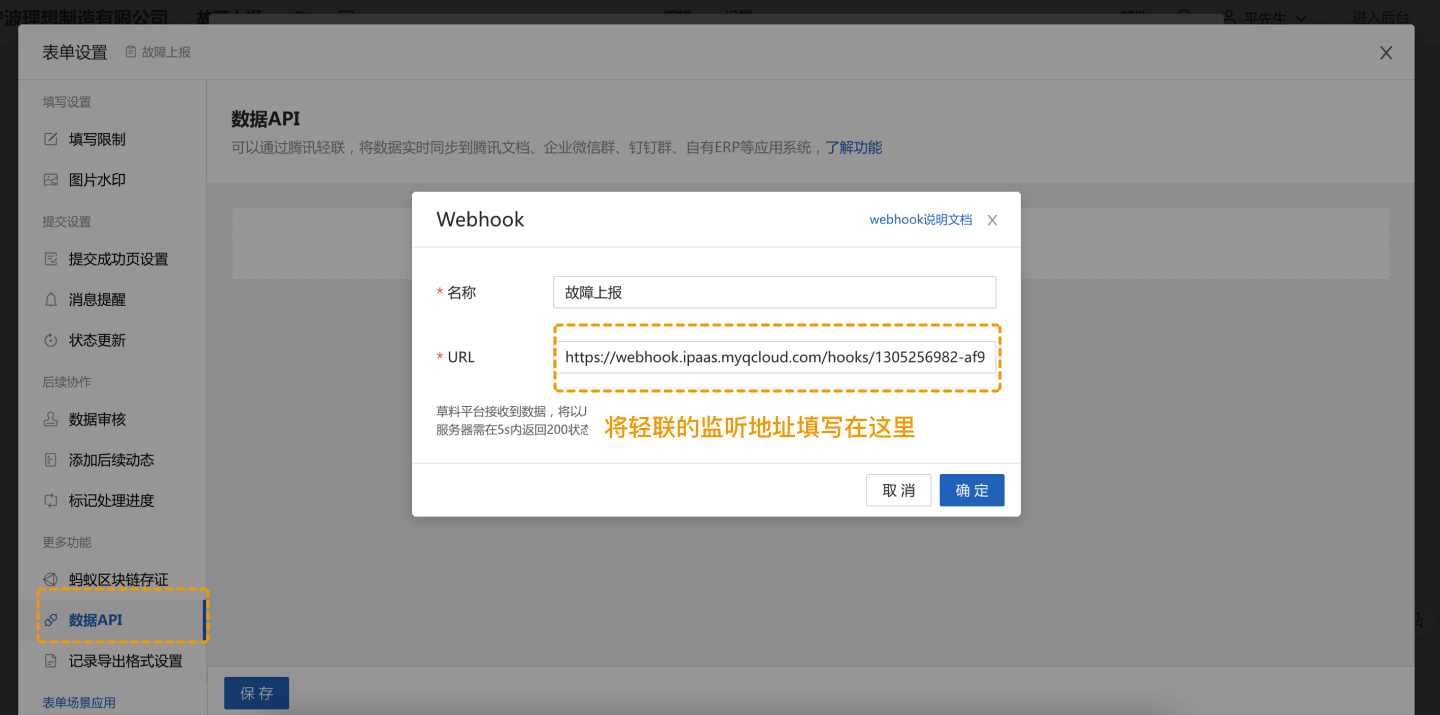
- Configure Webhook Address Copy the Tencent HiFlow push address and add it to the webhook push address in CaoLiao's backend. Navigate to Form Settings > Settings > Data API or Advanced Features > Data API.
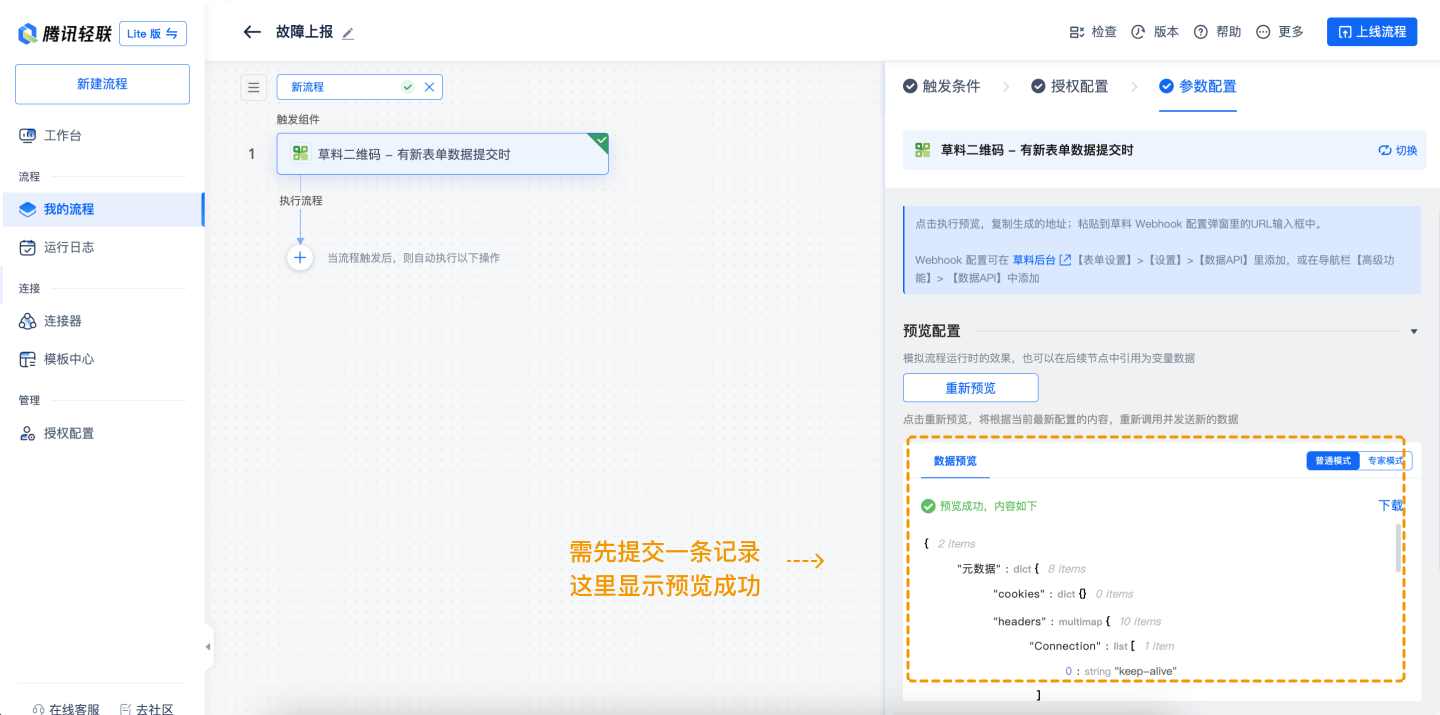
- Sample Data Scan the QR code and submit a test record. HiFlow will automatically detect the sample data. *Note: If the form is updated, submit another record and select the latest entry before clicking Re-preview.
3. Add Execution Application: WeCom Group Bot
The same method applies to DingTalk and Feishu group bots.
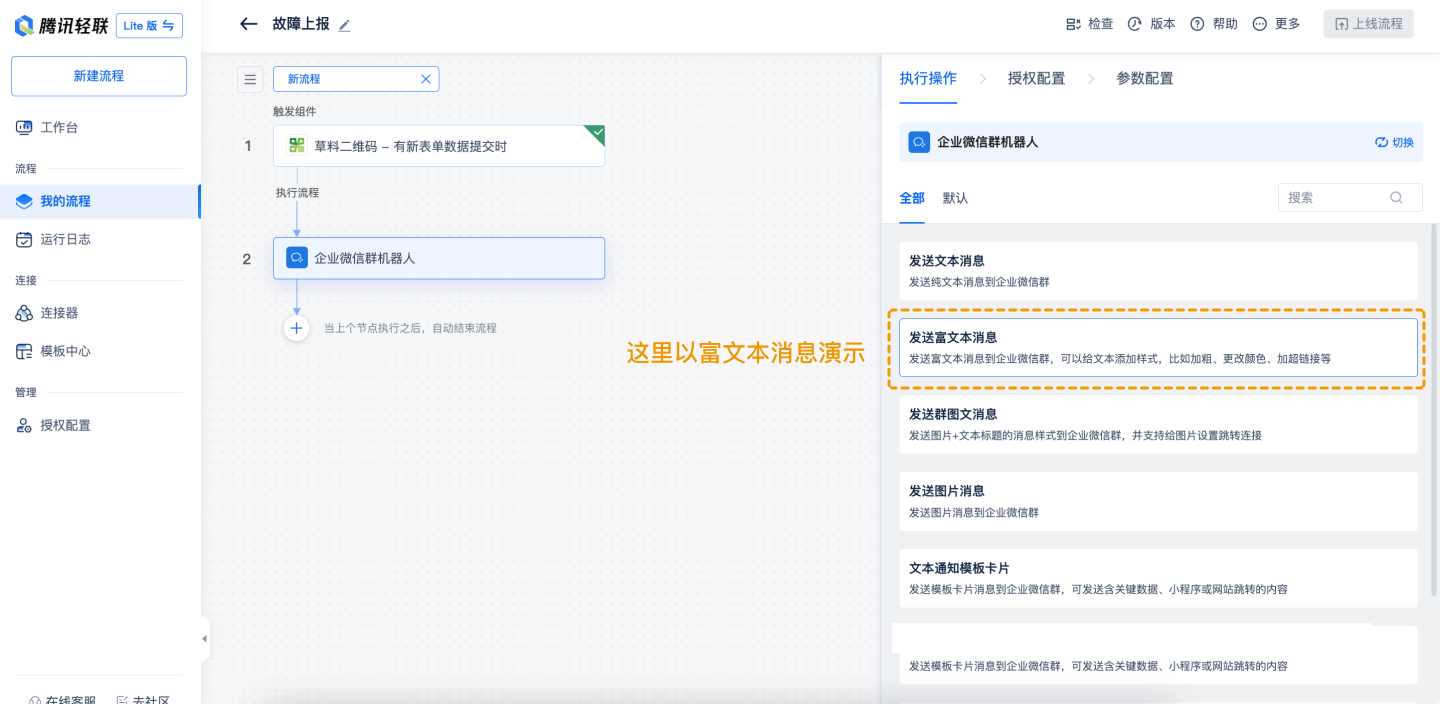
- Add the WeCom Bot and select the execution action: Send rich text message.
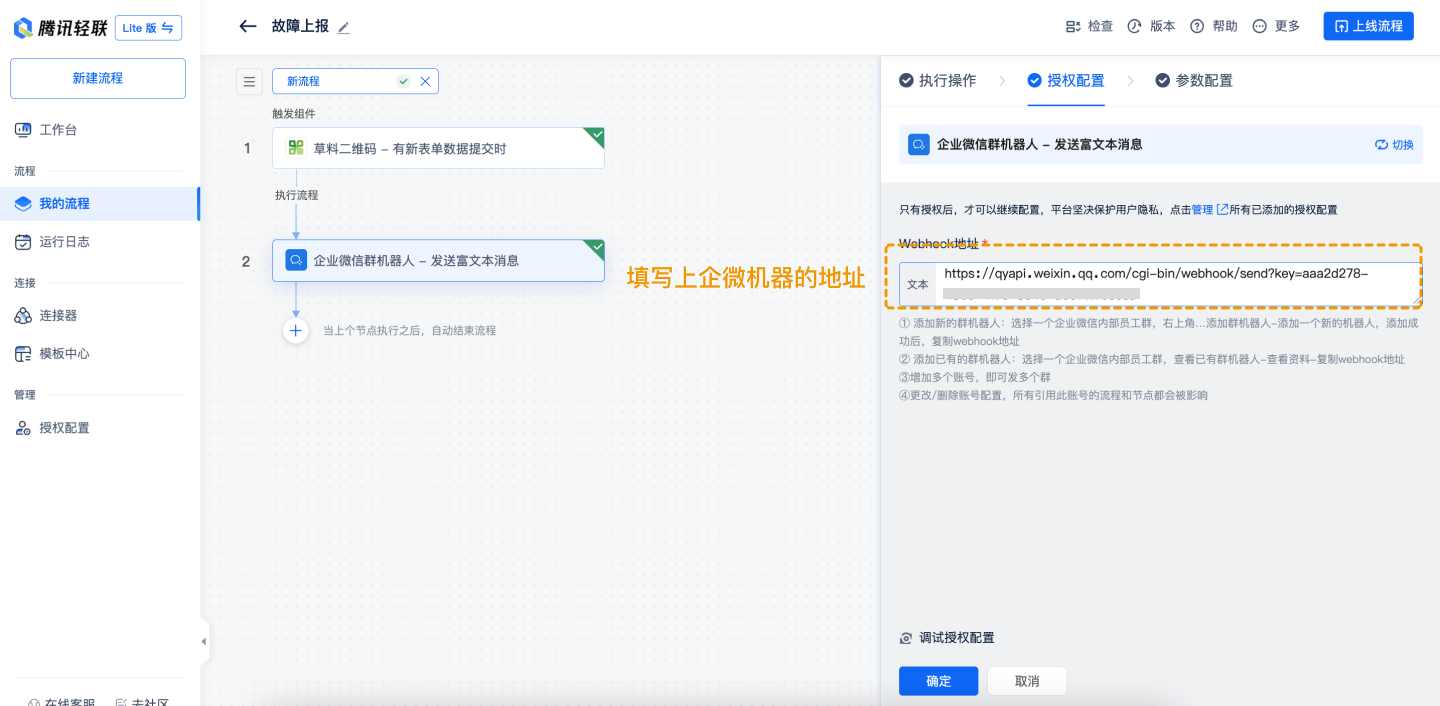
- Authorization Configuration: Add the WeCom group bot address. Obtain the bot address by adding a group bot in WeCom. How to enable a WeCom group bot
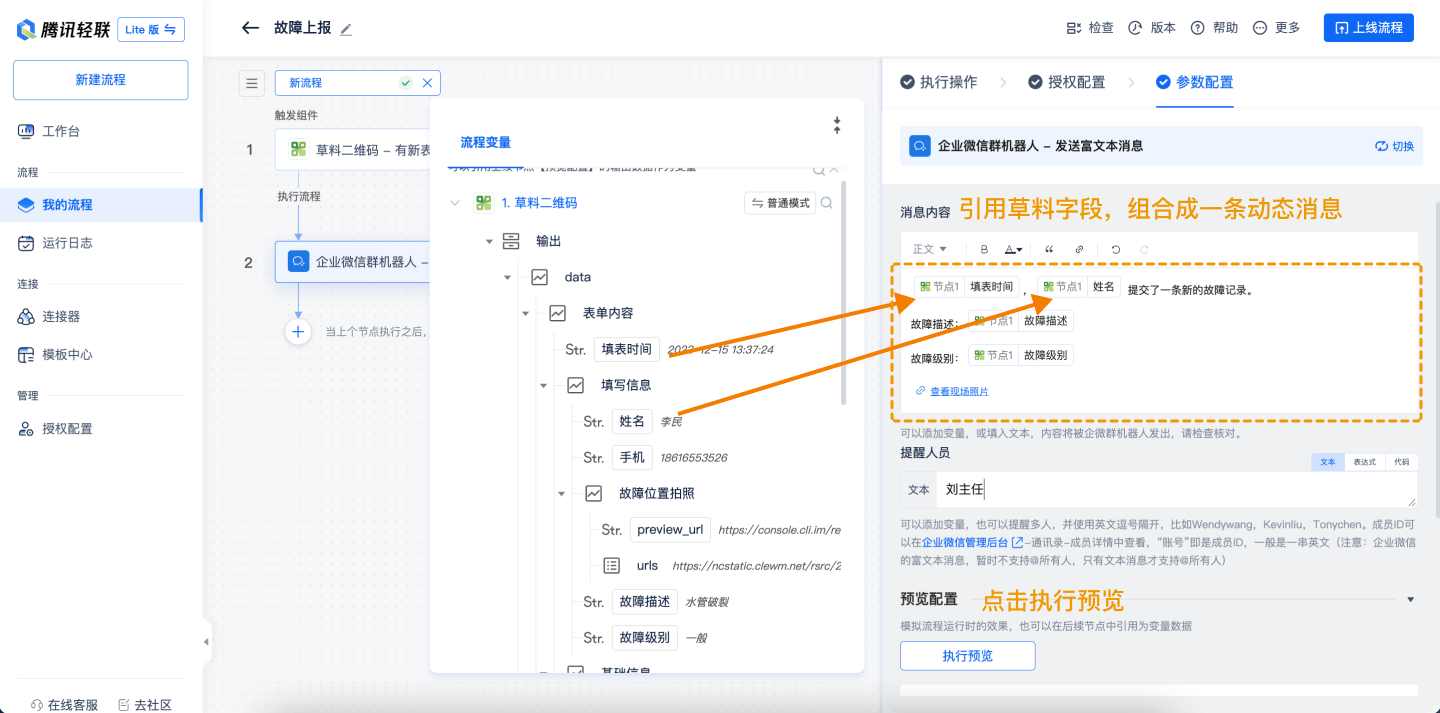
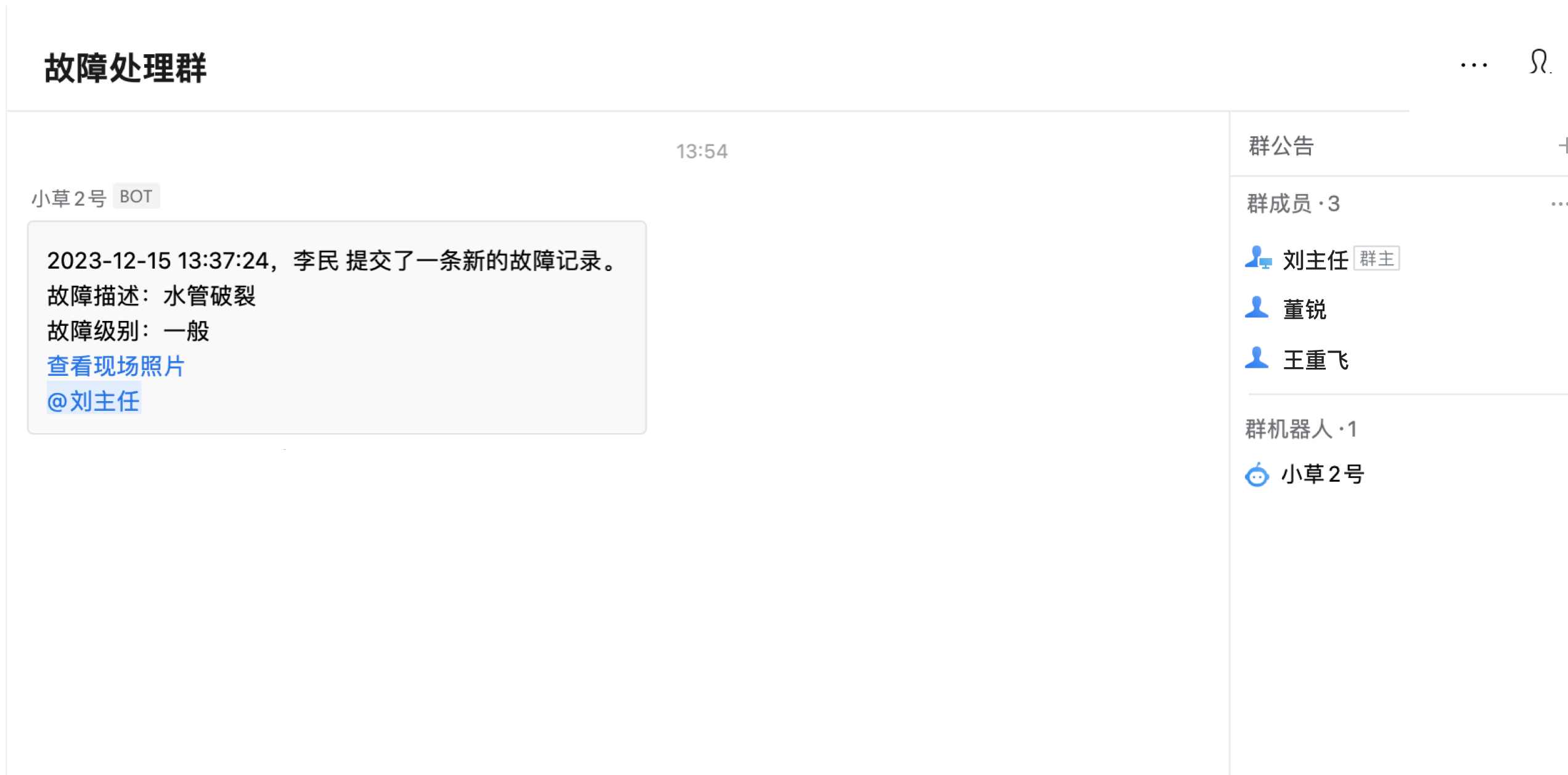
- Parameter Configuration Configure the rich text message using variables and static text for dynamic content. After setup, click Execute Preview to receive the message in the WeCom group.
4. Publish the Workflow
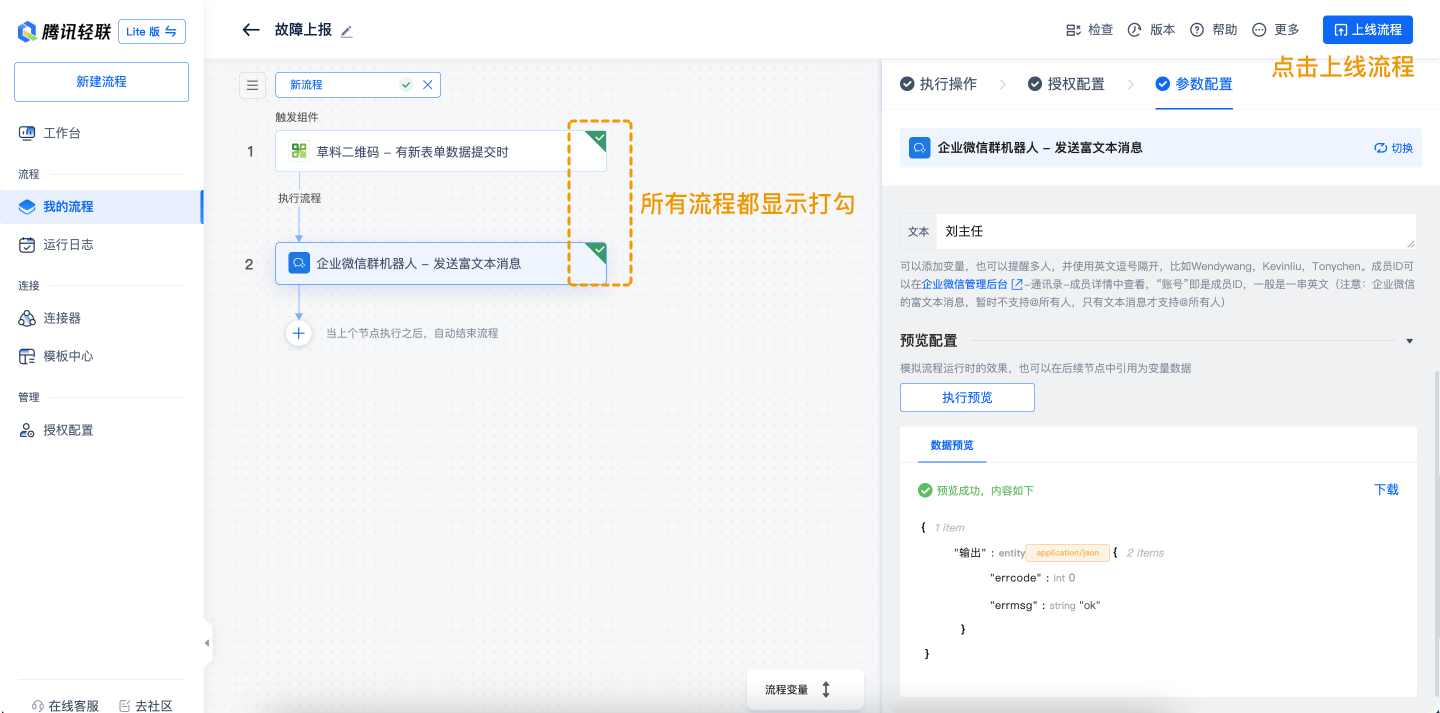
After saving, both applications should show as verified. Click Publish. If errors prevent publishing, use Check to identify issues.
FAQs
1. Why don't my variables match the form content?
This occurs if you've reselected the form. Resubmit a record and re-test with the new sample.
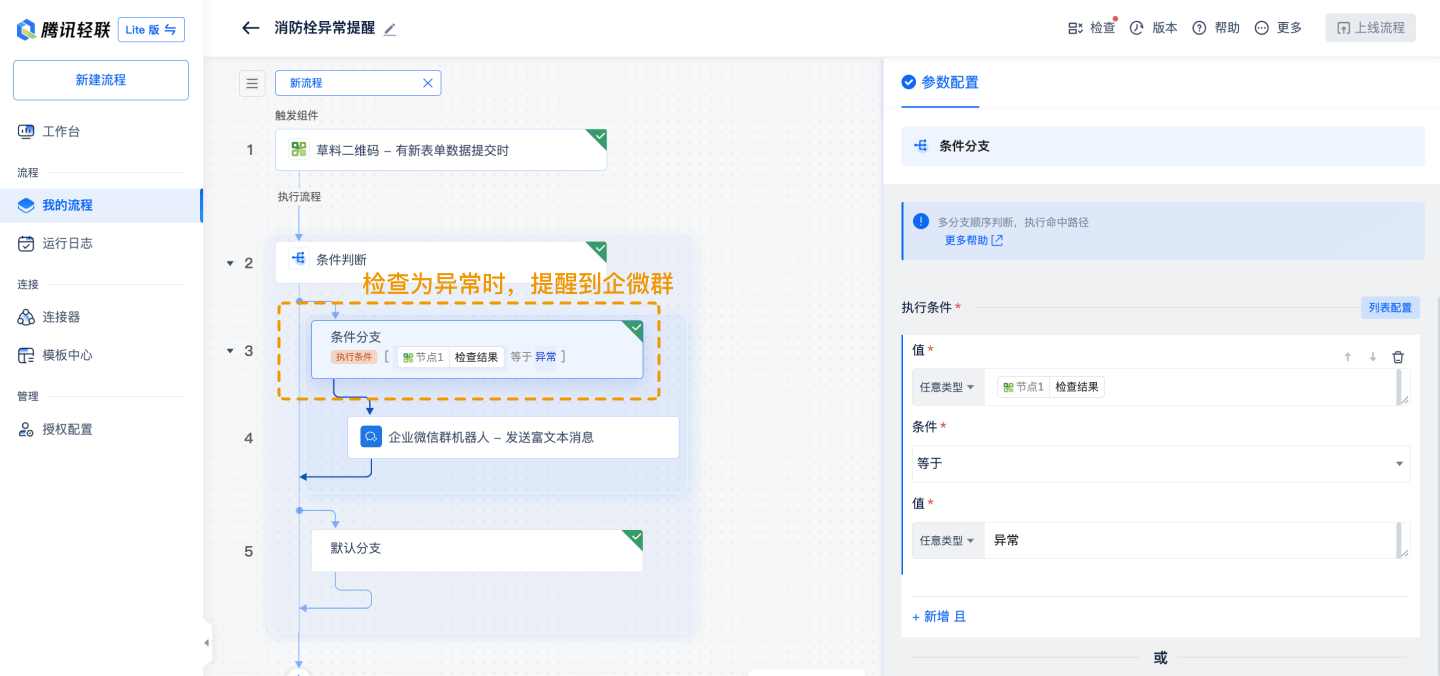
2. How to implement conditional alerts (e.g., inspection anomalies)?
Add a built-in conditional judgment application after the CaoLiao step. Set conditions to trigger group alerts only when met.
3. Can alerts be sent to multiple groups simultaneously?
Yes. Add a new workflow with a different group bot address (new account).
4. Can alerts be routed to different groups based on conditions?
Yes. Combine conditional judgment with multiple group bot applications, each targeting a different group.
References
- Fire Hydrant Inspection Form (Tencent Docs)
- Tencent HiFlow Scenario Connector Website
- Tencent HiFlow Scenario Connector Beginner's Guide
- CaoLiao Webhook Documentation
CaoLiao Community
A dedicated community version has been created for this feature, where you can share usage experiences, post questions, and get answers from professional consultants. Visit the Community