Legacy QR Code Beautification API
Note: The legacy QR Code Beautification API is no longer maintained. Please use the new Label Generation API, which includes QR code label styles for various scenarios with more flexible settings. Go to the new QR Code Label API
Features
The legacy QR Code Beautification API generates customized QR codes through HTTP requests.
- Parameter control: Customize QR code colors, shapes, backgrounds, logos, and other elements.
- Wide application: Suitable for marketing campaigns, product packaging, business card designs, and more.
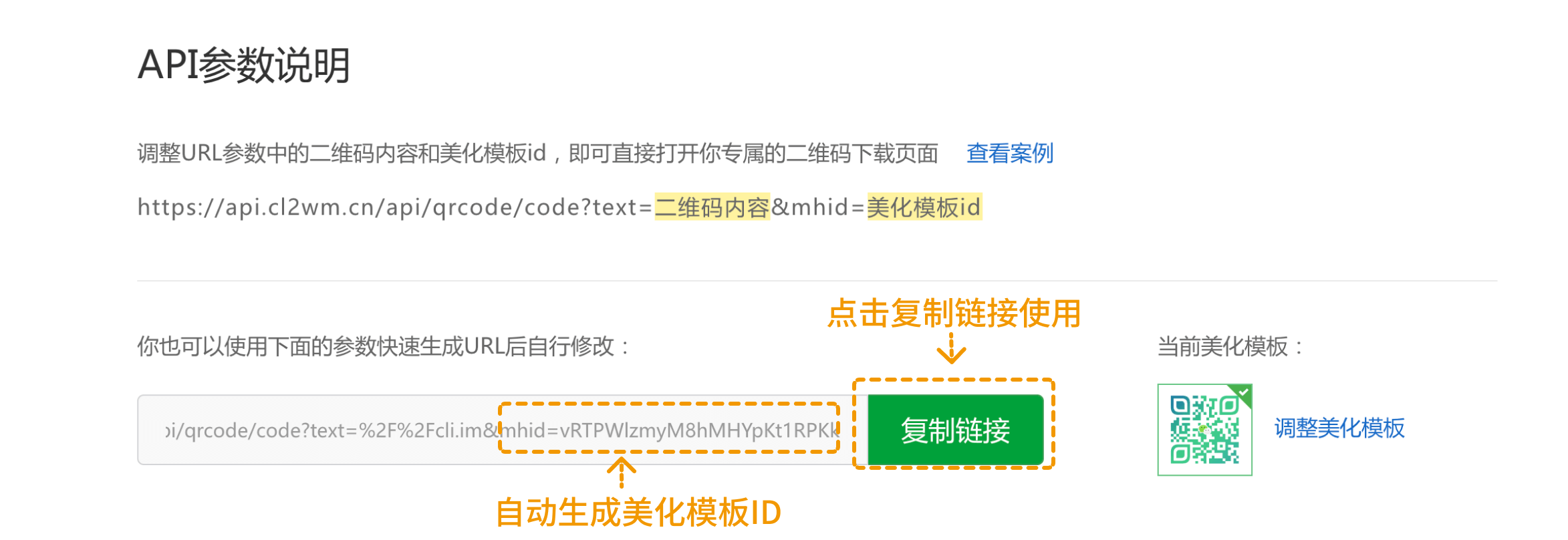
- Quick generation: Simply adjust the QR code content (
text) and beautification template ID (mhid) in the URL to obtain QR codes with different styles.
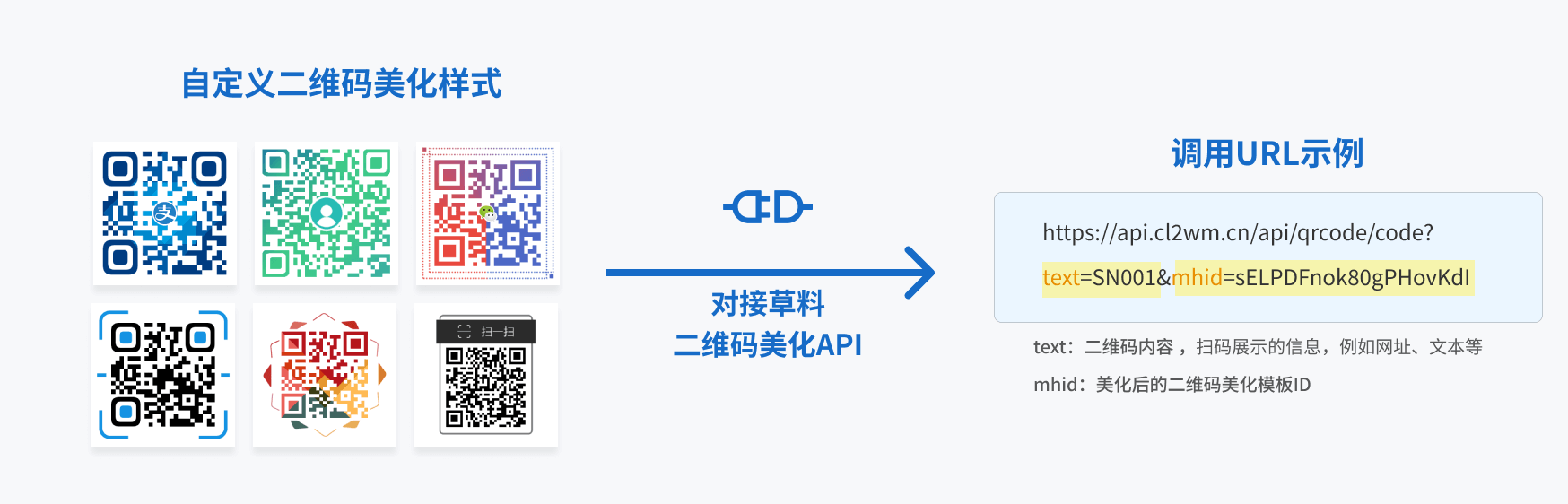
Legacy QR Code Beautification API Entry
Usage Instructions
- Customize beautification templates: Adjust QR code styles on the CaoLiao platform, upload logos, modify colors, or add text.
- Obtain beautification template ID: After customization, retrieve the corresponding beautification template ID and URL.
- HTTP request: Replace the
text,mhid, and other parameters in the generated link with your requirements, then send an HTTP request to obtain the QR code image.
URL
https://api.cl2wm.cn/api/qrcode/code?text=QR_code_content&mhid=beautification_template_idHTTP Request Method
GET
Request Parameters
| Parameter | Required | Type | Description |
|---|---|---|---|
text | Yes | string | QR code content: Can include URLs, text, contact information, or any other data you wish to encode. |
mhid | Yes | string | Beautification template ID: Each template has a unique ID. Different templates change the QR code's visual design. The template library offers various styles to meet different branding needs. |
Adjust Beautification Templates
Customize beautification templates as needed, including uploading logos, adjusting code points and eyes, changing colors, or adding text.
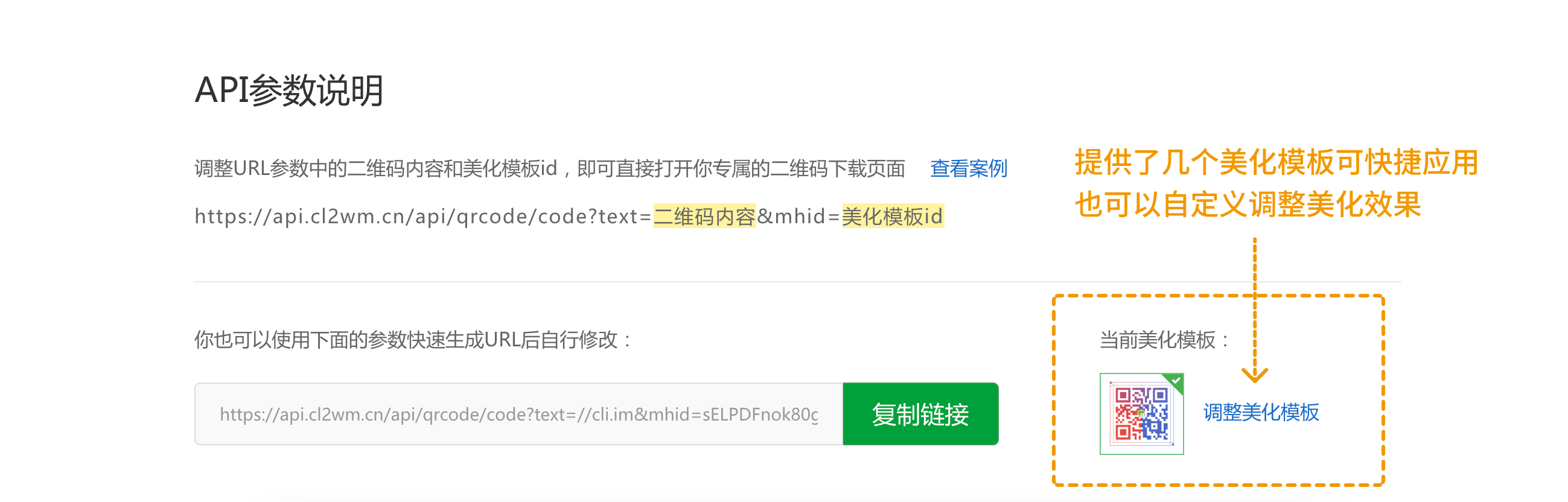
Predefined templates are available for quick application, or you can fully customize the design.
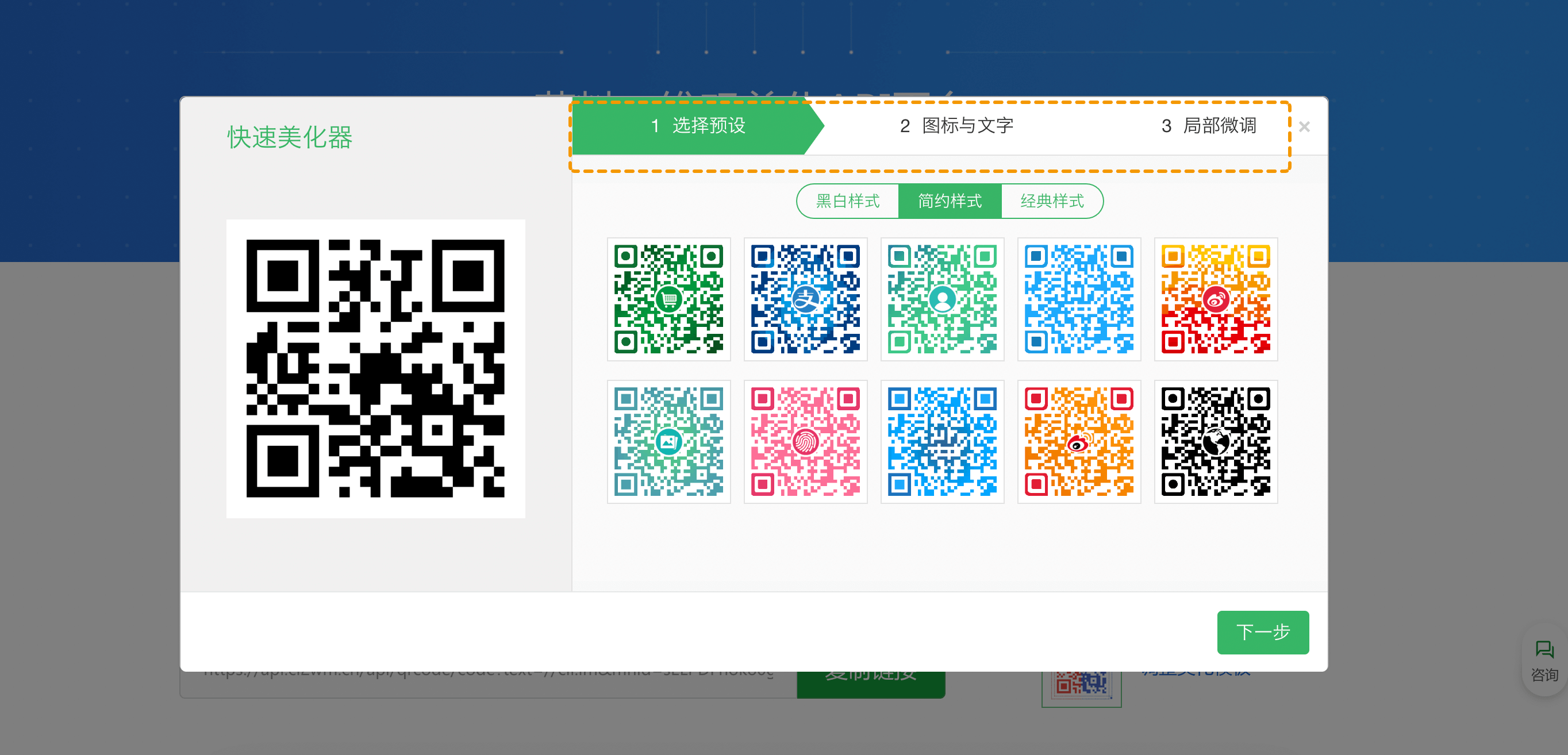
Obtain Beautification Template ID
After adjusting the template, click "Complete" to return to the API interface. The adjusted beautification template ID will be automatically generated. Simply "Copy Link" for immediate use.