Feishu × CaoLiao QR Code Plugin
Features
Based on the One-Object-One-Code Label API provided by CaoLiao QR Code, Feishu Multi-dimensional Tables developer Ryan Cui has created the "CaoLiao QR Code" plugin. This plugin enables batch generation of QR code labels within smart tables and is currently in public beta.
Feishu Multi-dimensional Tables is a next-generation productivity application designed to meet personalized needs, combining online collaboration, information management, and visualization capabilities to manage projects from multiple dimensions. The "CaoLiao QR Code" plugin offers 150+ QR code label styles, suitable for various scenarios such as equipment, assets, and personnel management. Users can directly select label styles within Feishu Multi-dimensional Tables, and the plugin will automatically call CaoLiao's One-Object-One-Code Label API to batch generate QR code labels with different content.
Usage Guide
In Feishu Multi-dimensional Tables, you can batch generate QR code labels for selected records. Simply choose a label style, match the table fields, and the QR code labels will be generated automatically and inserted into the corresponding columns for preview and download.
General steps:
- Install the "CaoLiao QR Code" plugin in Feishu Multi-dimensional Tables.
- Insert an "Attachment Column" in the Multi-dimensional Table.
- Select the columns to generate, then open the CaoLiao plugin.
- Choose the desired label style, match the column information, and click "Generate QR Code."
- The QR code labels will be automatically generated and inserted into the corresponding columns.
Demo

How to Install the Plugin
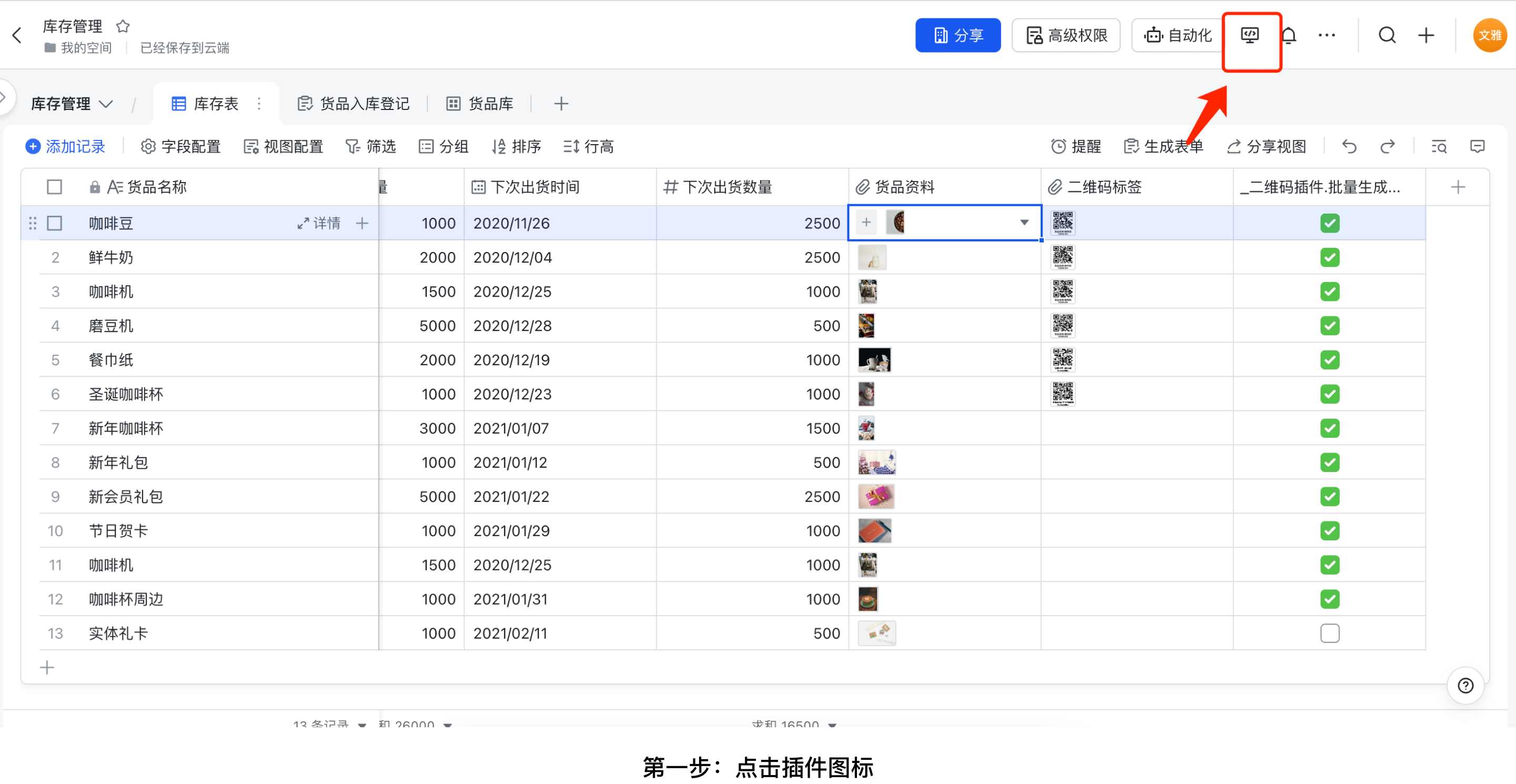
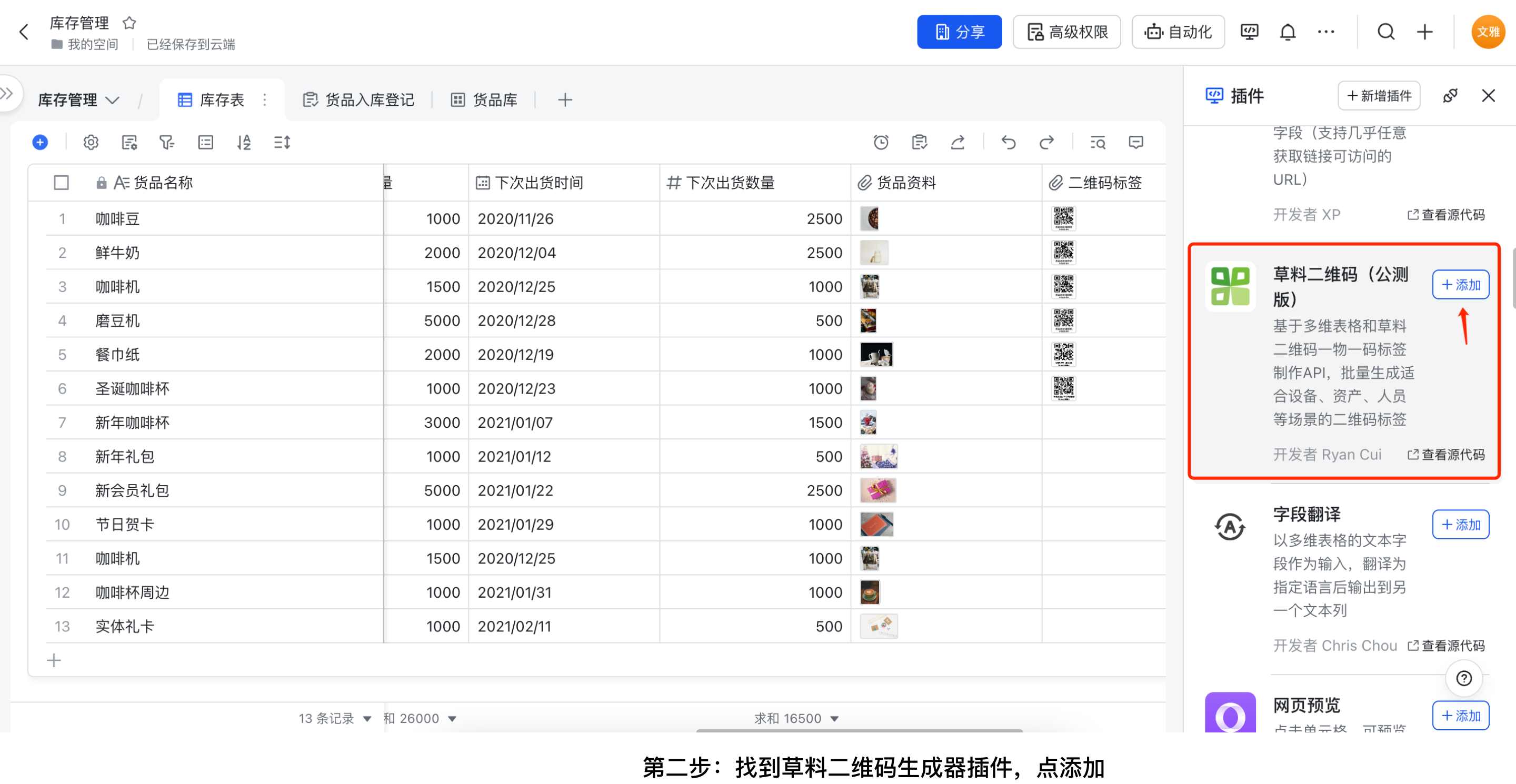
In Feishu Multi-dimensional Tables, click the plugin icon in the upper-right corner, find the CaoLiao QR Code Generator plugin, and click "Add."
Detailed Tutorial
For step-by-step instructions on using the CaoLiao plugin to batch generate labels in Multi-dimensional Tables, refer to the detailed Feishu tutorial.