WeCom Edition Features
The WeCom edition enables strict permission control by synchronizing WeCom contacts, ensuring data security while significantly improving internal communication and collaboration efficiency. All other features remain consistent with the CaoLiao platform.
New users of the WeCom edition enjoy a 30-day trial of flagship features and 90-day free API access. View trial details
1. Simplified Member Management
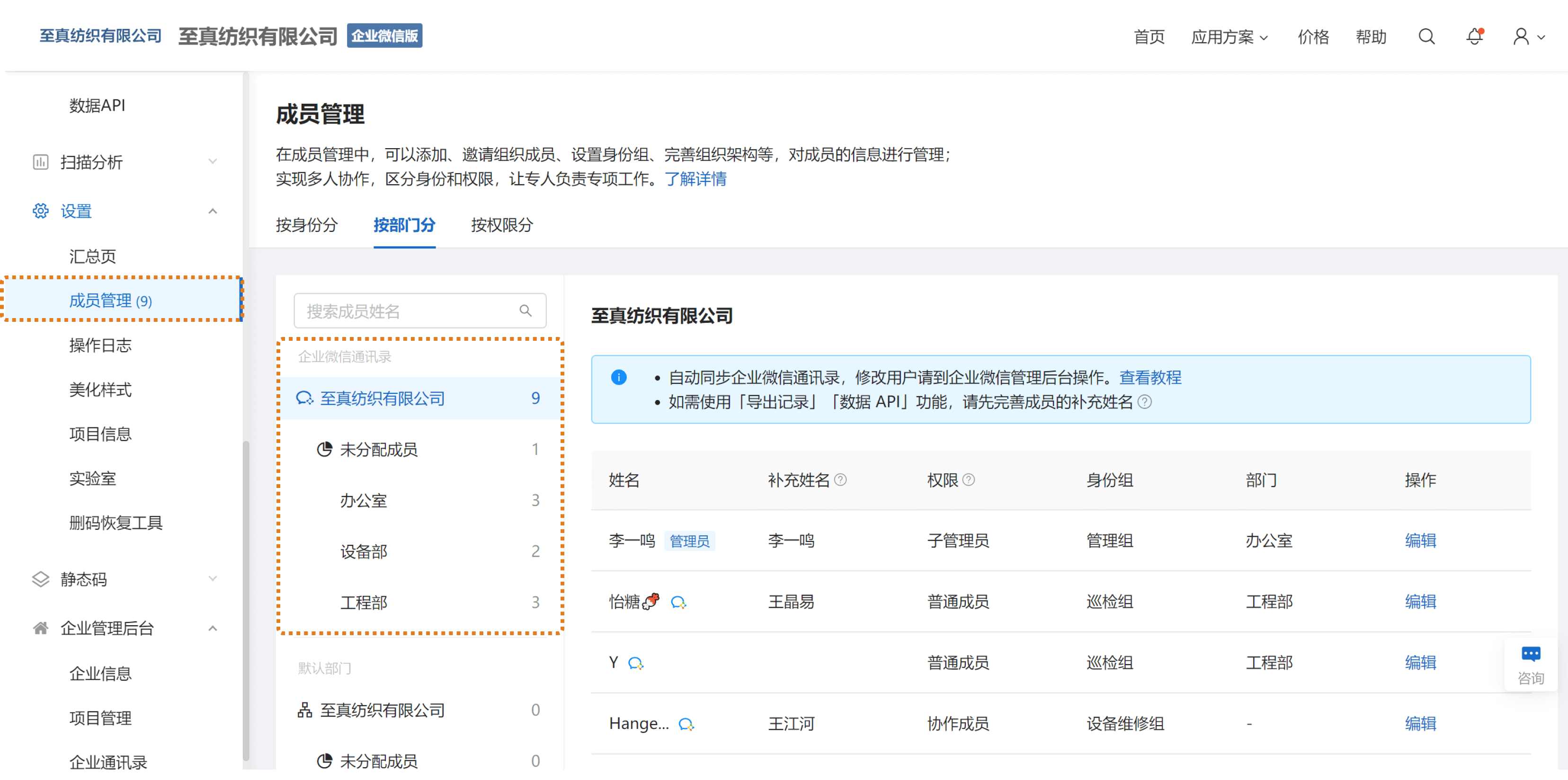
Import WeCom Contacts to CaoLiao
Members can be directly imported from WeCom contacts and synchronized to CaoLiao's member management list, eliminating redundant maintenance.
2. Permission Control (Visible/Operable Within WeCom)
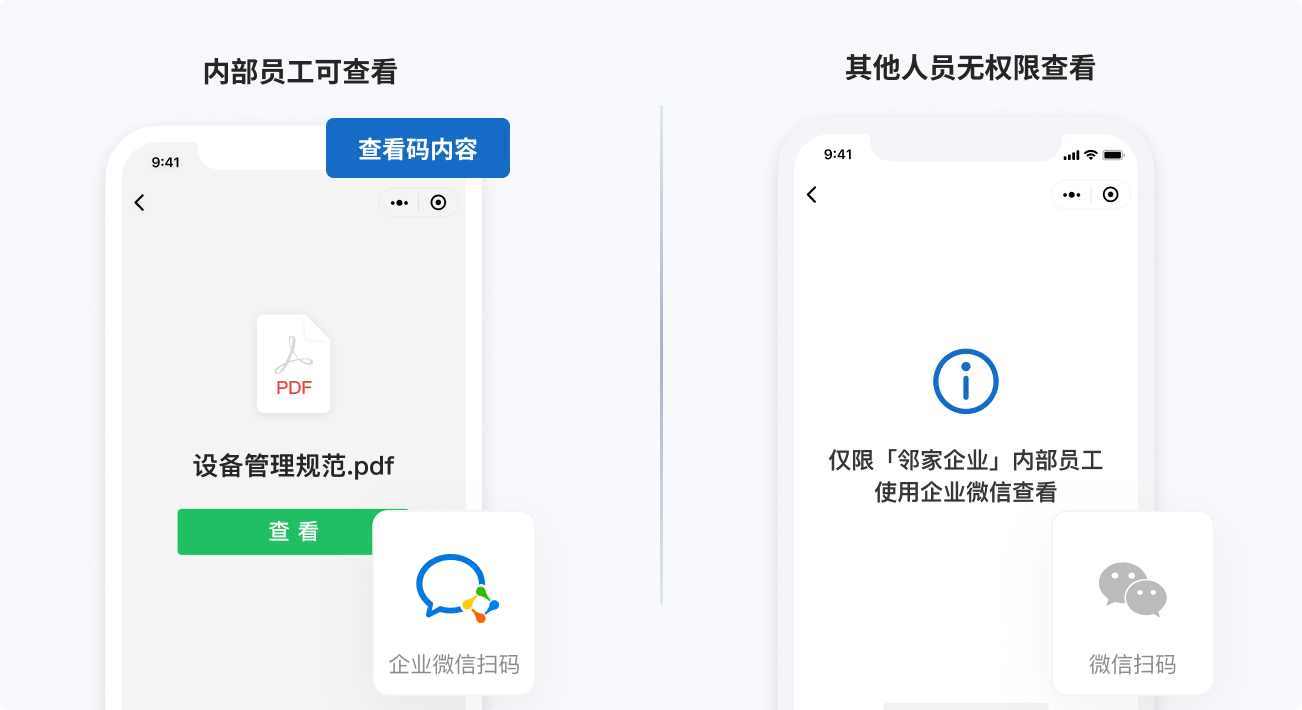
1. Restrict QR Code Content to Internal Employees
QR code content is only viewable by [WeCom members], preventing external leaks. View setup tutorial
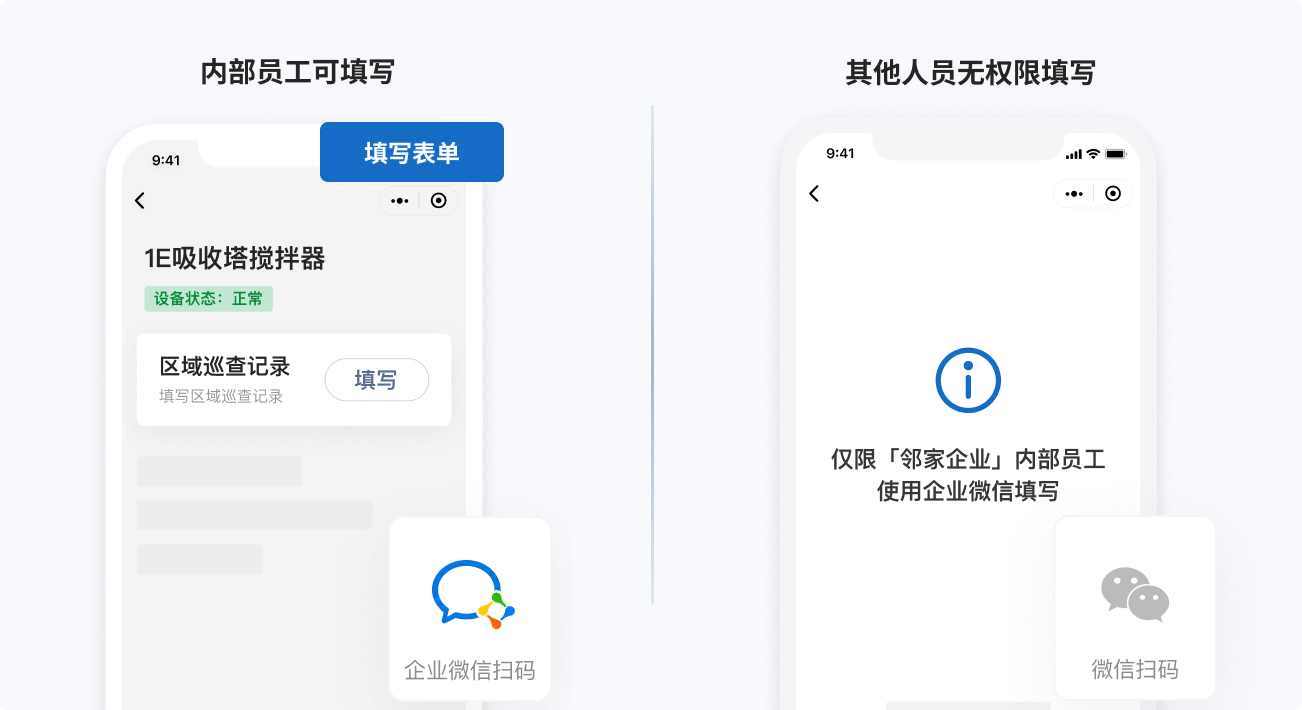
2. Restrict Form Submission to Internal Employees
Internal forms for inspections, workflow processes, or maintenance are only accessible for submission by WeCom colleagues, preventing external interference. View setup tutorial
3. Restrict Dynamic Data Viewing to Internal Employees
Submitted historical form data, status changes, etc., are only visible to WeCom colleagues, with no access for external personnel. View setup tutorial
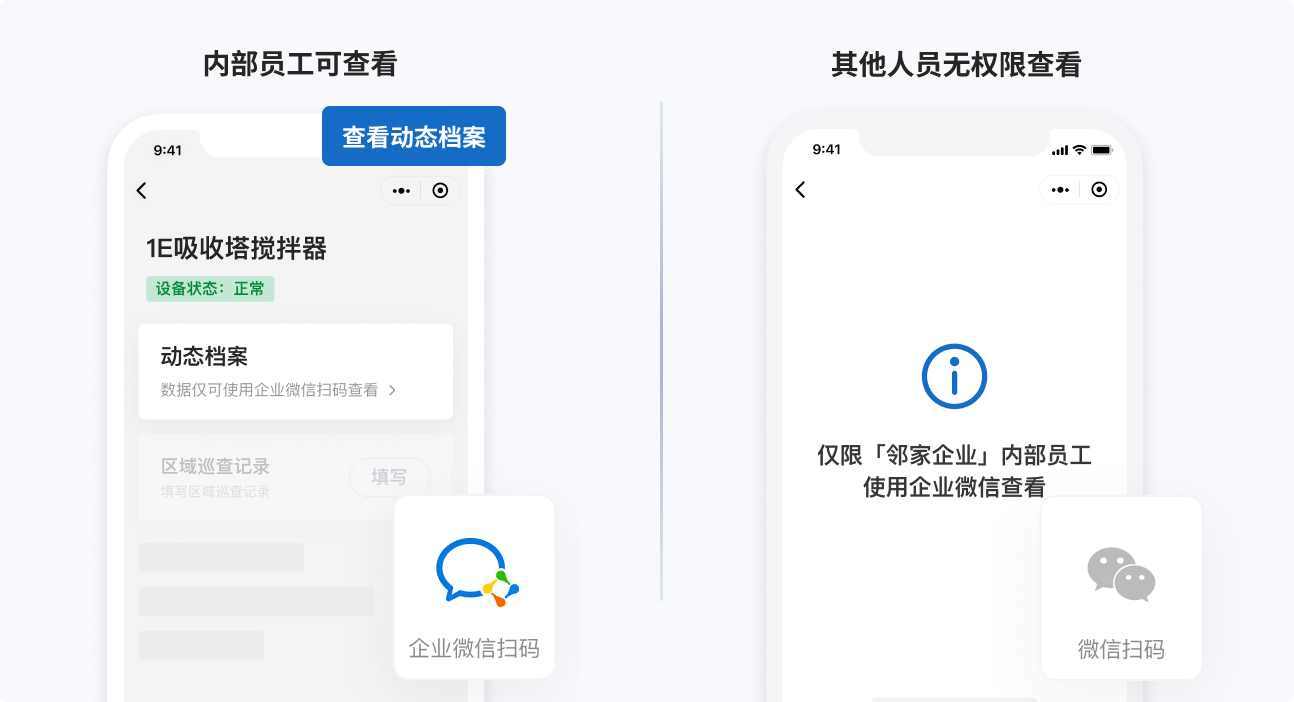
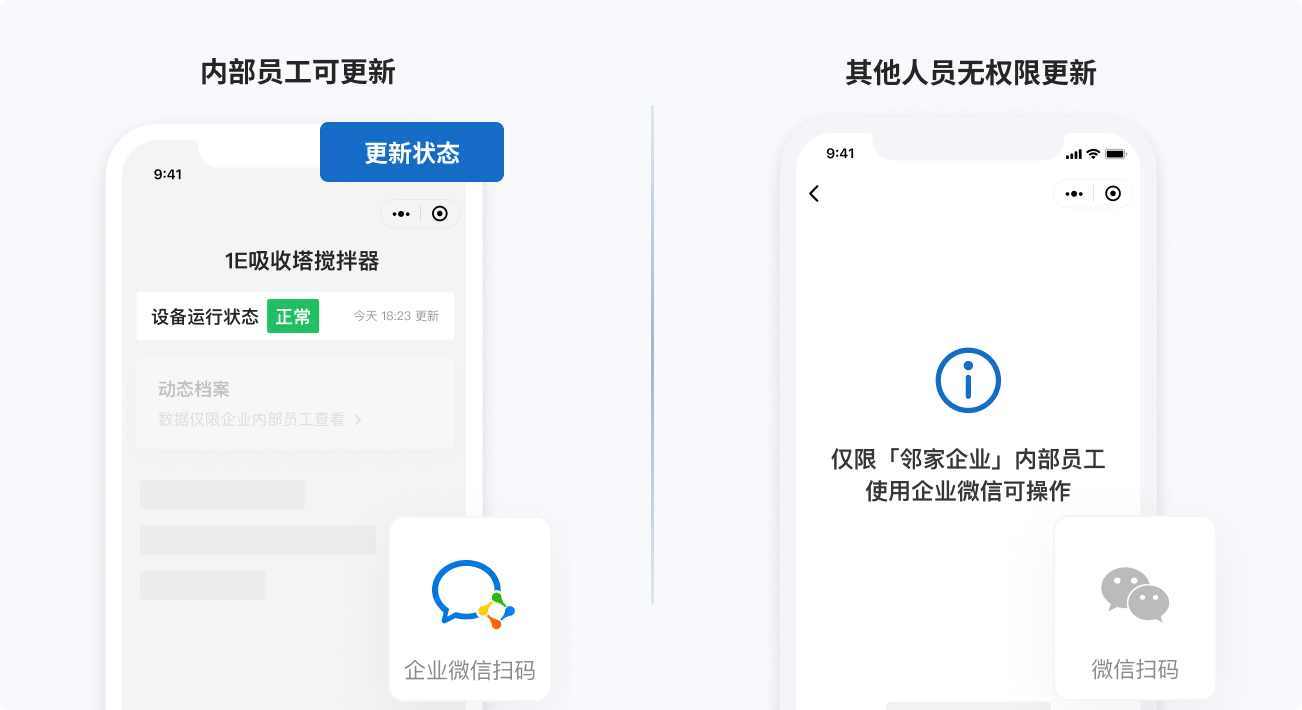
4. Restrict QR Code Status Updates to Internal Employees
Status changes such as "Normal / Abnormal / Under Maintenance" can only be modified by WeCom members, ensuring operational compliance. View setup tutorial
3. Instant Collaboration (Forwarding, @Mentioning Colleagues)
1. Directly Forward Submitted Form Data
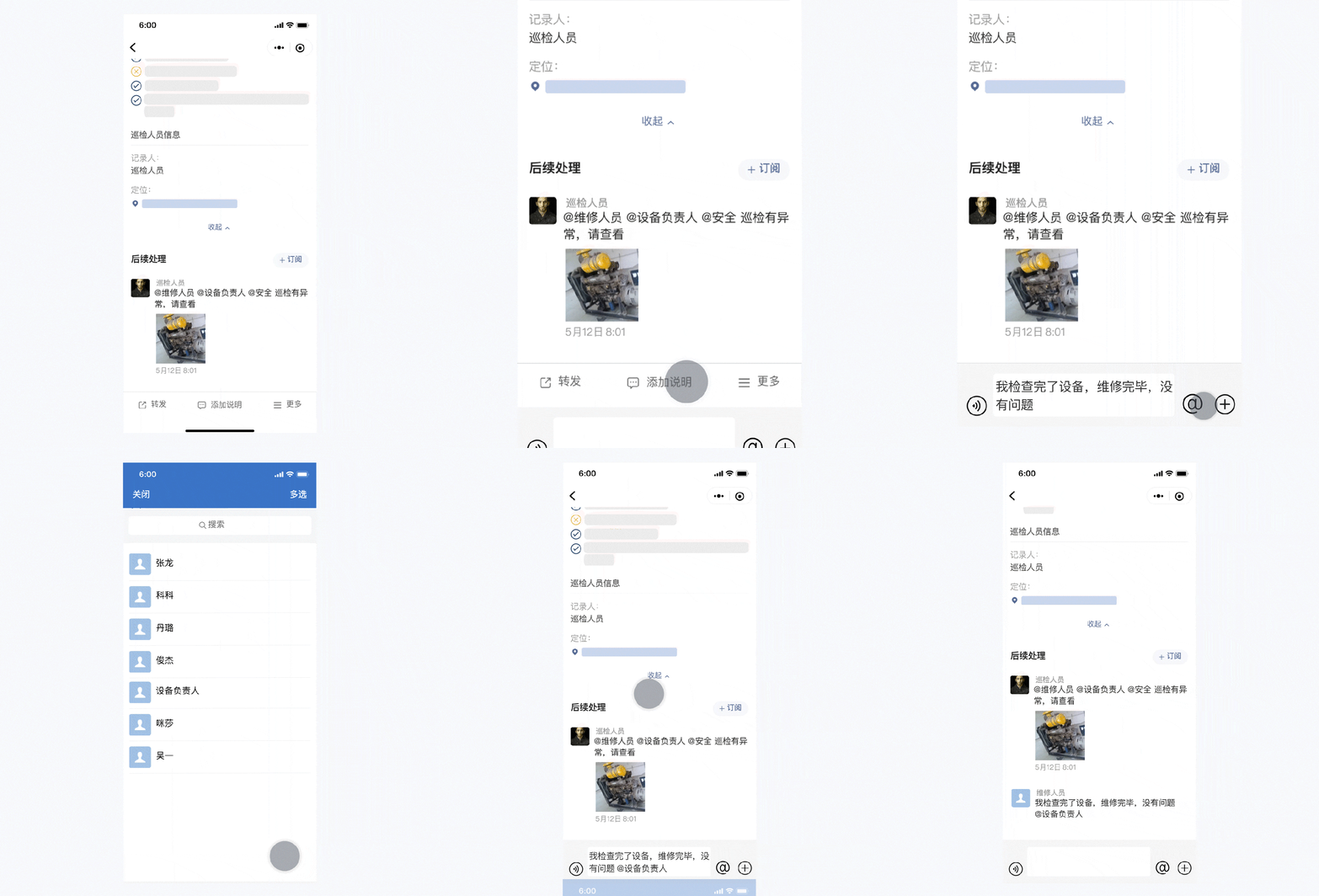
Frontline employees can forward anomaly records to colleagues and initiate conversations upon detecting equipment issues. Learn more
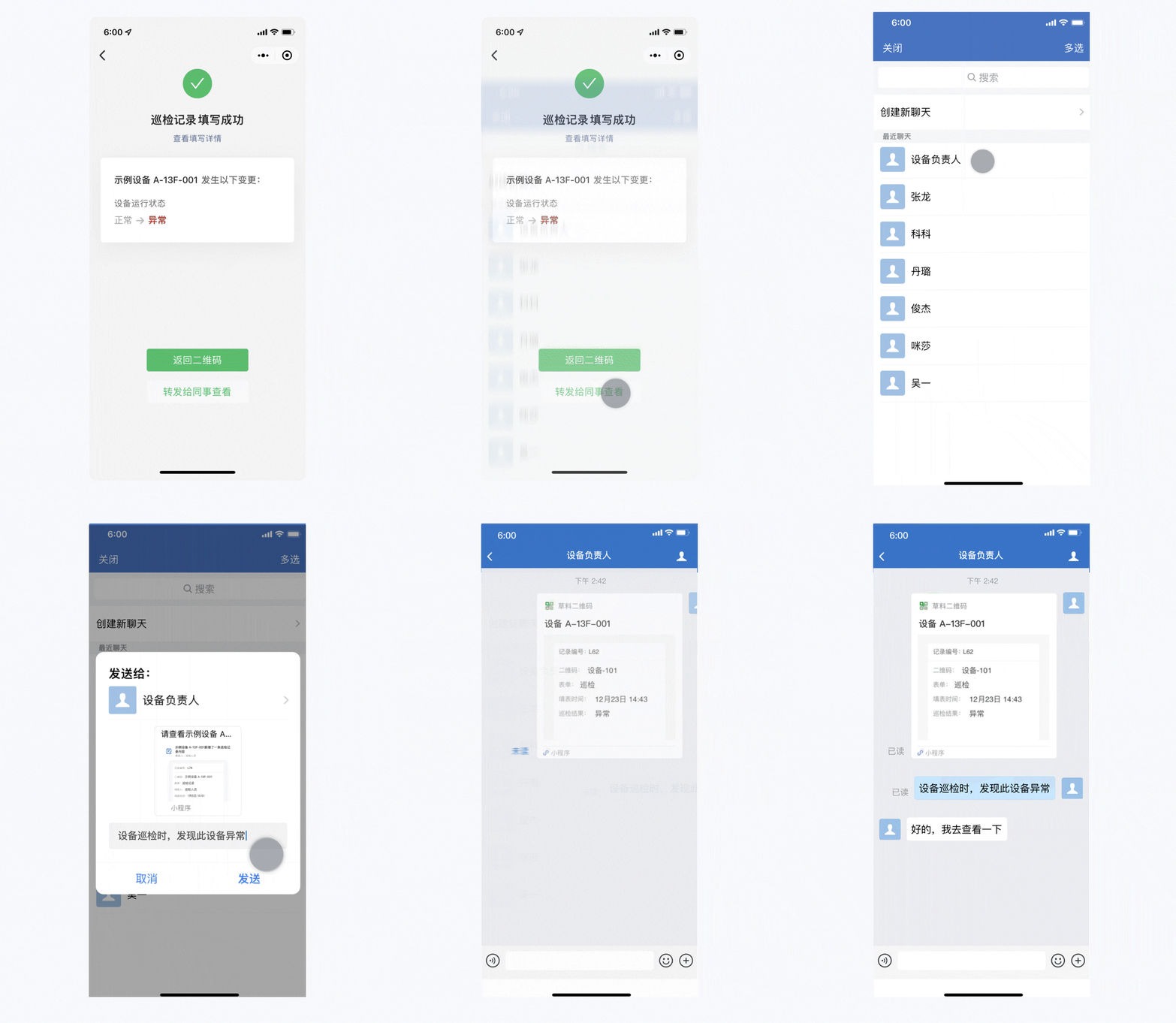
2. Colleagues Receive Instant Notifications for Follow-up Actions
Recipients can review anomaly details, add handling notes, and @mention other colleagues. All records are preserved in the QR code's dynamic archive for future reference. Learn more