Data API Features
CaoLiao offers three data integration methods to automatically push platform data to your systems, enabling data analysis, visual report creation, and integration with other platforms. Currently, writing external system data into CaoLiao is not supported.
| Method | Description | Content |
|---|---|---|
| Webhook | Pushes form data in JSON format to your specified URL | New form submissions, modified form data, form review results, progress tracking. *Other data types not supported |
| Official Database | Each user account has an independent cloud database that syncs with CaoLiao backend data upon activation | Provides tables for QR code details, form data, bulk sub-codes, status tracking, and plan completion |
| Custom Database | Real-time data push to your enterprise database (MySQL 5.7 only) | Same as official database, includes QR code details, form data, bulk sub-codes, status tracking, and plan completion |
Use Cases
1. Direct Form Data Push to WeCom, DingTalk, or Lark Group Chats
When respondents submit data through CaoLiao forms, the information can be instantly pushed to designated WeCom, DingTalk, or Lark group chats for real-time sharing and communication, enhancing team collaboration efficiency. Learn more

2. Tencent Docs Integration
Sync CaoLiao data in real-time to Tencent Docs' smart sheets. Historical form data will be pushed upon activation, with subsequent submissions synced automatically. Enables dashboard creation for live data sharing. Learn more

3. Connect BI Tools for Real-Time Reporting
Enable the Official Database feature to connect BI tools with CaoLiao's database for data analysis and reporting. View demo & tutorial
4. Enterprise Process Integration
Implement QR code data collection via CaoLiao, then use APIs to integrate with existing enterprise systems. This allows low-cost adoption of CaoLiao features without system replacement.
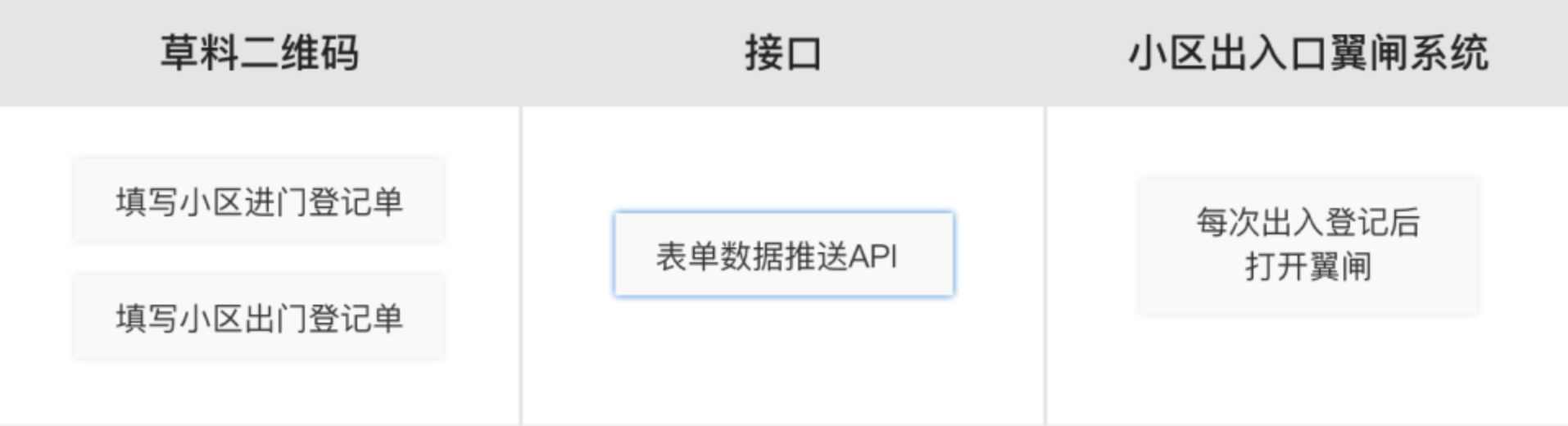
Data Push Methods
Choose any method for free activation. Industry Edition has unlimited pushes, Flagship Edition allows 20,000/month, Free and other paid versions limit to 1,000/month.
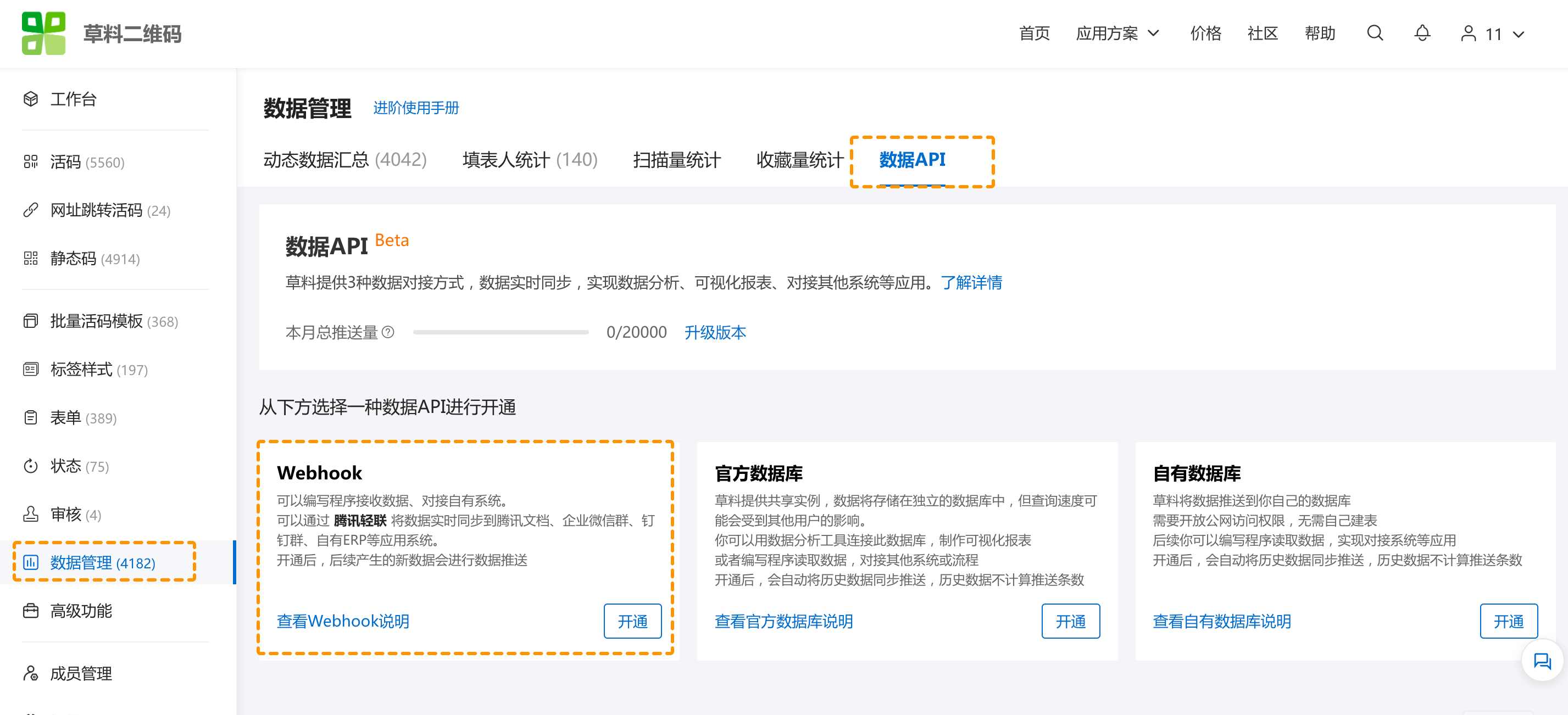
1. Webhook
CaoLiao pushes form data as JSON to your specified URL (must be publicly accessible). You can then develop programs to integrate this data with other systems. Webhook documentation
Content:
New submissions, modified data, review notifications, progress updates. Other data types unavailable.
Setup:
Navigate to Advanced Features > Data API > Webhook, enter your URL, select forms, and save. New data will push automatically.
2. Official Database
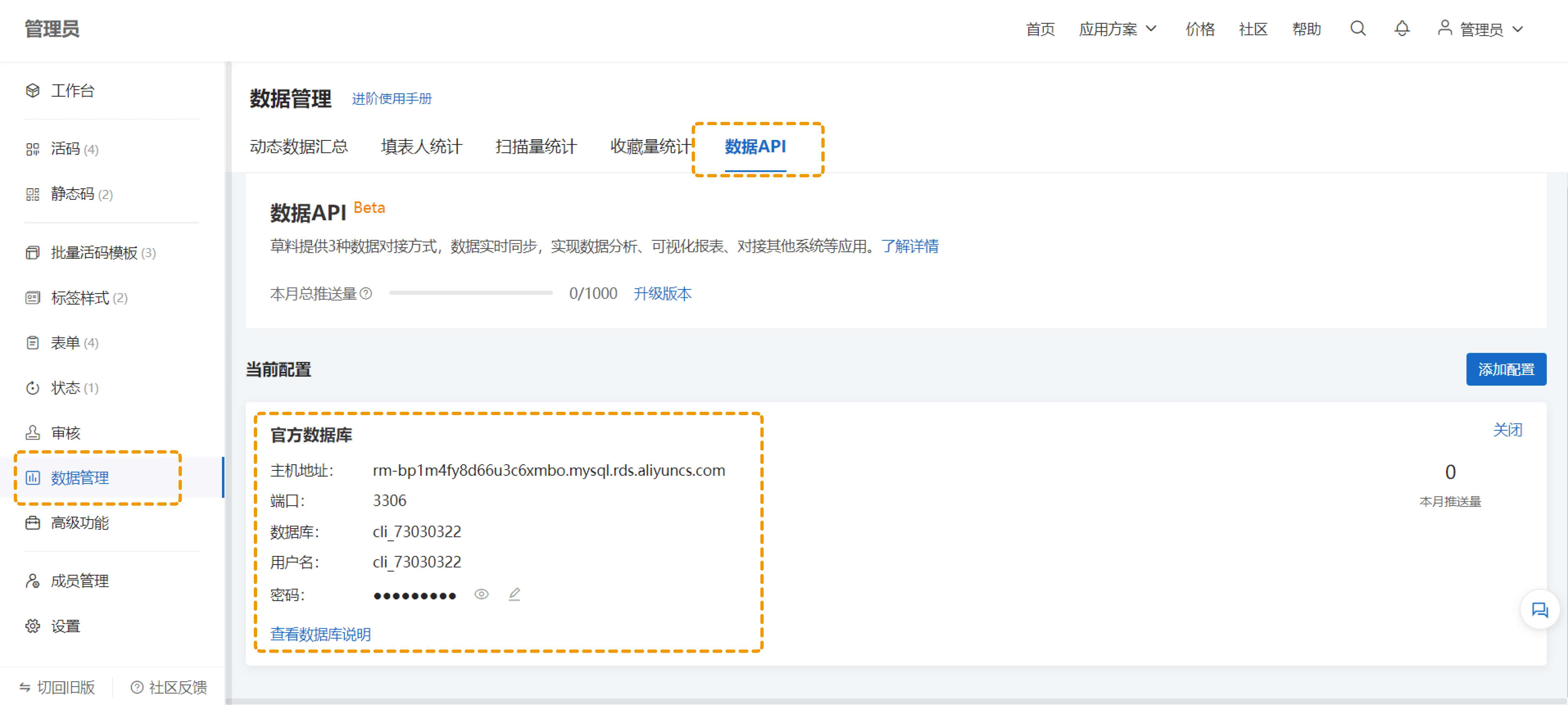
Each user receives a dedicated cloud database synced with backend data. Connect BI tools for reporting or programmatically access data for integrations.
Content:
Tables for QR code details, form data, bulk sub-codes, status tracking, and plan completion. Field reference
Setup:
Go to Data Management > Data API > Official Database. Submit application for automatic activation. Initial sync takes 1-3 hours depending on data volume.
Reporting:
For custom reports using official database, follow this tutorial. Requires basic SQL and BI tool proficiency.
3. Custom Database
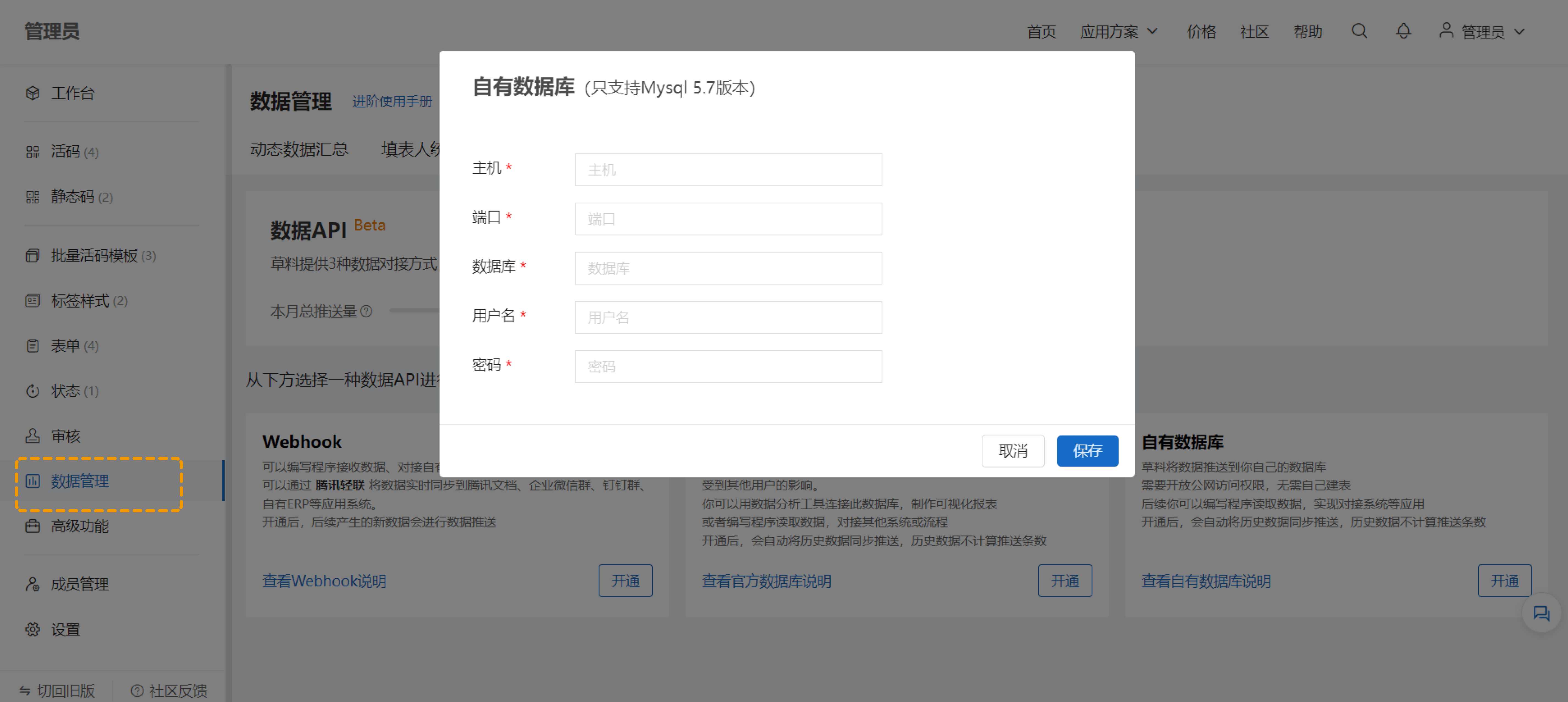
Real-time push to your MySQL 5.7 database (public access required). No table creation needed - freely access data for enterprise integration.
Content:
Same tables as official database. Field reference
Setup:
Navigate to Data Management > Data API > Custom Database, enter DB host, port, credentials.
4. Group Chat Bots
Automatically push form submissions to WeCom, DingTalk, or Lark groups for instant team notifications. Setup guide
5. Tencent Docs Sync
Real-time form data sync to Tencent Docs smart sheets. Creates a linked sheet upon activation with historical data, updating automatically. Configuration guide
Version Limits
Monthly dynamic data push limits vary by edition:
- Free/Basic/Advanced: First 1,000 entries/month
- Flagship: First 20,000 entries/month
- Industry Edition: Unlimited
Community Support
For data reporting and API questions, visit CaoLiao Community to connect with experts. Official consultants regularly monitor discussions.