Data API + Baidu SugarBI: Building Visual Dashboards
Push data collected through CaoLiao to Baidu SugarBI using the Data API feature, allowing free application of data to build customized dashboards. SugarBI is a visualization tool developed by Baidu and requires additional payment.
CaoLiao has completed integration with Baidu SugarBI. Dashboards created via SugarBI can be embedded in CaoLiao's WeChat Mini Program for direct access. Additionally, CaoLiao users enjoy discounted pricing for Baidu SugarBI's paid version—originally ¥480/year, now only ¥400/year.
1. Case Examples
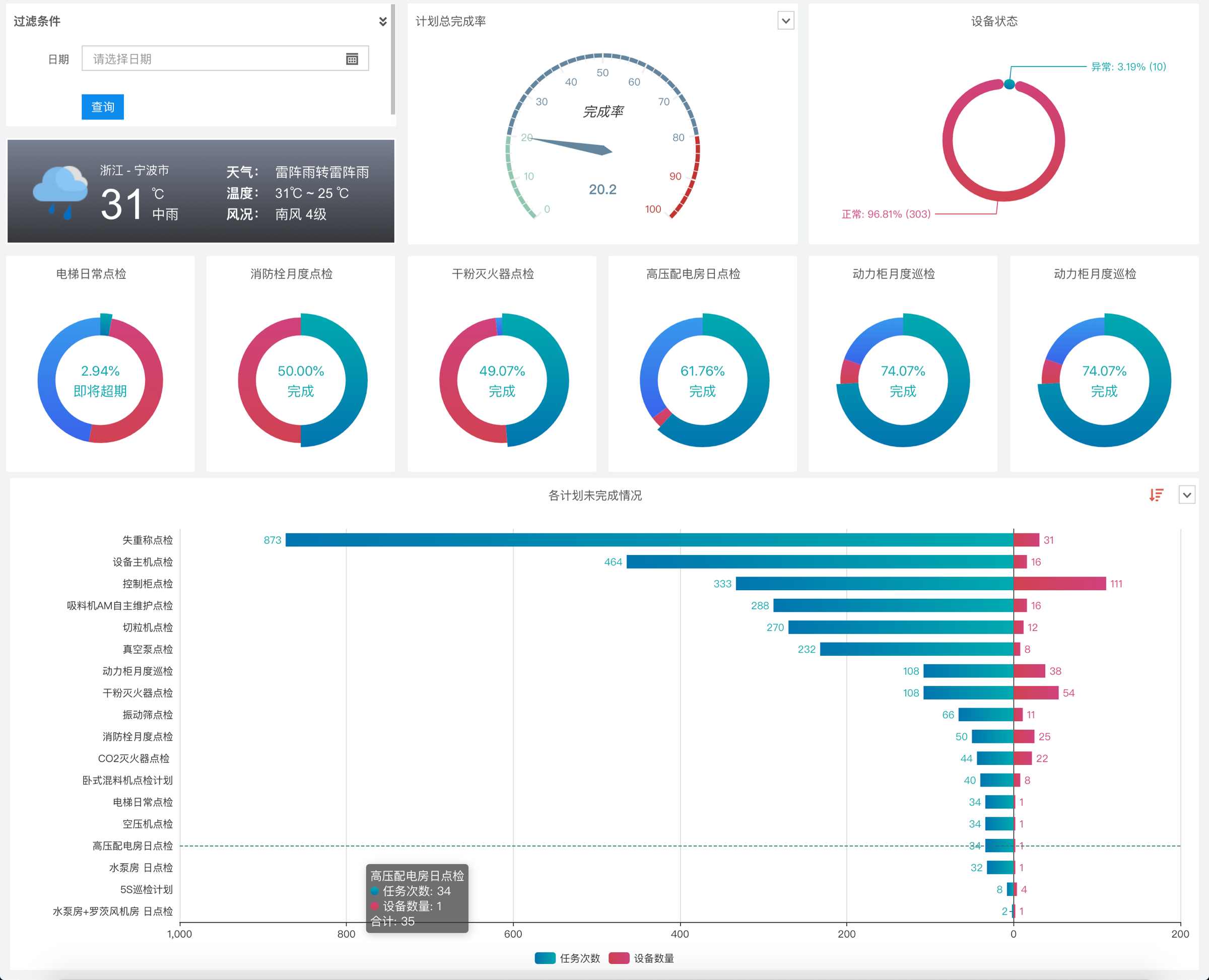
1. Equipment Status and Inspection Plan Completion Analysis
Quickly view key plan completion rates and unfinished quantities, with detailed equipment lists available upon clicking. Filter completion status for specific dates. View example
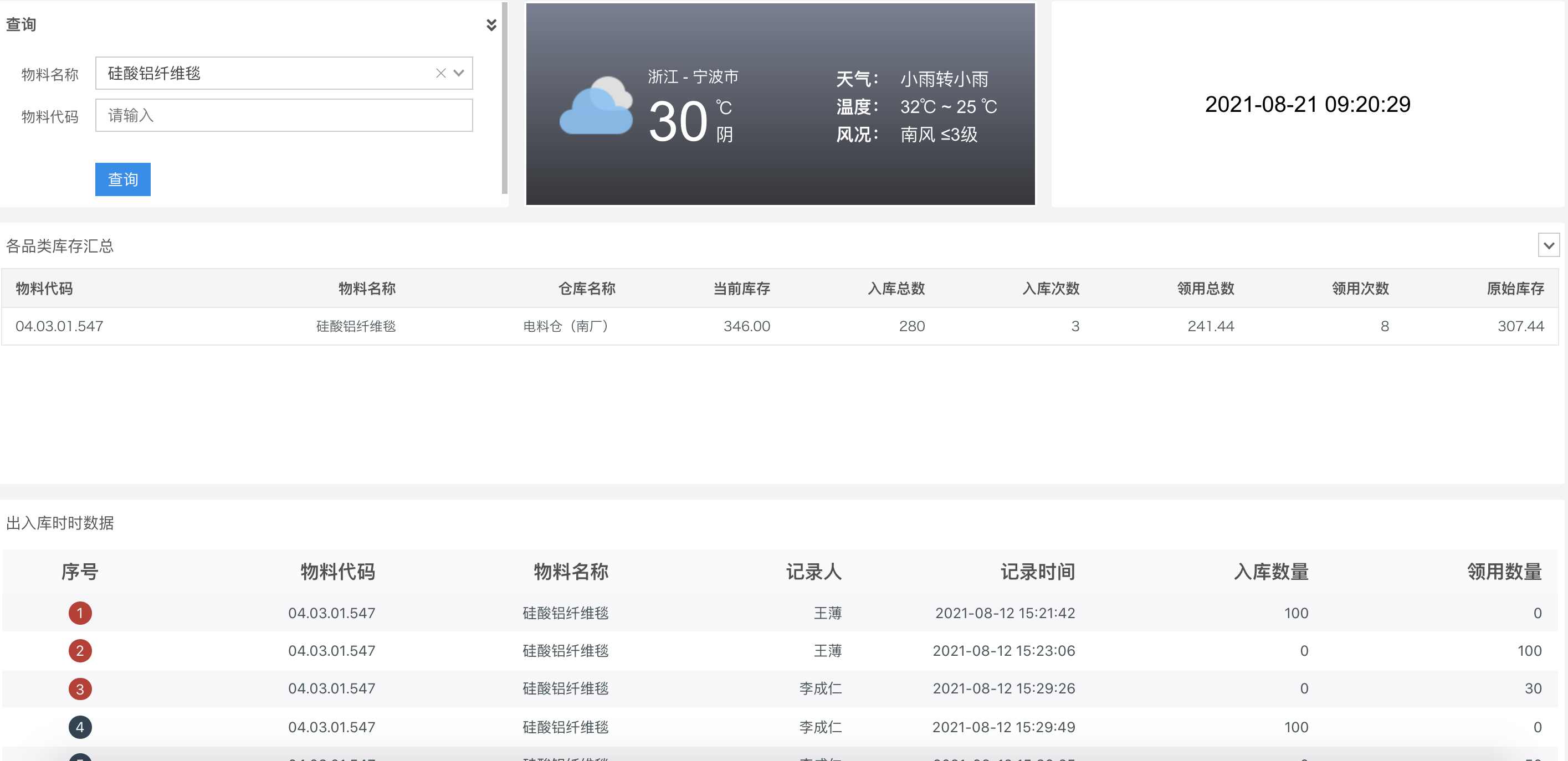
2. Inventory Statistics and Detailed Query
Search current inventory and inbound/outbound quantities by entering product categories. View example
More examples: Visual Dashboard Case Collection
Prerequisites
The above dashboards were created using CaoLiao's Data API + Baidu SugarBI.
1. Data API Feature Overview
CaoLiao provides an official database feature. Data from QR codes, forms, statuses, and plans in the CaoLiao platform are synchronized in real-time to your account's corresponding Alibaba Cloud database. By connecting external BI (Business Intelligence) tools to this database, you can create various dashboard visualizations. View official database documentation
Note
API data is pushed based on features configured in CaoLiao. For example:
- If status functionality is enabled in CaoLiao,
code_state(status data) will be pushed. - If plans are added and executed,
code_task_log(plan completion data) will be pushed. - Data will not be pushed for unconfigured features or when no data is generated.
We recommend generating QR code data before creating visual dashboards.
2. Baidu SugarBI
SugarBI is a data visualization tool developed by Baidu. We recommend it due to its affordability (Basic Edition: ¥480/year), real-time data updates, and 1-month free trial. CaoLiao has partnered with Baidu SugarBI to offer users discounted pricing—Basic Edition is available for ¥400/year. See purchasing details below.
2. Implementation Guide
1. Enable CaoLiao's Official Database
After logging into CaoLiao, navigate to Data Management → Data API in the left sidebar and select Official Database (Go to feature).
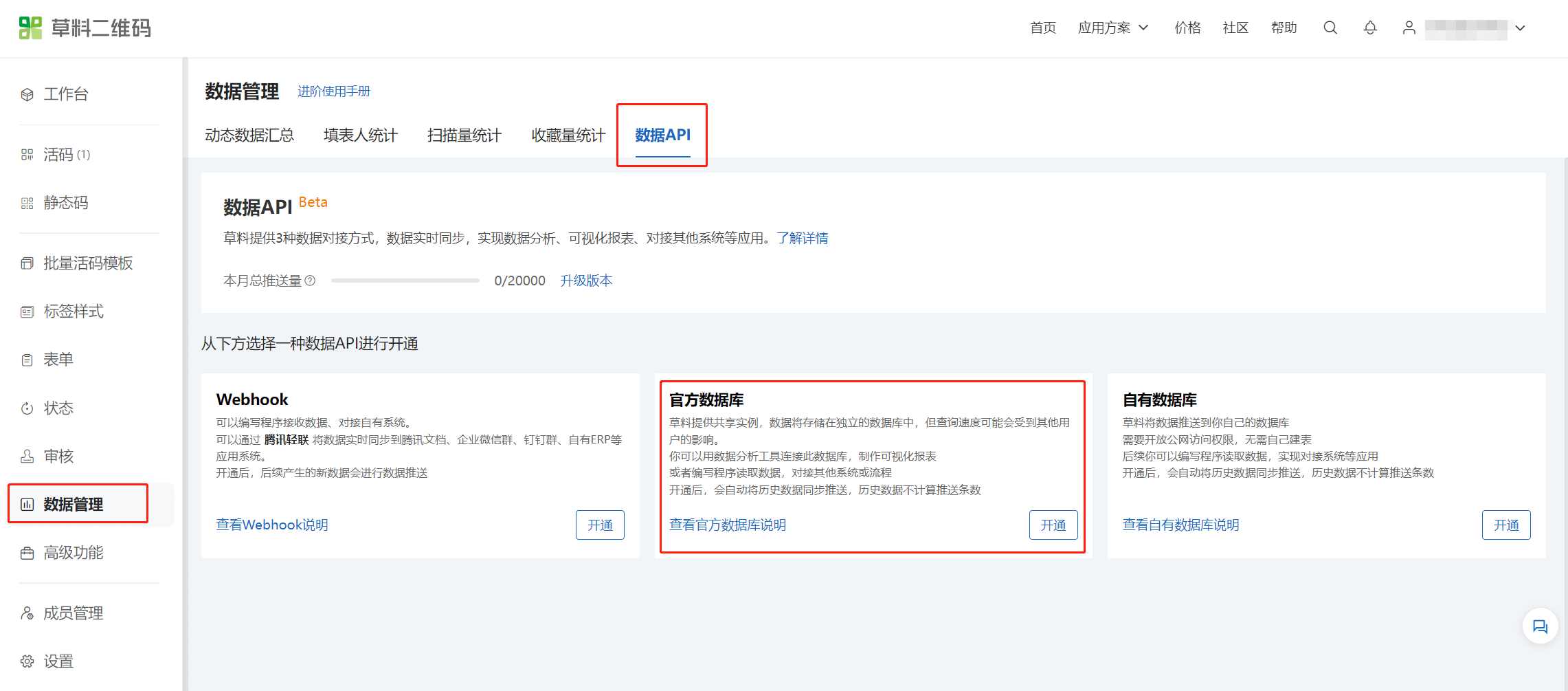
Example database credentials after successful application:
Type: MySQL 5.7
Host: rm-bp1m4fy8d66u3c6xmbo.mysql.rds.aliyuncs.com
Port: 3306
Database: cli_13268724 (example)
Username: cli_13268724 (example)
Password: ekiji17jd02jk9md (example)
2. Register and Use Baidu SugarBI
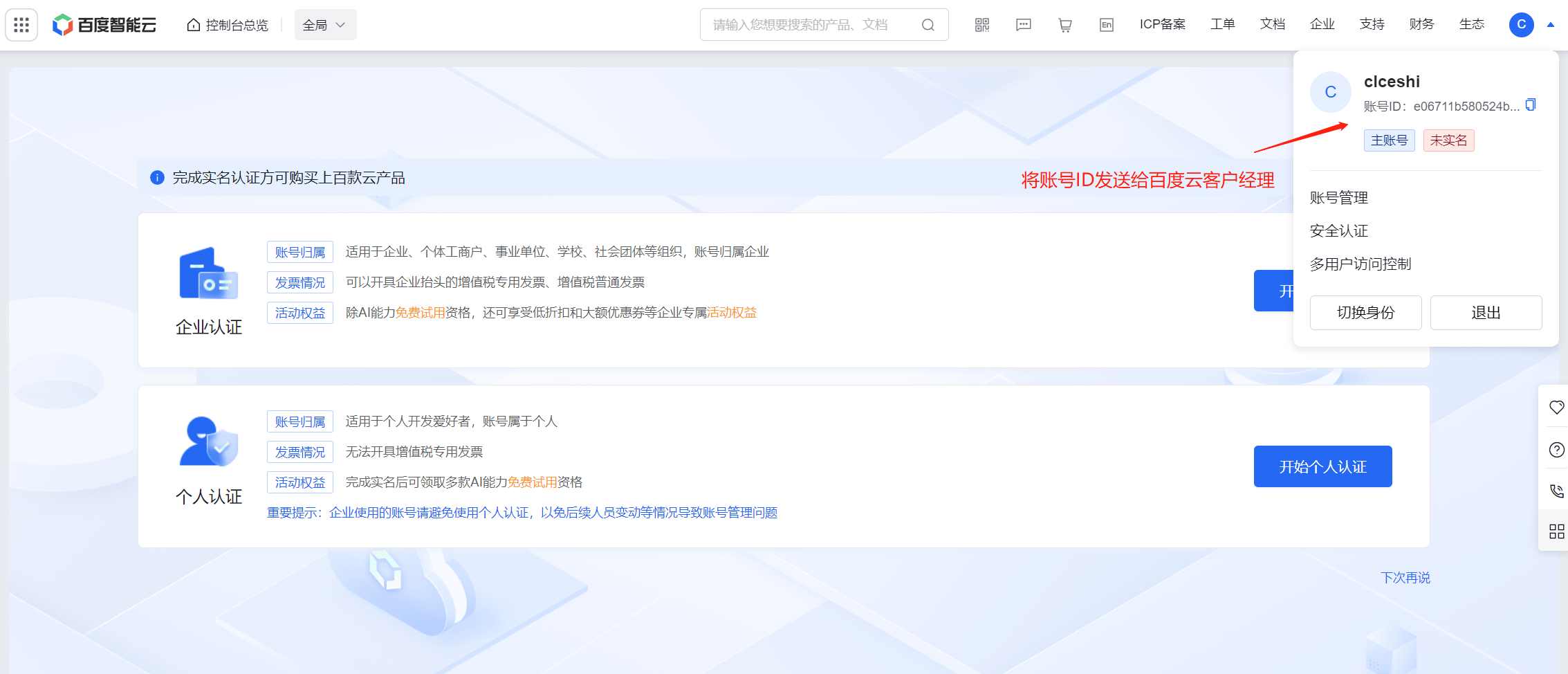
Register via Baidu Cloud: Click to register (Baidu account or cloud account; cloud account recommended). Do not complete identity verification. Send your account ID to Baidu's customer manager to activate exclusive discounts.
Note: Complete this step before trialing SugarBI to receive dedicated support.
Scan to add Baidu Cloud customer manager:

Baidu SugarBI official site: https://cloud.baidu.com/product/sugar.html
Baidu SugarBI documentation: https://cloud.baidu.com/doc/SUGAR/s/ek6z5wq34
3. Baidu SugarBI Video Tutorials
Two-part video guide:
- Part 1: Data analysis workflow and preparation (~5 mins).
- Part 2: Creating reports with SugarBI (~15 mins).
4. Step-by-Step SugarBI Guide
Workflow: Connect data source → Create data model → Build reports → Preview & share.
1. Connect Data Source
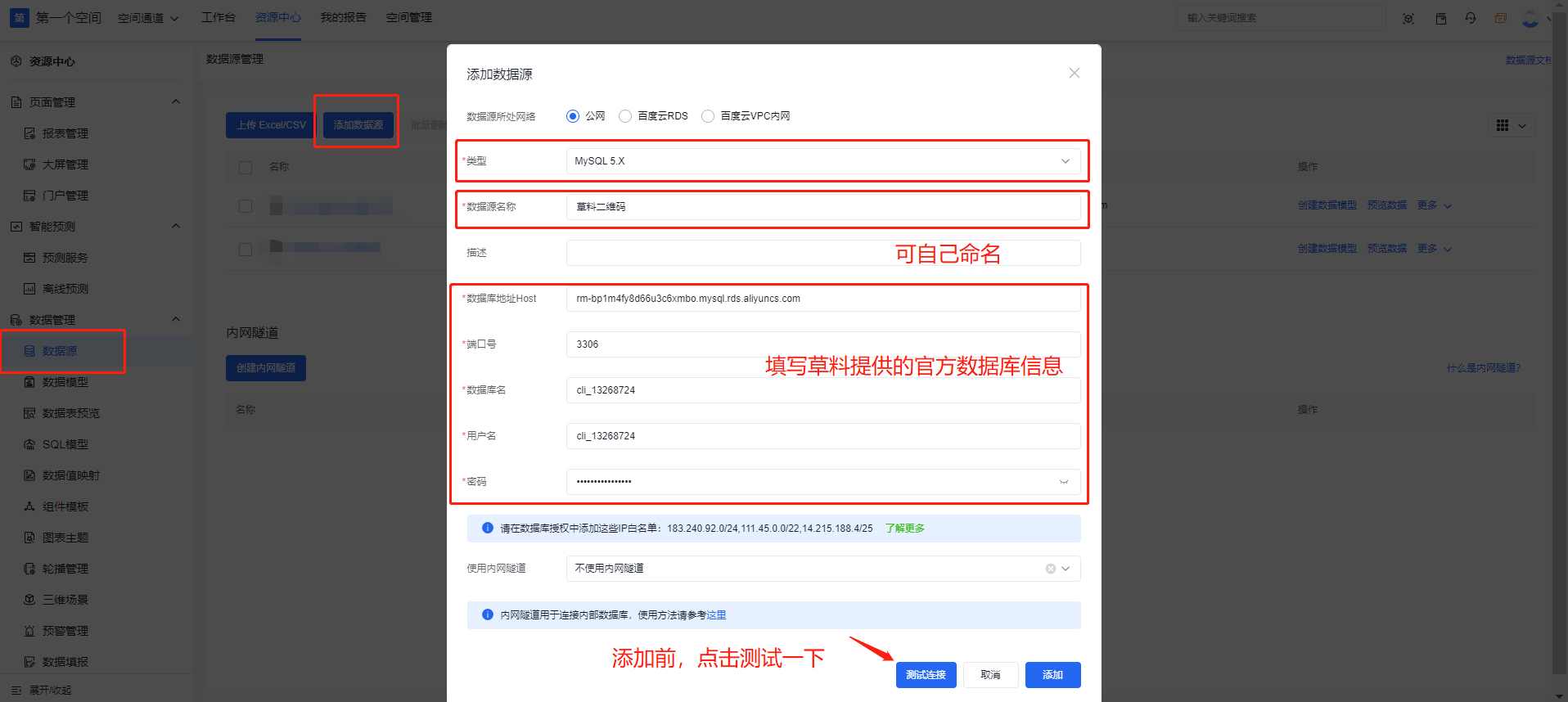
In SugarBI: Resource Center → Data Management → Data Sources → Add Source. Select MySQL 5.X and enter CaoLiao's database credentials.
2. Create Data Model
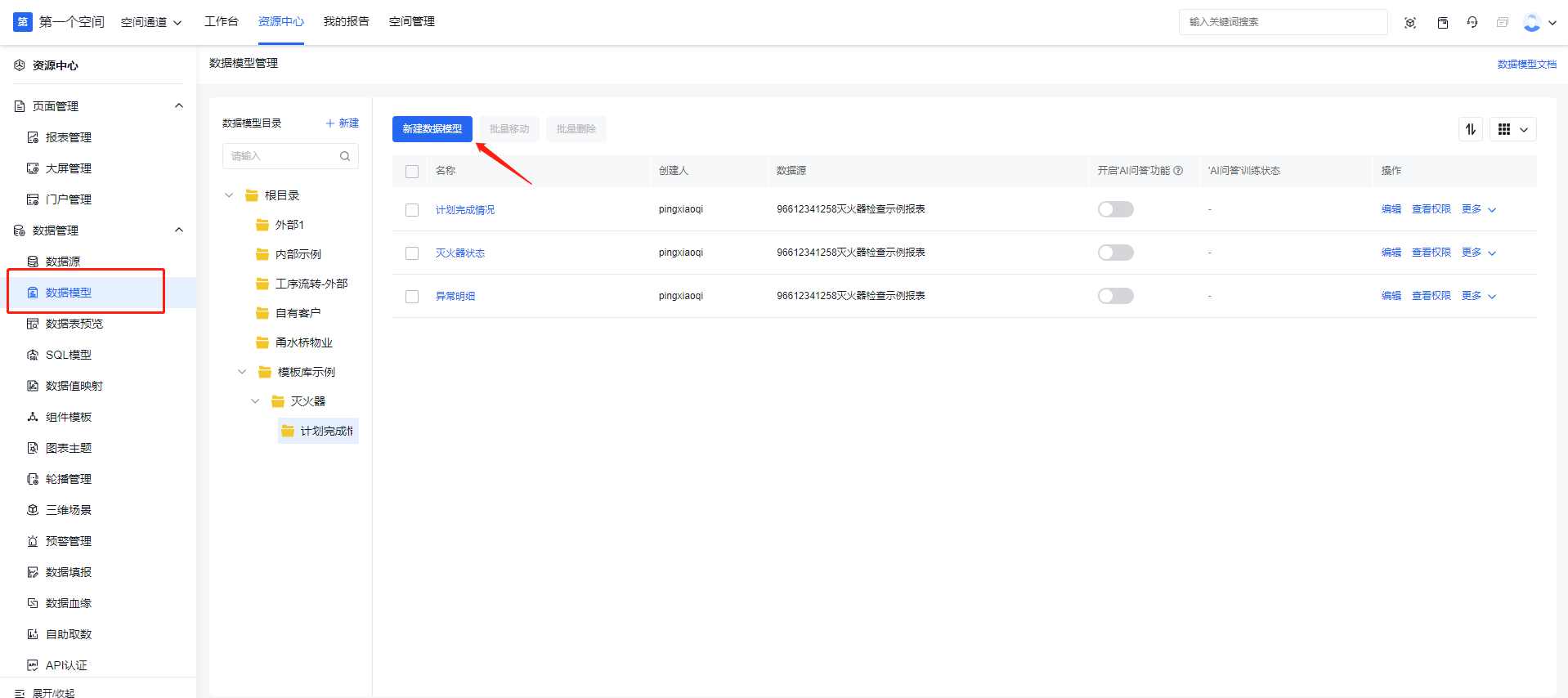
Data models power visualizations. Navigate to Data Models → New Model. Use CaoLiao API tables (table documentation).
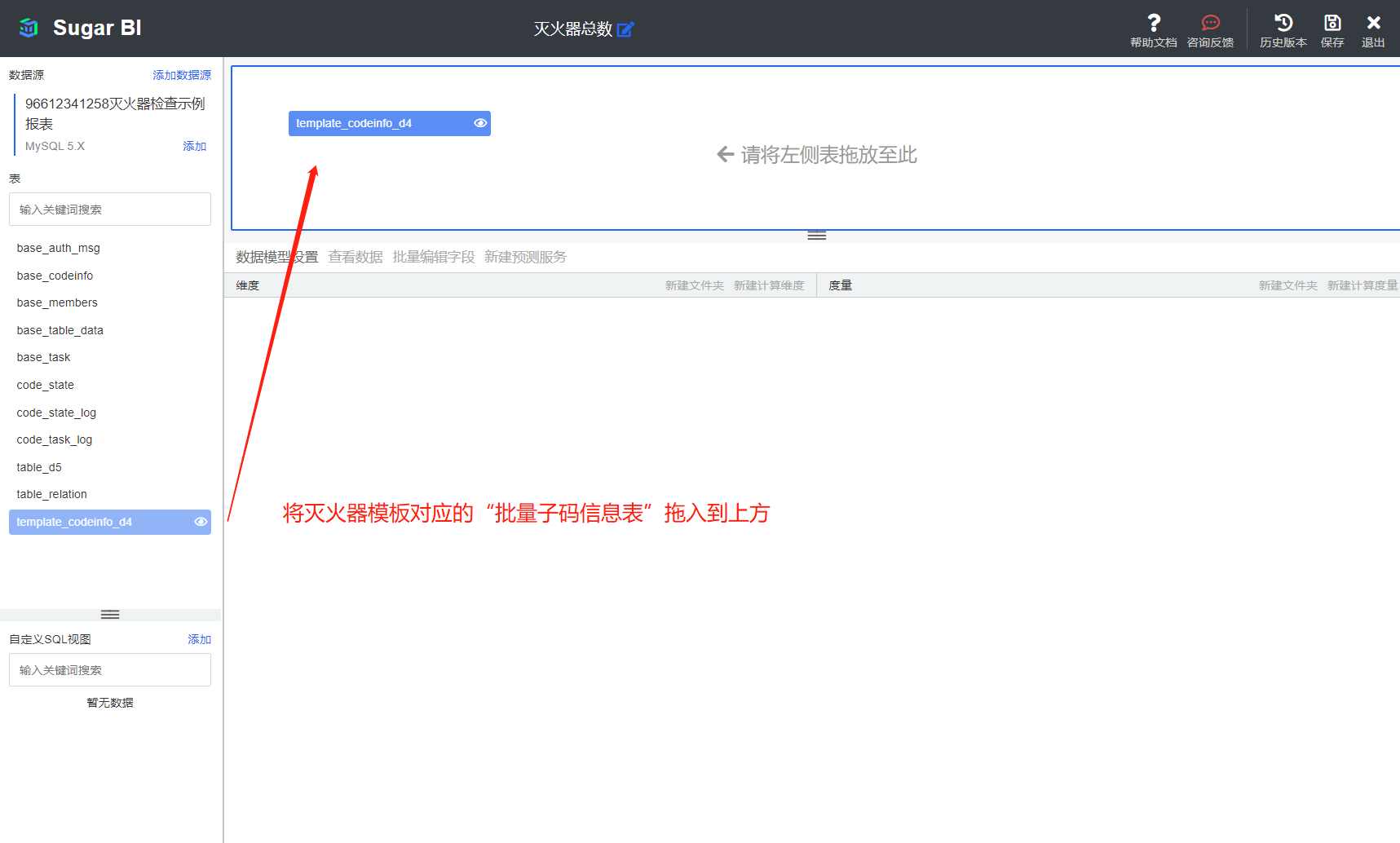
Drag relevant tables from the left panel to the workspace.
Recommended models:
Model 1: Equipment Status Analysis
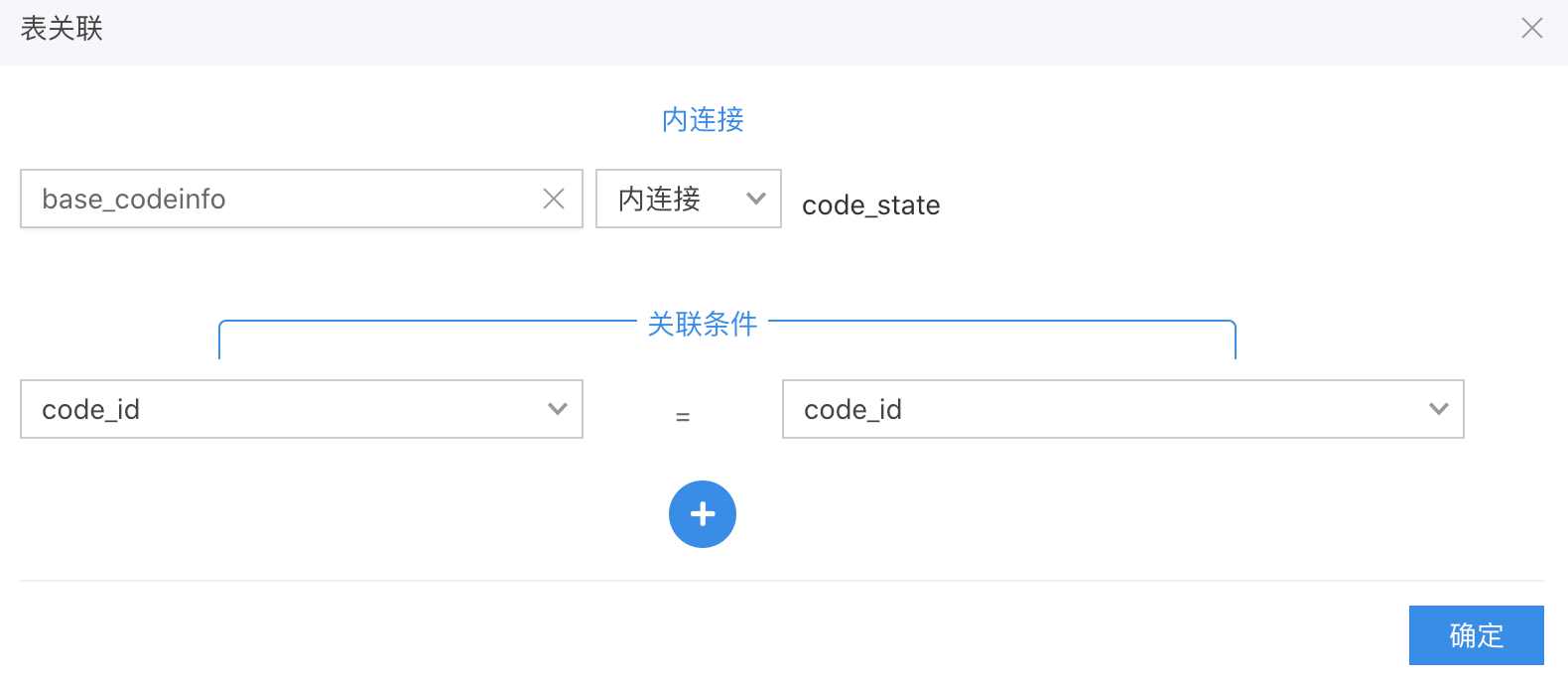
Join base_codeinfo (QR code metadata) with code_state (status data) to analyze status distribution.
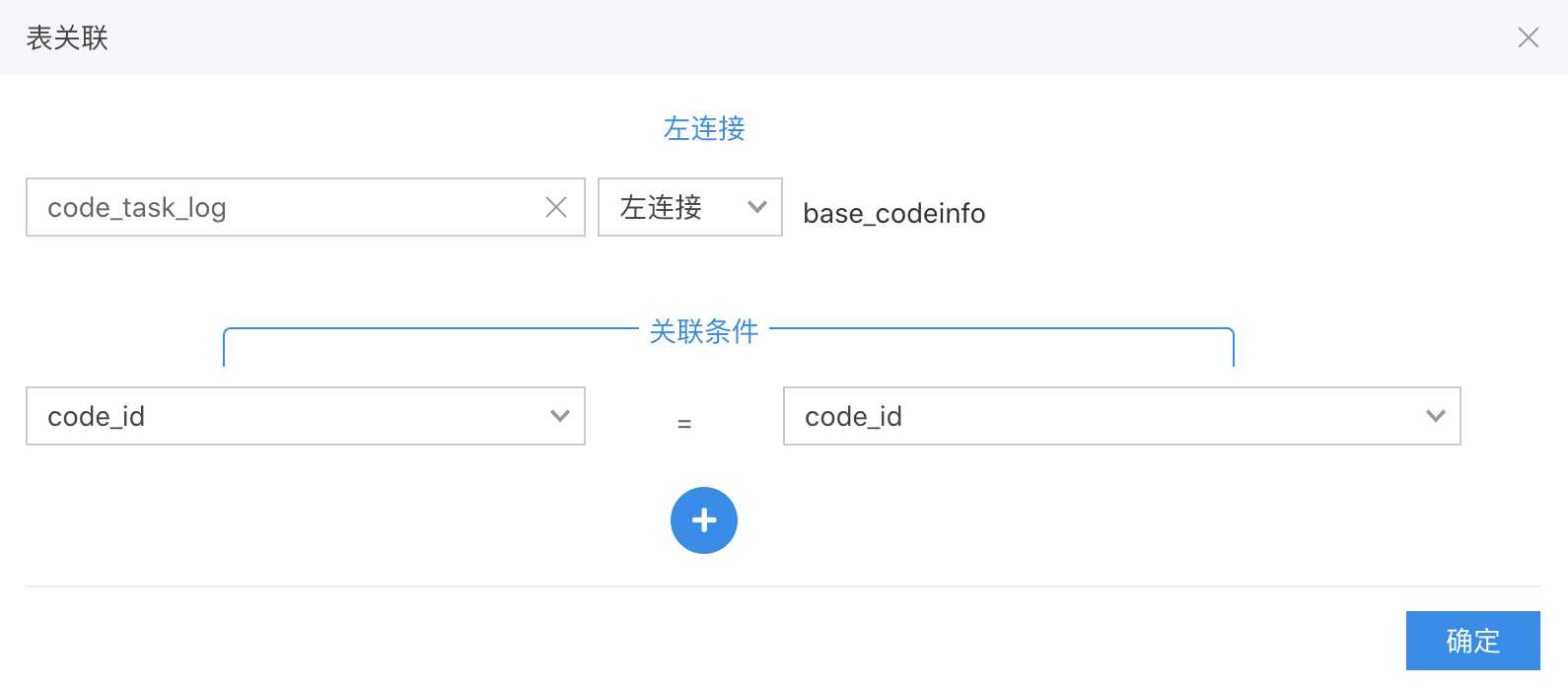
Model 2: Plan Completion
Left join code_task_log (plan execution) with base_codeinfo to track completion against QR codes.
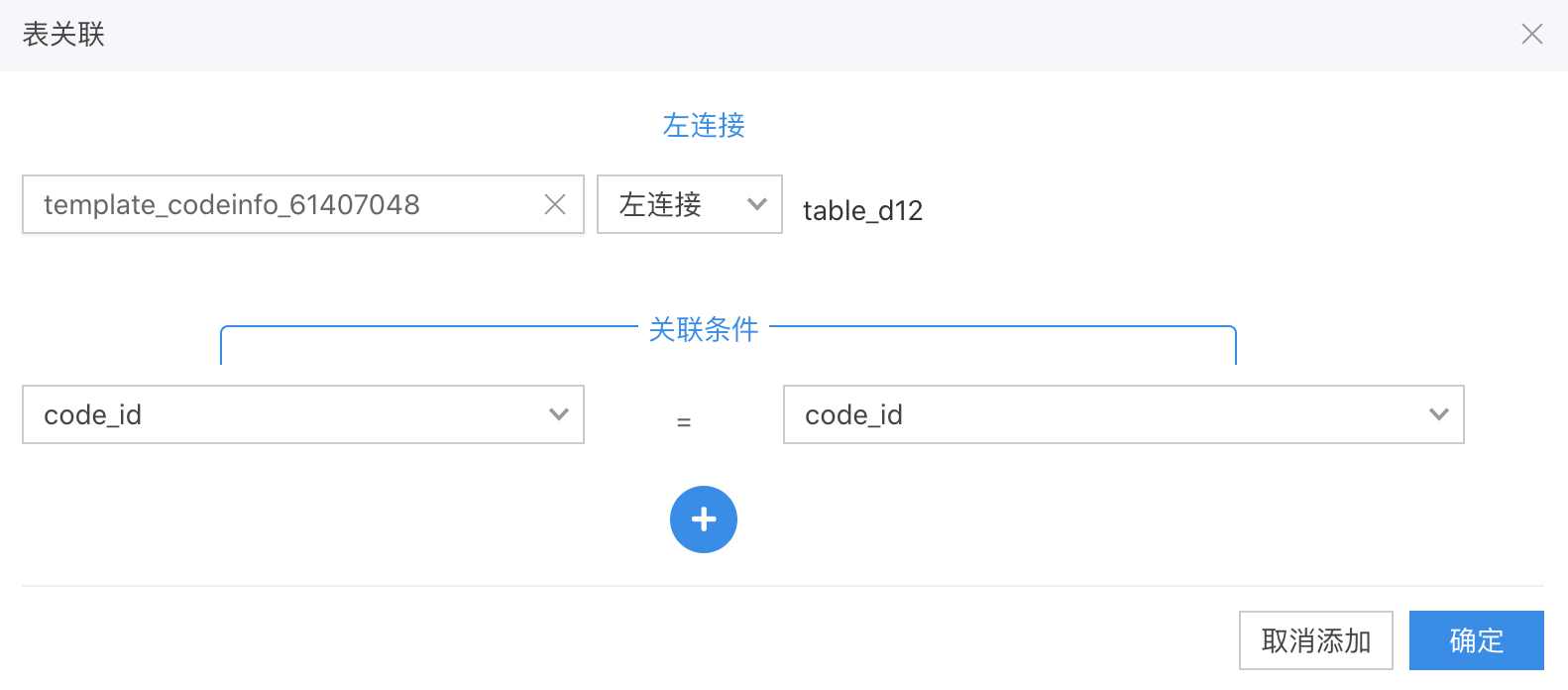
Model 3: Bulk QR Code Analysis
Join template_XXXXXX (bulk code data) with table_dXX (form data) and code_state to analyze variable content.
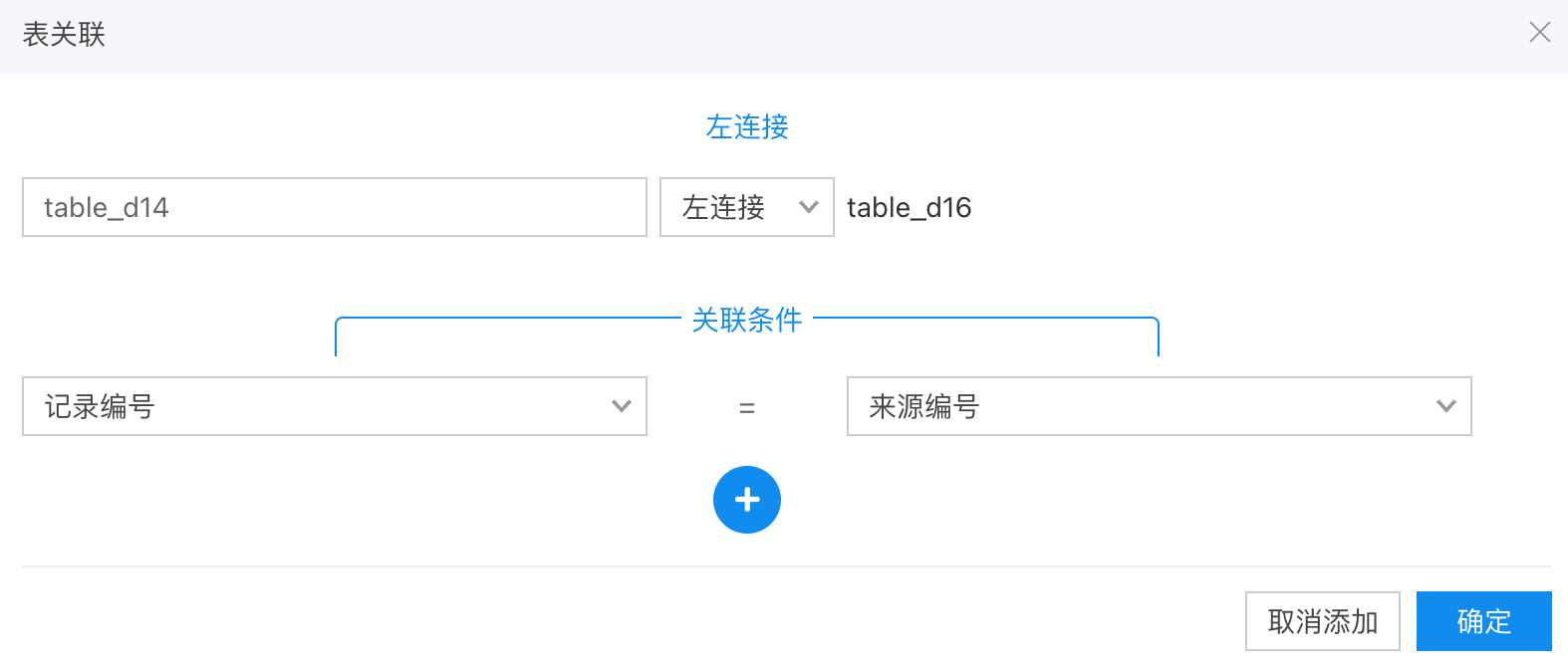
Model 4: Linking Form Records
Example: Connect fault reports with repair records via table_dxx joins using record IDs. Follow-up actions guide
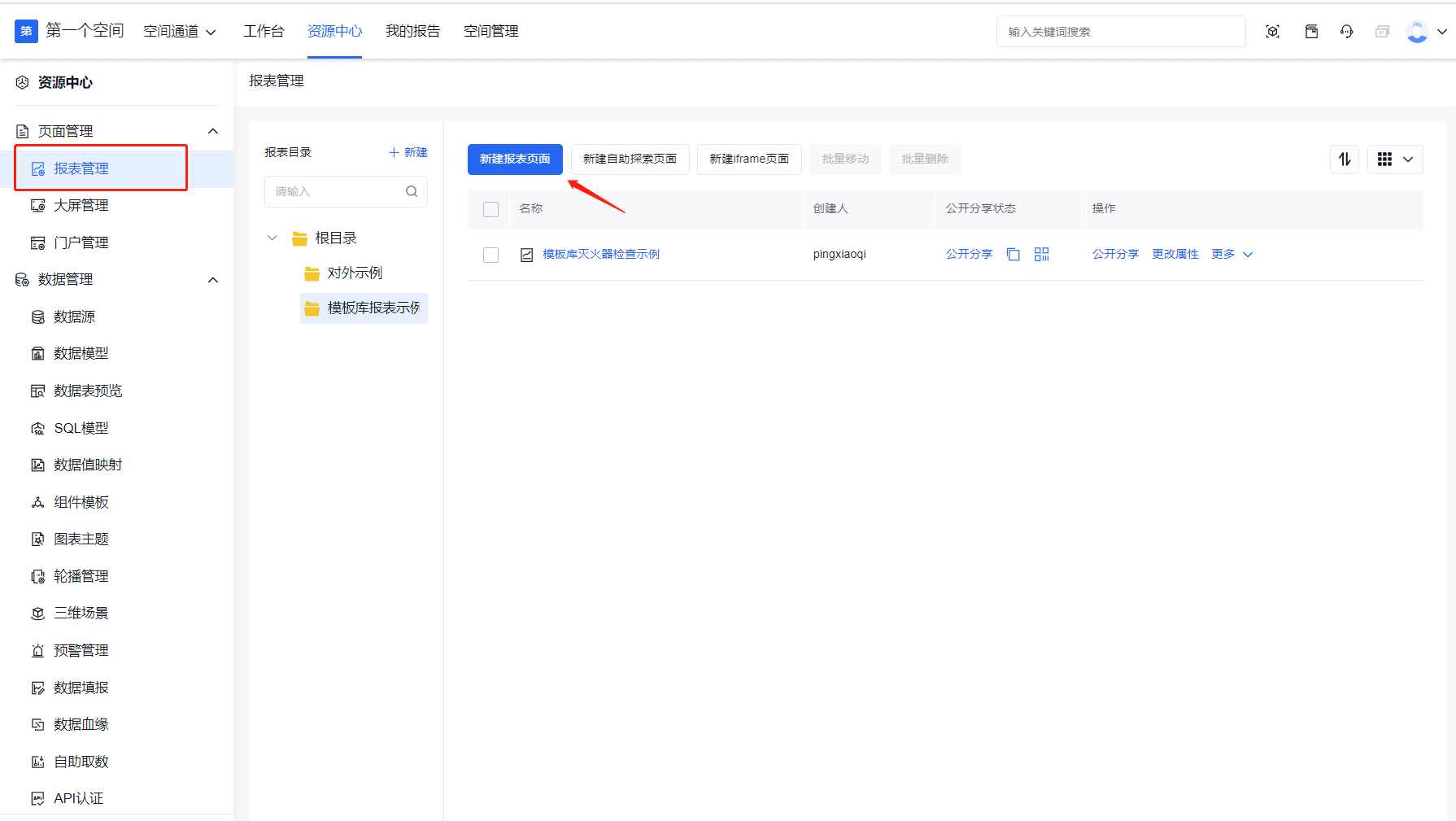
3. Create Reports
SugarBI supports reports (scrollable) and dashboards (single-screen). Reports are ideal for internal sharing.
4. Add Charts and Bind Data
Use the toolbar to add charts (e.g., donut chart). Bind model fields via the control panel.
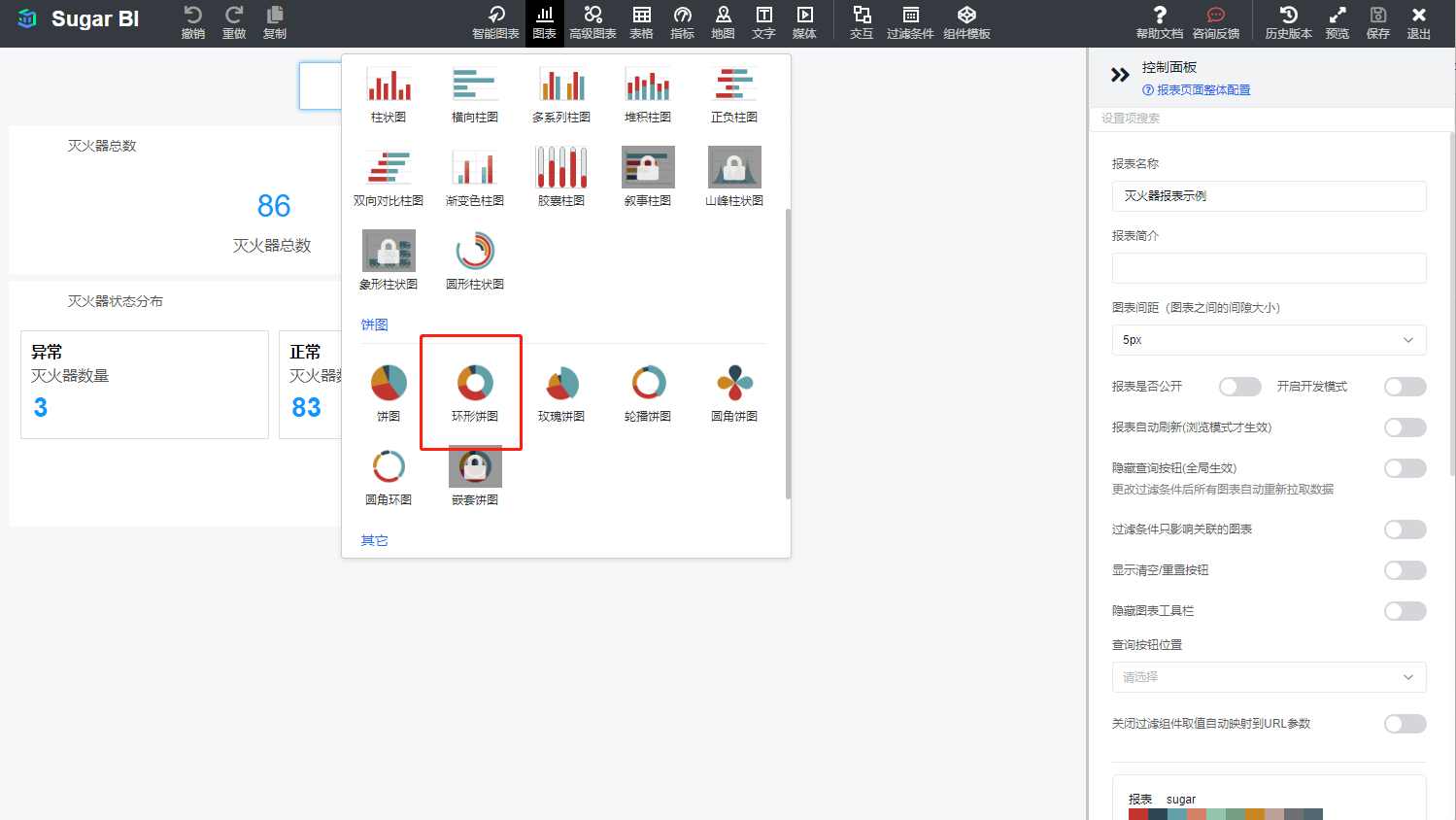
Steps:
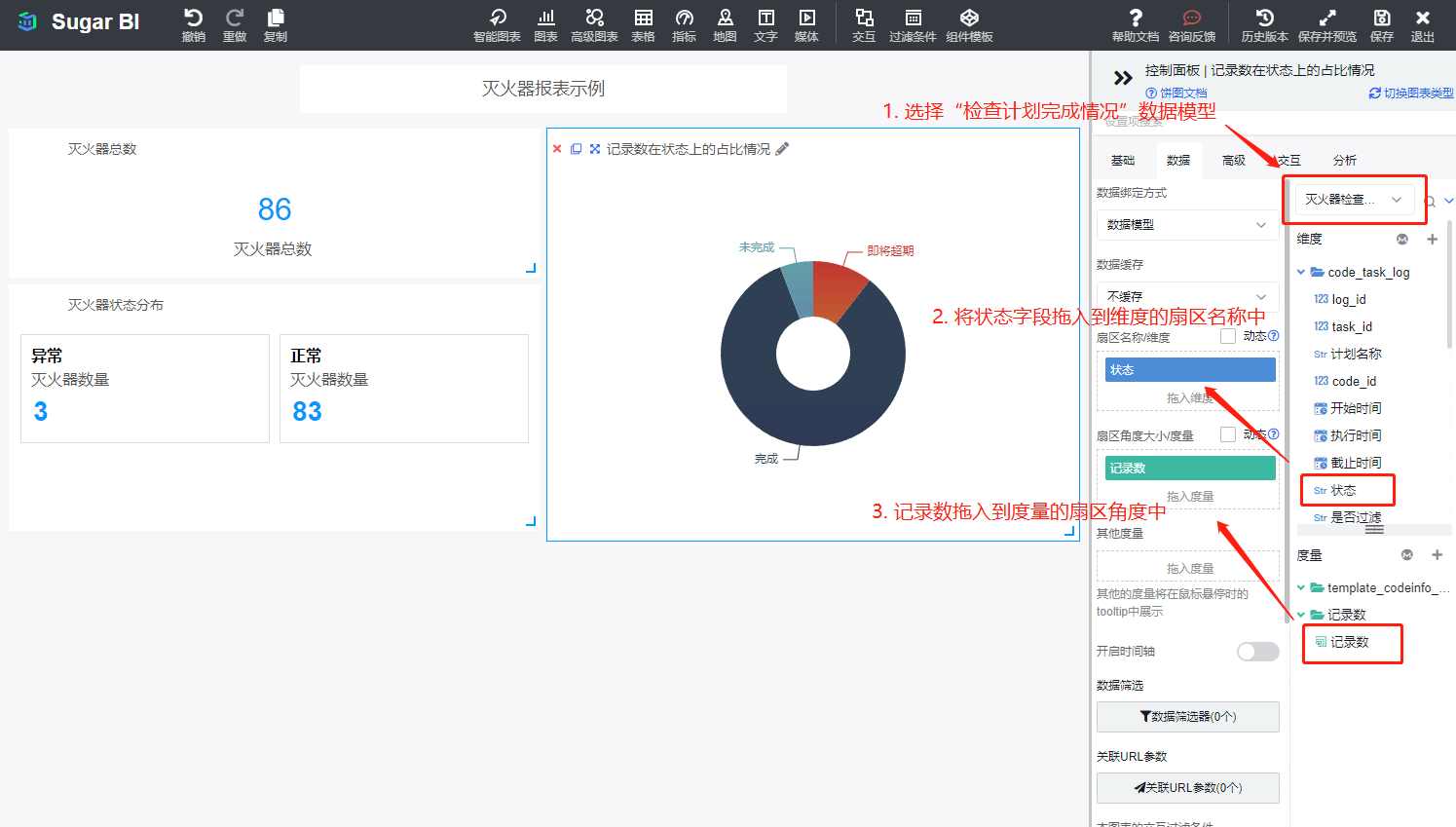
- Select the donut chart to show its configuration panel.
- Choose the data model.
- Drag status dimension fields to "Sector Name."
- Drag record count metrics to "Sector Size" to auto-generate completion visualization.
- Adjust chart position/size. Add other charts as needed.
- Save and exit.
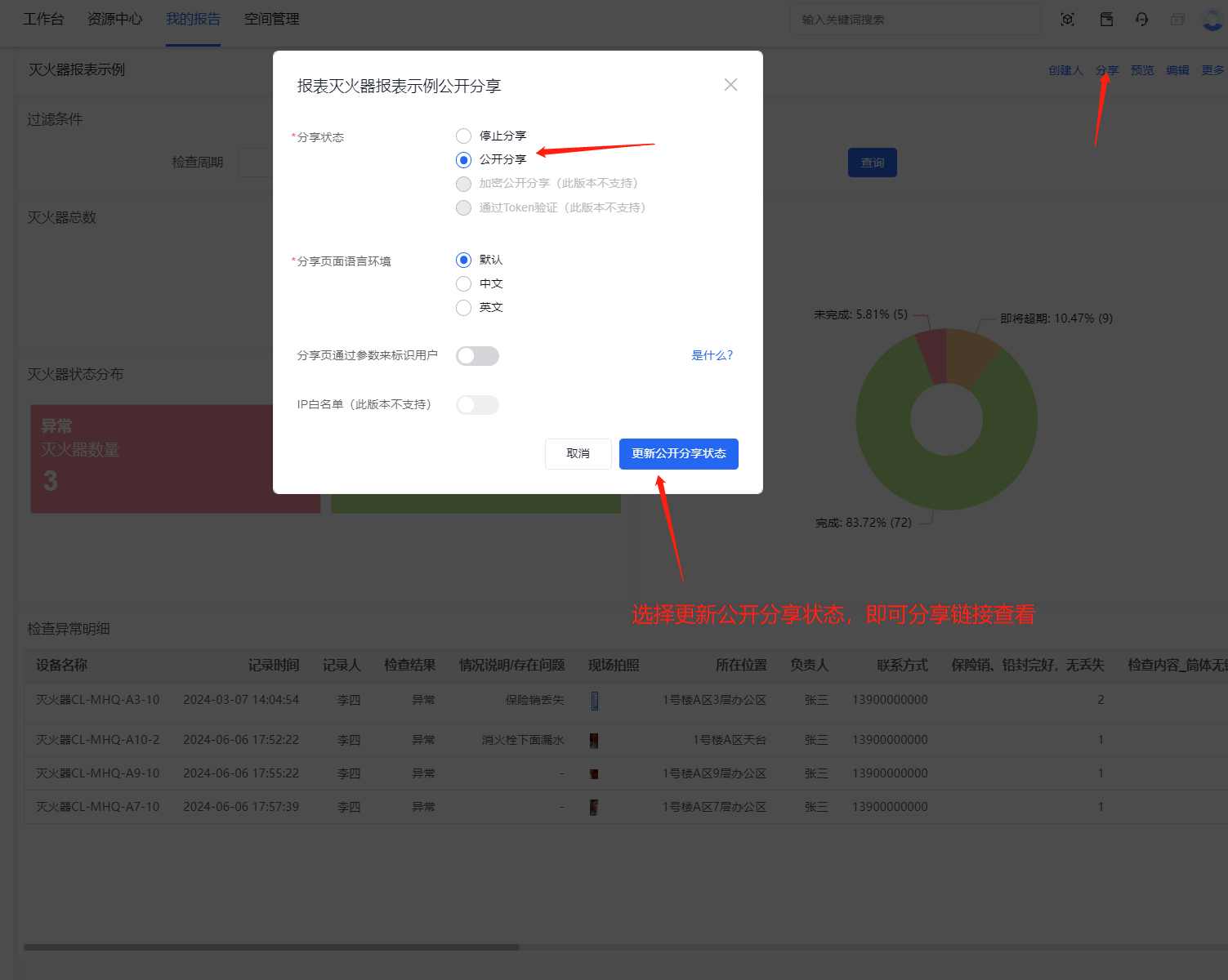
5. Share Dashboard
Set sharing to "Public" and copy the link after finalizing your dashboard.
3. Community Support
For troubleshooting, visit the CaoLiao Community to ask questions or browse solutions. Our advisors and technical team regularly respond.