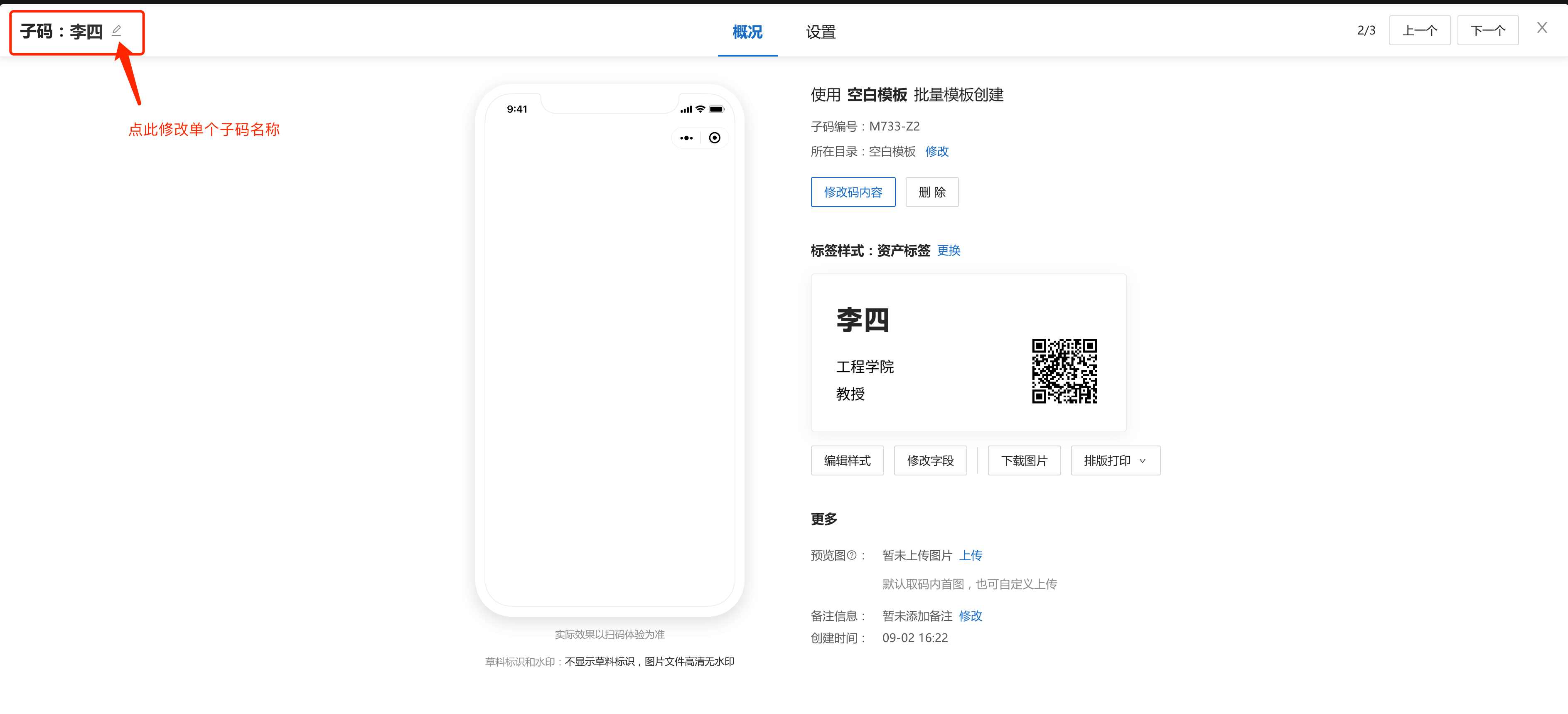
How do I rename a sub-code?
Sub-code names can be set with a unified naming rule, or changed individually for a specific sub-code.
Steps
Set a Bulk Naming Rule
- Go to the CaoLiao workbench and click "Preview" on the relevant bulk template.
- Select "Sub-Code List" at the top of the pop-up.
- Click the "Settings" button next to the sub-code name and select 1–2 variable content fields to use as the name.
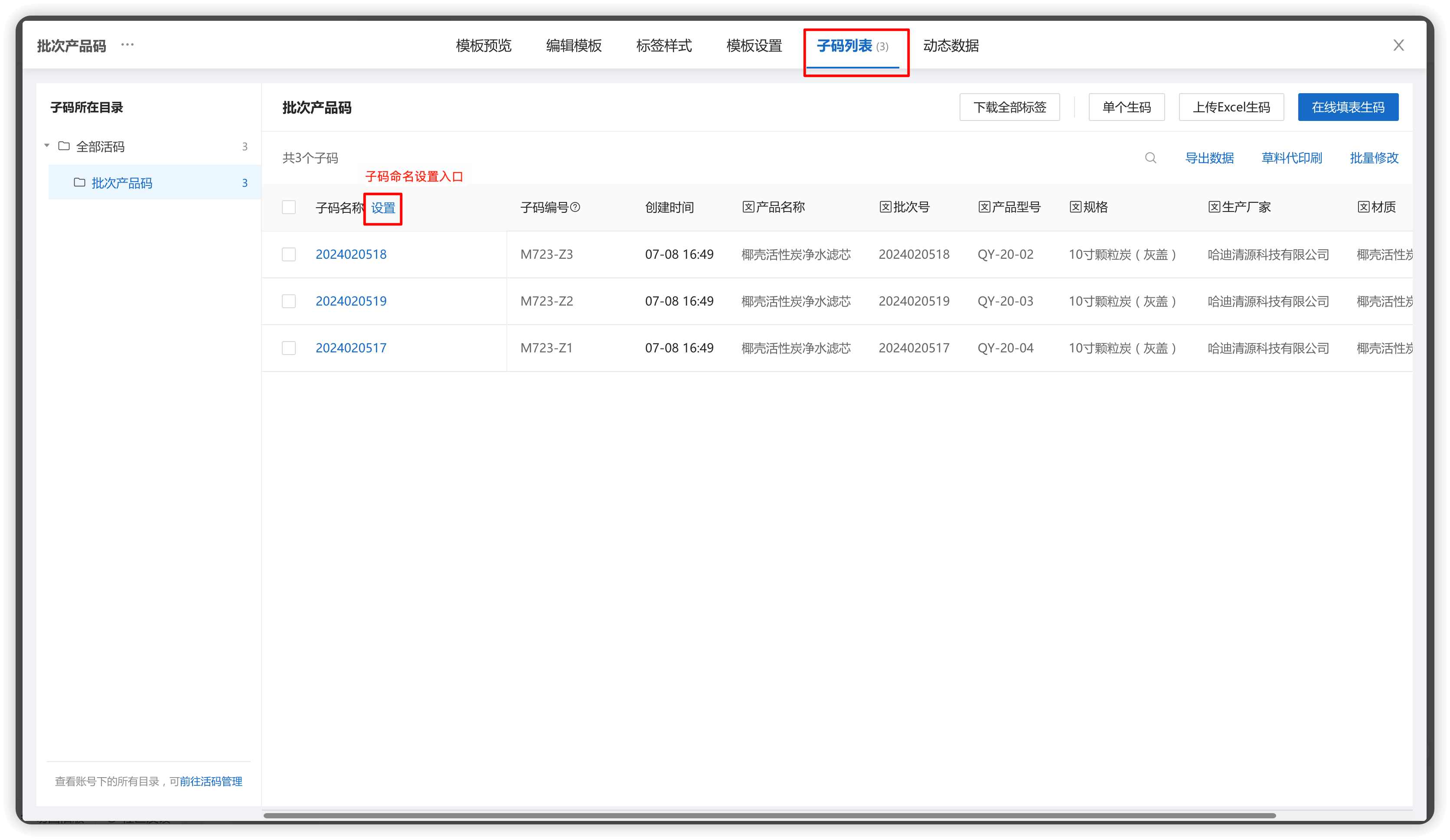
⚠️ Note: It's recommended to choose fields with unique values so different sub-codes can be easily distinguished. After changing the naming settings, all previously generated sub-code names will also be updated automatically.
Change the Name of a Specific Sub-Code
- Click "Preview" on the sub-code you want to rename.
- Edit the sub-code name in the top-right corner of the pop-up.