How do I change the label style for sub-codes?
Sub-code label styles are controlled centrally by the bulk dynamic QR code template. Editing the template's label style updates the labels for all sub-codes.
Steps
- Go to the CaoLiao workbench and click on the relevant bulk template.
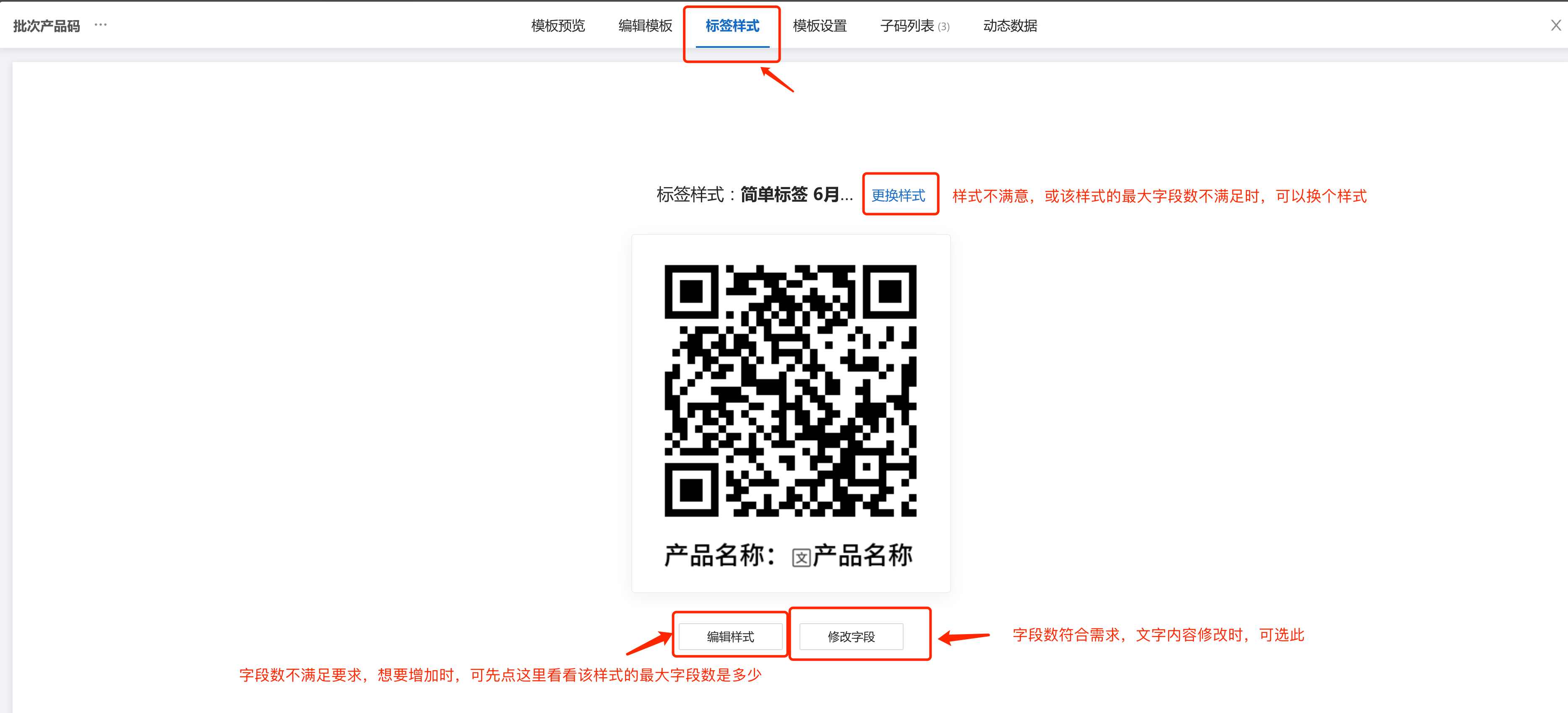
- Select "Label Style" at the top of the preview pop-up.
- Choose the desired label style and edit the field content.
⚠️ Note:
- A bulk dynamic QR code template can only use one label style. Changing it will update the labels for all sub-codes.
- Each label style supports a fixed number of fields. If you need more fields, choose a style that accommodates them.
- If none of the CaoLiao-provided styles meet your needs, you can use third-party software to create a custom layout.