How to View Store Orders and Shipping Status?
After placing a label printing order with CaoLiao, your order goes into the WeChat Store order center. Open the "Store & Cards" entry on WeChat's "Me" page and tap "Store Orders" to see all purchase records and shipping status. You can also search for Channels Store orders in WeChat's top search bar to jump directly to the order center.
Steps
Option 1: From the "Me" Page (Recommended)
WeChat now provides a permanent "Store & Cards" entry on the "Me" page, making it the easiest way to check orders.
- Open the "Me" page: Launch WeChat and tap "Me" in the bottom navigation bar.
- Tap "Store & Cards": Find the "Store & Cards" entry in your personal center and tap to open it.
- Open "Store Orders": Tap "Store Orders" on the page to see all purchases made through WeChat Store.
- View order details and shipping: Find the corresponding CaoLiao printing order and tap to view its status and tracking information.
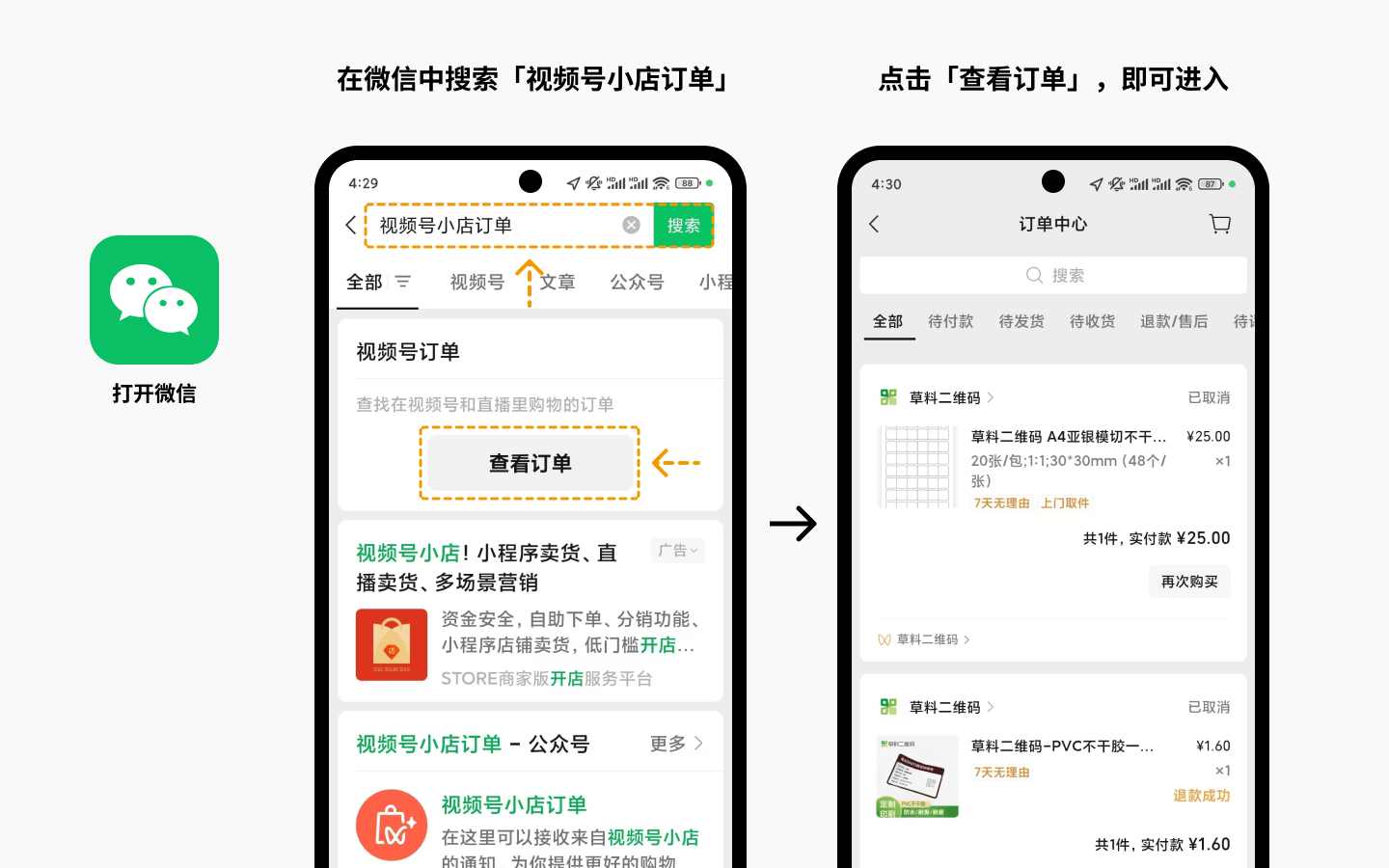
Option 2: Search for Channels Store Orders
If you can't find the entry, you can search directly:
- Open the search box: Tap the search bar at the top of WeChat's home page.
- Enter keywords: Type "视频号小店订单" (WeChat Channels Store Orders).
- Tap "View Orders": In the search results, tap "View Orders" to enter the order center and check your orders and shipping.
Tip: CaoLiao printing orders must be viewed using the same WeChat account used at checkout. If you can't find an order, confirm that you're logged in with the payment account. If issues persist, provide the order number or printing order ID to CaoLiao's web customer service (via the "Consultation" entry in the bottom right of any official page) for help.