Partition Data Summary
Feature Overview
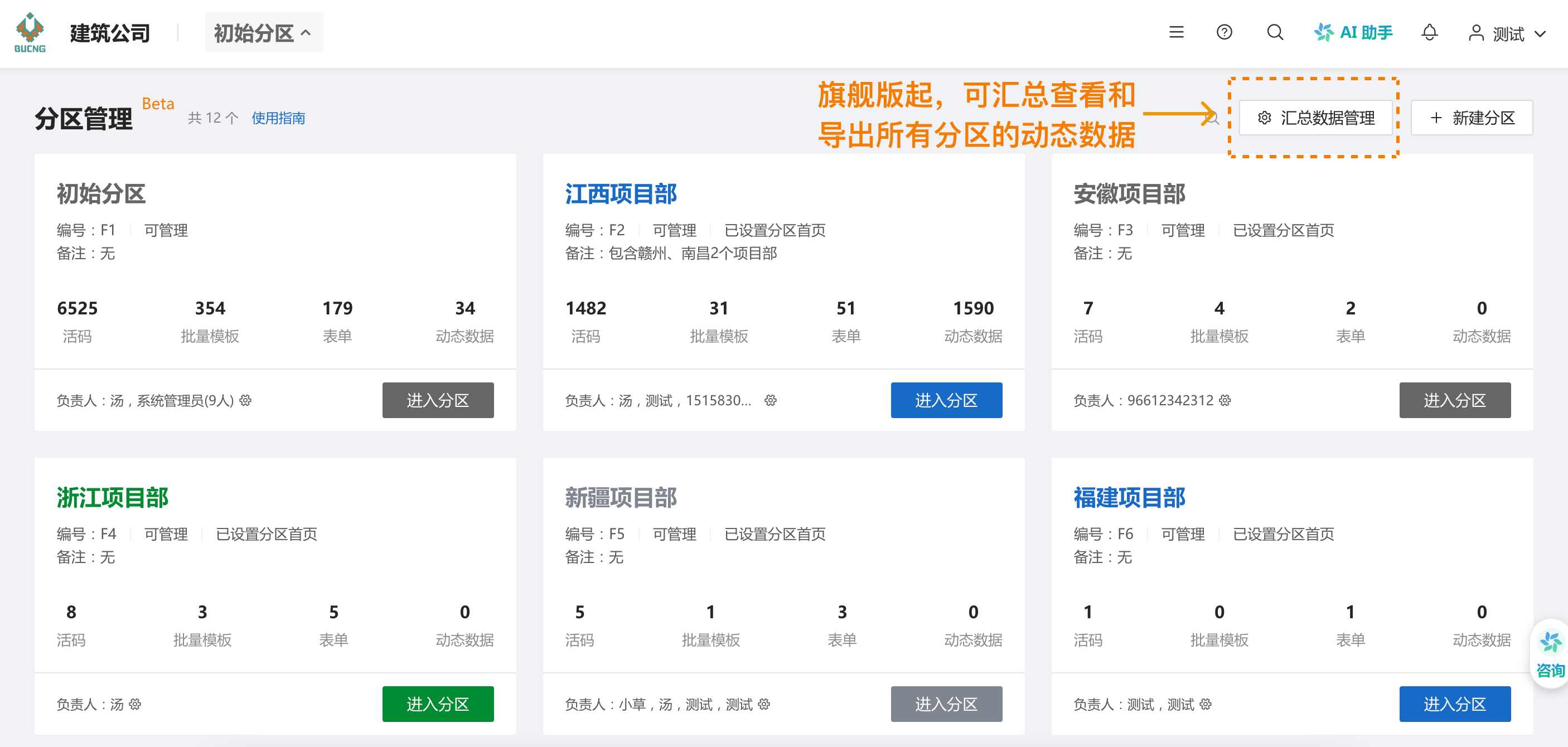
Users can organize QR code data into different partitions based on business needs. To help users view and analyze dynamic data across multiple partitions in one place, we've added the "Partition Data Summary" feature. No more navigating into each partition separately to view or export data — it's more efficient.
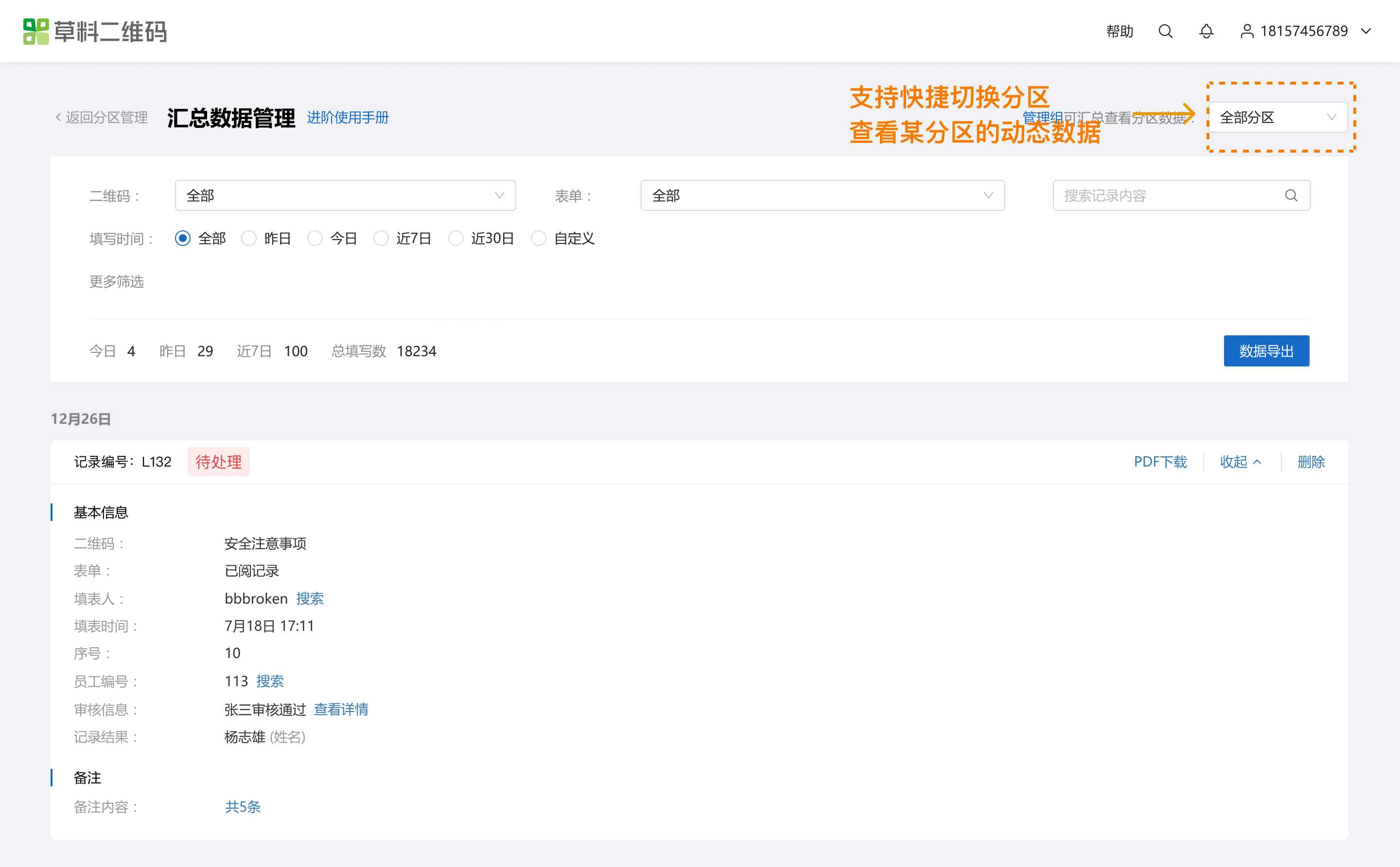
Available on the Flagship Edition and above. Admin group members can view and export dynamic data from all partitions on a single page, and switch to any individual partition for a focused view — improving data management efficiency.
- Access path: Partition Management page → [Aggregated Data Management] button in the top-right corner
- Availability: Flagship Edition and above; visible to admin group members
By default, the page displays aggregated data from "All Partitions", giving you a quick overview of overall operations. Use the partition dropdown at the top to filter by any specific partition for in-depth analysis of a single business line.
Upgrade to the Flagship Edition to unlock more advanced features. View Flagship Edition details:
- Unlimited partition creation for expandable multi-application setups;
- 20 advanced member slots for collaborative management with flexible permissions;
- Remove the CaoLiao branding and watermark, and add your own custom branding;
- Access advanced features including AI-powered review, AI insights, enterprise security compliance, more Data API push quota, and more.