Invoice Application
- After paying and activating your edition, you can apply for an invoice. Issuance time: completed within 5–10 minutes and sent to your registered email.
- Both personal and enterprise payments can receive an invoice with an enterprise header. Invoice type is not restricted.
1. Invoice Details
| Item | Description |
|---|---|
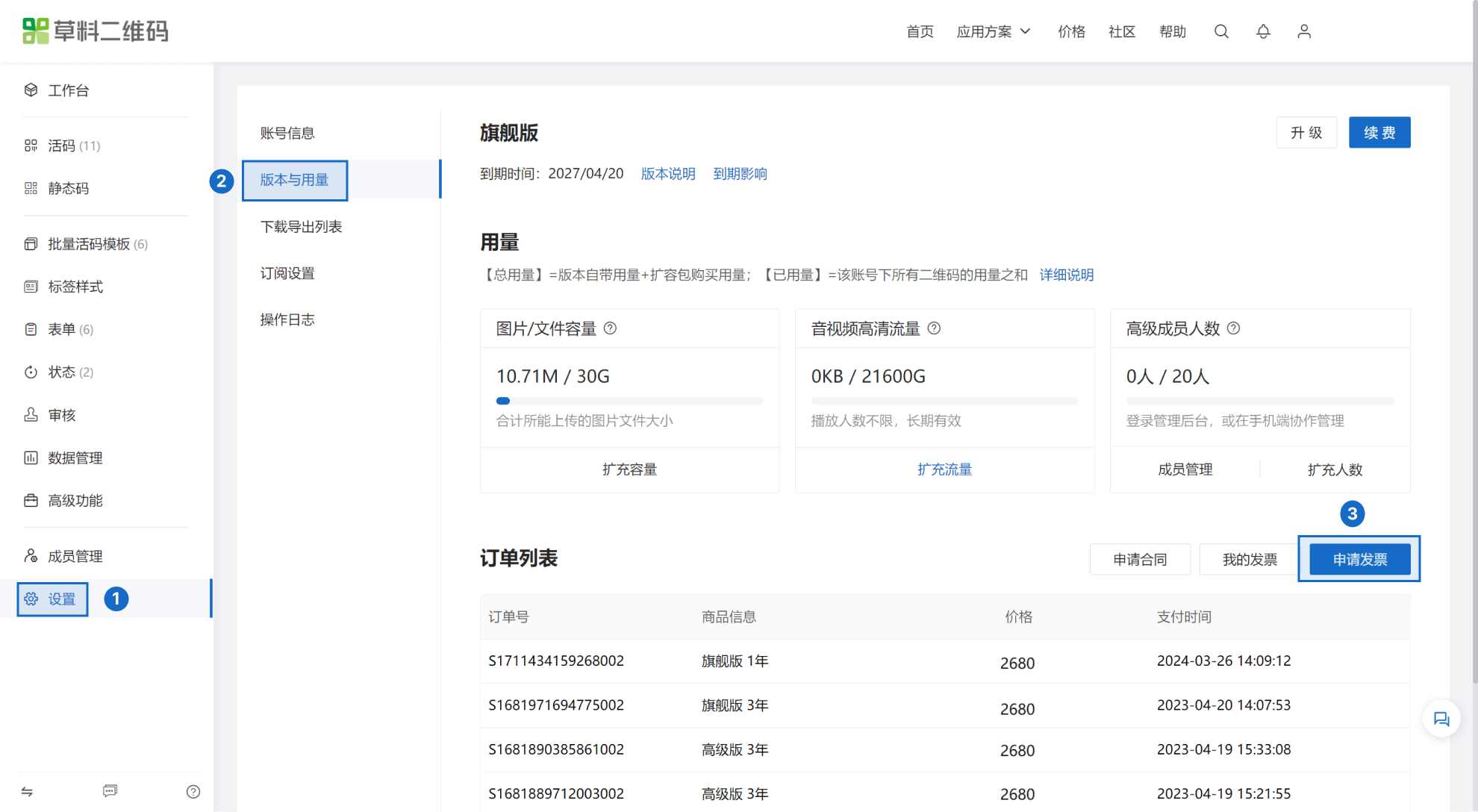
| Application portal | Apply in the CaoLiao QR Code workbench under [Settings] > [Account Info] > [Order List] |
| Invoice types | ① Digital Special VAT Invoice (electronic) ② Digital Regular VAT Invoice (electronic) |
| Invoice content | Software QR Code Management System V2.0 — not modifiable |
| Tax rate | 13% |
| Application deadline | You can request an invoice for an eligible paid order at any time. |
| Processing time | Sent to your registered email within 5–10 minutes of application |
2. Important Notes (Required Reading)
- Self-service invoicing is recommended — generally issued automatically within 5–10 minutes, more efficient.
- Re-issuance and consolidated invoicing require manual processing, approximately 1–3 business days. Please be patient.
- All invoices, in addition to being downloadable from the workbench, will also be emailed to your registered email address. Please check for emails with subject lines containing [CaoLiao QR Code] or [Ningbo Linjia Network Technology Co., Ltd.].
- Pre-invoicing service is available. First place your order here to confirm the amount, then submit a pre-invoicing request here. Pre-invoicing requires manual processing — approximately 1–3 business days. Please complete payment within 30 days of the invoice being issued; unpaid invoices will be voided after that period.
3. Invoice Application Portal
Log in to the CaoLiao QR Code workbench, go to [Settings] > [Edition & Usage] > [Order List] > [Apply for Invoice]. Please ensure all information is filled in correctly.
4. Receiving Your Invoice
All invoices will be emailed to your registered email address. Please check your inbox.
You can also retrieve invoices using the following methods: Method 1: Download previously applied invoices from [Settings > Edition & Usage > Order List > My Invoices] in the CaoLiao workbench. Method 2: For digital invoices with an enterprise header, your company's finance department can log in to the National Tax Administration's Electronic Invoice Service Platform to view, verify, and download digital invoices issued to the enterprise's tax digital account.
5. Invoice Samples
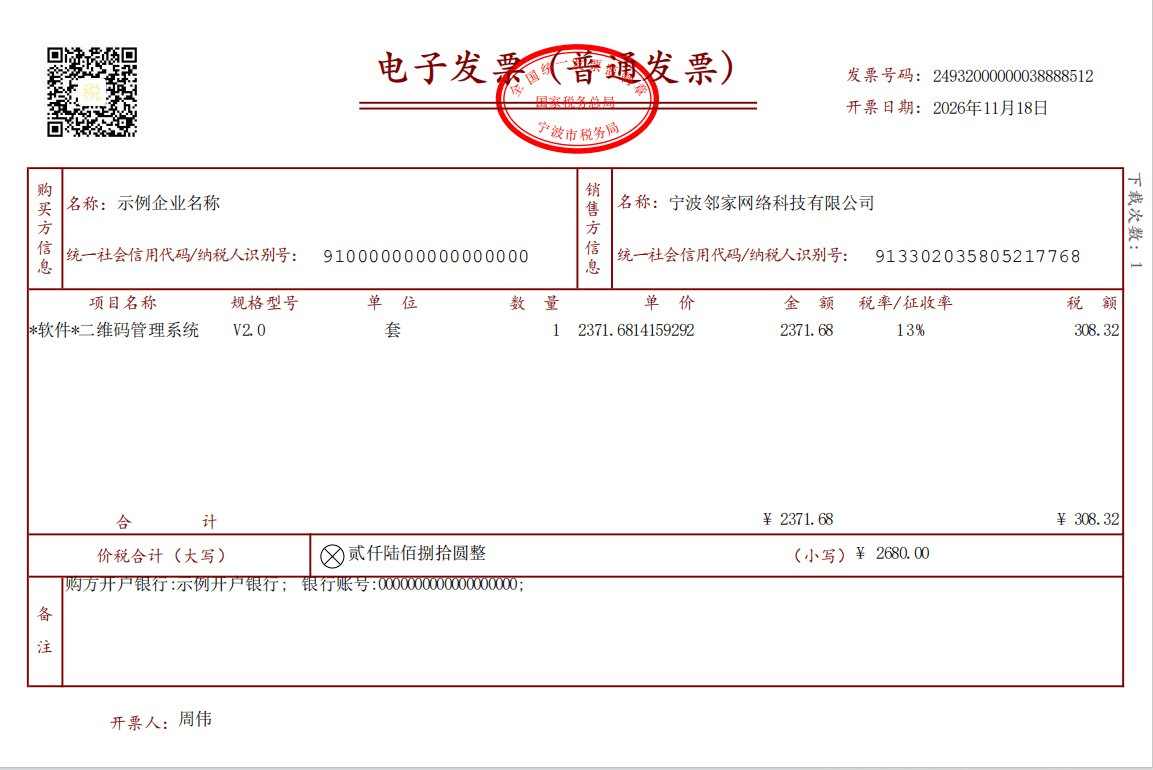
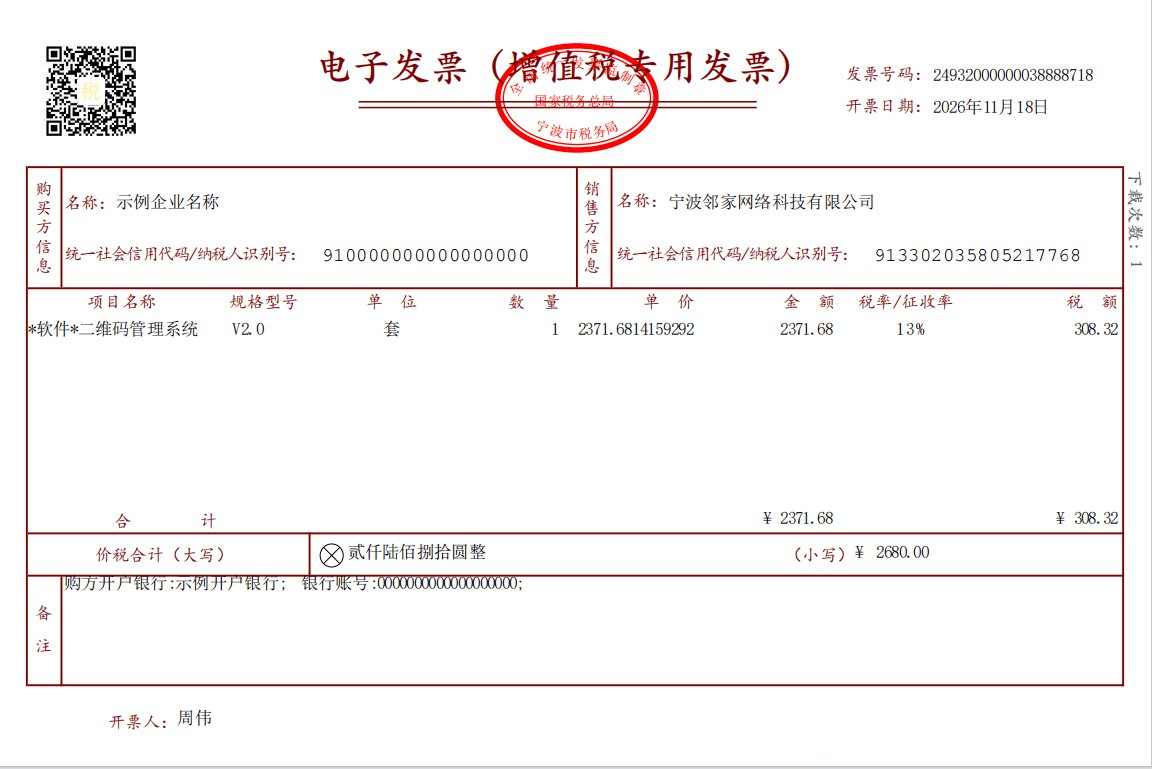
As required by national regulations, CaoLiao only supports digital invoices. Samples are shown below:
Digital Regular VAT Invoice
Digital Special VAT Invoice:
6. Frequently Asked Questions
1. The Invoice Information Is Incorrect. How Do I Get It Reissued?
Not yet recorded in accounting: Log in to the CaoLiao workbench and re-apply for the invoice under [Account Info > Edition & Usage > My Invoices].
Already recorded in accounting: First submit a re-issuance request through the CaoLiao workbench, then contact a sales consultant to issue a Red Letter Invoice Confirmation. Next, ask your finance department to complete the confirmation in your company's electronic tax account. Once the finance department confirms, we will issue a new invoice. (Finance must confirm within 3 days — the confirmation slip expires after 3 days and the invoice cannot be reissued.)
All reissuances require manual processing, 1–3 business days. Please check your email for messages from [Ningbo Linjia Network Technology Co., Ltd.].
2. Can Invoices Be Consolidated?
Yes. Please contact a sales consultant for manual processing — turnaround time is 1–3 business days.
3. Can I Receive the Invoice Before Payment?
Invoices are issued after payment by default. If your finance team has special invoicing requirements when filing for reimbursement, please contact a sales consultant.
4. What Is the Difference Between PDF, OFD, and XML Invoice Formats?
PDF: Does not support verification of the invoice supervision seal or electronic signature validity; for preview only. OFD: Supports verification of the invoice supervision seal and electronic signature validity via the VAT Electronic Invoice Format File Reader; can serve as an electronic voucher for reimbursement and archiving. XML: Records all original invoice data in code form; cannot be used to preview the invoice face; can serve as an electronic voucher for reimbursement and archiving. All three formats will be sent to your email. Download the format that suits your needs.
5. How Do I Verify the Authenticity of a Digital Invoice?
Method 1: Verify on the National Tax Administration National VAT Invoice Verification Platform. Method 2: Finance staff can log in to the National Tax Administration Electronic Invoice Service Platform to verify.
For more business questions, click to contact a sales consultant.