Personal or Enterprise Real-Name Verification
CaoLiao real-name verification confirms the authenticity of an account's owner or organization. There are three types: personal verification, enterprise verification, and other organization. Once verified, an account can create special QR codes and display a "Verified" badge in team collaboration.
1. Why Verify?
Real-name verification is optional, but required in the following scenarios:
1. Creating Special QR Codes
For compliance reasons, you must complete enterprise verification or other organization verification before creating QR codes for certain content, such as:
- Seed traceability QR codes
- Various types of certificate QR codes
Accounts without the relevant verification cannot create or distribute such QR codes.
2. Strengthening Organizational Credibility
When new members are invited to join your team, the system shows different prompts based on the organization's verification status:
| Status | What members see |
|---|---|
| Unverified | "This organization has not verified its identity. Please exercise caution." |
| Verified | "Verified (V)" badge |

3. More Benefits Coming Soon
We will gradually open exclusive content protection, advanced feature permissions, and enterprise brand identity display in more places on QR codes for verified users, helping increase scanner trust.
2. Choose a Verification Type
Pick the type that matches the account's actual ownership:
| Type | When to use | What you need |
|---|---|---|
| Personal verification | Account belongs to an individual | Real name, your own ID number, your own Alipay (for face verification) |
| Enterprise verification | Account represents an enterprise, sole proprietor, public institution, school, etc. | Enterprise name, unified social credit code, legal representative's name and ID number, the legal representative's Alipay (for face verification) |
| Other organization | Account represents a social organization, private non-enterprise unit, foundation, etc. | Same as enterprise verification |
Note: Both enterprise verification and other organization verification require face verification by the legal representative in person — it cannot be delegated.
3. Verification Steps
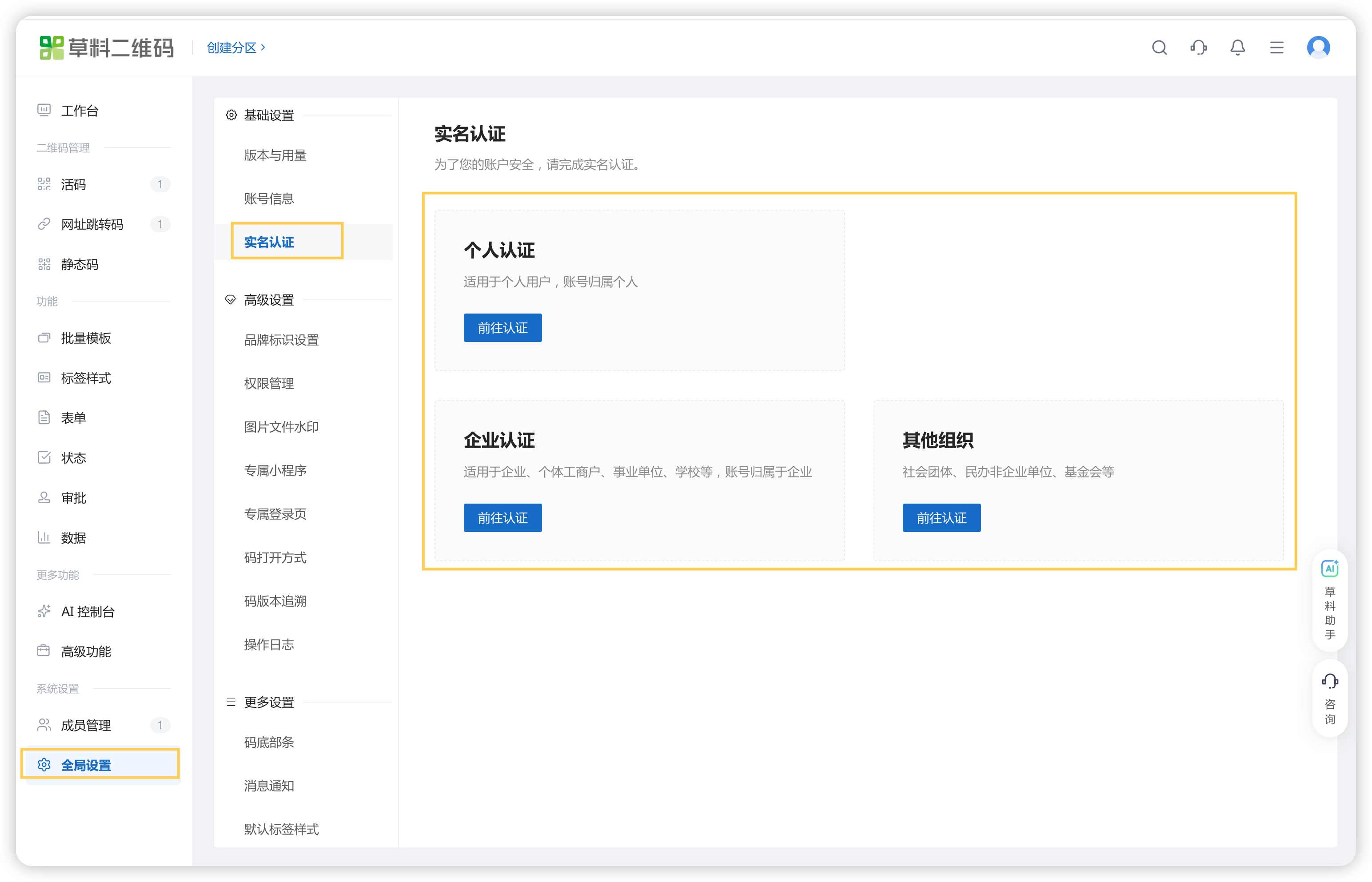
1. Open [Global Settings] > [Basic Settings] > [Real-Name Verification]
Path: workbench → left menu → Global Settings → Basic Settings → Real-Name Verification
2. Select the Verification Type
Pick "Personal Verification", "Enterprise Verification", or "Other Organization" based on the table above.
3. Fill in the Information and Complete Alipay Face Verification
Personal Verification
Enter your real name and ID number, then submit. You'll be redirected to Alipay to complete face verification. Once it passes, the verification info is shown on the page.


Enterprise Verification / Other Organization
The two types share the same flow and material requirements: enter the enterprise name, unified social credit code, legal representative's name, and ID number, then submit. The legal representative completes face verification via Alipay; once it passes, the verification info is shown on the page.


For other questions, please contact us.