Contact Us
CaoLiao QR Code is a simple and practical QR code system-building platform that is easy to use. Most users can resolve issues on their own.
We recommend using the CaoLiao Assistant first — it can answer the vast majority of questions about QR code creation, system building, feature usage, plan selection, and purchasing. The CaoLiao Assistant is available 24/7 for all users.
1. CaoLiao Assistant
The CaoLiao Assistant is built on "DeepSeek R1 (full version)" and draws its content from the CaoLiao help center, template library, application solutions, and more. It provides solutions based on your questions and includes links to relevant reference documents at the bottom, helping you find answers faster. It can also offer system-building suggestions tailored to your specific use case and needs, helping you use CaoLiao more efficiently.
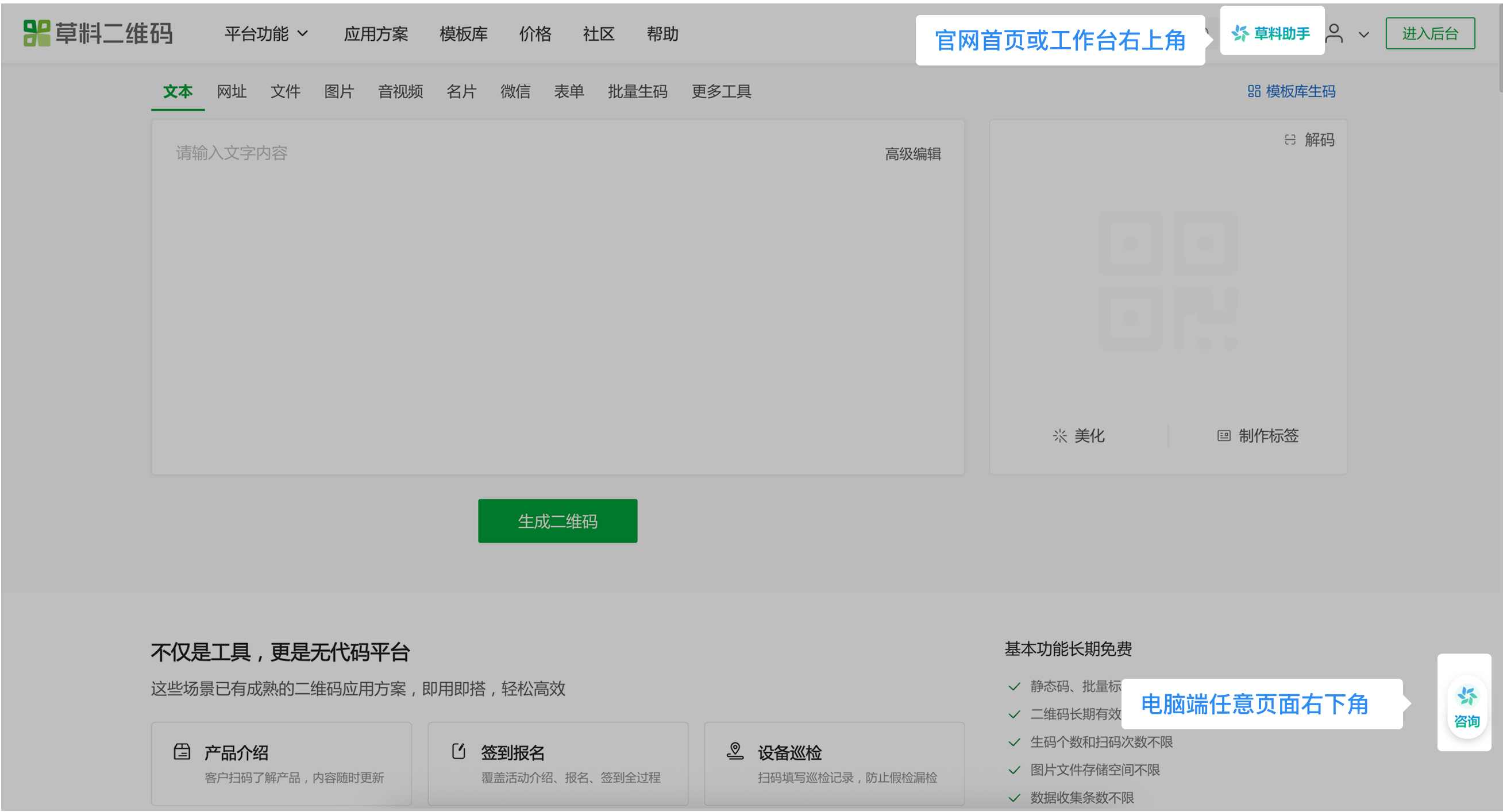
CaoLiao Assistant Entry (Desktop)
The CaoLiao Assistant entry can be found in the top right and bottom right corners of the official website homepage and any page in the workbench.
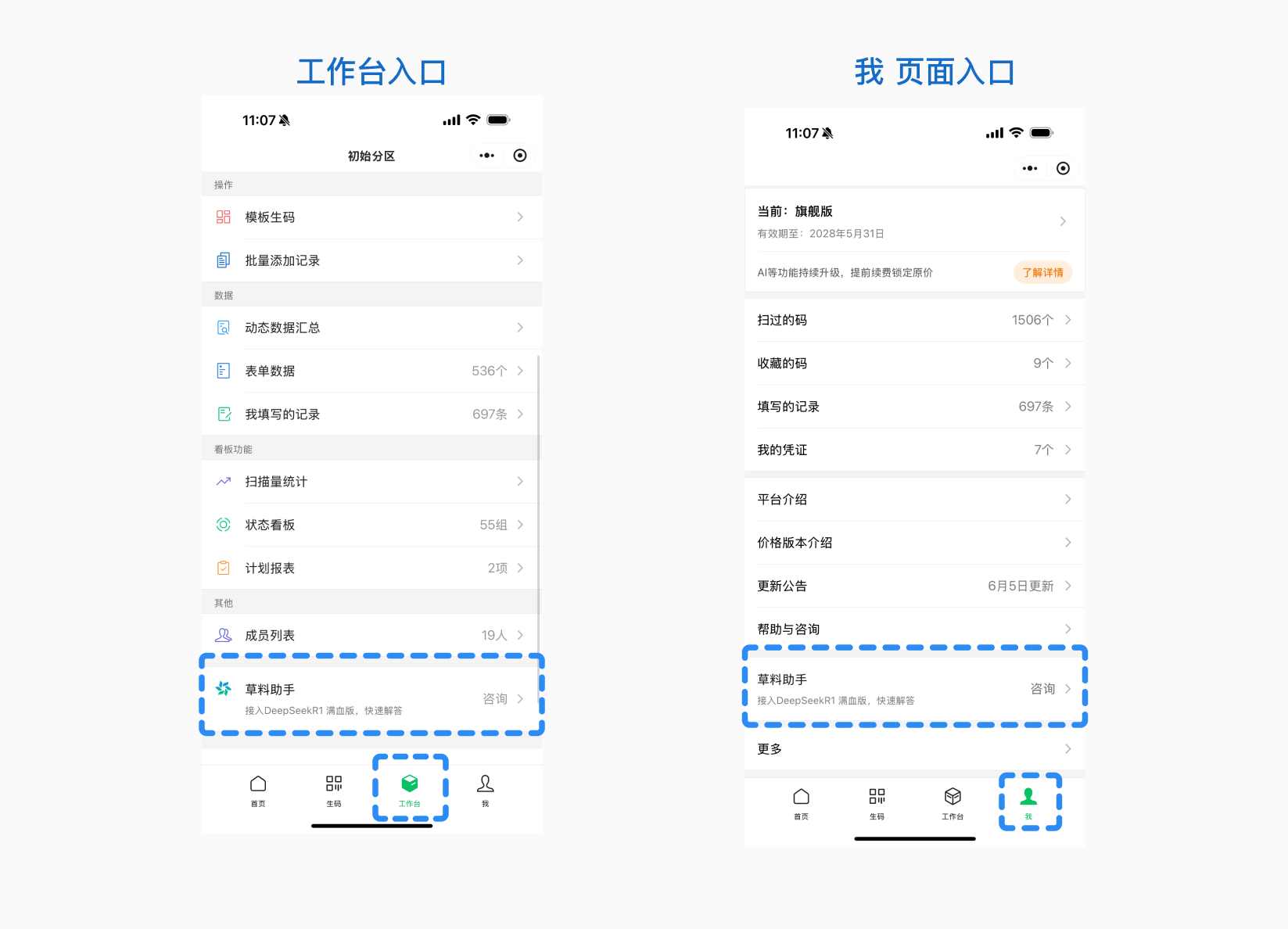
CaoLiao Assistant Entry (Mini Program)
Search for the "草料二维码" (CaoLiao QR Code) Mini Program on WeChat. It is available on the "Workbench" and "My" pages of the Mini Program.
2. Human Support
If you need to contact a human agent, you can do so through the [Consult] entry on our website.
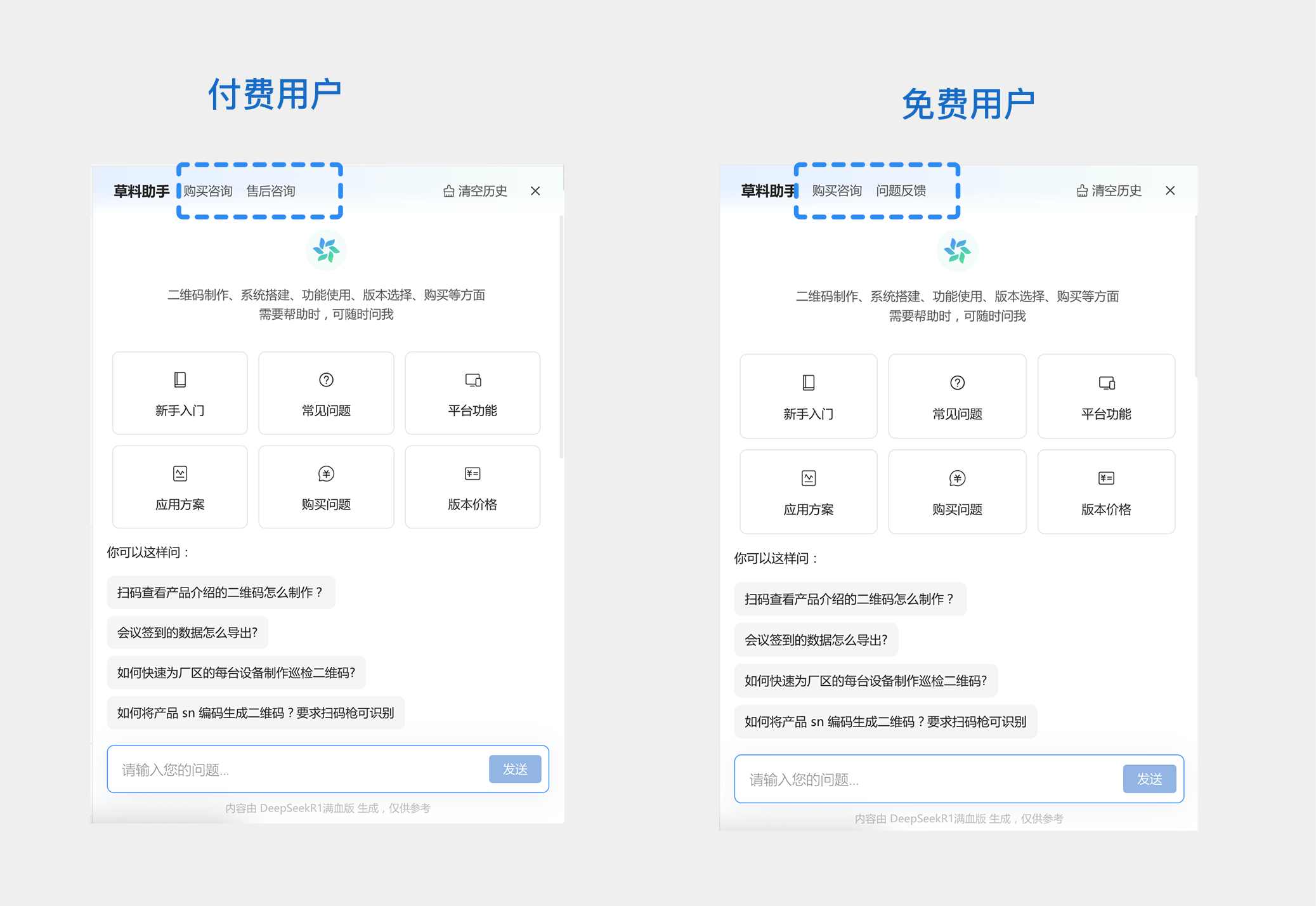
- Purchase Consultation: If you need human assistance to purchase the paid version — such as for bidding processes or government purchasing platforms — please contact a business consultant.
- After-Sales Consultation: Exclusive to paid users. Contact an after-sales consultant online to resolve various issues.
- Issue Reporting: A dedicated channel for major incidents. Use this channel when you encounter critical issues such as "website inaccessible, Mini Program inaccessible, QR code generation failure, or form data submission failure." Our technical team responds 24/7. (Note: This channel only handles major incidents. Operational questions and general feedback are not processed here — we appreciate your understanding!)
1. Service Hours
Weekdays: 9:00 AM–12:00 PM, 1:00 PM–7:30 PM
Weekends & Holidays: 9:00 AM–12:00 PM, 1:00 PM–5:30 PM
When there is high traffic, you may need to wait in a queue.
Outside of business hours, please leave a message and we will respond once we're back online.
2. Contact Entry
Desktop
Search "草料二维码" (CaoLiao QR Code) in your desktop browser, go to the CaoLiao Official Website, and click the [Consult] icon at the bottom right of any page. In the dialog, click [Purchase Consultation], [After-Sales Consultation], or [Issue Reporting] to get human support.

Mobile
Search "草料二维码小程序" (CaoLiao QR Code Mini Program) on WeChat, go to CaoLiao QR Code Mini Program > My, and contact online customer service.

3. Business Partnerships
If you are interested in a product or marketing partnership with CaoLiao, please reach out to our business partnerships email: mkt@nears.cn
4. Complaints
If you have any complaints about our products or services, please submit them via the link below. We will address them as soon as possible.
Complaint Entry: Submit a Complaint
5. Infringement Appeals
If you discover that content created by a third party on the CaoLiao platform infringes on your legal rights, please refer to the Infringement Complaint Notice and Counter-Notice Guidelines and submit your complaint following the instructions. We will handle it in accordance with applicable laws.
6. Learning Resources
You can also use the following resources to learn how to use CaoLiao QR Code:
- Search the Help Center — 90% of questions can be answered here. Help Center
- For peer exchanges, experience sharing, and product feedback, visit the CaoLiao Community. Go Now
- To purchase a plan, visit the pricing page. View Pricing
- Explore industry-specific templates that you can modify and quickly generate QR codes from. Go Now
- Browse QR code solutions for various industries to see how QR codes are used in different scenarios. Go Now
- For issues such as QR codes being suspended or accounts being disabled, you can contact the review department for an appeal. The review department only accepts contact via email: shenhe@nears.cn