Feishu × CaoLiao QR Code Plugin
Feature Overview
Based on the One-Item-One-Code Label Creation API provided by CaoLiao, Feishu multidimensional spreadsheet developer Ryan Cui created the "CaoLiao QR Code" plugin. This plugin can batch-generate QR code labels directly in smart tables and is currently in open beta.
Feishu multidimensional spreadsheets are a next-generation productivity application that combines online collaboration, information management, and visualization for multi-dimensional project management. The "CaoLiao QR Code" plugin offers 150+ QR code label styles for equipment, assets, personnel, and other use cases. Users can select a label style directly in Feishu multidimensional tables, and the CaoLiao Label API is automatically called to batch-generate QR code labels with different content.
How to Use
In Feishu multidimensional spreadsheets, you can select multiple records and batch-generate QR code labels. Just select a label style, map the table fields, and labels are generated — automatically inserted into the corresponding column for direct preview and download.
Basic workflow:
- Install the "CaoLiao QR Code" plugin in Feishu multidimensional spreadsheets
- Insert an "Attachment" column in the table
- Select the rows to generate, then open the CaoLiao plugin
- Choose the label style, map the column fields, and click Generate QR Code
- QR code labels are automatically generated and inserted into the corresponding column
Demo

How to Install the Plugin
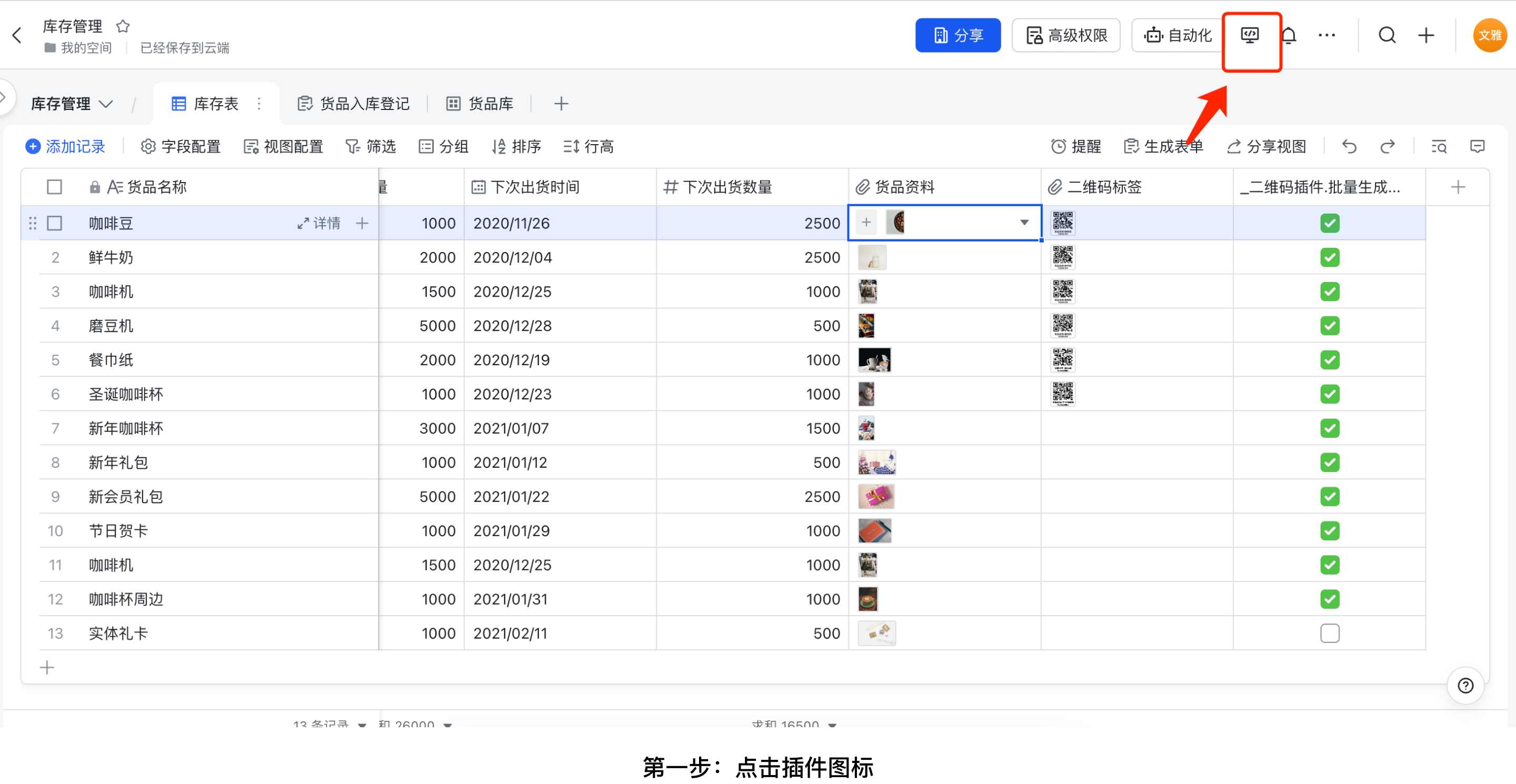
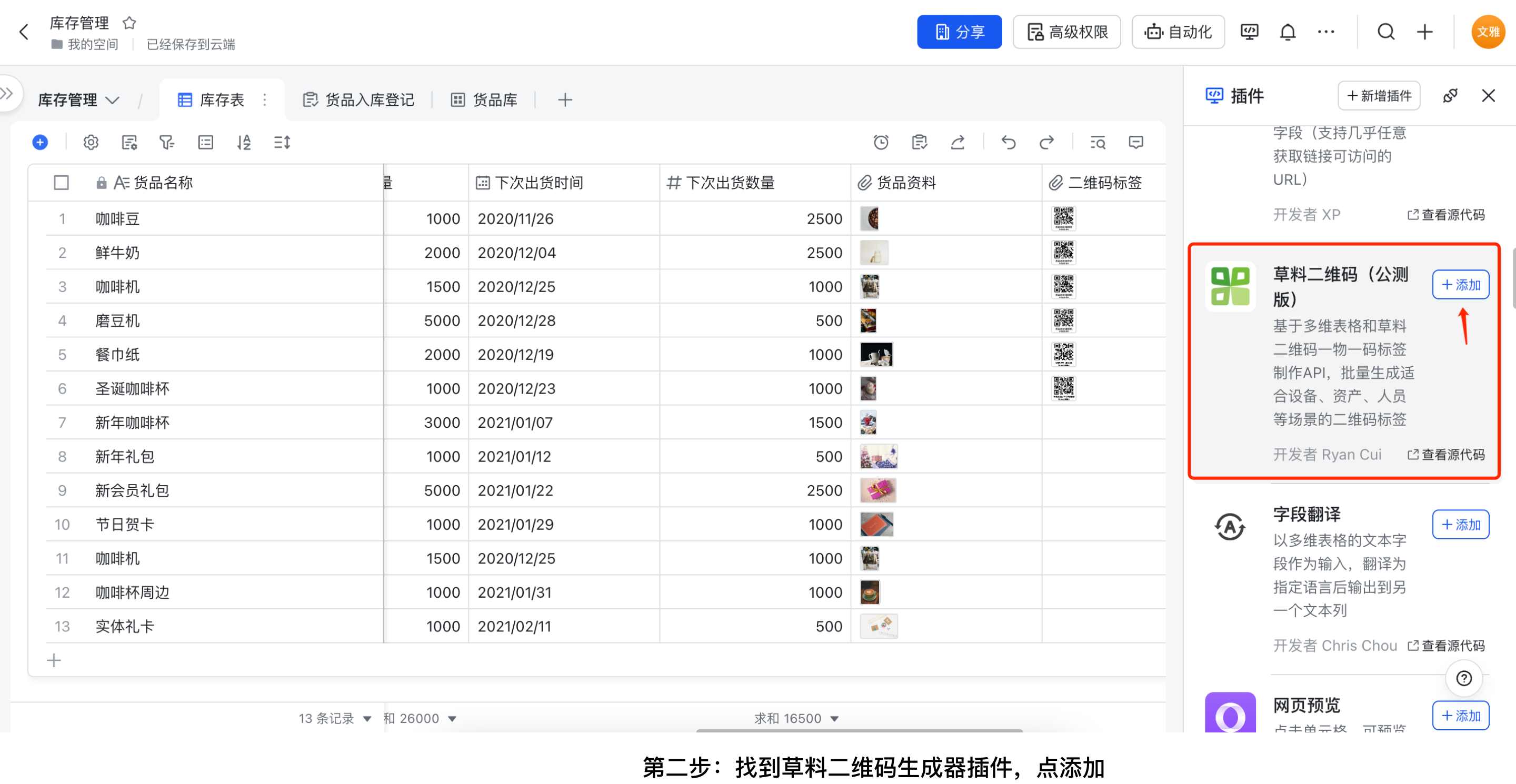
In Feishu multidimensional spreadsheets, click the plugin icon in the top right corner, find the CaoLiao QR Code Generator plugin, and click [Add].
Detailed Tutorial
For step-by-step instructions on batch-generating labels using the CaoLiao plugin in multidimensional spreadsheets, see the official Feishu tutorial.