WeCom Edition Feature Overview
What Is the WeCom Edition
The WeCom edition is CaoLiao QR Code deeply integrated with WeCom. On top of the full CaoLiao feature set, it adds three things:
- Sync the WeCom contacts directory to CaoLiao — no duplicate onboarding
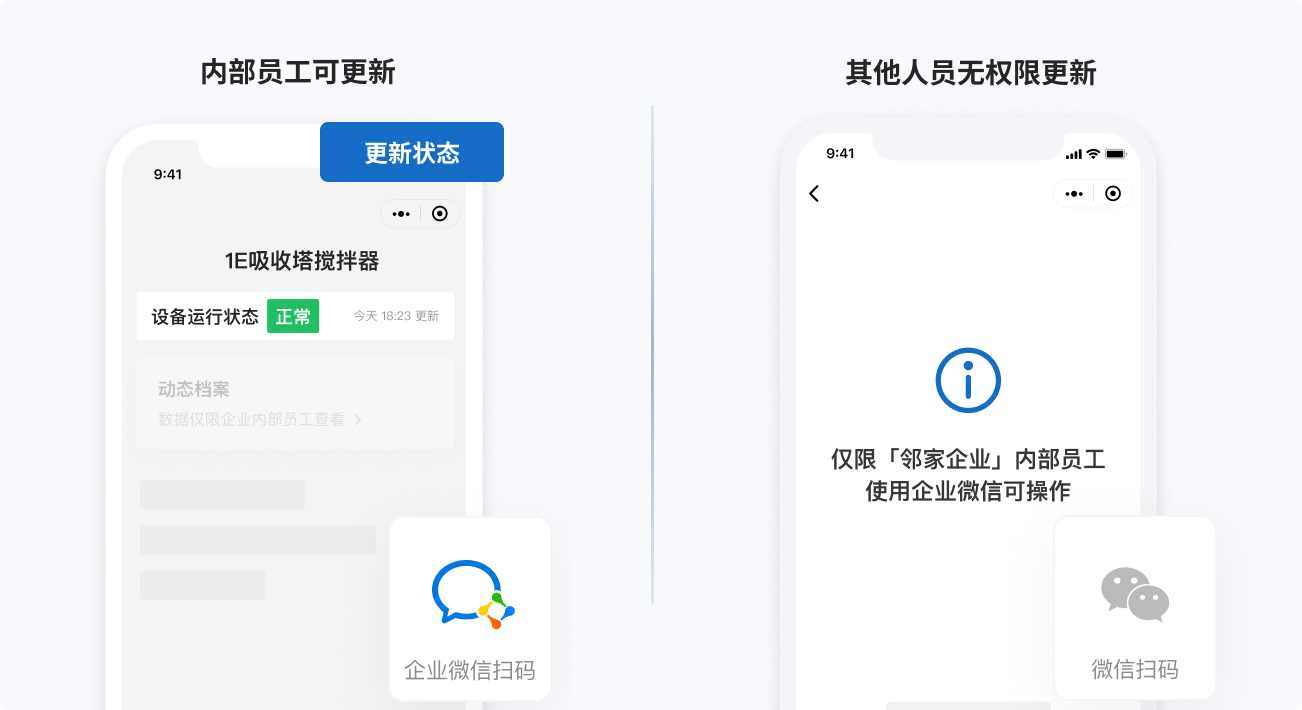
- Restrict QR code content, forms, and data to WeCom members only — outsiders can't see them when they scan
- Let colleagues forward and @mention each other inside WeCom — exception handling stays in WeCom
New WeCom edition users get a 30-day Flagship Edition feature trial + a 90-day free interface trial. See WeCom Edition Trial Benefits.
Heads up: Using the CaoLiao app inside WeCom requires paying an interface fee to WeCom (tiered by user count — this fee is charged by WeCom, not CaoLiao). After the 90-day trial, you must purchase interfaces to continue using CaoLiao inside WeCom. See WeCom Interface Fee Explanation.
Standard Edition vs. WeCom Edition
| Standard edition | WeCom edition | |
|---|---|---|
| Member management | Manual invite / add | Auto-synced from WeCom contacts |
| Permission control | Basic roles | Can restrict scan, fill, view, status update to WeCom members only |
| Scanning scenarios | Any WeChat user can scan | Optionally restricted to WeCom colleagues only |
| Collaboration | Inside the CaoLiao workbench | CaoLiao workbench + WeCom messages, dual channel |
All other features (QR codes, forms, data stats, AI, etc.) are identical between the two editions.
1. Member Management: Sync from the WeCom Directory
No more manually adding people. Once you add an employee to the visible range of the CaoLiao QR Code app, they are automatically synced to the CaoLiao workbench and appear in member management. When someone leaves or transfers, removing them from the WeCom contacts will sync the change automatically.
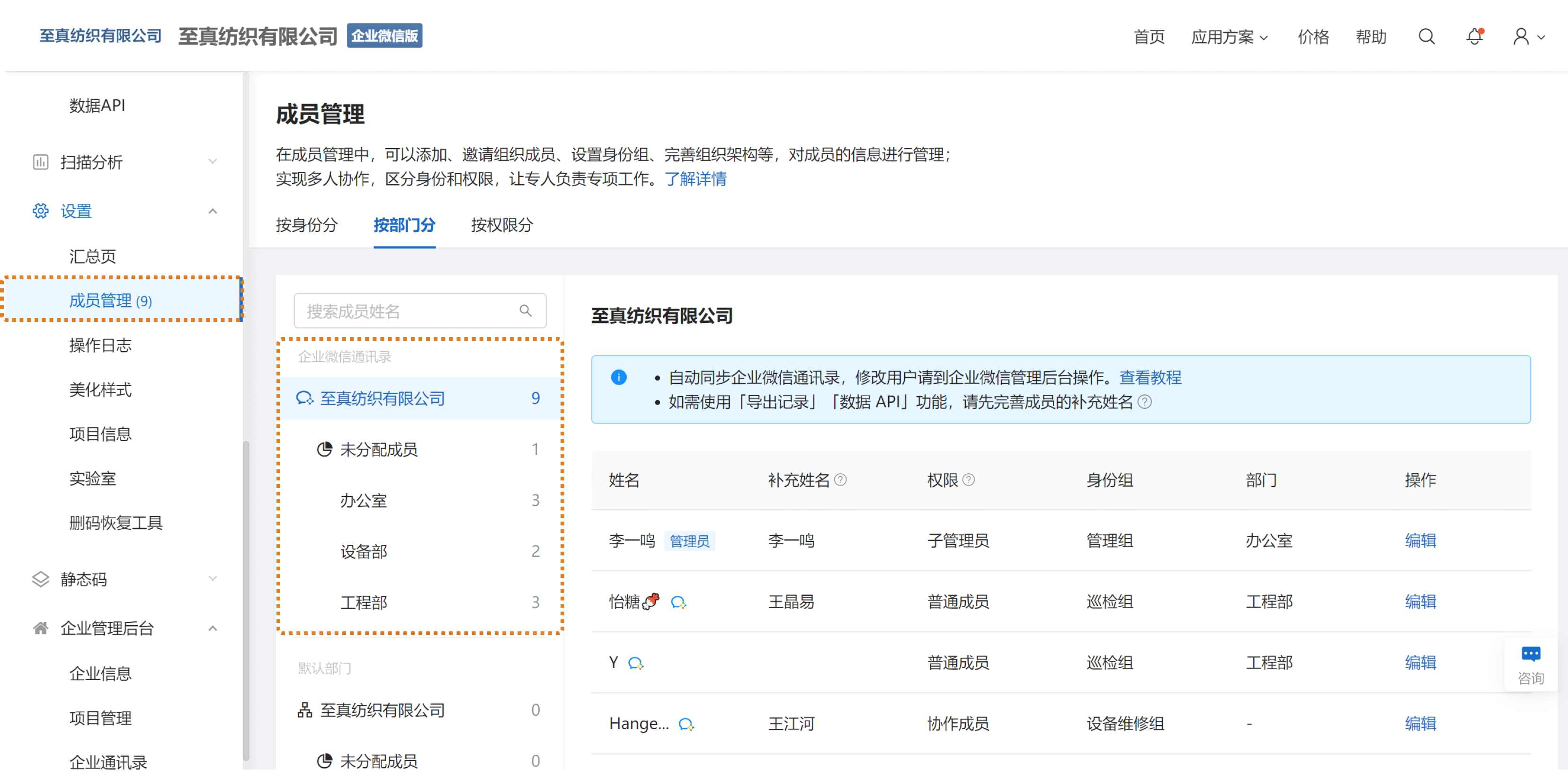
👉 See WeCom Edition Member Management.
2. Permission Control: Four "WeCom Members Only" Switches
The WeCom edition adds four independent permission switches covering scanning, filling, viewing, and status updates. Each switch can be toggled separately and combined as needed.
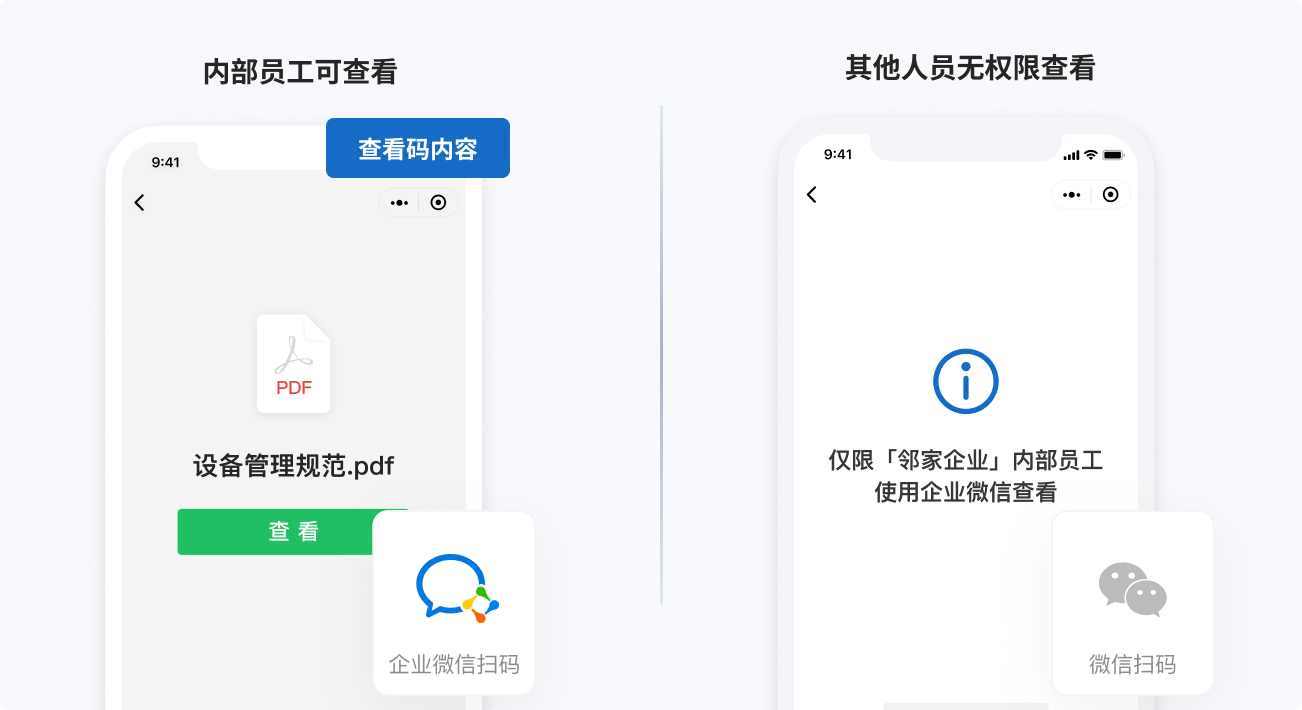
2.1 WeCom Members Only Can Scan to View Content
Use case: internal SOPs, confidential materials, equipment manuals — things meant only for your team. When enabled, outsiders who scan the code are shown an access-denied message.
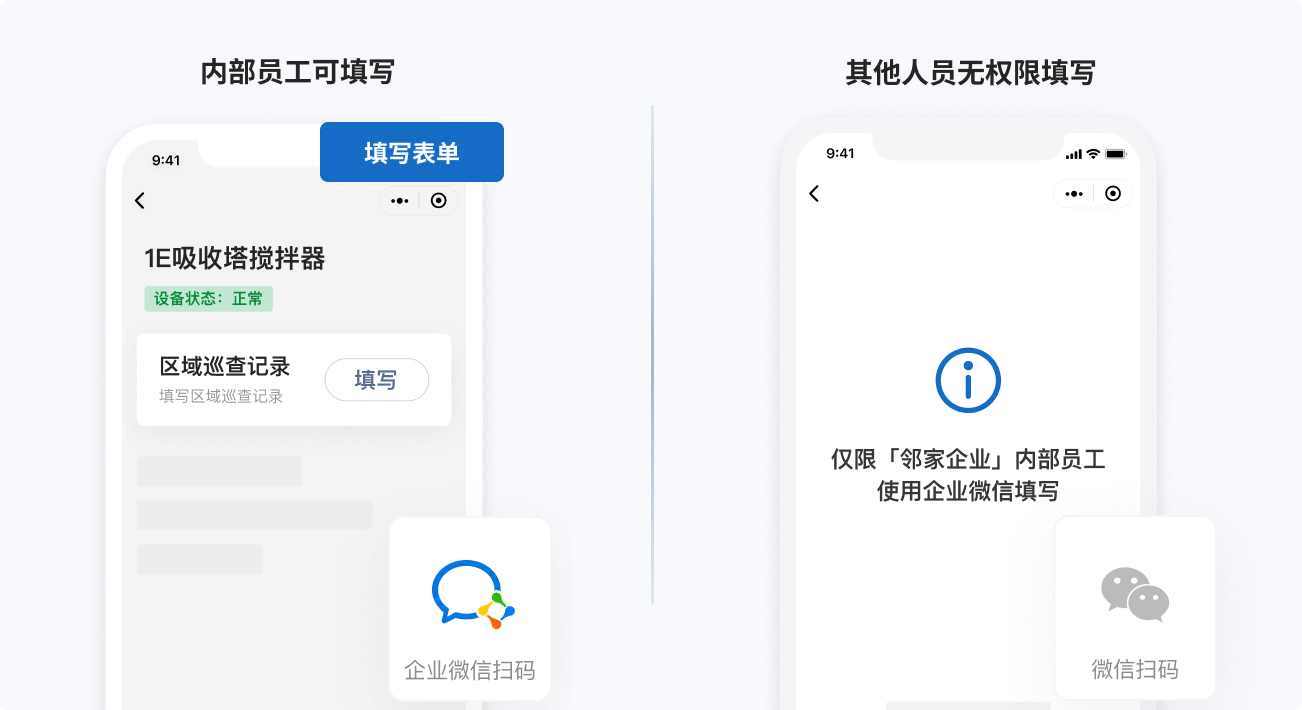
2.2 WeCom Members Only Can Submit Forms
Use case: internal process forms for inspection, workflow handoffs, or repairs — to prevent outside users from polluting the data.
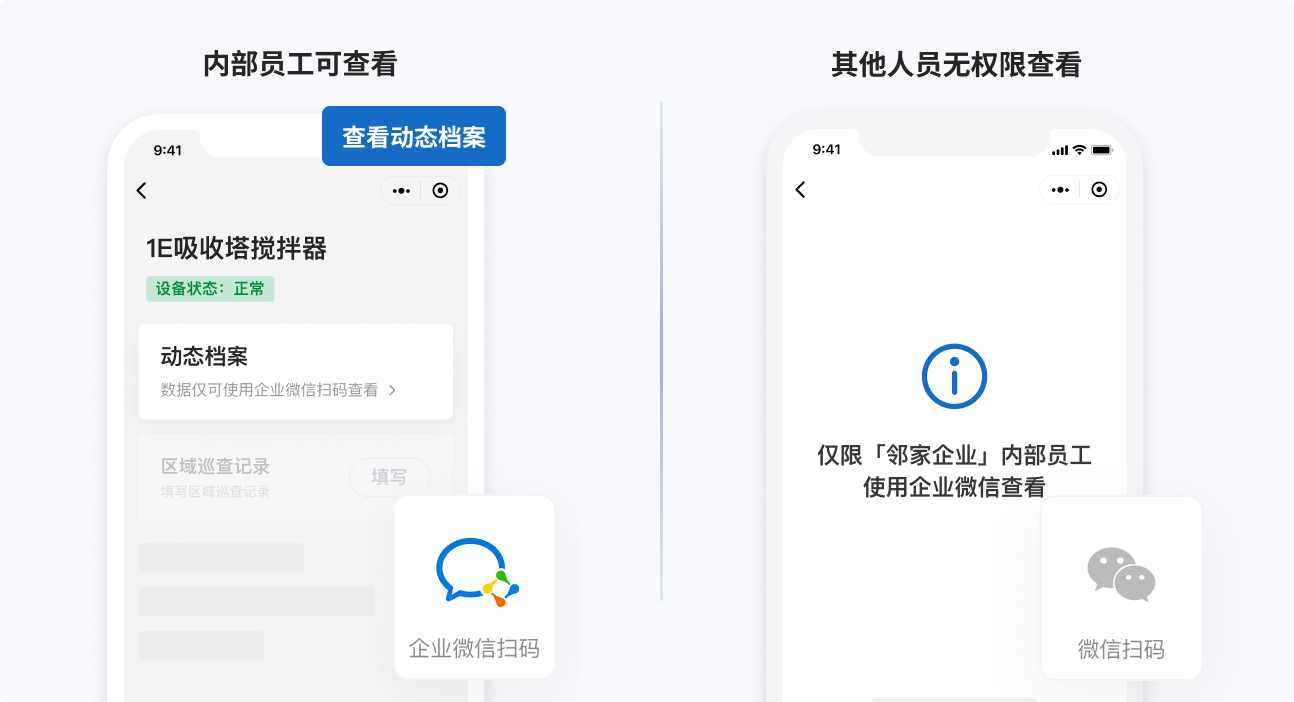
2.3 WeCom Members Only Can View Activity Data
Use case: submitted form records, status change history, and other post-scan data — visible only to WeCom colleagues, hidden from external scanners.
2.4 WeCom Members Only Can Update Status
Use case: equipment status switching such as "OK / Abnormal / Under repair" — so only your team can change it, avoiding accidental edits.
3. Instant Collaboration: Forward and @Mention Colleagues
3.1 One-Click Forward of Form Records to Colleagues
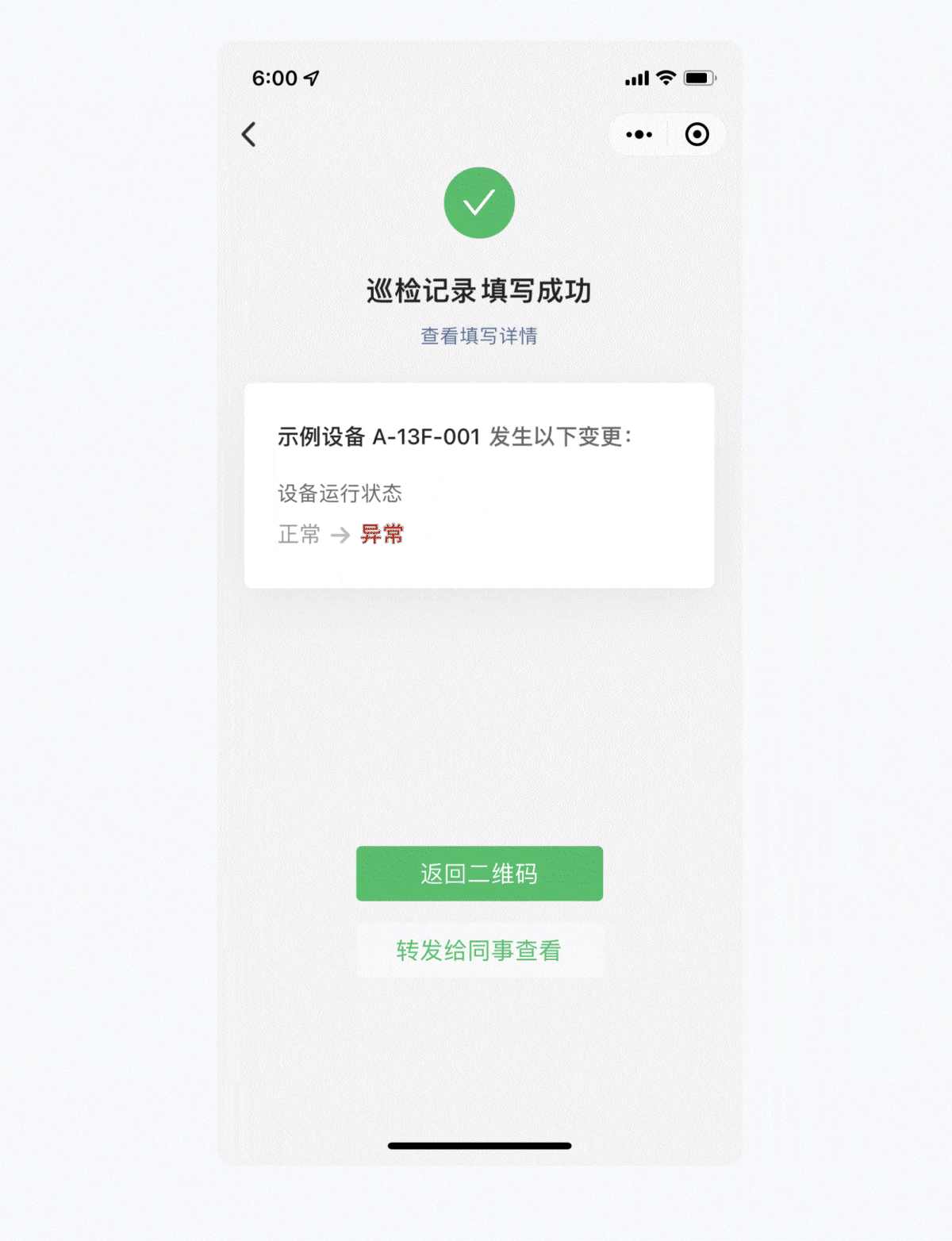
A frontline worker scanning and reporting an issue can forward that record directly to a colleague and start a conversation — all inside WeCom.
3.2 Colleagues Can Add Follow-Ups and @Mention Others
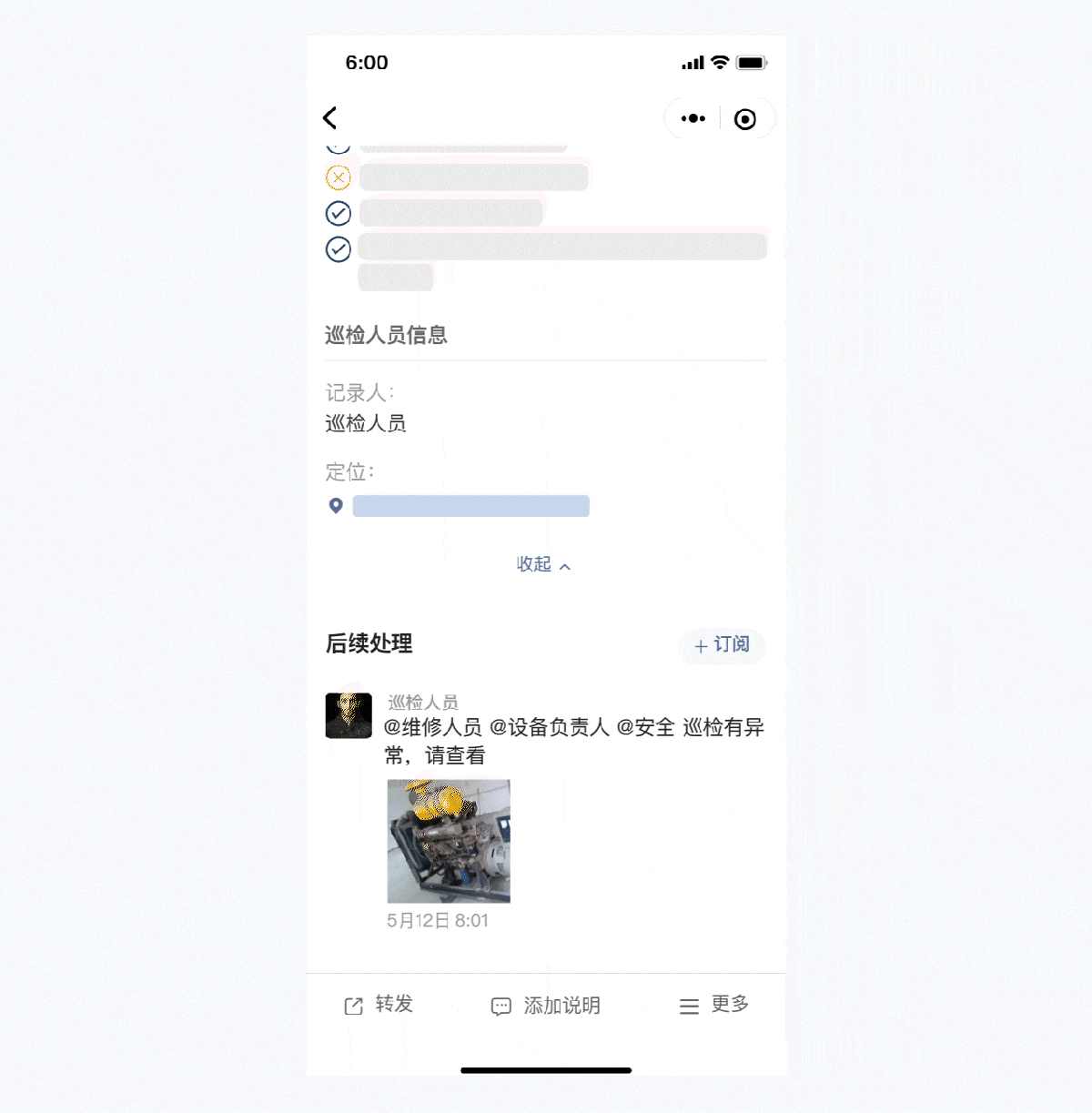
On receiving the record, a colleague can write a follow-up note and @mention more people to continue the handoff. Everything is logged into the QR code's activity archive for later tracing. Learn about follow-up actions
FAQ
1. We Haven't Used CaoLiao Yet — Can We Start Directly from the WeCom Edition?
Yes. Find "CaoLiao QR Code" in the WeCom app market and follow the setup steps. New users go straight into the WeCom edition. See WeCom Edition Installation Tutorial.
2. What Happens After My WeCom Edition Trial Expires?
The feature trial rolls back to the free version when it ends; your QR codes and data stay intact. The interface trial, however, blocks further WeCom usage once it expires unless you purchase interfaces. See WeCom Edition Trial Benefits.
3. Only Part of Our Company Uses This — Do We Have to Roll It Out to Everyone?
No. In the WeCom admin console you can set the visible range of the CaoLiao QR Code app to specific departments or members. Interface fees are charged only for those people.