Shared Accounts vs. Advanced Members
Advanced members are members of a CaoLiao QR Code organization who log in with their own accounts and manage QR codes and data within an authorized scope. When several people share one account, their changes easily overwrite each other, and when something is changed by mistake there is no way to tell who did it. Once everyone logs in with their own account, each person handles their own part and every action is logged.
Requirement: Advanced members require the Advanced version or above. The Free and Basic versions cannot add advanced members or buy them as add-ons. Upgrade to Advanced ›
1. Shared Account vs. Advanced Members
| Aspect | One shared account | Everyone uses their own account |
|---|---|---|
| Editing | The last save overwrites earlier ones | Each person handles their own part |
| Records | Everything is logged under the same account | Logs show who changed what |
| Permissions | Anyone can delete codes and export data | You can grant view-only access |
| Leaving | Change the password and notify everyone | Just remove that member |
2. Add an Advanced Member
The super admin does the following:
- In the workbench, open Member Management, click Add Member, enter your colleague's name and mobile number, and set the member type to "Advanced member"
- Set the management scope according to their role (see the next section)
- Your colleague logs in on the CaoLiao QR Code website with this mobile number to enter the organization. If they already have their own account, they choose the identity "Advanced member of this organization" when logging in
The mobile number you enter must match the one your colleague uses to log in.
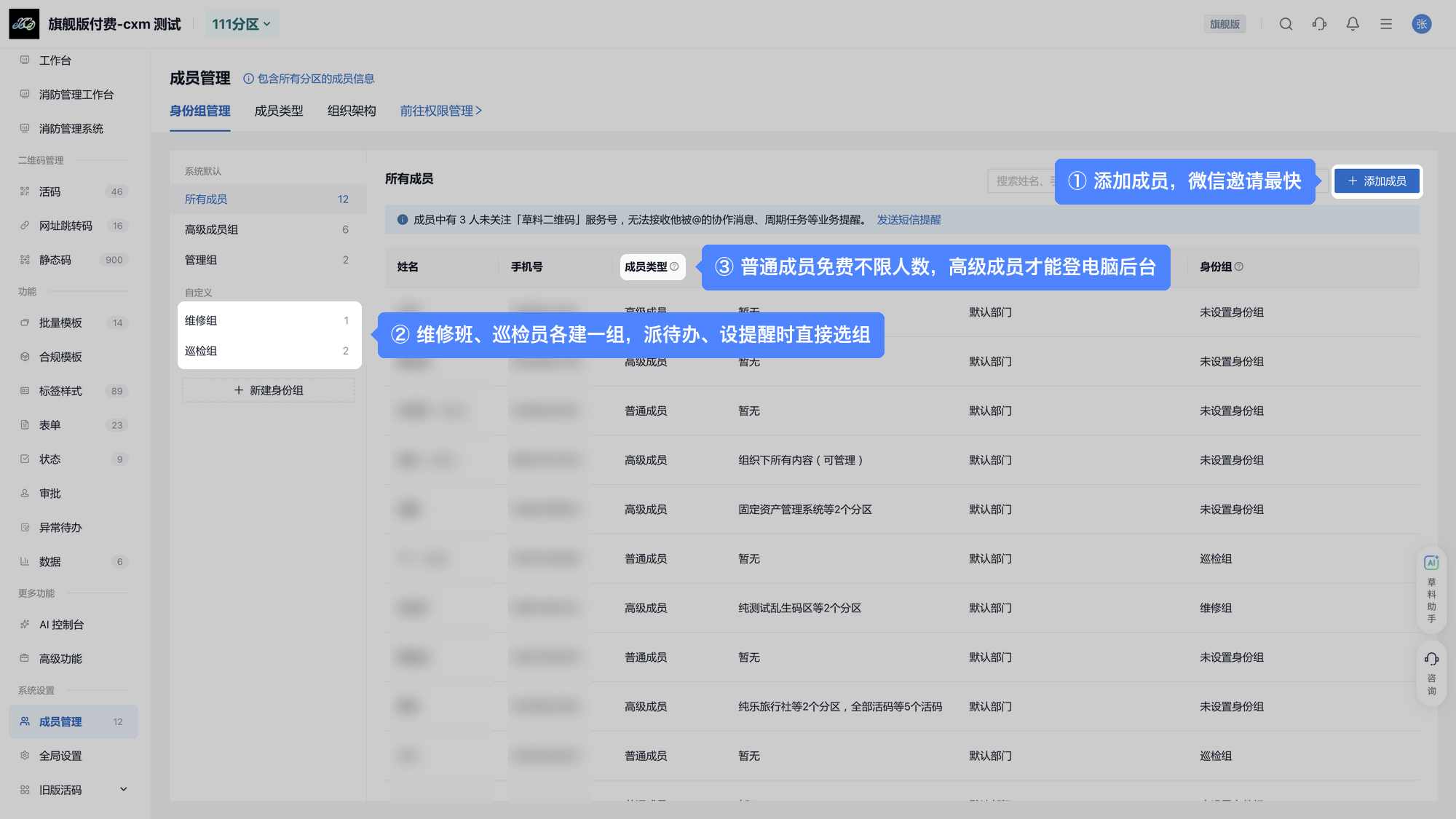
3. Assign Management Scope by Role
| Management scope | What they can do | Suitable for |
|---|---|---|
| Manage all content in the organization | "Can manage" can view and modify all QR codes and data; "View only" can only view and export | Colleagues who build codes with you, company leads |
| Manage a specified partition | Manages only their own partitions; data is isolated between partitions | Project or store leads |
| Manage specific dynamic QR codes / directories | Manages their own batch of QR codes on mobile only; cannot log in to the desktop workbench | Team leaders, area inspection leads |
In Global Settings → Permission Management, you can see each person's scope: the management group manages all content in the organization, and responsible persons manage a specified partition or specific dynamic QR codes.
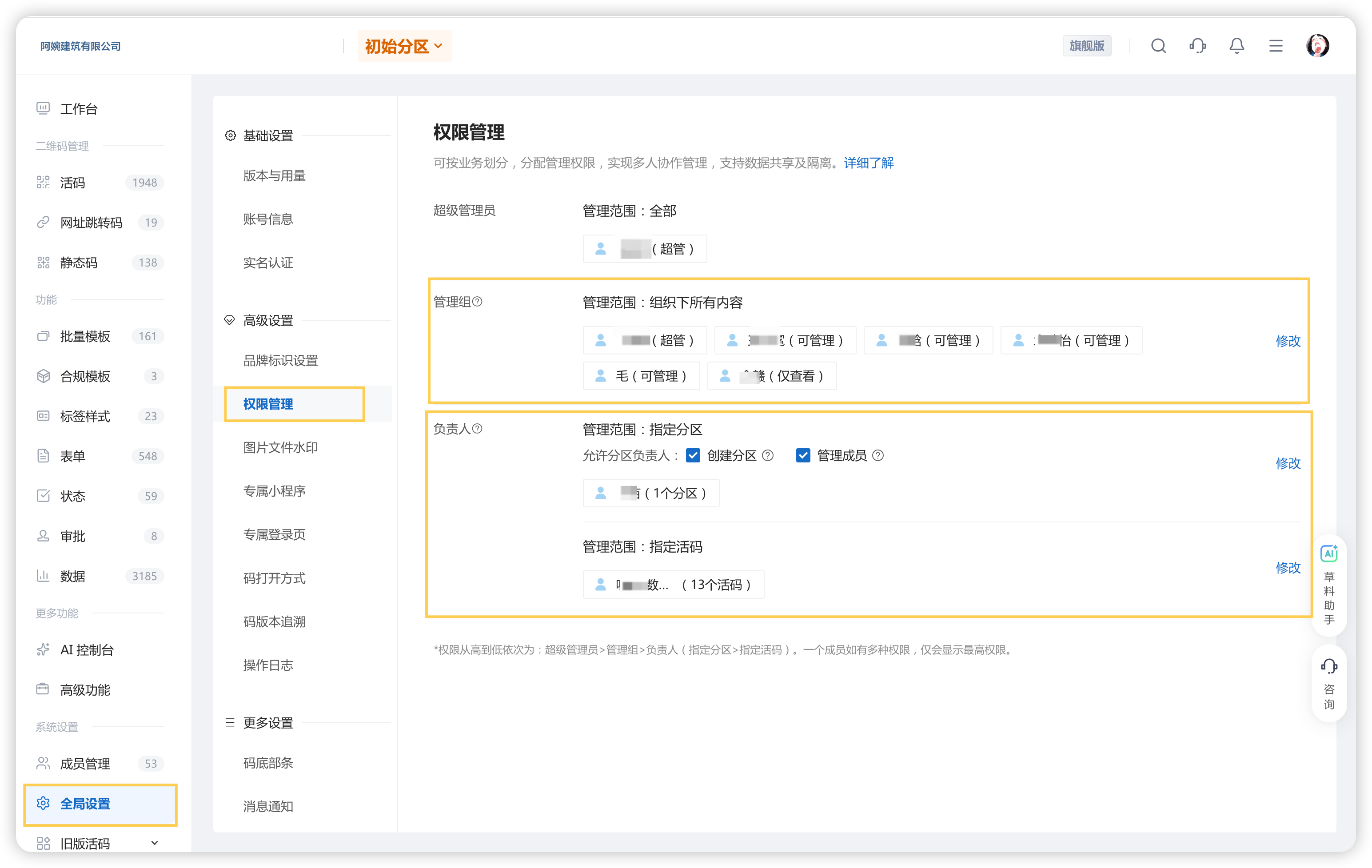
For detailed setup steps for each scope, see Advanced Members.
4. Operation Records and Content Control
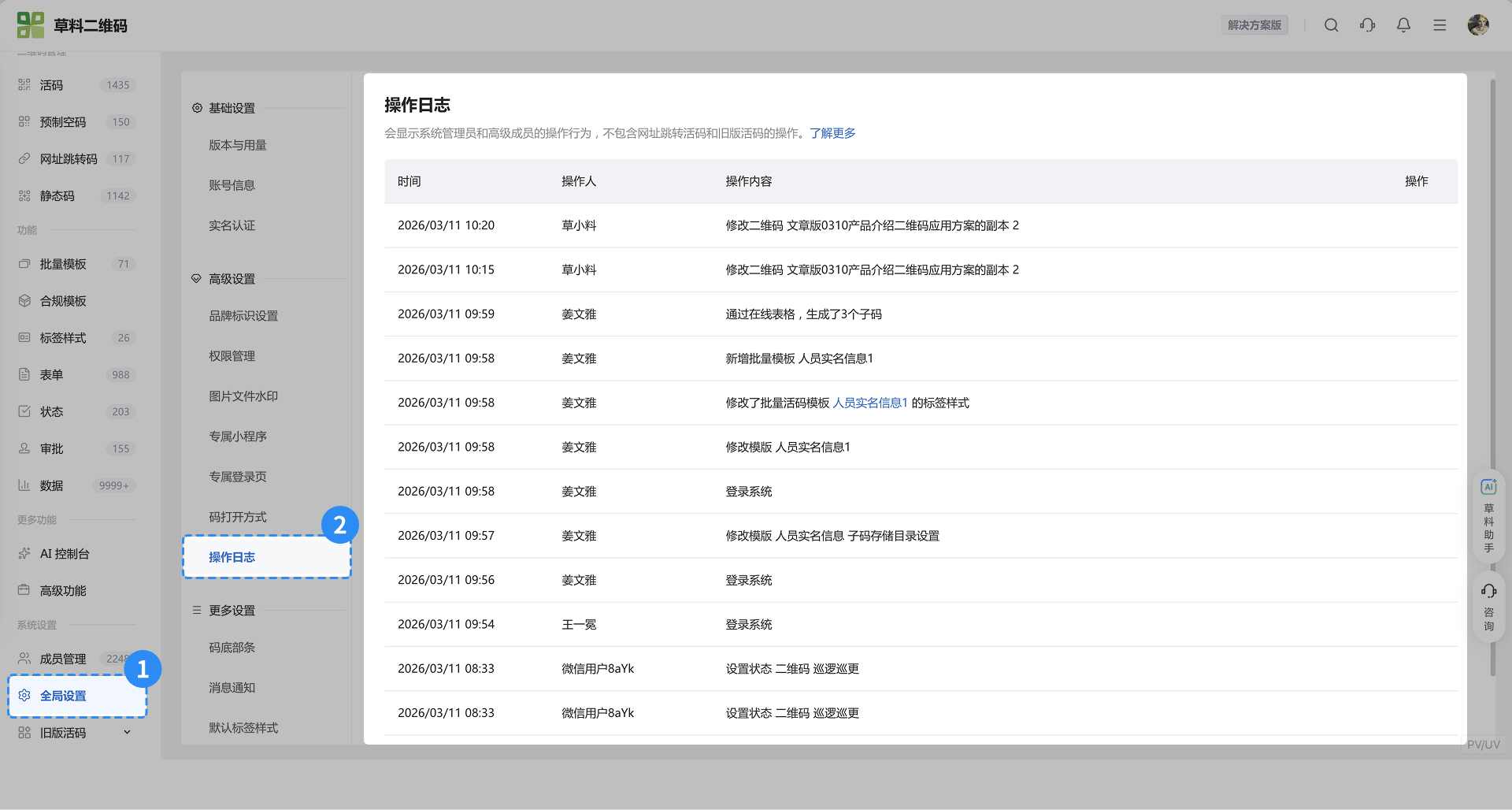
All paid versions include the Operation Log, which records when each member logs in, creates, modifies, or deletes QR codes, downloads labels, or exports data. The Operation Log records the operator by the account used to log in, so everyone needs to use their own account for you to tell who did what.
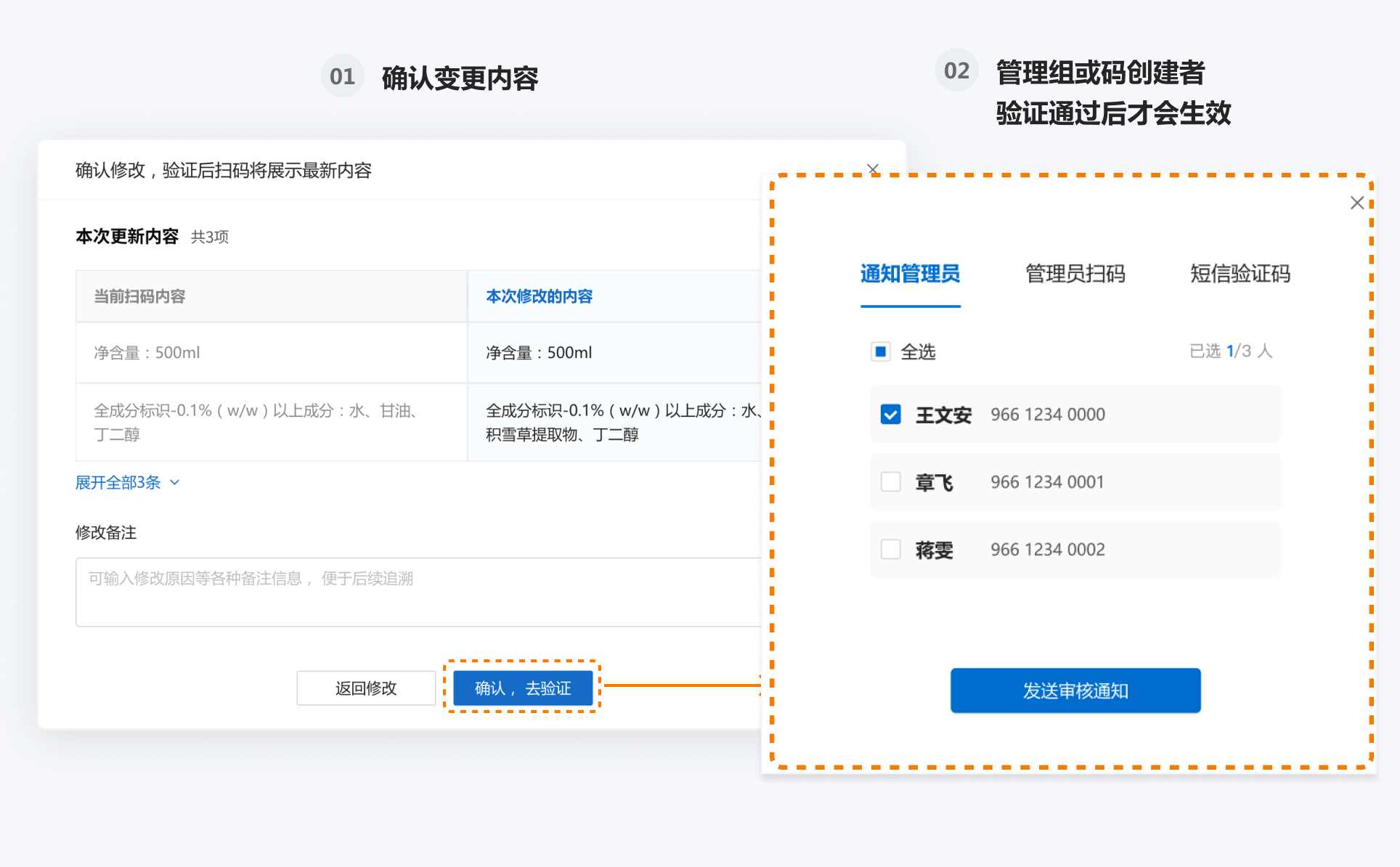
Flagship version and above can also turn on two stricter content controls, which the Advanced version does not support. Upgrade to Flagship ›
Content update protection: changes made by members take effect only after they are verified, so a wrong edit is not shown to people who scan.
Code version snapshots: a snapshot is saved automatically on every change, so when something goes wrong you can see which change caused it.
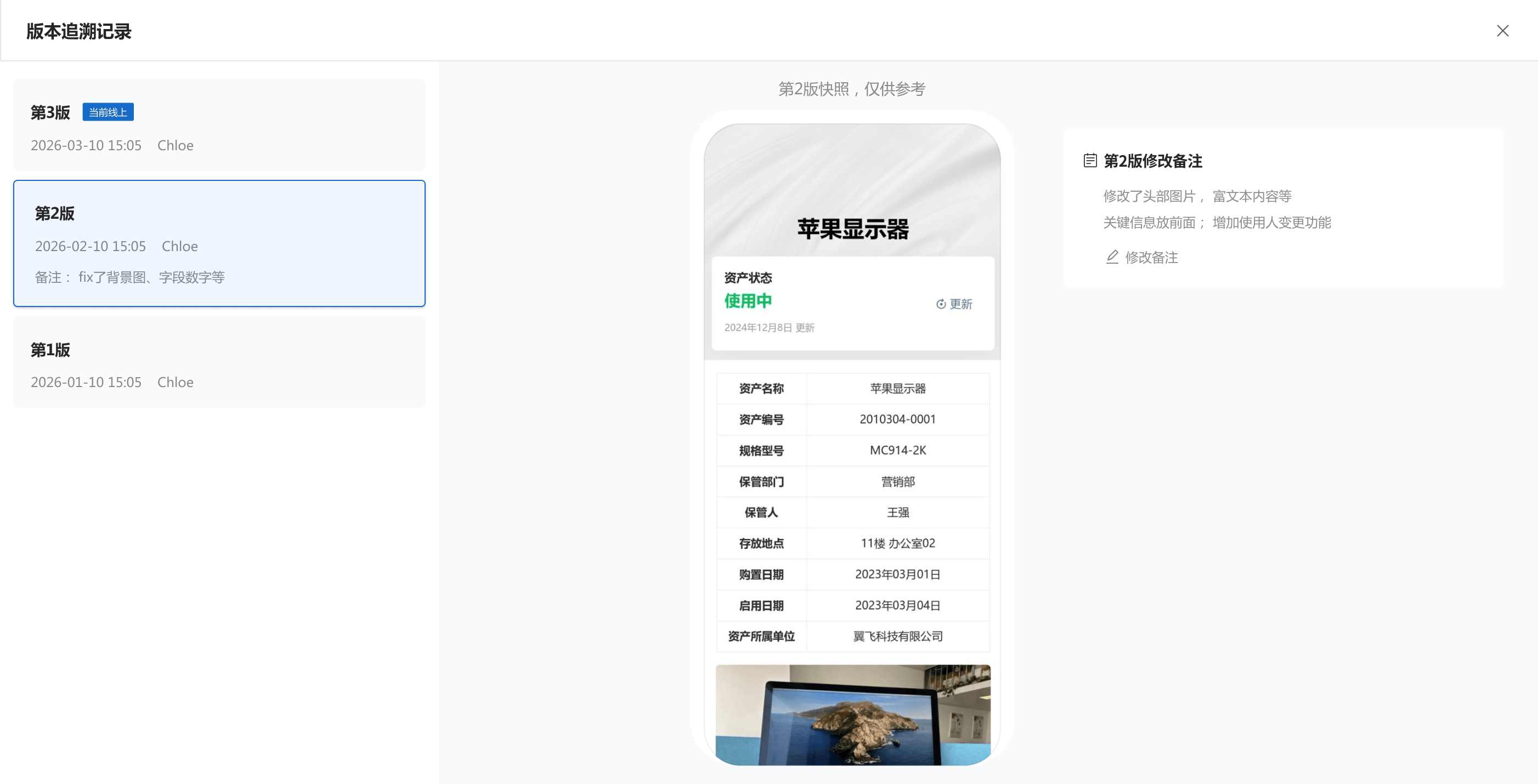
5. Comparison by Version
| Version | Advanced members | Operation Log | Content control |
|---|---|---|---|
| Free version | None | No | No |
| Basic version | None | Yes | No |
| Advanced version | 2 | Yes | No |
| Flagship version | 20 | Yes | Yes |
| Industry Edition | 170 | Yes | Yes |
Note: The super admin does not use an advanced member quota. If you need more, you can buy add-ons from the Advanced version up, at 96 yuan/person/year. View add-on instructions
The Free and Basic versions need to upgrade to the Advanced version or above first. Upgrade to Advanced ›
FAQ
1. My colleague sees "No login permission" when logging in. What should I do?
There are three common causes: the mobile number entered when adding them differs from the one they log in with; they are not yet an advanced member of your organization; or their scope is "Manage specific dynamic QR codes / directories", which only works on mobile. Ask the super admin to check in Member Management.
2. Can basic members log in to the desktop workbench?
No. Basic members are free and unlimited. They can scan to view content and fill in forms on mobile, but cannot log in to the desktop workbench.