Operation Log
When an enterprise team uses QR codes to manage their business, multiple members are often involved. The operation log feature records team members' actions in the CaoLiao workbench, making key operations traceable and auditable — leading to clearer management.
Important Operations Are All Recorded
The operation log records key actions performed by team members in the CaoLiao QR Code workbench, for example:
- Logging into the system
- Creating / modifying / deleting QR codes
- Downloading labels
- Exporting data
Each log entry records:
- Timestamp of the operation
- Person who performed the operation
- Content of the operation
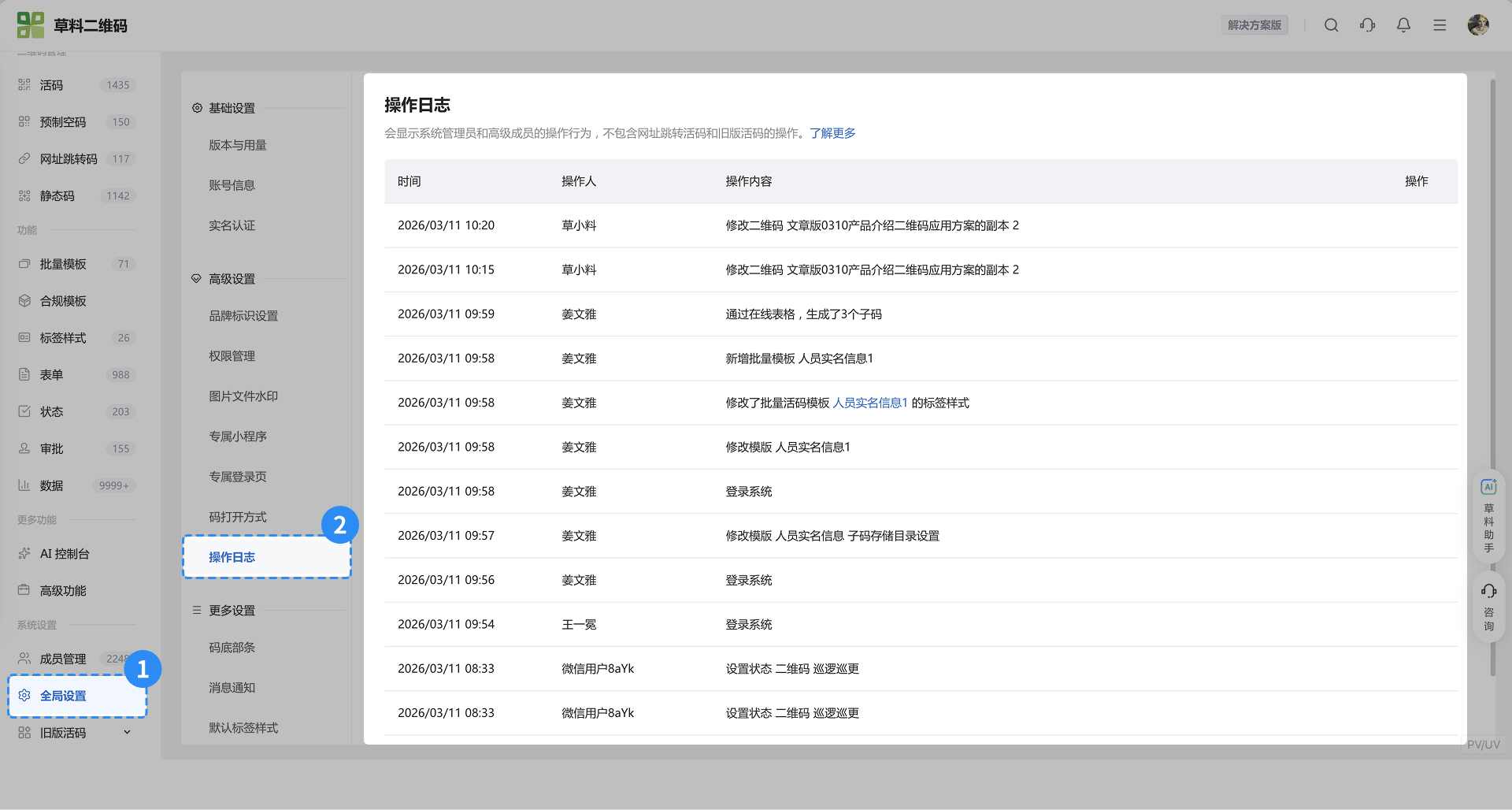
Operation Trail — Clearer Team Management
The operation log not only helps administrators understand team members' activities, but also creates a complete operation trail for key actions in the system. Combined with other CaoLiao capabilities such as QR code content locking and version history, important data changes become more transparent and traceable.
Operations are traceable: When QR code content is modified or deleted, you can quickly identify who performed the action, eliminating unclear accountability.
Improved team management transparency: Administrators can understand how team members are using the system, making management clearer.
Reduce the risk of accidental operations: Through operation records, problems can be located and addressed more quickly.
Available After Upgrading to Any Paid Plan
The operation log is a paid feature. After upgrading to any paid version, it becomes available. Once enabled, administrators can view all operation logs since the account was created, making it easy to look up historical records and conduct reviews.