Remove the CaoLiao Mark and Show Your Enterprise Brand
The paid Basic Edition and above can remove the CaoLiao mark, and can also show your enterprise brand on the scan page, so customers, employees, and partners see a clear enterprise identity, which strengthens your image and the credibility of your content.
I. Overview of Brand Display Capabilities
Brand display capabilities fall into four types:
| Capability | Main Purpose | Notes |
|---|---|---|
| Remove the bottom CaoLiao mark | The CaoLiao mark no longer shows at the bottom of QR code content pages, form submission pages, record detail pages, and similar pages | Paid Basic Edition and above |
| Remove image and file watermarks | Images and files drop the CaoLiao mark watermark and are shown in HD watermark-free storage | Paid Basic Edition and above |
| Show the enterprise brand identity | Shows the enterprise logo and name in the code bottom bar, in QR code share screenshots, and in the "second floor card" when the code is pulled down | The free version can turn it on for 3 codes; paid versions have no limit |
| Exclusive enterprise Mini Program | Shows the enterprise's own Mini Program name, logo, and home page when scanning in WeChat | Paid users can buy it separately |
II. Remove the CaoLiao Mark and Image/File Watermarks
The paid Basic Edition and above can remove the CaoLiao mark, and can also set a custom watermark as needed:
| Capability | Notes |
|---|---|
| Remove the bottom CaoLiao mark | The CaoLiao mark no longer shows at the bottom of QR code content pages, form submission pages, record detail pages, and similar pages |
| Remove the CaoLiao mark watermark on images and files | Images and files show no CaoLiao mark watermark within HD watermark-free storage |
| Custom watermark | You can overlay the enterprise's own text watermark on image, file preview, and code preview pages |
Images and files use the HD watermark-free storage provided by the current account's edition. Within the storage capacity, the CaoLiao mark watermark is removed and images show in HD; images and files beyond it show the CaoLiao mark watermark. You can check the remaining storage under "System Settings" → "Global Settings" → "Edition and Usage".
For related information, see Image and File Notes.
III. Show Your Enterprise Brand at Key Scan Positions
The brand identity uses the enterprise logo and name set in the account, and shows them where scanners easily see them. The free version can turn it on for 3 codes; paid versions have no limit.
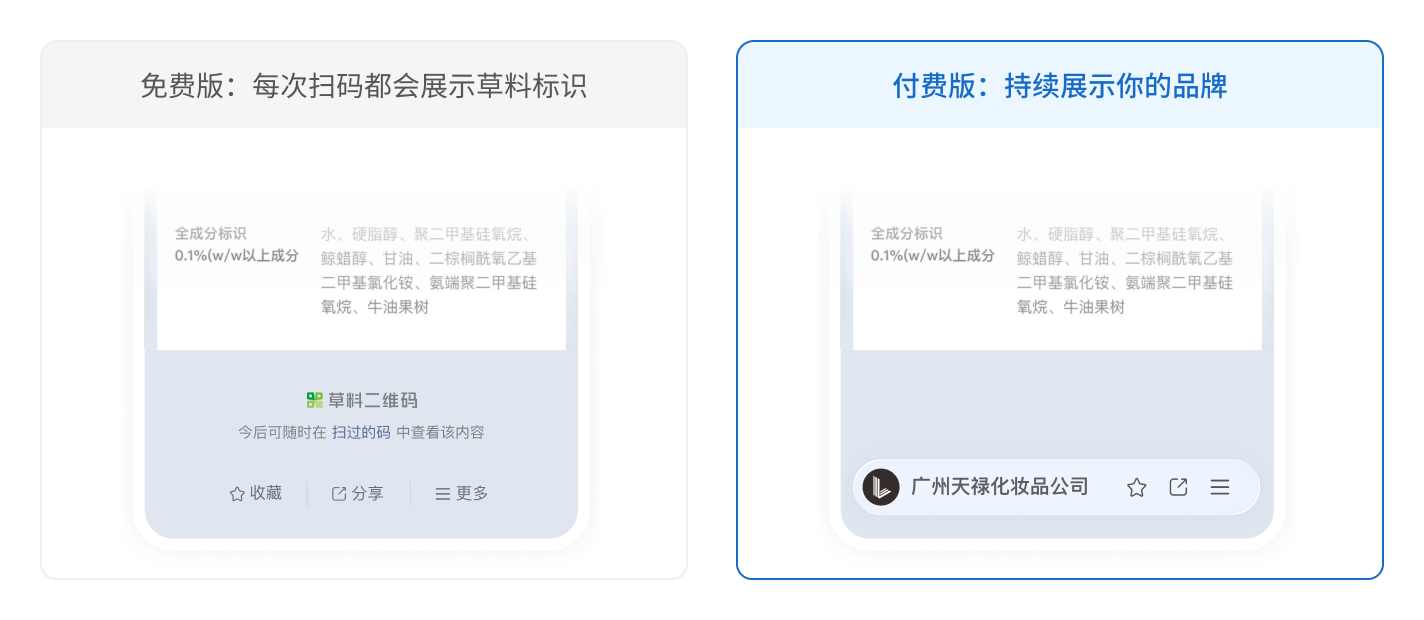
1. Show the Enterprise Identity in the Code Bottom Bar
The code bottom bar sits at the bottom of the QR code page and can show the enterprise logo and name, with a configurable click-through page.
2. Brand Information in QR Code Share Screenshots
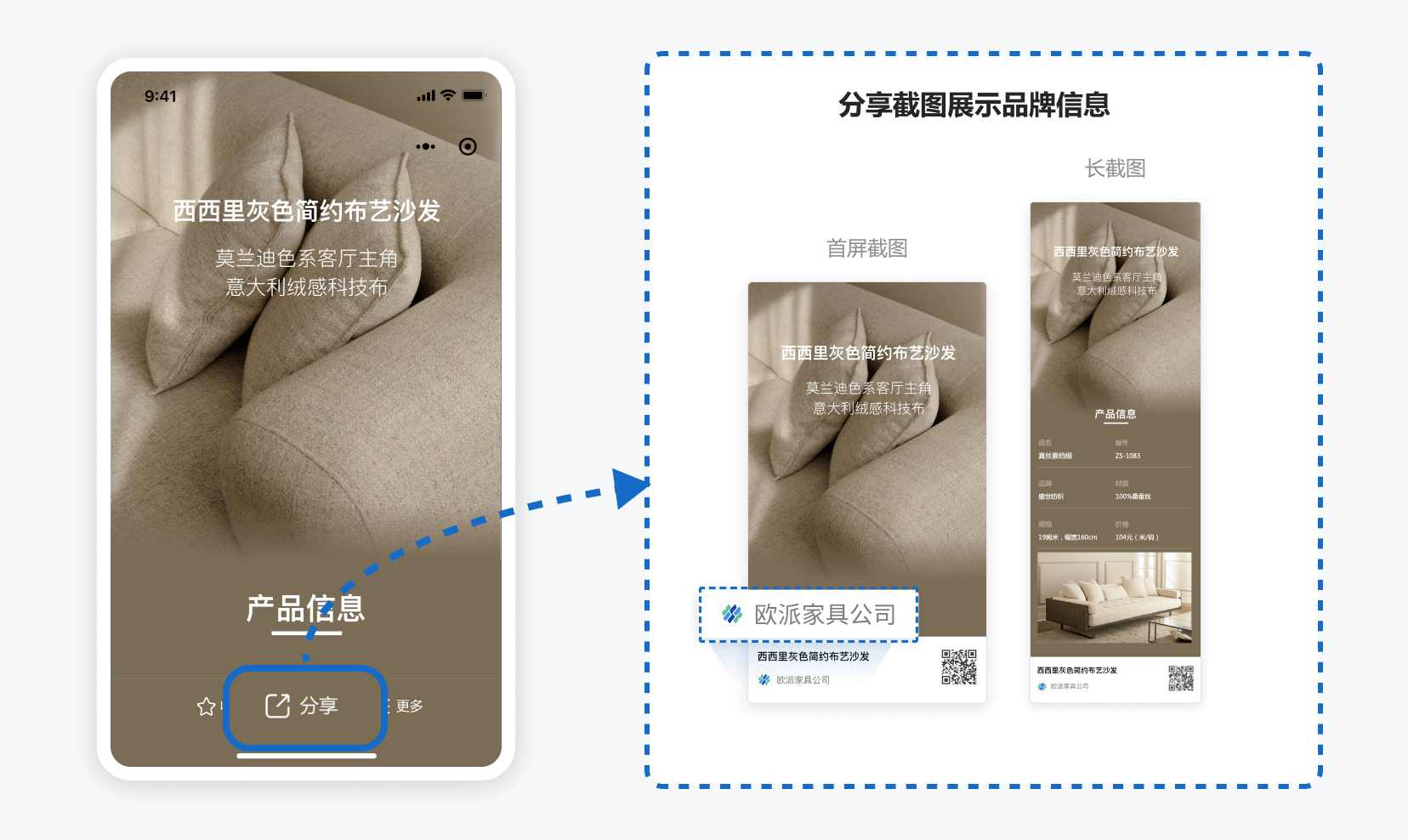
When you share a screenshot of a QR code page, it can carry the enterprise brand information, so recipients can see where the content comes from without opening the page.
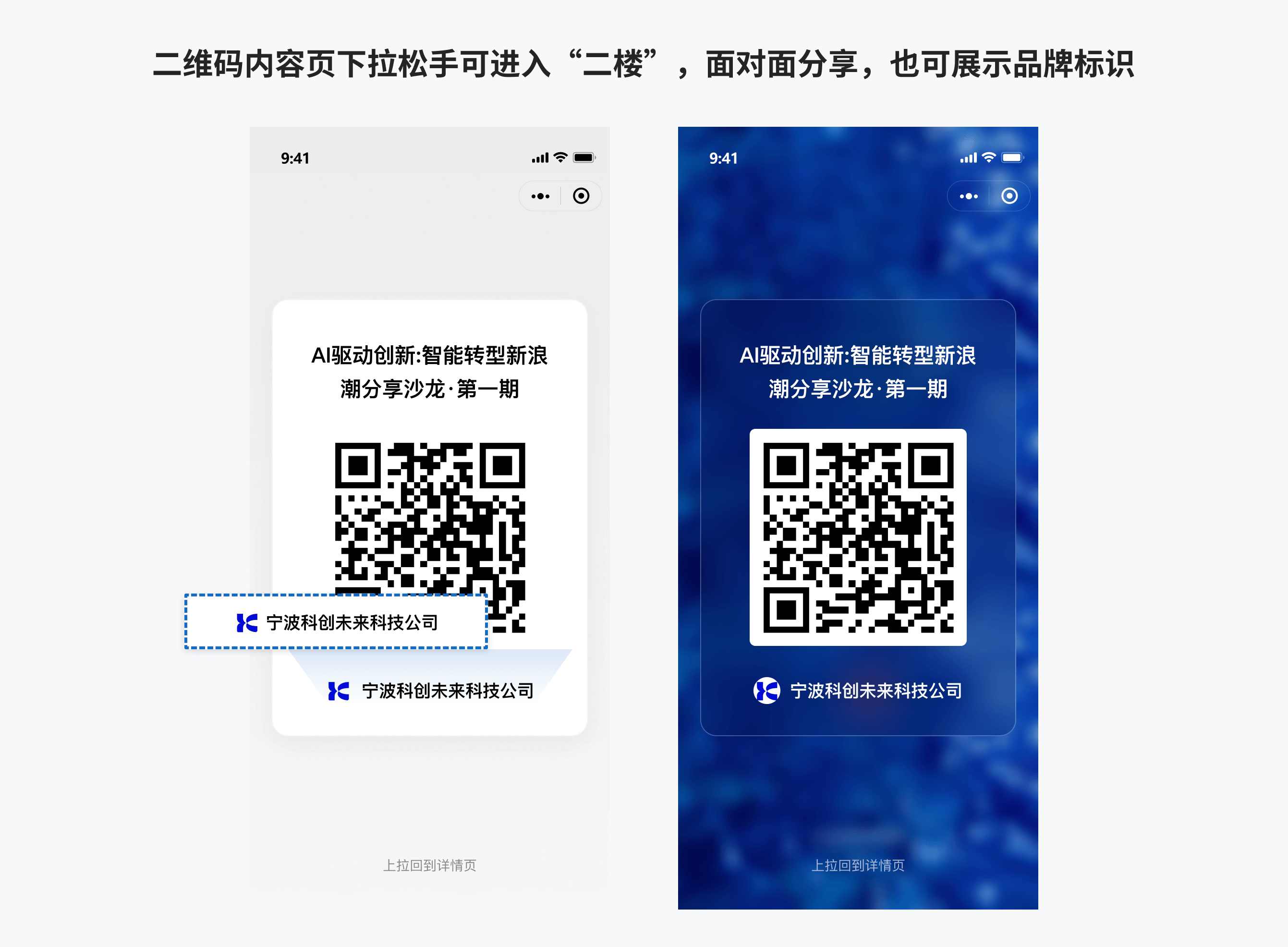
3. More Brand Exposure in the Pull-Down "Second Floor Card"
When a scanner pulls down the QR code page, they see an enterprise brand card. It suits face-to-face scanning such as live demos, in-store service, and exhibition introductions.
IV. The Exclusive Enterprise Mini Program Makes the Enterprise the Subject in WeChat
If you want WeChat scans to show the enterprise's own Mini Program name, logo, and home page, you can buy the "Exclusive Enterprise Mini Program" separately on top of a paid version.
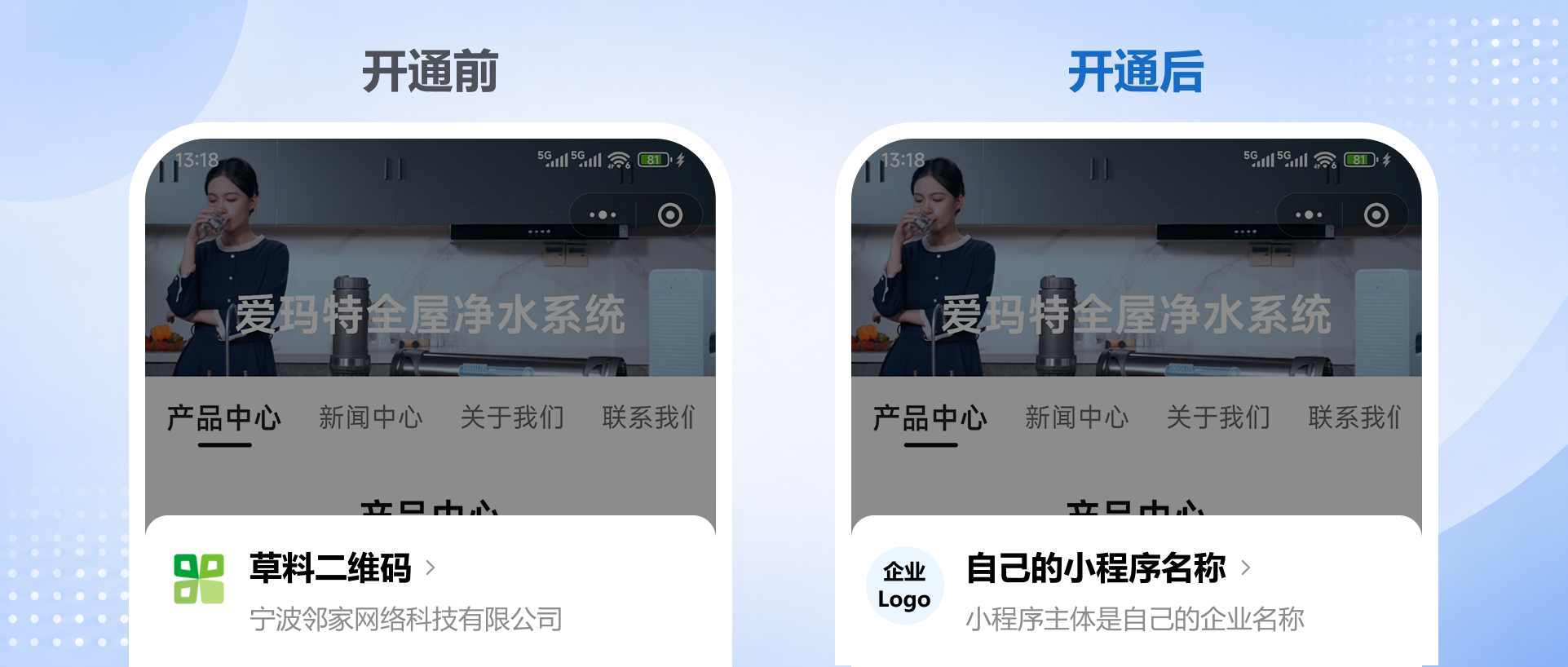
After buying it, the main changes are:
- When a dynamic QR code is opened by a WeChat scan, your company's Mini Program name and logo are shown.
- The Mini Program home page can be set up as a company introduction, business entry, internal management entry, or public showcase page.
- Most dynamic QR codes that already opened in a Mini Program usually don't need to be replaced.
- You can also choose to receive form reminders and collaboration messages through the enterprise's own Official Account.
Before buying, please confirm:
- You need to buy a paid CaoLiao version first.
- You need a WeChat Mini Program account for a non-individual entity.
- After buying, you still need to complete WeChat verification, filing, authorization, and review.
- This is not custom development or private deployment, and QR code content is still made and managed in the CaoLiao workbench.
- The regular add-on price is a one-time payment of ¥2,800, subject to the purchase page.
For a detailed introduction, see Exclusive Enterprise Mini Program Feature Introduction.