Mini Program Management — Feature Introduction
CaoLiao QR Code uses a combined desktop and Mini Program model.
The desktop provides system building, QR code generation, and management services. The Mini Program serves as the operation interface — actions taken after scanning in WeChat are completed in the Mini Program. It also provides a Mini Program workbench for managing QR codes, data, dashboards, members, and operations anytime, anywhere from your mobile device.
Feature Introduction
I. Enter the Mini Program After Scanning
When generating a QR code, you can customize how the QR code opens (free users' QR codes open using the CaoLiao QR Code Mini Program by default). No additional app download is required — after scanning, users can view content, fill out forms, update status, and more right within the WeChat Mini Program. Every scan record is also saved under the user's account.
II. Mini Program Workbench
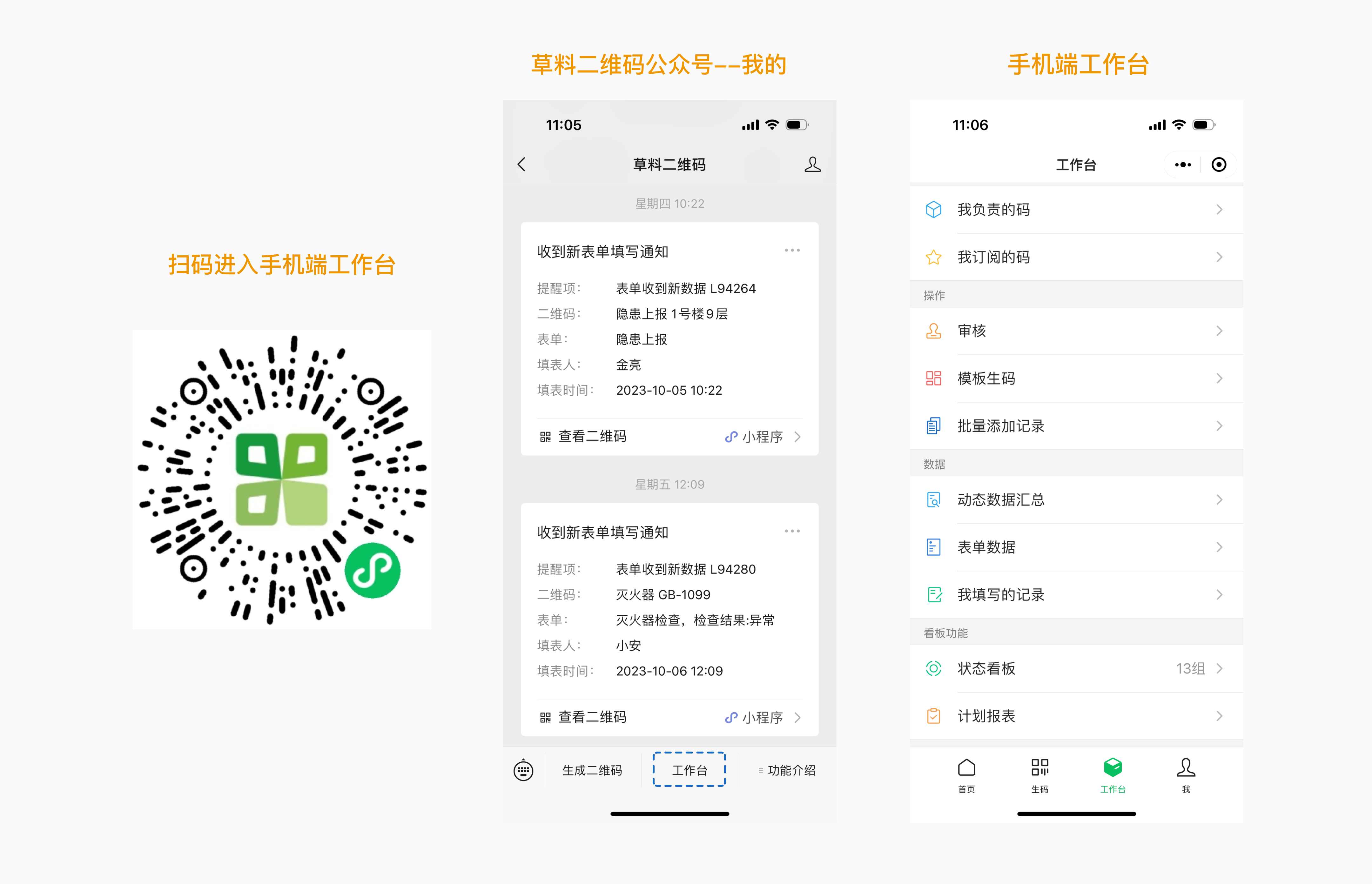
Click [Workbench] in the CaoLiao QR Code Official Account menu bar, or scan the QR code below to quickly access the CaoLiao QR Code Mini Program workbench.
-
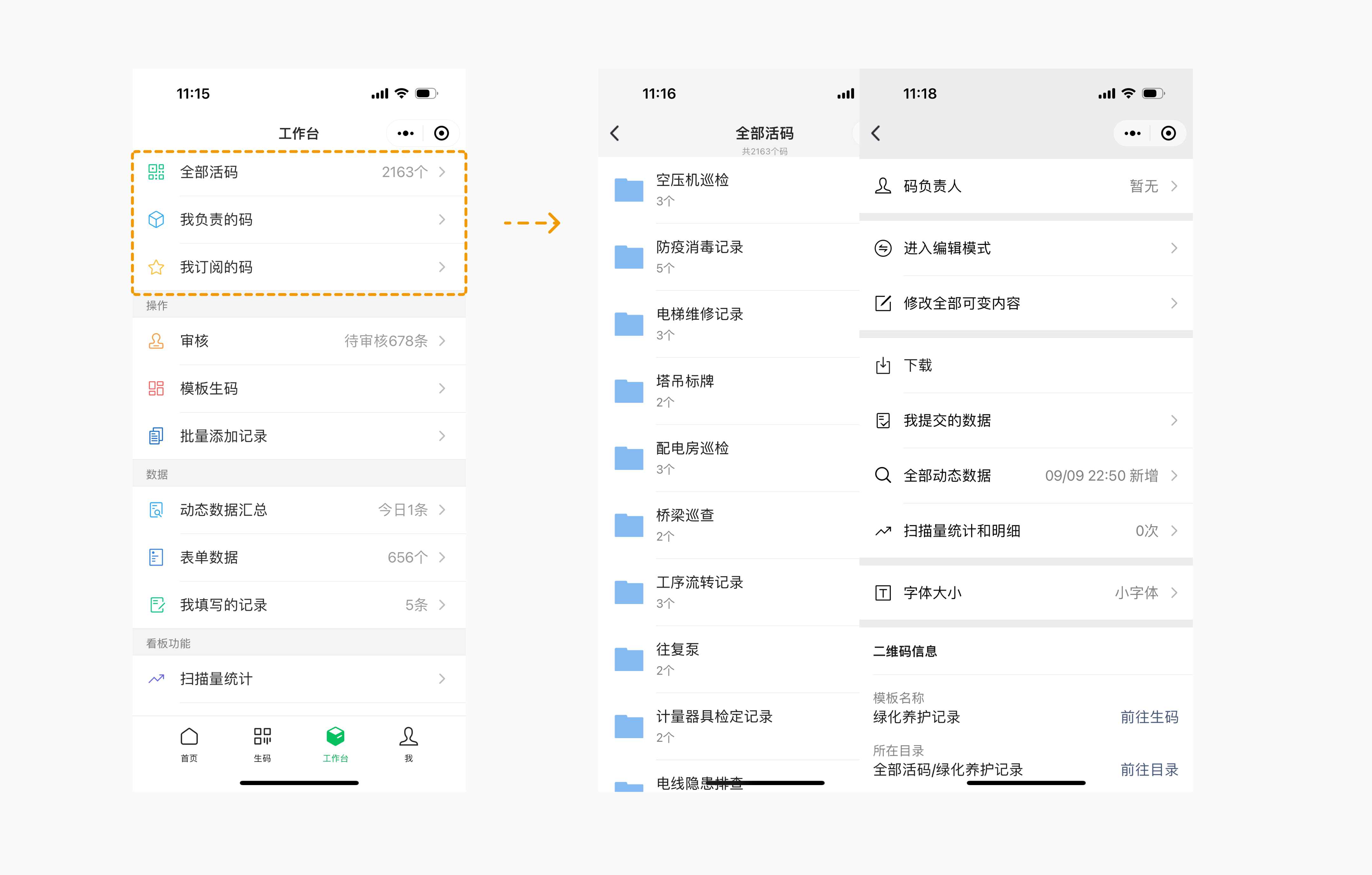
View and manage QR codes
Administrators and advanced members can view all dynamic QR codes under the account, as well as codes they are responsible for or subscribed to, and perform actions such as downloading, sharing, and deleting. Authorized managers can also add responsible persons for codes and create directory summary QR codes directly in the Mini Program workbench.
-
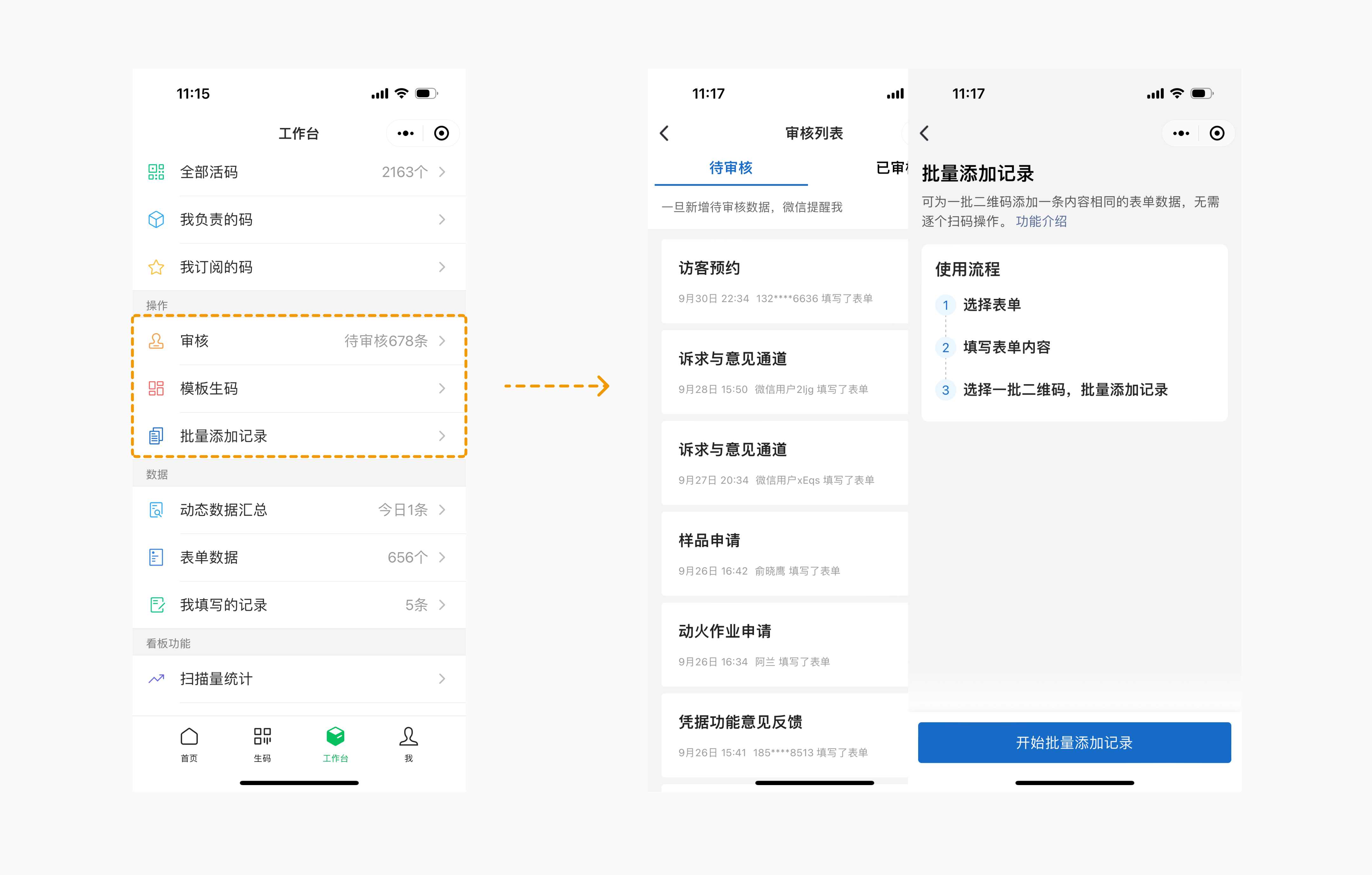
Review and batch-add records
Administrators and designated collaborative members can review form data in the Mini Program workbench and notify submitters of review results. Administrators and advanced members can use the batch-add records feature to add the same form entry to a batch of QR codes at once — no need to scan each one individually.
-
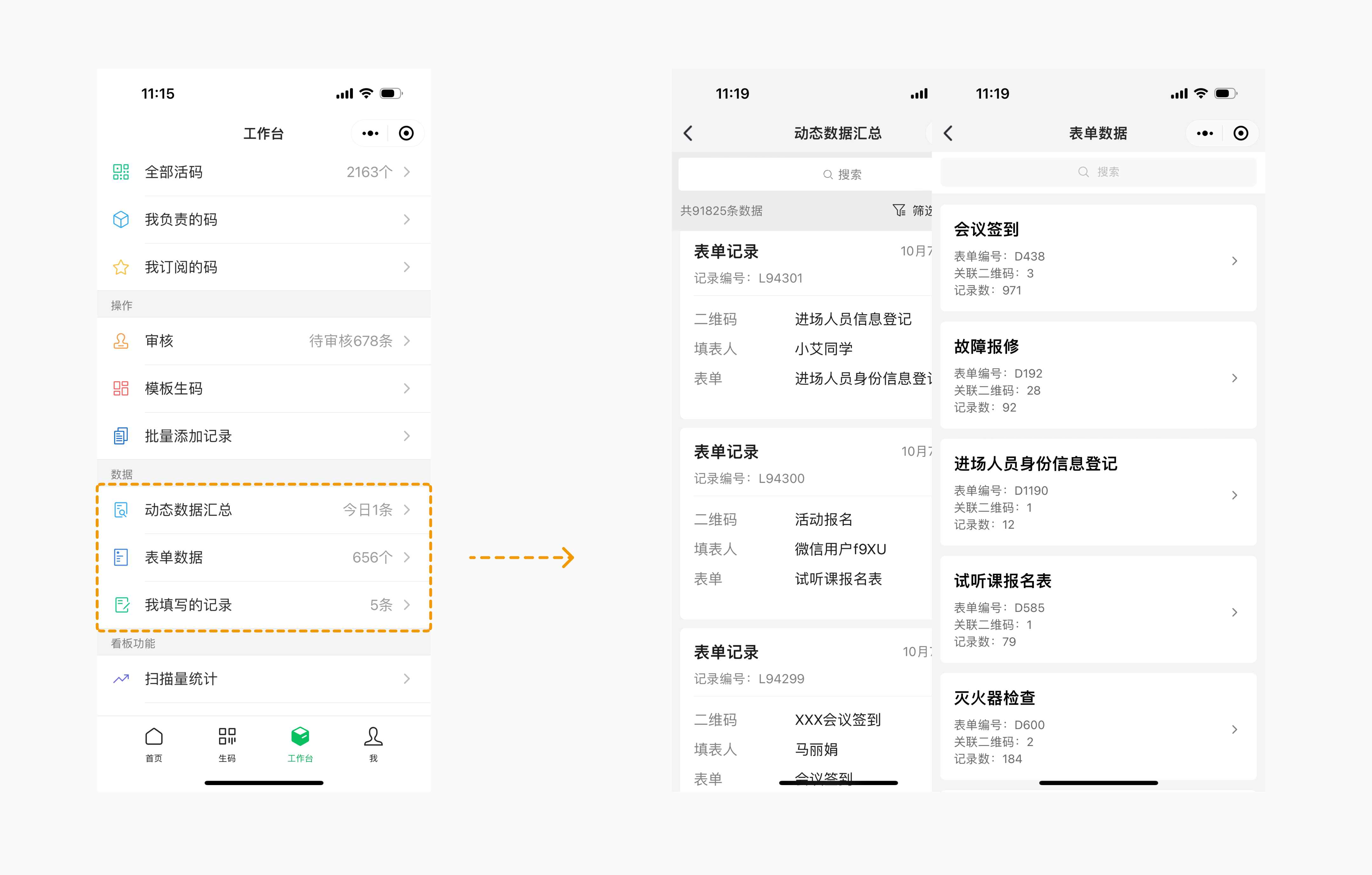
Data management
Administrators and advanced members can view form data, dynamic data summary including form records and status changes, and filter by submission time, QR code, form, and other criteria in the Mini Program workbench. Currently, the Mini Program workbench only supports exporting data in Excel format.
-
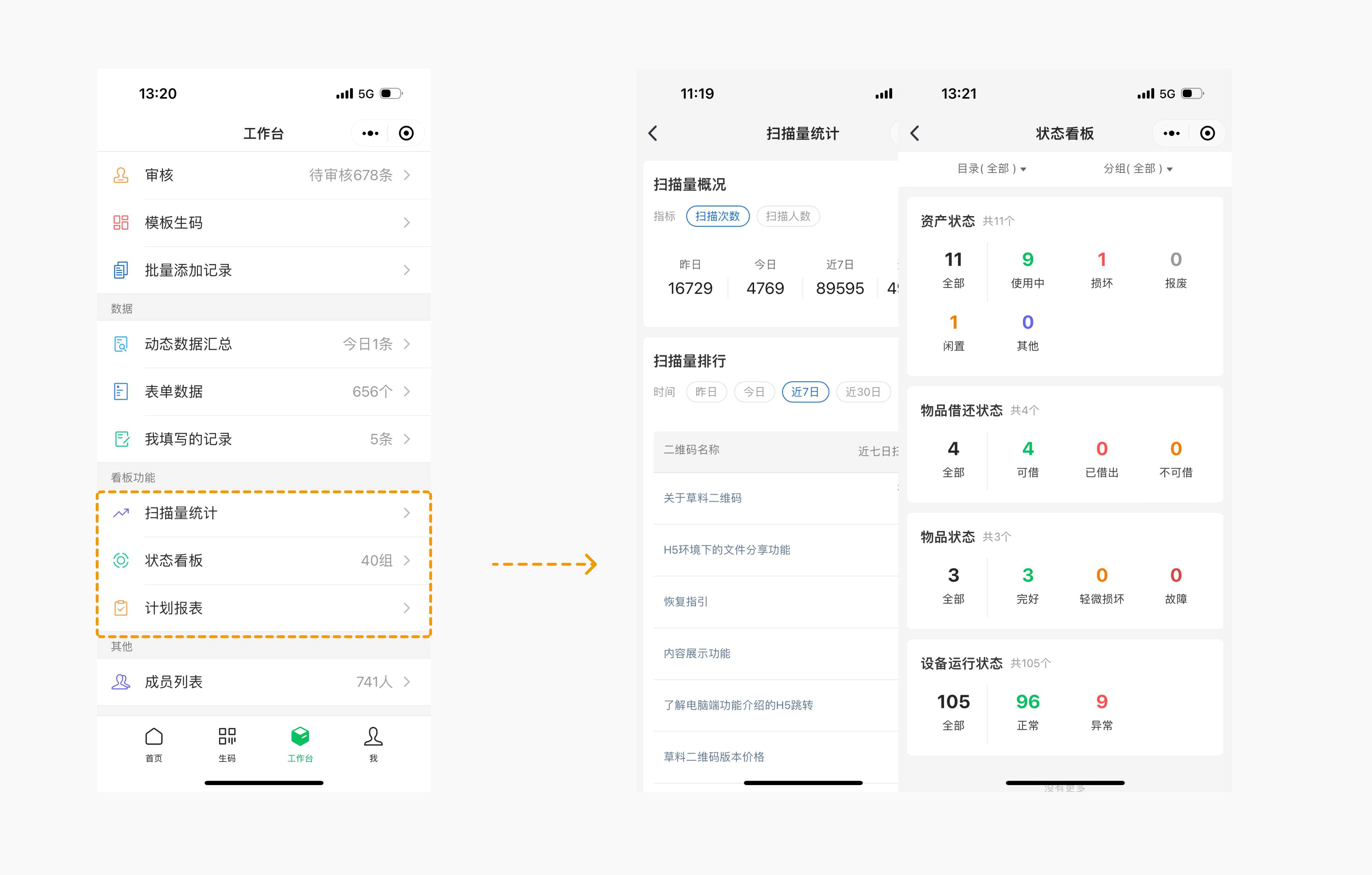
Dashboard features
Administrators and designated collaborative members can view QR code scan statistics, the status dashboard, and task plan completion from the Mini Program workbench at any time, anywhere. For example, even without visiting the inspection site in person, you can check the inspection status of every location in real time from the workbench.
-
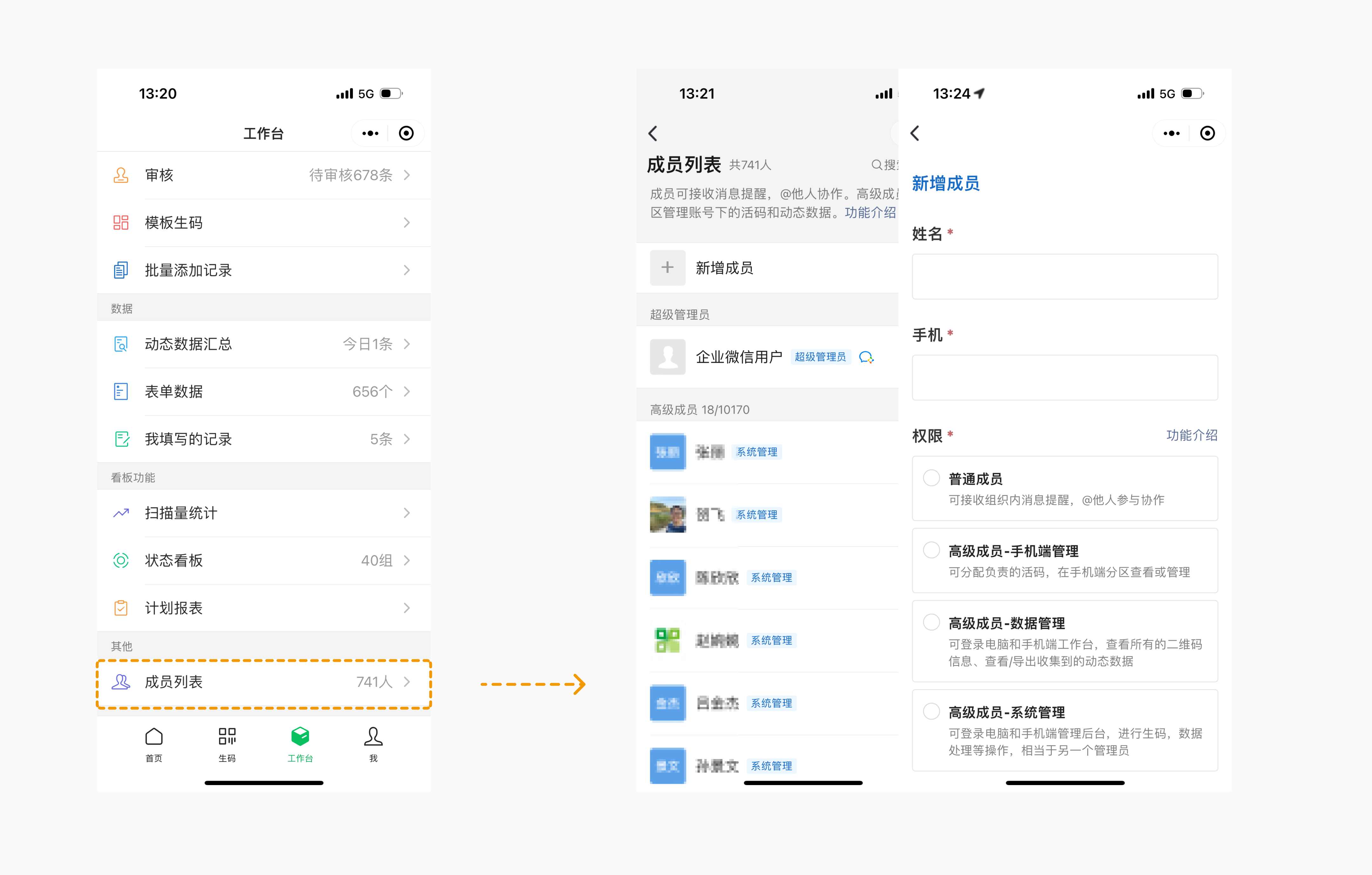
Member management
The member feature is mainly used for managing personnel within a company or organization — grouping employees by department, role, and other dimensions for collaborative management, viewing, or operating QR codes. In the Mini Program workbench, you can add and remove members, and view a member's assigned codes and their scan history.
III. Quickly View Previously Scanned Codes
All users can view codes they have scanned, favorited, and updated on the home page of the "CaoLiao QR Code" Mini Program. For example, QR codes you have scanned before can be found quickly in "Scanned Codes" — no need to scan again to view and manage content.

IV. Save and Manage Bulk Templates
On the "Generate Code" page, you can quickly generate static QR codes and individual dynamic QR codes. Batch generation of dynamic QR codes in the Mini Program is not currently supported, but a rich template library is available for browsing relevant templates and saving them to your account. Saved bulk templates can be viewed in the desktop workbench under "My Templates."

V. Exclusive Enterprise Mini Program
Industry Edition users can customize the Mini Program name, logo, home page, and more. CaoLiao's technical team manages the integration to provide enterprises with an exclusive Mini Program — all generated QR codes run within this enterprise Mini Program as an independent QR code business platform.

Further Reading
As of May 2023, the cumulative number of unique visitors to the CaoLiao QR Code Mini Program has exceeded 400 million.
The CaoLiao QR Code Mini Program has consistently ranked in the top 40 on the Aladdin Mini Program ranking list, within the top three among utility Mini Programs, and has been honored with the 8th "Shendeng Award" for Best Tool Content Mini Program of the Year.