QR Code Encryption
Each QR code can have encryption set individually. For bulk-generated codes, encryption can be configured uniformly in the bulk template — no need to set each one separately.
Single Dynamic QR Code
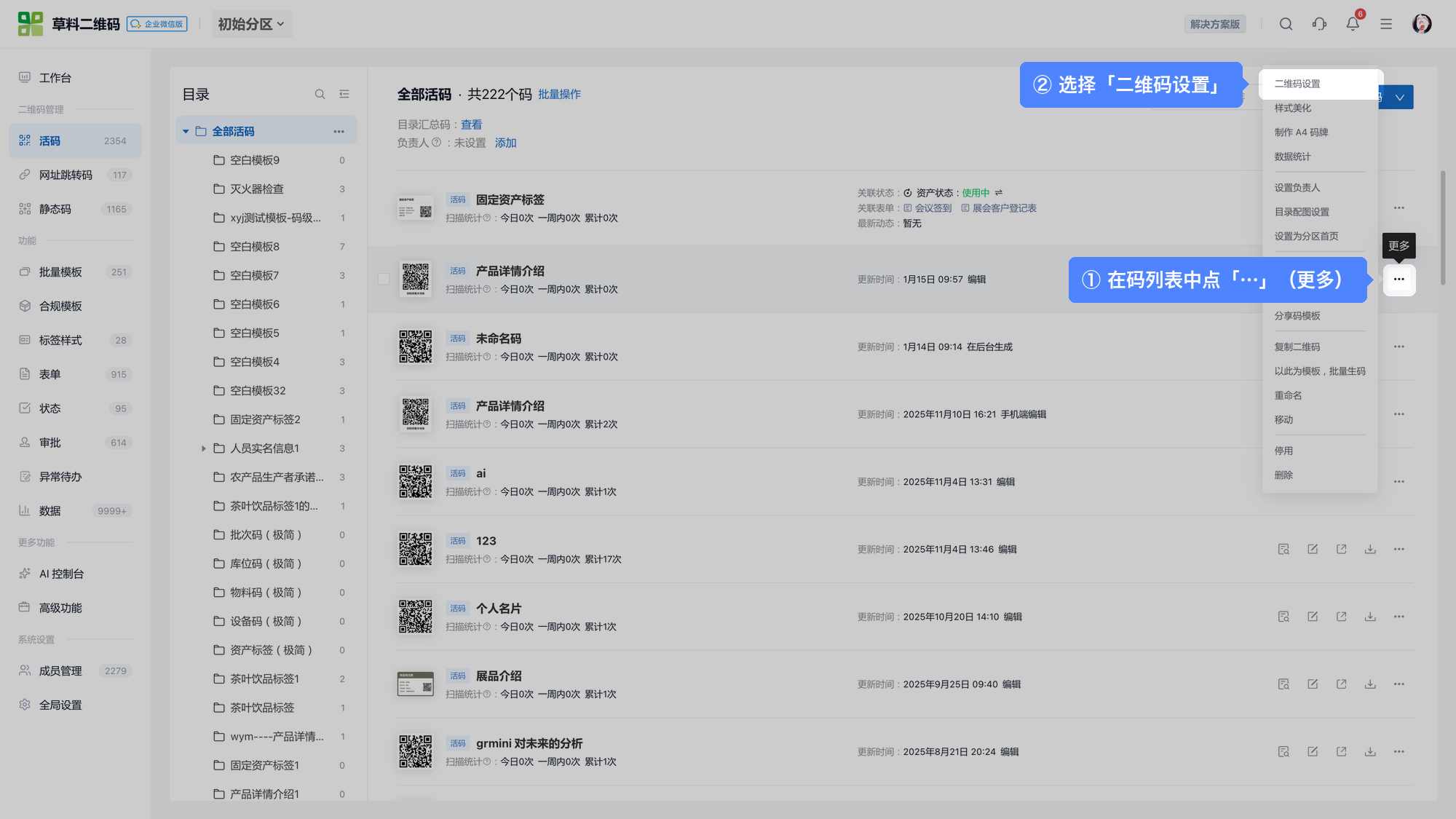
Log in and click [Enter Backend] in the top-right corner. Find the QR code in the Dynamic QR Codes list on the left, then go to More (…) → QR code settings → Viewing permission to apply encryption.

You can also modify viewing permissions from the QR code preview page.


After a QR code is encrypted, scanning it on mobile displays the following:

Bulk QR Code Generation
Go to the bulk template details page and modify the viewing permissions there.

