URL Dynamic QR Code — Feature Introduction
Generate a QR code for any URL. Scanning it redirects users to the target web page. Once generated, the redirect link can be changed at any time — no need to recreate the QR code or replace printed materials. The QR code remains valid indefinitely and supports free scan statistics.
I. How It Works
The core logic of a URL dynamic QR code is "short-link relay".
-
Generation phase: CaoLiao does not encode your target URL (A) directly into the QR code. Instead, it first creates a fixed short link (B) and encodes that short link (B) into the QR code.
-
Scanning phase: When a user scans the code, they first access the short link (B), and the system automatically redirects them to the target URL (A) you have set.
Benefits of this approach:
-
Updatable at any time: You can update the target URL (A) in the workbench at any time, but the QR code pattern (generated from B) does not need to change. Printed materials remain usable.
-
Clean pattern: No matter how long the target URL is, the generated QR code pattern is always compact — not only aesthetically pleasing but also easier to scan.
-
Scan statistics: You can track scan counts, timestamps, geographic data, and more.
II. Redirect Rules
Because URL dynamic QR codes support "changing the link at any time," bad actors could potentially exploit this mechanism to maliciously substitute content (e.g., showing legitimate content initially, then replacing it with a non-compliant page). To guard against this and comply with regulatory requirements, the platform has established different redirect rules based on the target URL's security attributes, ICP registration status, and the account's plan. There are three cases:
1. Whitelisted Sites: Direct Redirect
If your target URL belongs to an official government website (.gov.cn), a major internet portal (such as Tencent, Alibaba, Baidu), a WeChat Official Account article, or other widely recognized trusted domains, the platform adds them to a security whitelist.
- Redirect behavior: Regardless of whether the account is paid, scanning redirects directly without showing a security notice page.
2. Unregistered Domains: "Risk Notice Page" Shown
For domains not registered with the MIIT (typically foreign servers or personal websites), the identity of the owner cannot be verified and the risk is high.
-
Redirect behavior: Regardless of whether the account is paid, a "risk notice page" is shown after scanning.
-
Page content: The page clearly informs visitors of the access risk. Users must acknowledge the risk and manually click to proceed.
3. Registered Domains: Differs Based on Account Plan
For domains that have completed ICP registration, the redirect experience varies based on the CaoLiao account's plan:
-
Free version accounts:
- Redirect behavior: A "redirect notice page" is shown.
- Page content: Displays the target URL's ICP registration information, the registrant entity, and server address.
- Reason: Although the domain is registered, free accounts have not signed the "Paid User Service Agreement," which means there is no formal contractual accountability. Per regulatory compliance requirements, users must manually click "Continue" to confirm they are knowingly proceeding.
-
Paid accounts (Basic Edition and above):
- Redirect behavior: No notice page; redirects directly.
- Reason: Paid users have signed the "Paid User Service Agreement" at the time of payment, providing a degree of risk management and security assurance. Therefore, scanning redirects directly for a smoother user experience.
III. Advanced Usage
Beyond basic single-URL redirects, you can also achieve more flexible functionality:
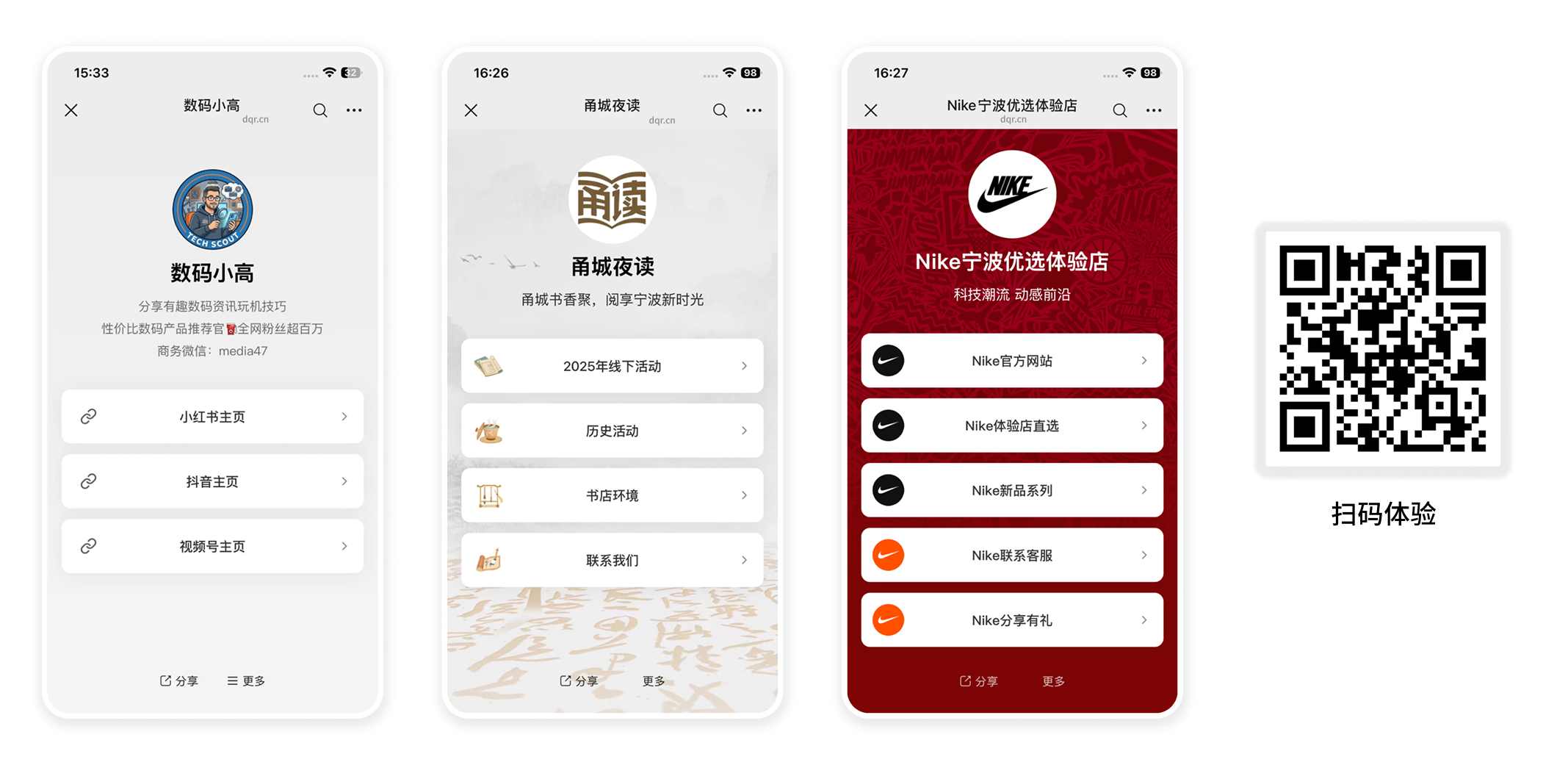
- Multi-URL aggregation (navigation page): If you have multiple links (e.g., official website, store, Official Account, video page), you can create a "multi-URL QR code." Scanning it displays a navigation menu where users can choose which link to open. Create one
IV. Frequently Asked Questions
1. What to Do If Scanning Can't Open the Page?
-
Expired URL: Copy your link into a browser and try accessing it. If the source link is broken, the QR code naturally won't work.
-
Format error: Extra spaces or line breaks may have been copied along with the URL. Try pasting it into Notepad to clean up the formatting before generating the QR code.
-
Platform blocking: Apps like WeChat, Taobao, and Douyin each have their own external link blocking rules. If it opens in WeChat but not in Douyin, that is a restriction of the app itself.
-
Content violation: Links involving online gaming, payments, pyramid schemes, gambling, or other content that violates laws or platform policies will be blocked by the system or scanning software.
2. Is Batch Generation Supported?
- The current "URL dynamic QR code" type only supports generating one at a time.
- To generate static URL QR codes (direct redirect, but link cannot be changed later and scan statistics are not available) for a batch of different URLs, use the platform's "Bulk QR Code Generation" feature.
3. Which URLs Cannot Be Made into QR Codes?
- Per applicable laws and regulations and WeChat's management policies, generating QR codes for the following is not supported: special commercial licenses (such as gambling apps, payment services), content that induces sharing (such as bargaining links or multi-level distribution), and illegal content including pornography, gambling, and fraud. See CaoLiao QR Code Content Management Policy for details.