Submitter List
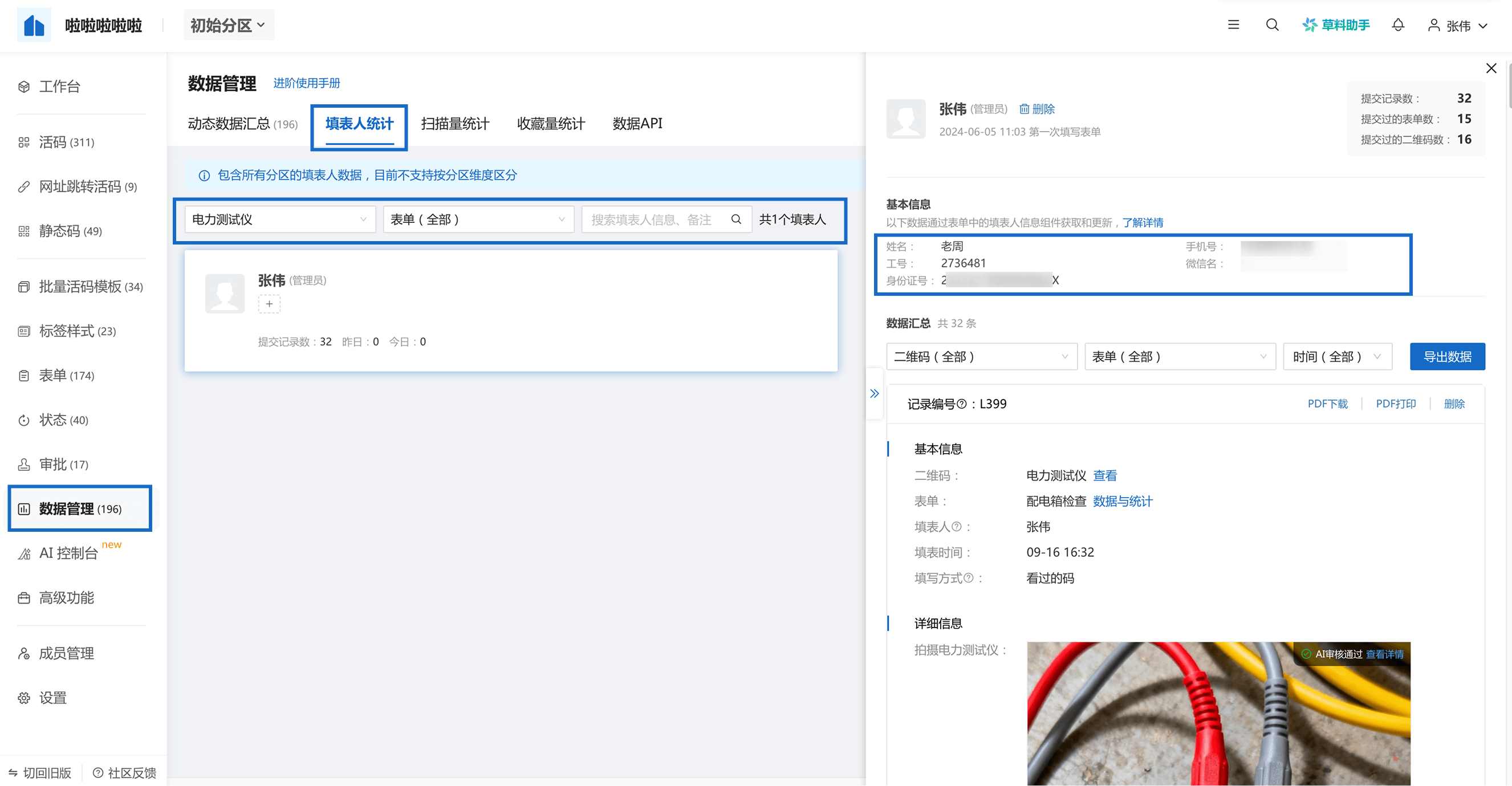
In the workbench, you can learn about your submitters. A submitter is anyone who has scanned and filled out your form — including employees, customers, students, partners, and more. Go to Data Management > Submitter Statistics to view their information and submitted record details.
Submitter List Overview
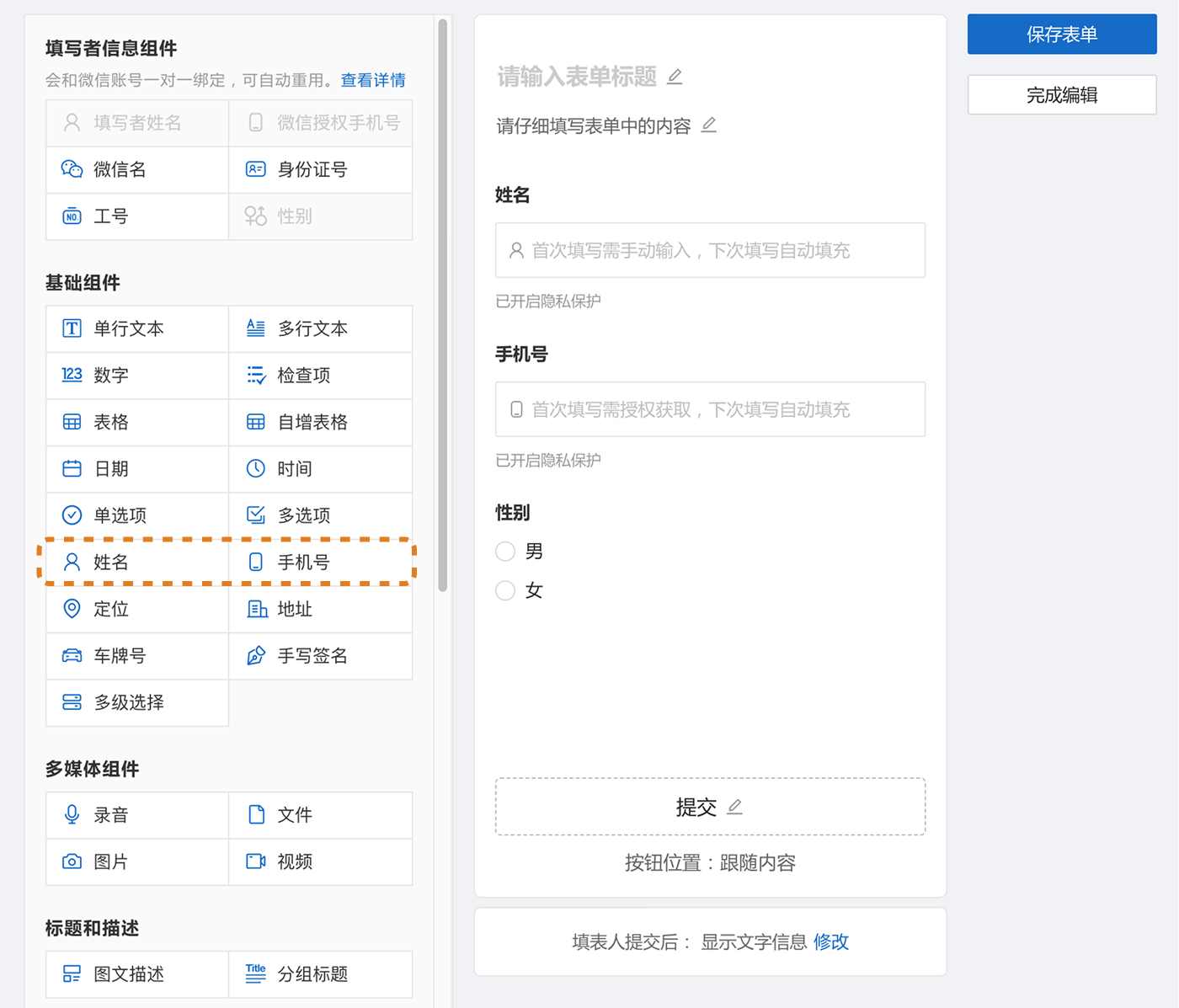
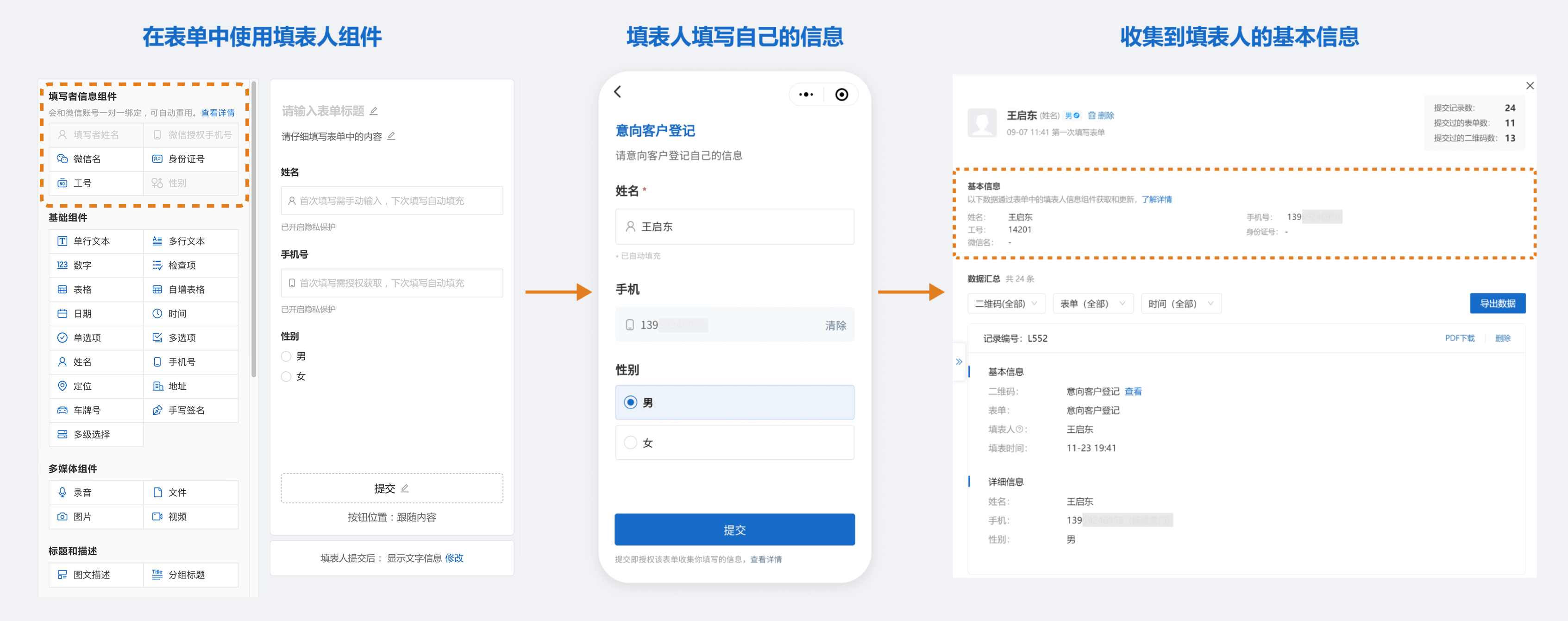
If you have used the [Submitter Component] in your form, submitter details such as name, WeChat authorized phone number, gender, WeChat name, ID number, and employee ID can be captured and automatically added to the submitter management page.
You can also search for a specific submitter to view their submission count and all submitted records with details.
Use Case
For example, to check device inspection completion status, go to Data Management > Submitter Statistics, filter by QR code and inspection form, and view the corresponding submitters.
- Browse the latest record submission time for each employee to see whether they have completed recent inspections or missed any.
- Search for and view a specific employee's record details to track all their activity.
How to Use
Add the [Submitter Component] to your form to collect submitter information such as name, WeChat authorized phone number, gender, and so on. After a submitter fills in and submits the form, their basic information will automatically appear in the submitter list.
Submitter Naming Rules
The submitter's displayed name in the form is determined by the following priority order:
- Admin-assigned name (highest priority): If an admin has set a name for the user in the member list, that name will be displayed across all forms.
How to set it: 1) First add the user as a member (see Member Feature). 2) Edit and save the member's name in the workbench under Member Management. Once done, that user's submitter name will be unified as the admin-assigned name across all forms under the account.
-
"Name" field filled in by the user: If the admin has not set a name, the system looks for the "name" field that the user has filled in on any form, and uses that as the submitter name.
-
WeChat authorized phone number: If the user has not filled in a "name" field, the system uses the phone number they authorized via WeChat as the submitter name.
-
If the user has not authorized a phone number, the system displays "WeChat User xxx" as the submitter name.
Notes
Each WeChat account corresponds to one unique submitter.
If the same WeChat account fills out forms on behalf of different people and submits different "name" values, the submitter name in the list will update to reflect the most recently submitted name. Therefore, filling out forms on behalf of others is not recommended.
In scenarios where multiple people submit via the same account (e.g., a gatekeeper logging in visitors), use the basic "Name" and "Phone Number" components to avoid confusion in the Submitter Statistics list caused by proxy submissions.