Data Management
Use Forms to Collect Data and Replace Paper Records
Forms are embedded in QR codes and work like traditional paper forms — they let you collect data. Once your QR code is linked to a form, people can scan to fill it out and view the records.
- Component-based design: Based on your business needs or existing paper forms, you can freely design form content by combining components — text, single/multiple choice, location, phone number, image, handwritten signature, and more — just like building with blocks. Learn more
Use Status to Reflect Operational State
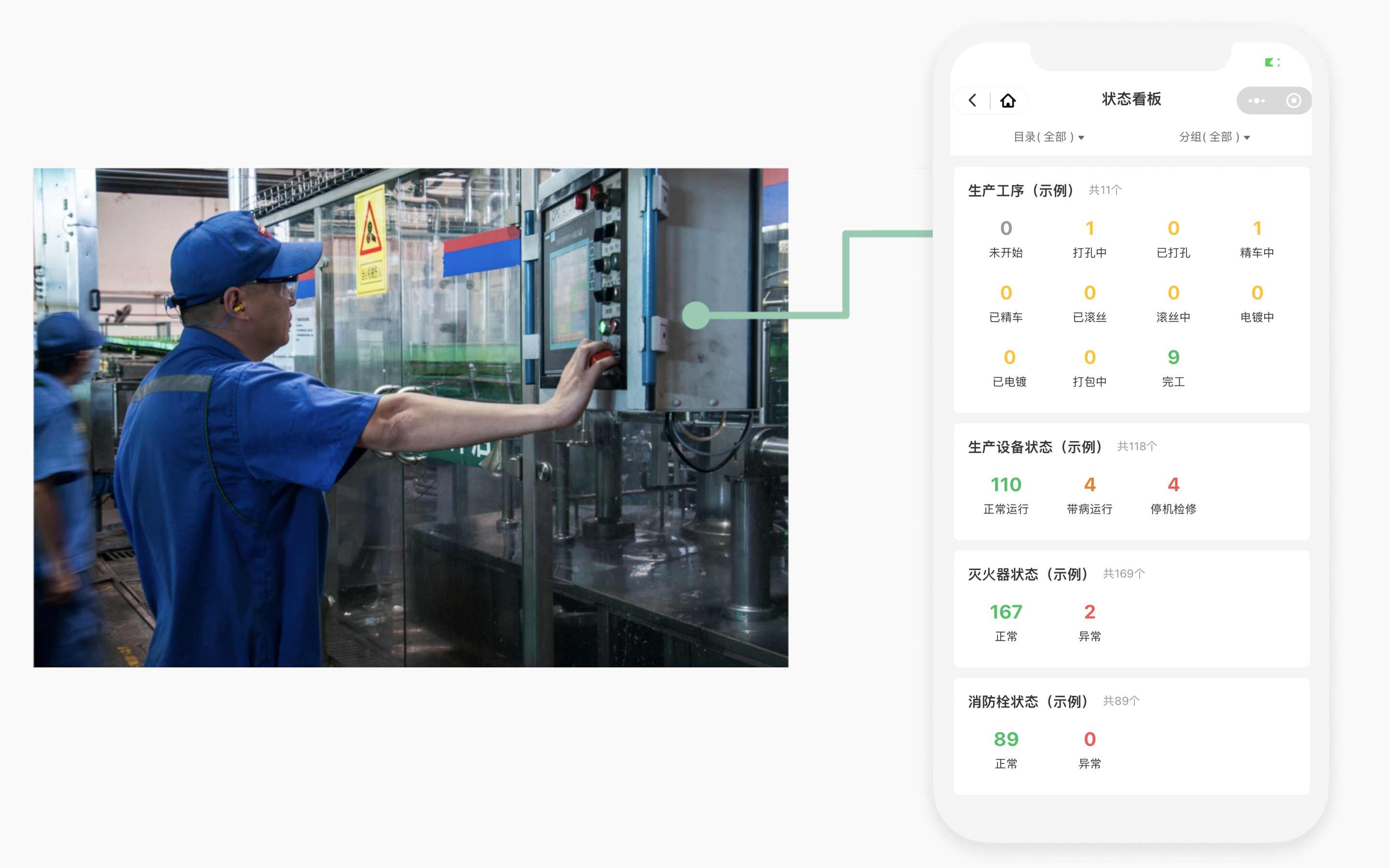
Status is a feature displayed on QR codes to visually show the current condition of an object — for example, a fire extinguisher's Normal/Abnormal state, or an asset's Available/On Loan/Returned status. You can create a dedicated QR code for each item and add one or more statuses to represent different aspects of its current condition.
- Status dashboard: The system automatically tallies the number of items in each status, forming a status dashboard for an at-a-glance view of your operation — ideal for device inspections, asset management, and item lending scenarios.
- Auto-update: The status dashboard updates automatically as statuses change on QR codes, helping you track the real-time count of normal and abnormal devices and quickly locate faults. Status dashboard setup tutorial
Use Dynamic Records to Build an Electronic History for Each Item
Actions taken on a QR code — such as filling in a form, updating a status, or editing sub-code content — are automatically saved to the QR code, forming its dynamic record. This reflects all activity on the code, essentially creating a history for any object, such as equipment records or personnel files.
Dynamic records currently include three types of content: form submission records, status update records, and sub-code content edit records. Learn more
Use Dynamic Data Summary to Centrally Manage All Business Data
CaoLiao provides a multi-dimensional, multi-type, multi-device data management page that includes form data, submitter data, scan counts, and bookmark counts, all available for consolidated statistics and analysis.
- Data export: You can export collected data to Excel, Word, or PDF — print it for archiving, and restore individual records to their original paper form layout.
- Data statistics: CaoLiao supports filtering and summarizing form data by time, submitter, and other dimensions. With the data API feature, you can push data to external systems for building visual dashboards or enabling cross-system workflows to boost efficiency. Learn more
Use Visual Dashboards to Support Better Decisions
- Data sync: Supports one-click sync of data to Tencent Spreadsheet, where you can quickly analyze your business data to meet decision-making needs.
- Visual dashboards: Build data visualization dashboards using dashboard tools to provide an intuitive overview of your current business operations, helping managers make faster, more informed decisions. Learn more

Use the Data API to Connect with Your Existing Systems
The data API can automatically push data collected in CaoLiao to you. You can write your own integration (development required) to connect it with existing systems and enable cross-system data workflows.
- Official database: Every CaoLiao account has its own independent cloud database. You can connect data analysis tools (such as BDP, Baidu SugarBI, etc.) to this database for in-depth analysis.
- Your own database: If you need to push data to an enterprise-owned database for custom development, you can contact a developer on your own or ask us to recommend one. Additional fees to the developer apply. Learn more
