Batch Label Layout for Mini Program Parameter Codes
Mini Program parameter codes support bulk generation — simply upload one Excel file to generate an entire batch of parameter codes.
In most cases, these codes are handled in a consistent way: they are inserted into fixed-layout posters or labels for real-world use. Since manually processing large quantities one by one is too tedious, Photoshop's batch processing feature can be used to handle them efficiently.
Required Software:
- Microsoft Excel or any tool that can open CSV files
- Any version of Adobe Photoshop
Steps:
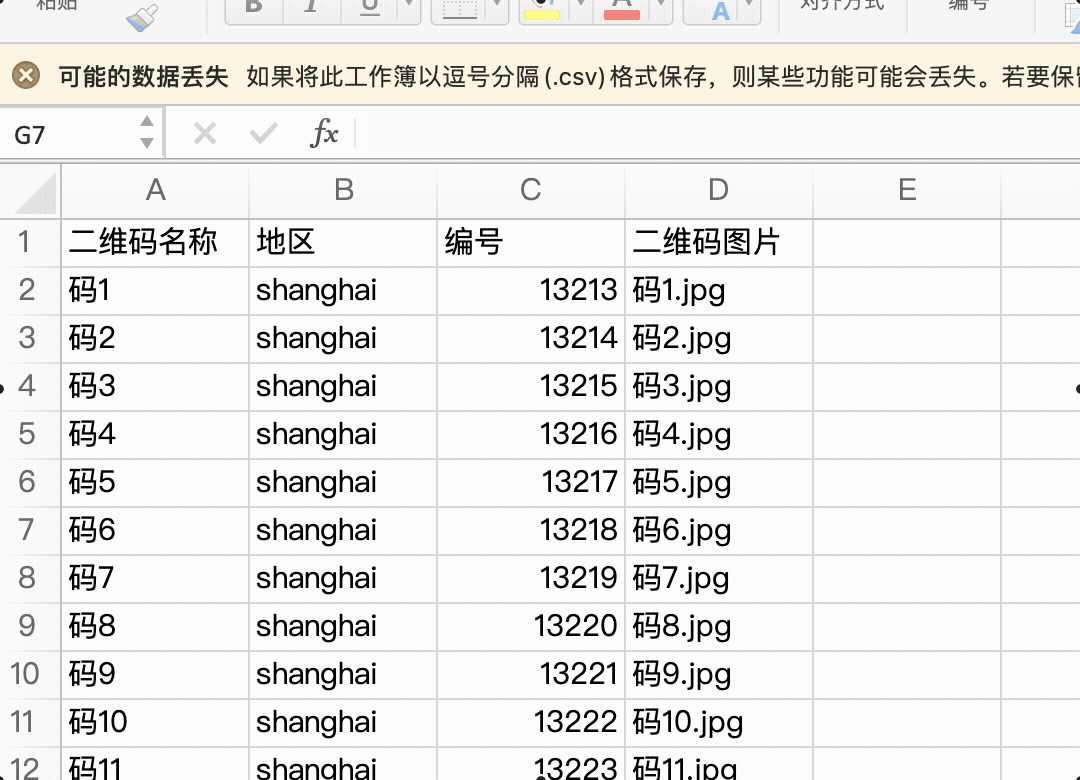
1. Obtain the CSV File for the Parameter Codes
After bulk-generating the codes, download the packaged file, or download historical bulk data.
Extract the downloaded file — you will see a folder containing the parameter code images and a data.csv file.

2. Design the Base Poster
Open Photoshop and design the rest of the poster. (This example uses a blank layout for simplicity.)
Drag one of the parameter code images onto the canvas, place it in the desired position, and rasterize the layer.

3. Set Up Canvas Variables
In the Photoshop menu, go to Image > Variables > Define. Select the corresponding layer and enter the column header name from the data.csv file (usually "QR Code Image") into the Pixel Replacement name field.

Repeat this process for any other fields from the CSV you need to include.

4. Import the data.csv File
In Photoshop, go to Image > Variables > Data Sets. In the popup window, click the Import... button to load the data.csv file into Photoshop.
If an error occurs, click here to view the troubleshooting note. (Important: when prompted for encoding, make sure to select Unicode.)

5. Batch Export
In Photoshop, go to File > Export > Data Sets as Files. Select the output folder and click OK to generate the files.

To export as .jpg format, after completing the previous step, go to File > Scripts > Image Processor and follow the illustrated steps.

Frequently Asked Questions
If you see the error [Unable to parse file contents as data sets. Too many variable names in the first line of the text file], delete any unused columns from the CSV file.