How to Obtain a Mini Program Page Path and Parameters
By generating a WeChat Mini Program parameter QR code, users can scan it to land directly on a specified page and access a service. Generating a Mini Program parameter code requires knowing the path and service parameters of the target page. This information can be complex to obtain — here are several methods to do so.
- Method 1: Via the WeChat Official Platform Mini Program Management Tool >
- Method 2: Via the WeChat Official Platform Mini Program Analytics Feature >
- Method 3: Via the Mini Program Code Package >
Method 1: Via the WeChat Official Platform Mini Program Management Tool
1. This Method Can Theoretically Obtain the Page Path of Any Mini Program.
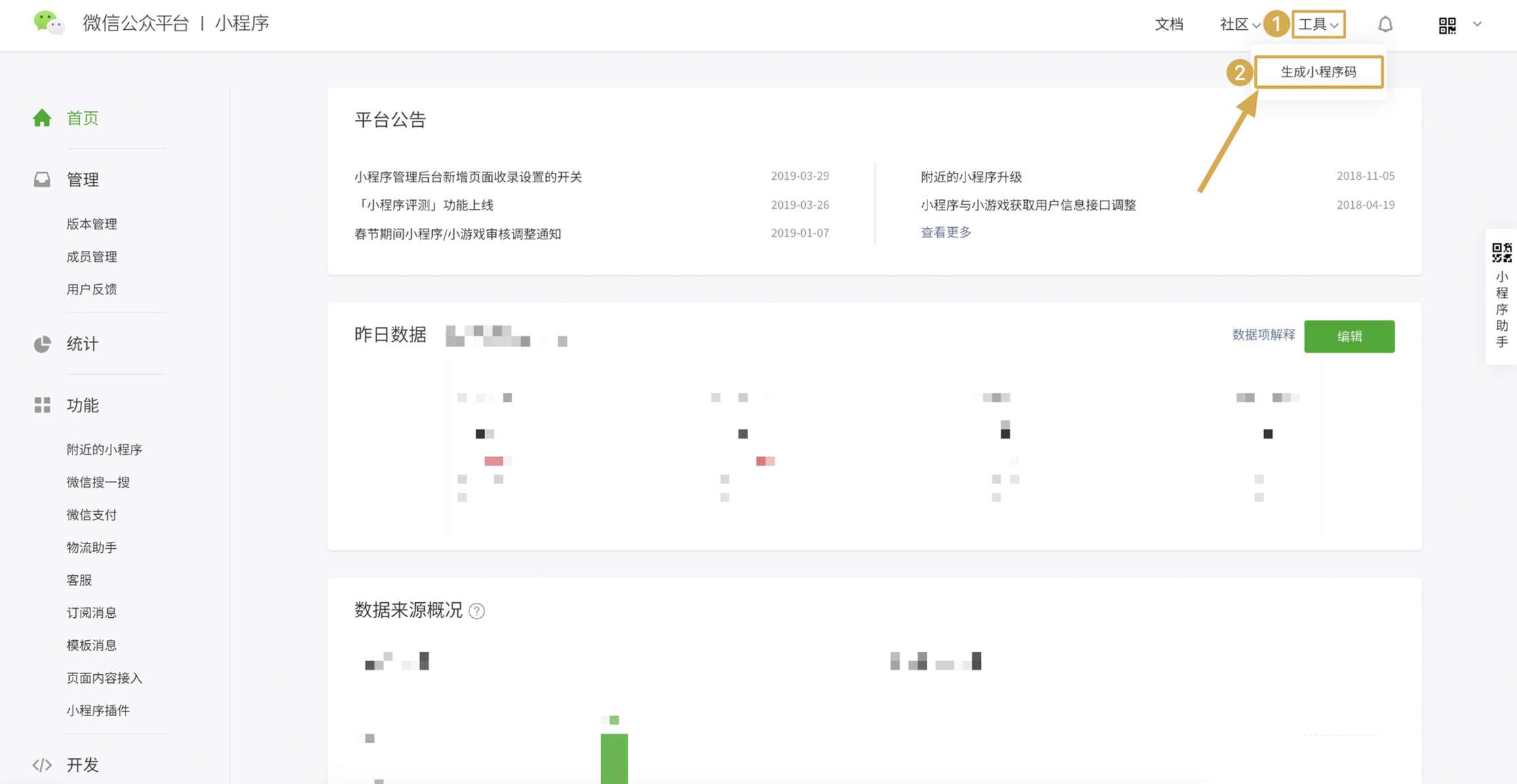
Log in to the WeChat Official Platform Mini Program console (register an account as a Mini Program type if you haven't already), click the Tools tab in the upper right corner, and select "Generate Mini Program Code" from the dropdown menu.
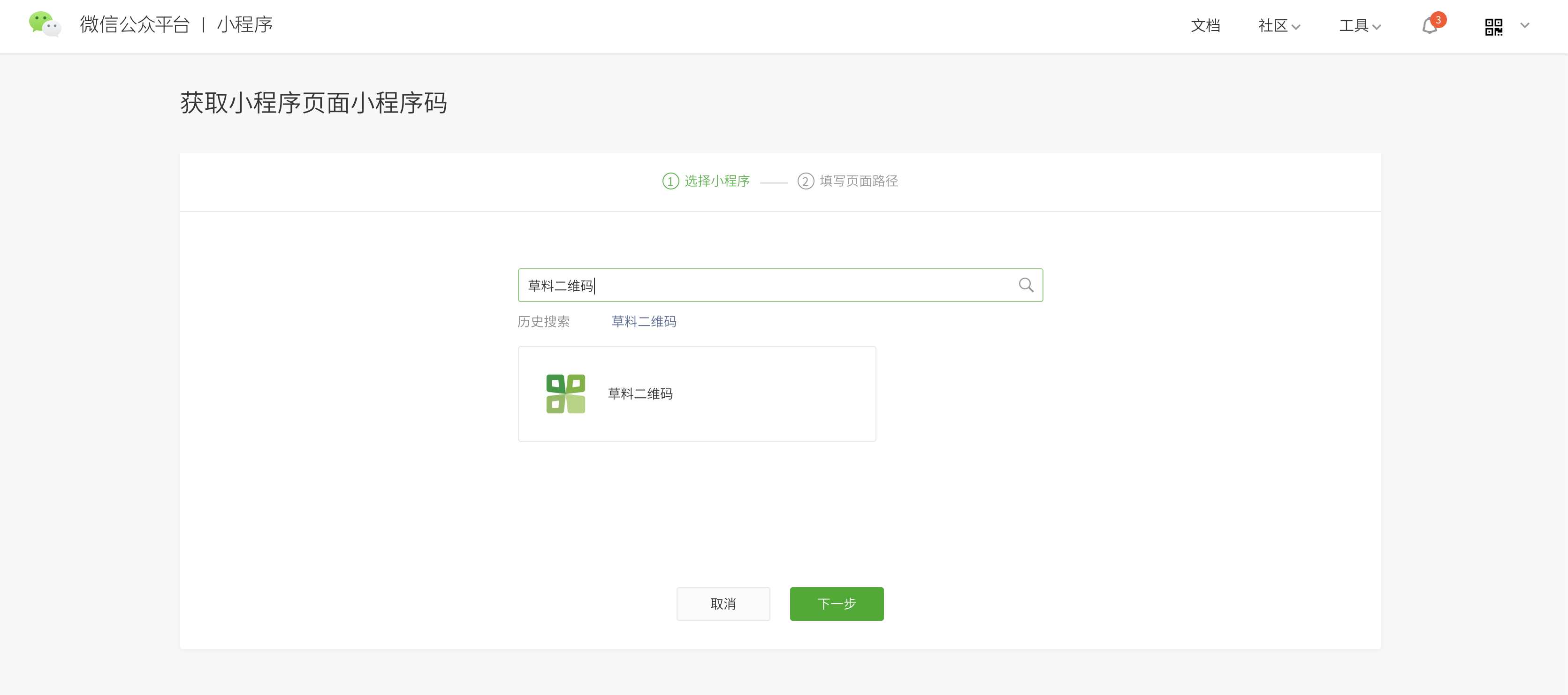
2. In the Popup Window, Enter the Mini Program's AppID, Mini Program Name, or Bound WeChat Account ID (See Here for How to Obtain the AppID). Once the Correct Mini Program Is Displayed, Click Next.
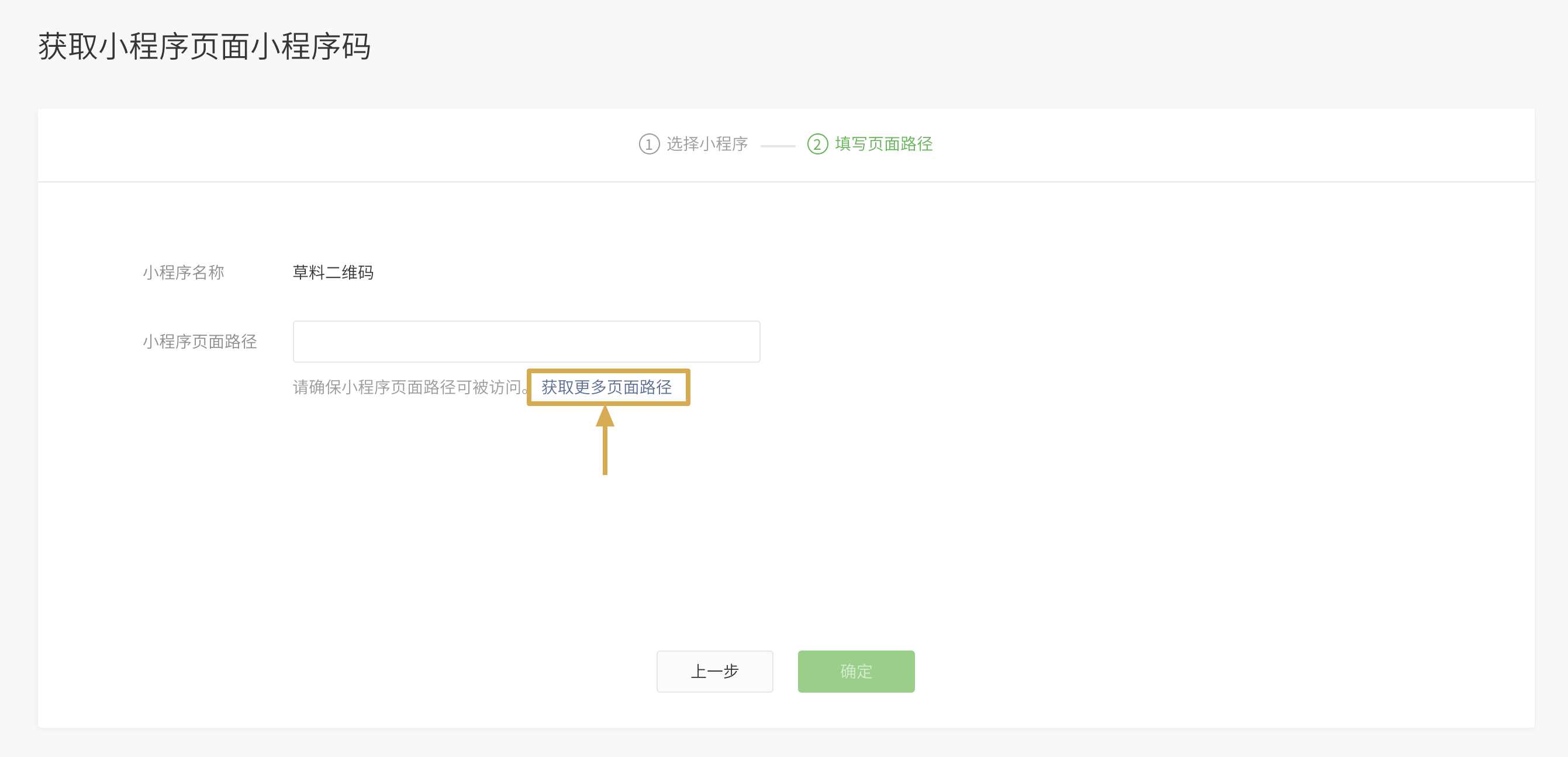
3. Click "Get More Page Paths." In the Enable Entry Popup, Specify a WeChat User by Entering Your Own WeChat ID, Then Click Enable. (Requirements: WeChat Version 6.7.2 or Above, and the User Must Be a Project Member of the Mini Program.)
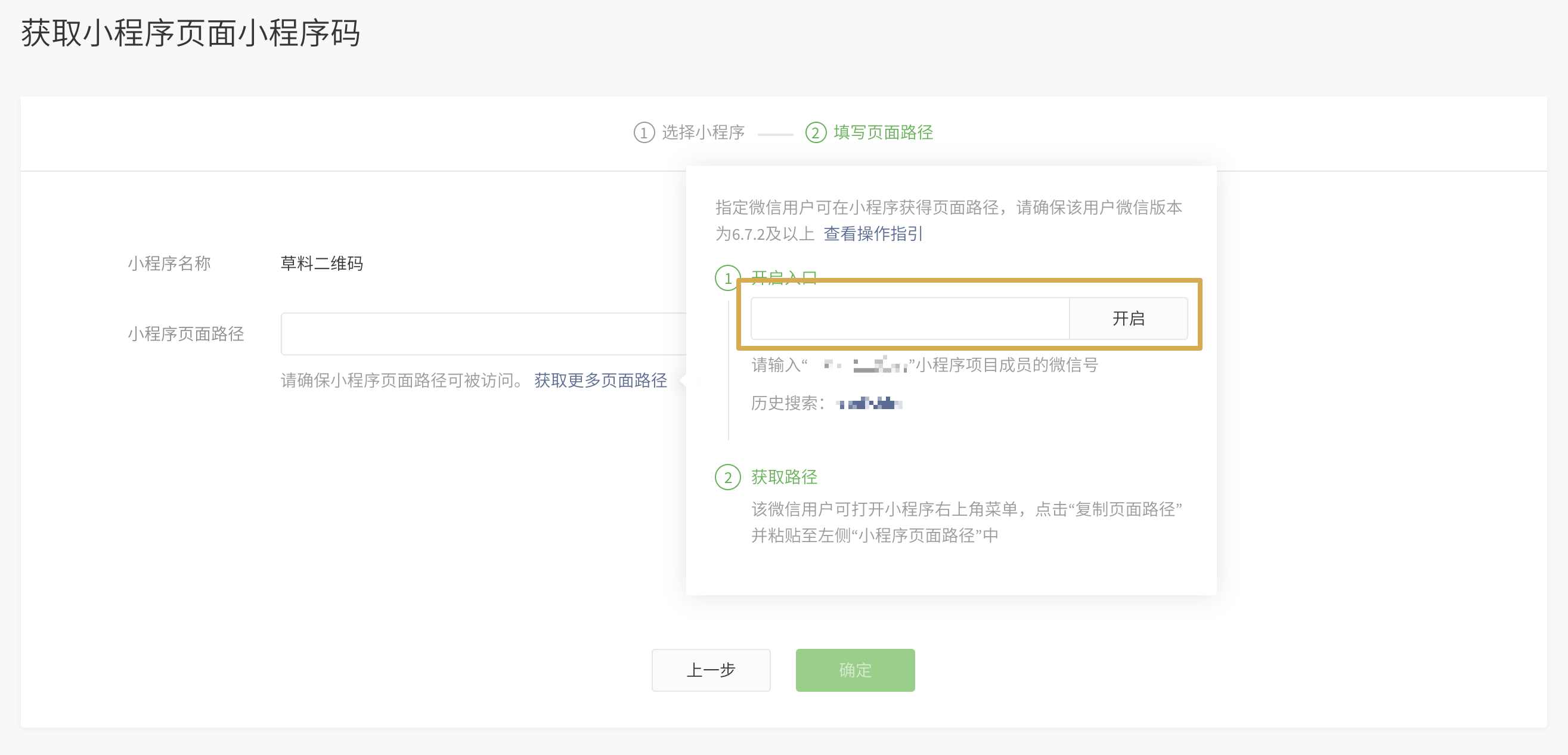
Once Enable Entry Successful appears at the top of the page, you can proceed to the next step.
4. Use Your Own WeChat to Open the Mini Program (the One Selected in Step 2, e.g., CaoLiao QR Code). Navigate to the Page Whose Path You Need to Obtain, Then Tap the Menu in the Upper Right Corner of the Page and Select Copy Link.
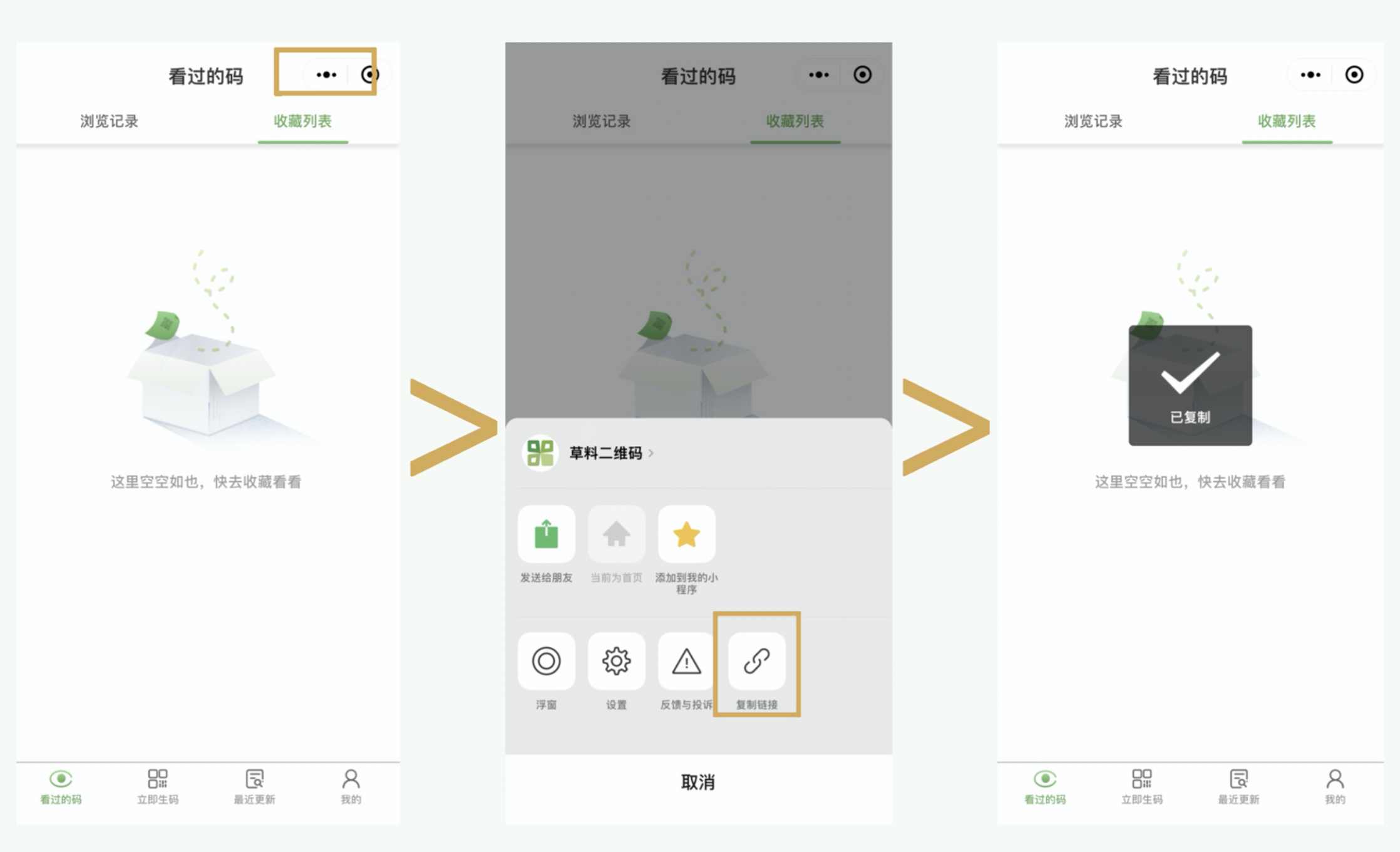
5. Paste the Copied Link and Remove the Suffix — What Remains Is the Page Path for That Mini Program Page.
Method 2: Via the WeChat Official Platform Mini Program Analytics Feature
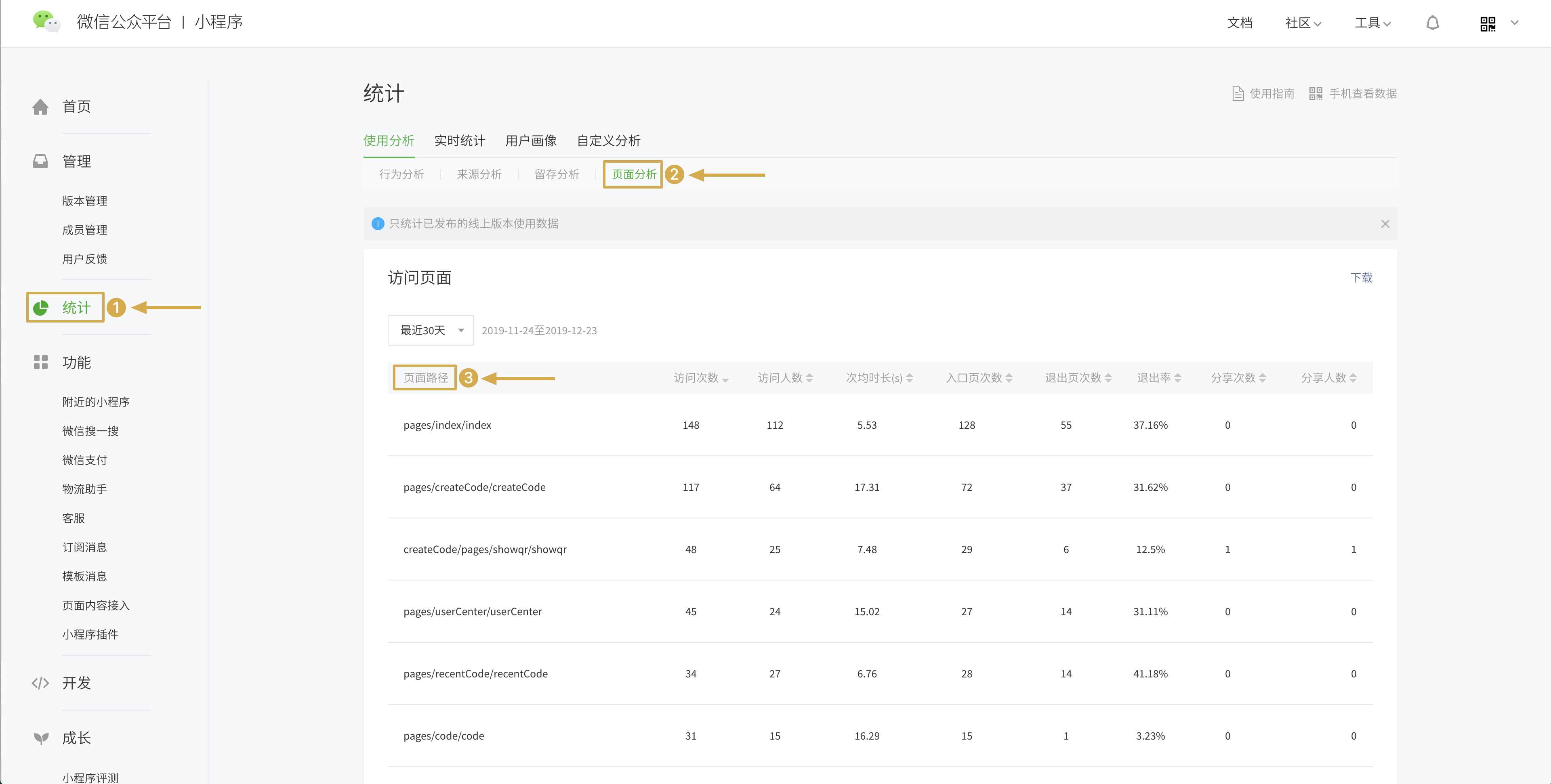
- Log in to the WeChat Official Platform Mini Program console and click the Analytics button in the sidebar.
- Select the Usage Analysis — Page Analysis tab to view the page paths that users have visited.
Method 3: Via the Mini Program Code Package
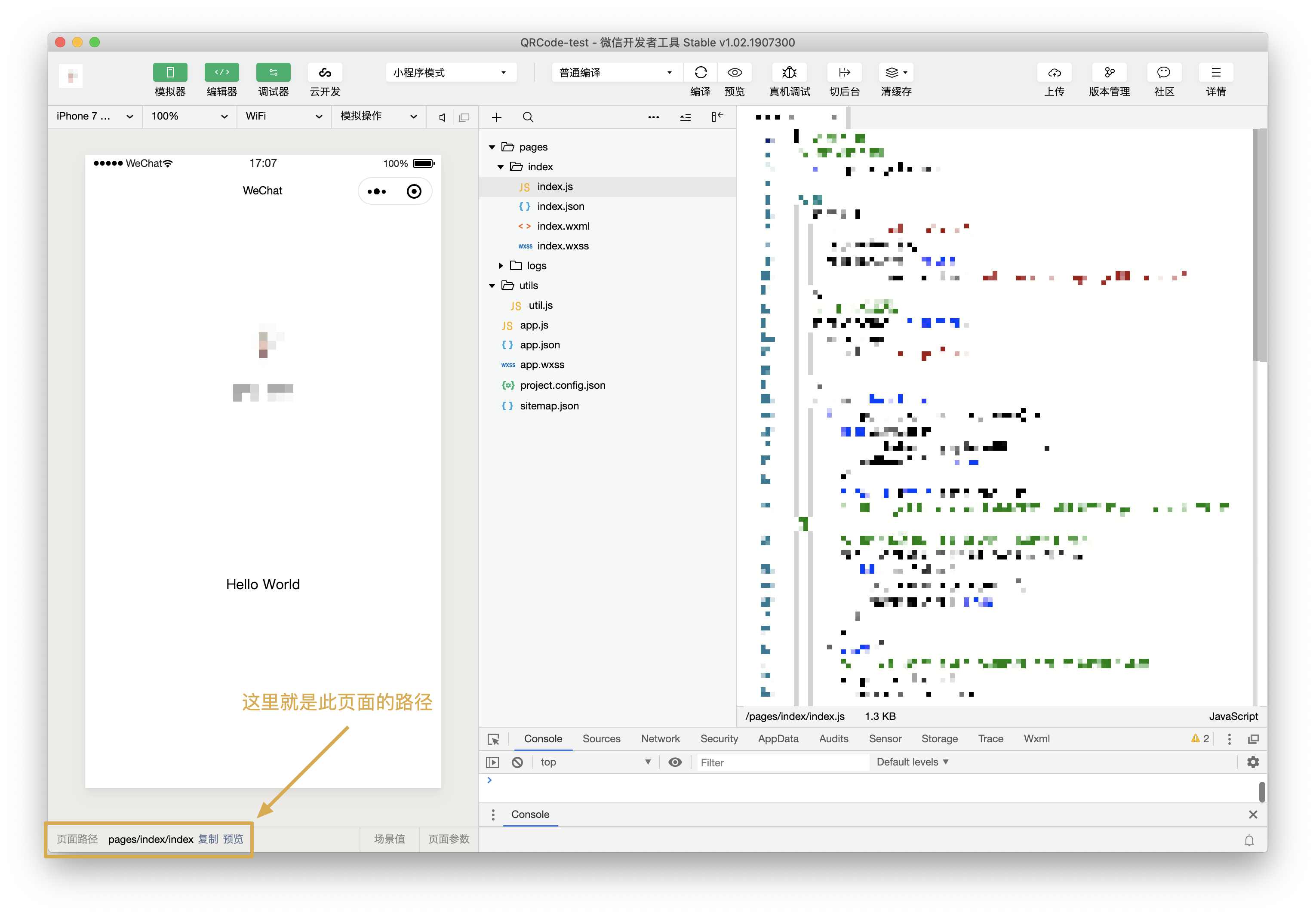
Open WeChat DevTools, load the code package, navigate to the target page in the simulator, and the page path will appear in the lower-left corner.