Mini Program ICP Filing Guide
1. Filing Notice and Legal Basis
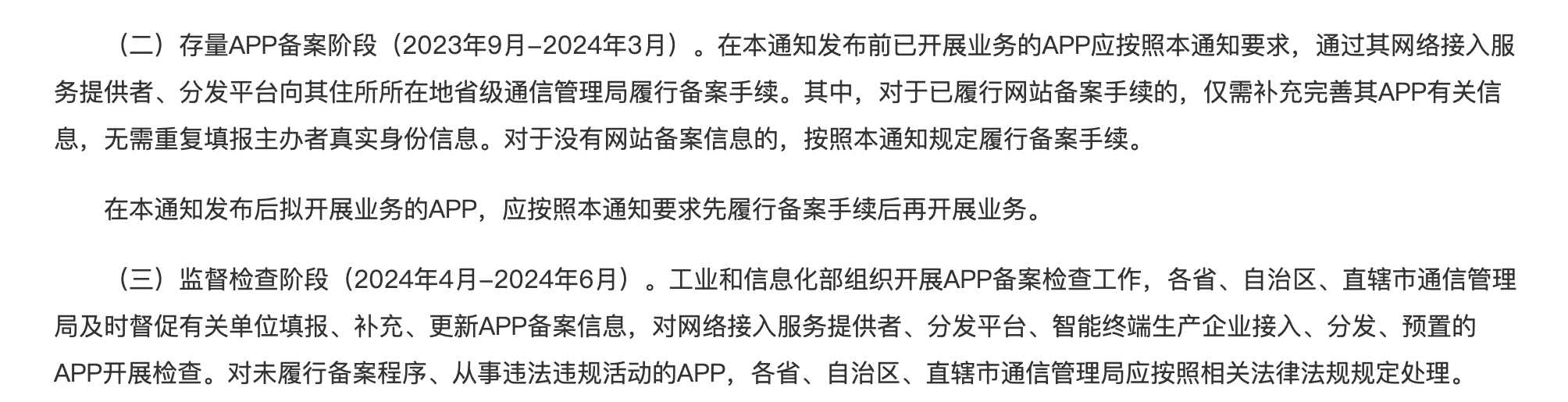
Mini Programs that are already published must complete ICP filing by the end of March 2024.
Newly activated Mini Programs must complete ICP filing before they can be published.
1. Do All Mini Programs Need to File?
Yes. Per the Ministry of Industry and Information Technology (MIIT) notice, all Mini Programs without exception are required to complete ICP filing. MIIT Notice on Conducting ICP Filing for Mobile Internet Applications
2. Deadline and Consequences of Non-Compliance
- Deadline: ICP filing must be completed by the end of March 2024. We strongly recommend preparing as early as possible.
- Consequences: Starting April 1, 2024, WeChat Public Platform will begin removing Mini Programs that have not completed ICP filing. Non-compliant Mini Programs will no longer be usable.
3. Who Should Complete the Filing?
The Mini Program admin must log in to WeChat Public Platform on a desktop computer to perform the filing — not via the WeChat Public Account console.
If you have not yet set up a Mini Program admin for desktop access, please do so first. View setup instructions
4. Is There a Fee for Filing?
Mini Program ICP filing itself is free and remains valid indefinitely unless the entity changes, in which case a new filing must be submitted.
However, WeChat Verification must be completed before filing. The verification fee is 300 RMB. If you have already completed verification, no re-verification is needed. WeChat Verification Guide
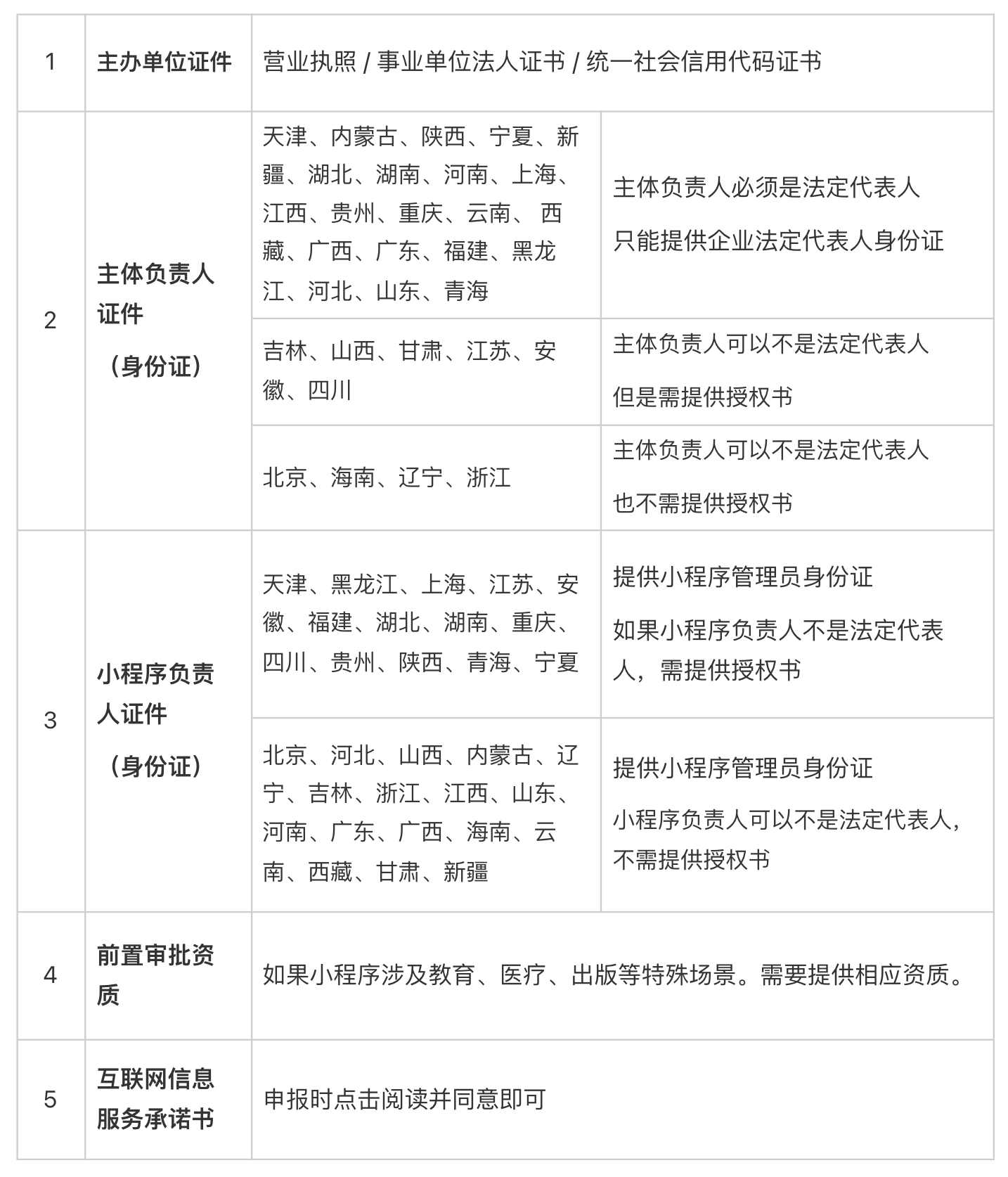
2. Required Filing Materials
For examples of Mini Program filing materials, click to view.
3. Filing Procedure

Step 1: Filing Entry Point
Open WeChat Public Platform, log in with the Mini Program account — not the WeChat Public Account.
If you have not yet set up a Mini Program admin for desktop access, please do so first. View setup instructions
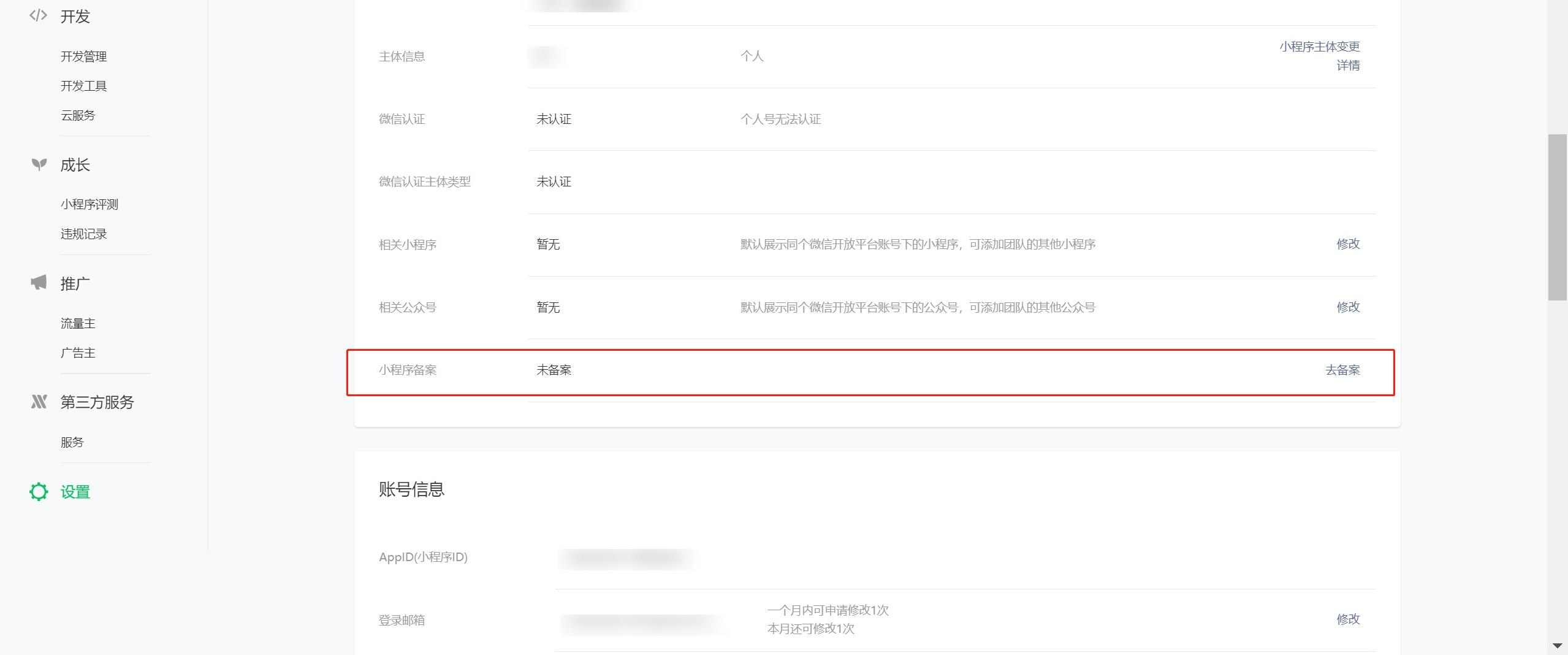
Already-Published Mini Programs
Go to Console > Settings > locate Mini Program Filing in the Basic Info section.
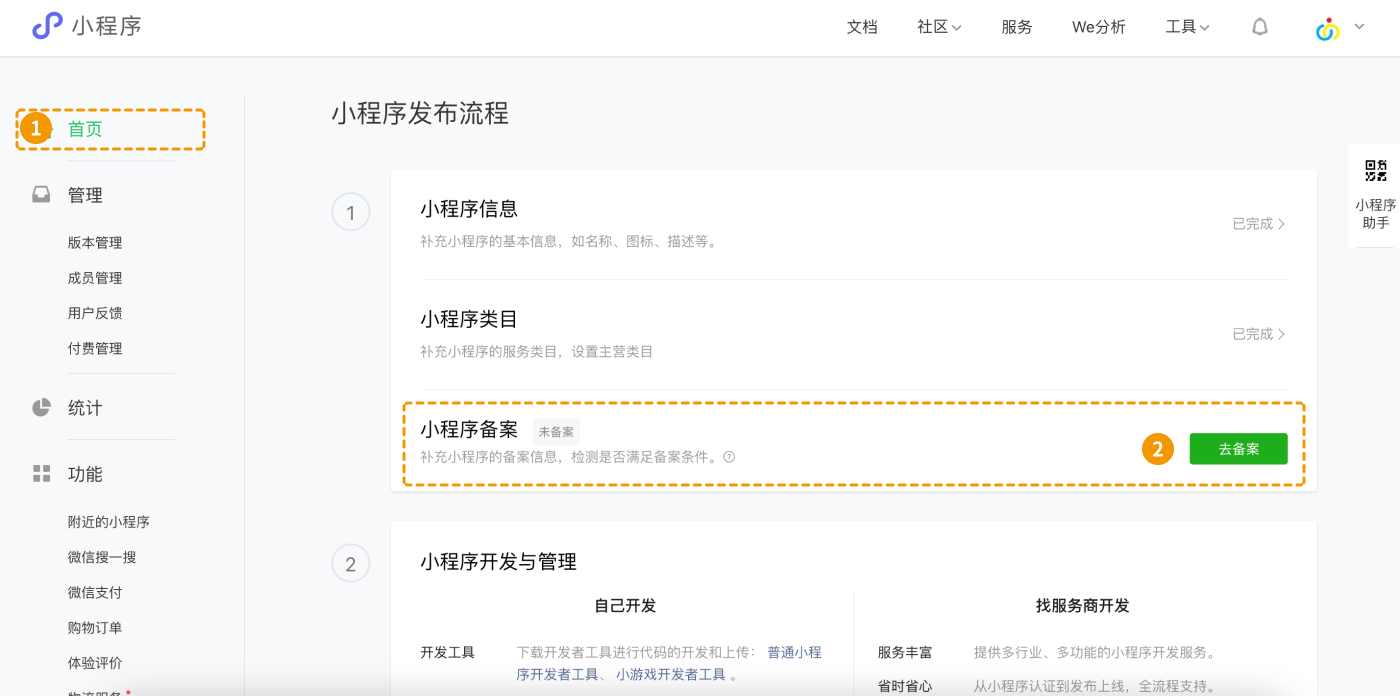
Newly Activated Mini Programs
Go to Console > Homepage > Mini Program Filing.
Step 2: Fill in Filing Materials
Follow the on-screen instructions to fill in the required information and upload the necessary documents.
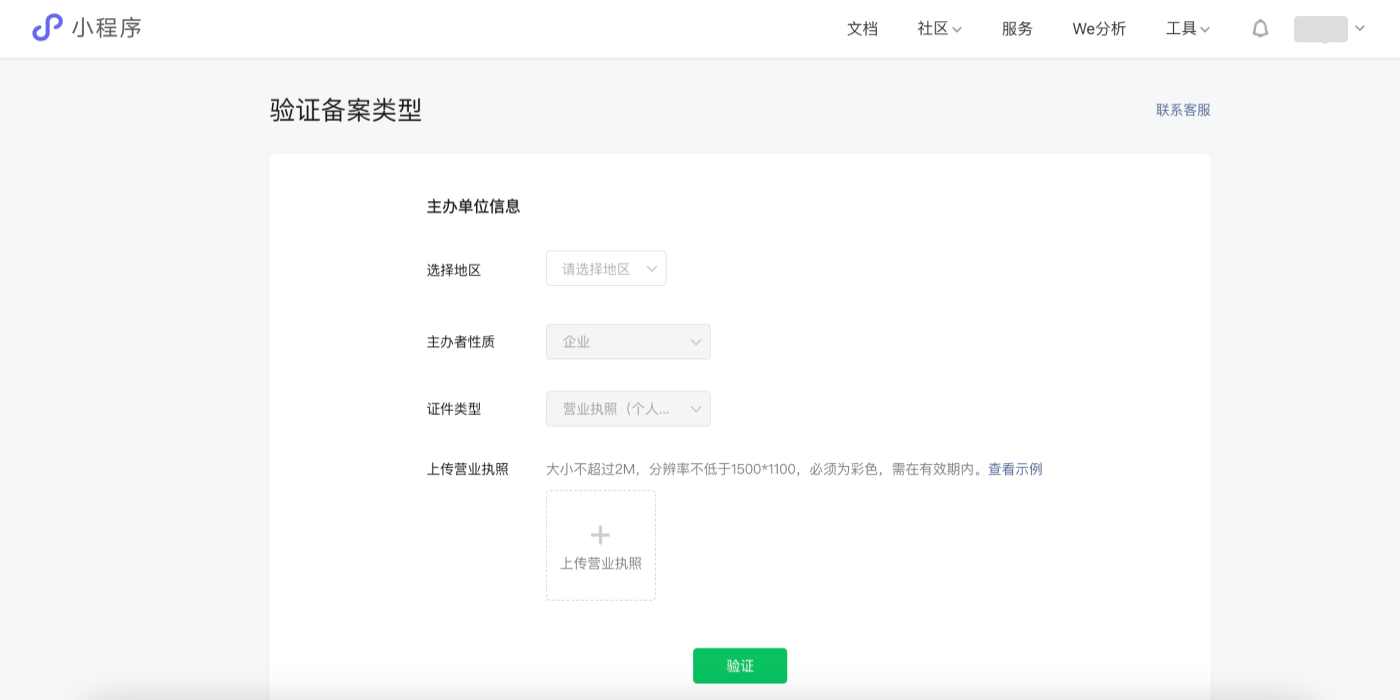
2.1 Fill in Host Entity Information
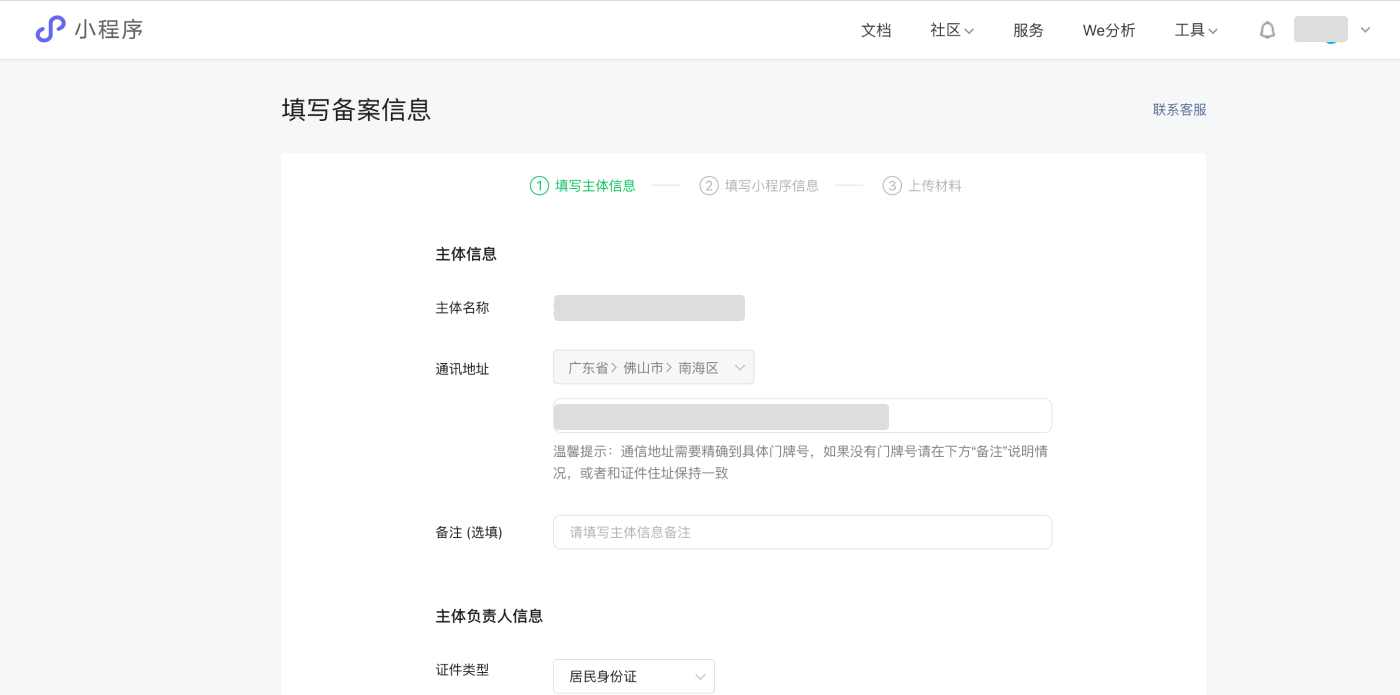
2.2 Fill in Entity Details
Some users have reported that the Remarks field is required. Fill it in according to the instructions below.
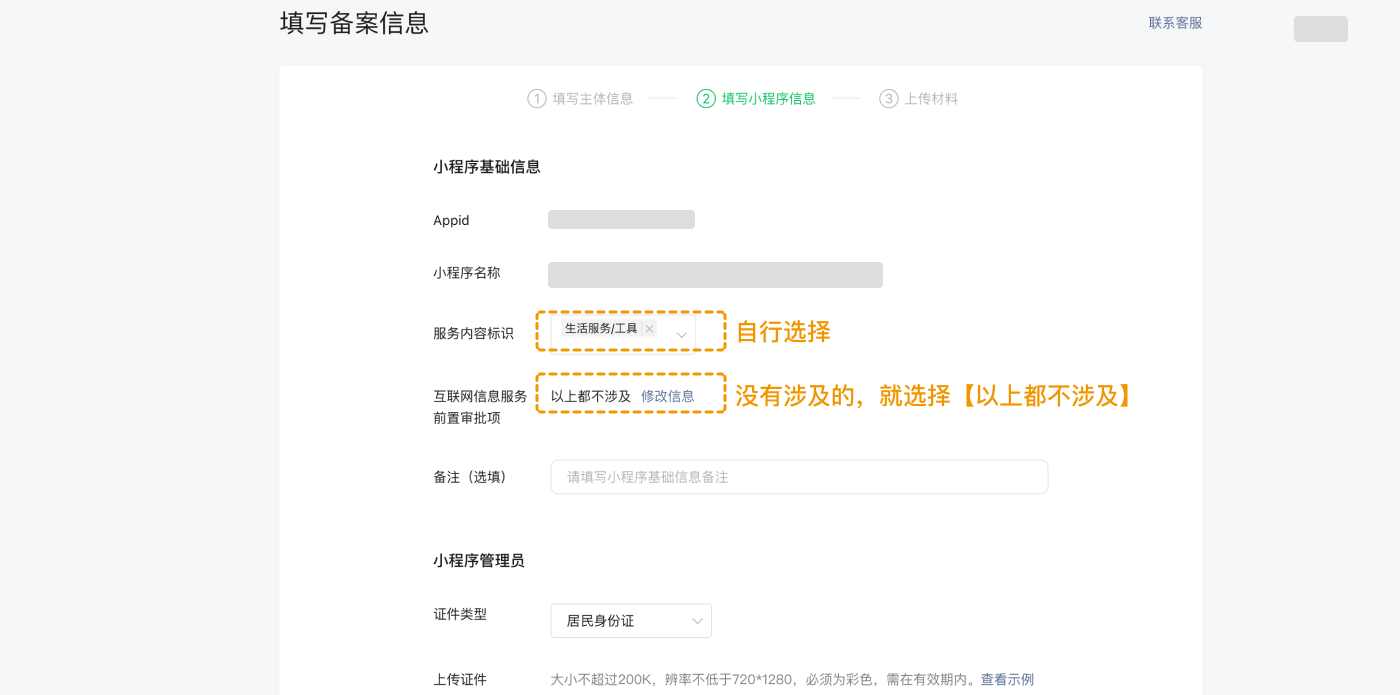
2.3 Fill in Mini Program Information
- Service content label: Select as appropriate. For CaoLiao's own Mini Program, we selected Life Services – Tools for reference only.
- Pre-approval items for internet information services: If none apply, select None of the above.
Frequently Asked Questions
Q1: Who Should Be Listed as the Person in Charge of the Entity?
This depends on your province. Requirements vary by region. Please refer to the table below:
| Province | Requirements |
|---|---|
| Tianjin, Inner Mongolia, Shaanxi, Ningxia, Xinjiang, Hubei, Hunan, Henan, Shanghai, Jiangxi, Guizhou, Chongqing, Yunnan, Tibet, Guangxi, Guangdong, Fujian, Heilongjiang, Hebei, Shandong, Qinghai | The person in charge of the entity must be the legal representative. Only the legal representative's ID card may be provided. |
| Jilin, Shanxi, Gansu, Jiangsu, Anhui, Sichuan | The person in charge of the entity does not need to be the legal representative, but a letter of authorization is required. |
| Beijing, Hainan, Liaoning, Zhejiang | The person in charge of the entity does not need to be the legal representative, and no letter of authorization is required. |
Q2: How Should I Select the Pre-Approval Service Items?
If your Mini Program's use cases involve any of the following special industries, you must upload the corresponding qualification materials. For specific qualification requirements, refer to: Pre-Approval Categories and Approving Authorities
If none of these apply, select None of the above.
Step 3: WeChat Platform Initial Review
The initial review is conducted by WeChat staff and takes 1–2 business days. The review result will be sent to the person in charge of the entity and the Mini Program admin. Please check for notifications.
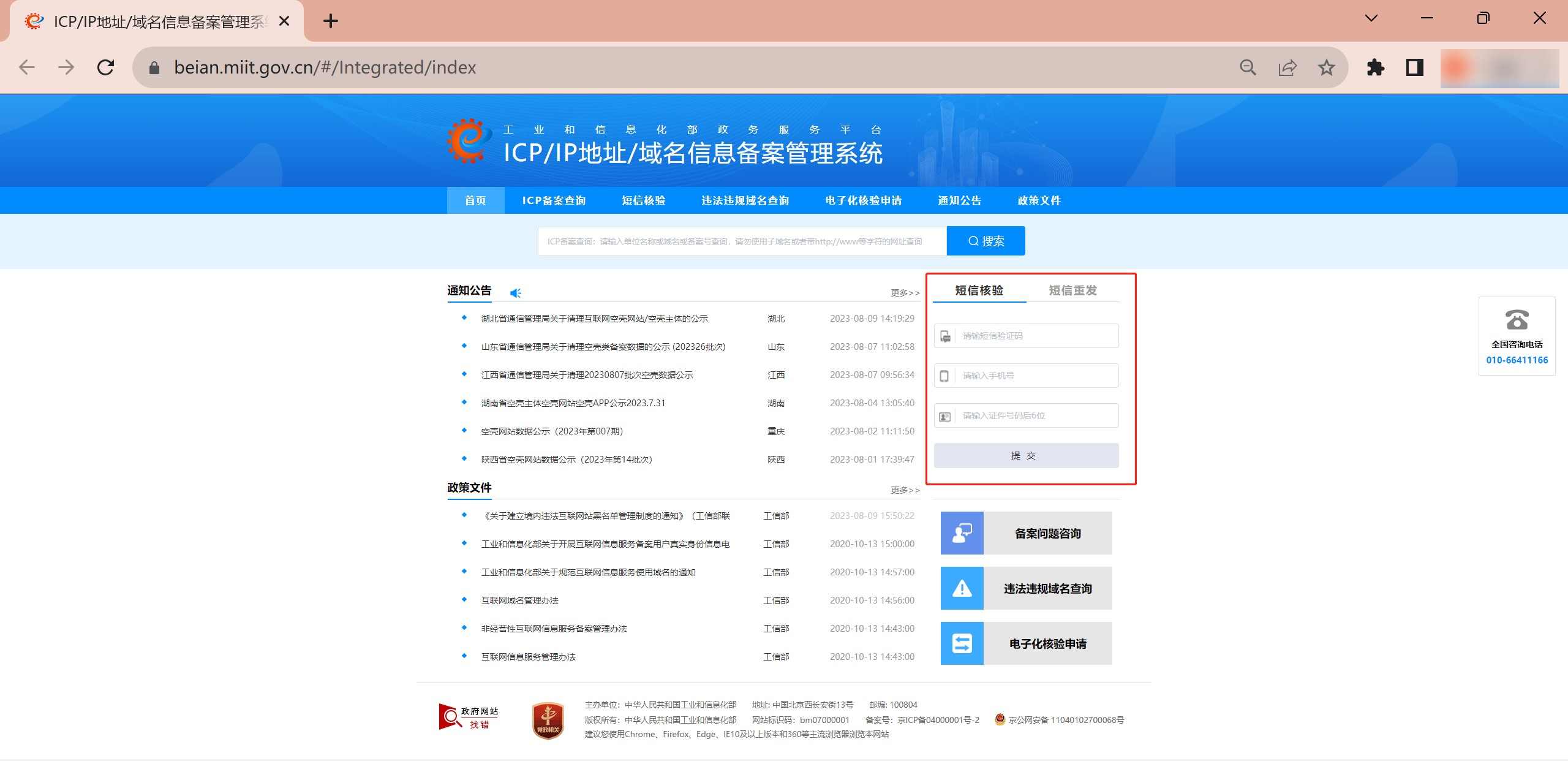
Step 4: MIIT Website SMS Verification
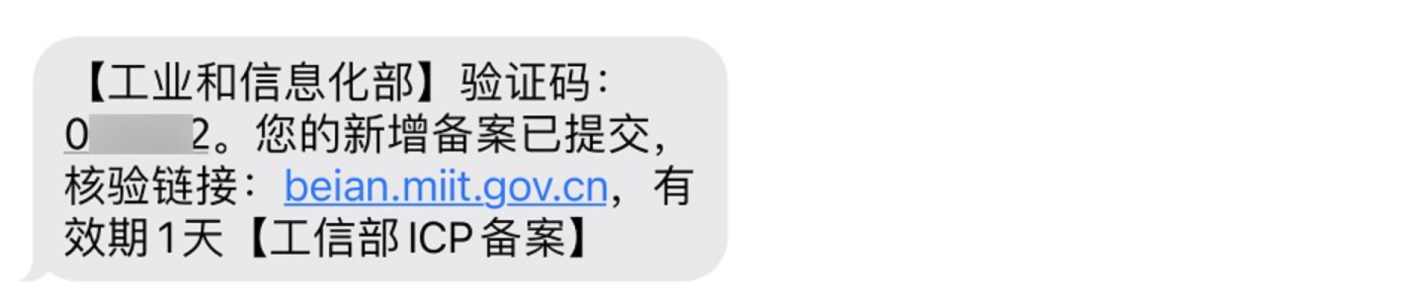
After the initial review passes, the Mini Program admin and the person in charge of the entity will each receive a verification code from MIIT. You must complete both SMS verifications within 24 hours, otherwise the filing will be rejected and you will need to resubmit. The review takes 1–2 business days.
- SMS content
- MIIT website verification
Step 5: Regulatory Authority Review
The MIIT review takes 1–20 business days, typically around 2 business days. Please be patient. The result will be communicated via in-app message, template message, and SMS.
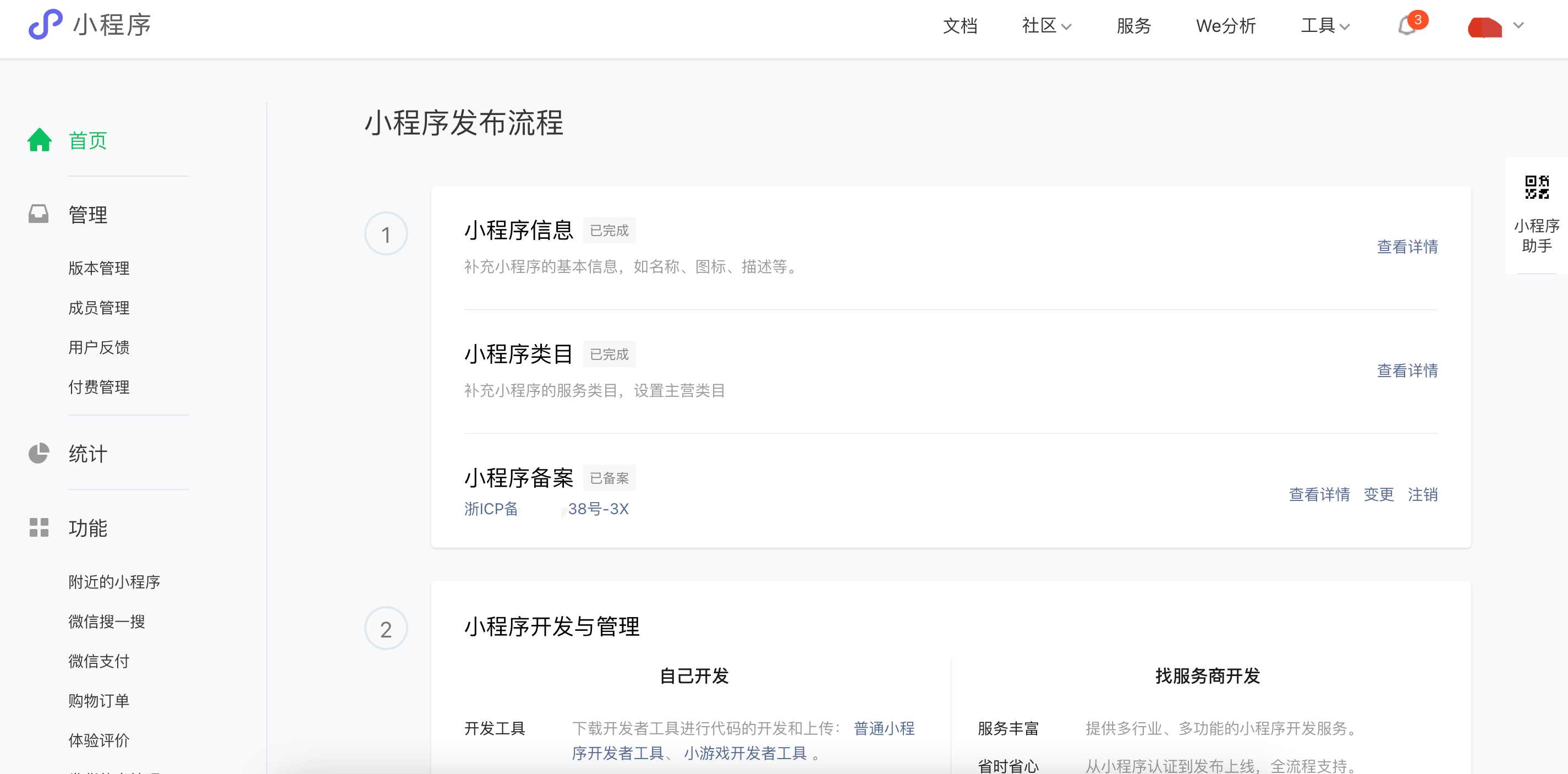
Step 6: Review Approved — Filing Complete
Once the MIIT review passes, the Mini Program ICP filing number will be issued. The person in charge of the entity and the Mini Program admin will receive an SMS notification confirming that the Mini Program has completed ICP filing.
Frequently Asked Questions
1. What If I Am Unable to Complete Filing? Can I Switch Back to the CaoLiao Mini Program?
If you are unable to provide the required materials and cannot complete ICP filing, we recommend switching back to the CaoLiao Mini Program. However, this cannot be done independently from the console — you will need to contact CaoLiao customer support. After obtaining authorization from your Mini Program admin, our technical team will switch it back to the CaoLiao Mini Program from the backend.