How to Insert a WeChat Video Account Link?
In the dynamic QR code editor, use the Redirect Link feature, set the link type to Video Account, and enter the relevant parameters. After scanning, tapping the link will open the Video Account page directly.
Steps
-
Add a redirect link: In the QR code editor, click Redirect Link, select a redirect link style, click Add Link, and set the link type to Video Account.
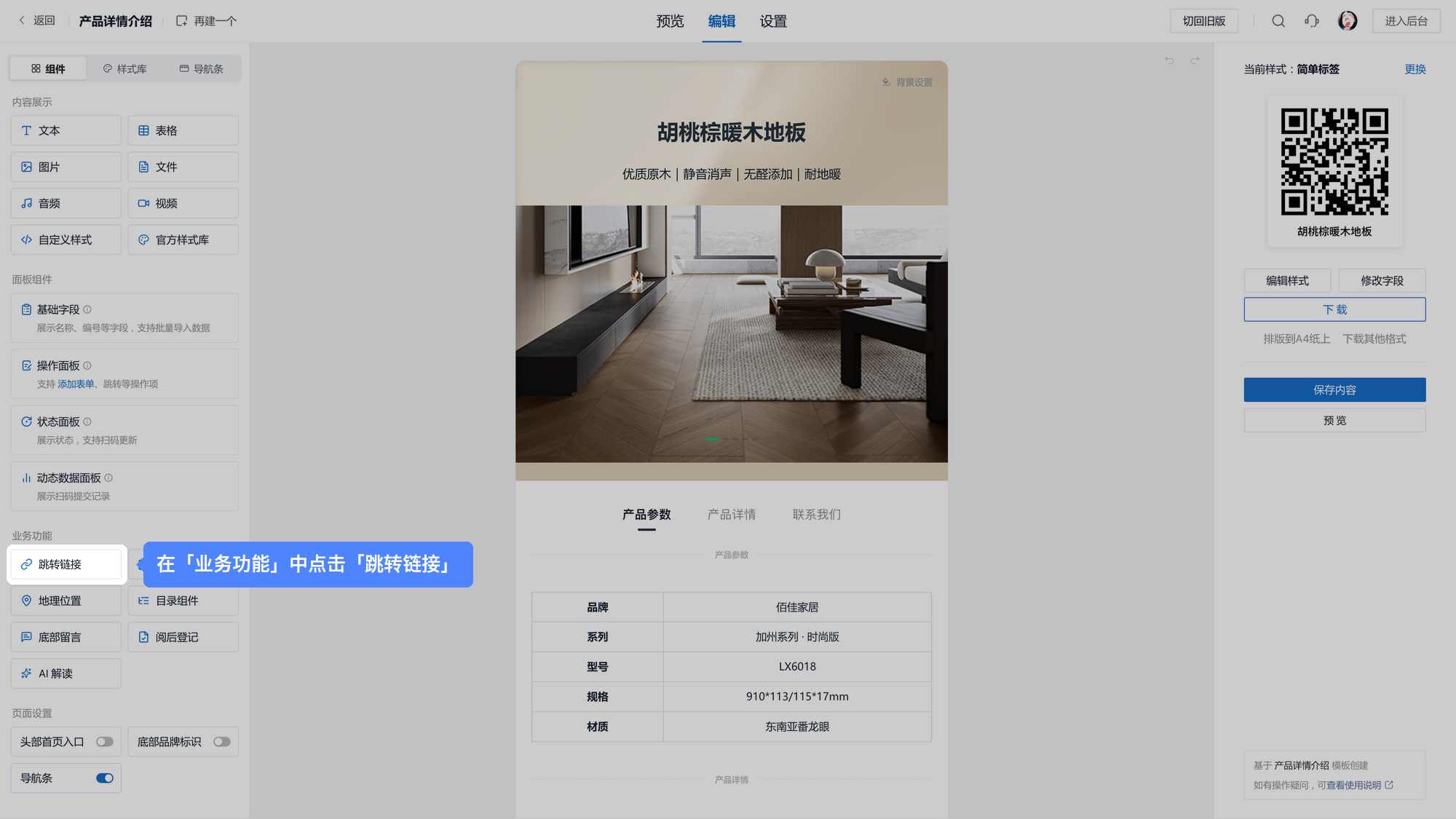
-
Get the Video Account parameters: Log in to Video Account Studio and obtain the Video Account ID and Video ID.
- Video Account ID: Found on the Video Account Studio home page.
- Video ID: In the video management page, find the target video and click Copy Video ID.
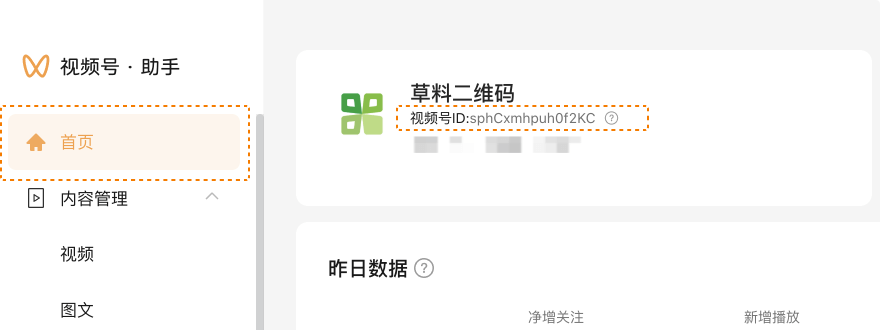
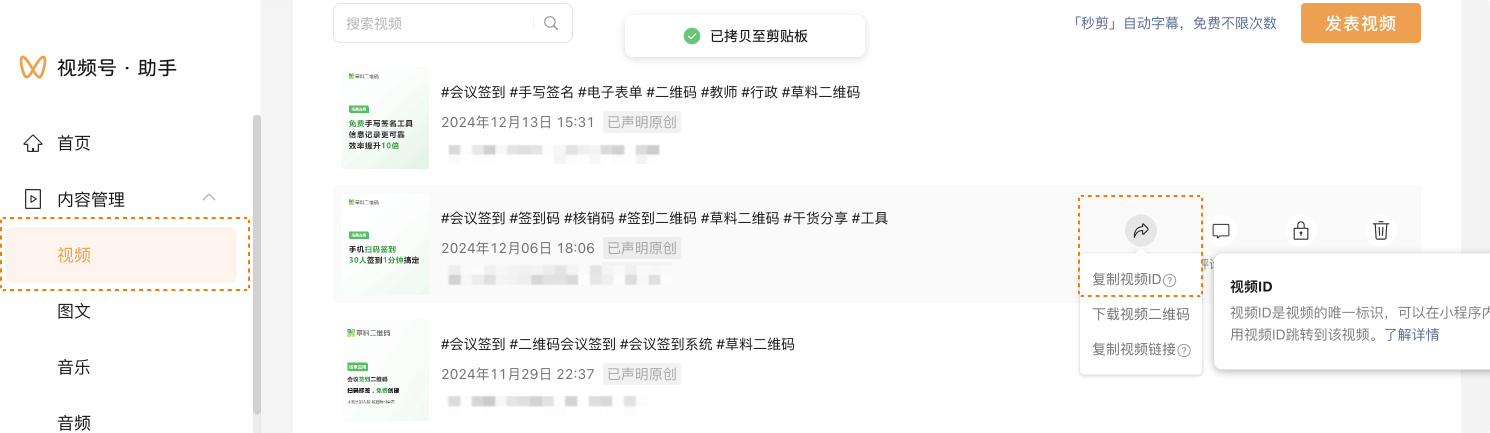
-
Enter parameters and save: Fill in the Video Account ID and Video ID in the corresponding fields, set a link name, and save.
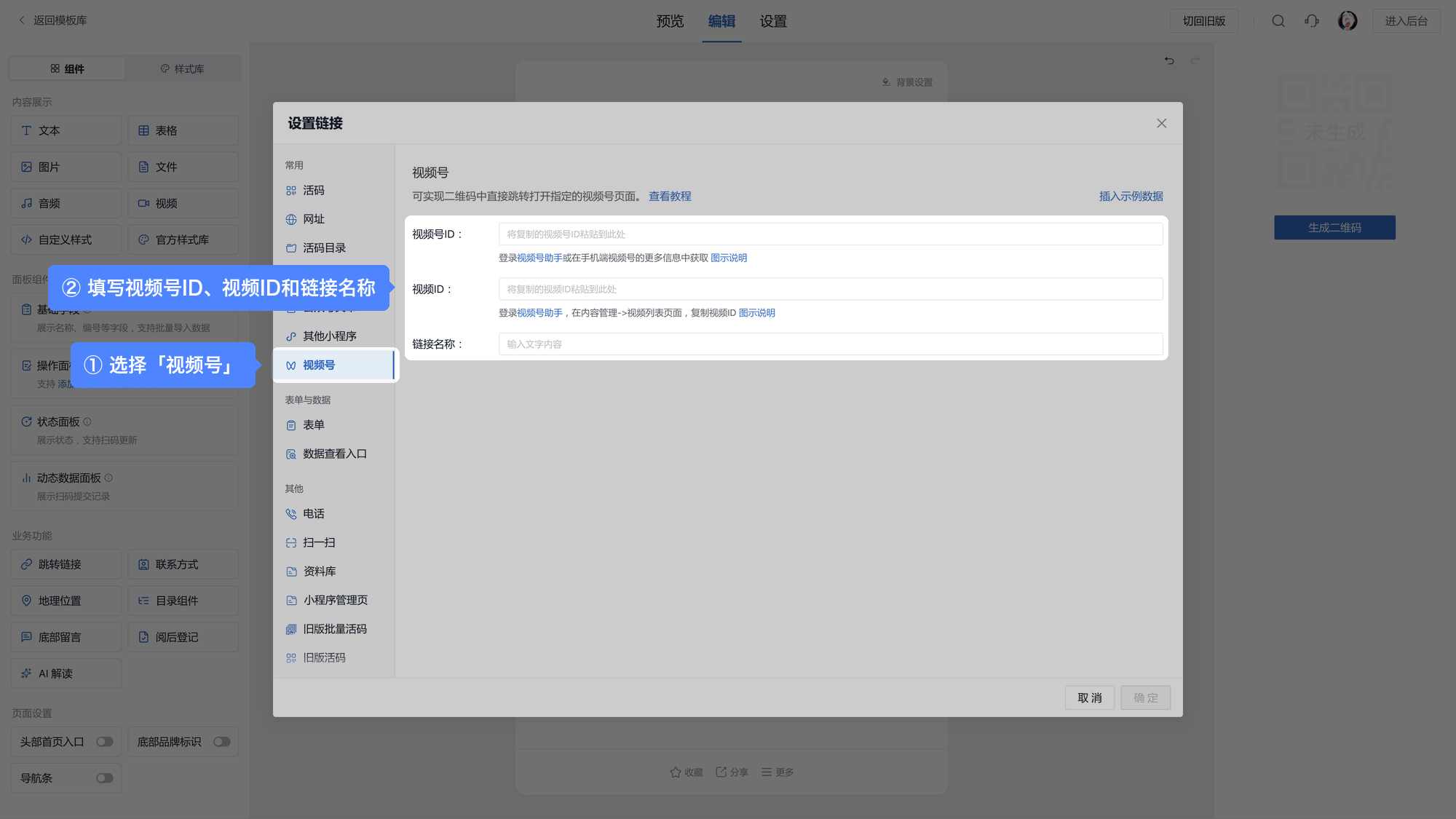
⚠️ Note: Both the Video Account ID and Video ID must be obtained from Video Account Studio. Only videos under your own account can be added this way.
Common Questions
- Is a paid version required? No — the free version supports the redirect link feature for inserting Video Account links.
- Are live stream links supported? Currently only published Video Account videos are supported. Live stream links are not yet supported.
- Can non-WeChat scan open the Video Account? Video Account links only open directly in WeChat. Scanning with Alipay, Douyin, or other apps may not open the Video Account page correctly.
- Can one QR code have multiple Video Account links? Yes — you can add multiple redirect link components to the same dynamic QR code, each configured to a different Video Account video.