A4 Die-Cut Adhesive Paper: Effect and Printing Guide
Overview
A4 die-cut adhesive paper is a pre-cut label material with an adhesive backing. The sheet is pre-cut into specific shapes according to standard specifications — after printing, simply peel and use.
The full sheet is A4 size and is compatible with laser printers, making it a simple label production material.
Material Properties
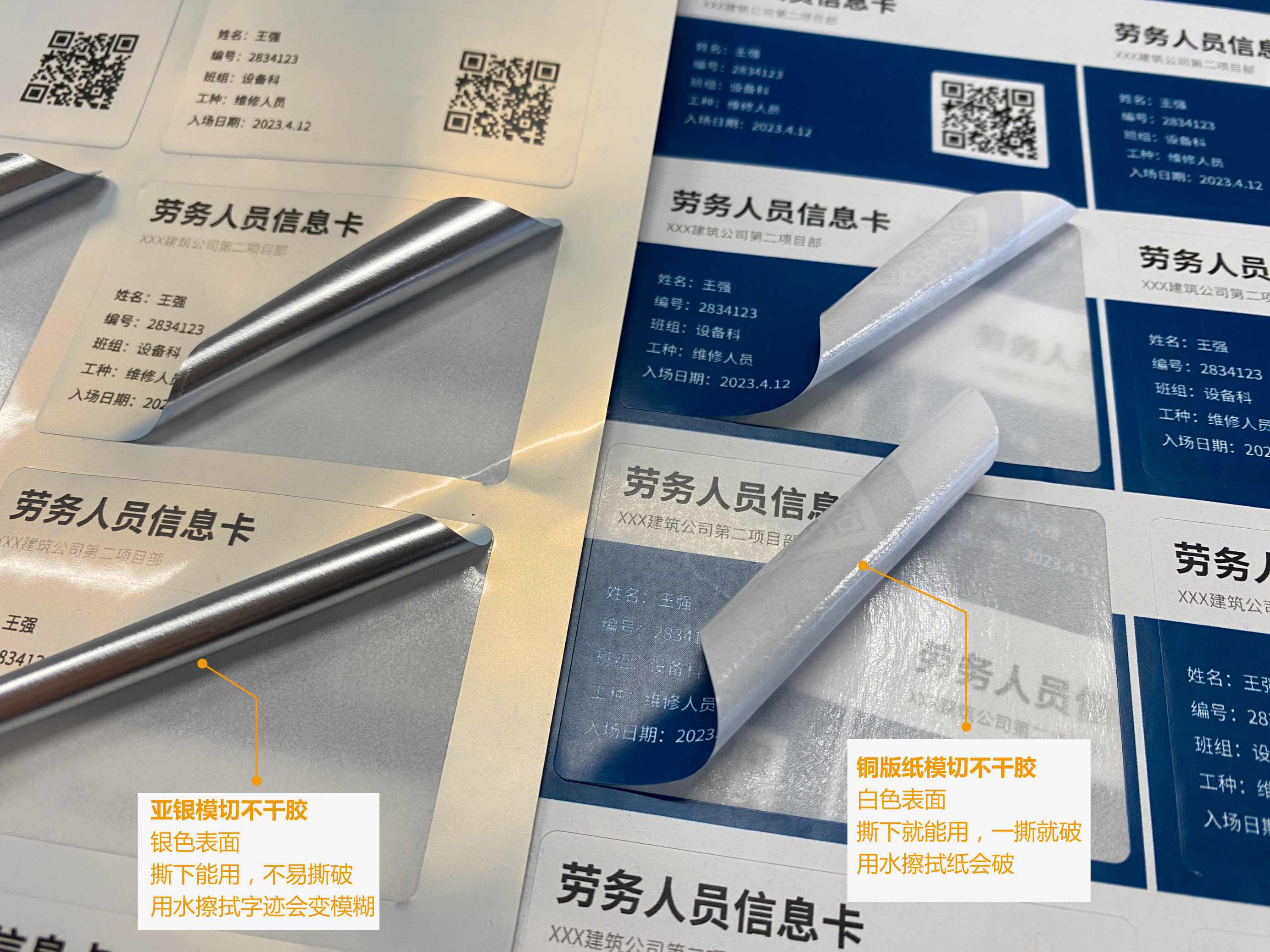
Common die-cut adhesive paper comes in two main materials: silver PET and coated paper:
- Silver PET: Metallic silver color, tear-resistant, not scratch-resistant, ink smears when wiped with water.
- Coated paper: White, tears easily, not scratch-resistant, becomes damaged when wet.
Recommended Consumables
Scan the QR code below to purchase. Silver PET adhesive paper is recommended.

Note: The print file specifications must exactly match the die-cut paper specifications — mismatches cause misalignment. Confirm the specifications of the die-cut file you downloaded before purchasing paper.
FAQs
1. Can I Use an Inkjet Printer?
Not recommended — ink smearing is likely. Also confirm that your printer supports label paper, heavy paper, or photo paper. If not supported, this material cannot be used.
2. How Do I Download QR Code Labels?
Download the "A4 Die-Cut Adhesive" layout file. View tutorial
3. Is There a Printing Tutorial?
Yes. See: A4 Die-Cut Adhesive Sticker Printing Tutorial and FAQs
4. How Is the Adhesion?
Average adhesion — recommended for temporary / short-term use only. On rough surfaces such as leather or fabric, labels may peel off within 1–2 days. Not recommended for such surfaces.
CaoLiao also summarizes material selection, pricing references, and deployment tips for different QR code label scenarios. Use the navigation to find your scenario and view detailed content. Learn about the QR Code Label Printing Deployment Guide
All content above is sourced from CaoLiao user contributions. If you have questions during selection, please contact us. For more production tips and usage questions, feel free to post in the CaoLiao Community — let's help more users deploy successfully together.