Mobile QR Code Generation
In the CaoLiao QR Code Mini Program, the "Generate" tab provides four quick generation types: rich text, image, file, and video. Multiple scenario templates are also available — select a suitable template to generate QR codes. You can also reuse a saved bulk template for quick generation by going to "My Bulk Templates" on mobile, selecting the corresponding template, and filling in the data to generate sub-codes.
1. Simple Generation on Mobile
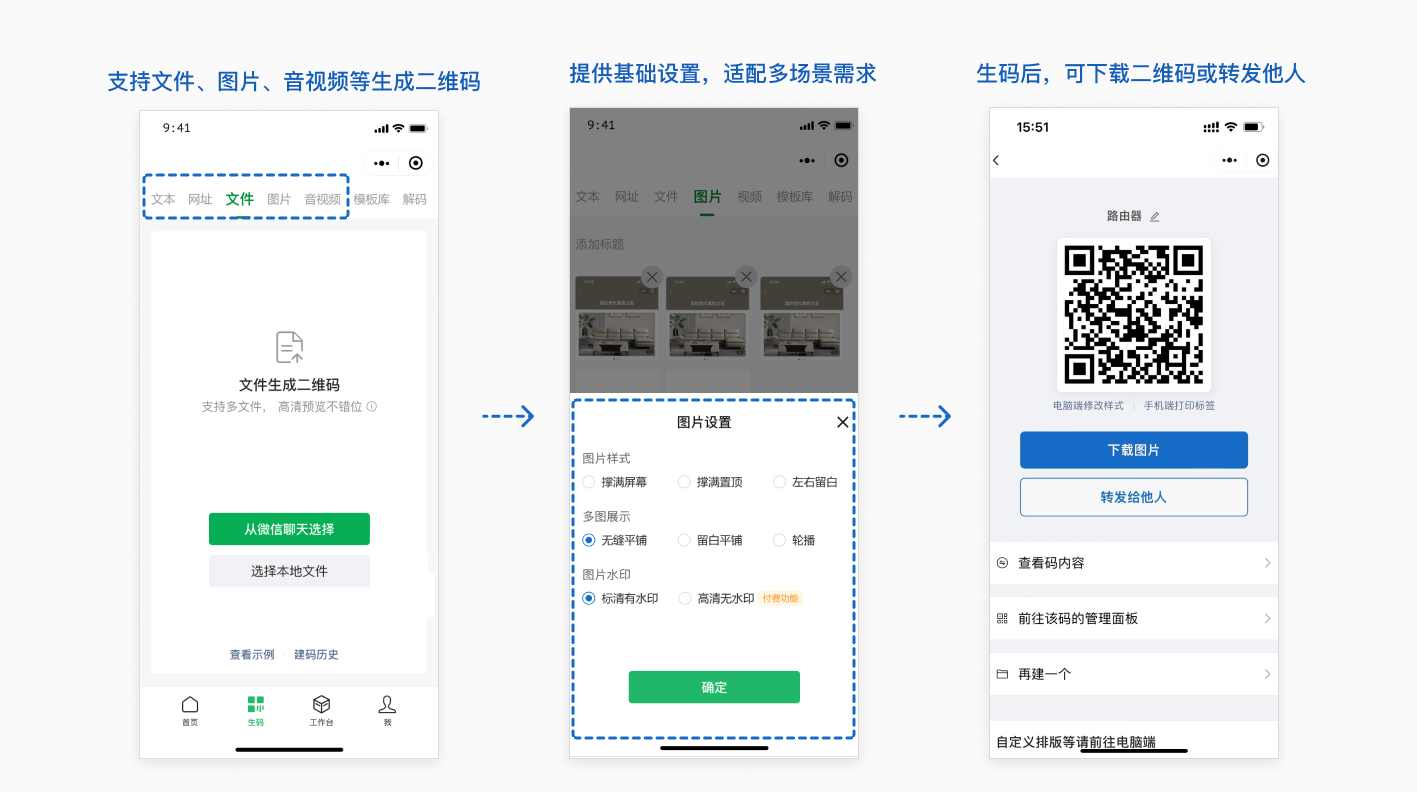
The CaoLiao Mini Program's "Generate" tab provides entry points for quickly generating image, file, and audio/video QR codes, supporting uploading multiple images or files at once. It's suitable for quickly sharing product brochures, business materials, training videos, and similar content.
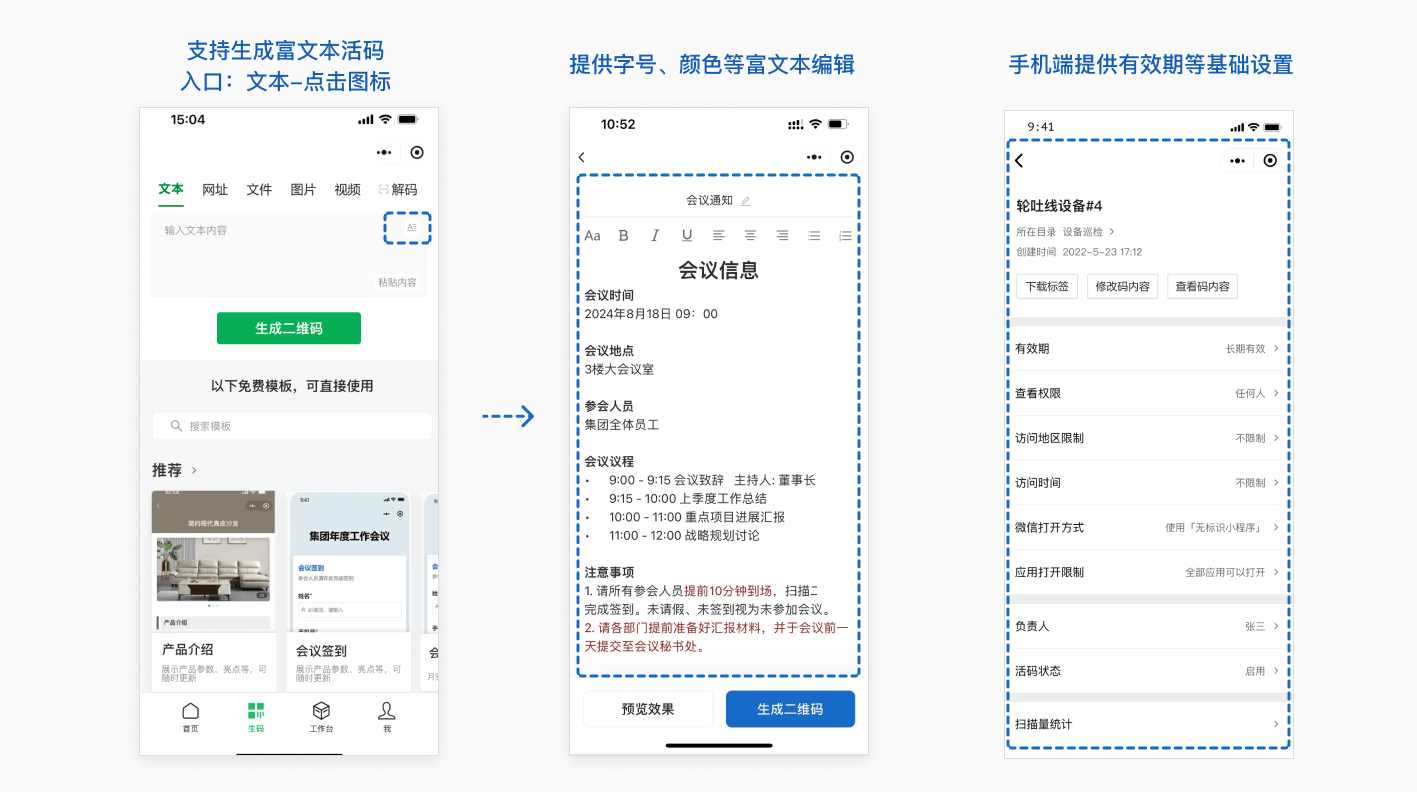
Rich text dynamic QR codes are also supported. In the text tab, tap the icon to enter the editor, which supports directly pasting content and rich text editing including font size, color, alignment, and more.
Basic settings are also available, allowing you to configure whether files open directly when scanned, download permissions, image display styles, and more — all adjustable as needed. All generated QR codes can have their content modified at any time in the workbench, and detailed scan data can be viewed there as well.
2. Template-Based Generation on Mobile
The CaoLiao Mini Program's "Generate" tab offers a wide variety of scenario templates, covering product introduction, equipment inspection, sign-in and registration, personnel management, business introduction, fixed assets, information display, and many other scenarios.
Simply select an appropriate scenario template, follow the prompts to fill in the relevant information, and quickly generate the QR code you need. This method is simple to operate, requires no complex setup, and is suitable for quickly generating one or a small number of QR codes.
Afterward, you can go to the CaoLiao desktop workbench to edit the bulk template content and generate QR codes in bulk via the online form or by uploading an Excel file.

3. Reuse Template to Generate
Reuse Template to Add New Sub-Codes
Super admins and advanced members can log in and use the bulk template generation feature in the mobile workbench to select a bulk template from their account and fill in the "Basic Fields" to generate sub-codes.
Two generation methods are available when selecting a template:
- Form Entry: Fill in all basic fields at once in a single form to generate a sub-code. More convenient to operate.
- New Sub-Code: In the sub-code editing mode, select the basic fields to fill in and generate a sub-code.
After generating a sub-code, you can choose to view the code content or save the QR code label image.

Use Cases
Suitable for situations where a few QR codes need to be added temporarily after a template is created — you can fill in the data on mobile using the reuse template feature and generate them right away. It's also useful when a super admin creates a bulk template on desktop and other personnel need to generate the actual QR codes based on on-site conditions.
Main application scenarios:
1. Personnel Real-Name Information Management
In personnel real-name management scenarios, personnel photos and ID documents can be photographed and uploaded directly on-site from a mobile device, which is more efficient than collecting them and uploading one by one in the workbench. Learn more
2. Fixed Asset Management
Equipment and asset documentation is often not readily available to the admin. Collecting it before creating QR codes increases the admin's workload. The admin can prepare the corresponding template based on the information to be collected, set mobile editing permissions, and let authorized personnel verify asset details on-site and generate QR codes directly on their mobile device. Learn more
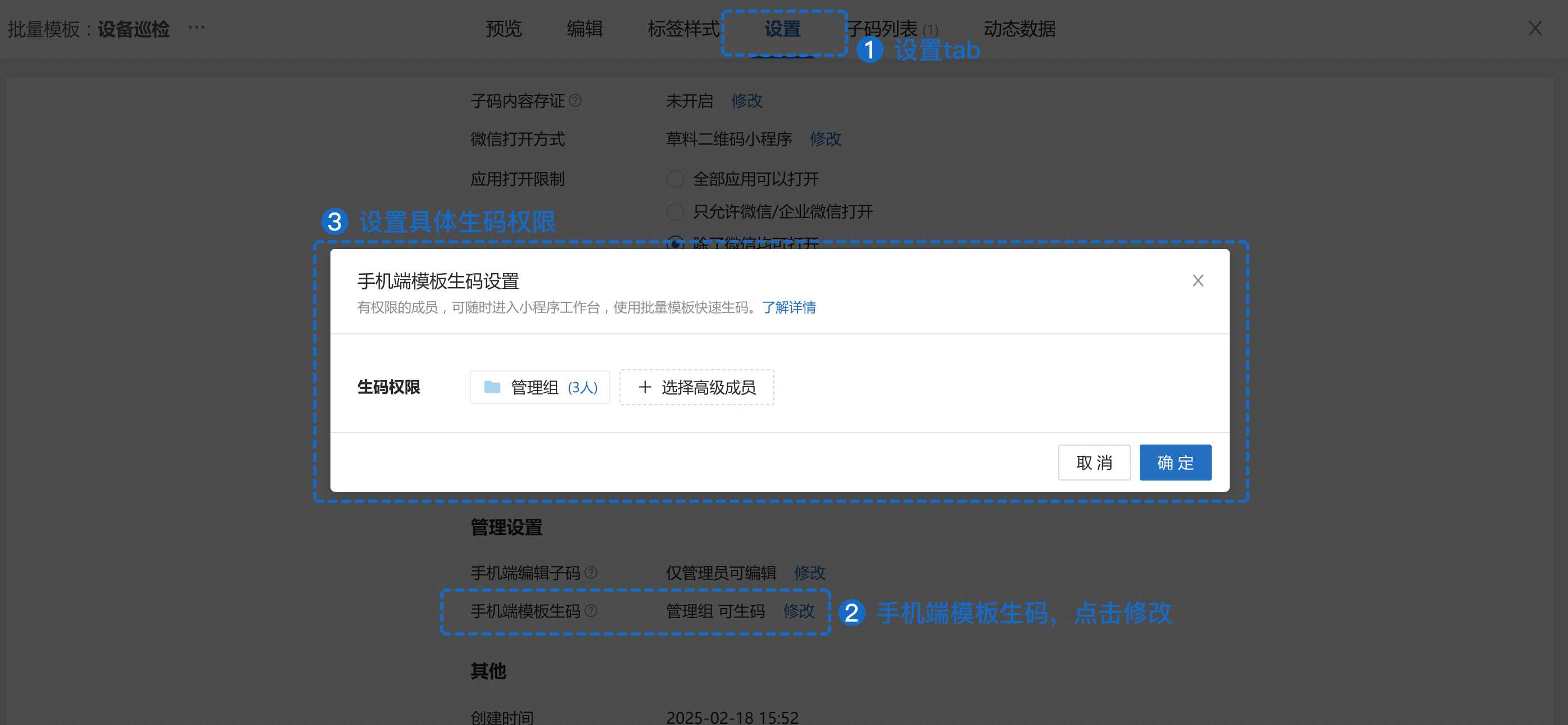
Editing Permissions
Set mobile template generation permissions on the bulk template details page. The default editing permission is "Admin Group". Users on the Advanced Edition and above can enable advanced member collaboration for code generation.