One QR Code per Person
Scan to Check Identity and Qualifications
Attach codes to hard hats and badges. Scan in WeChat to view identity and qualifications, with training and test records kept under each person. Update information in the workbench without replacing the code.
Who Can Use One QR Code per Person?
One QR code per person suits large, changing workforces that need on-site identity and certificate checks.
Construction Workers
Attach codes to hard hats. Scan to check trade, site entry date and three-level safety training for workforce real-name inspections.
Plant Contractors
Power plants, chemical plants and steelworks can manage outside construction and maintenance crews. Scan to see their company, permitted areas, crew leader and entry test results.
Shop-Floor Workers
Operators, mechanics and laboratory technicians wear badges. Scan to see their employee ID, position, team and qualification certificates.
Special Operations Workers
Welders, electricians, lifting operators and drivers work with the required certificates. Scan to view certificate copies and expiry dates.
Scan to View Identity and Qualifications
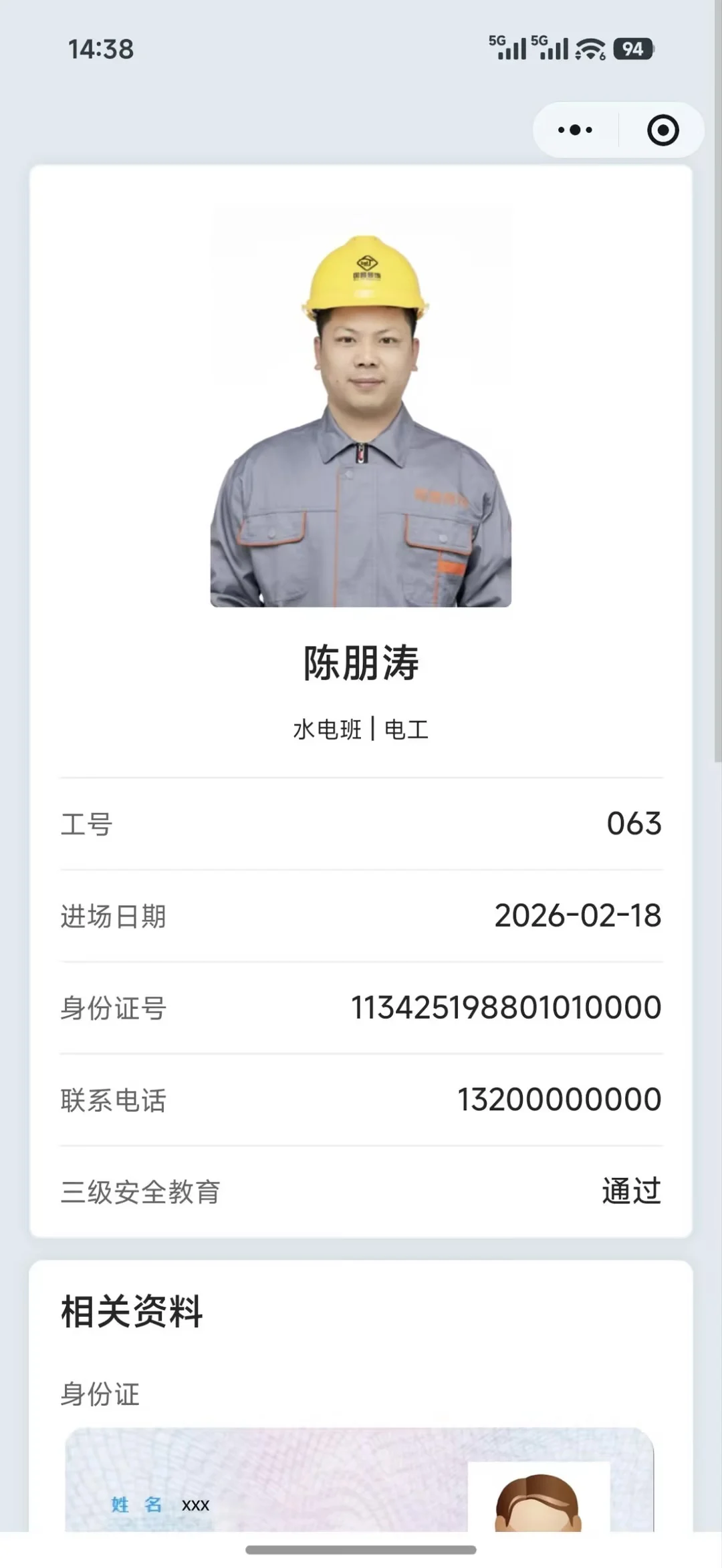
Scan a Hard Hat to Check Identity and Safety Training
See the photo, team, trade and site entry date on one screen, along with three-level safety training and identity documents. ID numbers can be hidden from people scanning the code.
 Scan with WeChat to try it
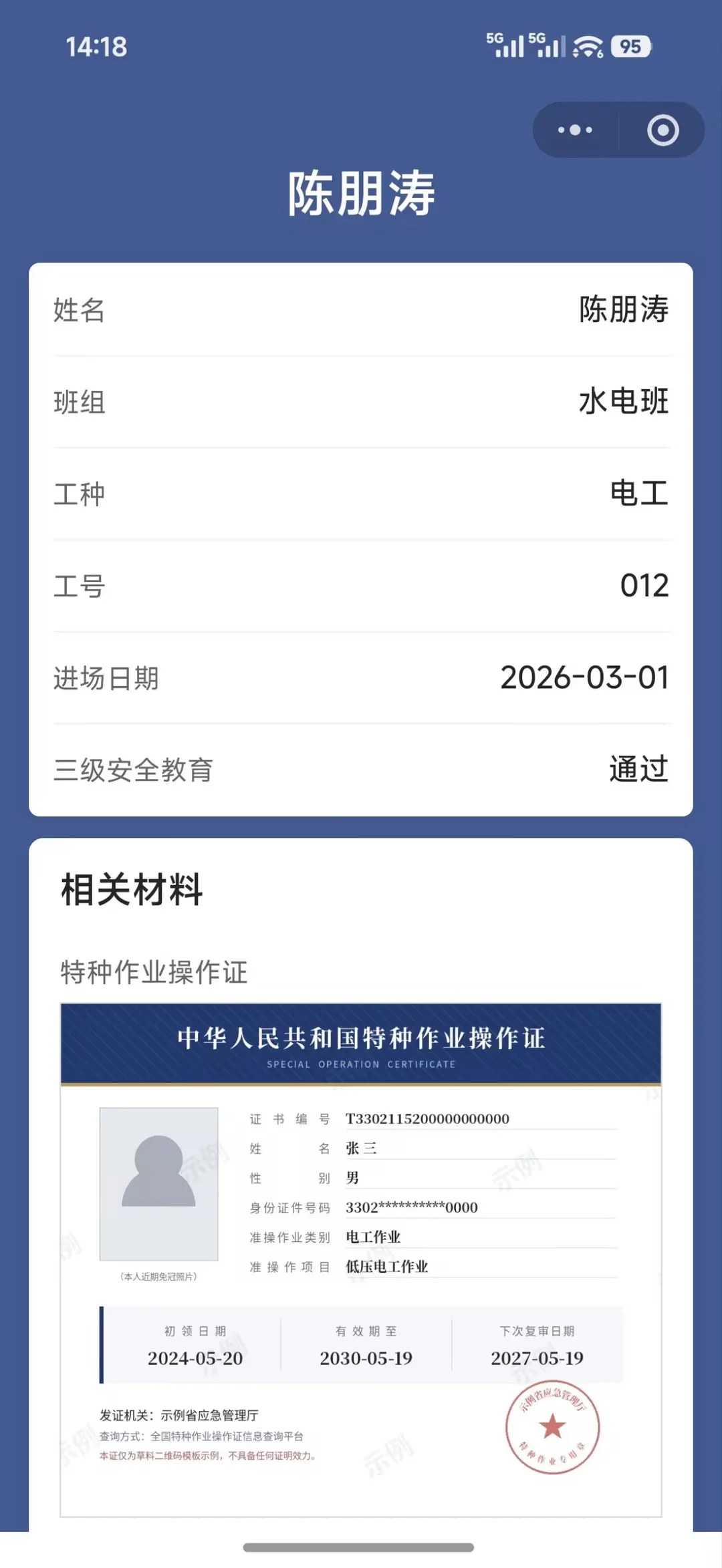
Verify Qualifications On Site with a Scan
Display scanned special operation certificates and their expiry dates together. Check their validity on site without searching through photocopies.
 Scan with WeChat to try it

Let Customers Scan to Verify Service Staff
Show a photo, company, years of experience and service skills, and add qualification certificates. Disable the code when a person leaves so their old badge no longer displays content.
 Scan with WeChat to try it
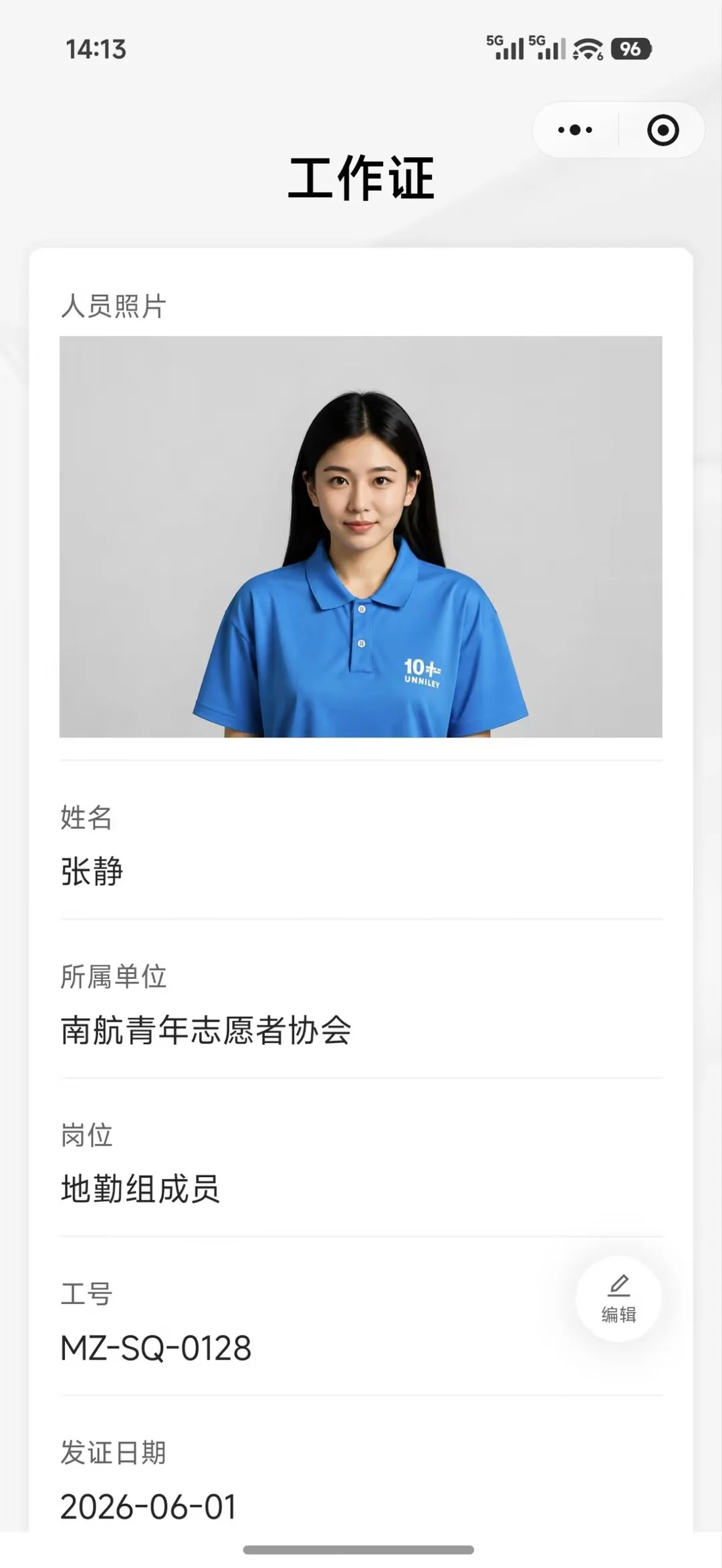
Scan to Verify a Volunteer's Role
Put each volunteer's photo, organization, role and ID on the code. Scan to view their volunteer certificate. Disable the batch when the event ends so scans no longer display content.
 Scan with WeChat to try it
How It Works
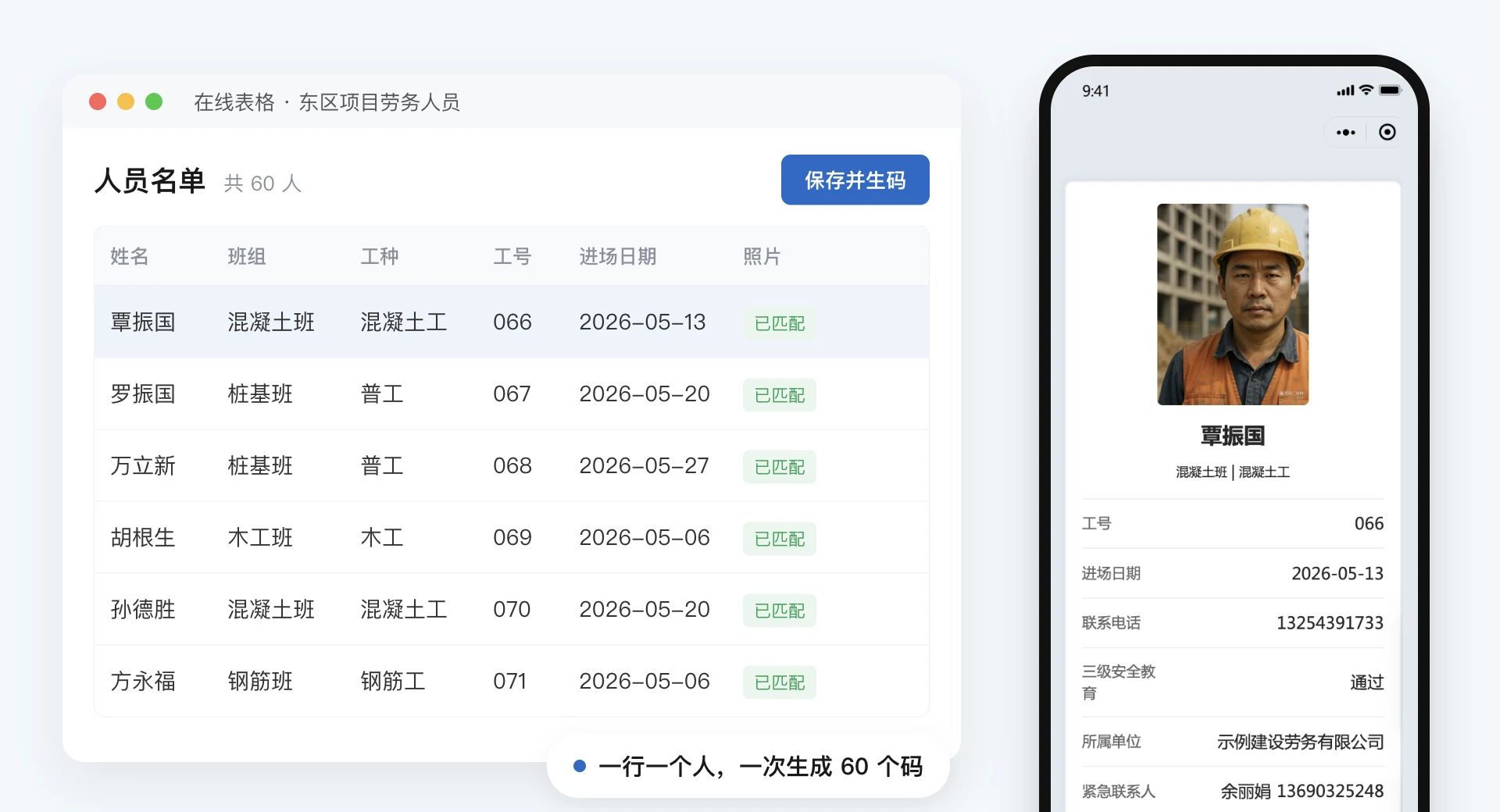
1Import Your Roster to Generate Everyone's Code
- Bulk generation: import an Excel roster to generate 300 codes for 300 people at once
- Photo matching: name photos after each person and match them automatically on upload
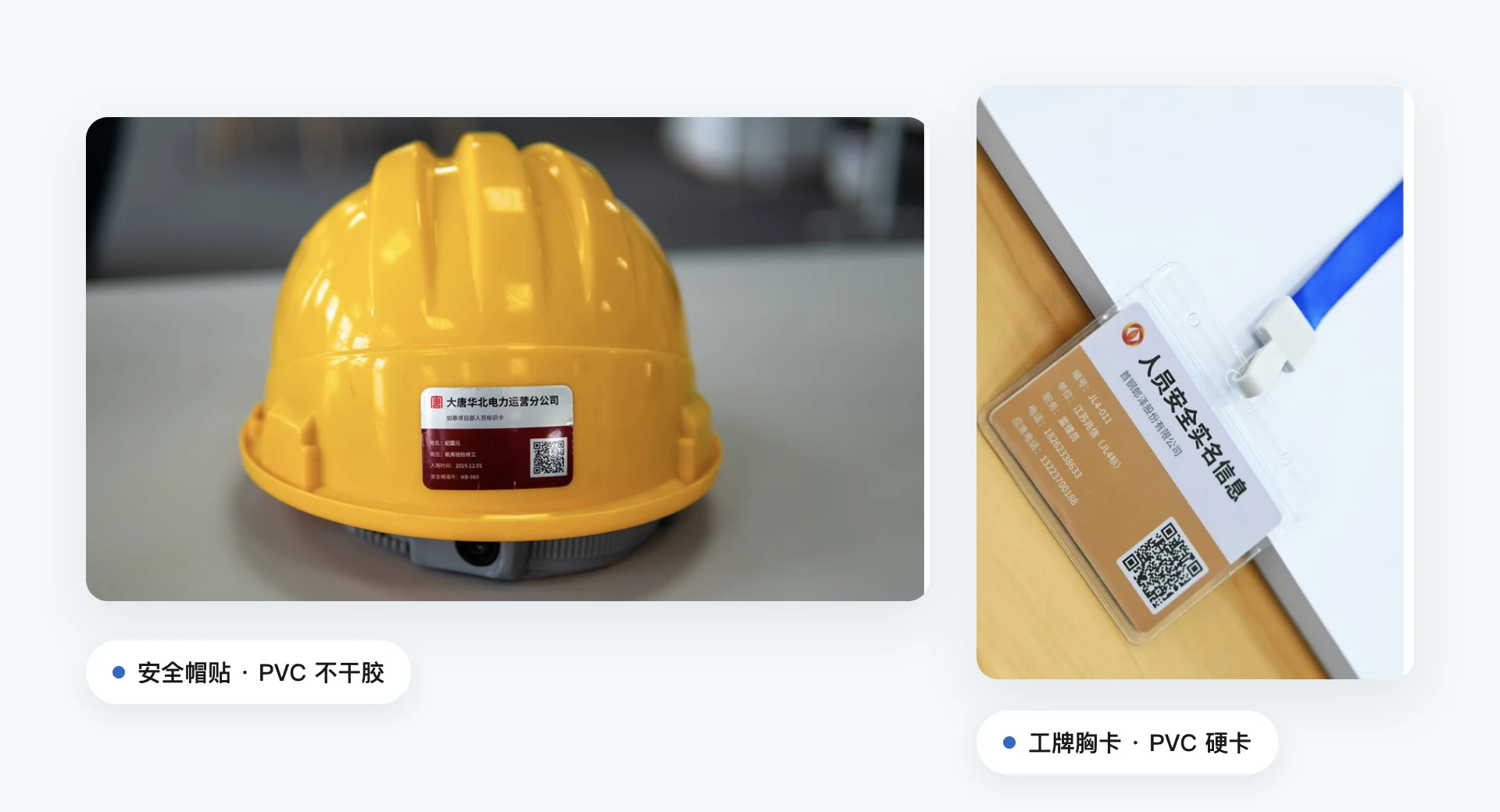
2Print on Hard Hats and Badges to Keep Codes with People
- Hard-hat labels: PVC adhesive stickers suit long-term outdoor use
- Staff badges: use rigid PVC cards, or print on A4 adhesive paper for an initial trial
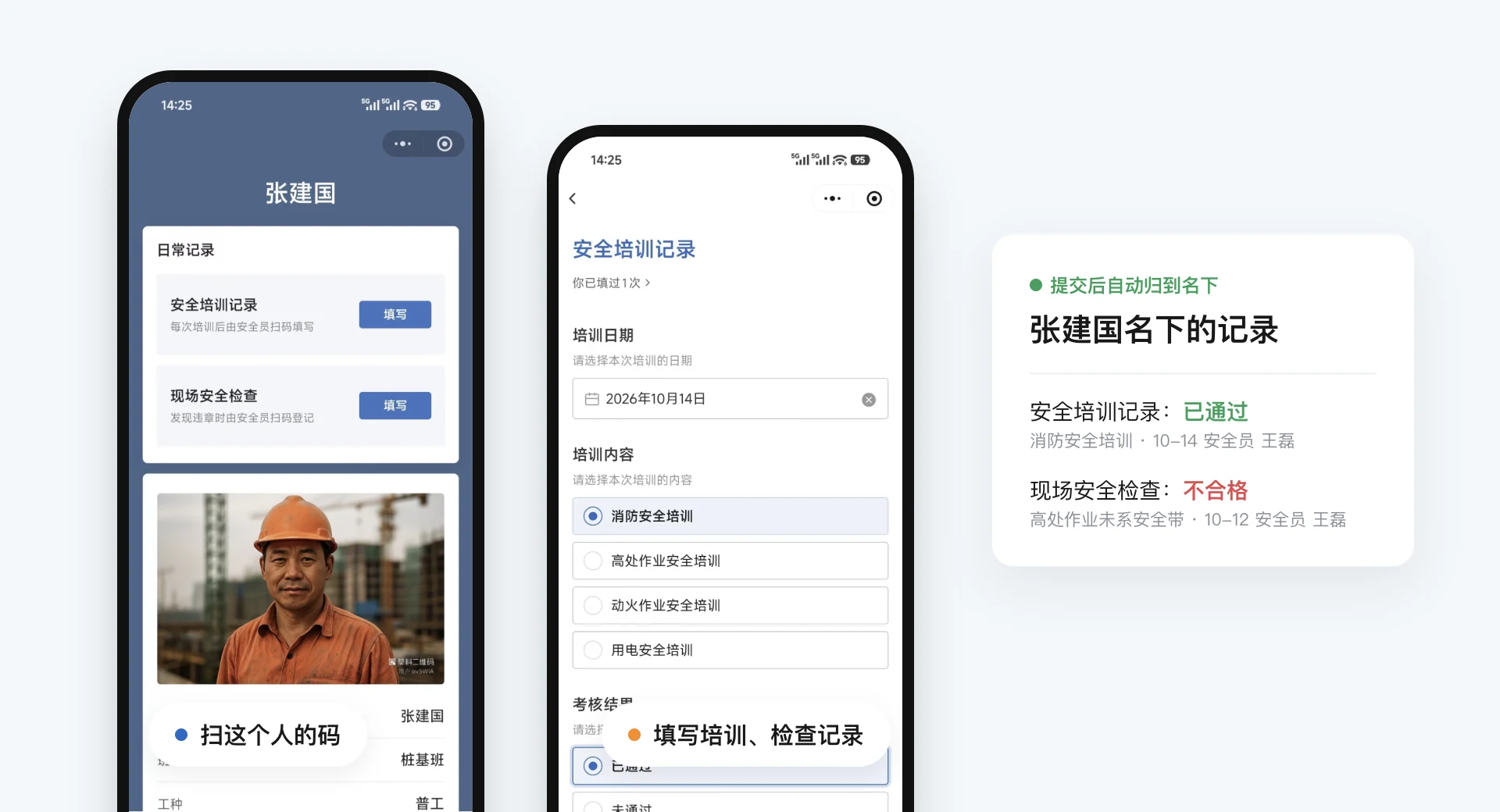
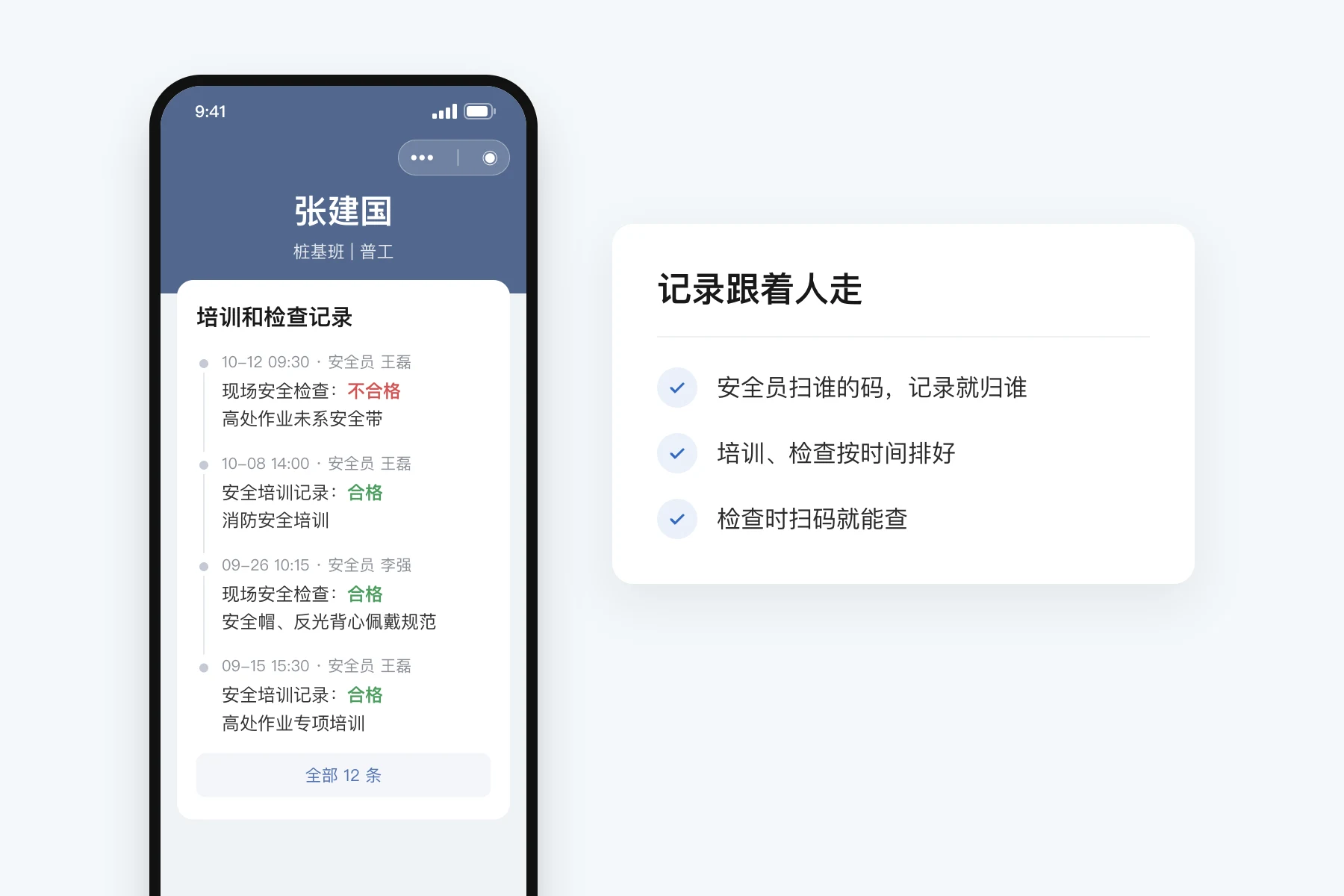
3Verify On Site and Keep Records with Each Person
- Scan to verify: check photos, trades and certificates on site with WeChat
- Personal records: scan a person's code to log training and violations under their profile
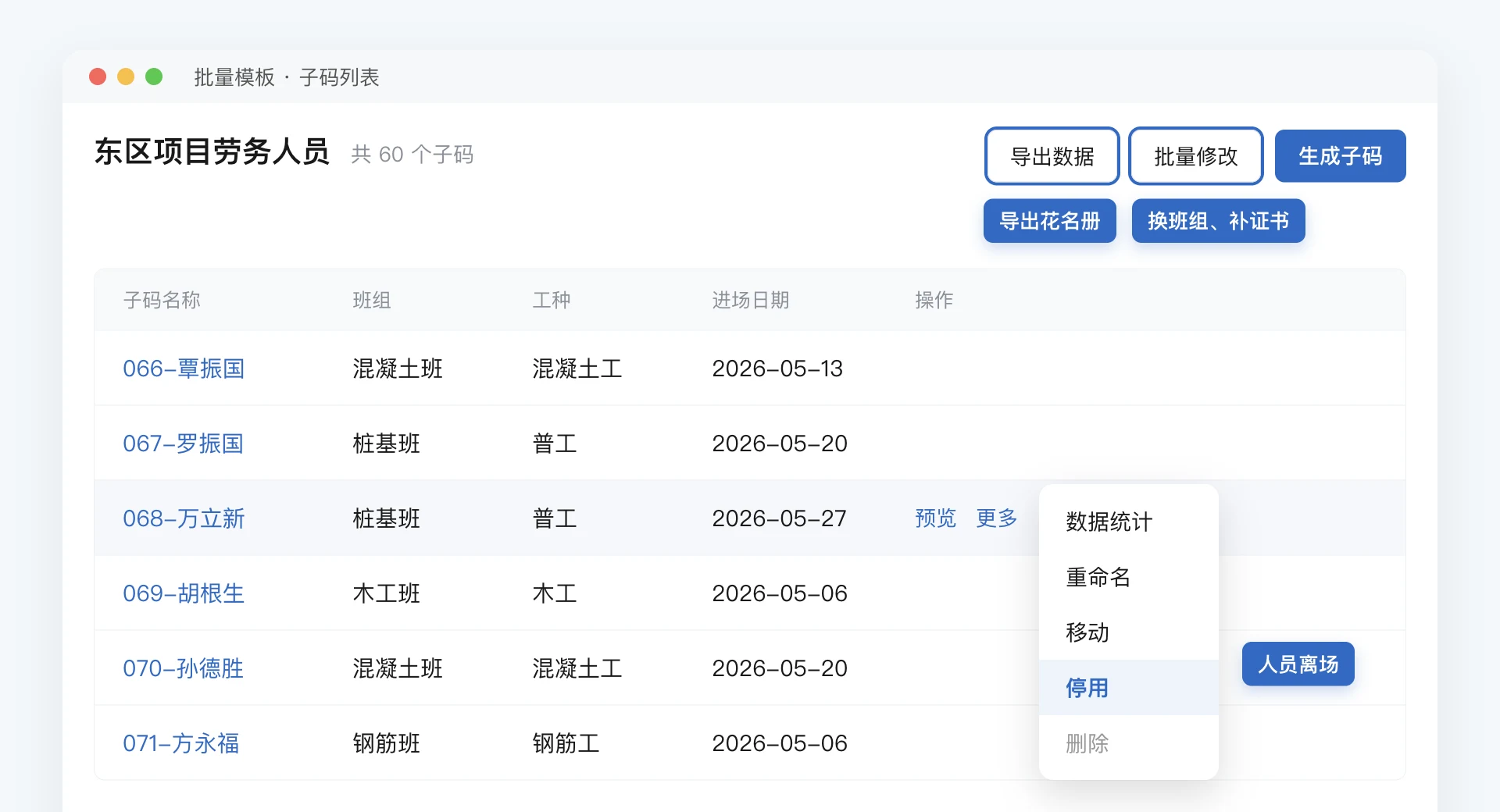
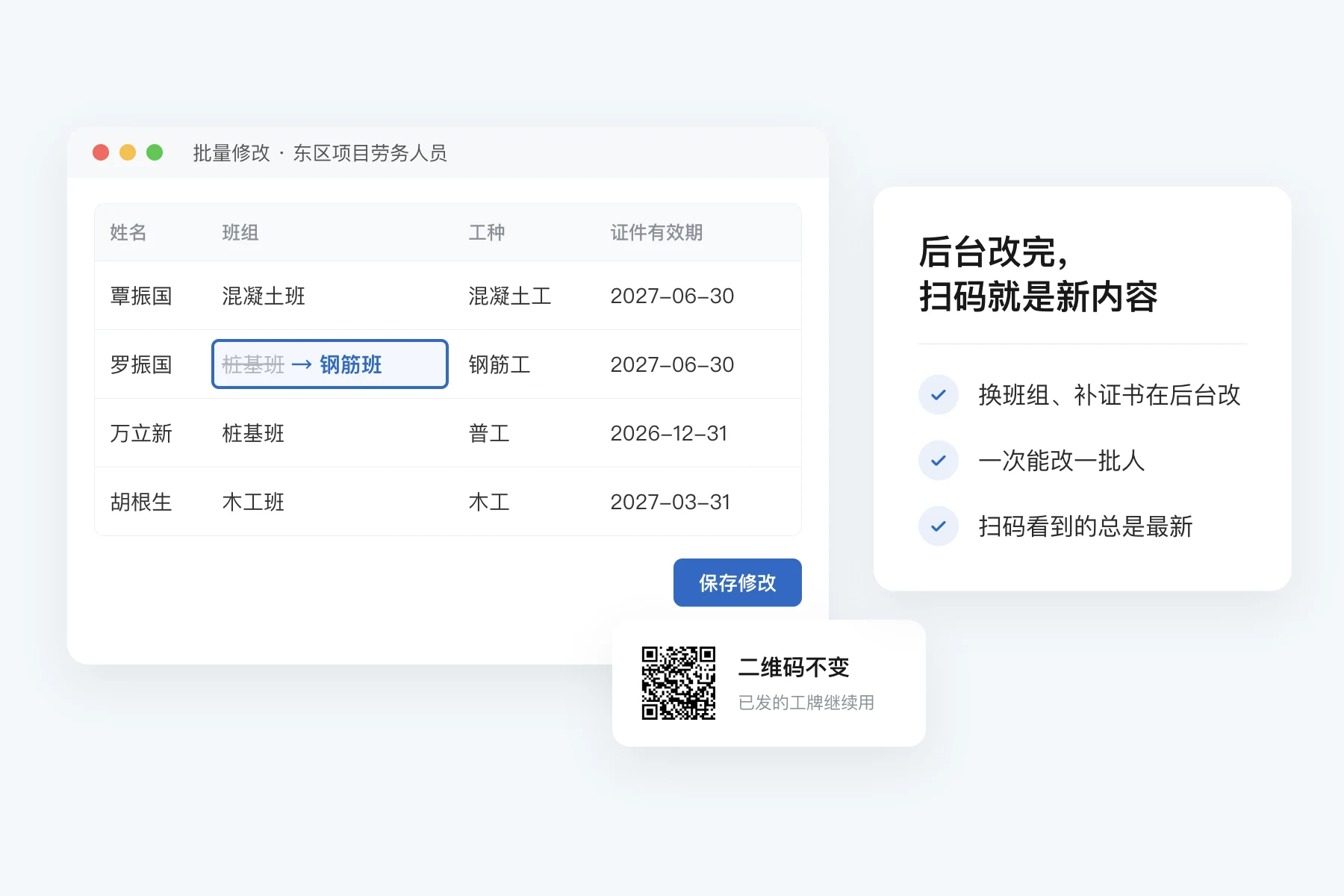
4Update Personnel in the Workbench and Export Rosters Anytime
- Information changes: update in the workbench without replacing the code
- When someone leaves: disable their code so scans no longer display content
- Prepare for inspections: export the roster and records to Excel in one click
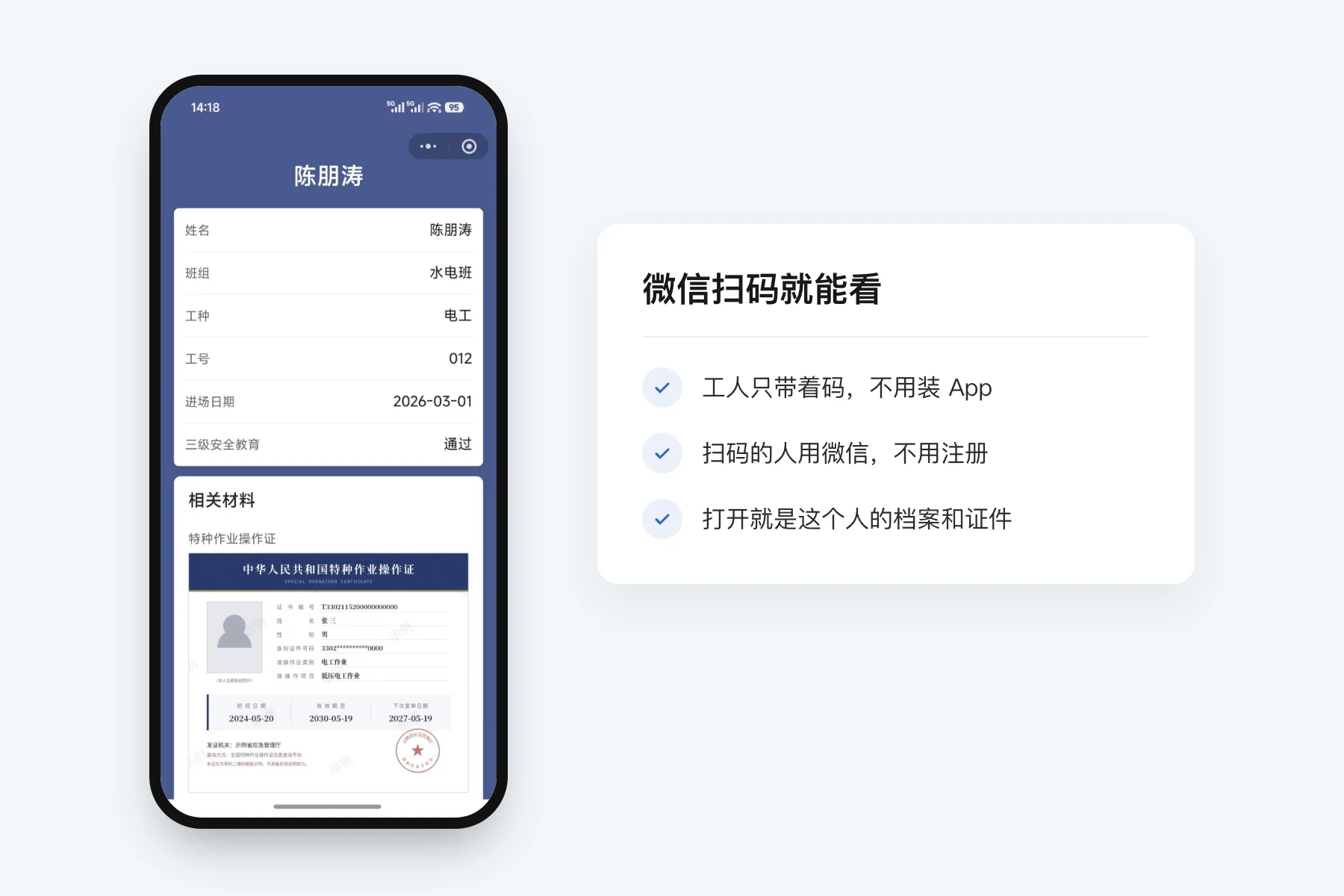
Easy for Frontline Teams and Administrators
More Ways to Manage Personnel
Each option below uses its own code. Add only what you need.
Attendance Clock-In
Place a clock-in code at the entrance. Staff scan to clock in and out, with times recorded automatically
View Template ›Training Check-In
Place a check-in code at the training venue. View attendance in real time and export it for archiving
View Template ›Training Tests
Scan to answer questions after training, with single-choice and true/false questions scored automatically
View Template ›Shift Handover Log
Scan during shift handovers to automatically record handover items and times
View Template ›Customer Stories
Identity labels on workers' hard hats let a WeChat scan reveal who they are, their team, trade and training records.
Staff identity codes on hard hats show certificates, safety training and health status. Supervisors scan to record behavior such as not wearing a hard hat.
Personal information codes on hard hats and workwear show construction workers' identities, direct supervisors and companies when scanned.
For more examples, visit the Customer Stories Library.
Implementation Costs
Basic Personnel Management for Long-Term Use
- QR codes remain valid long term
- Unlimited personnel
- Bulk generation and editing
- Record training, violations and other personnel information
- Scanned pages display CaoLiao branding
- Images and files use free version specifications and carry a CaoLiao watermark
Upgrade for Branding, Collaboration or Permissions
Includes free version features. Available enhancements vary by edition and commonly include:
- Show your own brandRemove CaoLiao branding and show your company name and logo
- High-resolution images and files without watermarksView certificates and documents more clearly
- Collaborative managementDifferent responsible persons manage their own personnel
- Set viewing permissionsRestrict sensitive profiles to designated people
Frequently Asked Questions
Do workers need to install an app?
No. Workers only carry their code, and people verifying it scan in WeChat without registering. Only administrators maintaining profiles need to sign in to the workbench.
Do I need to create codes individually for hundreds of people?
No. Import an Excel roster to generate everyone's code at once, with photos matched automatically by filename. When a new person arrives, add a row to the existing bulk template.
Can workers scan to submit their own information?
Yes. Collect the information first, then generate codes. Use the Worker Entry Information Registration template to create a registration code. Workers scan to submit their information, then you export the collected data from the workbench and generate personnel codes in bulk.
Can this manage outside construction and maintenance crews entering a plant?
Yes. Generate a code for each crew member with their company, permitted areas, crew leader, entry test results and certificate validity. Upload medical reports and insurance policies as attachments. Disable the codes after work ends and personnel leave.
Can other people see ID numbers and phone numbers?
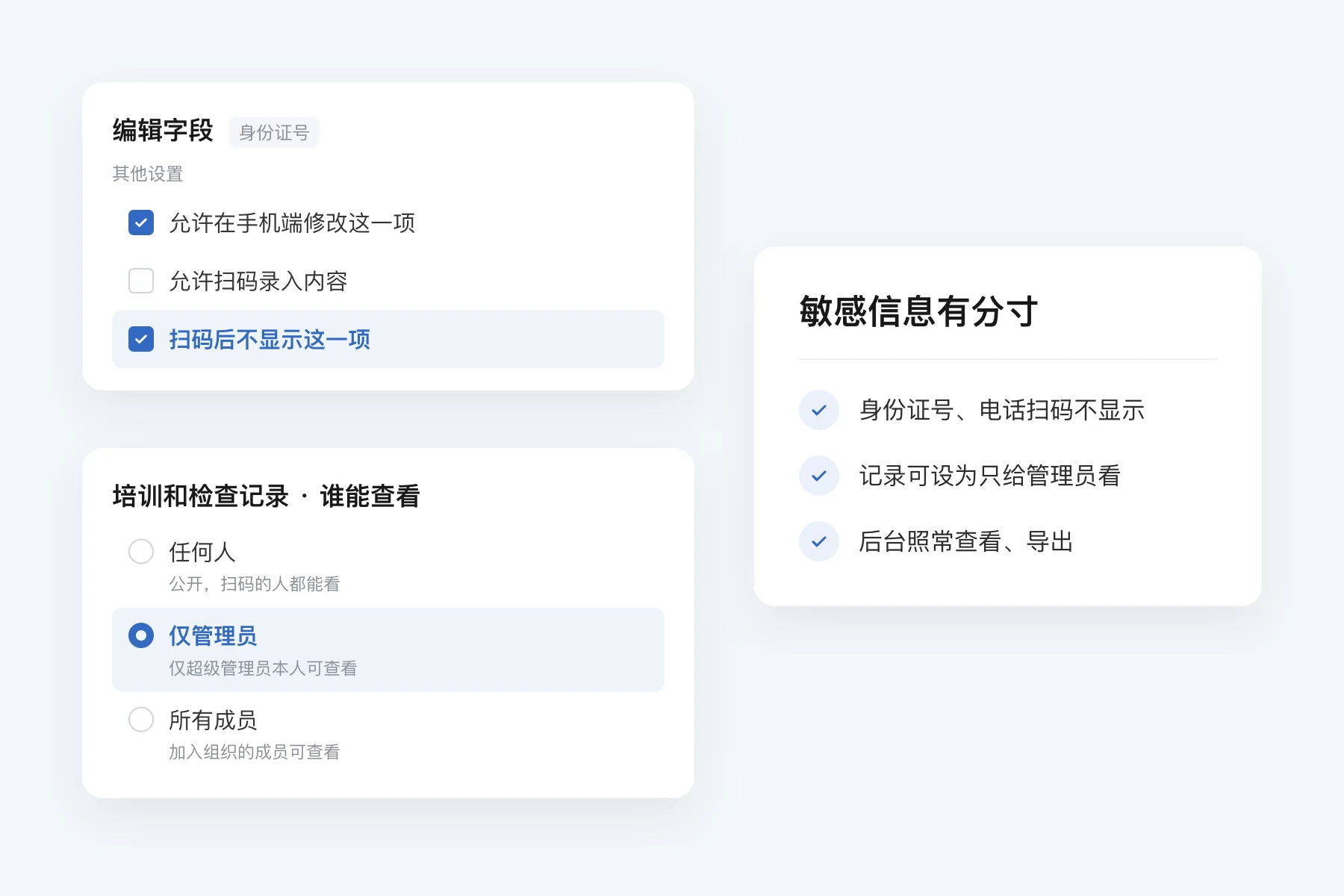
You can hide them. Set the item to Hide After Scanning so it remains viewable and exportable in the workbench. To limit the whole code to internal staff, select All Members for viewing permissions or set a password. Access for designated people requires Advanced Edition or above. See QR Code Viewing Permissions.
What if someone leaves or loses their badge?
Disable their code in the workbench so scans no longer display content. You can re-enable it when needed. If a badge is lost, disable the old code and generate a new one for that person.
Do training records for dozens of attendees need to be added individually?
No. With Bulk Add Records, the organizer completes the training form once, then selects or scans attendees' codes in succession to add the record to everyone. Advanced Edition or above is required.
Is this useful if we already have a real-name or HR system?
They handle different tasks. An HR system manages pay, social insurance and attendance rules. This handles on-site identity and certificate checks and stores training and violation records under each person. Both can run alongside each other; use the API to send data to an existing system when needed.
Does this support facial recognition or access gates?
No. CaoLiao verifies personnel information by scanning codes. It does not provide facial recognition or control access gates. Face-based entry requires a separate access control system.
Where is personnel data stored, and is it secure?
Data is stored on Alibaba Cloud, with enterprise accounts isolated from one another. The platform has passed China's Level 3 cybersecurity classified protection certification. See Data Security Overview.
Start Building Personnel Information QR Codes
Personnel profiles and label styles are ready in the template. Import your roster to generate the codes.