Fire Safety Inspections with QR Codes
Trace Inspections and Rectification
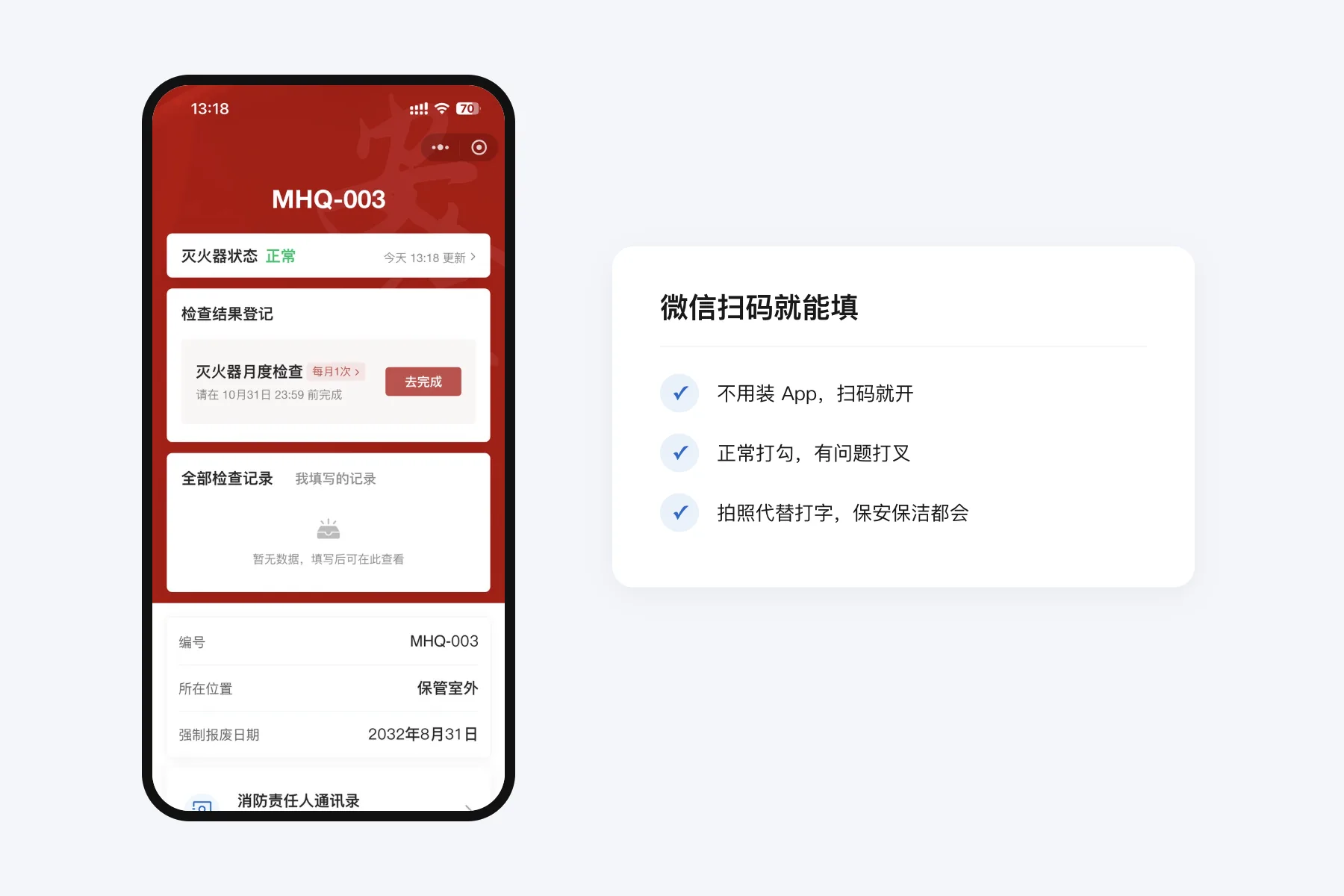
Use CaoLiao QR Code for fire safety inspections: one code per facility, scanned on site.
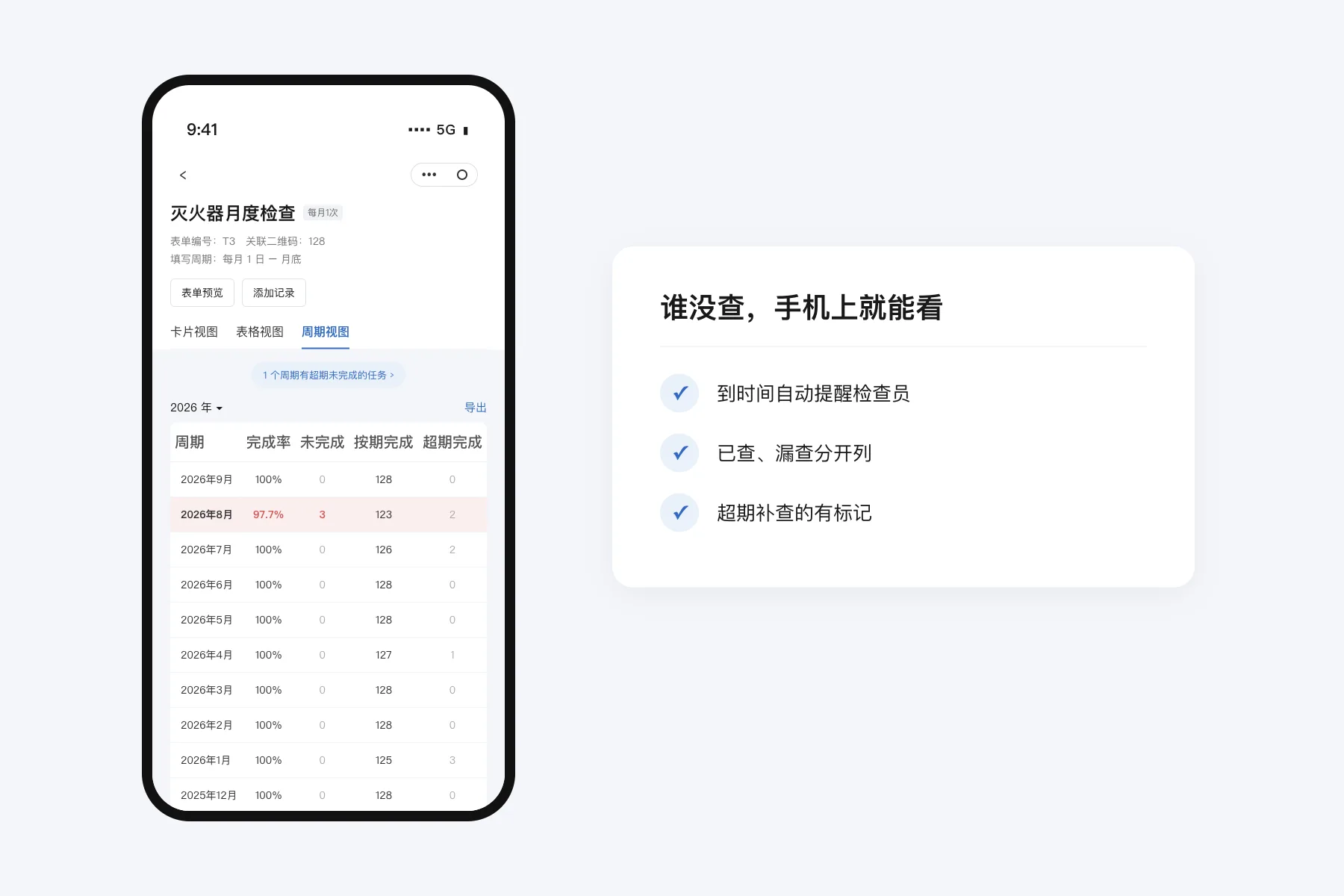
Inspectors receive scheduled reminders; hazard reports trigger targeted notifications and leave a rectification record.
Use QR Codes on These Fire Safety Facilities
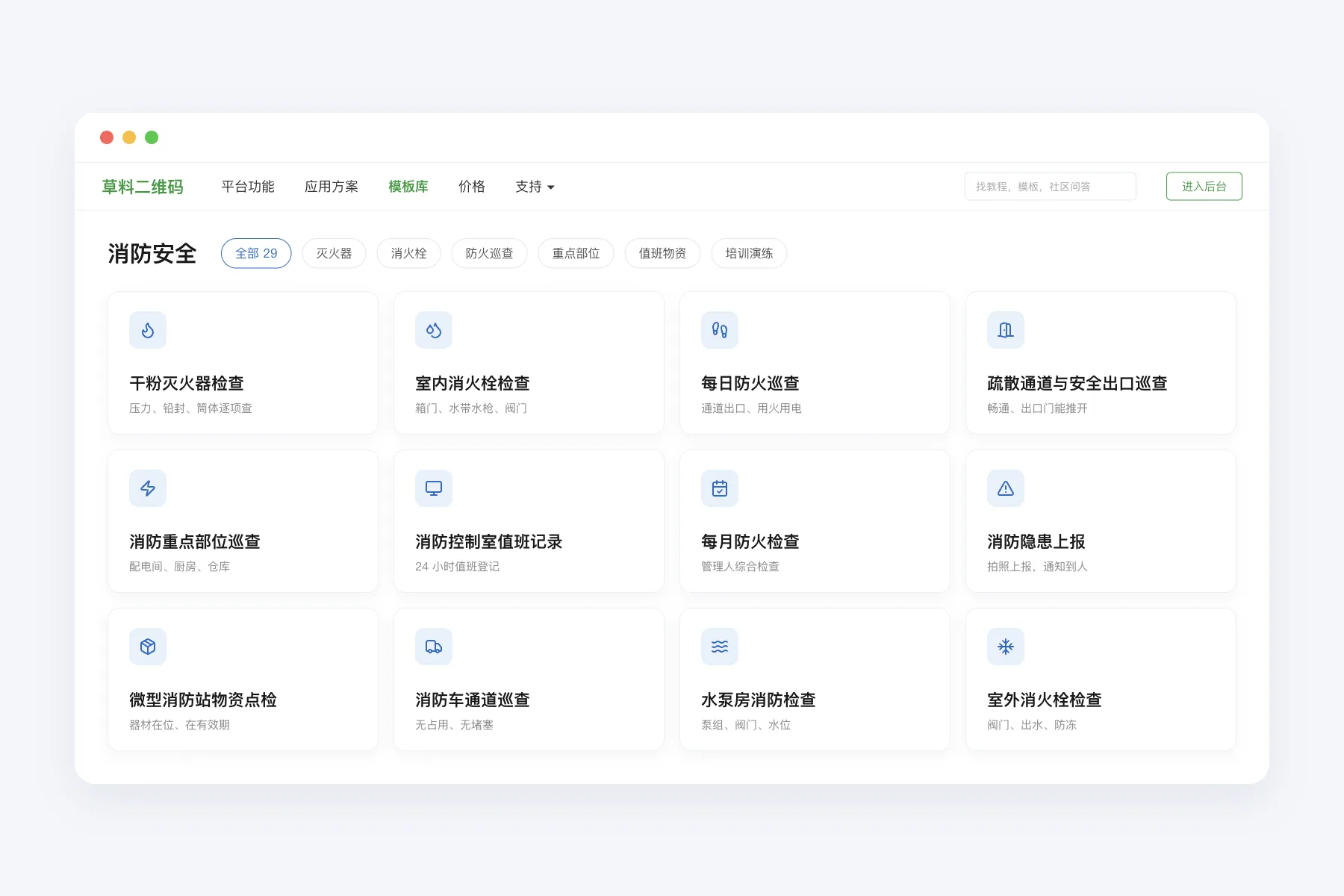
One code per facility, with facility-specific checklists and frequencies, all in one workbench.

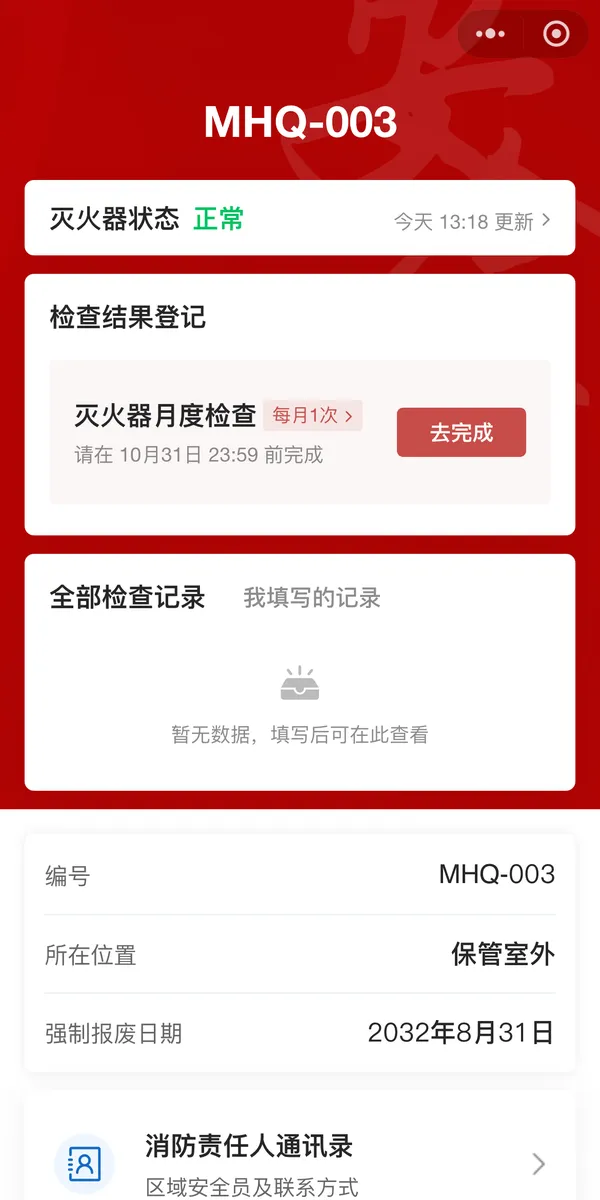
Label Each Extinguisher for Monthly Item-by-Item Checks
Attach the code to the body. Scan monthly to check the pressure gauge, seal, cylinder, and hose, photographing problems immediately. Receive reminders before the disposal date.

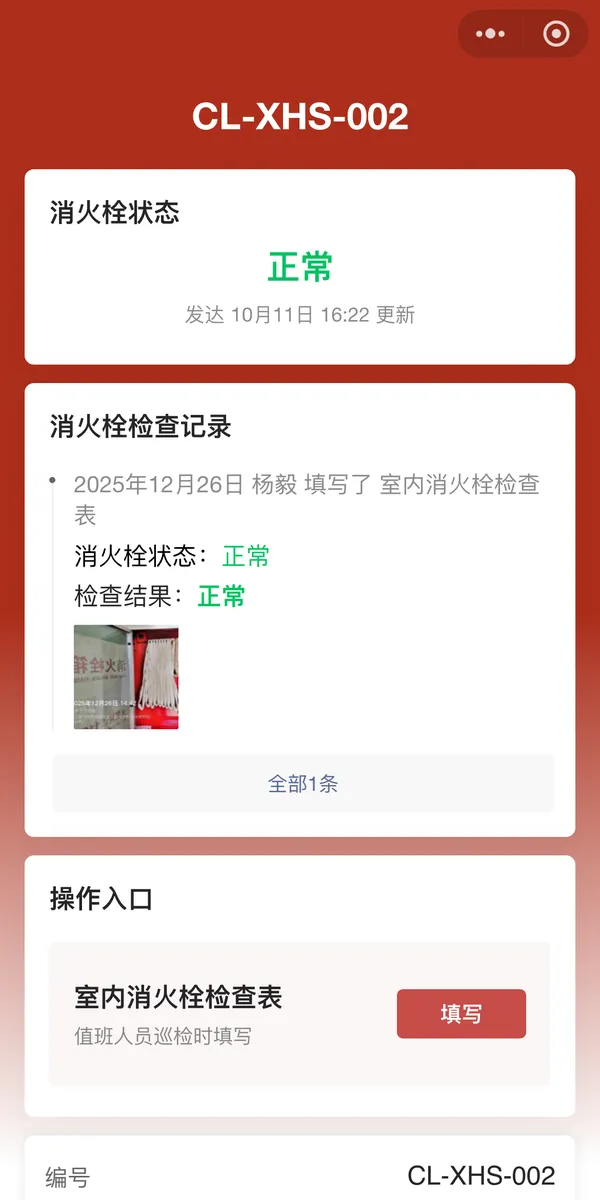
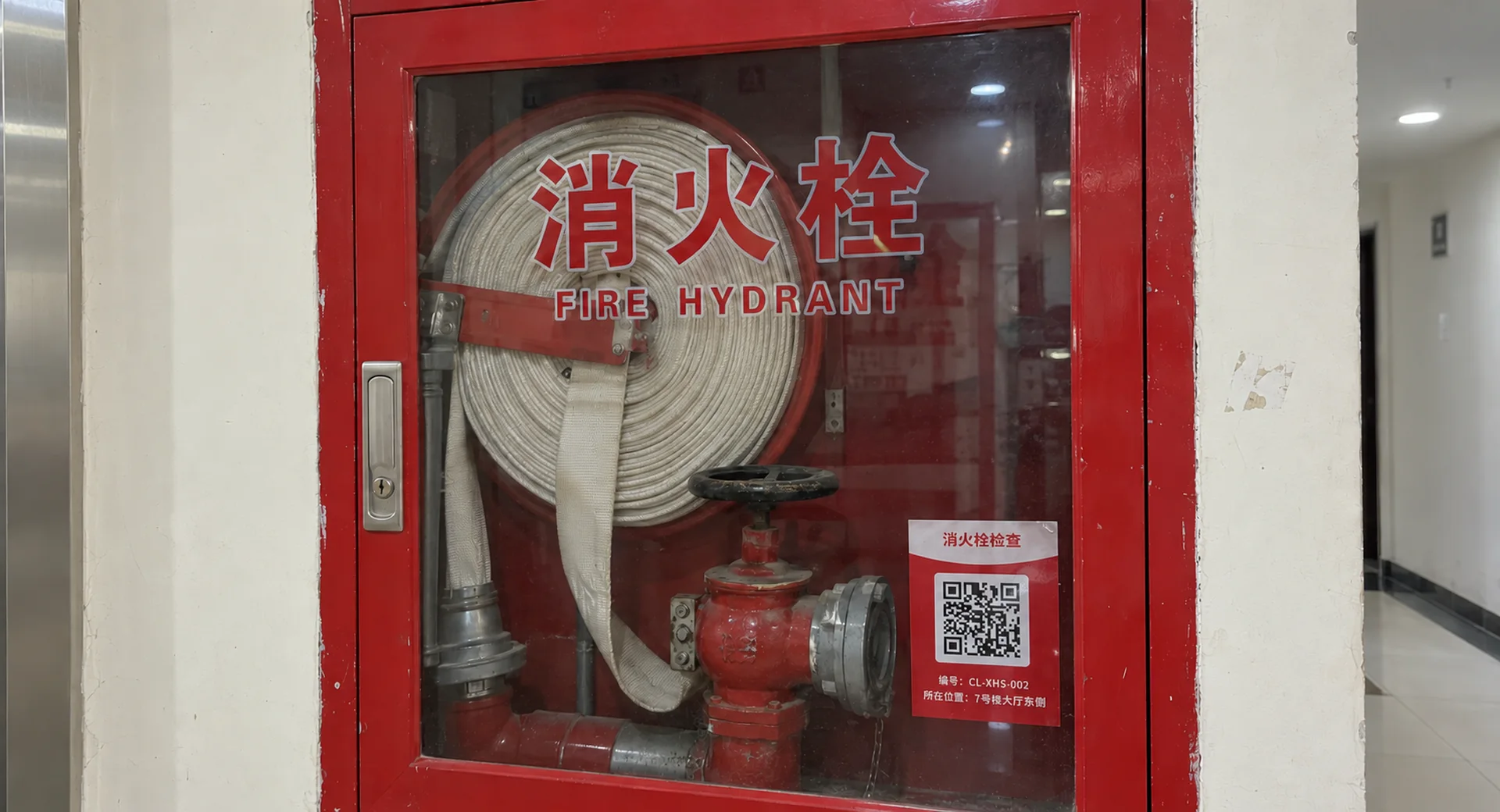
Label Cabinet Doors for Monthly Fitting and Valve Checks
Attach the code to the cabinet door, using stainless steel signs outdoors. Scan monthly to check the door, hose and nozzle, and valve leaks, plus frost protection in winter.

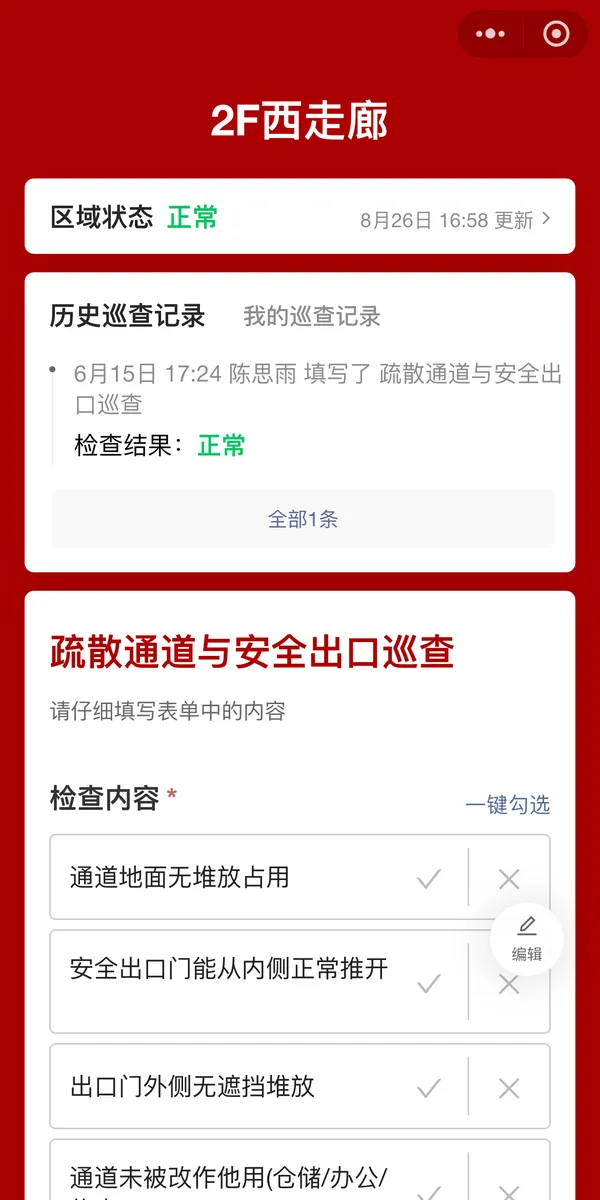
Label Route Entrances and Exits for Daily Patrols
Attach codes beside route entrances and exit doors. Scan daily to confirm clear routes, unlocked exits, and closed fire doors. Shopping malls check every 2 hours during business hours.

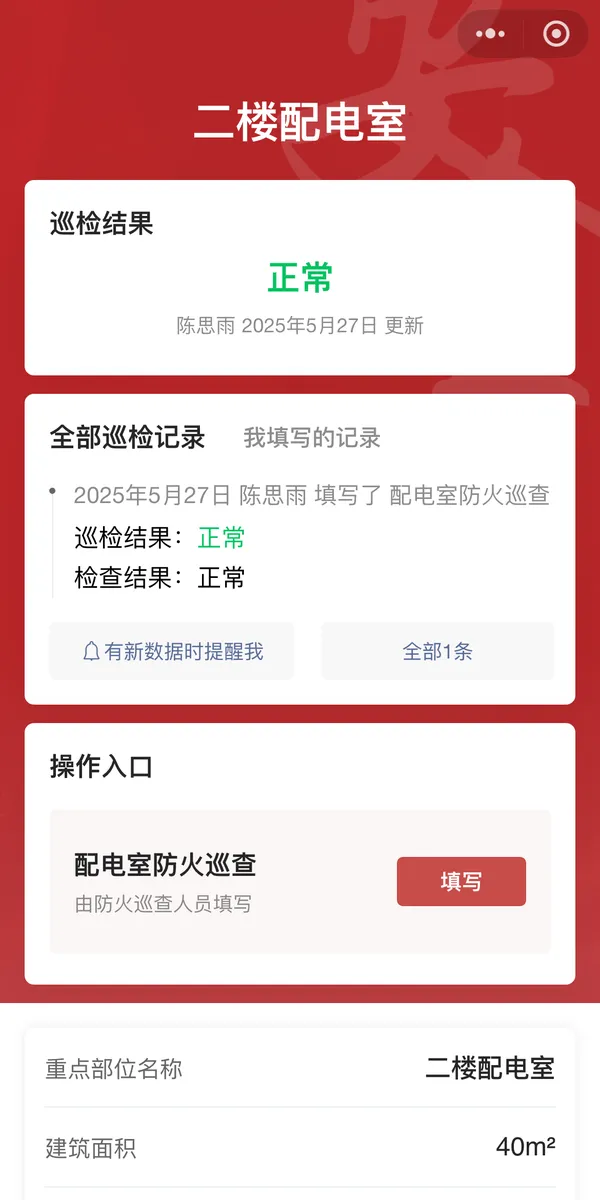
Label Key Area Entrances for Patrol and Duty Records
Place codes at electrical rooms, boiler rooms, kitchens, and warehouses to check fire and electrical safety, duty attendance, and equipment placement. Scan in the fire control room to record duty shifts.

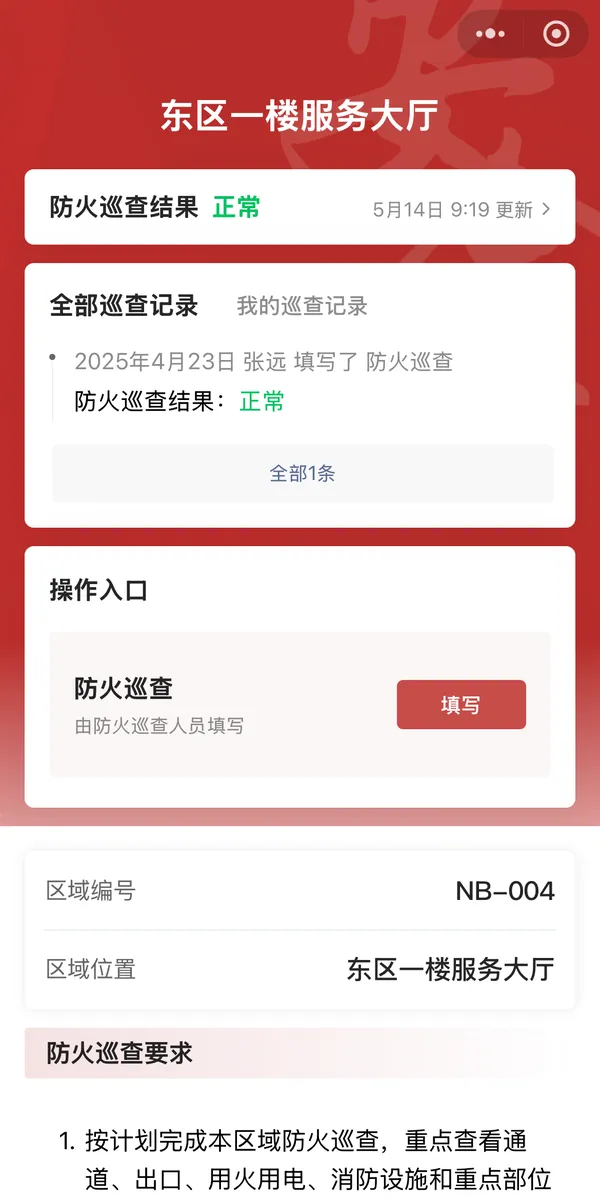
Label Each Area for Daily Scan-Based Patrols
Place a code in each lobby, floor, and workshop. Patrol staff scan daily to check exits, fire and electrical safety, and facilities. Missed areas are clearly visible in the workbench.
How the System Works
1Attach a QR Code to Each Fire Safety Facility
- Placement: extinguisher body, hydrant cabinet door, or beside an emergency exit
- Code content: facility information and every inspection record
- Setup: import the facility list to generate and print hundreds of codes at once
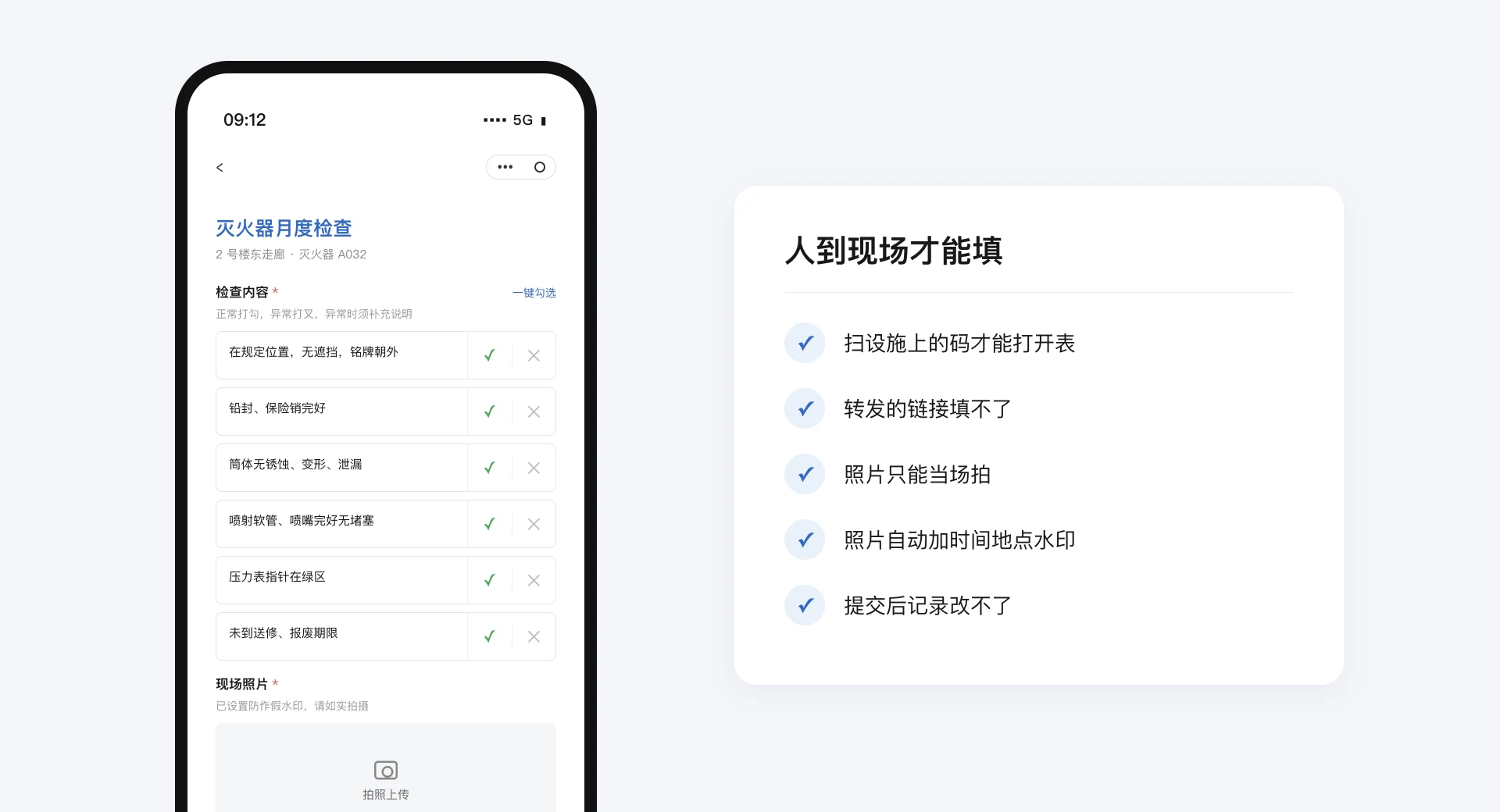
2Inspectors Scan on Site to Inspect
- Scan to fill in: check each item and photograph problems, with no paper or pen
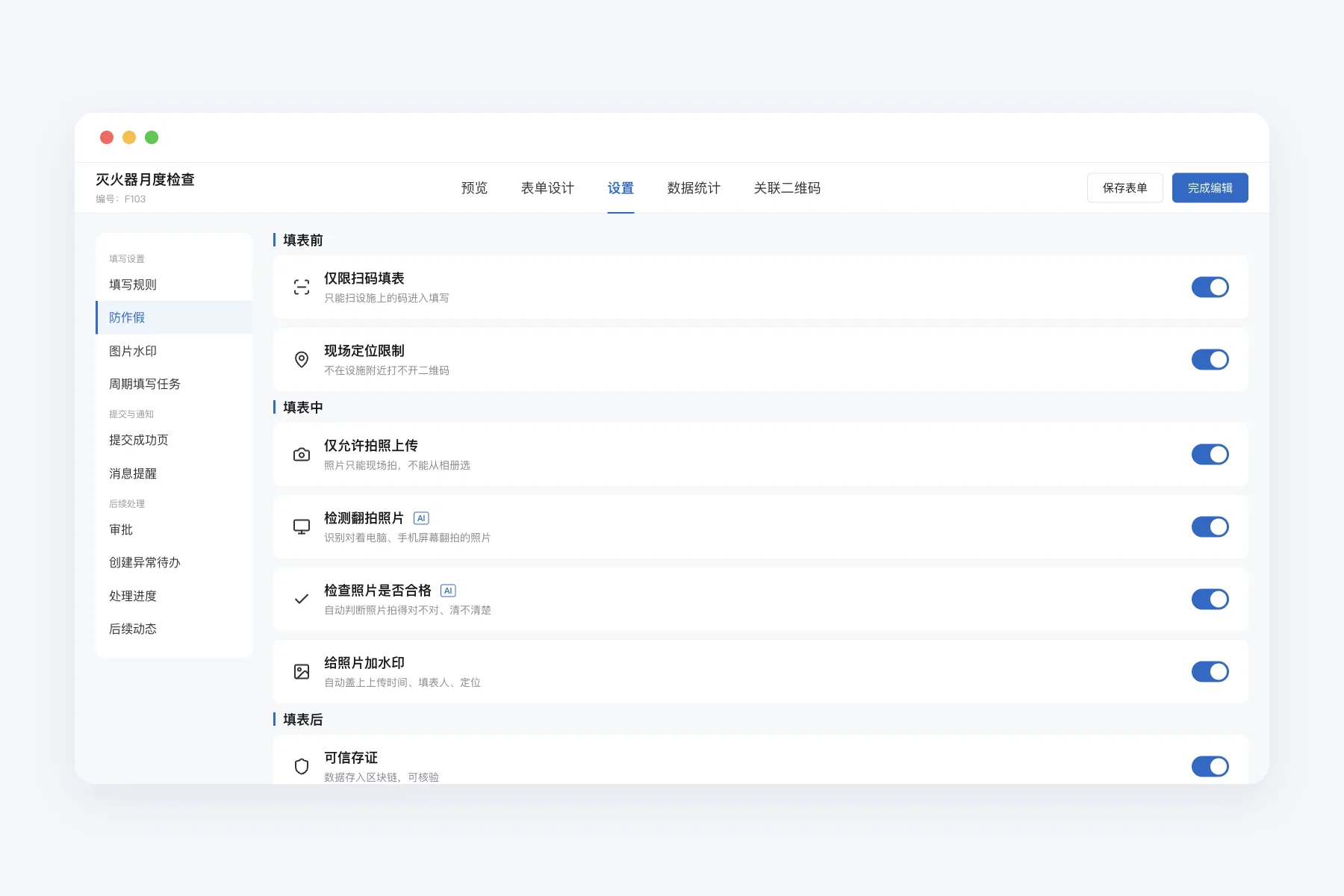
- On-site presence required: forwarded links cannot open the form, and photos must be taken on site
- Avoid missed checks: phone reminders at the scheduled time; managers can see who has not checked
3Report Hazards on Site and Assign Follow-Up
- Report immediately: mark an exception, take a photo, and submit; the facility is marked abnormal
- Notify promptly: the manager receives WeChat notifications showing the location and problem
- Resolve by a deadline: assign rectification, photograph the repair, and flag overdue work in red

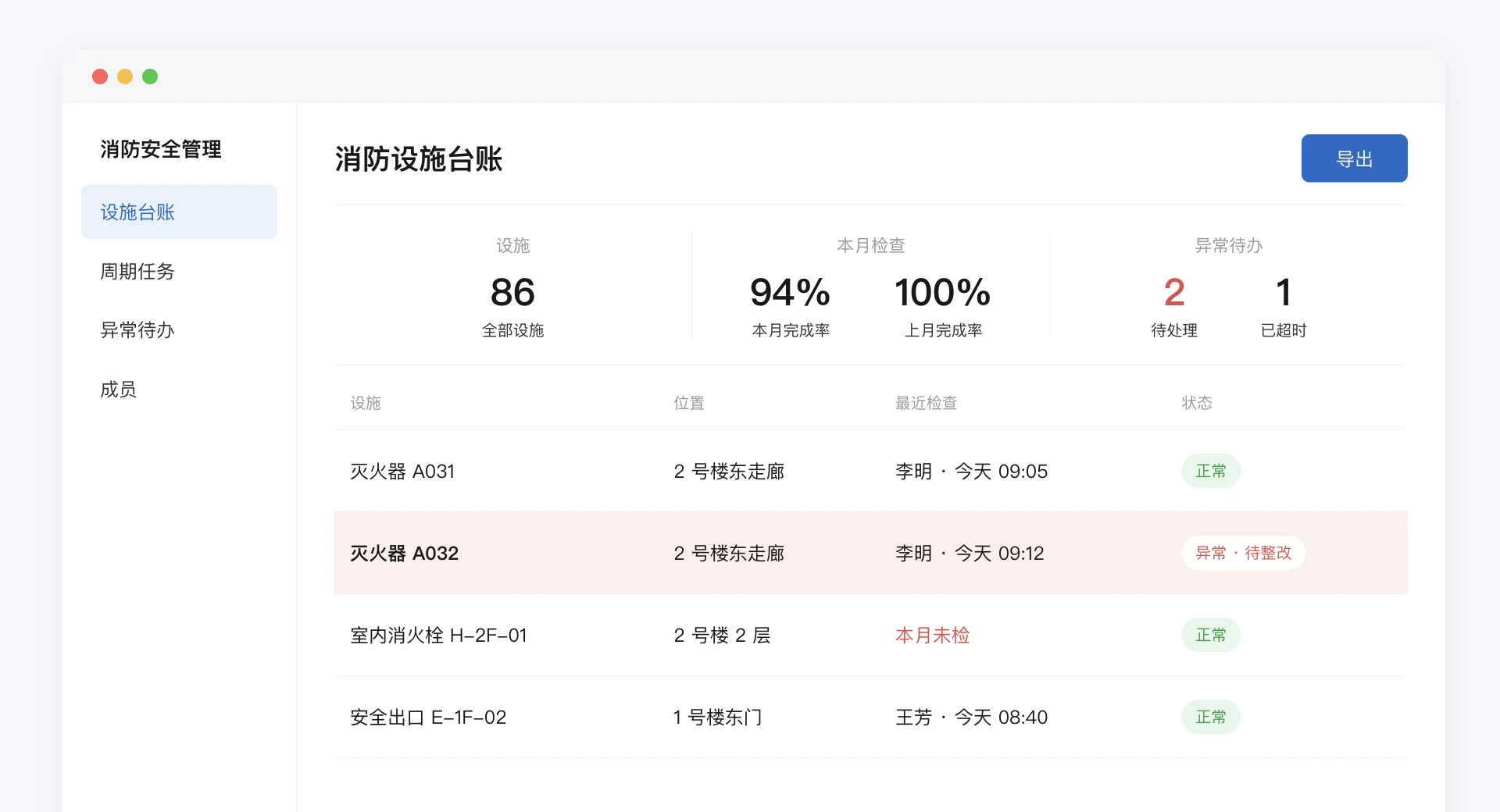
4Generate Registers Automatically for Inspection Exports
- No transcription: records are filed under each facility and remain when staff change
- Easy retrieval: scan to see a facility's inspection history or filter by date in the workbench
- Export for inspections: Excel files include inspector, time, and photos
Choose Label Materials for Each Location
Cylinder bodies, cabinet doors, corridors, and outdoor sites need different materials. See the QR Code Label Printing and Installation Guide.
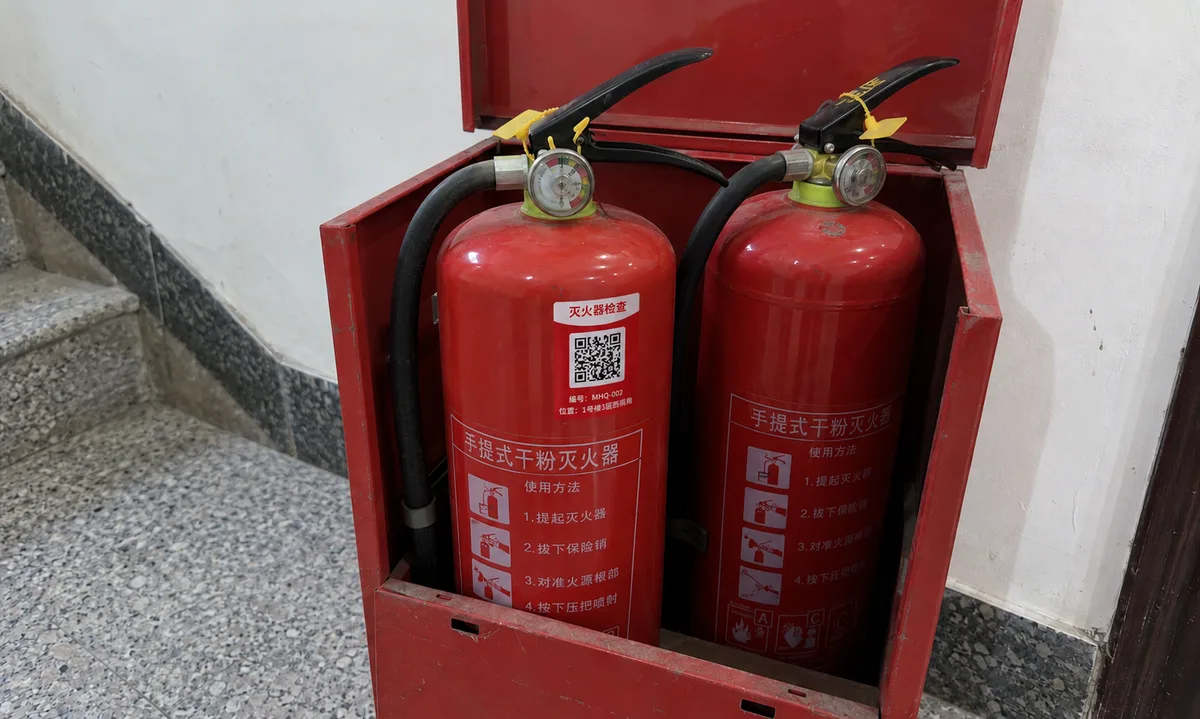
- Environment
- Indoors, curved cylinder surfaces
- Suitable For
- Extinguisher bodies
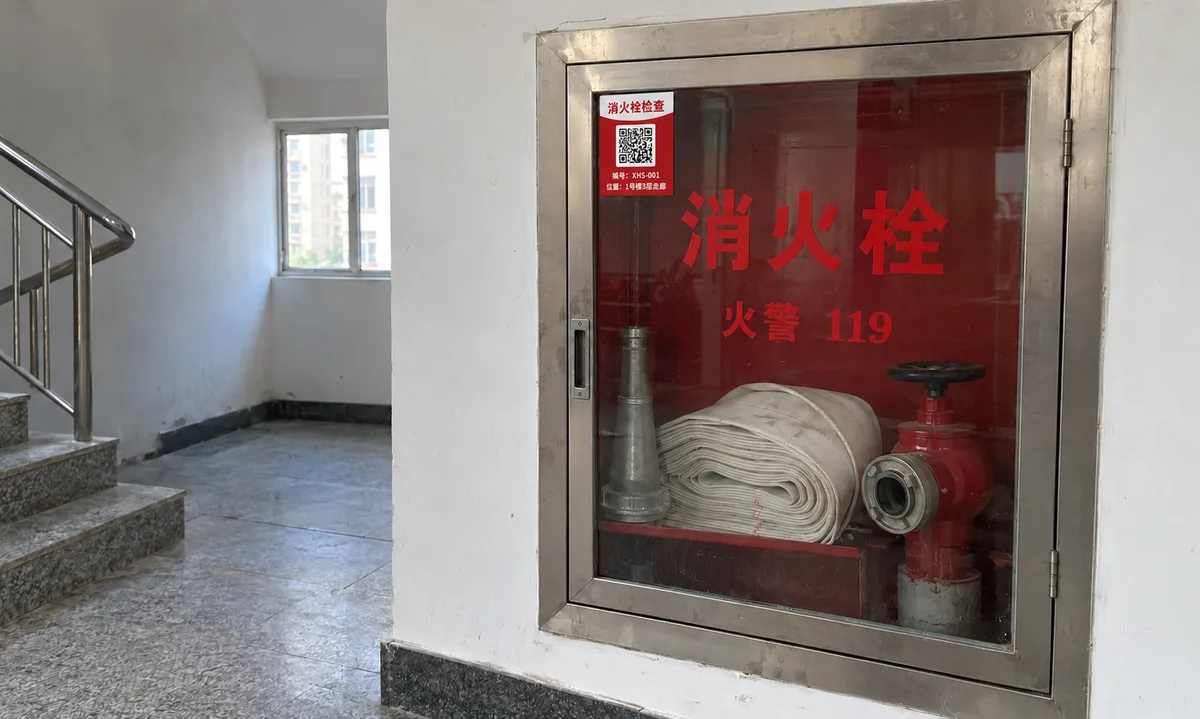
- Environment
- Indoors, flat cabinet doors
- Suitable For
- Hydrant and extinguisher cabinets
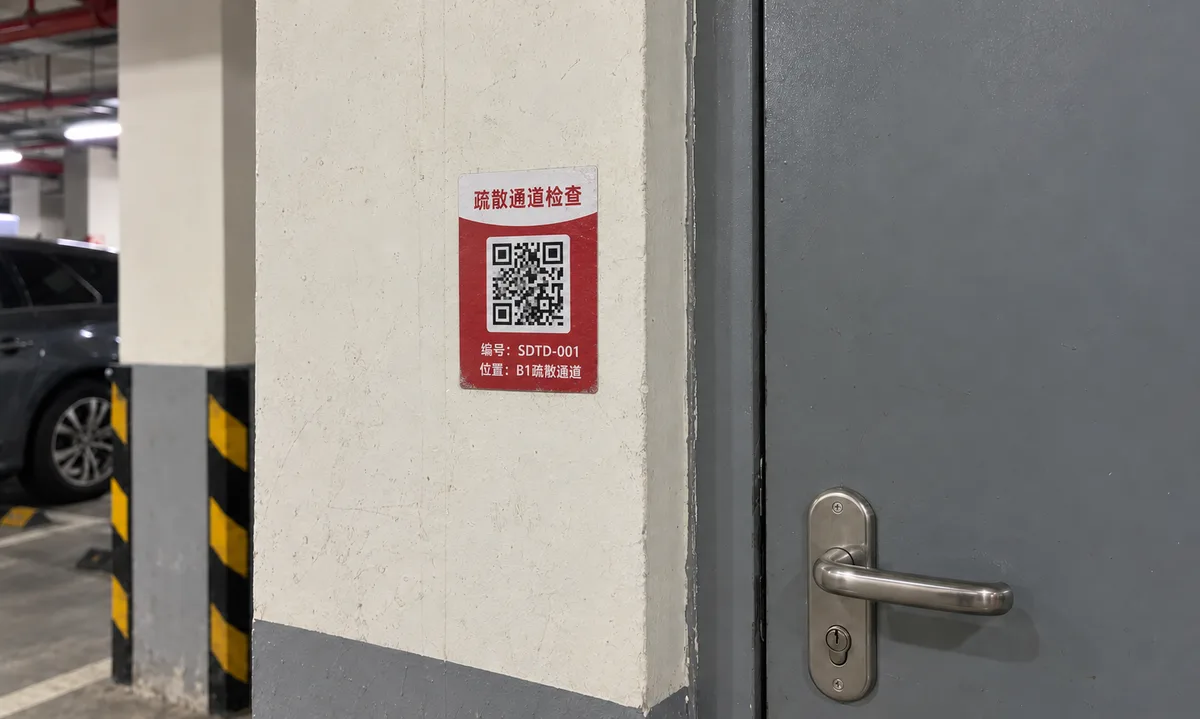
- Environment
- Damp areas, frequent scraping
- Suitable For
- Underground garage and corridor locations
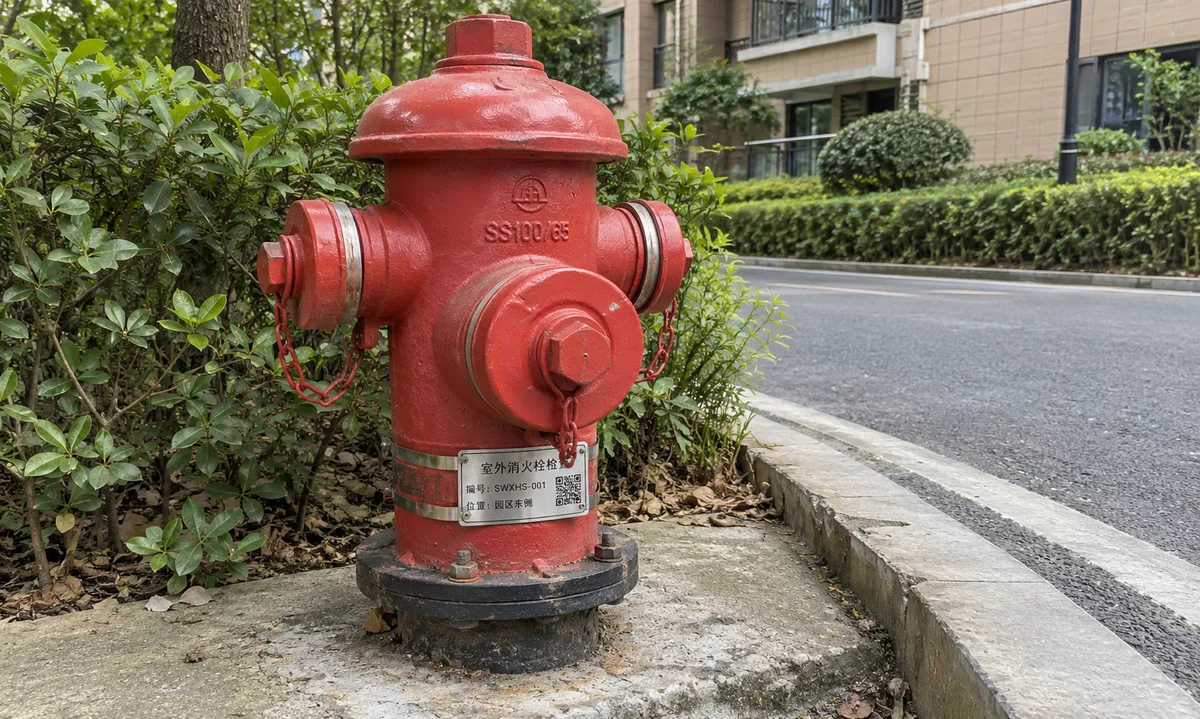
- Environment
- Outdoors, sun and rain
- Suitable For
- Outdoor hydrants and fire pump rooms
Why Use QR Codes for Fire Safety Inspections
Customer Stories
Fire safety facilities throughout the hospital have QR codes. Patrol staff scan to identify facilities and confirm each inspection item, while regular employees scan the same code to report repairs.
Hundreds of hydrants and extinguishers across the factory have codes. Scanning records inspections and location automatically. Scheduled inspections reveal missed checks, and records are summarized in the factory EHS workbench.
Construction machinery, fire safety equipment, and equipment in key areas all receive codes. Staff scan to record status and promptly notify maintenance of exceptions. The approach has been adopted across the company.
For more fire safety customer stories, see the Customer Story Library.
Pricing and Editions
Start one building with the free version. Use Flagship Edition to manage multiple buildings separately and retain long-term registers. Edition Selection Guide
All Core Features, Free for Long-Term Use
- Codes remain valid long term
- Unlimited facilities and locations
- Unlimited people and scans
- Recurring tasks, hazard notifications, and exception todos included
- Hazard notifications go only to the super admin
- Export records from the last 180 days only
For Organizations Managing Multiple Buildings and Departments
Includes all free features, plus
- Manage by Building20 advanced members; manage buildings and projects separately
- Individual PermissionsSpecify who can inspect, view, and export
- Targeted Hazard NotificationsNotify designated safety and maintenance staff
- Multi-Level ReviewMultiple people approve major hazard rectification step by step
- Unlimited Data ExportsNo date limit, including PDF and images
- Push to Your Own System20,000 API records per month; integrate with smart fire safety platforms
Paid benefits take effect automatically; existing codes and records need no recreation. When admins change, transfer the account. See the pricing page for exact edition differences.
Frequently Asked Questions
Can older security and cleaning staff use it?
Knowing how to scan with WeChat is enough. The checklist uses ticks and photos, without typing or remembering an account and password. One guided scan is enough to learn.
Will the fire and rescue brigade accept scan-based records?
Set tasks at the required frequencies for daily fire prevention patrols and monthly fire safety inspections. Retrieve records by facility and date during inspections, or export and print them beforehand. Records include time, location, and site photos; add a handwritten signature field if needed. Whether records meet acceptance requirements is for the inspectors to determine.
Do we still need this if we have a smart fire safety IoT system?
They serve different purposes. IoT uses smoke and water-pressure sensors for real-time alarms. This system manages manual checks: monthly extinguisher inspections, blocked routes, and completed rectification. Many organizations use both, integrating through the API or exporting Excel.
Can it remind us when extinguishers reach their disposal date?
Yes. Fill in the mandatory disposal date and sync the data to Tencent Docs for automatic reminders 30 and 7 days before expiry. See Extinguisher Disposal Date Reminders. Under GB 50444, disposal lifetimes are 6 years for water-based, 10 years for dry powder, and 12 years for carbon dioxide extinguishers.
Can codes open in underground garages or service shafts without a signal?
No. Codes require an internet connection. Place them at entrances or ramps with a signal, or add wireless coverage in those areas.
Where are records stored, and are they secure?
Data is stored on Alibaba Cloud, with enterprise accounts isolated from each other. The platform has Level 3 Multi-Level Protection Scheme certification. Submitted records use blockchain notarization. See the Data Security Overview.
Start Building Fire Safety Inspection QR Codes
Templates include inspection forms and facility profiles. Replace them with your own facility information to start.
For a presentation to colleagues or managers, download the Fire Safety QR Code Presentation (Chinese).