Site Inspection
QR Code System
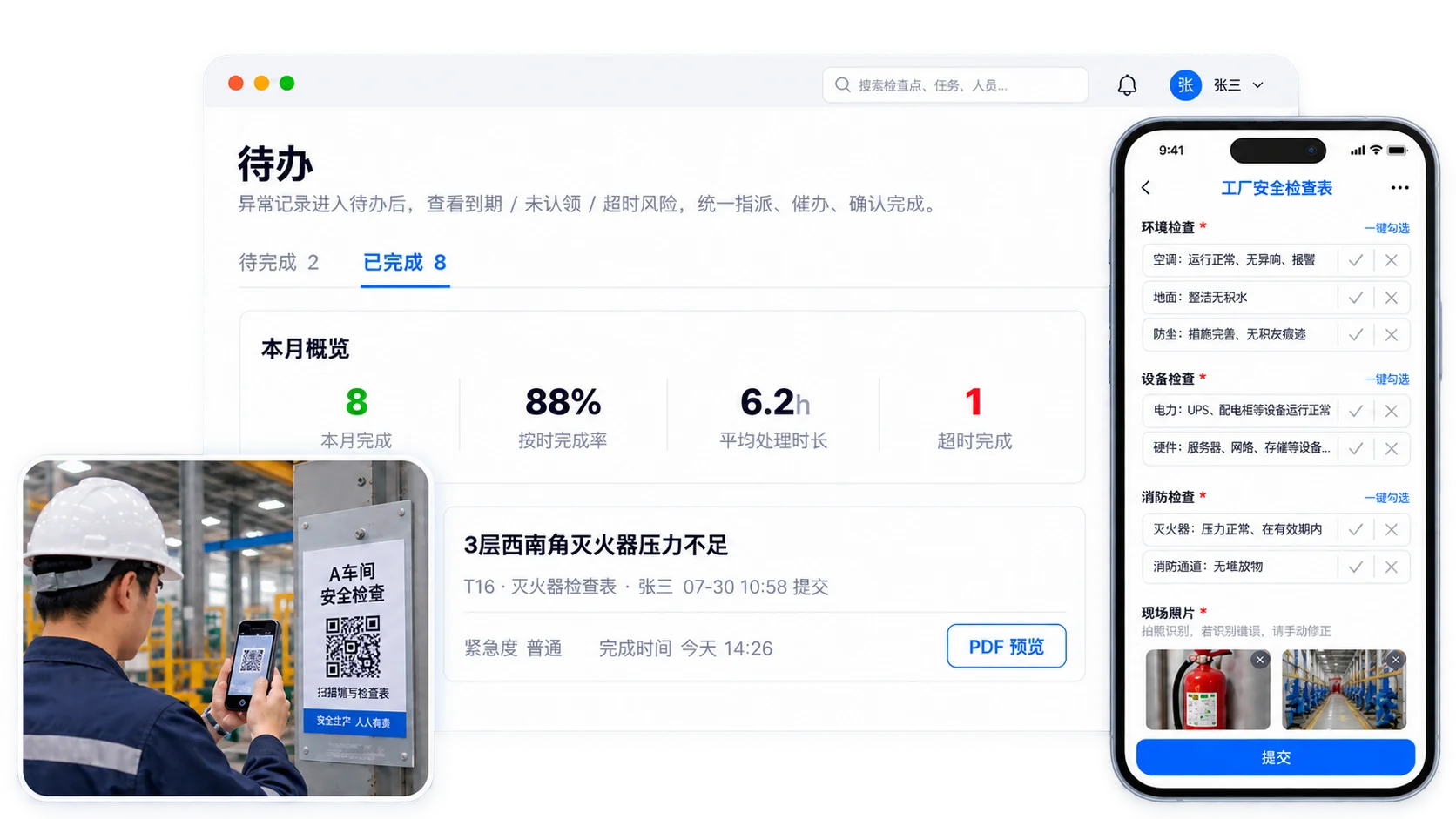
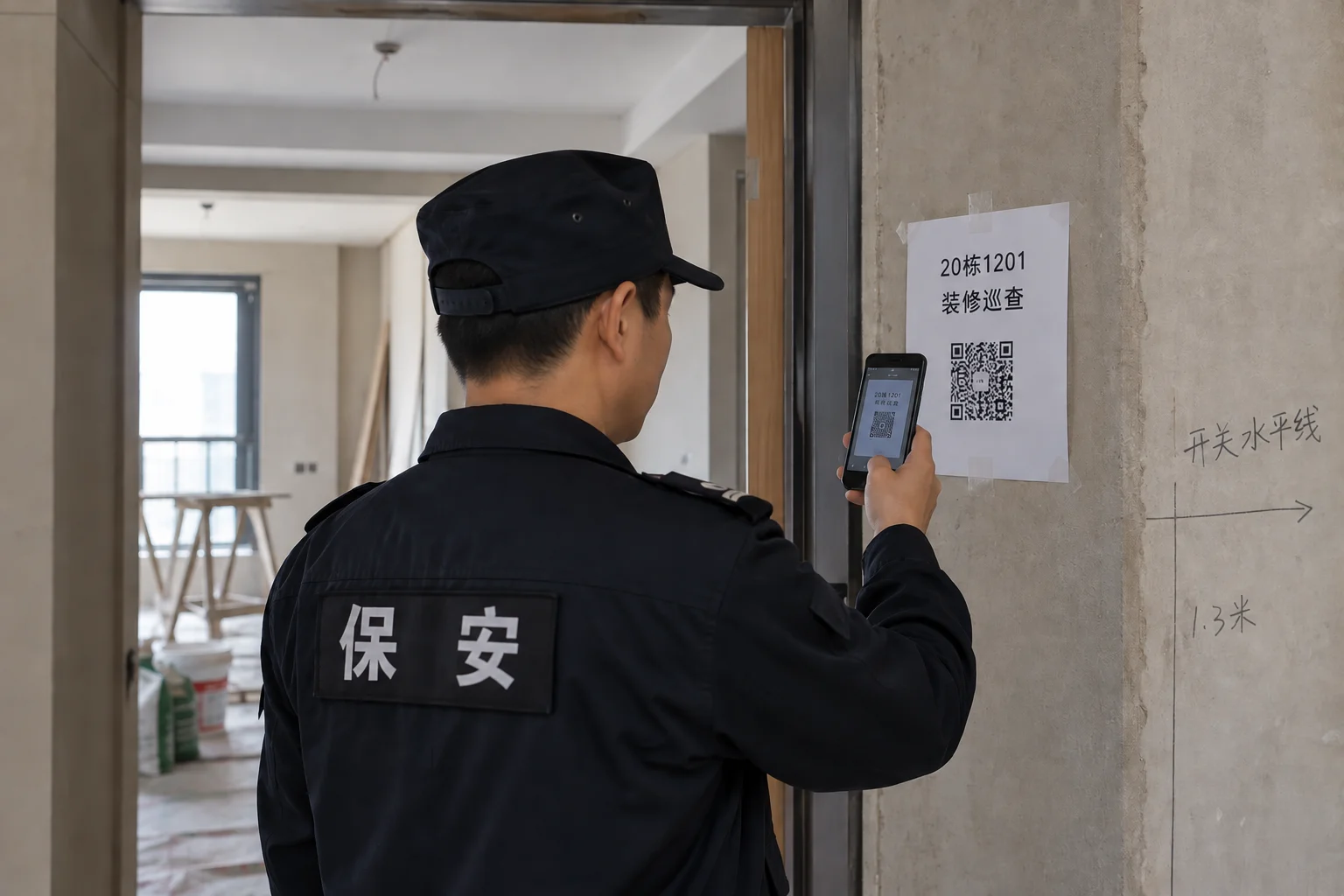
Inspectors scan on site, check the area, and report problems with photos.
Notify responsible people to rectify problems, review them afterward, and keep a record of the entire process.
Suitable Scenarios
For on-site quality inspections where problems need continued rectification after discovery


See How a Workshop Safety Inspection Works
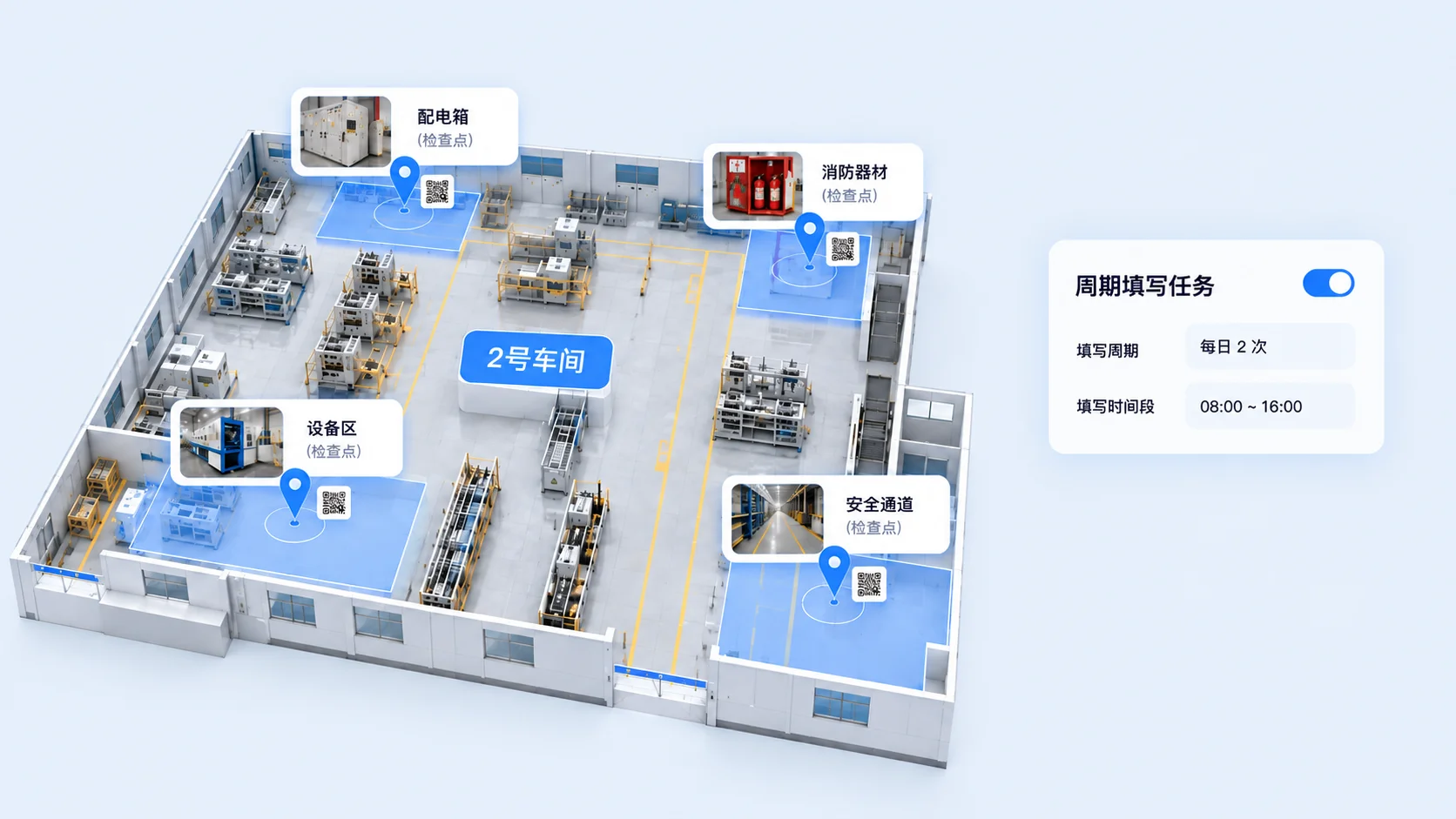
1Administrators Set Up Inspection Areas and Standards
- Create inspection QR codes by area: Set up separate QR codes for workshops, floors, and construction areas
- Set inspection forms and schedules: Configure check items, inspection frequencies, and requirements
2Inspectors Check Each Item and Take Photos on Site
- Scan and check each item: Scan on site and mark each item on the form as normal or exception
- Keep on-site photos: Take photos and add descriptions to record actual conditions
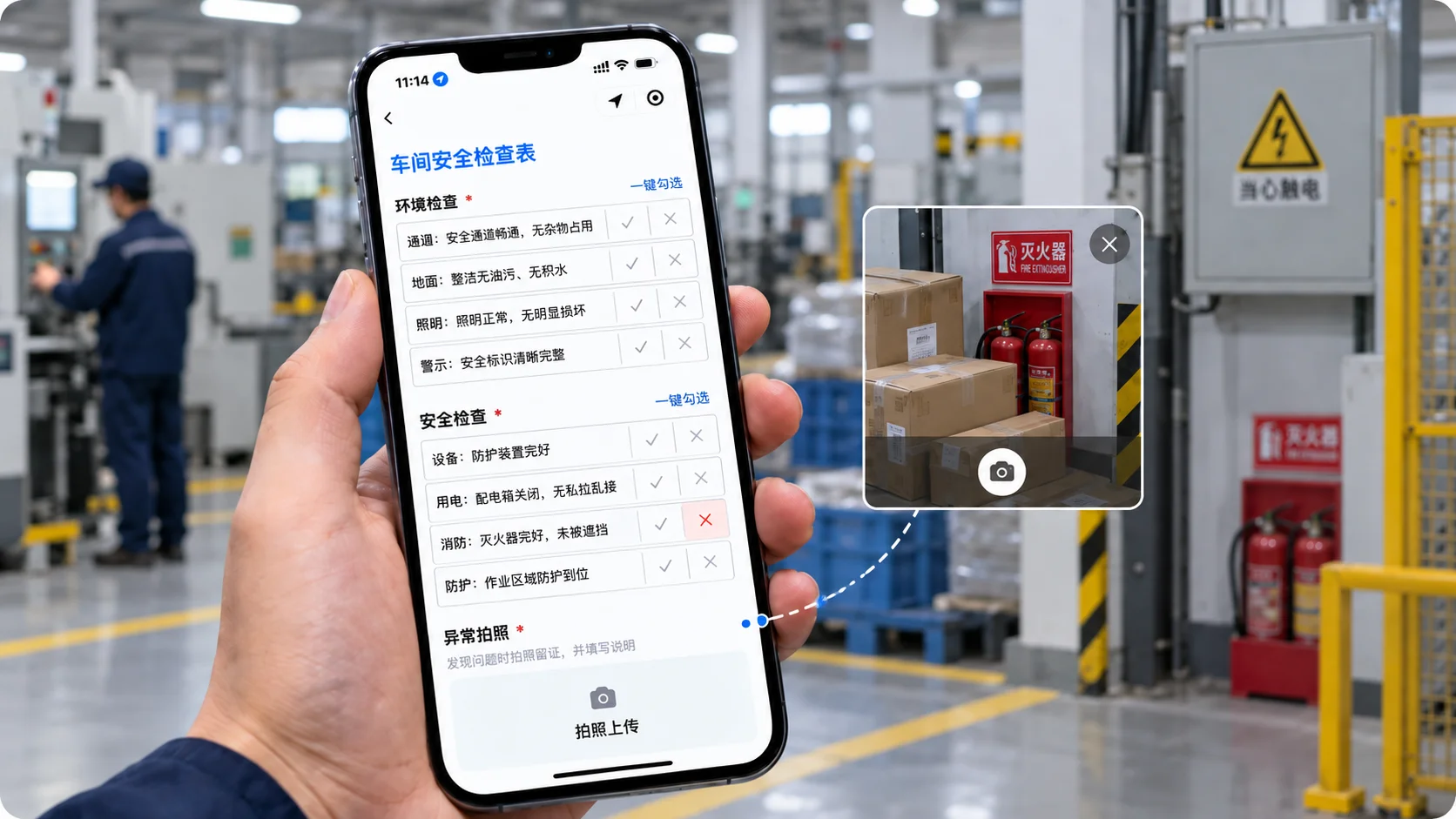
3Report Exceptions on Site and Notify the Responsible Person
- Report exceptions with on-site photos: Take photos, describe the problem, and submit it directly
- Automatically notify the responsible person: The system notifies the relevant responsible person after submission for follow-up

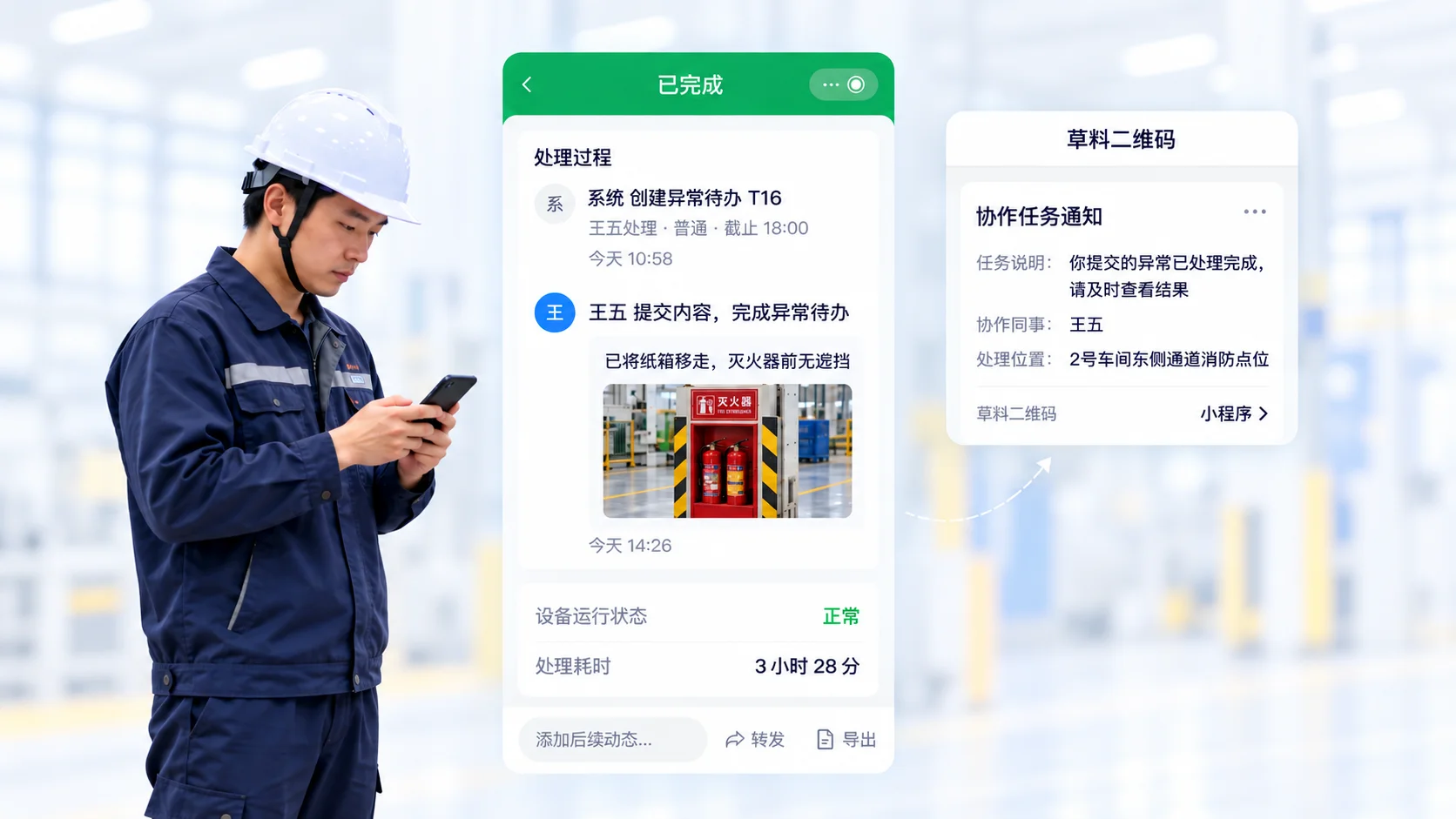
4The Responsible Person Rectifies the Problem and Shares the Result with the Inspector
- Rectify the problem and provide feedback: Add rectification details and photos to the original record after completing the work
- Notify the inspector of the result: The system notifies the inspector after rectification so it can be reviewed at the next inspection
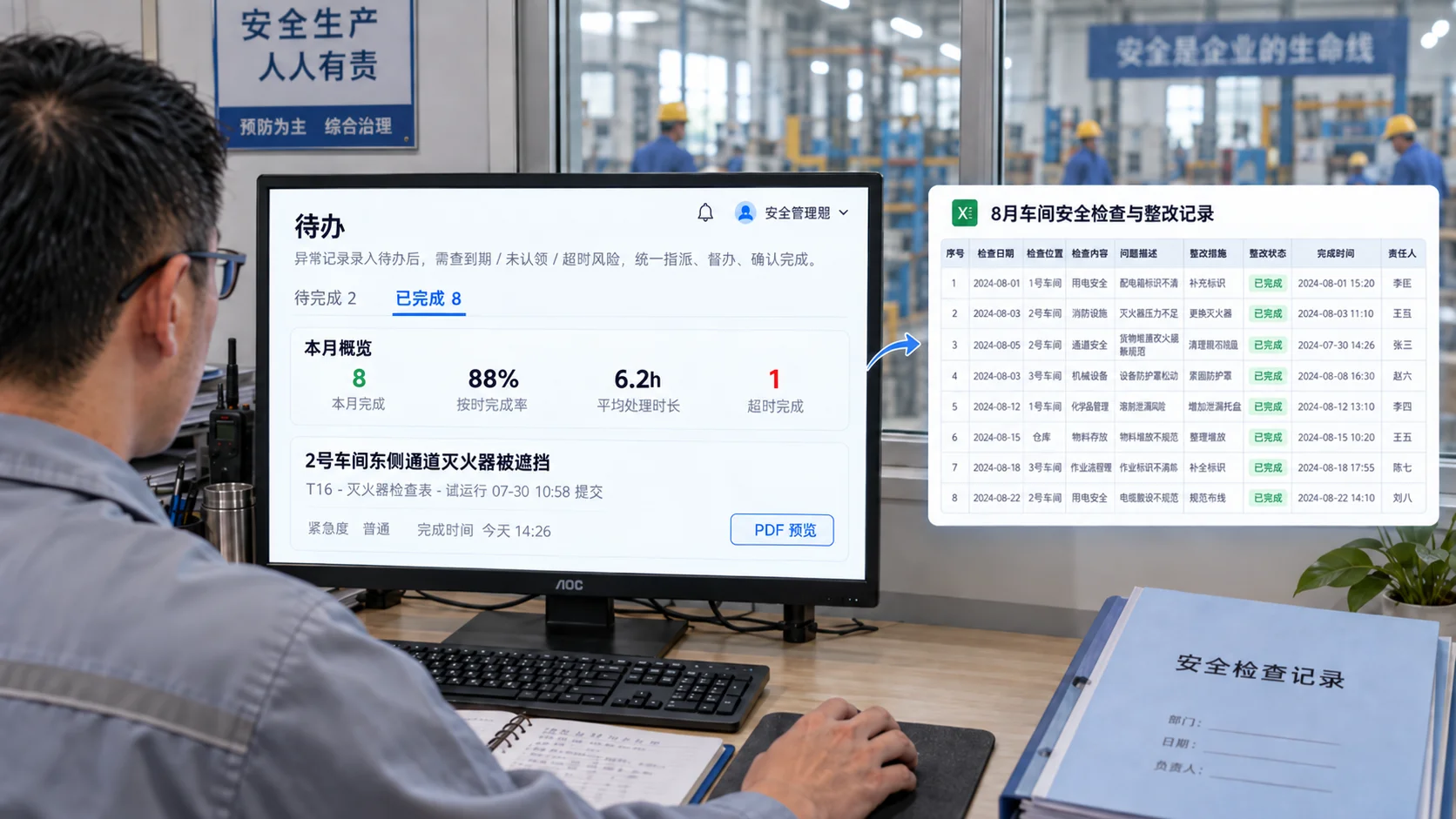
5View Inspection and Rectification Data in the Workbench Anytime
- View inspection progress in real time: Check task completion, exception handling rates, and handling time anytime
- Keep records long term: Keep inspection and rectification records long term, and filter or export by area, time, and status
Responsibilities by Role
Inspectors check and find problems, responsible people handle rectification, and managers oversee overall progress
Inspectors
- 01Scan on site to inspect
- 02Confirm each check item
- 03Photograph and describe exceptions
People Responsible for Rectification
- 01Receive problem notifications
- 02Resolve problems on site
- 03Add rectification details and photos
Safety Managers and Quality Supervisors
- 01Set inspection standards and schedules
- 02Check inspection and rectification progress
- 03Review problems, and view or export the ledger
How Do QR Codes Improve Traditional Inspections?
| Comparison | Traditional Inspections | CaoLiao QR Code |
|---|---|---|
| Inspection records | Record with patrol batons or paper forms, then re-enter and compile data | Inspection time, personnel, and details are collected in the workbench in real time |
| On-site evidence | Photograph problems and send them to a group chat | Photograph exceptions directly and automatically link them to the current inspection |
| Problem rectification | Responsible people claim and handle problems, with manual reminders | Automatically notify responsible people and continuously record rectification |
| Handling progress | Compile statistics and follow up manually | View completion, handling rates, and handling times anytime |
| Record keeping | Paper forms and chat records are scattered and need dedicated compilation | Store inspection and rectification data together and export it directly |
Customer Stories
Quality inspections are carried out consistently across projects of different property types in multiple cities, with continued follow-up on problems found on site.
On-site work such as hygiene inspections and elevator maintenance is managed through a unified QR code inspection system.
Grid-based safety patrols cover several communities, with continued follow-up after problems are found.
Pricing and Versions
Basic inspection features remain free long term; the Flagship Edition is recommended for managing multiple people and projects
- QR codes remain valid long term; update content without replacing the code
- Unlimited people and points, with no limit on inspection areas or inspectors
- Generate inspection tasks on a recurring schedule and send notifications when due
- Keep data long term, view it anytime, and export the past 180 days
- Manage projects independently and assign permissions by responsibility
- Collaborate across responsible people, with 20 advanced members participating in management
- Trace records long term, export without a time limit, and retain original photos
- Keep data trustworthy with enterprise-level blockchain notarization and custom image watermarks
Frequently Asked Questions
What if an inspector's photos are unclear or do not meet requirements?
Use AI Image Review to check photos automatically and prompt a retake if they do not meet requirements, reducing invalid records and later rework.
Can different inspection standards be set for different areas?
Yes. Each area can use its own inspection form and inspection schedule.
Can merchants, construction crews, or outsourced staff handle rectification?
Yes. The problem can be notified to the relevant responsible person, who can review on-site photos and the description, rectify the problem, and add details and photos.
How can we confirm that a problem has actually been resolved?
Rectification feedback is kept in the original problem record's follow-up actions. After receiving feedback, the inspector can review the rectification and check the site again at the next inspection.
How can we prevent off-site inspections or the use of old photos?
Require scanning of the on-site QR code to fill in the form, together with location restrictions. Photos can be required to be taken on site and carry time and location watermarks. The system also records inspection time and personnel automatically. See anti-fraud settings.
How long can historical inspection and rectification records be kept?
Yes. All inspection records are kept long term. Filter by area, time, or status to view them and export an archive when needed. The free version can export the past 180 days; the Flagship Edition has no time limit.
Start Building Your Site Inspection QR Codes
Start with a ready-made template and adapt the inspection areas and standards to your needs