AI Components
In scenarios such as information collection, equipment inspections, and business applications, uploading a photo automatically triggers content recognition and structured form fill-in, greatly reducing manual data entry. CaoLiao's AI components include a range of practical tools covering mainstream ID types and various meter displays, helping enterprises achieve efficient, intelligent data collection.
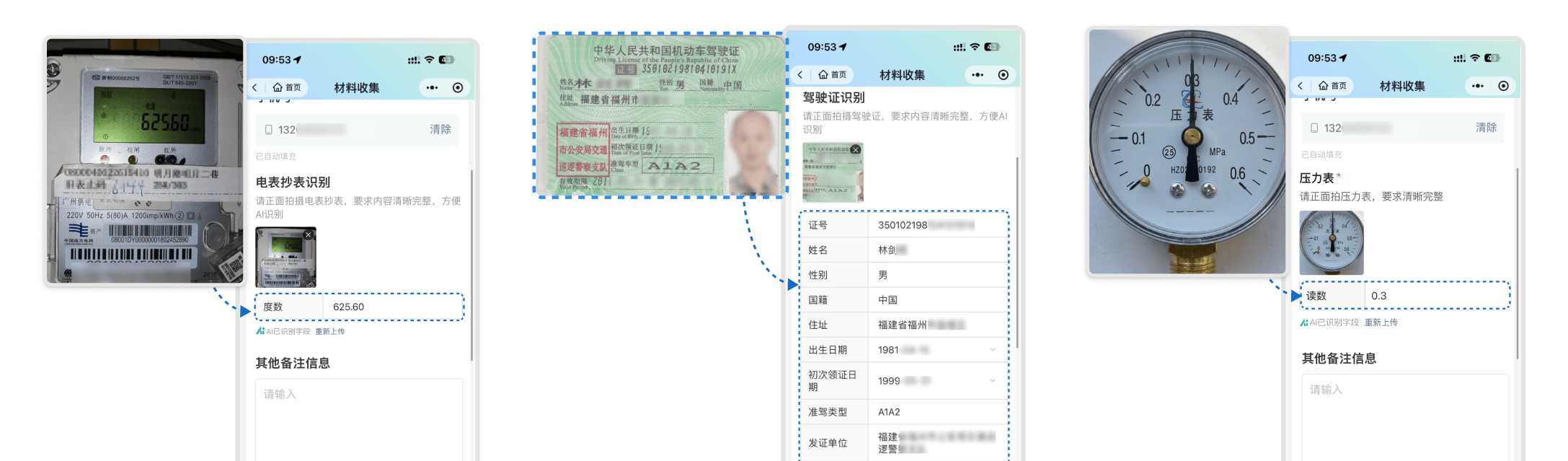
Optimization note: Due to the complexity of on-site environments and the vast variety of meter models, if recognition is inaccurate, please manually correct the value and continue using the system. The corrections you provide directly determine the precision of subsequent fine-tuning. Users who need a specialized recognition model should contact customer support to describe their requirements.
AI Meter Reading (New Upgrade)
Supports recognition of meter values across a wide range of industrial and everyday meter types. This upgrade not only improves the underlying algorithm but also supports precise recognition by "physical construction," and exclusively supports advanced configuration options such as input specifications and status feedback.
General Meter Reading (Precision Recognition by Construction)
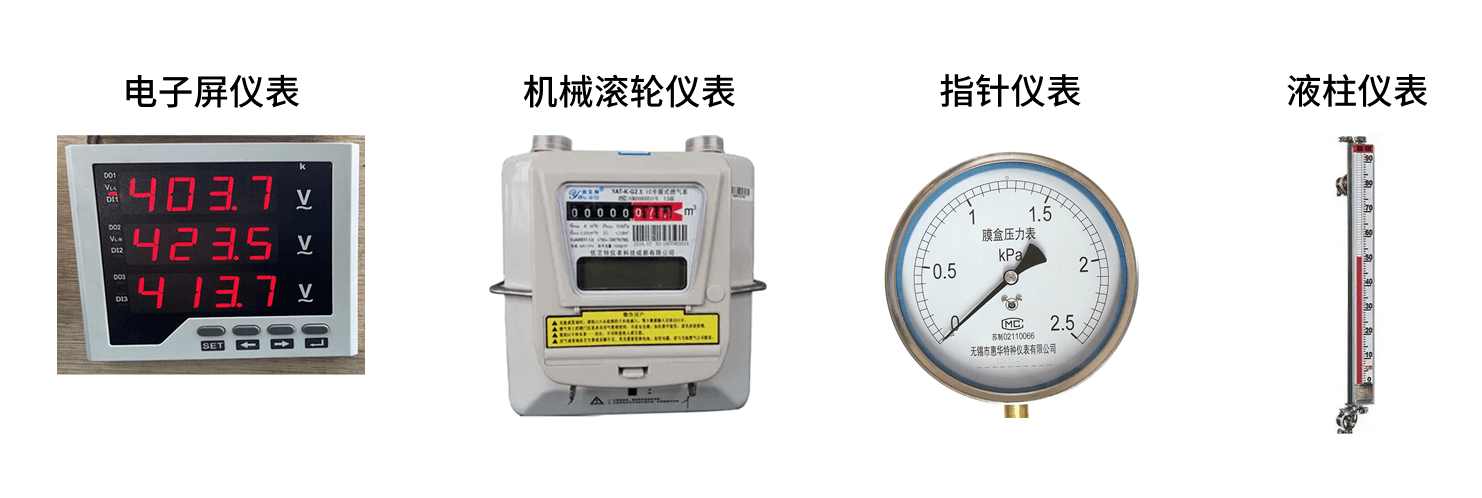
For non-standard meters, administrators can select the appropriate general component based on the meter's actual physical structure:
- Digital display meter: For numeric LCD screens, with or without backlighting.
- Mechanical roller meter: For traditional mechanical odometer-style meters such as water meters and gas meters.
- Pointer meter: For single- or multi-pointer gauges such as pressure gauges and thermometers with circular dials.
- Liquid column meter: For tubular liquid level gauges, glass-tube thermometers, etc.
Common Meter Reading
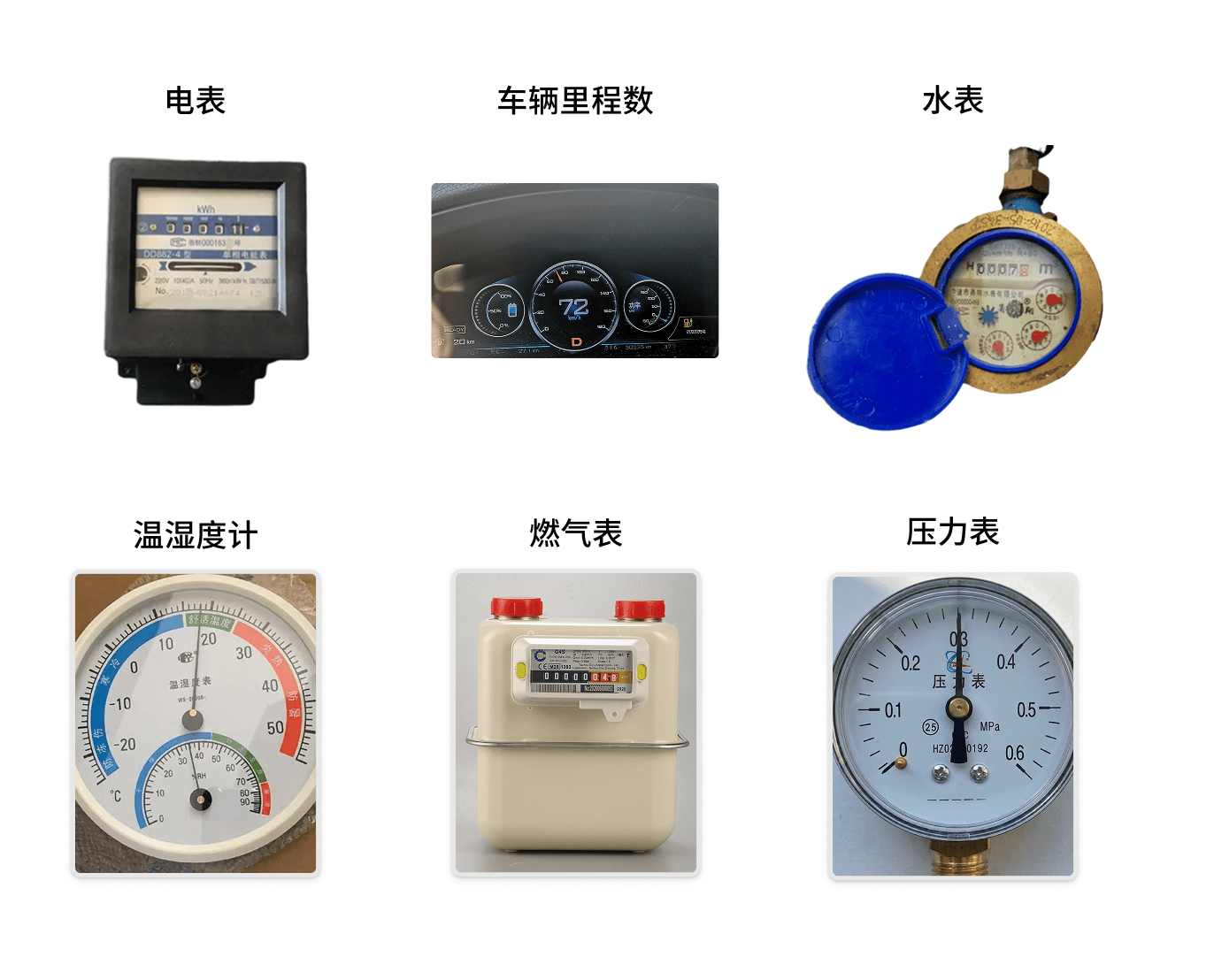
Ready-to-use specialized components for common scenarios:
Electricity meter, vehicle odometer, water meter, thermometer/hygrometer, gas meter, pressure gauge
AI Meter — Enhanced Capabilities
For all "AI Meter Reading" components, the following enhanced configuration options have been added in the form design to help inspectors quickly assess device status:
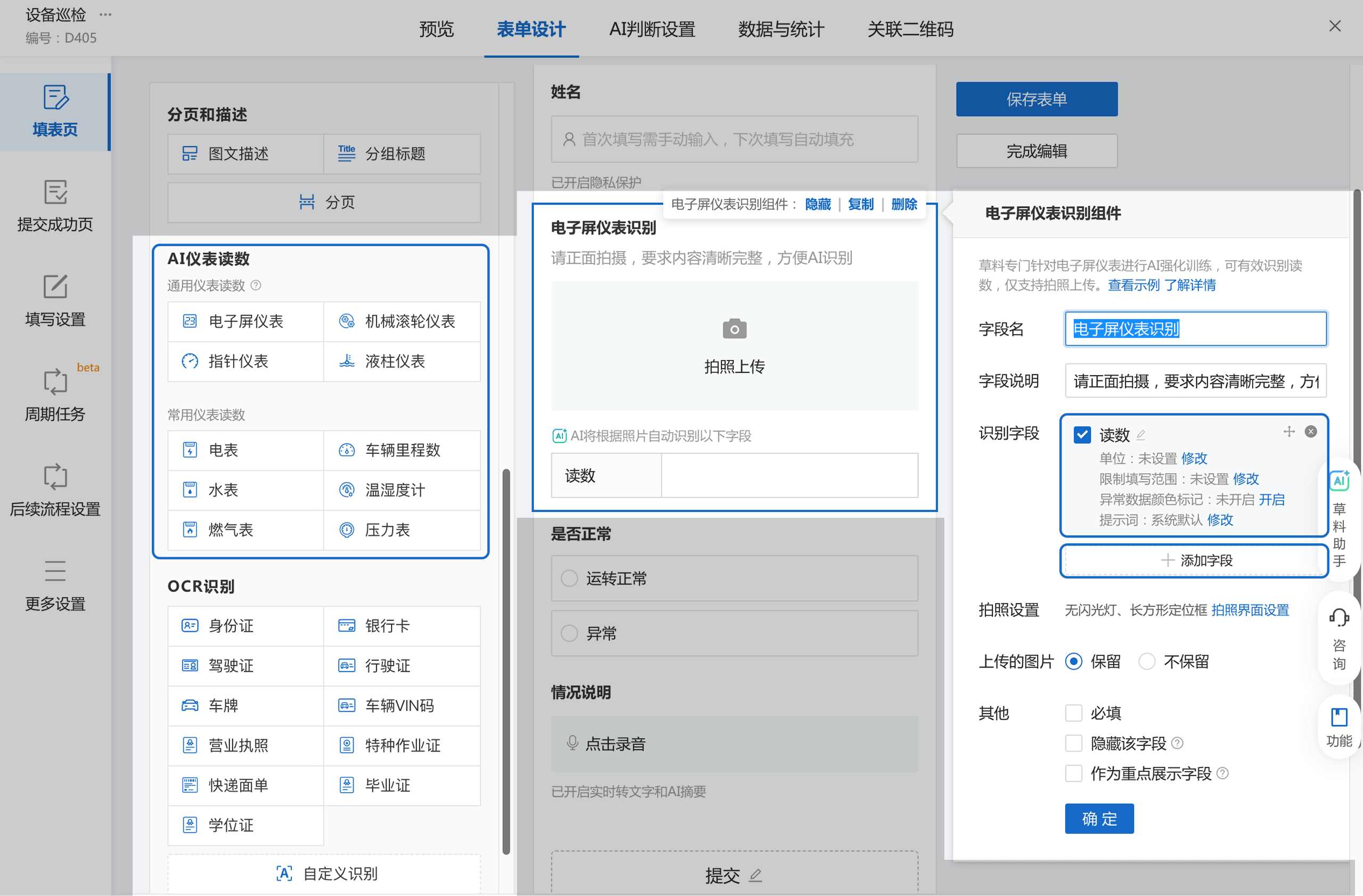
- Input specification and range limits: Set specific "units" and "value ranges" for recognized content. Intercepts abnormal data at the source to ensure data validity.
- Real-time feedback (range color coding): The system automatically assigns a color based on the AI-recognized value (e.g., green for normal range, red for out-of-range), helping frontline staff visually assess equipment status. This feature also applies to number components. Learn more.
- Operation guidance (custom prompt): Administrators can define custom prompts for non-standard scenarios, providing clear recognition instructions or photography requirements to greatly improve system compatibility. View the prompt writing guide

Common OCR Recognition
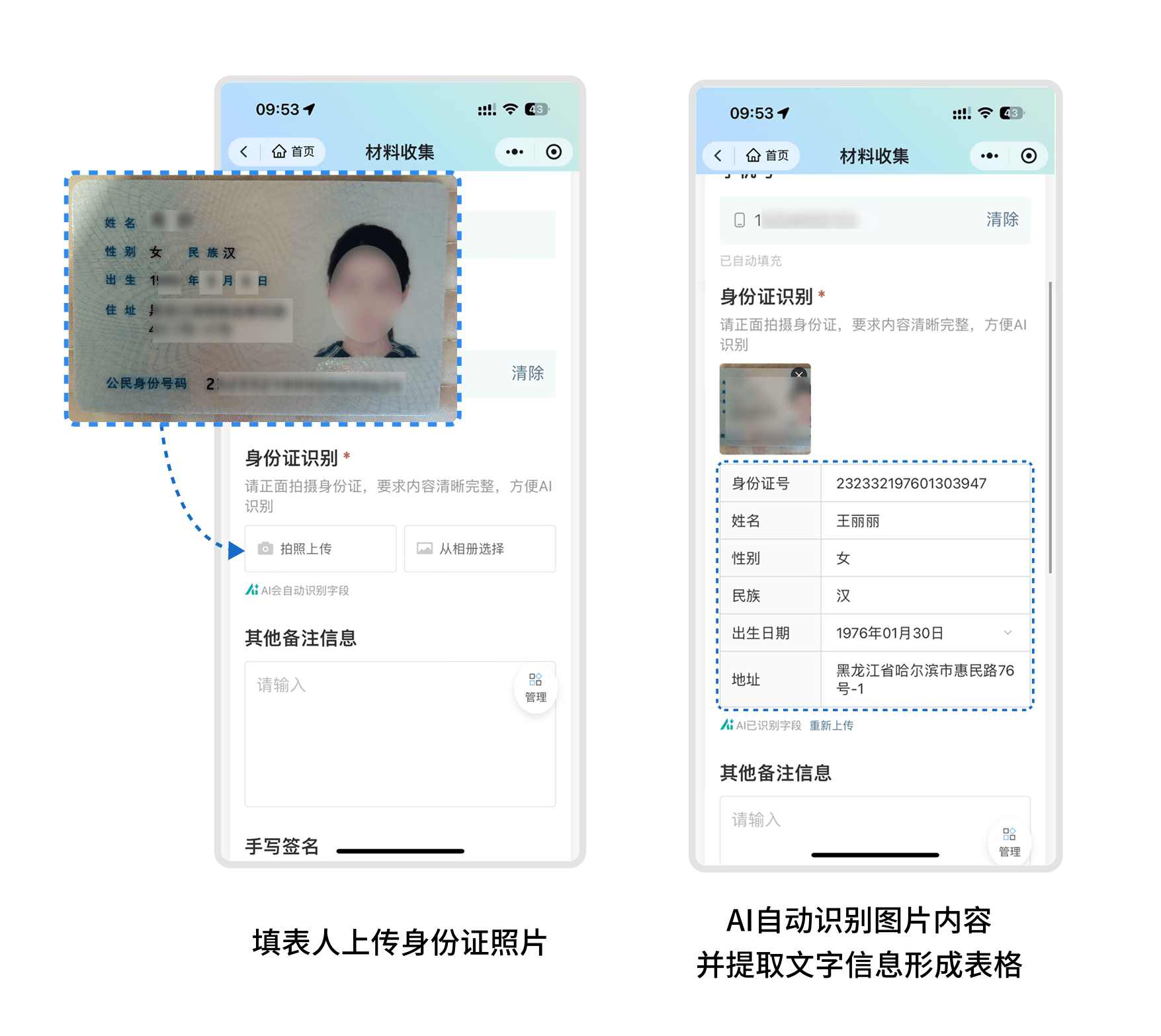
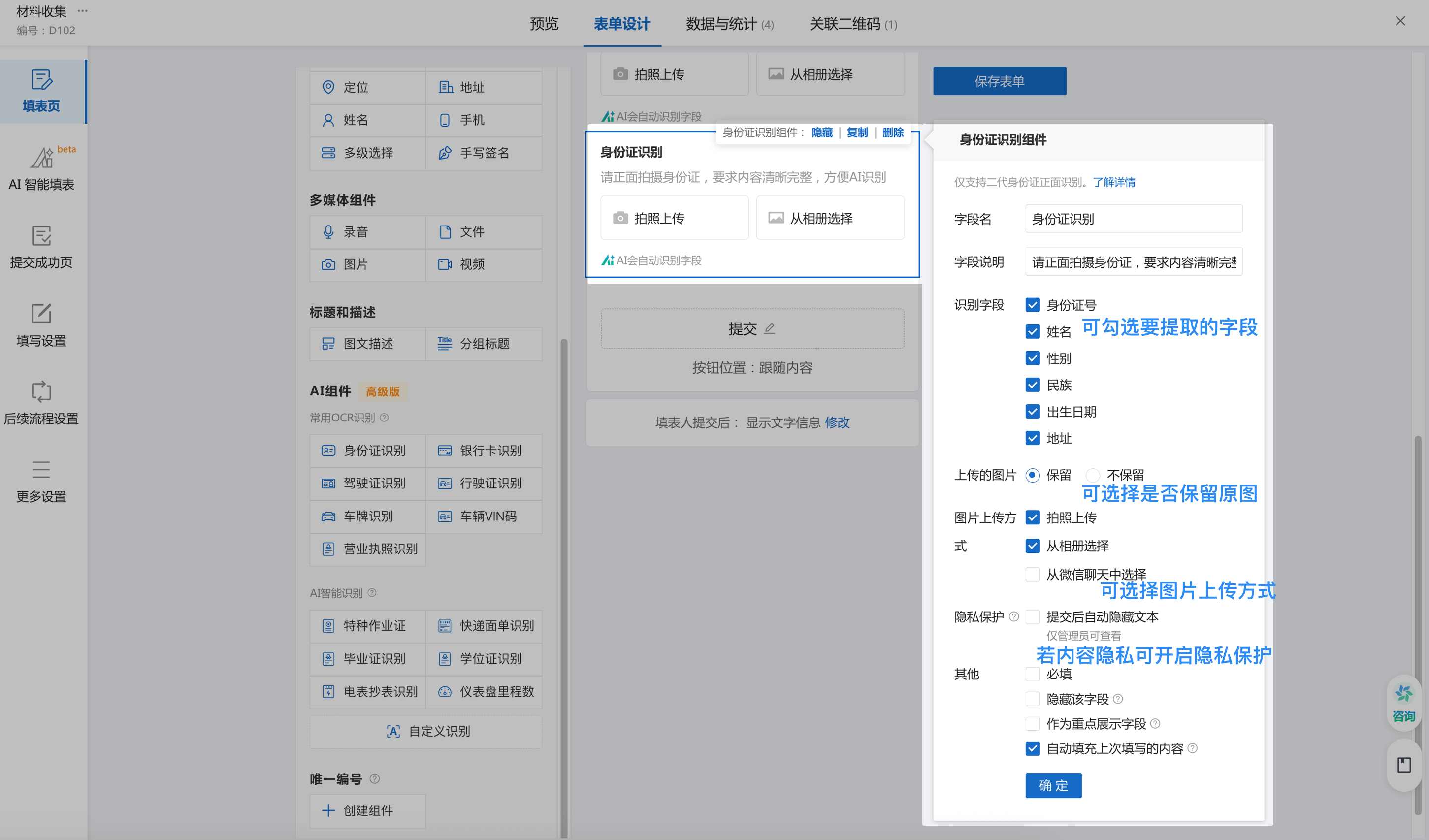
ID Card Recognition
Automatically recognizes both sides of an ID card (name, ID number, date of birth, address, etc.)
Bank Card Recognition
Recognizes bank card number, issuing bank, and other information
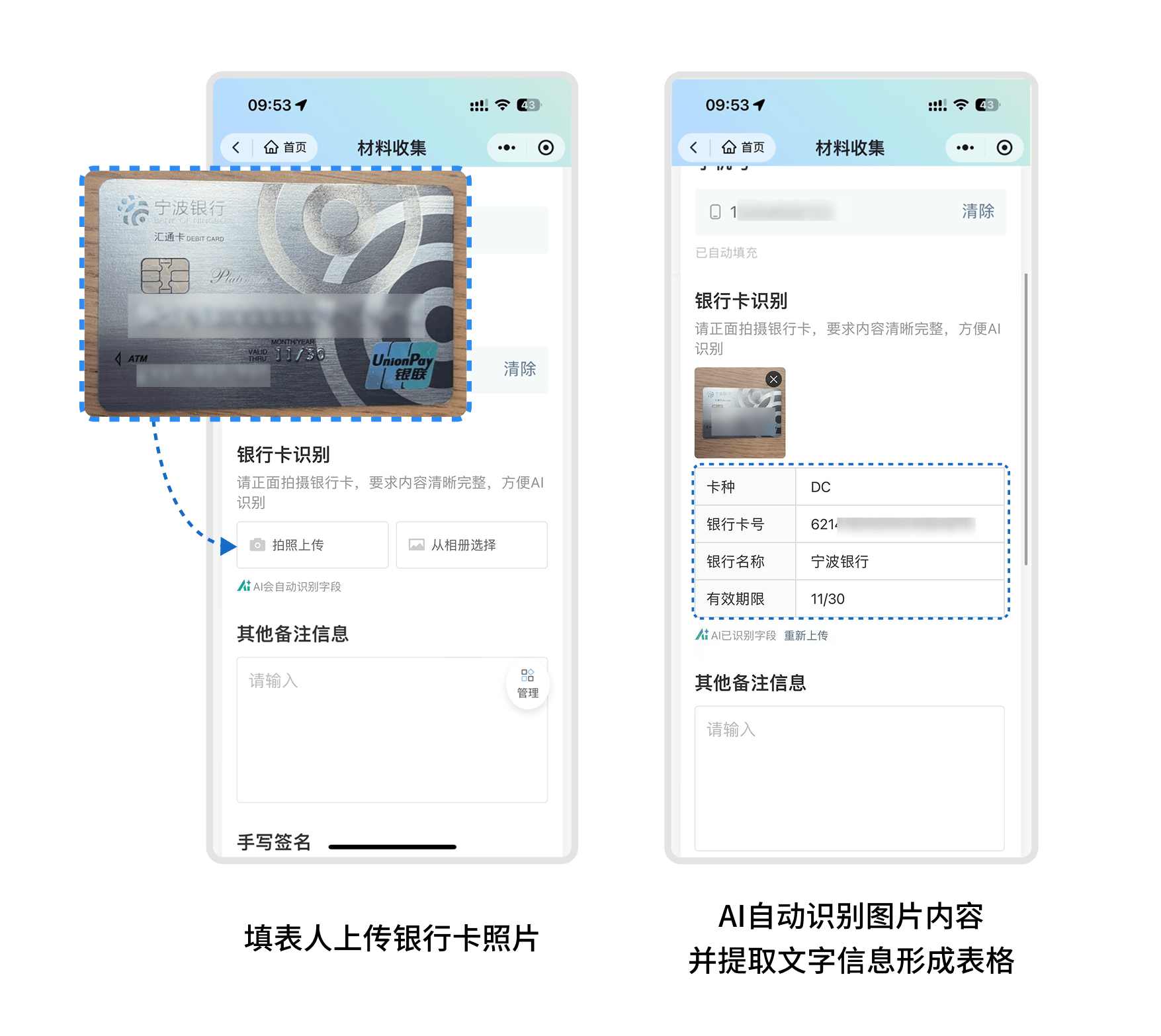
Driver's License Recognition
Extracts license holder information, permitted vehicle types, validity period, and other fields
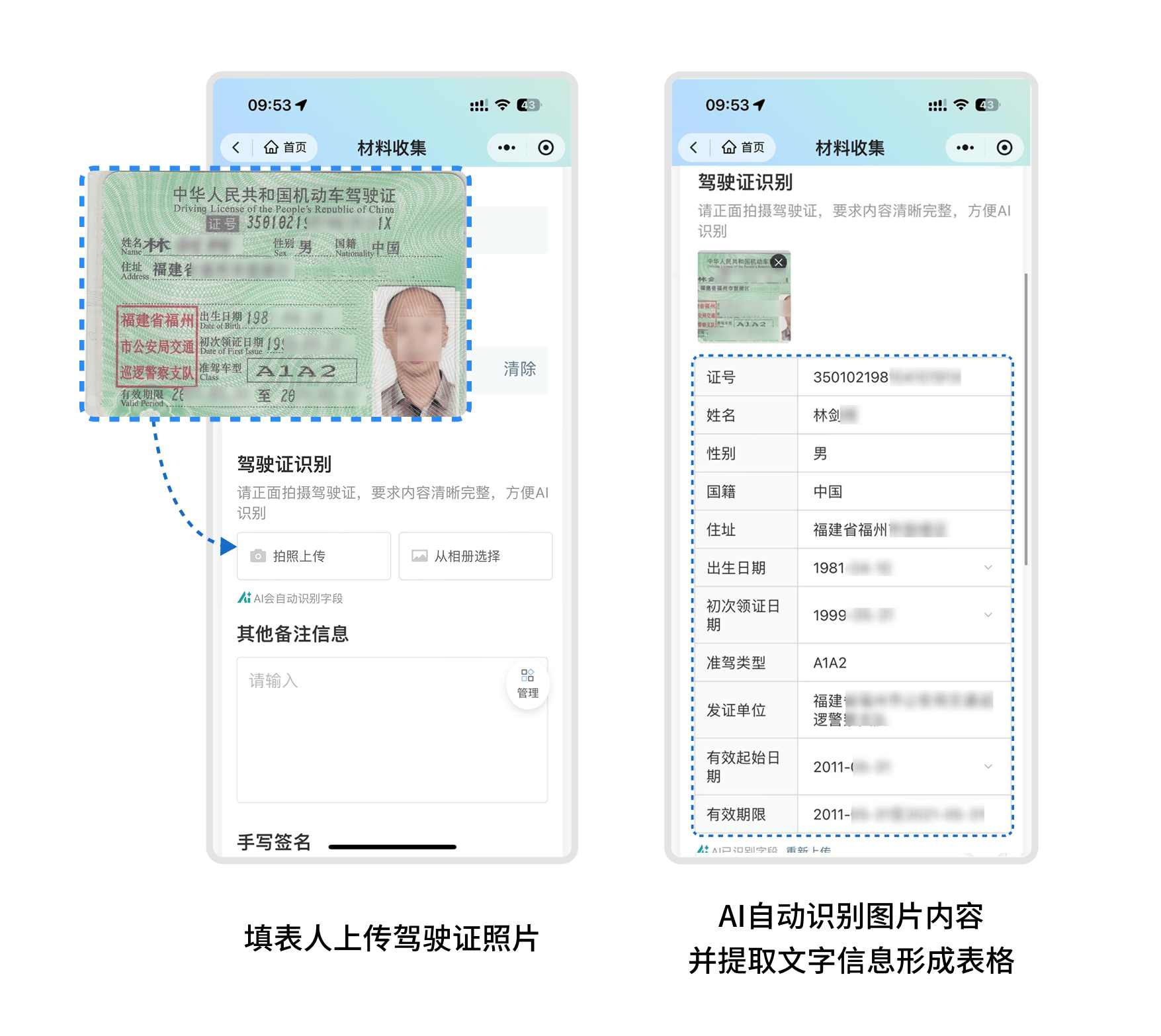
Vehicle Registration Recognition
Recognizes vehicle owner and vehicle information from the registration document
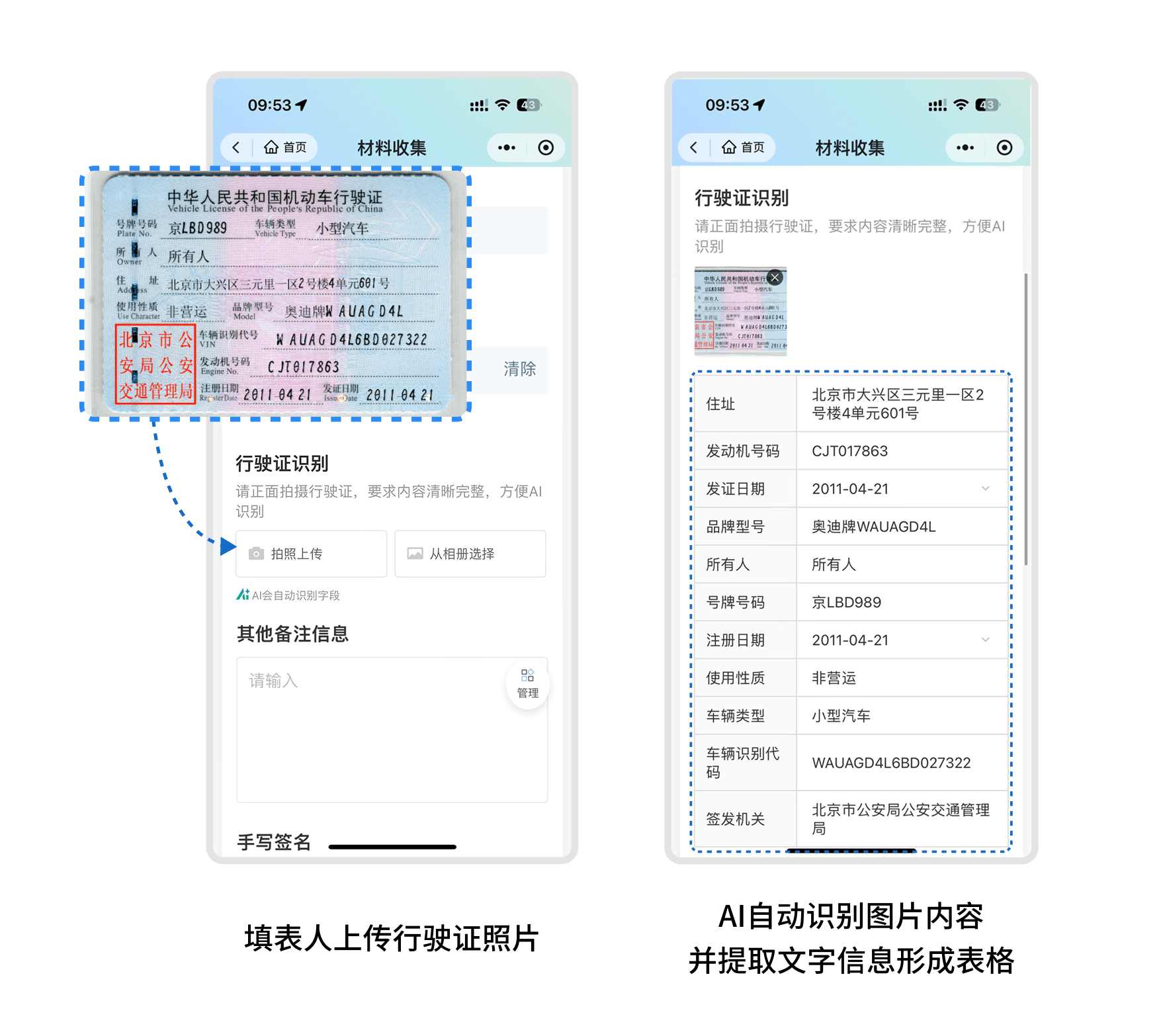
License Plate Recognition
Recognizes license plate numbers in photos
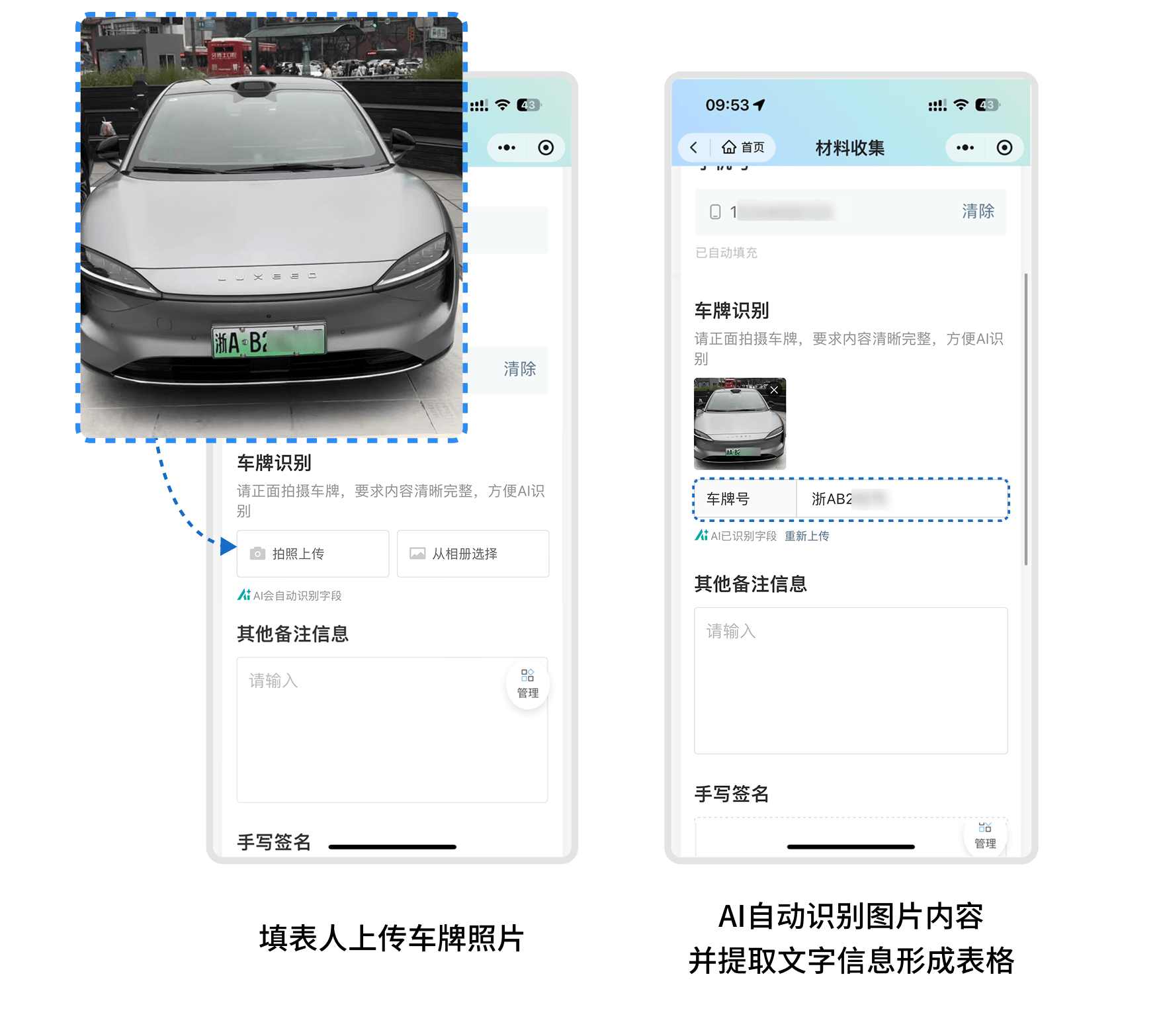
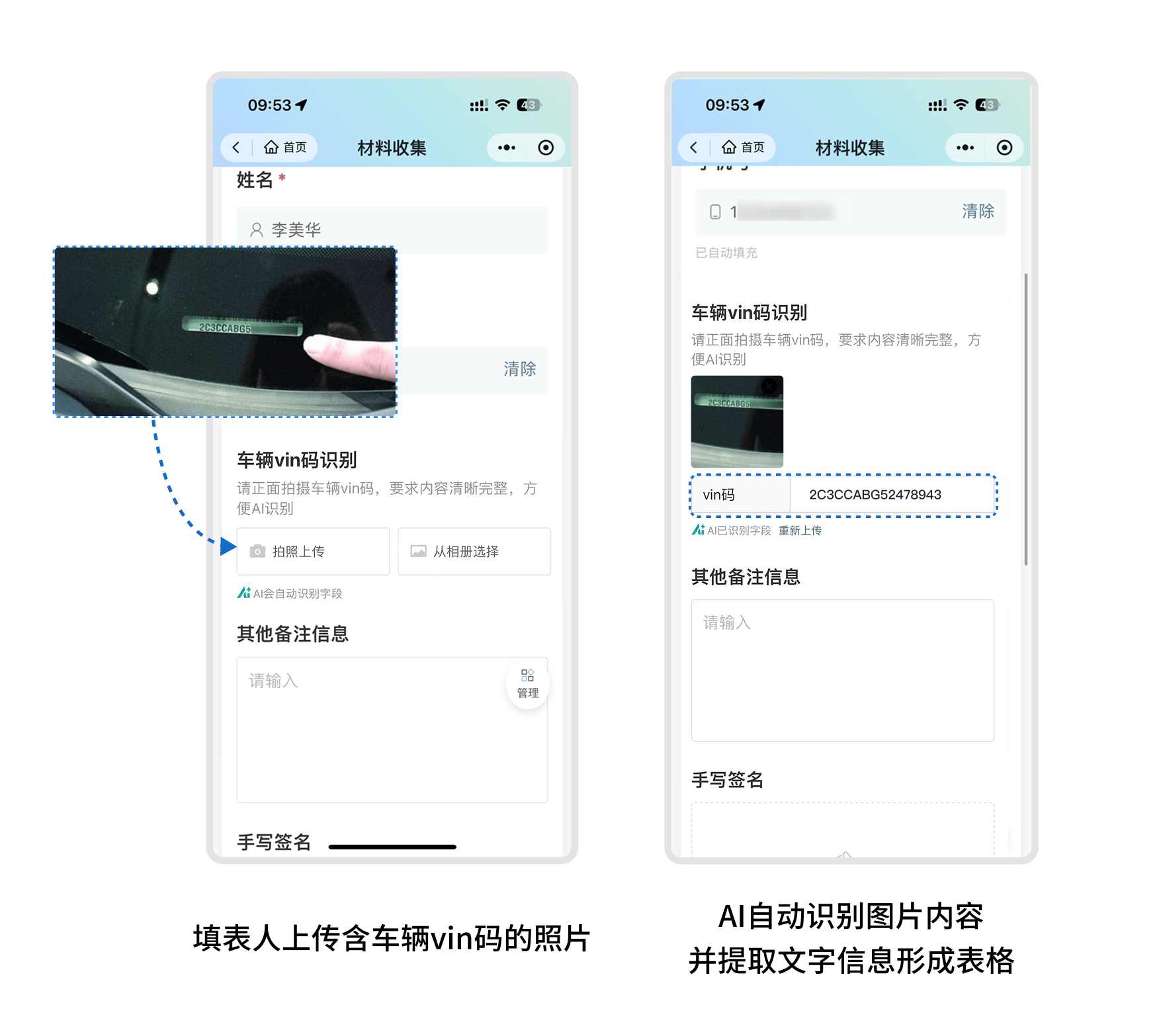
Vehicle VIN Recognition
Extracts the Vehicle Identification Number (VIN), suitable for vehicle identity verification
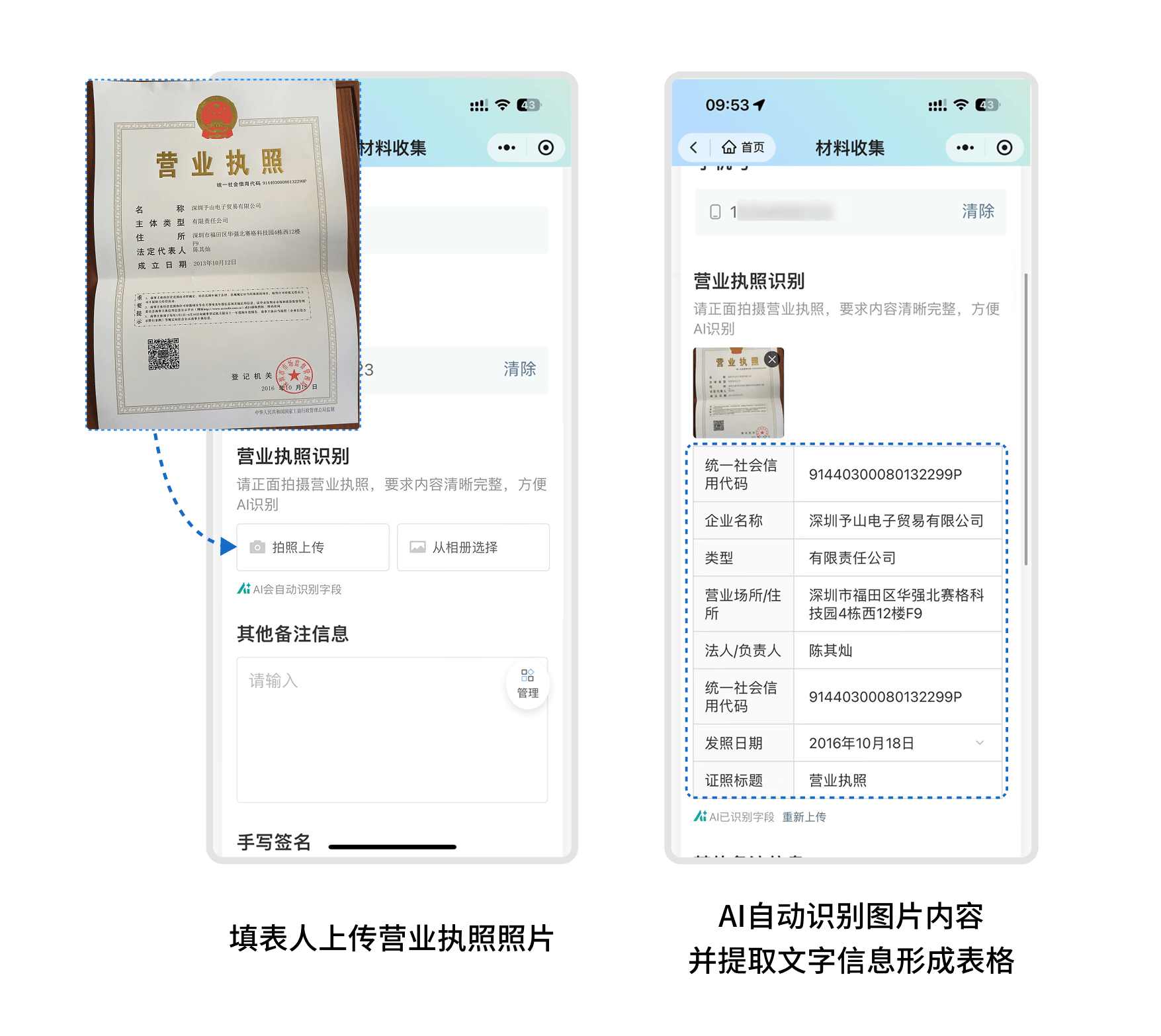
Business License Recognition
Automatically extracts company name, unified social credit code, and other content
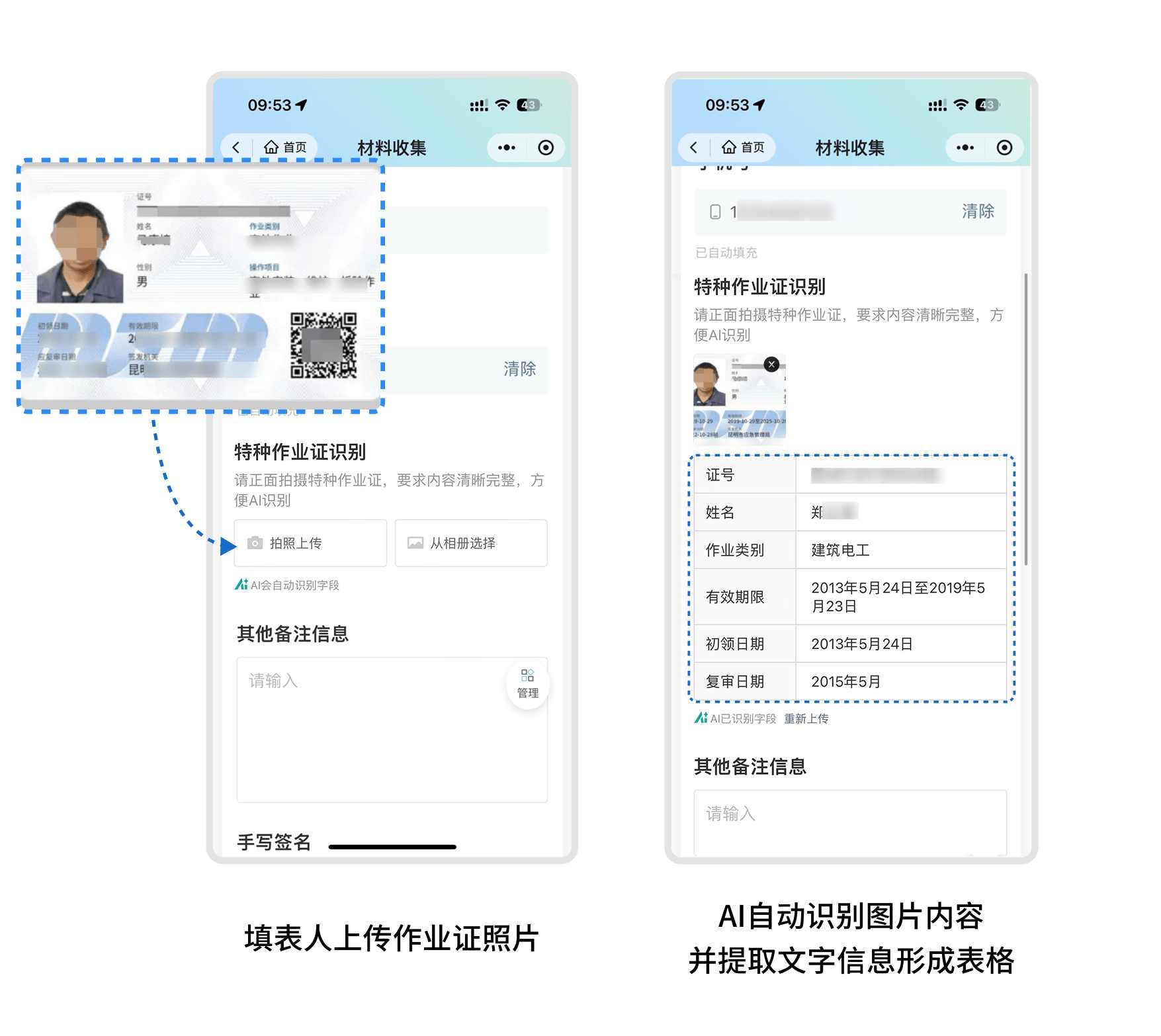
Special Operations Certificate Recognition
Extracts operation category, certificate number, and other information
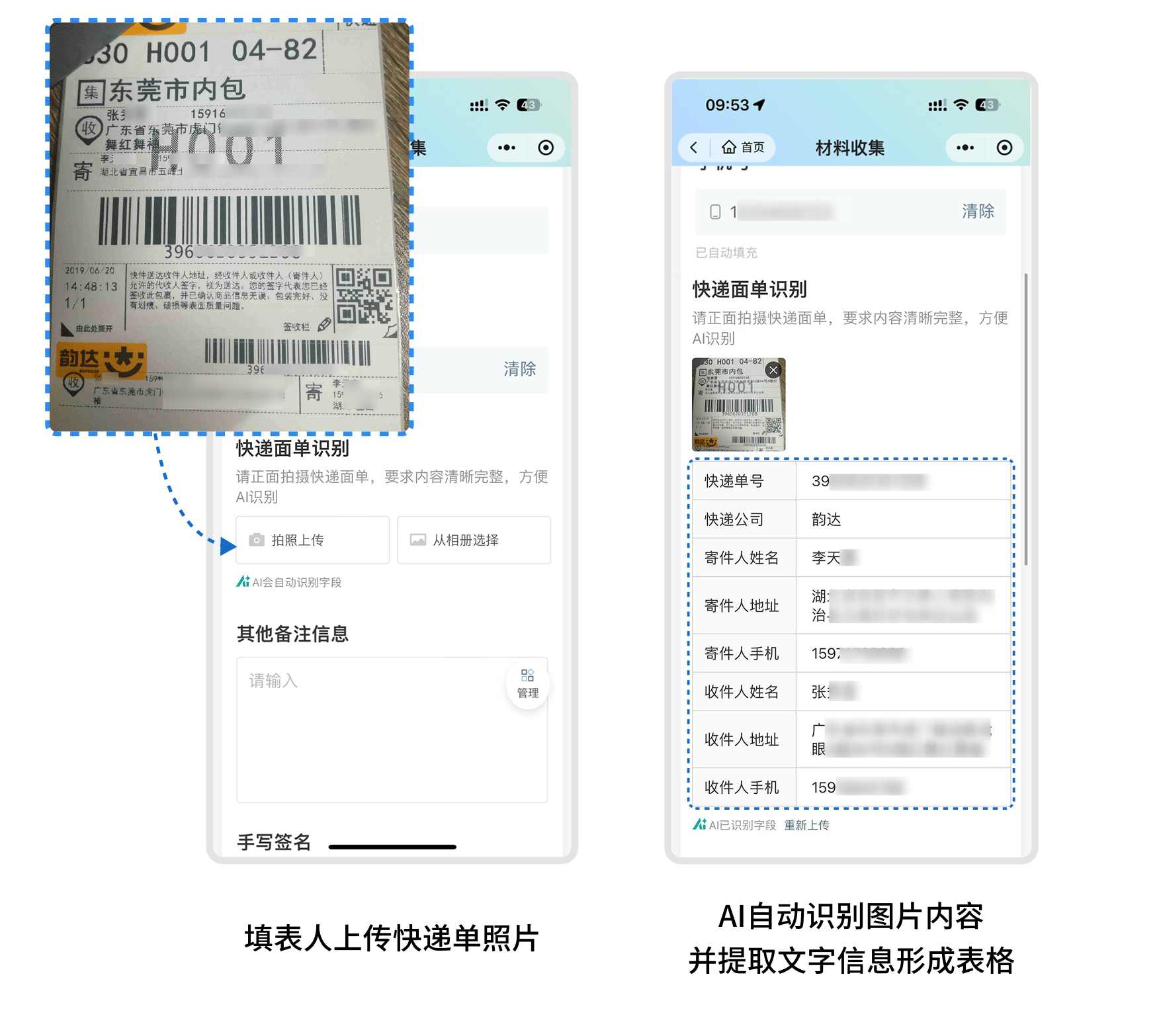
Express Waybill Recognition
Automatically recognizes tracking number, sender, recipient, address, and other fields
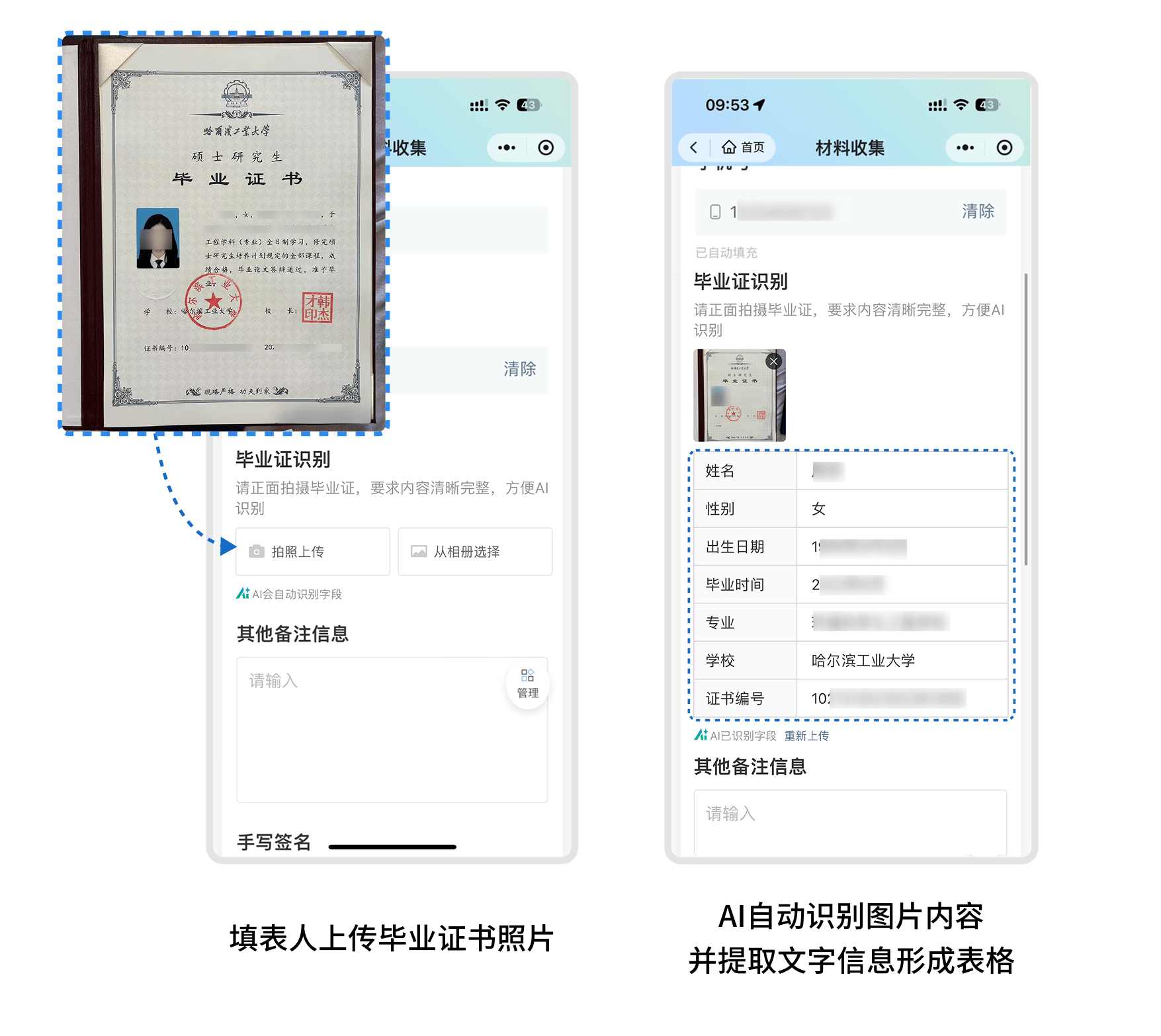
Graduation Certificate Recognition
Recognizes name, school, graduation date, certificate number, and other information
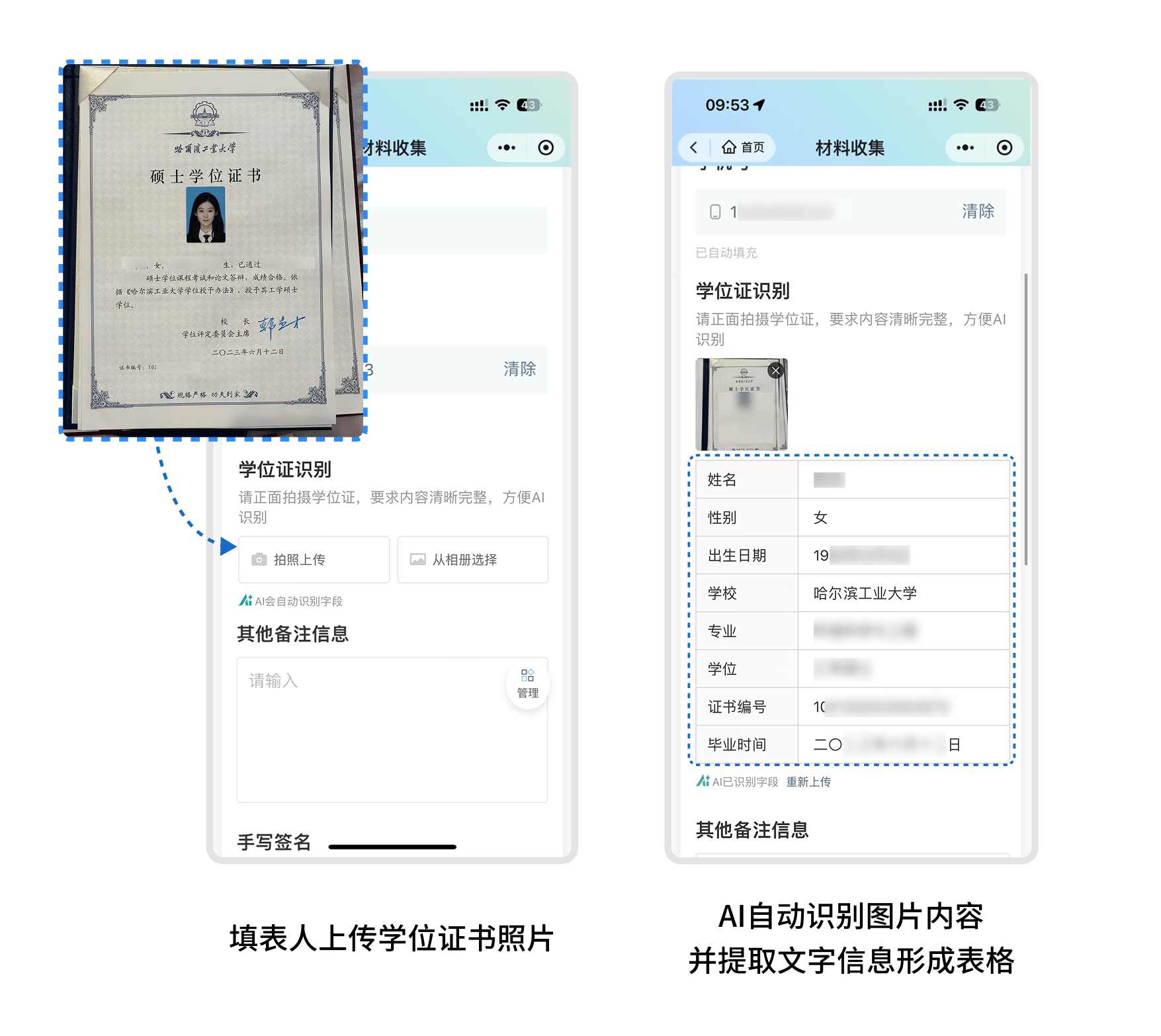
Degree Certificate Recognition
Extracts degree certificate information for academic verification
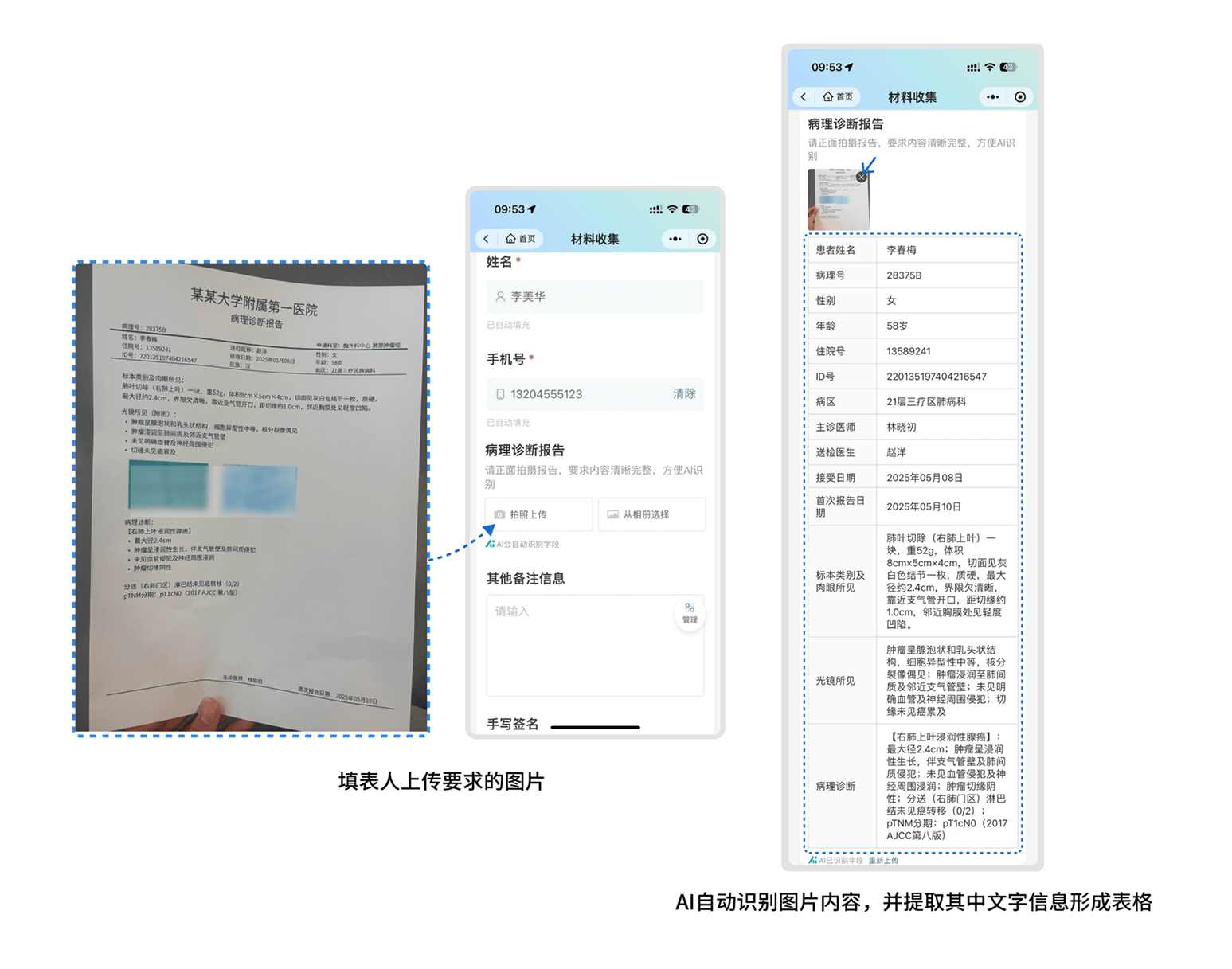
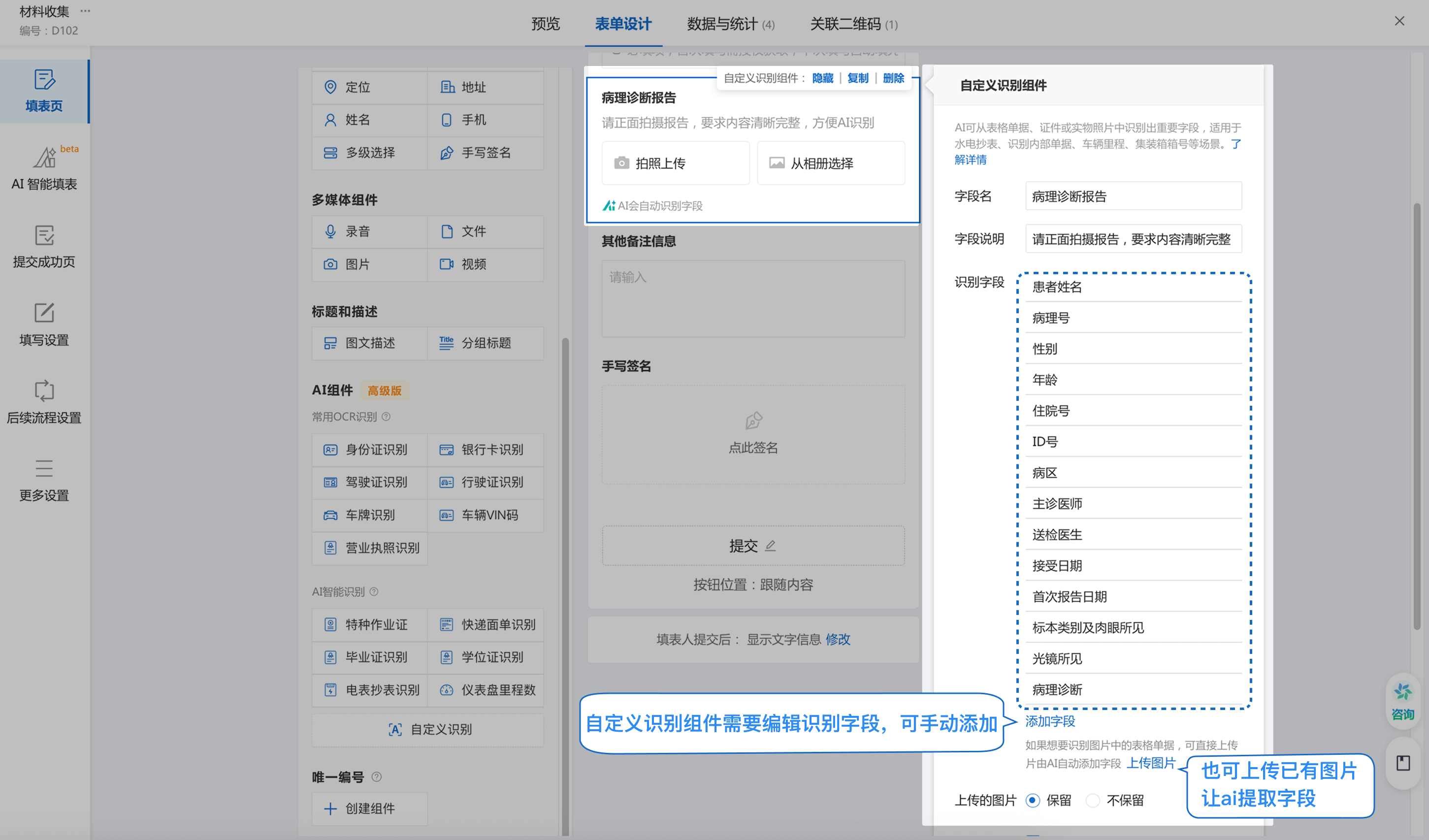
Custom Recognition Component
Supports training a model based on your company's own document templates or industry forms to extract custom fields. Examples: contract numbers, equipment codes, project numbers, etc.
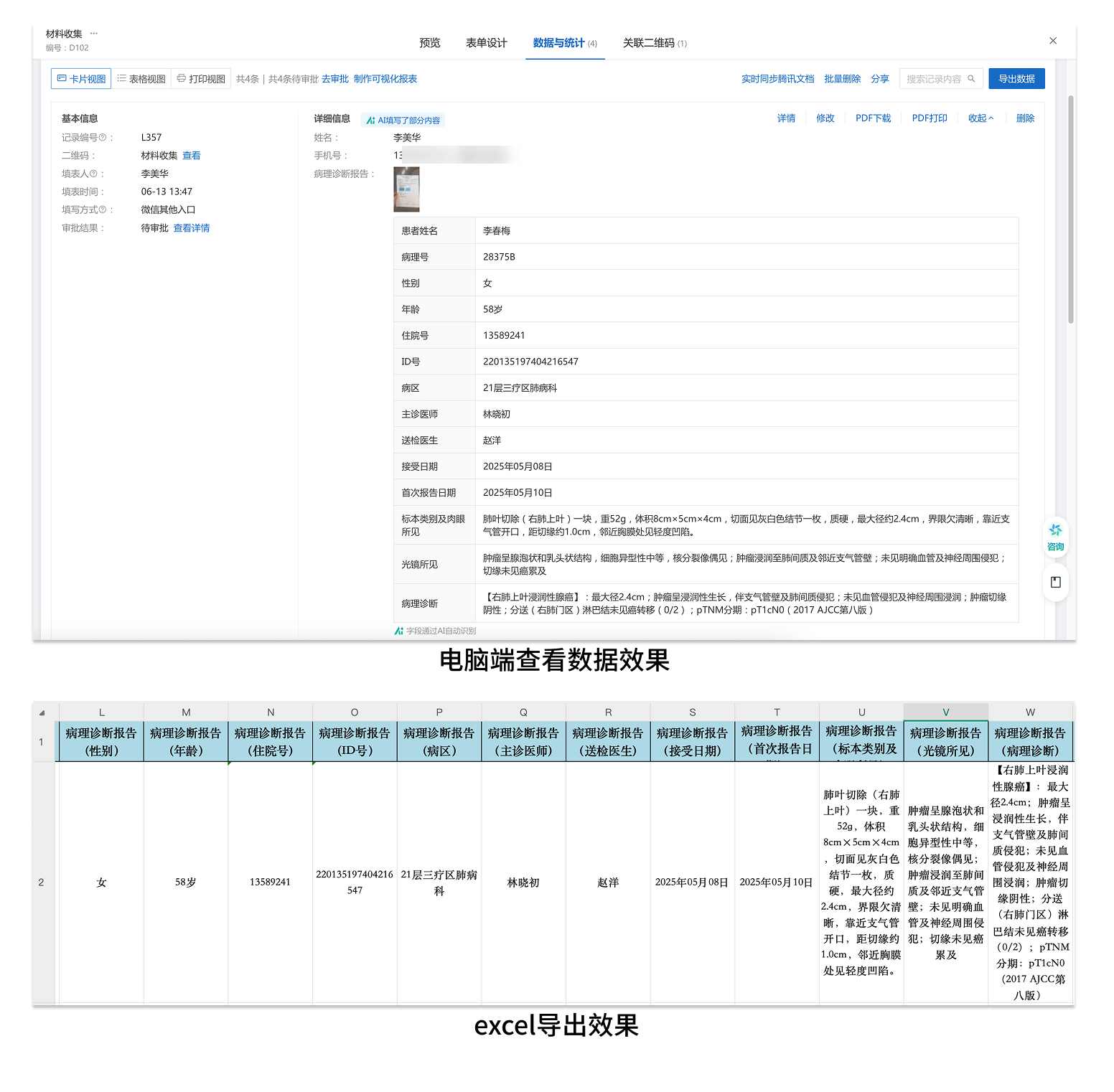
Using a pathology report as an example: upload a photo or screenshot of the report → all custom fields are automatically filled in, no manual extraction required.
Setup Tutorial
In the form design page, select the AI component you want to use.
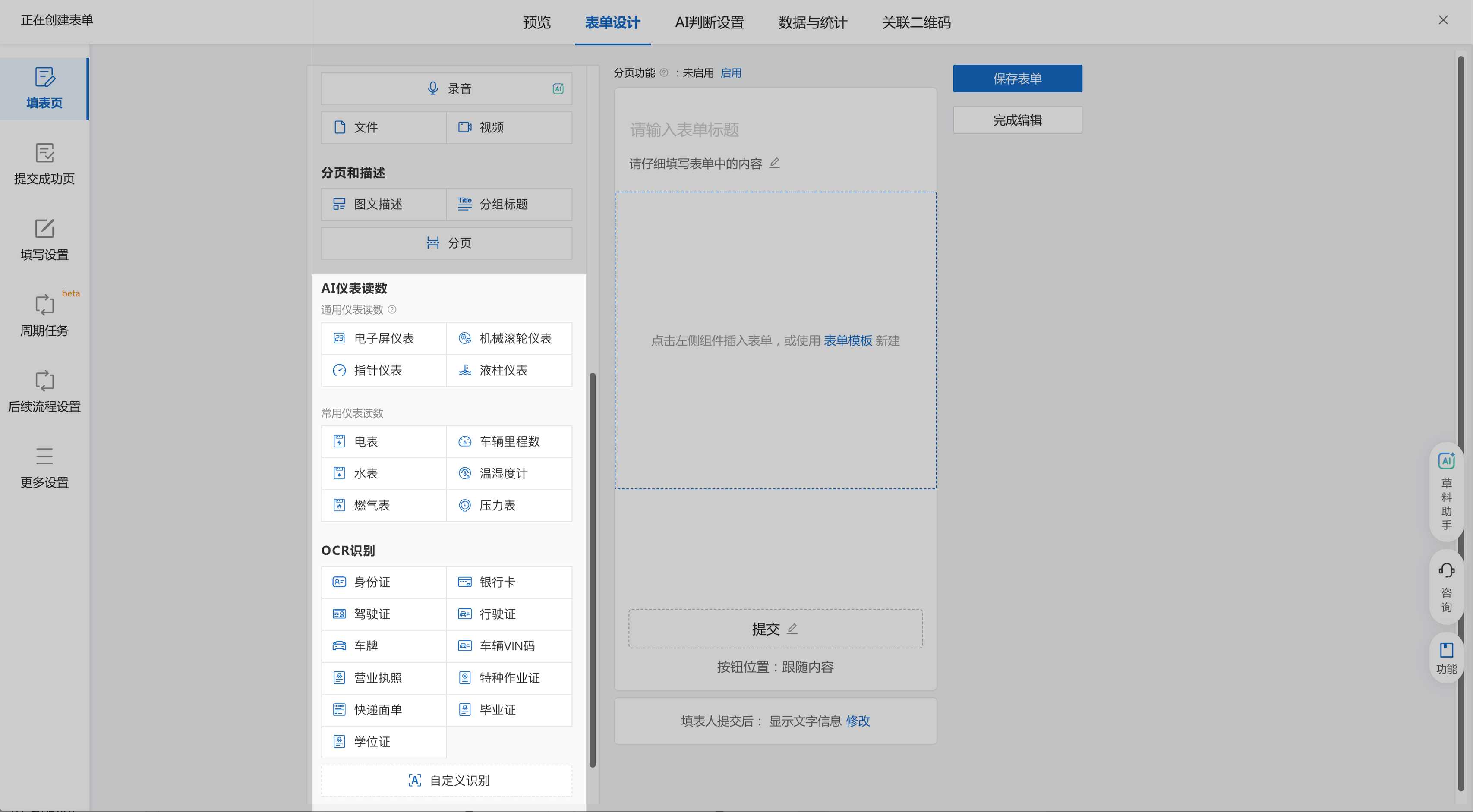
For "AI Meter Reading" components, you can configure unit, range limits, range color coding, and custom prompt (not supported for common OCR text recognition components):
Custom components require field configuration. You can choose the image upload method for submitters. If the content is sensitive, you can enable privacy protection. Learn about component privacy protection
FAQ
-
Q: What image formats are supported? A: JPG and PNG formats are supported. Clear, unobstructed front-facing images are recommended.
-
Q: Can I manually edit the recognized content? A: Yes. All recognized fields can be manually edited to ensure data accuracy.
-
Q: Is batch recognition supported? A: Currently only single-image upload and recognition is supported. Batch upload is not available. If you need a single record to capture multiple OCR-recognized photos, consider adding multiple components to the form, or asking submitters to upload in multiple submissions.
-
Q: What does the exported data look like? A: Each cell contains the content recognized by one AI component.
-
Q: What if the field I need to extract has no corresponding label in the image? A: For example, an air conditioner screen may only display "26 ℃" without a label like "Temperature: 26 ℃." In this case, you can write a custom prompt such as "Extract the number representing temperature on the screen" to instruct the AI to recognize and fill in the value accordingly.