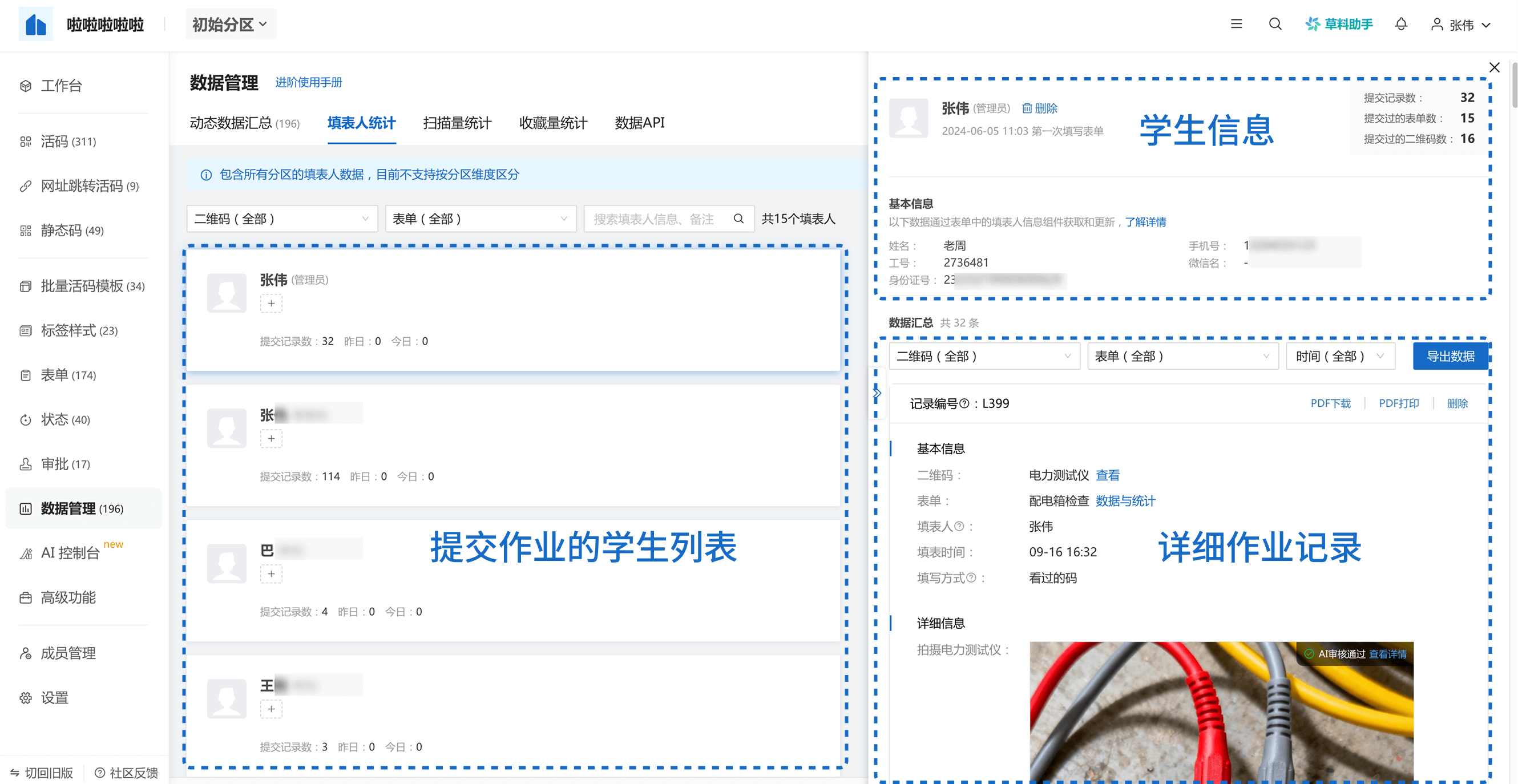
Submitter Component
In the form design, the system provides two types of name-related components: the Submitter component (name, WeChat-authorized phone number, etc.) and the Basic component (name, phone number). They serve different purposes and should be selected based on your use case.
Submitter Component
Each WeChat account corresponds to a unique submitter. If the same person submits the form multiple times, all their records are automatically grouped under the same "submitter" in the Submitter List. Go to the Submitter List
Use case: Suitable for situations where the person filling in the form is doing so for themselves — for example, employee self-check, student submissions, or customer document uploads.
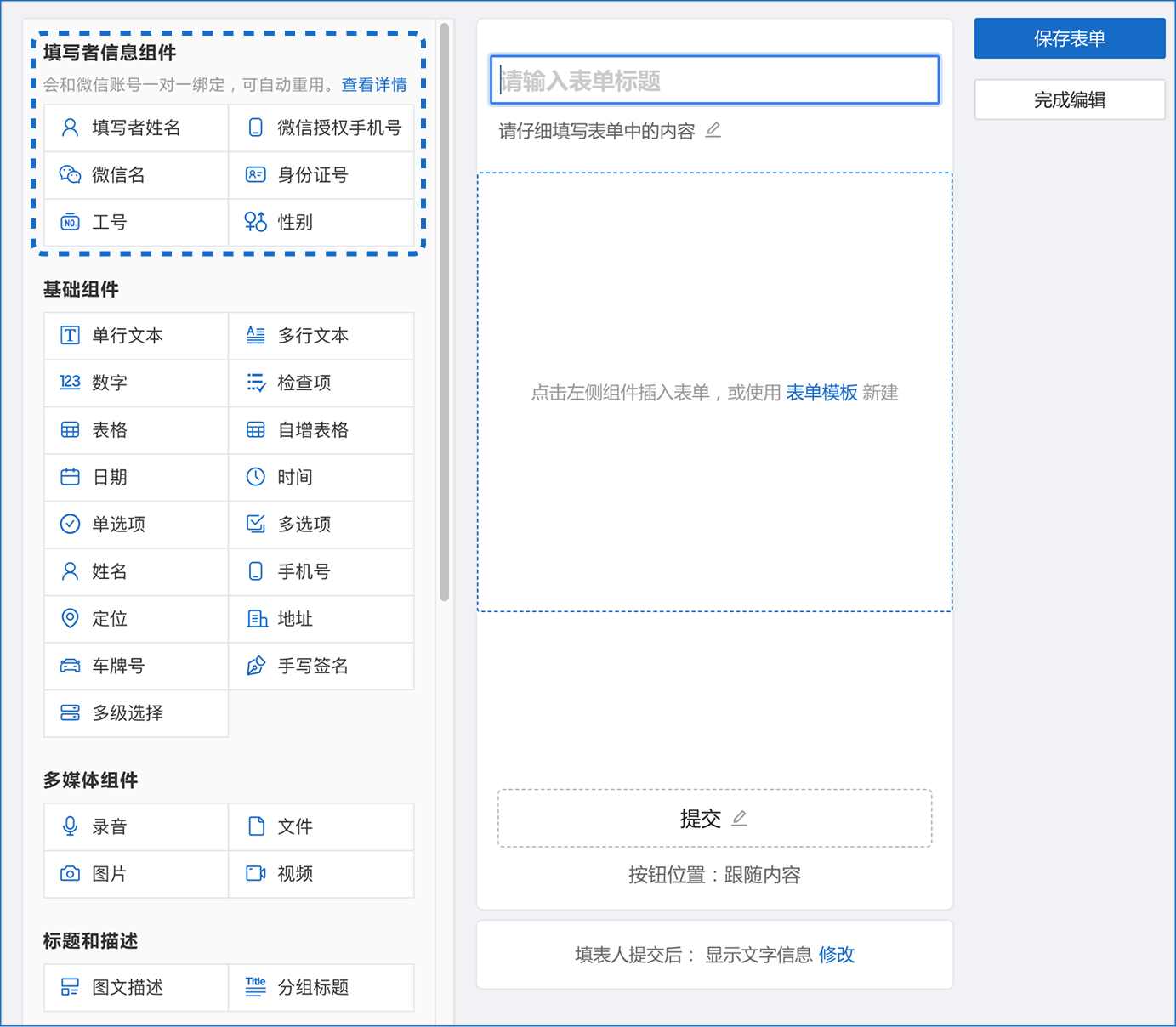
Basic Component
This component acts as a plain form field with no binding to a WeChat account. Each time the form is filled in, the name field can contain new information without affecting the "Submitter Statistics" list.
Use case: Suitable for scenarios where someone fills in the form on behalf of others — for example, a security guard logging visitors, a receptionist entering the details of an arriving guest, or an administrator recording equipment inspection personnel. In these cases, the "submitter" is always the person doing the filling (e.g., the security guard), while the name of the person being logged must be collected separately using the "basic name" component.
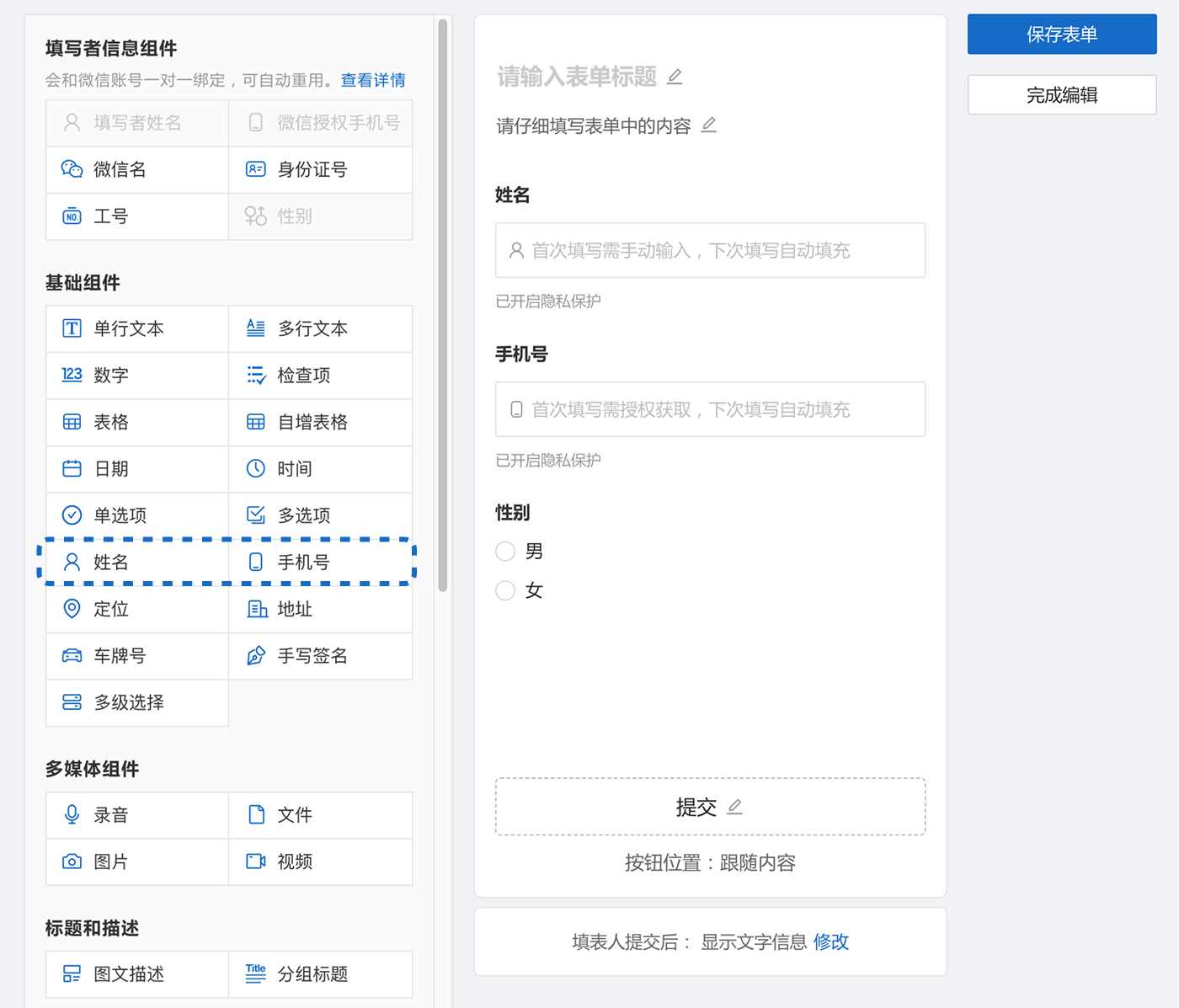
Submitter Component Applications
Application 1: Tracking Employee Work Activity
For example, inspection team employees whose daily duty is to check the status of all equipment. You can filter the "Equipment Inspection" records and select all responsible inspection staff:

- By quickly browsing each employee's most recent submission time, you can see whether they have completed recent inspection tasks or missed any.
- By searching for and viewing the records of a specific employee, you can review all their work activities.
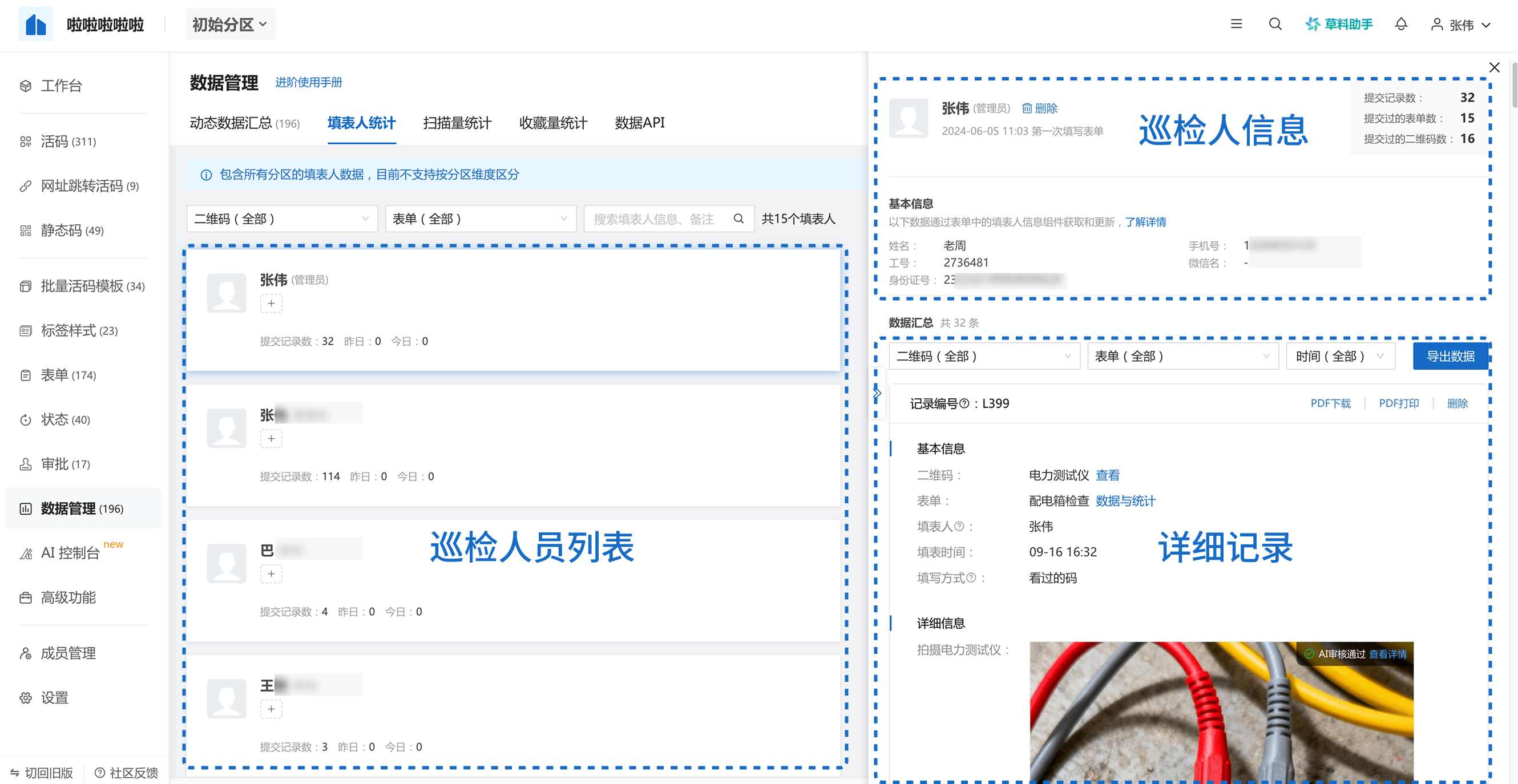
Application 2: Checking Student Homework Completion
Students can submit after-class assignments through a record form to their teacher. The teacher can first filter by record form and QR code to select a specific subject or class — for example, "Grade 3, Class 1 — Math Homework":

- By quickly browsing each student's most recent submission time, you can see whether they completed and submitted their homework for the day.
- When you want to review a specific student's recent assignments, select that student to view all their submitted work.