Unique ID Component
What Is the Unique ID Component?
In certain business workflows, you need to clearly track the dynamic movement of each item — such as library checkouts, process routing, and warehouse inbound/outbound operations. Typically, each item carries a unique identifier (e.g., book number, part number, goods number).
By using the Unique ID component in each step of the workflow, you can locate any item by its unique ID and trace its entire movement history.
Example: Library Checkout and Return Scenario
Assign a unique ID to each book. Create a QR code linked to both a "Check Out" and a "Return" form to track the borrowing status of each book.
In practice, you can create a static QR code for each book using its unique ID — submitters can then scan the code to quickly enter the unique ID.

In the workbench, entering the unique ID allows you to query all borrowing records for that book.

How to Use
1. Create Checkout and Return Forms
When creating two forms, add the same unique ID component to both.

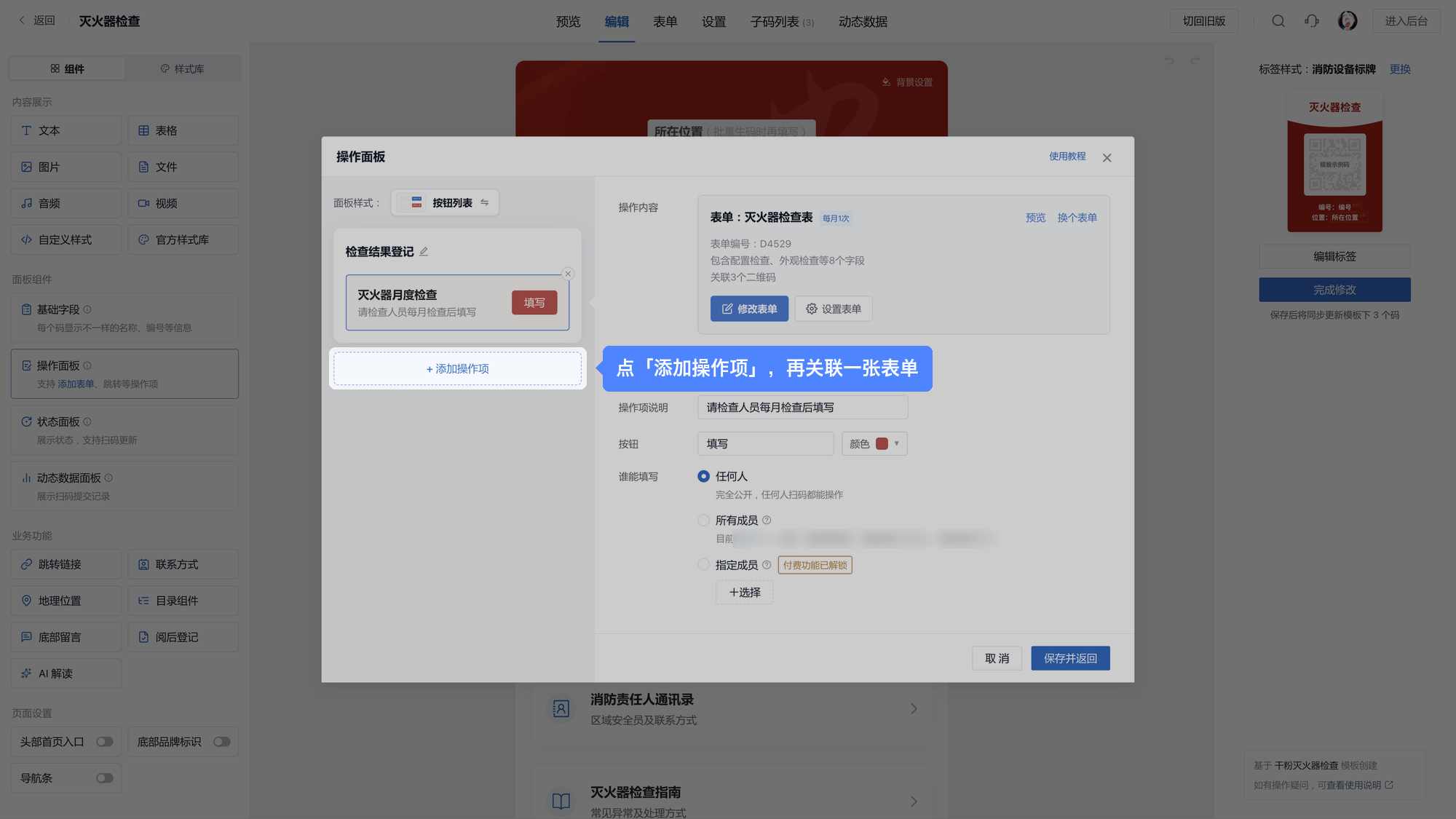
2. Create a QR Code and Link Both Forms
Create a new "Library Checkout" QR code. Click Control Panel on the left side of the editor, then use Add Operation Item to link the "Check Out" and "Return" forms. Save and download the QR code — it's ready to use.