Pagination
1. Feature Overview
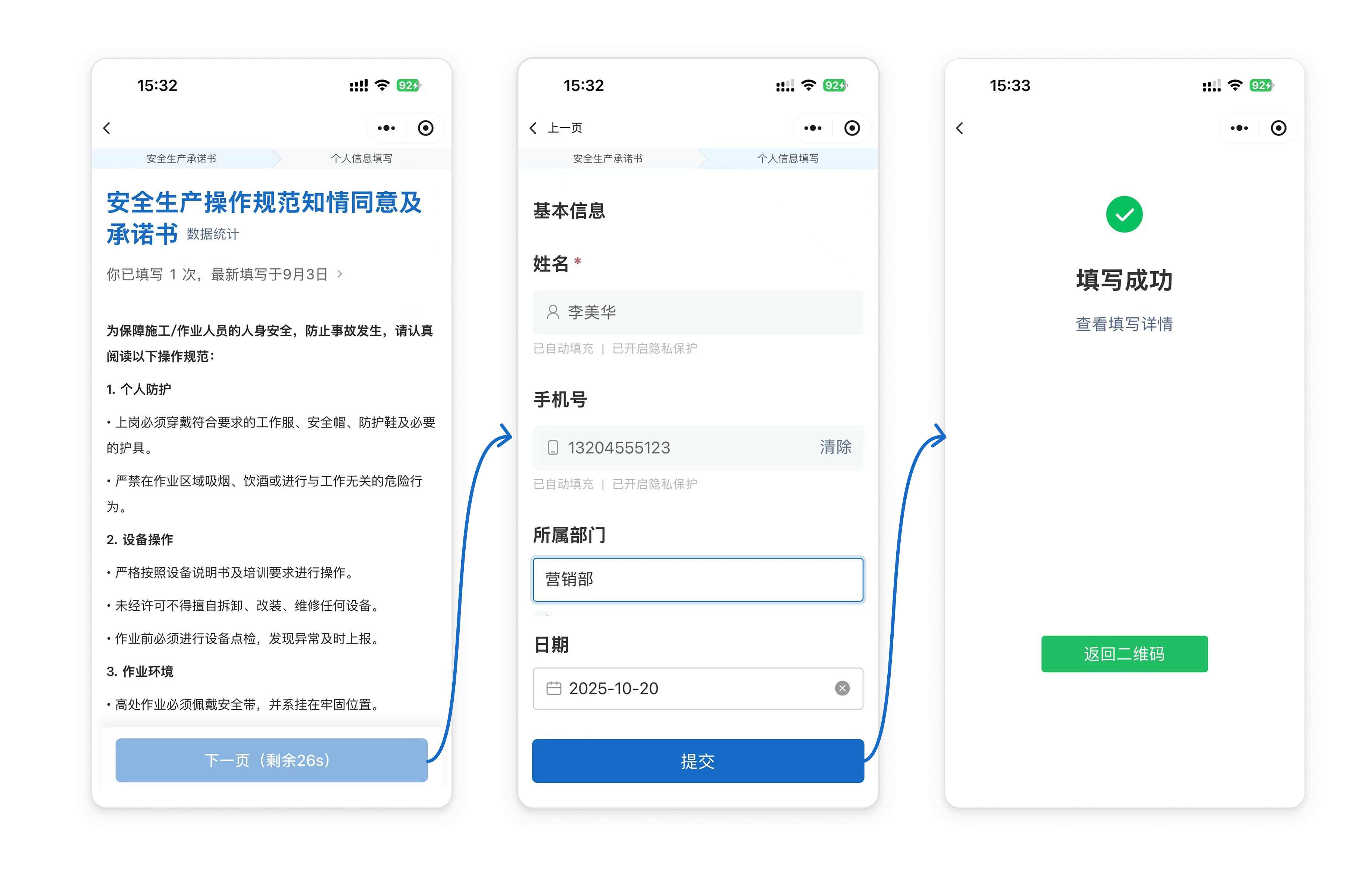
Pagination splits a long form into multiple pages. It is suitable for forms with a lot of content, forms that include instructions or a welcome page, and can be used alongside the image-and-text description component.
2. How to Add
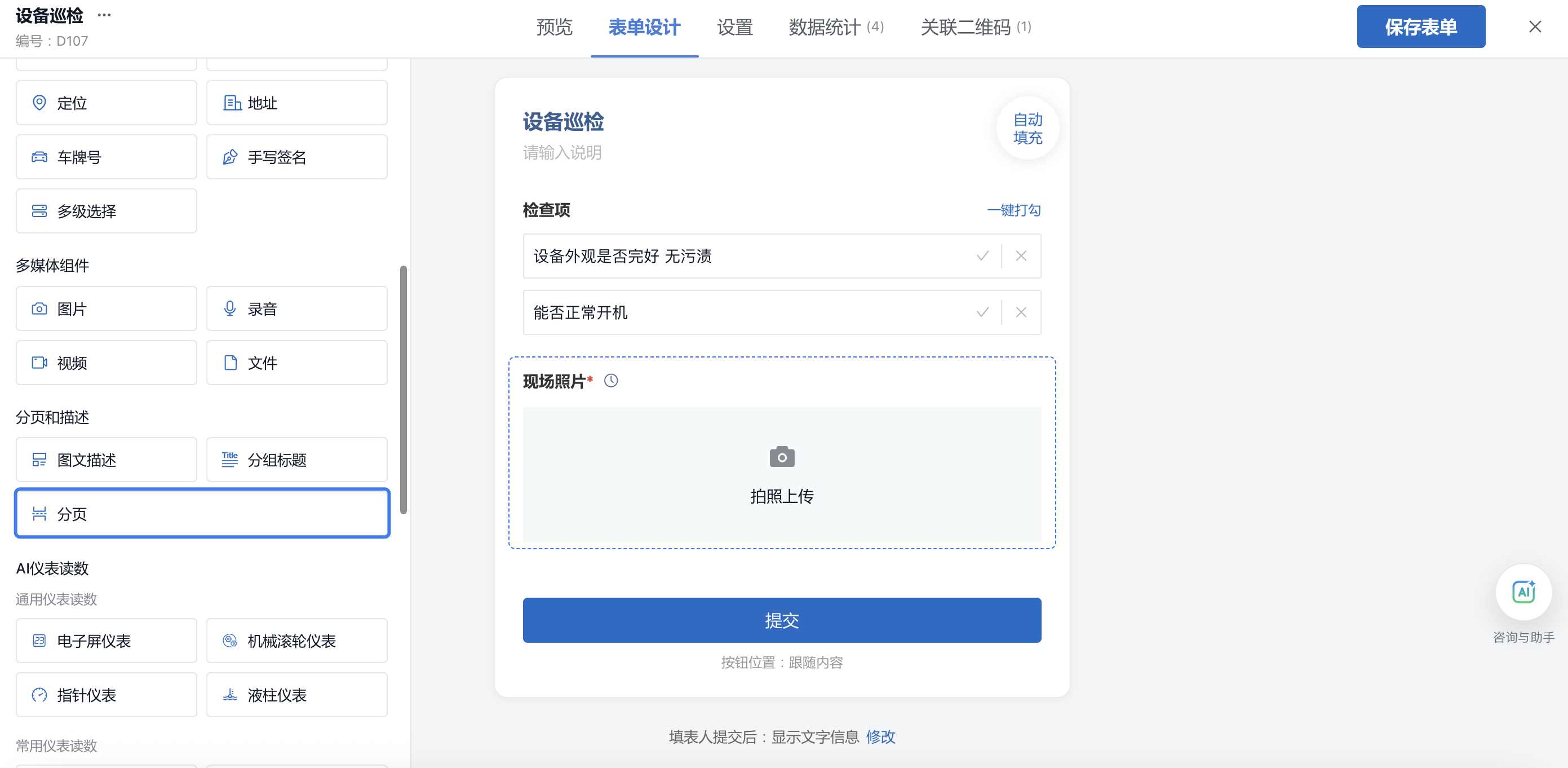
In the forms designer, find the Pagination component under Pagination and Description in the left component panel. Select it to add a new page.
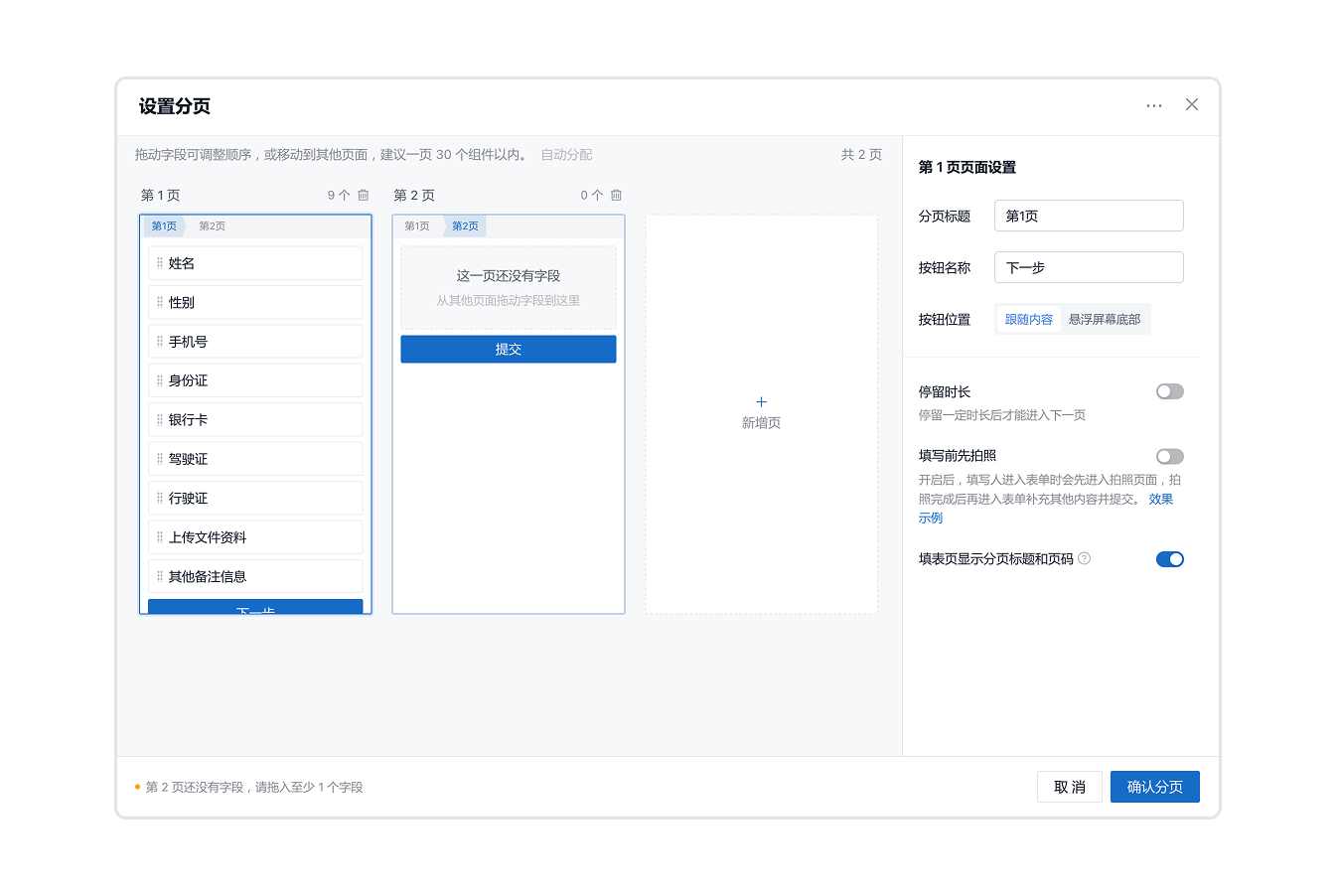
After adding the component, arrange the fields on each page and adjust the page settings in the Set Pagination window. Select Confirm Pagination when finished.
3. Configuration Options
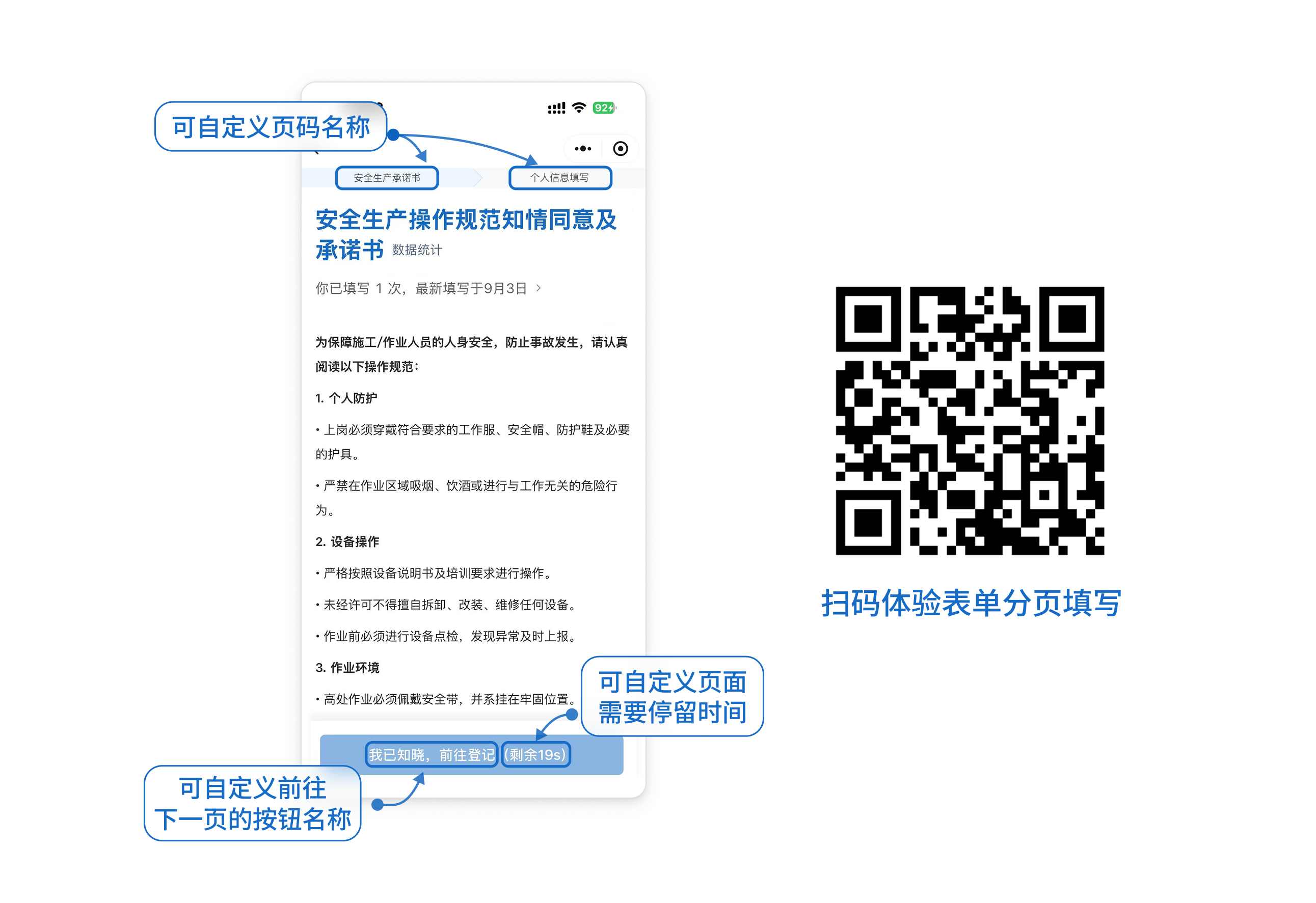
You can customize the button name, required page viewing duration, page label, and whether tapping "Next" immediately launches the camera. Scan the QR code below to try out the feature.