Tour Guide
QR Code System
Visitors scan with WeChat to view routes, attractions, and exhibit information.
Edit content in the workbench without changing printed codes.
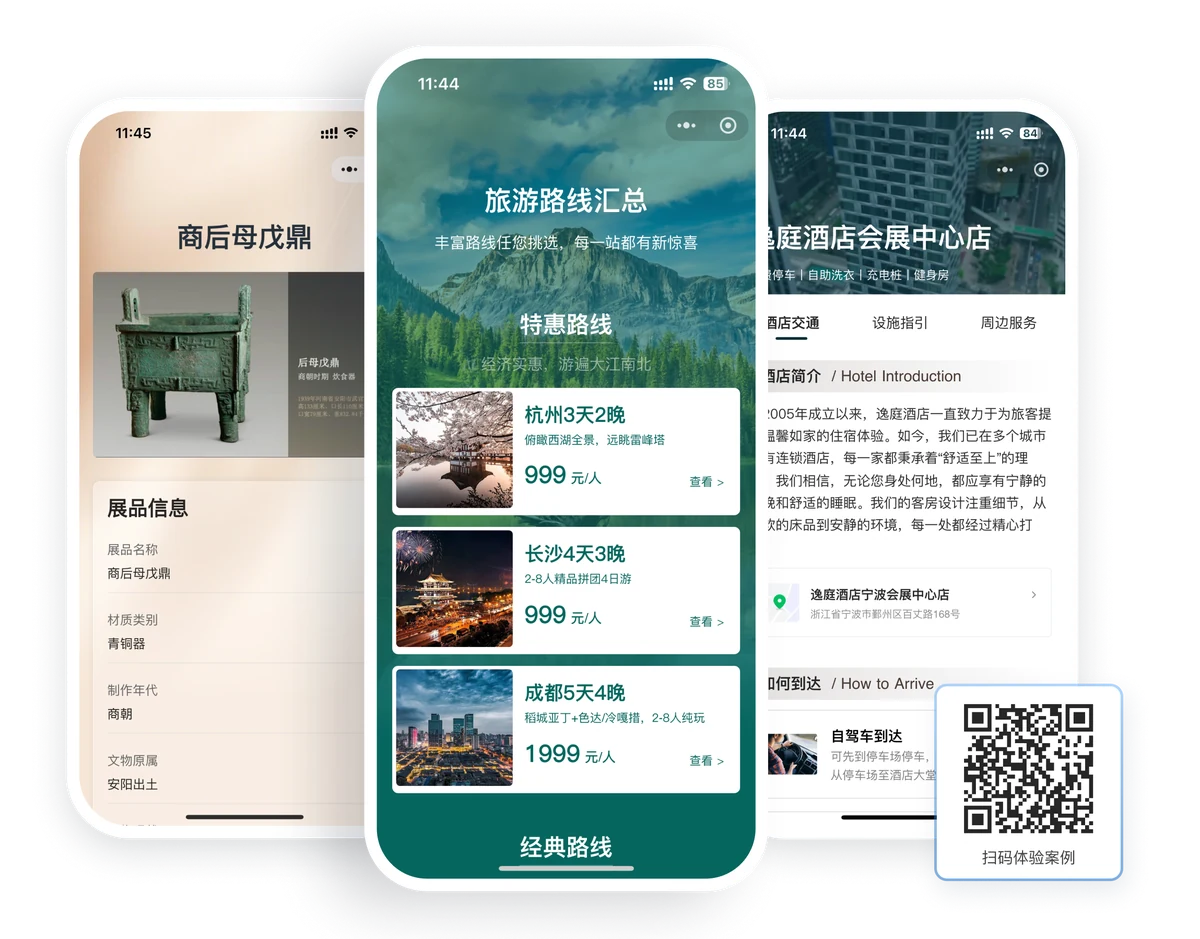
What Visitors See After Scanning
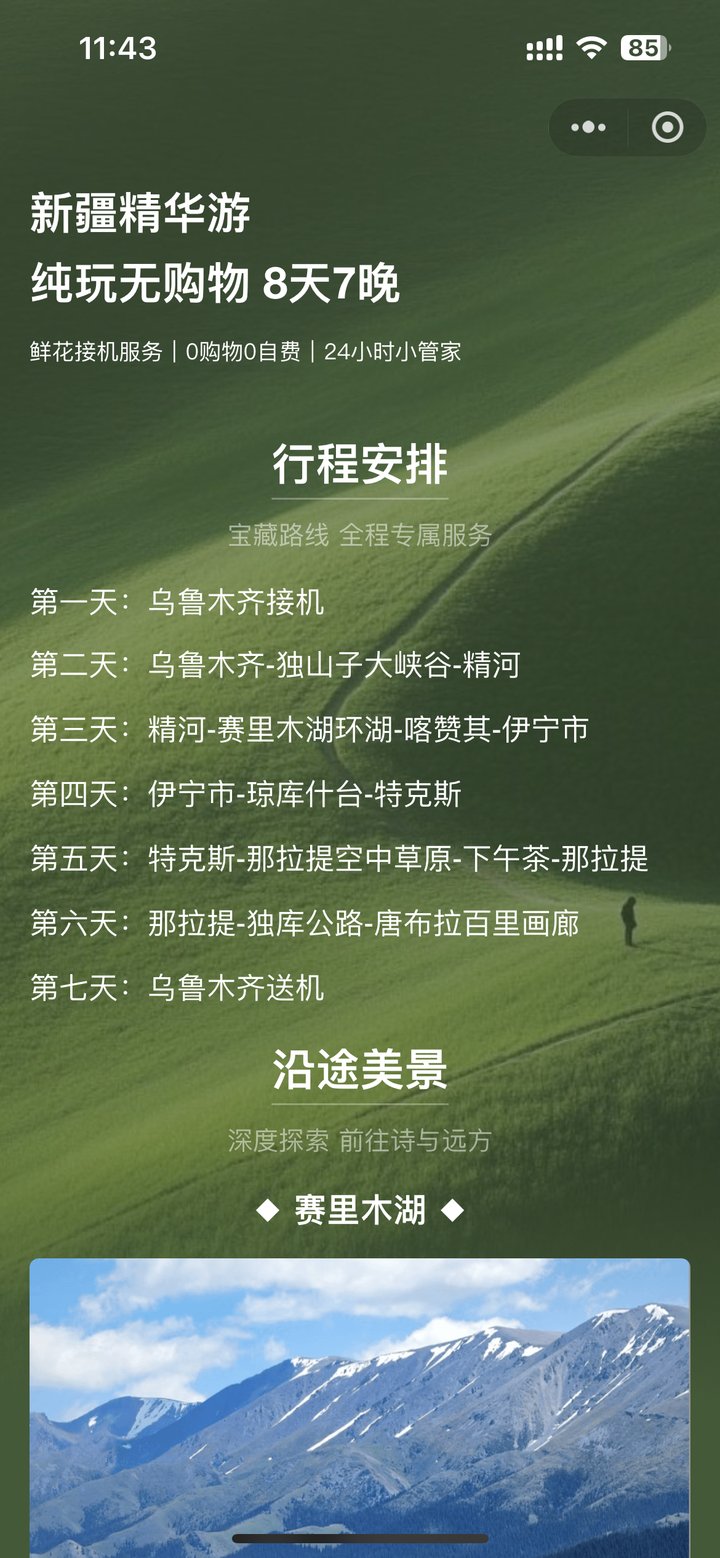
One code per route makes the itinerary clear
Keep each day’s itinerary, accommodation, and included costs together with destination photos. Guests scan before booking and again before departure. Edit itinerary changes in the workbench.

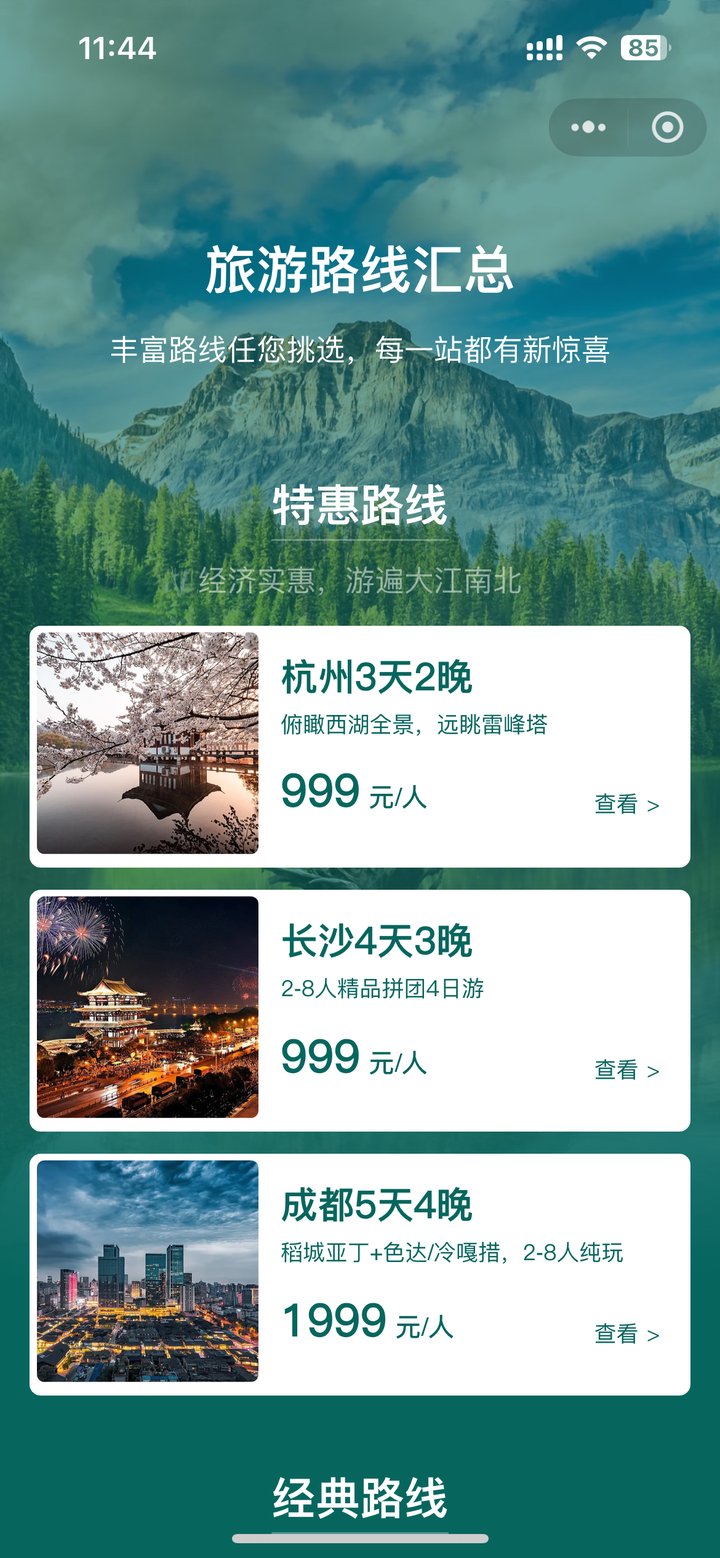
One code for all your routes
Categorize routes as family trips, hiking, or nearby tours. Use the same code on posters, in shops, and in Moments. Add new routes in the workbench without changing the code.

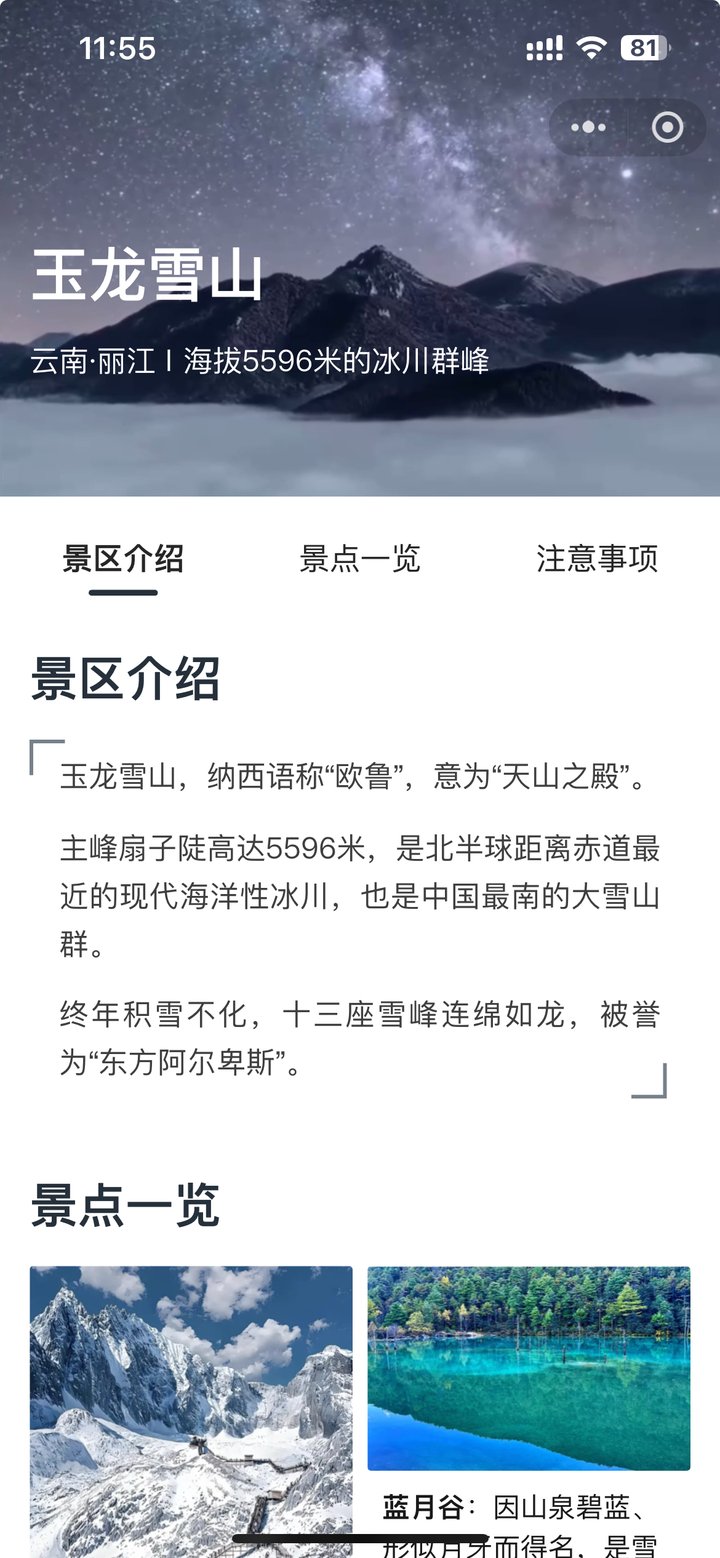
Scan for the introduction that will not fit on the sign
Put an attraction’s history, highlights, photos, and audio narration in its code. Visitors scan on site to read and listen, with replay available.

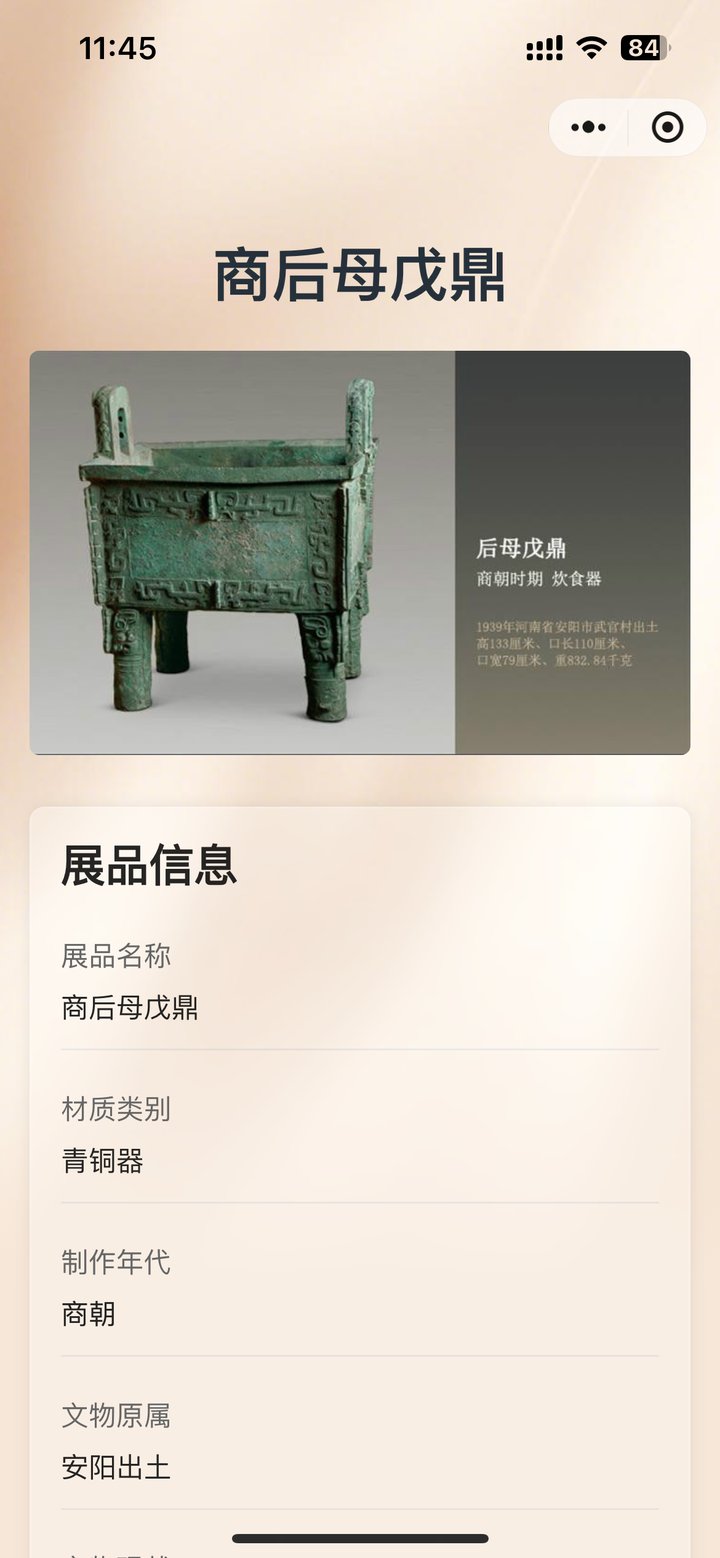
One code per exhibit
Combine dates and excavation details with close-up images and audio about patterns and craftsmanship. Generate codes in bulk for large collections and link exhibits in the same gallery.

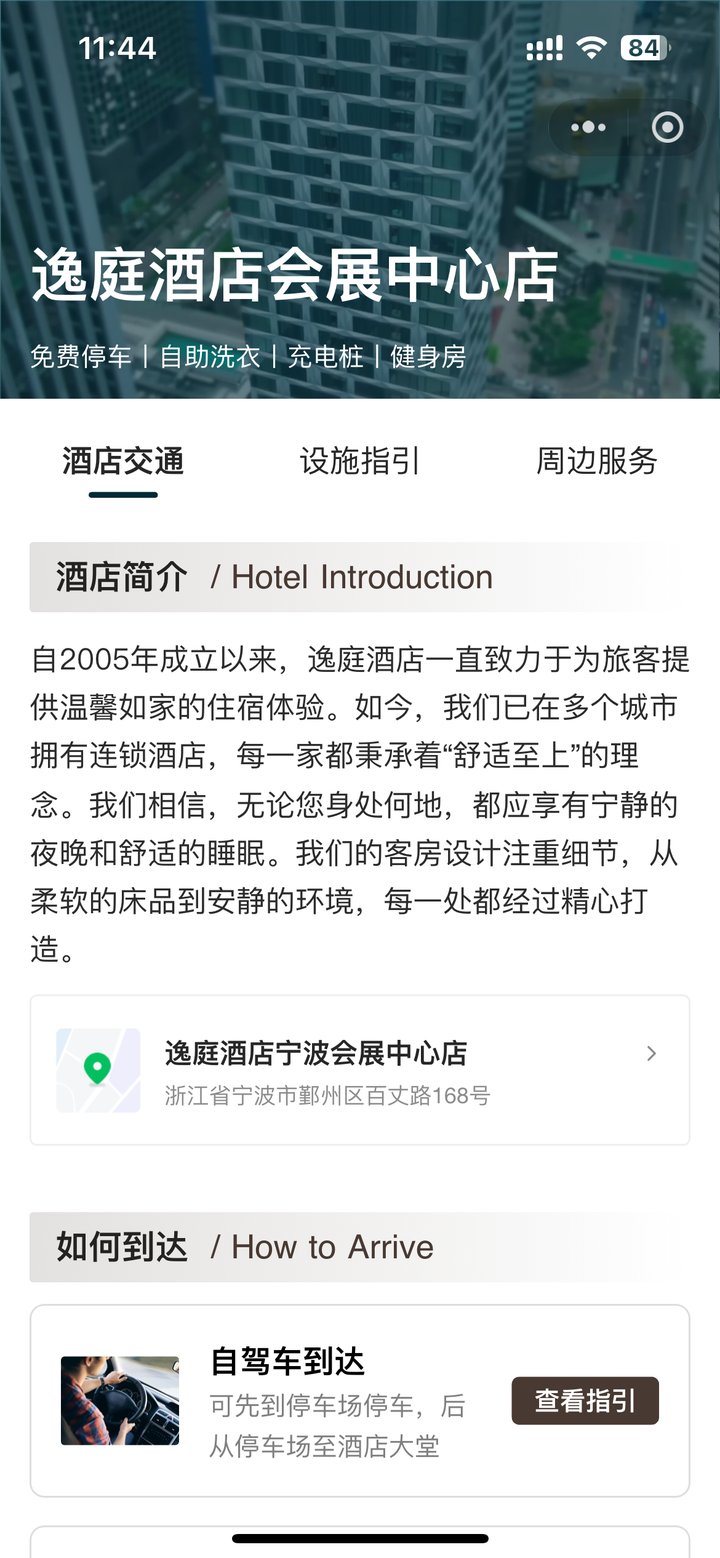
Arrival, check-in, and local information in one code
Put directions, check-in and check-out times, WiFi, facility instructions, and nearby dining in one code on room cards and in rooms. Guests read independently, reducing repeated front-desk questions.
How Travel Agencies Share with Customers
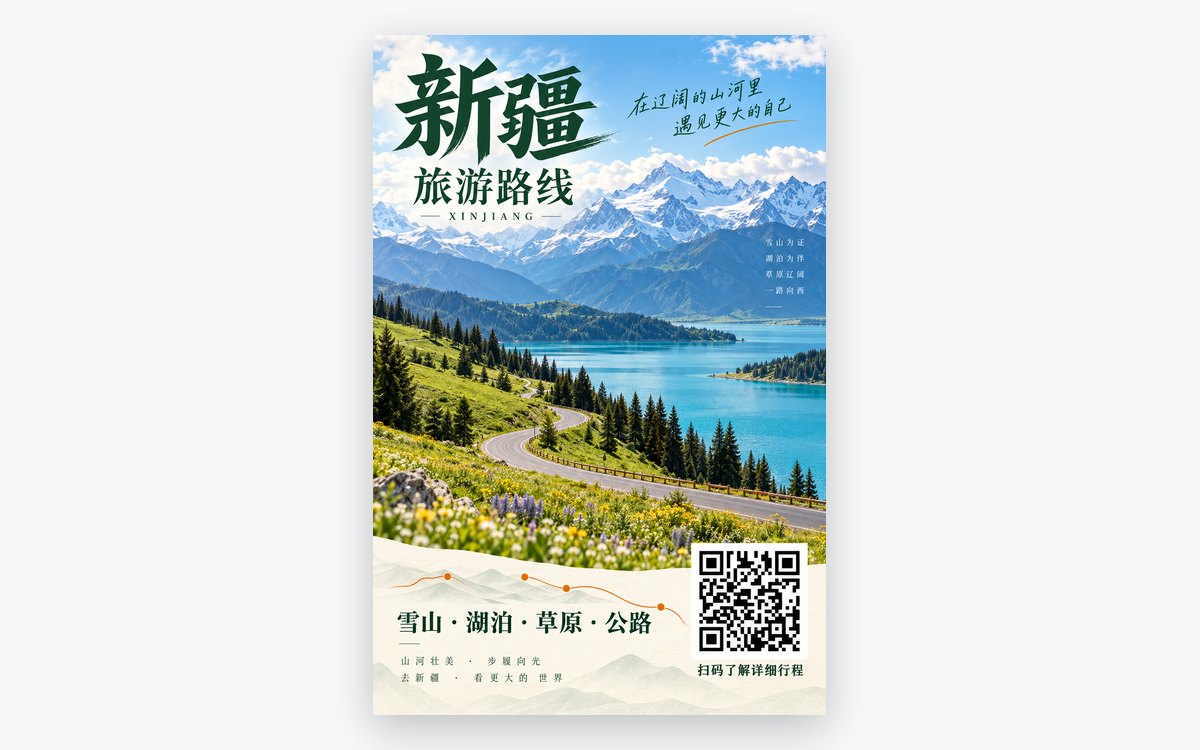
Print one summary code on a poster and organize all routes inside it.
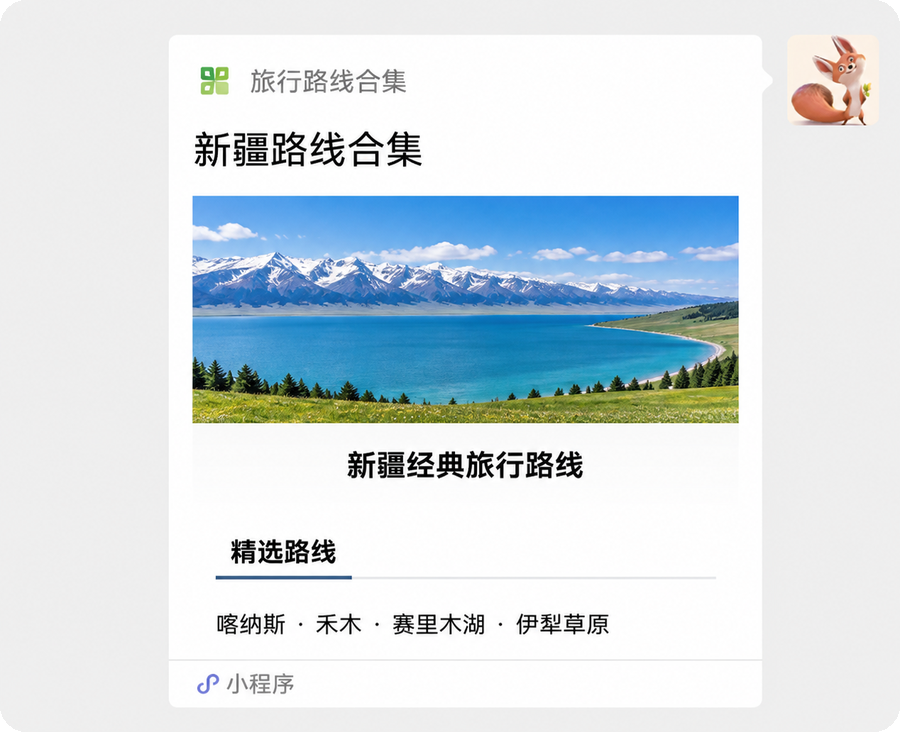
Send guests a route code that opens the itinerary and can be forwarded to family.
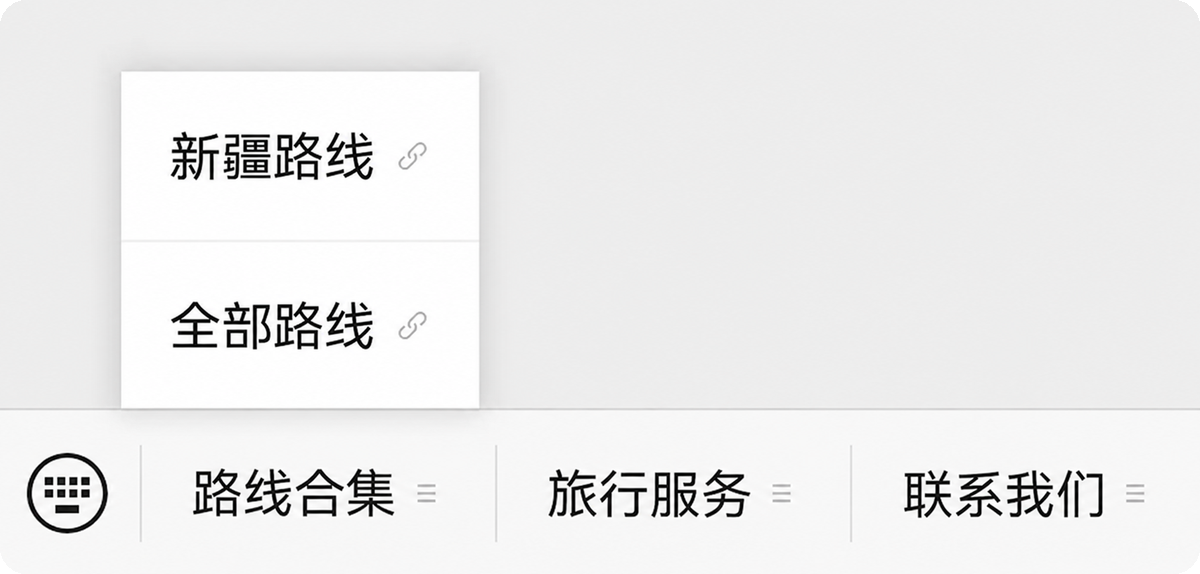
Put a summary code in the Official Account menu so guests can browse routes anytime.

Visitors scan the counter sign to browse routes and prices themselves.
How Attractions and Exhibitions Present to Visitors
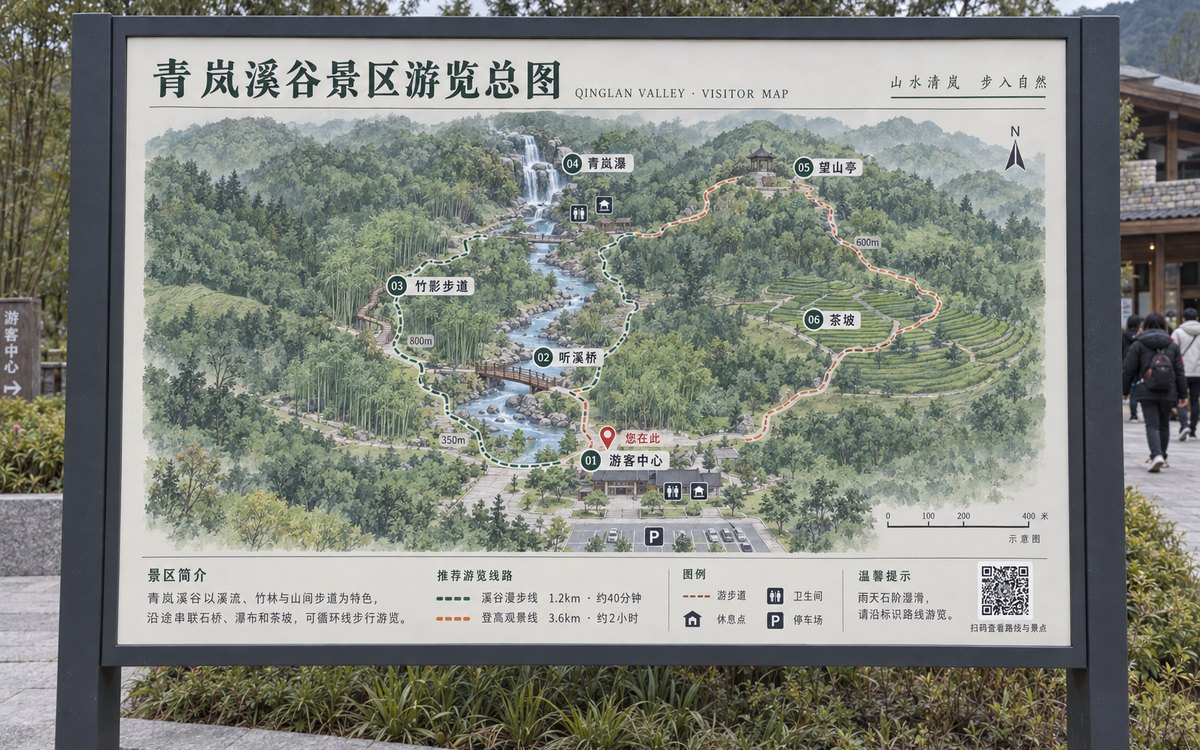
Add codes to maps and attraction signs to read introductions and listen to guides.
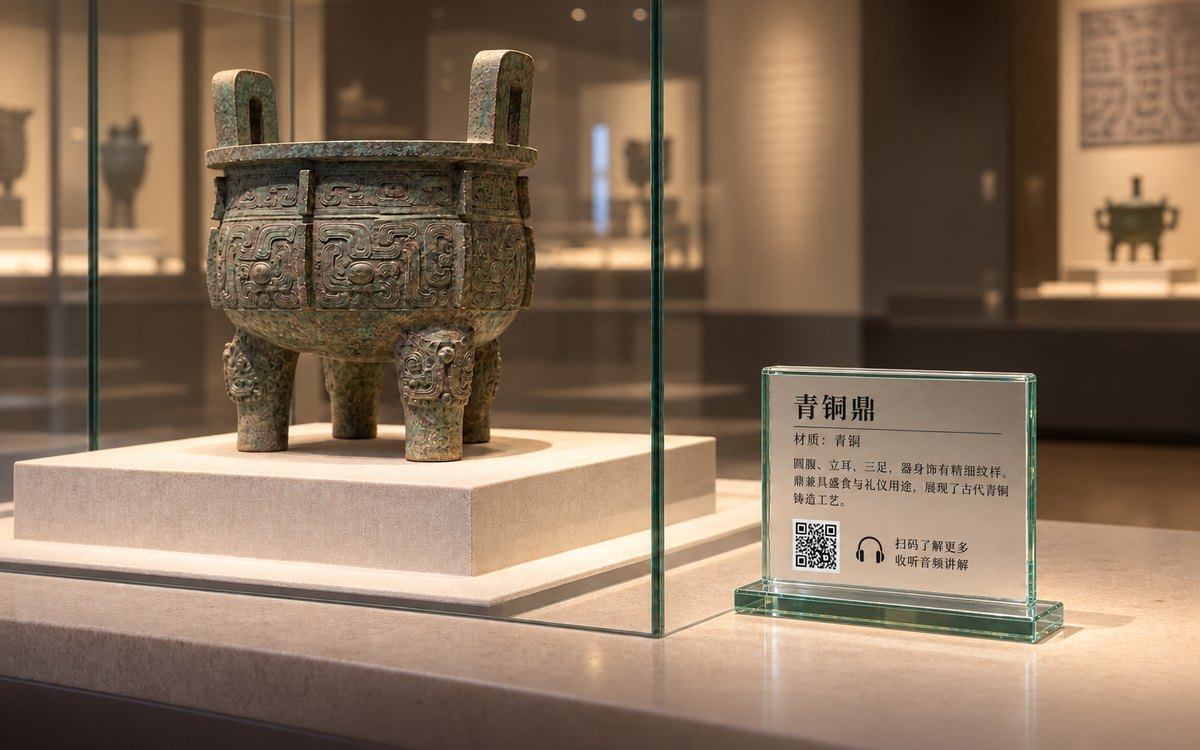
Place one code beside each exhibit label to scan for more information.
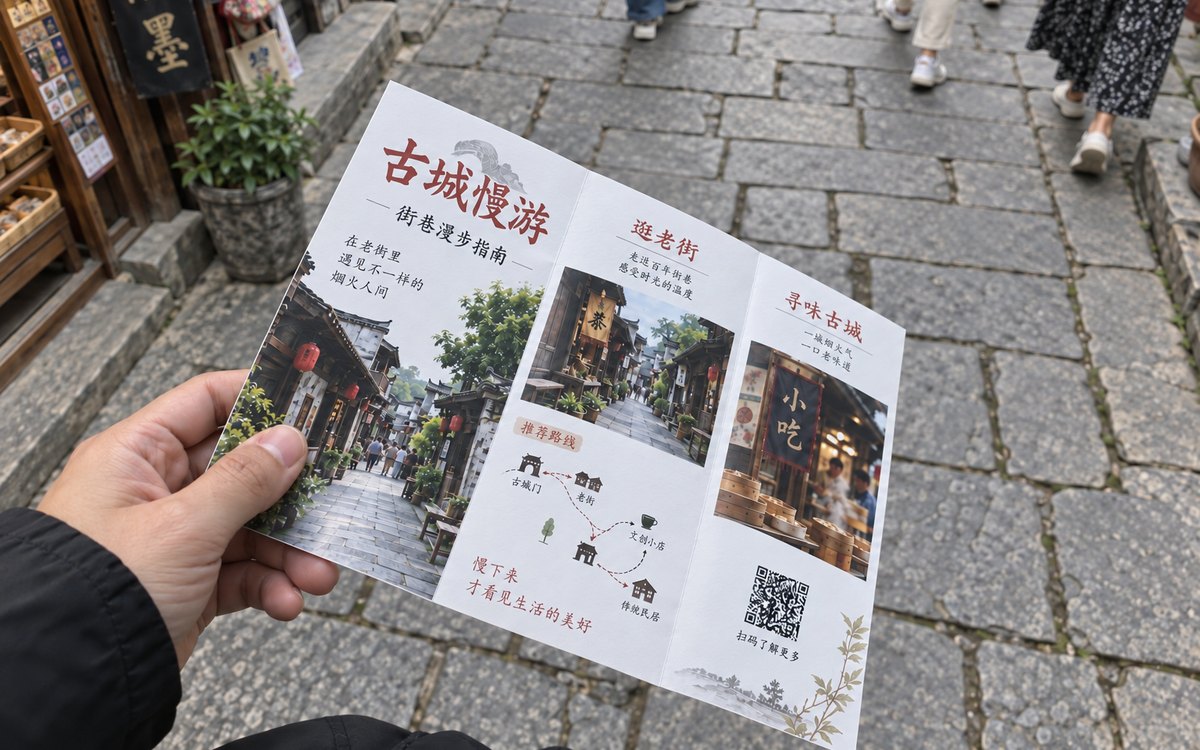
Print a map and one code on the brochure, with introductions and audio in the code.
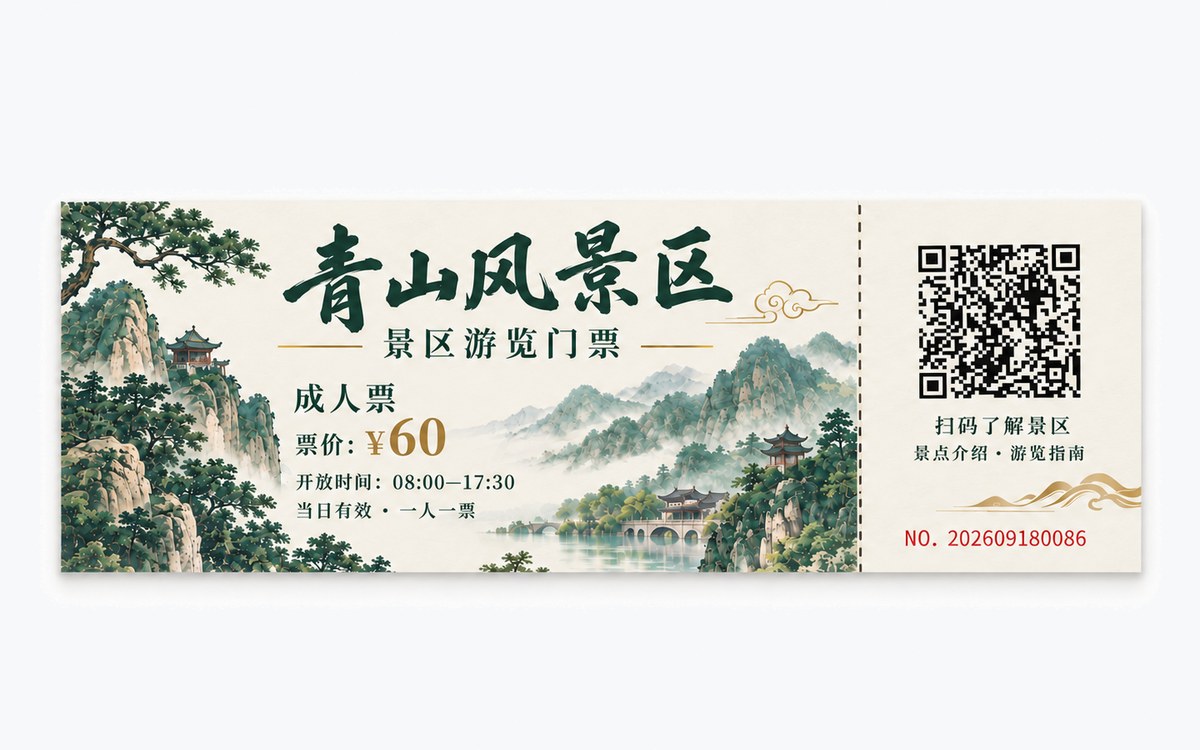
Scan while waiting for entry to preview routes, and revisit them after your tour.
Manage These QR Codes in the Workbench
Edit itinerary or attraction changes directly in the code
- Edit itineraries, meeting details, attraction introductions, and audio narration separately
- After saving, guests and visitors see the latest content when they scan
- Keep existing signs, tickets, and itinerary sheets
Combine multiple routes or attractions into one code
- Manage codes by directory in the workbench, with a directory summary QR code generated automatically
- Agencies combine all routes; attractions combine sights and exhibits. New codes join automatically
- Print summary codes on posters and guide signs or add them to Official Account menus
Compare which codes people view in the workbench
- See each code’s scan count, scanner count, and trends over time
- Compare scans to see which routes attract attention and which attractions get no scans
- Customer consultation and registration forms are summarized automatically and can be exported
Remove CaoLiao branding and show your own
- From the paid Basic Edition, remove CaoLiao branding from page bottoms, images, and files
- Show your attraction or travel agency’s logo and name in the bottom bar
- Add an Exclusive WeChat Mini Program to show your own Mini Program when scanning with WeChat
More Ways to Use It
Collect registrations, feedback, and patrol records as well as displaying content.
Editions and Pricing
Start with free route codes and upgrade when your permanent signs are ready.Edition Selection Guide
Route and attraction codes, free long term
- Long-lasting codes keep existing signs valid
- Unlimited codes for routes, attractions, and exhibits
- Unlimited visitors and scans
- Unlimited image and route resource uploads, with 50M per file
- CaoLiao branding at the page bottom
- CaoLiao watermarks on images
- Individual audio guides and videos limited to 1 minute, with standard-definition playback
Present your brand on permanent signs
All free-version features, plus
- Present Your Own BrandRemove CaoLiao branding and show your logo
- Unlimited Audio NarrationNo duration limit, with high-definition display
- HD Images and FilesOriginal image display, with 500M per file
- AI InterpretationVisitors ask questions and AI answers from code content (Advanced Edition)
- Shared ResponsibilitiesEach attraction manages its own codes (Advanced Edition)
- Content ControlConfirm price changes and keep them traceable (Flagship Edition)
Frequently Asked Questions
Do visitors need to download an app?
No. Scan with WeChat, Alipay, or a phone camera to open directly, with text, images, and audio ready immediately.
Can guests forward the code to family and friends?
Yes. Forward code images and links directly in WeChat, with full content available afterward. Put private quotations in a separate password-protected code.
Will it work with poor mountain reception?
Phones need an internet connection to view code content; it will not open in areas without a signal. Place codes at visitor centers and major attractions first. In no-signal areas, this solution cannot replace guide receivers, though both can be used together.
How does it compare with attraction guide Mini Programs and electronic maps?
Professional guide systems provide location-linked content and automatic narration, requiring development and annual fees. This solution needs no development and suits smaller attractions, rural tourism sites, and exhibitions with limited budgets starting scan-to-listen guides. Signs and content can remain useful if the system is upgraded later.
Start Building Tourism QR Codes
Free templates based on real attraction and travel agency use: replace the content with your own to start.
Choose a Template to Generate QR Codes