Scan for check-in and registration
with records compiled for export
Use one QR code for meeting registration, on-site check-in and identity verification.
Attendees scan to check in, and records are available to view and export anytime.
QR codes work for many types of meetings and events
Scan to preview how QR codes work for each type of event
 Scan to check in on arrival
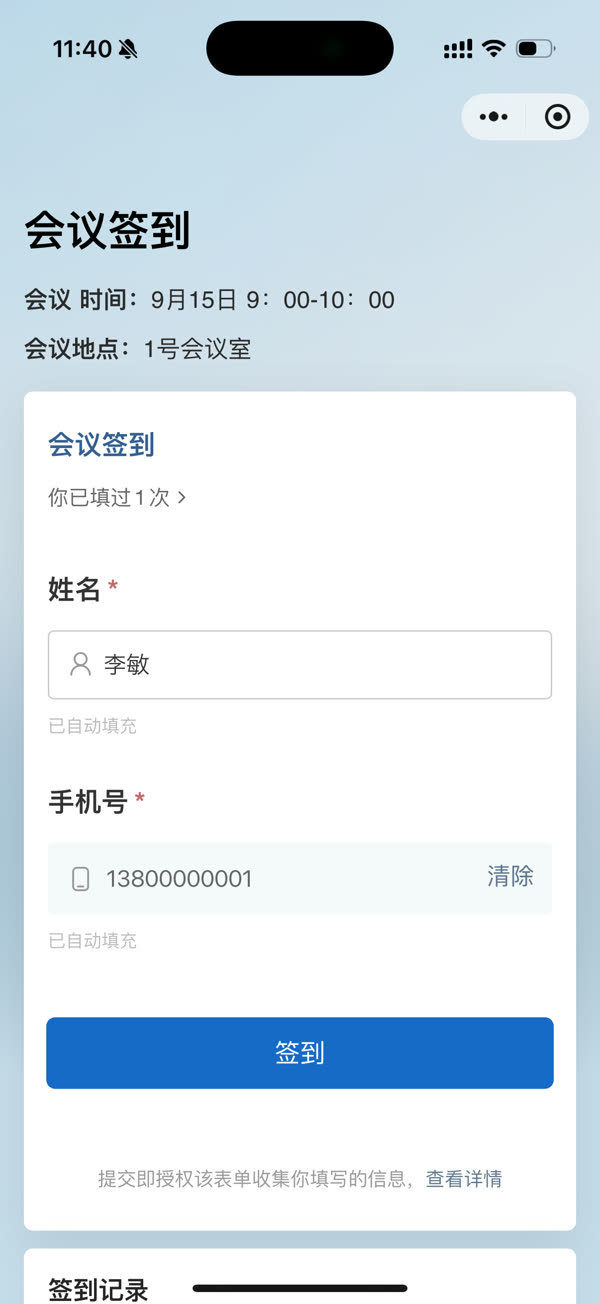
See meeting attendance immediately
Display a check-in QR code at the meeting room entrance or on a screen. Staff scan on arrival and enter their name and department to check in, so the organizer can immediately see who attended.
 Scan to check in on arrival
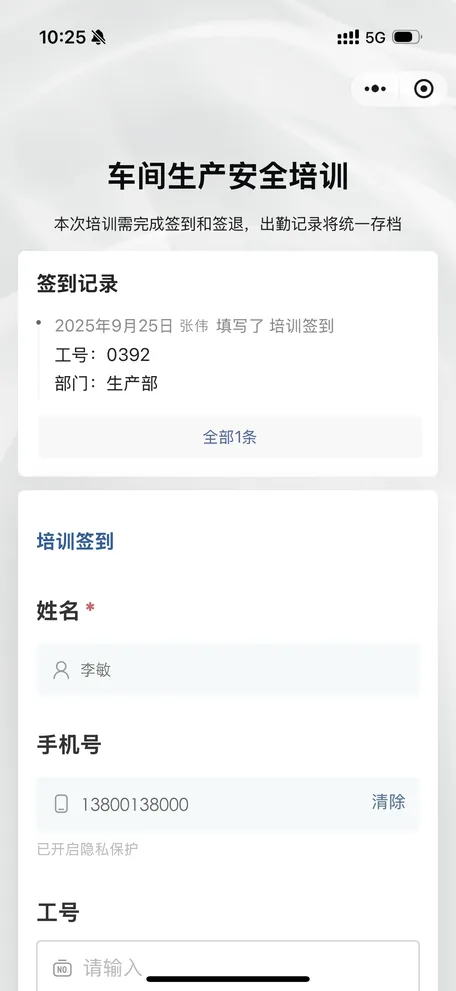
Record participation and retain training records
Set check-in time, location and participant rules for your training to reduce remote check-ins and proxy signatures. Participation records are created automatically and can be viewed and exported anytime.
 Scan for meeting details and registration
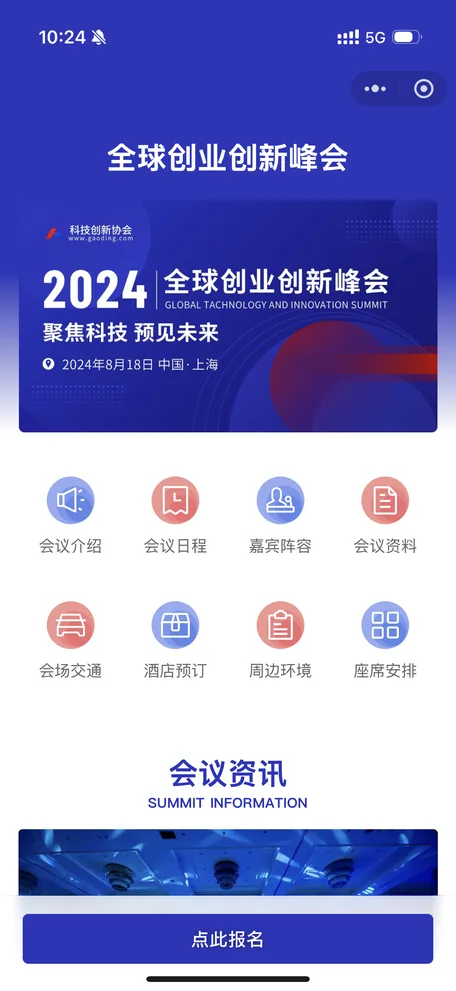
Track registration in advance and organize admission
Publish meeting information and collect registrations through a QR code beforehand to track totals and attendee lists. Each successful registrant receives a personal QR code, which staff scan and verify on arrival to record attendance automatically.
 Scan to view the itinerary and register
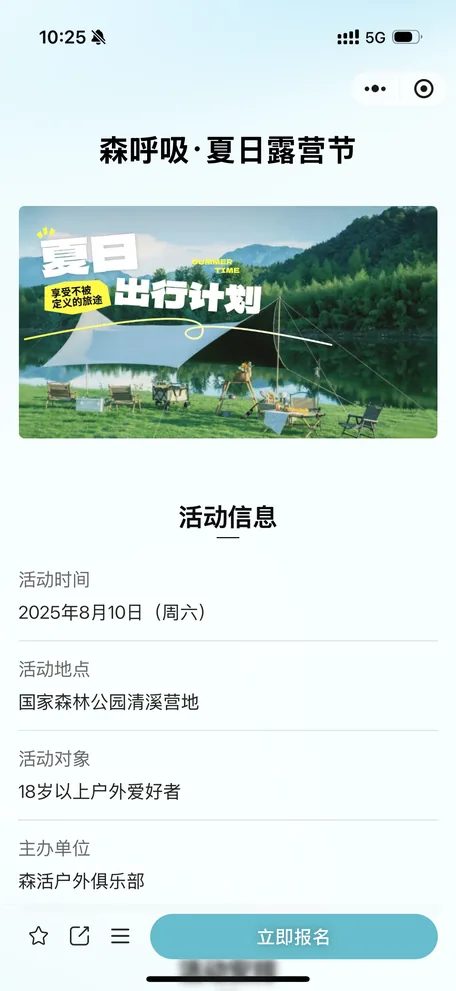
Collect registrations in advance to prepare the event
Put the event introduction, itinerary and registration form in one QR code and share it in group chats or on posters to collect registrations. If attendance records are needed, ask participants to scan and check in on the event day.
Two common ways to use QR codes
On-site scan check-in
- Display the check-in code on site
- Attendees scan with WeChat
- Submit information to check in
- Check-in records are created automatically
Advance registration and on-site verification
- Publish the registration QR code
- Attendees register online
- Receive a personal QR code
- Staff scan and verify on site
For a company training session, see how On-site scan check-in works
Display the check-in QR code on site
Before the meeting, print and display the QR code at the venue or show it on a large screen.
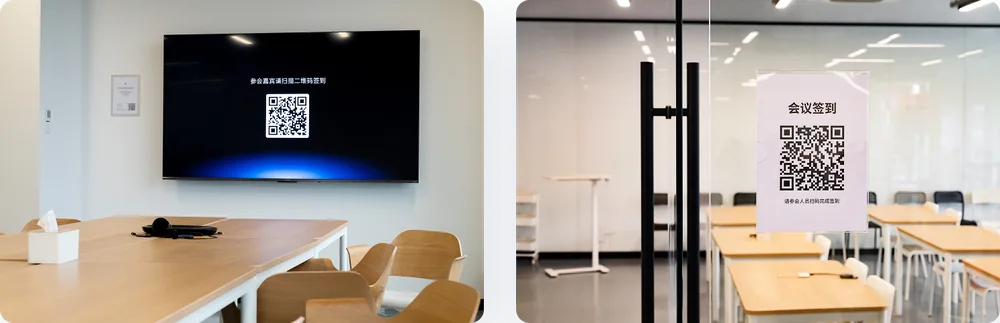
Staff scan on site and check in as required
Staff scan with WeChat to check in without queuing for registration. Organizers can set check-in times and location boundaries in advance to reduce proxy signatures and early check-ins.
Organizers can check attendance anytime
Check-in data is compiled in the workbench in real time so organizers can view current attendance on a phone or computer during training.
Training records are organized automatically
After check-in ends, the system automatically creates records exportable as Excel or PDF.
Retain training times, content and other information together for a complete training archive.
For an industry conference, see how to organize advance registration and on-site verification
Create and distribute the registration QR code
Organizers put a registration QR code on posters or invitations so attendees can scan to view meeting information and complete the registration form.
If the meeting time, venue or agenda changes, update the QR code content directly without recreating or redistributing it.
Collect registrations and issue admission verification codes
Organizers can check registrations anytime to prepare the venue, materials and catering.
Enable registration approval to control attendee eligibility. Each attendee receives a personal verification code after registration or approval.
Staff scan to verify admission
Attendees present their verification codes on arrival. Staff scan with a phone and the system records arrival times and status automatically, without searching an Excel list person by person.
For limited-capacity or invitation-only events, dynamic verification effects can help reduce screenshot sharing and impersonation.
Organizers can view attendance anytime
Organizers can see current attendance and absence totals anytime without counting people against a list.
Publish meeting resources and collect attendee feedback
After the meeting, registration and on-site check-in records are retained long term and can be viewed and exported anytime.
Organizers can keep publishing meeting photos and livestream replays or add a feedback survey in the original QR code. Attendees scan the same code to view them.
Choose an edition for your meeting management needs
Basic check-in, registration and verification are free. Upgrade as needed for branding, team management and other requirements.
- Unlimited participants and check-ins or registrations, with long-lasting QR codes
- Basic check-in, registration and verification available free
- Set check-in time, location and submission limits
- View check-ins, registrations and attendance in real time
- Data retained long term and available for export anytime
- Remove CaoLiao branding and display your company's brand
- Restrict check-in to designated people
- Collaborate with management permissions based on responsibilities
- Connect check-in and registration data to internal systems
- Add an optional Enterprise Exclusive Mini Program for a unified public entry point
FAQ
Do attendees need to download an app or follow an official account?
No. Scan with WeChat to open the check-in or registration page, fill it in and submit.
How can I prevent proxy signatures and early check-ins?
Set a check-in time, location and one submission per person, or allow only listed people to check in. Submissions that do not meet these requirements are blocked.
Can people check in on site without registering beforehand?
Yes. On-site check-in QR codes are open to everyone who scans by default. Restrict the participant scope if only designated people should check in.
Can I limit registration numbers or require approval?
Set a capacity limit to stop registration automatically when full. Events needing eligibility checks can enable registration approval so personal admission QR codes are issued only after approval.
Can check-in and registration records be exported?
Yes. View and export spreadsheets from the workbench anytime. Free-version exports have a date range limit; paid editions can export all historical records anytime.
How does CaoLiao protect my data?
As a professional SaaS product, CaoLiao QR Code puts user data security first. It follows strict data security requirements to provide reliable, secure and compliant cloud services, and has passed the public security authority's Level 3 classified cybersecurity protection assessment.
Create QR codes for your meetings and events
Basic check-in, registration and verification are free. Register to create your own meeting QR codes.